


Last Updated on 1 year ago by Danyal Khan In today’s fast-moving health environment, efficient billing and payment processes are of the essence for the good financial health of clinics. Integrated CMS is a complete solution that can streamline these activities, reduce errors, save time, and lead to superior patient satisfaction. This article dives deeper into how integrated CMS can transform billing and payment in clinics and the best practices to consider for successful implementation. What is Integrated CMS? Integrated clinic management software is a single, all-inclusive application where many functionalities such as patient scheduling, electronic health records (EHR), billing, and reporting are integrated. It ensures that the errors in data entry are reduced and financial processes can be made more efficient. Elements of Integrated CMS Automated Invoicing: It generates an invoice for the patient’s visit and services rendered, thus avoiding manual entry and reducing error chances. Insurance Claims Processing: Automates claims submittal and tracking against reimbursements to get payment processed faster. Payment Processing: Allowing patients to pay their accounts online; thus, they get to pay hassle-free as well as in a secure way. Reporting and Analytics: Helps understand billing patterns, outstanding payments, and the clinic’s financial performance, which enables them to make informed business decisions. Importance of Streamlining Billing and Payments Reduce Administrative Burden Typically, billing and payment procedures are cumbersome, time-consuming, and require much administrative effort. If, however, the billing and payment procedure is embedded in a CMS, there are fewer administrative efforts; therefore less paperwork and more time by the staff to give attention to the patient. The system thus increases the possibility of manual errors such as entry of wrong data, due to the high risk involved in manual data entry into the system, which contributes to some billing errors, declined claims, and long payment processing periods. The integrated CMS minimizes the quantity of data entry since it fills up all billing information automatically from a patient’s record, thereby minimizing the chances of errors. Enhancing Patient Experience Easy and streamlined billing, combined with an integrated CMS, helps in enhancing the overall experience of patients. Patients like easy-to-understand simple bills and the convenience of online or mobile payments. Such a smooth process can boost patient satisfaction and loyalty. Book Free Demo How Integrated CMS Streamlines Billing and Payments 1-The ease of automated billing processes Automated billing saves time and reduces errors as it refers to the generation of an invoice by following rules and patient encounters. If services are provided to a patient, the CMS will automatically calculate charges and create an invoice for this patient directly to a patient or insurance company. Advantages Time-Saving Automated billing saves ample time compared to manual billing regarding time considerations. Consistency While using automated billing, the process of billing is consistent, and one complies with legal regulations. Faster Revenue Cycle: It accelerates the revenue cycle by eliminating delays in billing. Streamline Insurrance Claim Process The process of making and managing insurance claims can be complex and result in a default denial or delayed payments. An integrated CMS streamlines the process by allowing clinics to make electronic claims and monitor the progress. Benefits Less Denials: Thus, it reduces the chances of denials by ensuring proper coding and documentation. Accelerated Reimbursement: Enables accelerated reimbursement by making electronic submissions. Real-Time Tracking: Allows clinics to know whether their claims have been settled or not in real-time, which enables quick attention to arising issues. Easy Payment Processing CMS-integrated solutions make sure that patients have a choice of payment processing, which could be in the form of credit card payments, online bill payments, or even payment plans. Patients can make payments through secure portals, which improves the experience of the patients and raises the chance of timely payment. Advantages: Flexibility: The system will be flexible enough to offer various options of payment processing for a patient to select from their preferences. Reporting And Analytics The CMS can provide all clinics with reporting and analytics. The reporting and analytics features can then create reports on outstanding balances, payment patterns, and other revenue cycle metrics. Informed Decision Making: The clinic administrators make information-based decisions to improve the financial health of the clinic. Trend Analysis: It enables the clinics to determine trends in their account to optimize their billing and payment processes. Performance Monitoring: Continuous monitoring of financial performance against goals and benchmarks is made possible. Best Practices for Implementing Integrated CMS 1-Assess Your Clinic’s Needs First, through a detailed needs analysis with your clinic, identify exactly what your needs are for the integrated CMS. Consider the size of your practice, the count of your patients, and the number of complexities that go on in billing services. This allows you to make a decision that will fit within your operational requirements. 2-Involve key stakeholders Involve users themselves, including administrative assistants, billers, and healthcare providers, in the selection and implementation process. Their input and reaction will be useful when selecting a system that would be effective for all users. 3-Provide Comprehensive Training Provide comprehensive training to the whole staff once the CMS has been installed. Proper training will ensure that they know how to use the system properly to carry out their functions and thus ensure easy, error-free performance. 4-Monitor Performance Routinely After completing the merged CMS, monitor its performance regularly. Use reporting tools to determine the efficiency of billing, turnaround times for payments, and financial well-being. This ongoing review will inform you of where to adjust to enhance processes and optimize performance. 5-Conduct compliance updates That the integrated CMS you have installed is compliant with the regulations and standards of healthcare, as well as with the billing at the time you implemented it. It will be great to get constant updates on processes and software to keep your business aligned with those ever-changing laws and mandates. Challenges to Expect 1-Avoidance of Change Adoption is likely to be a fight, particularly from the staff, given that they have previously been accustomed to the traditional billing systems and, therefore, might
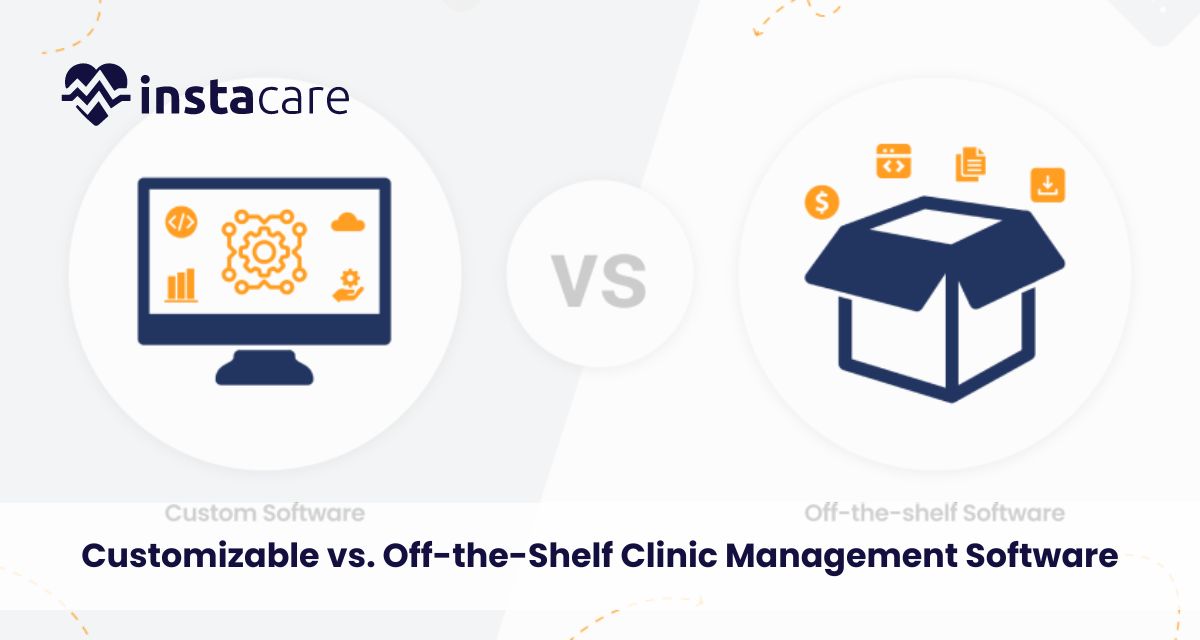
Last Updated on 1 year ago by Danyal Khan It is extremely important to choose the proper clinic management software these days as such a choice is about being effective, improving patient care, and speeding up administrative work. Among the biggest decisions facing practices these days is whether to choose software that one can customize or opt for an off-the-shelf solution. Before one decides on either, they need to weigh the pros and cons against their own requirements. Here, we are going to present both options and at the end of it, you will have the answer as to which one is better suited for your practice. What Is Clinic Management Software? To discuss how customization or off-the-shelf software is, firstly, there is a need to define what a clinic management system is. Clinic management systems are designed for the administration of a health care facility. It involves scheduling and holding electronic health records, billing, patient communication, among many others. Therefore, through automation, clinics become much more efficient, reduce errors, and also assure better satisfaction for patients. Off-the-Shelf Clinic Management Software Off the shelf software are those readymade systems which can be purchased off the shelf for buying immediately and for use. Thus, these systems support the wide range of practices, hence it carries the standard features supporting all sorts of specialties. Examples of a very popular system are Practice Fusion and Athenahealth . Advantages Of Off-The-Shelf Software The Advantages Of Off-The-Shelf Software Include: Cost-Effective: Off-the-shelf packages are less expensive than customized packages because the development expense is distributed over many users and the expenses of maintaining them are also spread out since they are mass produced. Fast Implementation: The fastest possible implementation for such a system can be developed and brought into action relatively quickly, and it allows practices to be able to begin working on them shortly after that. It is helpful for a new practice or for one wishing to convert over to a paper-based system. Off-the-shelf software providers, most of the times than not, update and supports it regularly. Therefore, users are constantly updated on the latest features and current legislations. Solutions with a proven record will most probably be available with off-the-shelf systems because they were tried and perfected over time to produce a more stable and reliable product. Reviews by other users and their stories can assist in analyzing its usability. Disadvantages of Off-the-Shelf Software Limited Customization: Off-the-shelf solutions cannot be modulated to an extent that is required by a particular practice. Features may not fit the workflows as good and that leads to inefficiency. Generic Features: They service such a large audience that they typically will not be able to provide specialized features that might be required for a particular specialty medicine, such as pediatrics or orthopedics. Integration Issues: Off-the-shelf software packages rarely have integration capabilities built into them or with the other systems and third-party applications used in your practice, which may create information silos. Scalability Issues: A change in the size or nature of your practice, that off-the-shelf systems cannot keep up, may mean you must change systems entirely. Book Free Demo Customizable Clinic Management Software Customizable software may be developed to fulfill specific needs of a given practice. These systems can be developed from scratch and tailored to fulfill specific needs in terms of workflow. A few companies, such as AdvancedMD and DrChrono, offer customizable solutions as well. Benefits of Customizable Software Office-specific functionalities: Customized software has features that have particular selections, in which case the selected features are according to the requirements of the practices. This helps the customized software increase productivity and smoothen out the workflows. Seamless integration: One may design customized software that integrates well with other systems of the practice, so all elements work together very smoothly. Scalability: Even as your practice grows, so can this custom software, with new features and capabilities when needed-but not by being limited by the form and shape of a prepackaged solution. Better User Interface: This type of software can be developed to have the right user experience that respective users need. This will make it more accessible and easier for employees to navigate and work with the system. Disadvantages of Customizable Software Higher Cost of Implementation: As all these development and design costs are included in this, a custom software is generally more expensive than its non-custom counterpart. This can be a very high investment for a small practice. Longer Implementation Period: Tailor-made solutions may take more time to develop and implement than a ready-made system. Transition processes of the implementation practices do need to have some preparation time. Maintenance Requirements: Customized solutions will require continuous maintenance and support, an added cost in the long run. The practices have to be ready to commit them with sufficient staff. Over-Customization Risk: The risk is that practices may over customize software to develop complexities to an extent that the system becomes more and more difficult to handle or even impossible to upgrade sometime later. Determinants on the Right Choice of the Software Developing one’s own custom or buying an off-the-shelf management clinic software involves making some considerations. Some of these considerations include; 1-Practice Size and Specialty For instance, a large practice or even one that requires unique, custom-made software packages, on the other hand, a smaller-sized practice would be fine with off-the-shelf kind. Think about your specialty and what unique features you might need that may not be available in the off-the-shelf products. 2-Budget Determine how much you can afford for your software. Any of shelf software packages have a lesser investment at the onset, compared to made-to-order. You should also think about future costs such as support and upgrades. 3-Implementation Timelines Off-the-shelf may be your only option in a crunch. The customized solution will most probably take more time for implementing. 4-Integration into Existing Systems Determine how far each solution is going to be compatible with your existing systems. In case integration is required, then customizable solutions have better
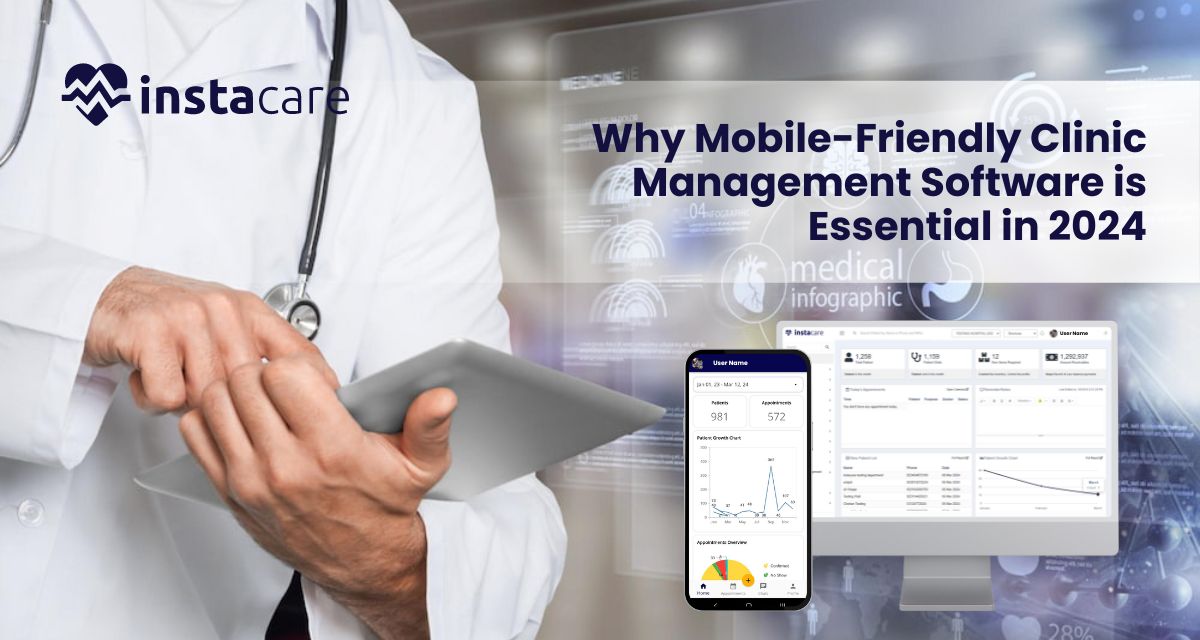
Last Updated on 1 year ago by Ahmed Usman Why is Mobile-Friendly Clinic Management Software is Essential in 2024? With the sands moving in the health-care arena, never before have the calls for effective and accessible solutions for clinic management been so strong. As we now enter 2024, mobile-friendly clinic management software has come to play the very important role of being in the toolkit for healthcare providers. This article discusses why clinics need to embrace such software, enhancing operational effectiveness and also improving the quality of care of patients. 1-The Rise of Mobile in Health Care 1.1 Changing Expectation of the Patient Current patients are more ‘tech-savvy’ than ever, having convenience and accessibility expectations from health care services. Where these patients have increased with smartphone and mobile applications, they wish to communicate with their healthcare providers through digital interfaces. With mobile-friendly clinic management software, patients can now schedule appointments and access their medical records from their devices while communicating with healthcare providers. 1.2 Increasing Adoptation of Telehealth Service The COVID-19 pandemic has made telehealth services more mainstream; support for virtual consultations has been needed in terms of mobile solutions. Telehealth is a lifeline today, 2024. A clinic management software that is mobile-friendly enables users to carry out the smoothest and most readily available virtual visits required by any patient anywhere in the world for timely care. 2-Efficient Operations 2.1 Appointment Scheduling streamlined Another very important thing that clinic management software does is to help in scheduling. Mobile-friendly solutions allow patients to book, reschedule, or cancel appointments through an easy-to-use interface, therefore reducing administrative burdens on staff and minimizing no-show rates, which really optimize the clinic’s resources. 2.2 Better Communication Effective communication is an essential feature in healthcare. Mobile-friendly software typically features an integrated secure messaging function in which patients and providers communicate directly with each other. This allows for better engagement because questions are resolved quickly, adding to improved patient results. 2.3 Automated Reminders and Notifications For instance, automated reminders concerning upcoming appointments, medication refills, or follow-up visits can work wonders as far as patient compliance is concerned. Using mobile-friendly clinic management software, one can create SMS or push notifications in reminders, which, consequently minimizes the instances of no-show appointments and accordingly brings about a very significant improvement to the experience directed toward the patient. 3-Detailed Patient Management 3.1 Easy Accessibility of Medical Records Patients would like to see more access to both their clinical information and their treatment plans. The clinic management software must be mobile-friendly, so that patients can log-in to a secure portal to view their clinical records, their test results, and even their treatment plans. This level of transparency and how it increases patient confidence is more likely to motivate patients to engage better with their healthcare providers. 3.2 Customized Patient Profiles Each patient is unique and with portable friendly software, the clinics can create personalized profiles of patients containing history, allergies, and treatments. The information will be readily available to healthcare providers to provide more personalized care, thus improving patient relations. 3.3 Better Data Security As cyber threats rise, information security in healthcare is vital, and by norms, clinician-friendly clinic management software employs heavy-duty encryption and security protocols to safeguard possibly sensitive in nature patient information. It ensures that compliance of regulations will be covered, such as HIPAA for this, and it also enhances patient trust. Book Free Demo 4-Analytics and Reporting 4.1 Data-Driven Decision Making Data analytics is yet another key optimization step for running clinics in 2024. On its own, mobile-friendly clinic management software often tends to come along with analytics tools which will enable the provider to follow KPIs, patient satisfaction scores, and efficiency of doing operations. It makes clinics highly informed in decisions about improving service delivery. 4.2 Financial Management It can be a very complicated process to manage the clinics, but with the help of a mobile-friendly software system for the billing process as well as payment tracking and generating real-time financial reports, the cash flow has significantly improved, and powerful insights into the financial health of the clinic can be obtained. 5-Integration with Other Systems 5.1 Interoperability with EHR Systems Seamless integration with Electronic Health Records is common with most mobile-friendly clinic management software. This will allow the exchange of information by ensuring interoperation and, therefore, assures a comprehensive collection of patient data available to clinical decision makers. 5.2 Third-party Applications Connectivity Third-party application access will become a really hot topic in 2024. Most mobile-friendly clinic management software integrates well with any third-party tool, such as telehealth platforms, lab systems, and billing software. This makes operations more efficient and improves patient care in general. 6-Cost-Effectiveness 6.1 Lowered Administrative Fees Automating administrative work helps reduce the cost of running a mobile-friendly clinic management software: appointment scheduling, billing, and patient communication, among others, are streamlined, thus allowing staff to have more time for high-value activities. 6.2 Improved Revenue Cycle Management Efficient revenue cycle management can be a difference-maker in the financial sustainability of any clinic. A mobile-friendly software manages billing more efficiently for moving collections forward and less likely to deny it. In this way, cash flow and health improve for the clinic. 7-Future-Proofing Healthcare Operations 7.1 Market Trend Adaptation With the clinic evolving over time, clinics should adapt to the latest trends happening around them. In a mobile-friendly platform, the clinics are in a better position to switch anytime related to changes in patient needs, regulatory requirements, and technological issues. 7.2 Patient Engagement With patient engagement being the top priority in 2024 for healthcare providers, mobile-friendly solutions ensure constant communication and engagement, building deeper relationships between clinics and patients with improvement in overall satisfaction. 8-Patient Outcome Improvement 8.1 Personalized care plans Mobile-friendly clinic management software provides health care providers with the ability to create and implement customized, patient-specific care plans for clients. Based on information in the profiles of the patients, medical history, and patients’ preferences, clinicians can design treatment options that suit the individual’s needs. This tailored
Last Updated on 1 year ago by Ahmed Usman The Impact of Clinic Management Software on Patient Retention and Loyalty Patient retention and loyalty have become very important for the success of clinics in this highly dynamic world of health care. Competition has increased and expectations of patients for clinics have surged, which makes it very challenging. Clinics have used technology as a balm to bring improvement in their services and satisfaction of the patients and one such massive tool in this direction is the clinic management software (CMS), which not only helps smooth administrative tasks but also contributes a lot in promoting patient retention and loyalty. Here we have, discuss how clinic management software influences these salient factors of health-care provision in this paper. Definition of Clinic Management Software The clinic management software is automated and optimizes several operational processes in a healthcare facility. Applications include appointment scheduling, billing management, and patient records among others- all resources that can greatly enhance efficiency and bring comfort to the patient. It improves patient care and building relationships with patients by centralizing data and processes. Key Features of Clinic Management Software Online Appointment Scheduling: Low wait times and smooth flow of patients by streamlined scheduling. Patient Records Management: Easy access to medical histories allows for more informed care. Billing and Insurance Processing: Automated billing reduces errors and accelerates revenue cycles. Communication Tools: Integrated messaging systems assist staff and patients in effective communications. Reporting and Analytics: Insights provided through data help clinics make informed decisions on patient care and operational improvements. The Responsibility of CMS to Retain Patients 1-Patient Experience Improved One of the biggest advantages of clinic management software is that it improves the overall experience for patients. By streamlining these administrative tasks, CMS allows healthcare providers to care for their patients rather than spending all of their time at desks. Reducing Long Queues: With automated appointment scheduling, clinics can control patient inflow and enhance patient satisfaction by reducing waiting time in clinics. Personalized Communication: CMS enables clinics to send reminders for appointments, follow-up messages, and health tips based upon each patient’s requirement, thus creating a feeling of care. 2-Simplified Ease Every patient in the current scenario wants it easy. They want convenient means of accessing their health-related information. Most patient portal applications built into the clinic management software enable patients to view their medical records, lab results, and appointment schedules at their convenience. 24/7 Access: With full access to their health information, patients can be more engaged and believe in their provider. Online Scheduling: Online appointment scheduling gives patients more control while making it easier to book, thus promoting higher retention. 3-Better Communication Communication by healthcare providers creates trust and loyalty between the two parties. CMS offers various channels through which communication may be enhanced, such as text messaging, emails, and patient portals. Timely Follow-Ups: Automated reminders for appointments and check-ups help keep the patients engaged in the treatment cycle. Feedback Mechanisms: Most CMS systems have feedback features so that patients can give their views on the services received, so that the same can be amended or rectified as soon as possible based on the feedback given by the patients. Book Free Demo CMS helping Build Loyalty 1-Creating Trust One of the founding stones of patient loyalty is trust. The moment a patient feels confident about their healthcare providers, there is a likelihood of being loyal. Such trust through clinic management software builds in the following ways: Transparency: Patients can easily access their health information, treatment plans, and billing details, making the relationship with healthcare providers transparent. Consistent Care: With appropriate and updated patients’ records, the clinicians can provide consistent and informed care. It makes the patients feel safe about their treatment. 2-Loyalty Programs With loyalty programs, many clinics these days are rewarding patients for continued involvement. By tracking patient visits, treatments, and satisfaction levels, CMS can assist in facilitating such programs. Incentives: Providing discounts, rewards, or special services for loyal patients make them return and refer more people. Monitoring of Engagement: CMS can analyze the type of engagement displayed by patients towards the clinic so that exact loyalty programs are provided. 3-Education And Empowerment Patient education for health-related problems and treatment options can make them fully empowered so that every patient will take a proactive approach towards his/her cycle of healthcare. CMS can perform an efficient role in enhancing the patient’s knowledge. Resources and Information: CMS facilitates the provision of relevant and condition-specific information by clinics to patients. The patients are, therefore, made to feel like partners in their care. Health Reminders: With the automatic message feature, the patients are reminded of health screening, vaccines, or other health tips. It reminds them that the clinic is really interested in their health. The Financial Benefits of Patient Retention and Loyalty 1-Cost-Efficiency The cost of retaining existing patients is usually much lower than that of getting a new one. Improving patient retention through the use of CMS is likely to reduce marketing and acquisition costs on clinics. Higher Income: Returning visits and word of mouth from loyal patients will generate higher incomes over time. Reduced No Show: Effective reminders and communication will considerably minimize no-show rates, optimize clinic resources, and cash inflow. 2-Good Reputation A clinic that considers the issues of patient satisfaction and care will automatically create a good reputation in the community. Positive word-of-mouth referrals from satisfied patients are likely to attract new patients. Online review: Satisfied patients leave good reviews online, therefore attracting more patients. Involvement in the community makes them have a good reputation from the patients because of their efforts to educate people on health matters. Challenges and Concerns Indeed, the advantages of CMS are even obvious, but worth noting some challenges that may be involved in its implementation. 1-In-house Investment and Training Putting your money on a clinic management software is a tremendous input, especially for smaller clinics. There will also be the need to train staff personnel to make sure all of them will
Last Updated on 1 year ago by Ahmed Usman How is Cloud-Based Clinic Management Software is Revolutionizing Healthcare? The healthcare sector has witnessed a transformation in recent years, especially due to technology. Among such innovations is the clinic management software implemented through the cloud game-changer. Overall, by leveraging cloud technology, healthcare providers can refine business processes, improve patient care, and increase efficiency. This blog post addresses the methods through which cloud-based clinic management software is changing healthcare, its benefits, and the future of the technology in medical practice. Understanding Cloud-Based Clinic Management Software Cloud-based clinic management software is a digital solution that enables healthcare providers to manage various administrative chores and patient information from a central, web-accessed platform. It’s not at all similar to the traditional software that could only work on an on-premises basis with maintenance. These systems are housed on secured servers that enable real-time updating as well as remote access. Important Features of Cloud-Based CMS Patient Scheduling: Appointments can be scheduled easily, rescheduled, or even canceled in advance using cloud-based systems which avoid no shows, optimizing the clinician’s workflow. Electronic Health Records: The electronic record provides aggregated information on patient records like medical history, treatment plans, and medications to avoid delays in access of crucial information. Billing and Invoicing: Automated billing processes help in smooth financial transactions; it becomes easy to raise invoices, collect payments, and deal with insurance cases. Telehealth Integration: Most cloud-based CMS systems have telehealth functionalities. Which means that providers can virtually consult and are very important to healthcare providers and patients in the last couple of years. Benefits of Cloud-Based Clinic Management Software 1-Improved Accessibility Access is one of the most beneficial advantages of a cloud-based CMS. Patient data and administrative tools are available anytime, anywhere with an Internet connection on any device. This allows for the following: Remote Work: Health care professionals can work from home and other locations, remotely, to improve work-life balance and continued delivery of health care services. Mobile Accessibility: The health care professional will be able to access the patient’s history or update information from a mobile device on the move, thus leading to quicker decision-making and better patient care. 2-Better Collaboration Cloud computing systems ensure that members of the health care team are collaborating better with each other. Many users can access and update patient information in real-time; thus, redundant data entry is avoided, and communication among departments improves. This collaborative approach leads to: Care Coordinated by Others: Collaboration among different specialists has the ability to be done with much ease, which essentially means a lot in the treatment process. Interdisciplinary Communication: Teams can discuss cases much more efficiently and will have better outcomes with the patient. 3-Cost Efficiences Saving big money on the expenses: Taking the clinic management software through the cloud saves big for health organizations when considering the expenses. With traditional systems, one has to incur high expenditure on hardware and installation costs, in addition to maintenance costs. With cloud solutions, the services can be deployed based on a subscription system, thereby allowing for: A lower initial investment: the providers can start with their minimal upfront expenses, and this makes it friendly to small practices adopting the technology. Lower IT Costs: Upgrades and maintenance are handled by the cloud service providers hence the clinic will save on employing skilled IT staff and other support. 4-Enhanced Data Security In health sectors, security of data is always of great importance since any information in relation to patients are secrets. The CMS solutions based on cloud usually include robust security features such as: Data Encryption: The patient’s data will be encrypted during both transit and storage to minimize unauthorized access. Regular Backups: Automated backups will support saving the data in case a system crashes or in case of cyber-attacks. Compliance with Regulations: Many providers of the cloud hold the compliance as per HIPAA, which helps you ensure patient records and other health data are handled safely. 5-Streamlined Workflow Cloud-based clinic management software automates the majority of administrative tasks, thus managing workflows more efficiently. Features, including appointment reminders and automated billing, enhance workflow for staff and reduce the administrative burden that consequently can enable more time to be spent with patients. Some of the benefits include: Higher Productivity: With routine tasks automated, staff dedicate more time to interacting with the patient and providing care. Lower Errors: The chances of a human making a mistake in billing and data entry are reduced by automation. Book Free Demo Role of Telehealth The rise of telehealth has been perhaps the most impactful trend in healthcare. It really came to a head during the COVID-19 pandemic. Cloud-based clinic management software typically has telehealth capabilities, allowing providers to see patients remotely. Some benefits include the following: Challenges and Considerations Even though cloud-based clinic management software has several benefits, some challenges and considerations should be regarded as essential in its implementation and usage: 1-Implementation and Training Another change required to transition into a cloud-based system may include adjustments in workflow and processes. Staff training and proper support are essential for implementing this transition process. Providers must have considerable blocks of time and resources set aside to train and reduce resistance to change. 2-Internet Connectivity Cloud-based systems require reliable connectivity in terms of the internet. Poor connectivity in areas might be an underlying factor that affects the access of the system to the clinic, which will eventually impact the patient care. Clinics must assess their internet infrastructure before moving to such a system. 3-Data Privacy Issues Cloud technology has its weaknesses, and that is data privacy. Cloud service providers and healthcare providers must ensure that the said provider has complied with the regulatory requirements and ensures the protection of patient information. The Future of Cloud-Based Clinic Management Software Cloud-based clinic management software promises a bright future. As technology evolves, we see the following aspects: Interoperability Coordination of care requires effective communication and easy data exchangeability between various healthcare systems. Future cloud-based CMS solutions will
Last Updated on 2 years ago by Ahmed Usman Improving Patient Experience through Advanced Clinic Management Software An excellent patient experience means much more to today’s fast-moving healthcare environment than ever before. Patients are not just expecting access to care in a timely and efficient manner; they expect effortless communication with healthcare providers and the process of managing health to be completely hassle-free. It plays an important role in meeting expectations through improving efficiency in operations and communication, which follows to improve on the patient experience. This report provides information about how advanced CMS modifies patient interactions and outcomes. What is Clinic Management Software? Clinic management software is the technological aid for the smooth running of clinics. From scheduling appointments, patient’ records handling, billing, and communication, CMS integrates various functionalities to streamline clinics at maximum efficiency. Most current advanced CMS goes beyond its basic functionalities such as telemedicine, patient portals, analytics, and automated reminders. Key Features of Advanced CMS Appointment Scheduling: Streamlines scheduling patients and staff appointments. Electronic Health Records (EHR): Store all records in an electronic digital repository. Billing and Insurance Management: Has contained automation in billing and insurance claims. Patient Communication Tools: Offers secure messaging, reminders, and follow-up communication. Telehealth capabilities. This enables virtual consultations that enhance access to care. Streamlining Patient Experience with CMS 1-Simplify Appointment Scheduling The most painful part is the process of scheduling. With an advanced CMS, a patient can book online, and that’s at any time of day or night. Benefits: Efficient Resource Use: The health care workforce is better able to control flow patterns, thereby maximizing the use of available clinical resources. 2-Electronic Health Record Centralization Centralized electronic health records allow healthcare providers quick access to patient histories. Ease of access enhances the quality of care due to practitioners who can consider all patient-related information during a period. Benefits: Optimal Care Coordination: Since all information about patients is centralized, the providers can communicate and confer well, and hence this yields better results for patients. Less Errors: Digital charts pose no risk of misreading or losing data, thus offering higher safety to the patient. 3-Efficient Communication A sound experience for the patient is based on proper communication between patients and providers. Improved CMS allows safe messaging that will take the patient directly to the provider. Pros: Quick Answers: The patients get their answer without delays, thus eliminating anxiety and confusion for them. Follow-Up Care: Automated follow-up messages can remind patients about post-visit instructions or check-ups, thereby leading to better adherence to care plans. 4-TeleHealth Integration Telemedicine has gained popularity over the years, and remote access has changed the face of how patients get care. Advanced CMS often includes capabilities that let a patient virtually consult their provider from anywhere. Benefits Ease of Access: Patients in rural areas or with mobility issues can get care without traveling long distances. Ease:Telecare saves both the patient and the provider a lot of time, and so makes healthcare much more streamlined . 5-Automated Insurance Billing Management Billing is perhaps one of the most frustrating problems patients have to face. The most advanced CMS can help automate the entire billing process so that patients are not confused by unnatural bills. Advantages Less Confusing Bill Statements: Patients easily understand detailed bill statements and are not confused. Streamlined Insurance Claims: Processing claims automatically ensures a lesser delay in practice reimbursement, which gives providers ample time to concentrate on their core competencies-patient care. 6-Patient Portal Patient portals are the key part of a mature CMS. They enable patients to access and manage their health records on a secure site. Advantages Health Record Access: Patients can view all medical history, lab results, and medication lists together, thus putting the patient in the best possible position to direct their treatment. Self-Scheduling: Patients are enabled to schedule or even reschedule an appointment directly from the portal, adding to the convenience factor. 7-Analytics Reporting Advanced CMS makes available very useful analytics and reporting tools, which in return allow practices to measure patient satisfaction and their own operational efficiency. Benefits Comprehension of the Fields That Need Improvement: Through analysis of responses received and performance metrics, practices can enact changes, hence improving the patient experience. Data-Informed Decisions: With perception generated through data, providers are able to make resource allocation and service offerings choices that are informed. Book Free Demo Developing Contemporary Clinic Management Software 1-Needs and Objectives Assessment The specific needs and goals of the healthcare organization must be determined prior to considering CMS, and based on these specific needs and objectives, functionalities would be determined that should be chosen – one of these might be appointment scheduling, telehealth, or billing. 2-Selecting the Right Vendor The following are aspects that come into consideration while selecting CMS software: User-Friendliness: The interface has to be intuitive for employees and patients alike Integration Capabilities: Ensure the system is able to integrate with existing systems, as well as EHR, billing, etc. Customer Support: There must be good customer support to resolve a problem quickly. 3-Training Staff Implementation success also depends on proper training. Your staff must know how to work the software in your favor. Sustained training and resource provision for the staff so that it is always fresh with regard to new features is in order. 4-Engaging Patients An excellent method for improving the patient experience would be to educate patients on new features, such as patient portals or telehealth options. Tutorial programs or information material can also comfort the patient with regard to the new system. Measuring Success 1-Patient Feedback Feedback from patients through survey or focus groups can tell practices regarding how the patients experience the new system. Accrued feedback allows regular monitoring, which helps practices make necessary adjustments. 2-KPIs Track KPIs associated with wait times for appointments, no-show rates, and patient satisfaction scores to gauge the impact of CMS on the practice’s operating efficiency as well as patient experience. 3-Continuous Improvement Make improvements constantly through data and feedback. Processes must be considered for review and amendments

Last Updated on 2 years ago by Ahmed Usman Investing in Clinic Management Software vs. Traditional Management In the current high-speed healthcare scenario, clinics are constantly looking for avenues through which they can make their operations more efficient, improve patient care, and function smoothly. Managers of such clinics have to often take significant decisions in regards to whether the clinic should embrace management software or invest in traditionally used management practices. It is this cost-benefit analysis that guides clinic managers and owners into understanding the complete advantages and disadvantages of the two management options, thereby enhancing informed decision-making. What is Clinic Management Software? The CMS is otherwise known as Clinic Management Software is an electronic system designed for automating a wide range of management and clinic-level activities in the health facility setting. Such tasks may include appointment scheduling, managing patient records, preparing bills, and reporting. The software integrates well with the Electronic Health Records, thus providing an all-inclusive toolset for clinic operation management. Key features of Clinic Management Software Appointment scheduling: This software allows patients to make an Online Appointment, thus reducing administrative work. Patient management: It can aggregate data about the patient and thus be ready available to healthcare providers. Bill and collect processing: It provides for automated billing, insurance claims, and related payment processing. Reporting and analytics: It provides for analytics of clinic performance and population demographics Telehealth capabilities: It can host virtual consultations and thereby expand patient reach. Conventional Management Methods Most legacy management practices utilize manual methods that involve paper-based documentation, scheduling in person, and billing face-to-face. In so far as these have served for centuries, they are labor intensive and error-prone. Key Characteristics of Legacy Management Paper-Based Patient Records: It takes time to retrieve information on these paper files. In-Person Scheduling: Patients schedule appointment with one another through call or in-person messages. In-Person Billing: The billing is done in person. Limited Data Analysis: Acquiring insight into the performance clinic takes immense efforts if one does it without machines. Cost Analysis Clinic Management Software: The start-up costs for CMS are quite high and range based on the type of features and the scale of software. It may consist of costs for software licensing fees, hardware if needed, and implementation services. An average clinic would expect to pay between $5,000 and $30,000 for a full-fledged solution. Traditional Management: The initial set up for a traditional management system like paper supplies and employees is cheap. Only over time do these costs pile up due to inefficiency. Ongoing Cost CMS: Ongoing costs for traditional systems will include subscription fees for cloud-based options, plus updates and user training on software maintenance. These may range between $200 to $2,000 per month, depending on the clinic, in terms of size and complexity of the software. Traditional Management: Ongoing costs include mostly labour as more people time is needed in a manual process. This can spread over time in payroll expense, mainly when the clinic lacks in real efficiency. Cost Savings Clinic management software brings the possibility of great cost savings. Automated billing and scheduling reduce administrative hours so that staff can tend more time to the patients. Also, the probability of accuracy for collected data reduces the number of billing mistakes and claim denials. Traditional Management: Although traditional methods are the cheapest to set up, inefficiencies usually mean a high cost in the long run. Administrative errors, lost documents, and scheduling conflicts would add up to increased operational costs. Book Free Demo Benefit Analysis Efficiency and Productivity CMS: One of the major advantages of CMS is efficiency. It attempts to reduce the time spent on administration and permits more patients to be seen by health providers and more care to be provided. For example, an appointment schedule can be set through online portals, which minimizes calls over the phone to manage the process, thus, freeing up time for the staff to engage in other work. Traditional Management: This has been described to take much time, hence reducing productivity. Employees are said to spend too much time on tasks that can be automated, thereby diverting from quality care of patients. Patient Experience Clinic Management SoftwareCMS : Features made available to the patients help in the better management of patient expectations, such as online scheduling of appointments, reminders, and access to their medical records. This helps the patient in easy scheduling, on time or even prior to visit the doctor, and transparency of their medical record-in hand which increases the satisfaction level among patients. Traditionally Managed: The patients have a longer wait; frustrations related to scheduling and miscommunications in the process with manual work may lead to errors, and therefore the patient experience, overall is affected. Data Management and Compliance CMS: CMS has robust data management capabilities where all information regarding the patients will be maintained properly, securely, and can be made available in quick time. Most of the systems support compliance with regulatory standards like HIPAA, which requires compliance. Traditional Management: Paper-based records are more vulnerable to human errors, losses, and confidentiality breaches. Compliance is also very resource and time consuming without the automated systems. Scalability CMS: It also scales so easily to meet growing patient volumes and more services added for larger clinics. Most the software, on the other hand, provides different levels of pricing and allows customized options that allow clinics to expand with few adverse dislocations. Traditional Management: Expansion of a traditional management system, however may demand more employees or physical sources. This can be expensive and inefficient. Potential Drawbacks Clinic Management Software Initial Costs: Initial Costs of the software may be a significant barrier to entry for some of the clinics, particularly smaller ones. Training Requirements: The staff would be required to be retrained to effectively use the new software, which would disrupt the operations. Technical System Failure: With reliance on technology, outages or other technical failures make their clinics unable to service clients. Traditional Management Inefficiencies: Labor-intensive, there is a possibility of human error, and it is
Last Updated on 2 years ago by Ahmed Usman Integrating Clinic Management Software with EHR Systems: Challenges and Solutions Clinic management software integrated with electronic health record systems is fundamentally important to increase efficiency, care, and streamline health operations. However, it offers enormous challenges. An appreciation of these challenges and formulation of appropriate solutions may better healthcare delivery. Understanding Clinic Management Software and EHR Systems Clinic management software (CMS) is actually engineered to make the process of automation of various administrative tasks possible in a healthcare setting, such as scheduling appointments, billing, and managing patients. In a nutshell, clinics can handle their practices in the best manner possible, thus ensuring healthcare providers focus their attention where it matters most-taking better care of their patients. EHRs are digital replacements for a patient’s paper charts. In real-time, patient-centered records provide access to this information instantly and securely to anybody authorized to have it. EHRs are important because they would ensure that there are permanent records of patient interactions, treatment plans, and outcomes, which would generally improve clinical decision-making. Integration of CMS with the EHRs will ensure smooth communication between administrative and clinical functions, thereby contributing to improved patient care and operational efficiencies. Challenges Involved in the Integration of CMS with EHR Systems 1-Data Interoperability Data interoperability is the major issue involved in the integration of CMS and EHR systems. The main reason for this discrepancy is that different software vendors usually use different formats and standards of data. In this case, diversity in formats and standards leads to problems of compatibility, and if the data shared or interpreted between different systems is not correct, then there is a lapse in patient information that prevents care delivery. Solution: Organizations need to use standardized formats such as HL7 or FHIR (Fast Healthcare Interoperability Resources) and ensure data exchange is much easier between the systems for proper communication. Moreover, proper vendor assessment can help in identifying solutions that prioritize interoperability, which can save time and resources in the long run. 2-Resistance to Change Healthcare providers and workers may be reluctant to adopt new systems because of a fear of change or a lack of training, or perhaps even feeling that the combined system may not be necessary. This resistance can make the optimum use of the combined CMS and EHR systems inefficient or prone to errors. The transition process becomes easier with comprehensive training programs. The participation of end-users during the selection process may also contribute to the feelings of ownership and acceptance. The same healthcare providers, if they agree that this integration reduces the administrative burden and can improve patients’ outcomes, are likely to accept the change. 3-Cost Considerations Indeed, this may be too heavy for many healthcare organizations, particularly small clinics that have very minimal budgets, as the cost implication of integrating CMS with EHR systems could become unbearably high due to costs encompassed in the purchase of software, implementation, training, and maintenance. Solutions: Long-term investment for integration, rather than an immediate cost item, should be taken. A cost-benefit analysis will have the employee determine the ROI of integrating systems. Cloud-based approaches may decrease front-end costs, allow for scalable growth, and then grow with the organization. 4-Data Security and Compliance In general, integrating CMS with EHRs has increased the concern over the need to secure data and be specifically compliant with HIPAA. The higher the number of systems involved, the higher the risk of breaches or even compliance violations. Solution: Strong security protocols in place. These include encrypting data in transit through to regular security audits, but also adequately training staff on the best practices of data protection. This also goes a long way with regards to vendor choice, where compliance and security-minded vendors would help avoid most integration-related risks. 5-Workflow Interruptions While the integration of CMS with EHR may result in temporary inefficiencies in relation to workflow disruptions, that is not any grounds for not going through the integration process. Another reason for not using integrated CMS is that it can change how things are done, and some time will be required to learn these new changes. Solution: In order to avoid disruptions in workflow, the integration process should be tested on a few users before it is set on a full scale. That way, the organization will be able to identify any potential problems, and by the time the entire staff is bothered, adjustments will have been made. Ongoing user feedback will also help the organization fine-tune their workflows while integrating. Book Free Demo Solutions for Success Integration 1-Needs and Goals Assessment Health care organizations should assess their specific needs and goals before embarking on an integration journey. Knowing in precise terms what they wish to achieve by integrating, whether it is better patient care, improved operational efficiency, or better data management shall serve as a roadmap for the choices of relevant solutions by vendors. 2-Choose an Appropriate Vendor So critical is the choice of CMS and EHR vendors. The organizations must seek such vendors that have shown previous experience of success in integration and give excellent support services. Demonstrations and reference exchanges will reveal much about a vendor’s capabilities. 3-Collaboration Integration success is underpinned by involving both IT teams and clinical staff with administrative personnel. Establishing a cross-functional team promotes communication to ensure that all perspectives are taken into account at every stage of integration. 4-Monitoring and Evaluation Following the completion of integration, organizations must stay vigilant and monitor processes in a bid to find ways to enhance their improvements. Through taking feedback from users and analyzing performance metrics, organizations will perfect their systems and processes overtime. 5-Set up Clearly Defined Channels of Communication Effective communication is an important part of the integration process. Open and transparent communication channels among all parties-including IT teams, clinical staff, and administrative personnel-can help ensure that each is receiving relevant information and kept in the loop throughout the process. Meetings and updates are a great time to have discussions about challenges, progress, and
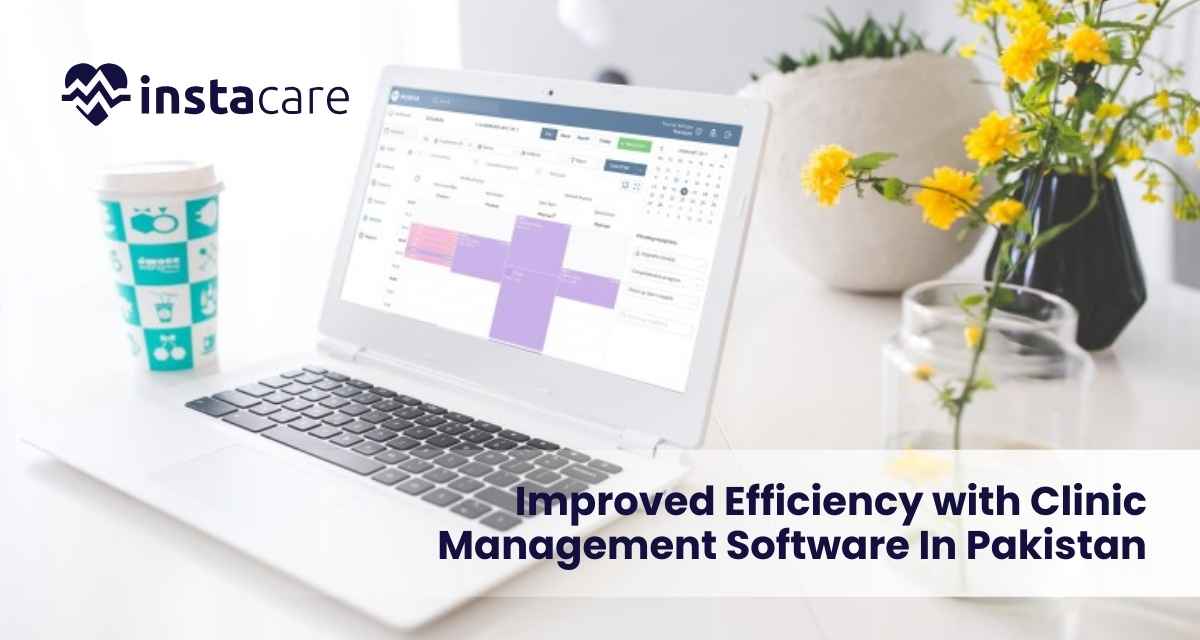
Last Updated on 2 years ago by Ahmed Usman How InstaCare Improved Efficiency with Clinic Management Software In Pakistan? In this health industry, efficiency is something that becomes an imperative to ensure quality care to the patients. With InstaCare operating at several clinics, huge difficulties were being faced in managing appointments, recording, and setting up communication with the patients. Feeling these problems and wanting to streamline operational efficiency, InstaCare opted for a full-fledged software solution to manage its clinics. Here is the case study on InstaCare’s journey: the challenges it faced, the solutions it implemented, and the significant improvements it saw. The patient population was enormous, and patient populations were diverse. As the patients increased, the manual systems in place could no longer be continued. The extent of administrative work burdened staff members, increasing the waiting time at clinics and decreasing the level of patient satisfaction. A change was in order and InstaCare needed an intervention that streamlined operations and enhanced care. Challenges Faced 1-Inefficient Appointment Scheduling Creating appointment schedules was the most time-consuming process that InstaCare had to undertake. The patients seldom created sufficient time to visit, filling up the calendar, hence many opportunities for care were missed. The long waiting times and the inability to make easy reservations of appointments frustrated both the patient and the workers. 2-Manual Record Keeping The patient records were kept manually, and this resulted in a greater likelihood of errors, as well as slowness in accessing needed information. In a busy clinic setting, there is a need for quick retrieval of patient information to ensure proper diagnosis and treatment. This was one of the major drawbacks of the traditional system- besides slowing down activities, it also watered down the quality of care. 3-Communication Effective communication is the key in health settings. In this respect, InstaCare was characterized by erratic staff and patient communication. This caused miscommunication, non-attendance, and dissatisfaction among patients. There was no directed reporting system to ensure that the care coordination among the staff was effective. 4-Unorganized Reporting InstaCare lacked reporting capabilities. Lacking real-time data, the clinic had no way of understanding performance. There could be no ways of monitoring patient outcomes or financial health. They cannot therefore understand where they can improve or what decisions in resource use require adjustments. Book Free Demo The Solution: Clinic Management Software InstaCare countered the above challenges by rolling out a strong software solution of clinic management. These consisted of a few key functionalities the aim of which was meant to simplify activities and possibly enhance better patient care: Online Appointment Booking The new system enables a patient to easily make appointments through an online portal, which is user-friendly. This has made it easier for patients and relieved the task of administration from the staff. Electronic Health Records (EHR) All the information of patients was digitized in adopting EHRs. Health care providers accessed patient records in real-time, hence increasing the speed and quality of care produced for the patients. Coordination among staff members also improved with access to EHRs. Automatic Reminders The software automatically reminded patients of the date of their appointments through SMS or email. This feature greatly reduces lost appointments since patients are alerted about the dates of their appointments. Reporting Tools The software provided thorough reporting capabilities with patient demographics, appointment trends, and financial performance. These helped in making data-driven, informed decisions while acting to streamline the operations of the clinic. Implementation Process of Clinic Management Software The implementation of clinic management software is a significant process that takes effort, proper planning, and strategic execution. InstaCare implemented it in a structured manner so that the transition was unnoticed: 1-Needs Assessment InstaCare began with an assessment of its current operations. In the process, it established specific needs and requirements by garnering input from the staff, clinicians, and patients. This would ensure that the software adopted solved real problems the clinic would have to face. 2-Software Selection After weighing all the options, InstaCare settled on a software solution that most closely resembled their needs. Some of the key factors InstaCare considered included user-friendliness, scalability, and the level of customer support provided by the software vendor. 3-Training and Onboarding Staff training was part of the implementation process. InstaCare conducted detailed training for all employees to make it easy for them to use the new system. The training packages included workshop hands-on and online guides to enable staff members learn through self-learning at their own convenience. 4-Data Migration The available patient records had to be migrated. This was done in a careful manner to avoid loss of data. Checking information was enough time taken by the clinic to check their details for accurate transfer to the new platform. 5-Go-Live and Support The software was implemented after a successful pilot phase. InstaCare remained constantly visible at each point where any queries or doubts might be there in the minds of the people while shifting to the new process. This ensured the participation of the staff in this movement, and accordingly, everything was executed well. Results and Gains with Clinic Management Software The clinic management software implementation greatly changed the operations of InstaCare. Some of the notable benefits included; 1-Enhanced Experience of Patients Online bookings and auto alerts made it easier for the patients to book an appointment. It improved the chances of patients attending scheduled appointments since it reduced missed appointments by 30%. The general ratings of patient satisfaction later improved due to appreciation of the system for being faster as well as convenient for the patients. 2-Efficiencies The amount of administrative time the staff at InstaCare used to waste was greatly reduced, and they were able to take care of more patients. The drastic time taken by management of appointments and records highly improved the workflow of the clinic. This change did not only boost staff morale but also raised the standard of communication with the patients. 3-Improved Communication The new software helped in improved staff communication. The clinicians could access any patient’s documents,
Last Updated on 2 years ago by Ahmed Usman Data Security in Clinic Management Software: Best Practices For 2024 The advancement of healthcare appears to be happening at a constant pace. The safety of patient data is a worry that appears to be established in each and every one of us. The usage of clinic management software in the modern day requires even stronger protection of personal data. The best techniques for data security in clinic management software in 2024 are covered in this blog. Why Data Security? Data security is an important aspect of clinic management software since it protects sensitive and private patient data, including billing information, personal information, and treatment histories. Such hacking might put them in trouble or occasionally even result in more significant legal concerns like fraud or identity theft. Strict security in hospitals is now essential for building patient confidence as well as maintaining a hospital’s good reputation. It is no more merely a government or administrative duty. New Type of Cyber Attacks Health care organizations are being targeted by extensive cyberattacks; therefore, it is important to be informed about these threats and request a suitable solution in a timely manner. Examples of these devastating risks that affect clinics are ransomware, phishing scams, and data breaches. Best Practices to Ensure Data Security in Clinic Management Software Implementation of Strong Authentication Mechanisms Multi-Factor Authentication (MFA) The requirement to “implement MFA” adds an additional degree of protection and may be the most widely held misconception regarding security control of any kind. Users will now need to go through an authentication procedure that requires two or more factors, including a password and a temporary code that the mobile device receives, in order for it to access data. Password Policies Establish strict guidelines for complicated, strong, and frequent password changes. This includes advising password users to use a combination of letters, numbers, and special characters. Implement Comprehensive Encryption Protocols Encrypt the Data at Rest and In Transit All patient data, whether it be stored, in motion, or in transit (transmitted), should be secured. It will stop any unlawful entry if the attacker manages to intercept it or have access to it. Encryption Standards Employ modern encryption standards, such as AES-256, which is currently regarded as one of the safest encryption algorithms. Software Updates And Patches: Update Regularly With The Latest Patches On The Software. Rapid Upgrades Install the most recent patches and upgrades for the clinic management software and any other related systems. Most of the time, this has even included security updates to stop newly found weaknesses. Automated Patch Management Using automated patching management technologies guarantees that security fixes are applied immediately and even lower the possibility of human error. Book Free Demo Regular Security Audits Vulnerability Assessments In order to recognize and eventually remove any security risks, this needs to be done on a regular basis. It needs to be done by people who are sufficiently skilled to provide useful advice. Penetration Testing To truly prove the effectiveness of your security measures, do periodic attacks that replicate the effects of cyberattacks. Train and Educate Staff Security Awareness Training Organize regular training for all the staff, and brief them on best data security practices, phishing, and dealing with confidentiality. Staffs are mostly on the front lines first in preventing any breach of security. Prudent Security Policies Data security policies and procedures vary; it ensures that everybody knows what they should be doing in the protection of patient information. Role-Based Access Control (Rbac) Least Privilege Principle Implement access based on the least privilege principle while allowing permissions as employees may be reached only by those data that are specific to their role. Review of Access Periodically Review and update permission granted to access data on a periodic basis due to role changes and staff departures. This way, employees can never access any information they shouldn’t. Regular Data Backup Automated backup There should be automatic backup systems that result in periodic automatic backup of clinic data. This implies that there should exist periodic activity, even daily or every few hours depending on the volume of clinic data and clinic needs. Safe Off-site Storage Store the back-up at a safe location. Off-site, cloud-based with high-level security is best, so it will be protected in case of physical damage or theft. Incident Response Plan Should Be Fully Developed Incident Response Team Assemble an incident response team focusing on security breaches and the breach of data, so as to tend to data breach incidents. Ensure that the team gets training along with the necessary resources to carry out timely service. Response Procedures Identify and formulate comprehensive procedures about detecting, documenting, and responding to security violations. Ensure that such procedures are reviewed and improved continuously to know the most recent emerging threats and lessons learned from the consequence of previous incidents. Implement Advanced Security Technologies IDS Scans network traffic for intruder attempts. The administrators in real time identify it at any suspected security breach. Firewalls and Antivirus Tools Have strong firewalls and antivirus software that guard one against hacking attempts and the entrance of viruses, Trojans, etc. Tools should be updated on regular basis. Follow Norms of Regulations HIPAA Select clinic management software that has compliance with legal regulatory standards such as HIPAA or Health Insurance Portability and Accountability Act. That way, it would definitely ensure a data security measure meeting the standard in that industry. Other Data Protection Laws Learn and put into practice any other law that has information protection applicable to your jurisdiction, such as the General Data Protection Regulation of the European region called the GDPR. Conclusion Data security in clinic management software is a worry as the healthcare industry develops and advances. As a result, the healthcare provider will have a strong security posture, patient data protection, and continuing trust. A effective data security plan has been built on the foundation of quarterly updates, employee training, and respect to regulatory standards. Thus, adopting it will safeguard confidential
- 1
- 2
