This release introduces a comprehensive set of enhancements across the Clinic, Pharmacy, and Laboratory modules, aimed at improving operational efficiency, workflow automation, patient management, inventory control, billing processes, reporting capabilities, and user experience. Key improvements include telemedicine support, multi-location laboratory management, predefined laboratory tests, enhanced prescription workflows, advanced inventory management tools, patient history tracking, improved billing and invoicing processes, expanded reporting and filtering options, laboratory branding capabilities, and strengthened role-based access controls. Additional enhancements have been made to patient registration, IPD management, communication workflows, diagnostic reporting, shift management, payment processing, and prescription management to provide greater flexibility and usability across healthcare operations. Together, these updates deliver a more scalable, efficient, and integrated healthcare management platform, enabling healthcare providers to streamline daily operations, improve data accuracy, enhance patient care, and optimize administrative processes Clinic Module New Features & Enhancements 1. Treatment Plan Discount Controls Enhanced controls have been added to the discount field within Treatment Plans. Key Benefits: Quickly increase or decrease discount values using dedicated controls. Improve user convenience during treatment planning. Reduce manual data entry errors. Simplify pricing adjustments. 2. Enhanced Amount Receivable Notifications The Amount Receivable notification template has been updated for improved communication. Key Benefits: Deliver clearer payment-related information. Improve patient communication. Provide a more professional notification experience. Ensure consistency across billing communications. 3. Invoice Viewing Capability A dedicated option has been introduced to view invoices directly within the system. Key Benefits: Enable quick access to invoice details. Reduce navigation time. Improve billing record accessibility. Simplify invoice management workflows 4. Expanded Prescription Frequency & Administration Instructions Additional prescription options have been introduced. Enhancements Include: New frequency option: STAT New instructions: IV, IM, S/C, Oral, and Rectal Key Benefits: Support a wider range of clinical prescribing scenarios. Improve prescription accuracy. Enhance standardization of medication instructions. Facilitate better patient care and treatment documentation. 5. Advanced Diagnostic Units Support Support has been added for specialized laboratory and diagnostic result units. Key Benefits: Accommodate a broader range of diagnostic reporting requirements. Improve result accuracy and consistency. Support standardized laboratory measurements. Enhance clinical data recording capabilities. 6. Automated WhatsApp Message Clarification Automated appointment-related WhatsApp messages now clearly indicate that they are system-generated notifications. Key Benefits: Reduce confusion regarding message replies. Set clear expectations for patients. Improve communication transparency. Minimize misunderstandings related to appointment management. 7. Improved Inventory Listing Experience Inventory records now display all available records by default. Key Benefits: Provide immediate visibility of inventory data. Reduce the need for additional filtering. Improve inventory management efficiency. Enhance user experience during record review. 8. Surgery Date Management in IPD A dedicated Surgery Date field has been added within the IPD module. Key Benefits: Improve surgical case documentation. Enhance patient record completeness. Support better treatment planning and tracking. Facilitate efficient IPD management. 9. Patient List “All” Filter An “All” filter has been introduced within the Patient List. Key Benefits: Provide quick access to all patient records. Improve search and navigation efficiency. Simplify patient record management. Enhance user convenience. 10. Telemedicine Appointments Telemedicine functionality has been introduced within the Appointment Module. Key Benefits: Support virtual patient consultations. Expand access to healthcare services. Improve appointment flexibility. Enable remote patient engagement and care delivery. 11. Enhanced IPD Discharge Medication Format The discharge medication section within IPD has been redesigned to align with the Prescription format. Key Benefits: Improve consistency across clinical documentation. Enhance readability for healthcare providers and patients. Simplify medication review and interpretation. Standardize treatment documentation. 12. Patient Weight Recording in Queue Management A Weight field has been added to the token form within Queue Management. Key Benefits: Capture important patient information during registration. Improve clinical assessment readiness. Enhance patient record completeness. Support better treatment planning 13. mL Dosage Unit Support A new dosage unit option (mL) has been added to medication prescriptions. Key Benefits: Support liquid medication prescribing. Improve prescription accuracy. Enhance medication administration clarity. Accommodate a wider range of treatment requirements. 14. Create Bill from Appointment List A “Create Bill” option has been introduced within the Appointment List View. Key Benefits: Enable faster billing directly from appointments. Reduce workflow steps. Improve billing efficiency. Provide functionality consistent with Calendar View. 15. Improved Prescription Template Management Prescription templates have been enhanced to preserve original templates when modifications are made. Key Benefits: Prevent accidental overwriting of existing templates. Allow customized prescriptions to be saved as new templates. Improve template management flexibility. Maintain standardized prescription formats. 16. Archived Appointment Filter A dedicated filter has been added to view archived appointments. Key Benefits: Simplify retrieval of archived records. Improve appointment tracking and management. Enhance reporting capabilities. Provide easier access to historical appointment data. 17. Invoice Terminology Standardization The label “Receipt” has been replaced with “Invoice” in printed billing documents. Key Benefits: Improve terminology consistency. Align printed documents with billing workflows. Enhance professionalism of financial documents. Reduce ambiguity for patients and staff. 18. Enhanced Patient Registration Information Additional fields have been introduced within the Patient Registration Form to capture more comprehensive patient details. Enhancements Include: Next of Kin Address Reconfirmation Key Benefits: Improve patient record completeness. Support emergency contact management. Enhance patient information accuracy. Facilitate better administrative and clinical workflows. 19. Special Character Support in Prescription Instructions Prescription instructions now support the use of special characters. Key Benefits: Enable more precise clinical documentation. Improve flexibility when entering treatment instructions. Support diverse medical notations and formatting requirements. Enhance prescription clarity and communication 20. Additional Prescription Type Options New prescription type options have been introduced. Enhancements Include: Dram Globus Key Benefits: Support a wider range of prescribing practices. Improve flexibility in prescription preparation. Accommodate specialized treatment requirements. Enhance clinical documentation capabilities. Pharmacy Module New Features & Enhancements 1. Bulk Inventory Upload A Bulk Inventory Upload feature has been introduced to simplify inventory management. Key Benefits: Upload multiple inventory items in a single action. Reduce manual data entry efforts. Improve operational efficiency during inventory setup and updates. Minimize data entry errors. 2. Bulk Price Update Management The system now supports bulk price updates for inventory items Key Benefits: Update prices for multiple
Healthcare operations in Pakistan require software that is accurate, stable, compliant, and scalable. This latest InstaCare platform release introduces critical improvements across clinical documentation, billing, pharmacy workflows, IPD management, lab integrations, and system usability, strengthening InstaCare’s position as a leading Healthcare Software in Pakistan. If you are evaluating clinic management software, hospital management software, pharmacy management software, or lab management software, this update directly addresses real operational challenges faced by healthcare businesses. What’s Included in This Healthcare Software Update This release focuses on: Enhanced clinical and prescription workflows Improved billing accuracy and IPD calculations Streamlined pharmacy and visit operations Clean and compliant medical print layouts Stronger patient intake and admission validations Completed lab reporting integration System-wide usability and reliability improvements Prescription & Clinical Notes Improvements (For Clinics & Hospitals) Clinical documentation is the backbone of any clinic management software and hospital management software. This update improves accuracy and usability: Clinical Notes delete permission enabled for Patient and Inpatient profiles Corrected the system confirmation message on note deletion Fixed Clinical Note edit form reset issue Improved long text wrapping in Clinical Notes UI Resolved Medical History alert saving issue Patient vitals now correctly copy from Visit to Prescription and Print Urdu validation added for mandatory Test Instructions Drag & Drop in Prescription Custom Fields now works across the full prescription, including sections above medicines Removed Edit/Delete buttons from Prescription Print view for clean medical printing Mandatory indicators (*) added to: Test Instructions Instructions fields Treatment Plan (Amount & Services) Placeholder text corrections across: Prescription Custom Fields Treatment Plan Search Consent Form Search Task History SMS Reminder Search Billing & Invoice Stabilization (For Hospitals & Multi-Service Clinics) Billing reliability is critical in hospital management software and enterprise healthcare systems: Fixed decimal formatting inconsistencies in Services Invoice Print Corrected zero-decimal billing scenarios Strengthened Create Invoice validation (no processing with empty fields) Added mandatory indicator for Payment Mode – Name Enabled IPD additional billing while the patient remains admitted Corrected Shift Bed / Room charge calculations (Invoice & Print) Fixed IPD Room billing calculation logic Pharmacy & Visit Workflow Improvements (For Pharmacy Management Software) Medicines added via Edit Visit now correctly sync with Pharmacy Orders Fixed validation message persistence in Add Visit Resolved “E” button issue in New Patient creation These improvements enhance prescription-to-dispensing accuracy in pharmacy management software environments. Need help or want to see these updates in action?👉 Chat with our Healthcare Software Experts on WhatsApp Print Layout & Medical Document Corrections Accurate printing is essential for compliance in healthcare software in Pakistan: Eye Prescription print preview issue resolved Eye Prescription margin corrections implemented Birth Certificate improvements: Blank page issue resolved Proper image sizing defined Improved print formatting Death Form updated Consent Forms updated Services print decimal formatting corrected (Custom section radio button visibility remains under review and will be included once finalized.) IPD & Admission Enhancements (Hospital-Grade Features) Medicine validation is enforced at patient discharge Guardian CNIC validation added in the Admission Creation Form Inpatient profile Excel export cleaned (removed unnecessary “View Profile” text) Intake & Patient Form Validations (Compliance-Focused Improvements) CNIC validation added to Patient Intake Form Mandatory indicators (*) added for Name & CNIC Mandatory task fields are clearly marked in the Patient Profile Lab Module & Integration Updates (Lab Management Software) Lab module permissions stabilized Reporting improvements implemented Chughtai Lab Reports Integration completed and tested end-to-end This strengthens InstaCare as a reliable lab management software solution for diagnostic providers in Pakistan. System & Usability Enhancements Beep sound notification added to task assignment and status updates 250 SMS credits updated for the affected user account Healthcare businesses across the country increasingly rely on Healthcare Software in Pakistan that is built for local workflows, regulatory requirements, and real operational complexity. From appointment handling and clinical documentation to billing, pharmacy dispensing, and diagnostic reporting, a unified system reduces errors and improves efficiency. CoreMedix is designed to serve as a comprehensive clinic management software, hospital management software, pharmacy management software, and lab management software—making it suitable for both small practices and large multi-location healthcare organizations. Why This Update Matters for Healthcare Businesses in Pakistan This release strengthens InstaCare as a unified Healthcare Software in Pakistan by improving: Clinical accuracy for doctors and staff Billing reliability for finance and administration Workflow efficiency across clinics, hospitals, pharmacies, and labs Whether you operate a clinic, hospital, pharmacy, or diagnostic lab, these improvements reduce friction and support scalable healthcare operations. About InstaCare InstaCare is an all-in-one healthcare technology platform offering: Clinic management software Hospital management software Pharmacy management software Lab management software Designed specifically for healthcare businesses in Pakistan, InstaCare focuses on stability, compliance, and real-world usability. Need help or want to see these updates in action?👉 Chat with our Healthcare Software Experts on WhatsApp Choosing the right Healthcare Software in Pakistan is no longer just about digitization; it is about stability, scalability, and day-to-day usability. Medical businesses need software that works seamlessly across OPD, IPD, pharmacy, and laboratory operations. By continuously improving clinical workflows, billing accuracy, pharmacy order management, and lab integrations, CoreMedix strengthens its position as an enterprise-ready hospital management software and clinic management software tailored for Pakistan’s healthcare ecosystem. Modern healthcare operations demand Healthcare Software in Pakistan that connects clinics, hospitals, pharmacies, and labs on a single platform. A tightly integrated pharmacy management software and lab management software ensures accurate dispensing, reporting, and compliance, while reducing manual work and operational delays for medical teams. Healthcare providers across the country are increasingly adopting Healthcare Software in Pakistan that delivers reliability, compliance, and long-term scalability. With continuous improvements across clinical workflows, billing accuracy, pharmacy operations, and laboratory integrations, CoreMedix continues to evolve as a dependable clinic management software, hospital management software, pharmacy management software, and lab management software built specifically for real-world medical operations in Pakistan. This February 2026 update reflects our commitment to delivering stable, production-ready healthcare technology that supports doctors, administrators, and medical staff in their daily work.
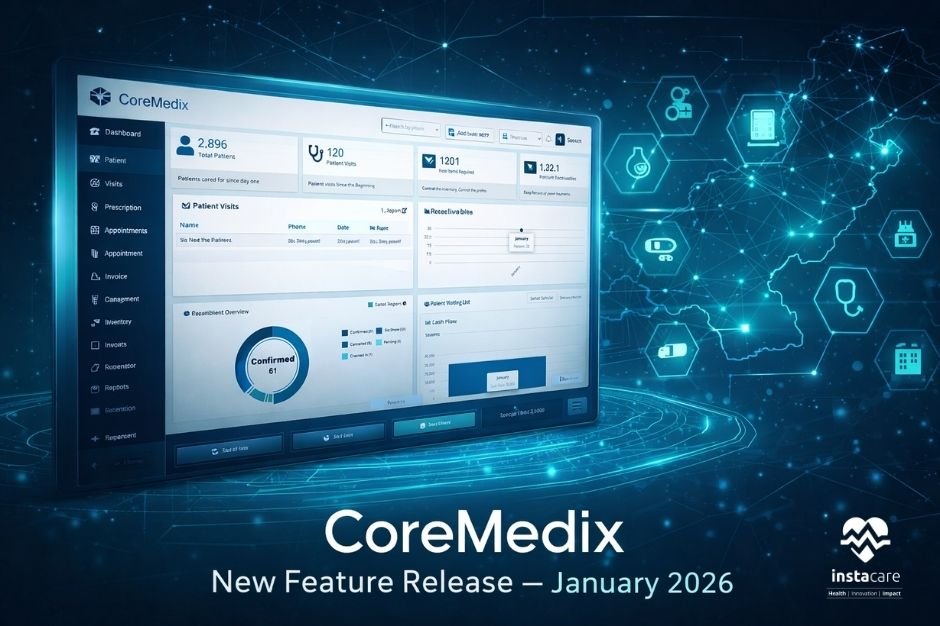
CoreMedix – Best New Software Release – 5 January 2026 – Vol.1 Pakistan’s #1 Cloud EMR, HIMS & Pharmacy Software Just Became AI-Powered CoreMedix, the all-in-one Hospital & Clinic Management Platform, is now smarter, faster, and more connected than ever. This update brings breakthrough AI features, integrations with labs & FBR, and massive workflow enhancements designed for hospitals, clinics, diagnostic labs, and pharmacies. CoreMedix by InstaCare is a powerful cloud-based Hospital & Clinic Management Software in Pakistan, built to streamline patient care, automate operations and unify medical workflows across hospitals, clinics, diagnostic labs, and pharmacies. From OPD/IPD management to e-prescriptions, pharmacy POS, billing, reporting, and now AI-powered documentation, CoreMedix gives healthcare teams a complete, fast, and secure digital system that works anywhere—in a single login. Designed for growth, trusted nationwide, and built for today’s healthcare challenges. Introducing CoreAI | The Future of Healthcare Has Arrived AI Medical Note Automation (Live Transcription) Doctors speak naturally, CoreAI listens and auto-creates clean, structured medical notes & SOAP summaries. No typing, no distraction, just patient care. AI Prescription Safety & Guidance CoreAI reviews prescriptions and highlights potential risks like: Wrong dose Drug interactions Duplicates Safety concerns This empowers doctors with confidence & reduces medication errors. Perfect for: Clinics, hospitals, telemedicine & high-volume OPDs. Seamless HIMS & External Lab Integration Connected Healthcare Without Manual Data Entry Send prescriptions digitally to partner labs Auto-create and sync new patient profiles Centralized data flow across systems User-level controls for enabling integrations Complete audit activity logs This eliminates duplicate data entry and delivers a true electronic workflow. Built-in FBR Compliance For Clinics, Hospitals, Labs & Pharmacies Fully Compliant Billing, Out of the Box Ready-to-use FBR integration settings Auto service fee calculation on invoices Role-based permissions Smooth integration for POS-connected facilities Ideal for pharmacies, clinics & chains preparing for taxation compliance. Hospital & IPD Enhancements Designed for Real Hospital Operations Custom admission forms, define your own hospital fields Control invoice editing during discharge Permission-based prescription access in OPD Editable OPD service fee based on actual payment Hospitals now gain tighter billing control and operational transparency. Decisive Reporting for Finance Teams NEW, Category-Wise Invoice Summary Report Breakdown your billing into: Medicines Services Consultation Know exactly what is driving revenue. Performance Upgrades for Busy Healthcare Teams Faster system, smoother flow, happier users: Quick patient lookup & list caching in pharmacy & clinic modules Cache auto-clears on logout Improved treatment plan stability New troubleshooting control center for integrations & data tasks Every second saved = more patients served. Built for Growing Healthcare Providers This release helps medical facilities: Serve more patients in less time Reduce paperwork Improve patient safety Stay compliant with Pakistan’s regulations Grow with smart automation and AI CoreMedix is evolving into a complete digital operating system for healthcare — connecting clinics, hospitals, pharmacies, and labs on one modern cloud platform. Upgrade Today, or Book a Demo Switch from paper or outdated software Easy migration & onboarding Local support across Pakistan & MENASA region 👉 Request Demo: CoreMedix, EMR | HIMS | Pharmacy | Lab Software With every release, CoreMedix strengthens its position as Pakistan’s most advanced Hospital Information & Clinic Management Software, backed by AI, seamless integrations, and continuous innovation. Whether you run a clinic, chain, medical center, hospital, pharmacy or lab, CoreMedix helps you digitize faster, serve patients better, improve financial control, and stay compliant. CoreMedix is more than an EMR; it is a complete healthcare operating system developed specifically for the realities of Pakistan and the MENASA region. From OPD/IPD workflows to pharmacy billing, FBR compliance, digital labs, and patient engagement, every feature is engineered to remove manual work and replace it with intelligent automation. Facilities using CoreMedix report significant reductions in administrative effort, faster billing cycles, and better clinical decision-making. Book a demo and experience the future of digital healthcare with CoreMedix.
The InstaCare Product Team is pleased to announce the latest updates to the Coremedix software. These updates provide enhanced visibility into new features, performance improvements and enhancements designed to make your clinic management experience even smarter and more efficient. New Feature of InstaCare Cormedix Software WhatsApp Integration Feature: We are pleased to introduce the new WhatsApp Integration feature. This functionality allows businesses to connect their own WhatsApp service for messaging and template management. Feature / Enhancement New Permission Added A new permission named “WhatsApp Integration” has been added. This permission is offered as an optional package to specific businesses. Only Business Admins and users marked as Admin in their permissions will be able to view and access this feature. 2. New Menu Structure Added WhatsApp Integration API Setup Templates 3. API Setup This module allows businesses to configure their WhatsApp service by providing: API Key Sender Phone Number Service Selection Other necessary connection details 4. Template Management The system fetches the latest templates from the connected WhatsApp service account. A “Sync Template” button is provided to retrieve the most recent templates on demand. 5. Active / Inactive Option An Is Active toggle is added. If a business chooses not to use its own WhatsApp service: They can set the toggle to Inactive. The system will automatically switch to Default InstaCare WhatsApp templates. Queue Management Token Control Feature: A new feature “Repeated Token Settings” has been introduced in the system. This setting is used to restrict the creation of duplicate/repeated tokens for a specific Patient, Doctor, or Service. The feature ensures better control and avoids multiple token entries for the same entity. Permission management for this feature is fully controlled by the Admin User. Only users authorized by the Admin will be able to access or modify the Repeated Token Settings Improved Features of InstaCare Cormedix Software Queue Management Prescription Invoices Visits Settings Permissions Print setting Meet & Greet & Have a Cup of Coffee If you want to have a cup of coffee with our team, schedule a visit with us at InstaCare Head Office in Lahore, Pakistan.
The InstaCare Product Team is pleased to announce the latest updates to the Coremedix software. These updates provide enhanced visibility into new features, performance improvements and enhancements designed to make your clinic management experience even smarter and more efficient. Improved Features of InstaCare Cormedix Software Invoices Appointments Visits In-Patient Clinical notes Diagnostics Treatment plan Prescription Expected Features InstaCare Cormedix Software in the next update Whatsapp integration Feature Meet & Greet & Have a Cup of Coffee If you want to have a cup of coffee with our team, schedule a visit with us at InstaCare Head Office in Lahore, Pakistan.
The InstaCare Product Team is pleased to announce the latest updates to the Coremedix software. These updates provide enhanced visibility into new features, performance improvements and enhancements designed to make your clinic management experience even smarter and more efficient. New Feature of InstaCare Cormedix Software Advance Payment Module: The Advance Payment Module allows users to record, manage, and utilize prepayments made by patients against future invoices. This module ensures accurate financial tracking and automatic adjustment of advance balances during invoice creation. Feature / Enhancement New Permissions Added: Three new permissions added under Bills → Settings → User & Roles: – Advance Payment – Create – Advance Payment – View – Advance Payment – Print Pre-Payment Mode Check: New setting added in Invoice Module → Settings to enable pre-payment mode validation. Advance Payment Summary Tab: Introduced a new “Advance Payment Summary” subtab under the Invoice module for tracking advance payments. Payment Mode Update: Added “Advance” as a valid Payment Mode in system configuration. Advance Payment Addition: Users can add Advance Payment either from: – Advance Payment Summary → Add Advance Payment button – Invoice → Create → Advance Payment button Advance Payment Logic: Patient-specific Advance Wallet introduced. During invoice creation, balance is auto-fetched and adjusted. Only when balance is zero, other modes are enabled. Advance Payment Reports: Advance Payment Summary Report added under Reports → Financials. Ledger Management: Debit/Credit Ledger maintained for each patient in the Patient Advance Payment Details screen. Meet & Greet & Have a Cup of Coffee If you want to have a cup of coffee with our team, schedule a visit with us at InstaCare Head Office in Lahore, Pakistan.
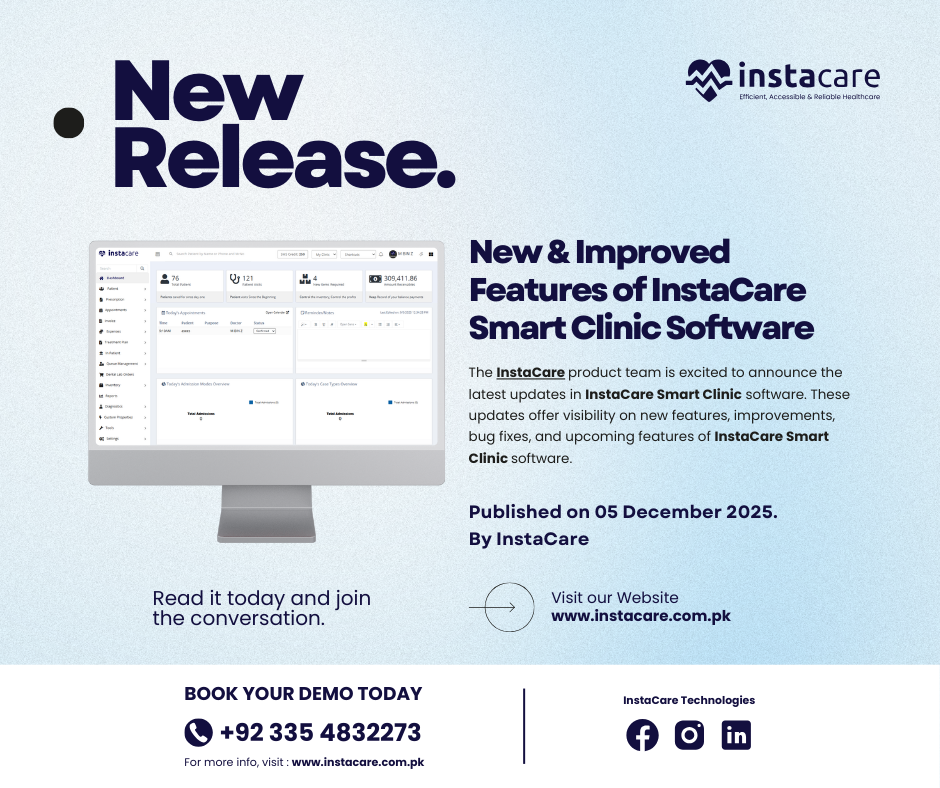
The InstaCare product team is excited to announce the latest updates in InstaCare Smart Clinic software. These updates offer visibility on new features, improvements, bug fixes, and upcoming features of InstaCare Smart Clinic software. New & Improved Features of InstaCare Smart Clinic Software Improved Urdu translation added in the Prescription module for printing Update in Task Get Bill Detail List List of doctors shown as per the location of the logged in user Super Admin Portal improved with more access permissions added Bug Fixes Minor and Major bug fixes Resolved an issue with MR number duplication Resolved an issue with Date field showing wrong date while editing data in Dental Treatment Plan Resolved an issue with the unpaid amount after calculating the discount amount Resolved an issue with EMR Prescription Medicine Searching Expected Features & Improvements of InstaCare Smart Clinic Software in the next update Dialysis Module Smart Pharmacy Module Modern Appointments Module Laboratory Module Meet & Greet & Have a Cup of Coffee If you want to have a cup of coffee with our team, schedule a visit with us at InstaCare Head Office in Lahore, Pakistan.
The InstaCare product team is excited to announce the latest updates in InstaCare Smart Clinic software. These updates offer visibility on new features, improvements, bug fixes, and upcoming features of InstaCare Smart Clinic software. New & Improved Features of InstaCare Smart Clinic Software New Search feature – Now user can search Patient on Smart Clinic App New Patient List available (for use on Prescription and Bill Creation time) for Smart Clinic App Updated Paged Master Patient List Add reference number in patient list Master account for multiple location users User management module Billing module Appointment reports module Location management module Financial reports module Bug Fixes Minor and Major bug fixes Resolved an issue with Appointment List Resolved an issue with General nutrition prescription prescribed time Resolved an issue with Wrong Time slot intervals in Manager account Resolved an issue with EMR Dashboard links which were not working Resolved an issue with Prescription Pharmapedia which were not working Resolved an issue with Reports module in which Amount Receivable Report was not loading Resolved an issue with Smart Clinic App not having Login Response Resolved an issue with Appointment List which was showing all the appointments and not only the Doctor’s appointments Expected Features & Improvements of InstaCare Smart Clinic Software in the next update Dialysis Module Smart Pharmacy Module Modern Appointments Module Laboratory Module Meet & Greet & Have a Cup of Coffee If you want to have a cup of coffee with our team, schedule a visit with us at InstaCare Head Office in Lahore, Pakistan.

The InstaCare product team is excited to announce the latest updates in InstaCare smart clinic software. These updates offer visibility on new features, improvements, bug fixes, and upcoming features of InstaCare Smart Clinic. New & Improved Features of InstaCare Smart Clinic Payment mode has been added in transaction summary. Patient MR Number has been added in the transaction summary. Appointment Type filter has been added in Appointments and Appointment Reports. Toggle show/hide has been added in bill print. Bug Fixes Unable to print admission discharge certificate. Expected Features & Improvements of InstaCare Smart Clinic in the next update Master account for multiple locations users. User management at master level. Billing at master level. Appointment reports at master level. Location management at master level. Financial reports at master level. Suggest a new feature or report a bug If you wish to suggest a new feature, view the upcoming features, or report a bug, or feel free to write us at success@instacare.software. If you want to have a cup of coffee with our team, schedule a visit with us at InstaCare Head Office in Lahore, Pakistan.
The InstaCare product team is excited to announce the latest updates in InstaCare smart clinic software. These updates offer visibility on new features, improvements, bug fixes, and upcoming features of InstaCare Smart Clinic. New & Improved Features of InstaCare Smart Clinic Remapping treatment plan feature. Bug Fixes Unable to print treatment plan. Treatment Plan is not saving. Services not showing in Treatment Plan but while printing services are visible. In Treatment Plan Save button not clickable, automatically saved prescription. In Treatment Plan when you create treatment by adding new patient it’s show true. Add toggle show/hide discount option in print bill. Add toggle show/hide prescribed by option in print prescription. Unable to create appointment on cancelled time-slots when remove time-slots option is checked. Expected Features & Improvements of InstaCare Smart Clinic in the next update Master account for multiple locations users. User management at master level. Billing at master level. Appointment reports at master level. Location management at master level. Financial reports at master level. Suggest a new feature or report a bug If you wish to suggest a new feature, view the upcoming features, or report a bug, or feel free to write us at success@instacare.software. If you want to have a cup of coffee with our team, schedule a visit with us at InstaCare Head Office in Lahore, Pakistan.
- 1
- 2