


Among key tests of any healthcare, delivering a small clinic or a large hospital, the choice of the best practice management software for business belongs. The right one will streamline operations in a way that will allow positive and total shift patient care with the enhancement of general efficiency, whereas, on the other hand, the wrong choice is highly likely to get you resource waste, angry staff, and dissatisfied patients. With this article, we hope to guide you in avoiding those ten mistakes to make the choice of practice management software an efficient decision. 1- Lack of definition of needs: One of the most significant mistakes is failing to clearly define your practice’s specific needs before starting your search for PMS. Each healthcare practice has unique requirements. Before evaluating software, take the time to identify what features are essential for your operations. Consider aspects such as scheduling, billing, patient management, reporting, and compliance with regulations. Why It Matters This will allow you to narrow your list of choices better and eliminate the purchase of software packed with unnecessary features or one that lacks critical functionality. 2- Price Only Now, cost is obviously relevant, but making a mistake in prioritizing price versus functionality can lead to wrong choices. Many practices take the cheapest solution available on the market without considering long-run implications. Low-cost solutions often lack essential features; they may require updates pretty frequently or have other associated costs. Long-Term Considerations Consider the cost of ownership including implementation, training, and ongoing support, as well as future upgrades. A more expensive but comprehensive solution will pay off in the long run with reduced inefficiencies and better patient care. 3- Neglecting User Experience User experience is important when choosing practice management software. If the software is difficult to navigate or calls for long training periods, your staff will resist it. Overlooking the fact that the interface needs to be user-friendly may bring about reduced productivity and irritation among the employees. Training Choose software that is rich in training materials and support. This way, your personnel can quickly adapt to the system and minimize downtime for increased overall efficiency. 4- Integration Capabilities One of the most critical features of practice management software is integration with other systems. Most practices use more than one application, such as electronic health records, billing systems, and inventory management. In case a PMS lacks an integration with existing tools, it can lead to data silos and inefficiencies. Effective Data Flow Look for software that can easily integrate with your current systems. This will enable seamless data sharing and improve workflow, ultimately enhancing patient care and administrative efficiency. 5- Not Considering Scalability As your practice grows, so do your software needs. One of the most common mistakes when selecting a system is picking one that may not grow to meet growth projections. You are bringing in new practitioners, are adding services, or possibly opening new locations; an ideal PMS must allow the system to grow right along with your practice. Scalable software will save you from the headache and expense of later having to change systems. Research the vendor’s history of upgrades and enhancements to see if the software will keep up with your expanding practice. Book Free Demo 6- Failure to Analyze Vendor Support Reliable vendor support is the lifeblood for implementing new software. Most practices overlook this area of on-going support only to find it difficult to get answers in times of trouble. Responsiveness can mean the difference between a smooth transition and frustration. Assessment of Support Options During the vendor comparison step, vendors should be asked questions related to their support and frequency, timeliness, and kind of support offered phone support, web-based support, or email support. A vendor that offers robust support will help you address any issues that might arise quickly. 7- Overlooking Compliance and Security Compliance in the health sector is non-negotiable. In this case, if a practice management software does not emphasize compliance and security, it risks your practice significantly, exposing it to data breaches and legal issues. Emphasis on Security Features This software should possess the strength of security in data encryption, user authentication, and audit logs. Further, the vendor should be compliant with the regulations in its domain to coexist peacefully with patients concerning the protection of their information. 8- Skip the demo or trial period Many practices commit to a software solution without having an experience with it. Not taking the demo or trial period will lead to later unpleasant surprises, such as unexpected limitations or usability issues. Informed Decision Making Request a demo or a trial period to test the software’s features and functionality. Involving your team in this process can provide valuable feedback and help ensure that the chosen software meets everyone’s needs. 9- Not Involving Staff in the Decision-Making Process However, the type of practice management software that will be of most use to your staff is the one which they will have to use most is the reason why it would be advisable to involve the staff in the decision-making process. The lack of input from the key team members might make them resistant to the solution chosen and also dissatisfied with it. Be willing to consider diverse input from various team members-the inputs maybe both at the administration level, from clinicians and even IT individuals. The software selected shall meet your practice’s broad needs thereby ensuring buy-ins across your whole team 10- Failure to Consider the Long Term Objectives Some practice focuses on present needs and forgets long-term goals. A software solution that meets all the current requirements might not be in line with future aspirations of expanding services or improving patient engagement. Aligning Software with Vision In a software you pick to help manage your practice, think of the kind of vision you have in the future for your practice. So, make sure you are picking a solution that satisfies your needs right now but supports your long-term vision. Conclusion Selection of practice management
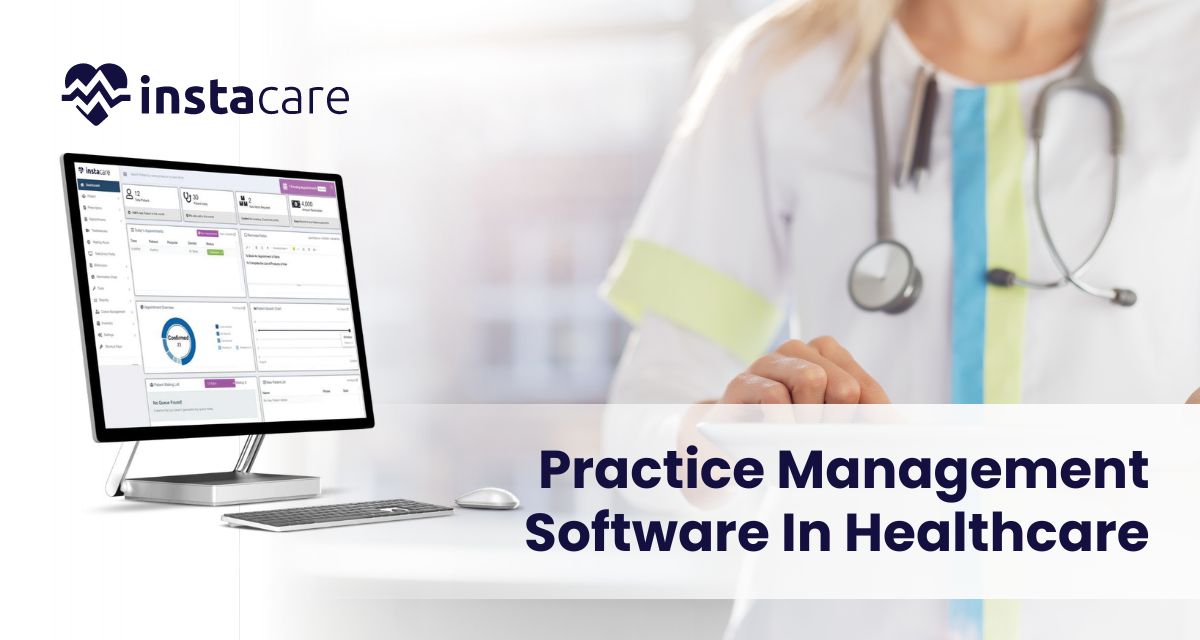
What Is Practice Management Software In Healthcare? Practice management software, often known as PMS, is an important tool in modern healthcare as it helps medical practices organize day-to-day activities. It ranges from schedule making of appointments to charges that are to be levied and from keeping records of all the patients in hospitals to any other Administrative duties that may be asked of it. In this article we shall discuss on a topic, what is practice management software; fundamentally reviewing features and benefits of practice management software showing how it makes difference in the success of healthcare practices. Introduction to Practice Management Software Practice management software on the other hand is an electronic system that is used for organizing the running of a medical practice. It eliminates the time otherwise spent on activities such as appointment making, patient registration, billing, and production of reports in that it frees up a lot of time for healthcare practitioners to attend to patients. Normally, practice management software is implemented in medical offices, clinics, and hospitals to help in organizing the practice in that the flow of operations and management of administrative procedures is enhanced. The software can be hosted on the web, meaning that the users can access from any place, or local, depending on the need of the practice. List of Characteristics of Practice Management Software Appointment Scheduling Another key practice of use of practice management software is in managing appointments. It can be used to book, modify, and generally control patients’ appointments by the staff. Other features could be in the nature of alerts in form of short messages or electronic mails to remind a patient not to miss an appointment or to adhere to the appointed date. Patient Registration And Record Management Patient registration is a standard module that is integrated in the practice management software that is used for storing of patient data including their demographic details and insurance details and medical history. This database makes the information to be easily retrievable and can be changed anytime; this makes the continuity of care to be achievable. Billing And Claims Processing Billing is an important activity in any healthcare practice, and the practice management helps in the simplification of billing activities. The possibilities of the software are the ability to create invoices, payments, and insurance claims. It can also encompass coding support to guarantee the appropriateness of the billing codes thus minimizing rejection of the claims. Reporting And Analytics Most of the practice management software has reporting features that enable the identification of different performance aspects of the practice. Such reports may include information concerning the organization’s financial performance, information on the patients, and the appointment schedule among others. This way of decision making enables the healthcare providers to make good decisions on the development and the improvement of the practice. Book Free Demo The Use Of Integration With Electronic Health Records: Some of the features of practice management systems are that many of them can be easily interfaced with the EHR systems. This integration means that both the clinical and the administrative data collected will be combined hence avoiding the duplication of data entry. Advantages of Practice Management Software Increased Efficiency When it comes to the functions like appointment scheduling, billing and patient record management, practice management software cuts down the overall time greatly. This automation means that much of the work that administration used to do will be done by the system hence freeing time for staff to perform other activities that cannot be automated. Improved Patient Experience It also improves health care by reducing time taken to secure an appointment with the doctor, reducing time spent waiting for a doctor and having comprehensive and updated records of the patient. This is also useful when it comes to patient satisfaction as they do not have to be often reminded regarding the bill that they have to pay. Enhanced Financial Management The practice management software also enables the healthcare providers to enhance the management of their financial needs. The software allows for revenue tracking, for expense control and financial reporting. Efficient and proper billing and claims processing also avoids revenue leakages from wrong or denied claims. Data Security And Compliance Many Non-small organizations are needed to practice many regulations such as HIPAA in the United States that specify the protection of patient information. Security measures are incorporated in practice management software in the form of data encryption and user authentication, with audit trails to check on the compliance of the practice with the legal requirements regarding protection of patient data. Scalability In this case, the target healthcare practice increases its operation overall requirement as it expands. An example of elemental software is the practice management software and this is a product because it is scalable where it can accommodate the needs of a growing practice. Incorporation of new providers, extension of services, and establishment of more offices, among others can be made easily because the software can be configured to meet the change without causing disintegration of the practice. Selection of Right Practice Management Software Choosing the right practice management software for your healthcare practice is very important if the advantages are to be realized. Here are some factors to consider: User-Friendliness Essentially the software should be friendly to everybody in staff irrespective of the level of their computer literacy. A good user interface minimizes the training aspect so that everyone within the team embraces the software. Customization Options Customization is a feature that may be equally valuable for every healthcare practice because practices have different needs. This could be in the form of field templates for bills, reports or to and from patients that should be integrated but can be modified or added to depending on practice needs. Integration Capabilities If your practice is already utilizing an EHR system or other technologies, there must be an opportunity to choose practice management software with a clear compatibility with all those tools. Interoperability means that information bypasses the limitation