


SaaS Sales: Strategies, Funnels, Metrics & Best Practices Explained Software as a Service (SaaS) revolutionized the selling and buying of software by businesses. SaaS selling is proactive, relationship customer, subscription, and customer lifetime value-driven as opposed to the traditional software selling model. Regardless of your role, startup leader, sales leader, or career advancement, you have to understand what SaaS selling is and how it works in order to succeed in today’s age of digital disruption. It covers everything about SaaS sales process and strategy to metrics, funnels, and industry best practices. What Is SaaS Sales? Saas Sales is quite simply the resale of a subscription of cloud software to end-user or business clients. It’s different from selling one time perpetual license to software because SaaS sales is actually selling something where there is buying and managing subscribers that pay a fee periodically on a monthly or annual cycle in order to continue accessing a service. The key to SaaS sales is addressing customer requirements with adaptable software solutions—project management software, CRM software, or data analysis software. The SaaS Sales Model Defined The SaaS model of sales will most likely be a subscription model, opting for recurring revenue rather than transactions. The model relies on long-term relationships and success of customers as ways of handling churn. Common SaaS Sales Model Are: Self-Service Model: End users go to the website and sign themselves up (most common on low-dollar SaaS products). Transactional Model: Using a sales organization with medium-dollar transactions using the inside sales technique. Enterprise Model: Long-cycle, high-touch selling by account reps and custom solutions—traditional B2B SaaS selling. Moving on to Understanding the SaaS Sales Funnel The SaaS sales process is the map that guides a prospect to paying a client. There is a customized approach to each step toward maximum conversion. Steps of Most Popular SaaS Sales Process Lead Generation: Generation of potential customers through inbound and outbound marketing. Qualification: Qualifying leads using BANT (Budget, Authority, Need, Timing). Demonstration/Pitch: Customizing your SaaS sales pitch to demonstrate value and alleviate pain for the customer. Negotiation & Closing: Handling objections and closing. Onboarding & Retention: Creating customer delight for long-term retention and cross-sell. An effective SaaS sales process optimizes maximum conversion rate and minimizes the SaaS sales process. SaaS Sales Strategy: How to Win A successful SaaS sales strategy is all about finding customer needs, creating value, and building long-term relationships. Best SaaS Sales Strategies: Value-Based Selling: Highlight the real benefits your software delivers. Solution Selling: Address customers’ tailored pain areas. Consultative Selling: Trust-building as a guide, not a peddler. Free Trials & Freemium Models: Try before buying to allow customers to experiment with your product. Account-Based Marketing (ABM): Match high-value customers with personalized contact (critical in B2B SaaS selling). A successful SaaS sales approach is coordinated with marketing and customer success teams to obtain optimal results. SaaS Lead Generation: Feeding Your Funnel Your sales pipeline will be dry without leads. To explain simply, SaaS lead generation is prospecting and capturing prospects. SaaS Lead Generation Strategies Content Marketing: Webinars, whitepapers, and blogs for creating interest. SEO & Paid Ads: Drive traffic to landing pages. Outbound Prospecting: Cold calls, LinkedIn outreach, and email. Partner & Affiliate Programs: Leverage industry partnerships. Webinars & Product Demos: Interactive demos to engage potential customers. Lead generation fuels your SaaS sales process, keeping you up-to-date on qualified leads to convert. Book Your Free Marketing Consultation SaaS Sales Metrics: What to Track To realize optimum performance and project growth, it is a necessity to measure the right SaaS sales metrics. Must-Have SaaS Sales Metrics Customer Acquisition Cost (CAC): The cost of acquiring a new customer. Customer Lifetime Value (CLTV): Revenue earned by a customer during their lifetime. Monthly Recurring Revenue (MRR): Subscription revenue that recurs in a month. Churn Rate: Clients who’d rather leave percentage. Conversion Rates: To customer at every funnel step. Sales Cycle Length: Average time to close a sale. Qualified Leads Per Month: Quantification of lead generation performance. Tracking these SaaS sales metrics helps to align your sales process and show you where to improve. SaaS Sales Hacks to Generate Maximum Returns These are time-tested SaaS sales hacks, and they will ensure you close more deals and develop stronger relationships: Prioritize the Customer’s ROI Rather Than Features. Present Data-Driven Presentations to Create Customized Presentations. Consistently Follow Up Leads. Invest in CRM and Automation SaaS Sales Platforms. Be Patient, Especially Enterprise Sales. Train and Upskill Your Salespeople Regularly. Collaborate with Customer Success Teams. These optimized SaaS sales tips can work like a game-changer to your conversion rates. SaaS Sales Tools You Should Know Great SaaS sales tools make it easy, enhance communication, and unleash best productivity. Best SaaS Sales Tools: CRM Platforms (Salesforce, HubSpot): Leverage leads and customers. Email Automation (Mailchimp, Outreach): Automated follow-up and prospecting. Analytics Tools (Google Analytics, Tableau): Track performance metrics. Proposal Software (etc., PandaDoc): Create and build proposals. Sales Enablement (Chorus, Gong, etc.): Provides call and meeting insights. SaaS sales software: Automate your sales process. SaaS Sales Commission & Compensation SaaS sales compensation and SaaS sales commission plans differ company size,
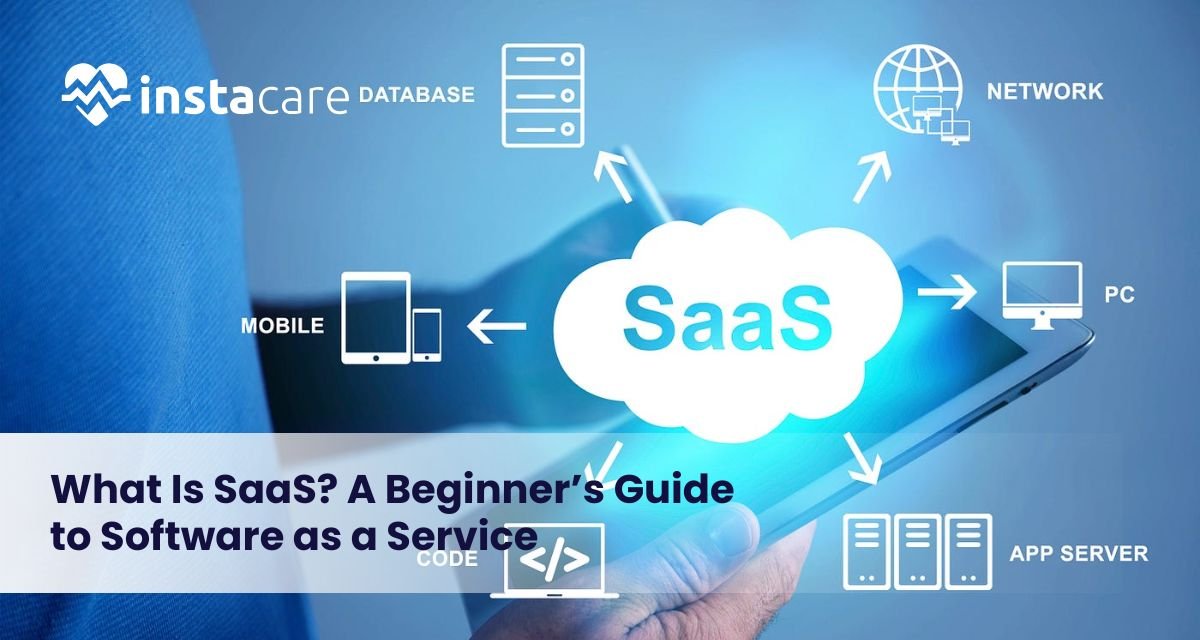
What Is SaaS? A Beginner’s Guide to Software as a Service Ever since the beginning of the age of computers and digital technology, companies and individuals have depended increasingly on software to carry out day-to-day tasks, communicate with each other, keep information stored, and perform processes automatically. Some of the most significant advances in history have been the invention of cloud-based software, that is, Software as a Service (SaaS). Precisely what is SaaS, anyway? How are folks using it, and why is it so globally popular among so many different types of industries? This beginner’s guide contains everything you ever wanted to learn about SaaS from the way it works to its advantages, examples, and problems prior to implementation. What Is SaaS? SaaS meaning is “Software as a Service,” which is an on-demand delivery model for software where a third-party company owns the software and hosts it on the internet to customers. Rather than installing and maintaining software on individual computers or internal servers, customers can access web browser-based SaaS applications on a pay-per-use basis. The SaaS definition can be employed to articulate a wide variety of software solutions, from productivity suites like Google Workspace to customer relationship management (CRM) solutions like Salesforce. Unlike traditional software, which has to be installed physically and updated periodically, SaaS provides perpetual access, ongoing updates, and minimal setup. History of SaaS traces back to the 1960s when mainframe computing rendered sharing of software on use inevitable. The modern SaaS model which started gaining momentum in the course of the late 90s was pioneered by Salesforce through offering web-based software. SaaS has since become a ubiquitous application structure of business establishments of any size implementing software. How Does SaaS Work? To learn about SaaS, consider renting software instead of purchasing it. SaaS applications are stored on the provider’s servers. The provider does all the work: hardware, software updates, security, and infrastructure. Users just log in over the web to access the software. The SaaS model is usually accompanied by recurring fees, annual or monthly. Both the user and producer benefit from the model. Producers get stable revenue, while users avoid front-end expenses and pay when they use. One of the advantages of SaaS includes: Multi-tenancy: Various users share one infrastructure but maintain their data segregated. Automatic updates: Features and fixes are provided without involving users. Accessibility: Individuals can utilize software from anywhere they are accessing the internet. Scalability: Simple to scale up or down usage depending on the requirement. Advantages of SaaS Advantages of SaaS are many and have made it present in nearly every sector. Below are the main advantages: Cost-Efficiency: No hardware or software acquisition cost. There is a subscription fee, which spreads the cost over time. Ease of Use: The majority of SaaS solutions are easy to use and don’t demand technical expertise to become operational. Availability: Clients can access software through any device that is networked, which allows working remotely and communicating. Scalability: The companies are easily able to scale up and down with no concern for infrastructure. Security: The best security features are readily available, including encryption, backup, and compliance certification of the SaaS vendors. Automatic Updates: The security patch and updates are automatically applied. Integration: SaaS applications will typically integrate with other company software to enable process streamlining. There are SaaS pros and cons, but even with those pros. Some of the cons include the absence of control over customization, reliance on internet connections, and vulnerability to data security breaches if left unattended. Book Your Free Marketing Consultation Common Use Cases of SaaS SaaS applications today touch nearly all personal and business operations. Below are some of the most utilized SaaS businesses and software: ● Collaboration & Communication Remote work necessities include tools such as Slack, Zoom, and Microsoft Teams. ● Customer Relationship Management (CRM) Salesforce, HubSpot, and Zoho CRM are programs that manage company sales pipelines and customer relationships, similar to how Clinic Management Software helps healthcare providers streamline patient interactions, appointments, and administrative workflows. ● Accounting & Finance Easy-to-use bookkeeping software is offered by cloud-based solutions for small and medium-sized businesses, such as QuickBooks or Xero. ● Project Management Asana, Trello, and Monday.com make task management and collaboration with a team extremely simple. ● Marketing Automation ActiveCampaign and Mailchimp make email marketing, email segmentation, and lead nurturing easy. ● E-Commerce Both Shopify and BigCommerce allow businesses to create storefronts online without being experts in web development. ● Human Resources BambooHR and Gusto help in automating Human Resources services, such as onboarding, payroll, and benefits services. ● File Storage & Sharing Google Drive and Dropbox enable one to save business and personal files in the cloud. SaaS in healthcare is fast developing in the niche markets with electronic health record (EHR) systems, telemedicine software, and patient scheduling applications Key Considerations Before Choosing a SaaS Product There are numerous benefits of SaaS, but choosing an appropriate one requires vigilant consideration. The following are key things to consider: Data Security and Privacy: Consider how the SaaS provider approaches data backup, data security, and regulatory compliance (e.g., GDPR, HIPAA.). Pricing Model: Find out how much it will cost in total: subscription fee, fee per extra user, license to watch. Integration Capabilities: Ensure that the SaaS product fits into your existing equipment and infrastructure by not causing too much of a wrench in your operations. Service Level Agreements (SLAs): SLAs have guarantees of uptimes, support response, and support that is important to the mission-critical applications. Scalability: Go with a platform that scales along with your business and has scalable pricing plans. SaaS vs PaaS vs IaaS SaaS is one of the three basic models of the long list of cloud computing. The other three models are PaaS and IaaS models. SaaS (Software as a Service): pre-installed software over the web (e.g., Gmail, Dropbox). PaaS (Platform