

AI in SaaS: Artificial Intelligence and Its Impacts on the Software Industry The marriage of artificial intelligence and Software as a Service (SaaS) is transforming how digital platforms run, expand, and build value. The dizzying technology landscape today does not just mean that AI is the evolution of back-burner SaaS-it is a revolution. From automated tasks to forecasting customer wants and delivering tailored experiences, AI use cases in saas solutions are changing the way businesses engage with software. From customer support to marketing, analytics, or product innovation, the SaaS application of artificial intelligence is tremendous and revolutionary. Here in this blog post, we are going to talk about the major benefits, real-world applications, and the future of AI for SaaS. What Is the Role of AI in SaaS? Effectively, AI in SaaS is intelligent software. A matter of connecting machine learning, natural language processing, and predictive analytics in saas into cloud application software. Why? To automate, learn, and personalize user interactions. Role of AI in saas industry is being increasingly integrated into SaaS apps to: Learn from user behavior and trends Automate routine tasks such as onboarding or support Offer real-time decision-making abilities Offer predictive business strategy insights AI adoption in SaaS businesses has come an incredibly long way from being an experimental feature to being one among the primary pillars of scalability and innovation. Benefits of AI in SaaS Benefits of AI in SaaS are all phenomenal, not just cost and automation, but even customer satisfaction, product fine-tuning, and strategic decision-making. 1. Smart Customer Support One of the most prominent applications of AI is customer care. AI-driven customer support in saas applications employs intelligent chatbots to assist customers in real time, address issues, and route difficult problems to human agents. This reduces response time and provides support 24/7. 2. Augmented Decision-Making With SaaS predictive analytics, businesses are able to predict churn, identify upsell opportunities, and track customer satisfaction levels precisely. AI technology sifts through mountains of data in seconds to identify patterns and behavior that might otherwise go unnoticed. 3. Operational Efficiency AI automation in saas allows business enterprises to automate back-end activities such as data entry, invoices, and reports. Automations provide teams the chance to shift focus towards strategic work instead of drudge work. 4. Tailored User Experience AI allows SaaS solutions to tailor dashboards, recommendations, and content rendering based on individual user activity. It enhances engagement, retention, and happiness. 5. Scaling Without Incremental Burden With AI, SaaS products scale without the expense of operation doubling. From onboarding large numbers of new clients using AI operations to monitoring performance in real-time, scalability is done beautifully and effortlessly. Machine Learning in SaaS: Real-Time Learning & Adaptation Machine learning (ML) is one of the four pillars of artificial intelligence in SaaS. Machine learning in saas allows apps to learn from the way individuals interact with them, get better with time, and change dynamically as needs evolve. Examples: A sales platform can use ML to offer recommendations for best prices based on historical purchase behavior. A project management tool can forecast deadlines or risk based on historical trends. A content recommendation platform can be enhanced to recommend more in line with user interaction with articles or media. SaaS machine learning does not automate but enhance-smartly, optimizing platforms and maintaining competition intact in a live environment. AI in SaaS Marketing Riding the personalization wave, AI in SaaS marketing is a success story. AI enables the marketing team to: Segregate audiences based on behavior and engagement Automate lead nurture campaigns Measuring campaign performance in real-time AI-powered prediction of the most likely to pursue leads AI-powered marketing applications like chatbots, content engines, and A/B testing have become the secret sauce of the growth-stage SaaS company. AI-powered customer journeys provide more contextually relevant interactions and improved conversion. AI Chatbots for SaaS: Transforming Customer Engagement Chatbots are the most visible and most widespread application of AI tools for saas companies. From a CRM tool to helpdesk software to an HR tool, AI chatbots for saas are transforming communication. The chatbots: Process run-of-the-mill questions automatically Enable onboarding and simplify product use Collect past feedback and escalate when needed What distinguishes SaaS AI chatbots from the conventional bots is that they are learnable through conversation, context-sensitive, and get smarter every day. They offer smooth, almost-natural conversation experience without any human delay or limitation. Book Your Free Marketing Consultation AI in SaaS Product Development AI has revolutionized product development. AI is involved in the entire life cycle of a product from ideation and testing to updates and support in the SaaS era these days. The development in this field is astounding: Autotesting: AI technologies are able to find bugs and usability problems to speed up quality assurance. Feature prioritization: AI takes into account user activity and feedback to identify what’s the top-priority feature. Code generation and optimization: AI power at scale makes developers code, test, and optimize code better. AI and SaaS product development go hand in hand when it comes to releasing enhanced, faster, and more reliable updates driven by data and centered on users. How AI Is Transforming SaaS Models Apart from functionality and features, AI is also transforming the business and growth model of SaaS businesses. Some of the prominent how AI is transforming saas are: Usage-based billing: AI tracks usage patterns to design equitable and scalable pricing. Customer success predictions: Platforms can now anticipate probable-to-churn customers in advance. Smart integrations: AI APIs are now a part of SaaS platforms, and third-party solutions can blend
Micro SaaS: Business Model, Ideas, Examples & How to Get Started The Micro SaaS model has opened up opportunities for solo founders, developers, and small teams to start sustainable, profitable businesses without raising tens of millions of dollars in capital. Micro SaaS is unlike traditional SaaS, which tends to aim at big markets and needs large teams. Micro SaaS is lean, concentrated, and niche-based. Micro SaaS depends on automation and low infrastructure to produce value at scale. In this step-by-step guidebook, we will define Micro SaaS, special benefits of micro saas, money-making concepts, real-world applications, and how to start a micro saas business-even on a lean budget. What Is a Micro SaaS Business? Micro SaaS refers to tiny SaaS products built and operated by a single person or a group of several people. Micro saas product development tends to address a very niche user base, finding extremely unique problems with custom solutions. Consider Micro SaaS the lean SaaS, simplified, yet more agile, and often more bootstrapped. In contrast to enterprise SaaS businesses such as Salesforce or HubSpot, micro saas examples businesses don’t need to have massive sales teams or venture capital backing. They love recurring micro saas revenue model, low overhead, and high automation. They’re perfect for solo founders, digital nomads, or independent devs who love secure passive income. Key Features of a Micro SaaS Model Here are the common features of a Micro SaaS business model: Niche-specific: Solves a particular audience or pain point that is largely neglected by big SaaS players. Bootstrapped: Founder(s)-controlled and non-venture capital-backed. Low overheads: Low resource intensities, often single-handed operations or small virtual team. Recurring revenue: Often associated with monthly or annual subscription-based pricing. Automated operations: Leverages automated customer onboarding, billing, support, and update tools. Simple tech stack: Often built over low-code environments or light frameworks. Owner-led: High autonomy and flexible operation. Developers, marketers, and founders prefer such traits when searching for freedom and scalable business models. Why Micro SaaS Is a Super Business Model? There are numerous reasons why Micro SaaS companies are so popular nowadays: 1. Low Startup Costs You can start micro saas startups for a few hundred dollars. Most founders use existing skills and web-based software to build MVPs (Minimum Viable Products). 2. High Margins With low expenses and subscription income, profit margins can be wildly profitable, usually 80% or higher. 3. No Scale Necessary You don’t need millions of customers. Hundreds of paying subscribers are enough to fund a lifestyle business. 4. Location Independent Because the work is automated, most Micro SaaS business owners work from anywhere. 5. Complete Ownership No investor needed, so you have maximum equity and control. 6. Perfect for Experimentation The model provides rapid product testing and pivoting. You can profitable micro saas ideas ideas faster with less risk. Successful Micro SaaS Ideas Here are some successful micro saas ideas to try: Newsletter Analytics Tool: For ConvertKit or Substack customers who need more advanced engagement metrics. Freelancer Proposal Generator: A software that freelancers would use to auto-generate personalized proposals. Online Course Progress Tracker: Plugin for online course creators to provide users with progress analytics. SEO Audit Widget: In-app website SEO audit solution for small business. Podcast Snippet Creator: Converts podcast audio into social media video snippets with subtitles. Client Feedback Manager: For agencies and designers to handle client feedback and approvals. Instagram Hashtag Organizer: Assists creators in organizing and cycling hashtags in a way that offers maximum reach. The majority of them are micro saas for developers, freelancers, or creators, individuals generally in the market for easy to use, affordable solutions. Book Your Free Marketing Consultation How to Create Your Own Micro SaaS Business? You do not need a technology degree and millions of dollars of capital to create your own Micro SaaS. Here is a straightforward roadmap: 1. Identify a Niche Utilize communities such as Reddit, Indie Hackers, or Twitter to learn about persistent pain points. Choose micro SaaS niche selection through underserved group discovery. 2. Validate the Problem Don’t create anything before speaking with potential users. Survey or directly interview to validate demand. 3. Build an MVP Launch on low code micro saas platforms like Bubble, Glide, or Webflow, or create a lightweight app using Node.js, React, or Firebase. 4. Setup Payment & Onboarding Add Paddle or Stripe for subscriptions. Auto-onboard with email series and help docs. 5. Launch & Promote Piggyback product onto nearby forums, blogs, and Product Hunt. Provide lifetime deals or early-bird discounts to get started. 6. Gather Feedback and Polish Polish based on user feedback. Release features incrementally, not app bloat. Bottlenecks of Bootstrapping Micro SaaS While it has its benefits, bootstrapping Micro SaaS does have some limitations: Support burden: Your customer support with no support team. Churn management: A rising churn rate from user cancellations hurts revenue and signals value concerns. Scaling limits: You can’t scale indefinitely without hiring employees. Marketing challenges: You’re forced to wear many hats, developer, marketer, and founder. Security & compliance: It’s your responsibility to make user data secure and GDPR-compliant. All these problems are solved in successful micro SaaS businesses by automation, outsourcing, or collaboration. Tools & Tech Stack Recommendations Following are crucial tools to construct and operate a Micro SaaS product: Frontend: React, Next.js, Vue.js Backend: Firebase, Node.js, Supabase Database: PostgreSQL, MongoDB Payments: Stripe, Paddle, Gumroad Authentication: Auth0, Clerk, Firebase Auth Customer Support: Crisp, HelpScout, Intercom Analytics:

SaaS Architecture: Design for Scalable Multi-Tenancy & Best Practices Increasingly, business is being taken to the cloud, and Software as a Service (SaaS) remains the ubiquitous software delivery platform. Since the foundation of any successful SaaS application is its architecture, the blue-print which specifies how the application behaves, scales, and acquires customers at affordable cost, product managers, CTOs, and SaaS businessmen/entrepreneurs must at least have a fundamental knowledge of SaaS architecture to develop good, scalable software. This tutorial addresses what is SaaS Architecture, its fundamental structure, design patterns, and best practices, typically under multi-tenant SaaS architecture and scalable architecture. What is SaaS Architecture? SaaS architecture refers to the application design of a computer program application accessed over the internet on a subscription basis. Unlike desktop on-premises application software, a SaaS application design offers easy access to the application from anywhere remotely, typically using a browser. The key characteristics of SaaS software architecture are: Cloud-hosted central hosting User access on a subscription basis Periodic maintenance by providers regularly Handling of fluctuating loads through scaling SaaS architecture, in a sense, prescribes how the system needs to behave in order to process users, data, scaling, and performance in the best possible way without losing out on isolation and security. Multi-Tenant SaaS Architecture: The Core Model One of the shared characteristics of most SaaS applications is a multi-tenant SaaS architecture, in which a single instance of the application serves numerous customers (tenants) and associated data and user-specific configuration. Why Multi-Tenant SaaS Architecture? Cost Effectiveness: Shared infrastructure = less expensive hosting. Ease of Maintenance: Single global patches and not by each deployment. Scalability: Less resource management as tenants increase. Single-tenant vs multi-tenant SaaS virtualized SaaS architecture is very different, however. Single-tenant SaaS is more expensive and more complicated virtualized separation and single customer assignment of assets. Both are selected by business and regulatory necessity and by end-user expectation. SaaS Architecture Components Effective SaaS backend architecture is built on several plain ingredients, which interoperate quite well: Application Layer: Business logic and user interface through which the customers were handled by the platform. API Layer: Inter-service communications, in the majority of instances through REST or GraphQL APIs. Data Layer (SaaS Data Architecture): Data storage, data retrieval, and data security. Data partitioning is used to segregate tenant data in a multi-tenant SaaS architecture. Authentication & Authorization: Used for deployment for multi-tenancy to control user access as well as fraud authentication on sensitive data. Monitoring & Analytics: Application performance monitor software, usage monitoring, and system health monitoring. These hardware building blocks of SaaS architecture are the basis for a secure, scalable, and successful application. Scalable SaaS Architecture: Design Principles Scaling makes a SaaS platform performance-optimized to be capable of supporting more users, data, and transactions without a reduction in performance. A scalable SaaS architecture is based on the following: Horizontal Scaling: Scaling servers or instances rather than hardware upgrades. Stateless Services: Support services to be replicated on many nodes regardless of server-side state. Load Balancing: Distribute traffic on, with no bottlenecks. Elastic Cloud Resources: Use cloud environments like AWS, Azure, or GCP for on-demand scaling. Cloud-native architecture makes cloud SaaS architecture able to offer dynamic scaling and resource management according to real-time actual demands. Book Your Free Marketing Consultation SaaS Architecture Patterns to Comply App developers must employ established and reliable SaaS architecture patterns while developing scalable and fault-tolerant systems. They are: Microservices in SaaS Architecture: Loose decoupling of the app simplifies development, scalability, and deployment. Service-Oriented Architecture (SOA): Services are reused to enable sharing of data within a network. Event-Driven Architecture: Services share data in the form of events to enable scalability and decoupling. Patterns support quick development, continuous integration and delivery, the most important to SaaS success. Microservices in SaaS Architecture Microservices in SaaS architecture revolutionized the implementation and deployment of SaaS platforms. Breaking down large applications into lean services, easy to deploy, and loosely coupled, businesses gain: Deployment Speed: New feature deployed through continuous deployment. Scalability: Each of the services is scalable in itself. Fault Isolation: The whole system does not fail if a service fails. Microservices add additional complexity in managing data, service discovery, and orchestration that has to be met by a solid design. SaaS Architecture Best Practices Long-term success, scalability, and customer satisfaction are achieved through the application of SaaS architecture best practices. Some of the best practices guidelines include: Design Multi-Tenancy from Day One: It is expensive and time-consuming to implement multi-tenancy afterward. Adopting DevOps & Automation: Real-time updation and reliability require constant deployment, monitoring, and integration. Put Security & Compliance First: Encrypt data in motion and at rest. Provide strong authentication controls and regular auditing. Optimize SaaS Data for High Performance: Use correct partitioning mechanisms, shared database with tenant ID, schema per tenant, or database per tenant, based on size and isolation needs. Make API-First Development the Default: APIs must be versioned, secure, and documented to allow third-party services and integrations. Track & Analyze Usage Patterns: Use monitoring tools to infer usage, customer behavior, and potential bottlenecks. Design for Failure: Put retries, fallbacks, and circuit breakers in place so fault-tolerant services are a reality. By these SaaS architecture best practices, organizations will prevent downtime, improve the user experience, and provide scalability. SaaS Platform Architecture: Cloud-Native Principles Cloud-native components and services are used extensively while developing SaaS platforms these days. Cloud SaaS architecture includes: Containerization (e.g., Docker): Simple deployment and scaling. Orchestration (e.g., Kubernetes): Execute containerized applications in clusters. Serverless Computing (e.g., AWS Lambda): Ideal for tiny, lightweight computations and decreasing operational costs. Managed Databases: Cloud vendors provide secure, scalable database as a service to SaaS applications. All these technologies enable SaaS providers to devote less time to less infrastructure management and more to application development. SaaS System Design: Performance vs. Cost The optimal SaaS system design is a performance-cost-complexity balance. Performance: Accelerate with caching, content delivery networks (CDNs), and query-opted queries. Cost management: Monitor

SaaS vs. PaaS vs. IaaS: Key Differences, Examples & Use Cases Explained Cloud computing transformed business operations for companies by offering computer resources with massive capabilities through the internet on demand. Instead of buying, owning, and maintaining physical infrastructure, companies now lease access to computer services, which is more agile and cheaper. Among the most popular cloud computing service models are SaaS (Software as a Service), PaaS (Platform as a Service), and IaaS (Infrastructure as a Service). Each supports business requirements differently with varying control, flexibility, and management. It is crucial that companies realize the difference between SaaS, PaaS, and IaaS before deciding to make an informed choice in choosing the most suitable solution for their IT infrastructure, whether for application development, warehousing data, or running business ventures. In this book, we will cover each model, the pros and cons of SaaS PaaS IaaS, key features of SaaS PaaS IaaS, show through live SaaS PaaS IaaS examples, and talk about best practices. What Is SaaS? Software as a Service (SaaS) is the most widely used and most used type of cloud delivery. SaaS delivers software applications over the web on a pay-per-use model. SaaS clients are not required to install, update, or maintain the software and consume SaaS products via a web browser or application. Examples of widely recognized SaaS include communication tools, customer relationship management (CRM), file sharing, and productivity. Google Workspace (Docs, Sheets, Gmail), Salesforce (CRM), Microsoft 365, Zoom, and Dropbox are some popular SaaS offerings. Common applications of SaaS include project collaboration, cloud services deployment models, customer service, HR management, communications platforms, and marketing automation. SaaS is suited whenever businesses need applications to be utilized instantly without the purchase of IT infrastructure or specific support. What Is PaaS? Platform as a Service (PaaS) offers a cloud platform to develop, test, deploy, and run applications without concerning the underlying infrastructure. Servers, storage, network, databases, and middleware are managed by the cloud provider in PaaS, and users design apps themselves. Some of the best-known PaaS instances include Google App Engine, Microsoft Azure App Services, Heroku, AWS Elastic Beanstalk, and IBM Cloud Foundry. They offer scalable application development environments that scale up as the application is being built. PaaS is commonly used to: Web and mobile app development API management and development Database administration Application hosting Continuous integration and delivery pipelines Those organizations that require innovation quickly without much concern for infrastructure use PaaS. It is a pre-set environment as an attempt to focus on writing code, testing, and deploying applications without wasting time. What Is IaaS? IaaS provides computerized infrastructure over the internet in virtual forms like servers, storage systems, networking connections, and virtualization layers. Unlike SaaS and PaaS, IaaS is able to provide total control to businesses so that they can structure and plan their IT infrastructure in whatever manner they desire. Leading IaaS providers are Amazon Web Services (AWS EC2 and S3), Microsoft Azure Virtual Machines, Google Compute Engine, DigitalOcean, and Oracle Cloud Infrastructure. These providers offer scalable infrastructure capabilities for hosting web sites, running enterprise applications, keeping data storage, and running high-computational requirement requests. IaaS is utilized in the following: Hosting high-level applications or websites Data storage and backup facilities Disaster recovery infrastructure Running big data analytics and artificial intelligence workloads Constructing virtual data centers for business corporation I completely agree with the fact that IaaS is the preferred choice of those organizations who possess on-premises IT organizations and prefer to own infrastructure, software stack, and security configuration. Book Your Free Marketing Consultation Key Most Differences: SaaS vs. PaaS vs. IaaS IaaS, PaaS, and SaaS are all cloud service deployment models, but they differ in terms of control, flexibility, and management responsibility. SaaS PaaS IaaS explained in this including the IaaS PaaS SaaS use cases. All this is managed by the cloud provider, application, data, runtime, storage, networking, and hardware. The customer just uses the software without any idea or even a concern about where or how it is being run. Enterprise use of SaaS, PaaS, and IaaS are different too for when to use SaaS vs PaaS vs IaaS. PaaS is in between SaaS and IaaS. Provider manages infrastructure, operating system, and runtime environment, and user manages application and data. PaaS is a platform for developing the application with emphasis on ease in application coding and deployment. IaaS provides the user with total control of the operating system, software, and data. The physical infrastructure, the servers, network, and storage, are taken care of by the provider. That leaves the company with total control of everything else from security policies to software updates. Choosing the Right Model: What Do You Need? Selecting the appropriate cloud model depends on your operations requirements, technical skills, and business demands. You may opt for SaaS if timely access to business applications is crucial without acquiring IT infrastructure. SaaS is particularly ideal for email, customer relationship management, document sharing, and communication tools. It is most suitable for businesses seeking cheap solutions with no maintenance and customization. PaaS is the way to go if app development and deployment is the business. If you have a development team that can command an environment to develop, test, and deploy apps without concern for servers or databases, then PaaS is an appropriate, scalable solution. Start-ups, software development businesses, and those piloting new digital products will see the most benefit from PaaS. Select IaaS in the event you wish to have absolute command over your IT infrastructure. Organizations with many, many more IT employees or dealing with sensitive data might use IaaS based on how flexible and adaptable it is. It is a good option for hosting business applications, virtual data center deployment, as well as building customized IT environments with bespoke configurations. There are
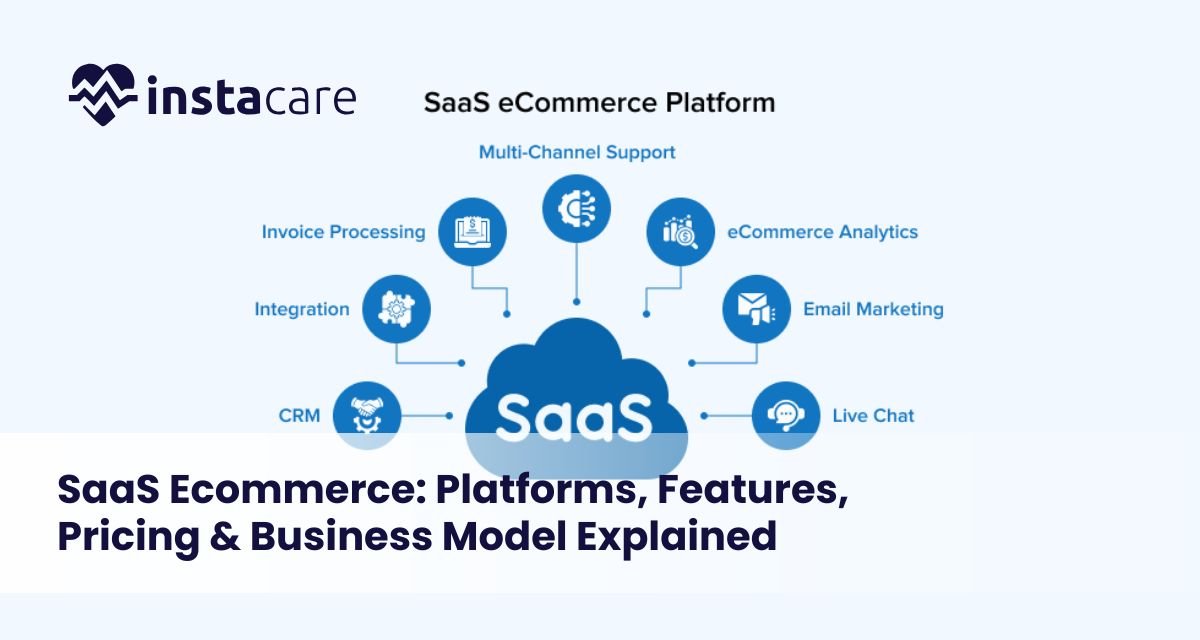
SaaS Ecommerce: Platforms, Features, Pricing & Business Model Explained The evolution of SaaS ecommerce platforms has changed the way online stores are designed, operated, and grown by businesses. As compared to traditional self-hosted method, Software as a Service (SaaS) ecommerce platforms provide cloud-based technology that is fast, scalable, and affordable. Whether small business enterprise or multi-national company, companies now utilize best SaaS ecommerce software for automating processes, saving cost, and providing improved customer experience. What is SaaS Ecommerce? SaaS ecommerce is software that runs on the cloud and allows companies to create, run, and host web stores without having to deal with backend infrastructure or hosting on the company’s website. SaaS ecommerce differs from open-source ecommerce alternatives that require an enormous amount of technical expertise and server management since custom SaaS ecommerce solutions offer a plug-and-play solution. SaaS ecommerce business model is typically subscription-based where the customers pay an annual or monthly fee to access features, updates, and support on the website. The model provides business enterprises with the cost-per-year or cost-per-month model and eliminate in-house IT overhead. Business enterprises also enjoy the ease of easy scalability as the customers grow because it is cloud-based. How does SaaS Ecommerce work? SaaS ecommerce stores are hosted on the cloud. Sellers own the software, security, updates, and scalability. Sellers host and manage the software, security, updates, and scalability. Clients access their ecommerce dashboards via web browsers where clients’ products, inventories, customers’ orders, and payments are configurable. Ease, scalability, security, and administration in SaaS ecommerce architecture are all offered by: Cloud Hosting & Storage: Offers data security, quick access, and scalability. Security & Compliance Layers: Places itself between cyber assaults and supports global data regulation compliance. Scalable Performance Management: Assists with managing high traffic via sale surges and spikes. Integrated Payment Gateways: Facilitates secure payment with multiple streams of checkout. Third-party App Integrations: Extends more functionality to the platform via extensions and APIs. Ecommerce SaaS websites also contain APIs for customization, templates, and tools through which businesses can tailor the workflow and storefront without extensive coding. Ecommerce SaaS integration of marketing software, CRMs, and ERPs also improves the operational efficiency and customer interaction. Book Your Free Marketing Consultation Key Features of SaaS Ecommerce Platforms User-Friendly Interface: Graphical dashboards, drag-and-drop editors, and intuitive navigation facilitate easy installation and everyday use. Mobile-Responsive Design: Provides seamless shopping experience across all devices, which is a must in today’s mobile-first culture age. Secure Payment Gateways: Offers multi-payment option with built-in compliance (PCI-DSS), fraud protection, and secure checkout process. Inventory Management: Real-time reporting, automated alerts, central product management, and seamless integration with supply chain systems. Scalable Hosting: Holds the burst traffic without giving up on performance, including uptime during holiday offers or flash deals. In-Built Marketing Tools: SEO optimization, email marketing, coupon codes, social integration, and complete analytics dashboards. Third-Party Application Support: Integration with logistics companies, CRMs, ERPs, marketplaces, and business apps. Multi-Channel Selling: Enables selling from your site, online marketplaces like eBay and Amazon, and social commerce storefronts like Facebook and Instagram. Customization & Personalization Features: Theme libraries, personal templates, and API access for the extreme customization. Customer Support & Community Access: 24/7 customer support and access to a users’ community for the sharing of tips and insight. Best SaaS Ecommerce Solutions Shopify: Most appropriate for small startups and SMEs in need of a SaaS ecommerce that is simple to implement but scalable with huge apps and integrations. BigCommerce: Recognized for innovative B2B SaaS ecommerce functionality, robust SEO functionality, and excellent multi-channel selling functionality. Wix Ecommerce: Most suitable for small businesses that seek affordable, tailored SaaS ecommerce with advanced design functionality. Squarespace Commerce: Most suitable for innovative businesses that need contemporary design and user-friendly, built-in marketing functionality. Salesforce Commerce Cloud: Enterprise-class SaaS ecommerce with comprehensive CRM integration and large-scale scalability for global enterprises. Adobe Commerce (Magento SaaS Edition): Offers the might of Magento combined with the ease of SaaS to large enterprises requiring custom solutions. Volusion: Most suitable for those businesses requiring SEO functionality as part of the solution and heavy data analysis. Shift4Shop: Offers a free version with reasonable features, best for extremely small startups with extremely tiny budgets. SaaS Ecommerce Pricing Models SaaS ecommerce pricing is feature, size, and target market-based. Some of the most common models are: Tiered Pricing: Several plans with product limits, feature access, and bandwidth. Per Transaction Fee: Minimal percentage of sales charge in addition to the subscription fee, generally for the likes of Shopify. Flat Monthly Fee: Fixed monthly charges regardless of the level of sales, for those firms that want the expenses to be as stable. Enterprise Custom Plans: For big businesses that require more features, priority support, and custom integrations. Examples of base prices: Shopify Basic: $39/month BigCommerce Standard: $39 per month Wix Business Basic: $27/month Squarespace Commerce Basic: $36/month Salesforce Commerce Cloud: Custom pricing Prices rise with usage, additional ecommerce SaaS features, or items sold, so it is important that businesses compare solutions that fit tomorrow’s and today’s needs. Advantages and Disadvantages of SaaS Commerce Advantages: Low startup cost and constant recurring fees. Easy to install with minimal technical skills needed. Vendor conducts auto-updating, security patches and
SaaS Management: Tools, Strategies, and Best Practices As more and more businesses are utilizing cloud software, SaaS application management is a strategic necessity today. Ranging from a small firm with a few platforms to a gigantic firm with a few hundred subscriptions, well-managed SaaS can offer cost-utility, compliance, security, and optimization of digital assets. With more use of SaaS looming on the horizon, so too is the need for SaaS application management being centralized, such as license usage, renewals, access control, and performance monitoring. This handbook covers it all, from tool and technique through best practice in how to best manage your SaaS environment. What is SaaS Management? SaaS management are the processes and the software employed in monitoring, managing, and optimizing the way an organization is leveraging SaaS applications. It encompasses the whole SaaS lifecycle management from procurement through deployment to metering usage, renewing licenses, and retiring them. An effective SaaS management platform assists businesses in automating workloads, managing user access, identifying idle software applications, and enforcing contract and regulatory compliance for software. It is the foundation of modern IT asset management for SaaS-environment-overloaded organizations. Why SaaS Management Is Necessary Excellent SaaS management offers various business-critical benefits: Cost Savings: Avoid overpaying on unused or underused subscriptions with fine-grained SaaS expense management and license administration. Improved Security: Reduce risk with limited unauthorized use and Shadow IT discovery in SaaS deployments. Regulatory Compliance and Auditing: Ensure data privacy along with software license agreement compliance with SaaS compliance management solutions. Operational Efficiency: Automate IT work and boost productivity through SaaS workflows. As SaaS adoption increases, companies tend to lose subscription control, squander unnecessary spend, and expose sensitive information to risk if not governed centrally and automatically. SaaS Management Key Features SaaS management includes various related activities, discussed below: 1. SaaS Discovery All approved and unapproved SaaS applications used in the organization. 2. Usage Tracking SaaS usage tracking usage offering insights on how frequently users make use of a particular platform and how intensively they make use of it. 3. License & Subscription Management SaaS subscription management and tracking level, seats, renewal date, and entitlements on SaaS license management. 4. SaaS Spend Analysis Reporting total spend, cost per user, and ROI for every application. 5. Access & Role Management Limit access to a single SaaS application for a specific user only, as per SaaS security best practices. 6. Vendor Management Track SaaS vendor management KPIs, SLAs, and compliance documents to monitor healthy supplier relationships. SaaS Management Tools to Measure Some of the most useful tools to measure SaaS management are as follows: 1. Zluri Offers real-time discovery, cost savings optimization, user provisioning, and workflow automation. 2. BetterCloud Automates user lifecycles, secures data, and enforces policy for SaaS apps. 3. Torii Reveals Shadow IT, streamlines spending, and tracks usage with smooth integration. 4. SailPoint SaaS Management Best suited for large organizations with an interest in identity security, compliance, and access governance. 5. Cleanshelf Delivers detailed SaaS license use views and SaaS spend management to finance and IT teams. Each SaaS management tool has unique features, choose as per your business size, compliance needs, and automation level needed. Book Your Free Marketing Consultation Some SaaS Management Strategies In order to build an enhanced SaaS management system, implement practices like consolidating control over SaaS, mandating Automated SaaS workflows, defining procurement and compliance policies, tracking license usage, and auditing applications on a regular basis. These practices bring in higher transparency, reduce costs, improve security, and ease vendor relationships. 1. Consolidate Procurement and Onboarding Make all new SaaS purchases go through IT or procurement for gaining visibility and negotiating leverage. 2. Maintain a SaaS Inventory Maintain an active inventory of all installed SaaS software with vendor and license details. 3. Utilize Role-Based Access Grant SaaS access based on job role. Purge unused accounts regularly to prevent sprawl and expense. 4. Automate Renewals and Offboarding Use SaaS renewal tracking reminders and automatic offboarding of users to prevent orphaned accounts. 5. Encourage Responsible Use Regular review and training of staff around license efficacy and data compliance. Best Sustained SaaS Management Practices To maximize SaaS return on investment and preserve security, organizations must unify SaaS management, track utilization and spending, enforce compliance, automate user onboarding and offboarding, and regularly audit applications. All of these actions hold costs in line, reduce risks, and maximize software performance. 1. Monitor Shadow IT Block and prevent unauthorized software with the use of SaaS discovery tools. Unsupported software is a major security threat. 2. Licenses Review Quarterly Balance active users and licenses. Eliminate duplicate seats or consolidate platforms. 3. SLA and Contract Negotiate Negotiate better price and service levels with usage data from suppliers. 4. IAM Platforms Integrate SaaS apps migrate to identity and access management platforms like Okta or Azure AD for security provisioning. 5. Provide Reporting and Dashboards Implement dashboards to track KPIs like usage of licenses, total spend, app performance, and compliance issues. 6. Ensure Data Residency & Compliance Enforce sanction locations for storing data and ensure all apps comply with standards like GDPR or HIPAA in SaaS management compliance. Future Trends in SaaS Management SaaS ecosystem is evolving at a faster rate, and the emerging technologies are providing the next generation of optimization by AI-powered optimization, next-generation SaaS security posture management, unified IT asset and SaaS management, and automated workflows to drive the future. These technologies are designed to enable cost management, security, and operational efficiency for the business. 1. AI-Powered Insights License forecasting, anomaly detection, and usage recommendations will be enhanced by AI capabilities in logistics, enabling smarter decision-making and increased operational efficiency across the supply chain. 2. Tighter Security Integration More sophisticated SaaS security best practices and security orchestration platform integrations will be anticipated. 3. Decentralized IT Models Since business units buy their hardware, aggregated SaaS visibility will be worth more. 4. Increasing Regulation Compliance There will be more controls on SaaS platforms
SaaS Marketing: Strategies, Funnels, and Tools to Grow In the rapidly accelerated Software as a Service (SaaS) pace of business in today’s world, just being that cool with your product isn’t going to be enough. Competing successfully and changing buyer behavior require an intelligent, data-based SaaS marketing plan to fall back on for customer acquisition and ultimate success. The equation? Get to know your people, create a SaaS marketing funnel, and employ the right tactics and tools to turn curiosity into fandom. This book offers incredible SaaS performance marketing funnels, software, and growth hacking techniques to differentiate and build your company. What is SaaS? SaaS, or Software as a Service, is a software delivery model in which software runs on the cloud and is delivered via the web. It is generally paid per subscription by the user, and there is no installation or infrastructure. Those above-mentioned SaaS solutions are highly successful SaaS solutions. B2B SaaS marketing is different from other marketing since it’s recurring-revenue, long-term-value, and customer-retention driven rather than that initial buy. Learning the SaaS Customer Journey A successful SaaS marketing plan indicates learning the customer journey from awareness to advocacy. 1. Awareness The customer is surfing and venturing out to search for solutions. That is where SaaS inbound marketing (blog, social, SEO) comes into play. 2. Consideration Customers are weighing products today. SaaS product marketing is transparent, with case studies, demos, and differentiators. 3. Decision The user selects a provider. SaaS email marketing campaigns, trials, onboarding, and SaaS email marketing campaigns dominate this stage. 4. Retention Retention is the objective once users are onboarded. Customer support, new product feature release, and gated content fuel retention. 5. Advocacy Activated customers are your solution’s advocates. They’re then utilized with user-generated content and word of mouth to drive SaaS customer acquisition. Seeing the process in this straightforward way puts power in the hands of marketers to segment touchpoints and content by funnel stage. SaaS Marketing Strategies That Work A successful SaaS marketing strategy is multi-channel and user-focused. The greatest SaaS content marketing practices are the following: 1. SaaS Content Marketing Onboarding new users and educating them to use guides, blog posts, eBooks, and webinars. Solution to problems, use cases, and flaunting expertise should be the content of the discussion. 2. SEO and Organic Traffic Quality leads are gained with solid search results. Use fine industry keywords and long-tail search keywords in the feature or pain points. 3. SaaS Email Marketing Drip campaigns, onboarding, and feature rollouts turn behavior, turning leads. Email remains one of the best conversion and retention tools. 4. Product-Led Growth (PLG) Let the product speak for itself. Free trials or freemium levels allow users to experience your value proposition for themselves. 5. Paid Performance Marketing Scale reach with Google Ads, LinkedIn Ads, and retargeting. Keep SaaS marketing metrics in balance at all times, attempting to measure ROI. 6. Review and Referral Programs Ask happy customers to review on G2 or Capterra and incentivize them with discounts or credits as referrals. Building a SaaS Marketing Funnel A SaaS marketing funnel is a paying customer and a little bit more. Here’s how to create one: Top of Funnel (TOFU) – Awareness Tactics: SEO, blog, social, PPC ads Objective: Traffic and brand awareness Middle of Funnel (MOFU) – Consideration Tactics: Case studies, webinars, gated content Objective: Convert visitors to leads and educate them Bottom of Funnel (BOFU) – Decision Tactics: Free trials, demos, price pages, comparison sheets Objective: Convert leads into paying customers Retention Funnel Tactics: Support, onboarding, newsletters, in-app messages Objective: Churn prevention and loyalty building Tracking how the users are engaging with the funnel keeps the marketer aligned with where the users are dropping off and optimizing at every stage. Tools Used for SaaS Marketing The right SaaS marketing tools can automate, scale, and optimize for you. Must-haves are: 1. CRM & Automation Tools: HubSpot, ActiveCampaign, Salesforce Usage: Follow up leads, automate email sequences, score leads 2. Analytics Tools: Google Analytics, Mixpanel, Amplitude Use: Track user behavior, conversion funnels, campaign ROIFunctions: 3. SEO & Content Tools: Ahrefs, SEMrush, Clearscope Use: Keyword research, backlink checkup, content optimization 4. Social & Ads Management Tools: Buffer, Hootsuite, Google Ads, LinkedIn Campaign Manager Usage: Scheduled posts, start paid campaigns 5. Email Marketing Tools: Mailchimp, Drip, ConvertKit Use: Use to onboard, for drip campaigns, customer retention emails These are the foundation blocks of a successful SaaS digital marketing agency stack that encourages in-house teams or third-party partners to scale. Book Your Free Marketing Consultation SaaS Growth Hacking Strategies SaaS growth hacking is high-urgency growth hacking to find scalable growth hacking strategies. These are safe bets to try: 1. Viral Loops Share per share by referral, in-app invitation, or shareable attribute, e.g., Dropbox’s “get extra space” referrer campaign. 2. Freemium to Premium Upsell Offer limited features for free, and upsell interested customers to paid plans through value-based invites. 3. Behavioral Triggers Trigger behavior-led upgrade or engagement emails, like periodic feature utilization. 4. A/B Testing Test price pages, email subject lines, CTAs, and feature highlights to ensure the highest conversions. 5. Partner Integrations Boost visibility and adoption by natively integrating into apps your target user base already uses (e.g., Slack, Zapier). The greater hacking, the greater creativity, velocity, and instantaneous failure are the covert ingredients to some SaaS marketing hack. SaaS Marketing Errors to Avoid Even old-school teams screw up preventably. These are SaaS product marketing mistakes that occur often: Forget onboarding: Murky starts cause churn. Keep it easy with tooltips, tutorials, and guided setup. Missing selling to existing customers: Don’t miss-sell to your existing customers, you already have. They are less expensive than new ones. Vanity metric abuse: Page views and likes aren’t covering the mortgage. Use actual SaaS marketing metrics like CAC, LTV, churn, and MRR. No positioning: Customers need to understand what pain you are alleviating in 10 seconds, or the messaging is horrible.
Top SaaS Customer Retention Strategies to Reduce Churn and Optimize Growth In the speed-of-light Software as a Service (SaaS) era, winning customers is only half the fight, retaining them is where compounding growth occurs. Slowing churn can quietly eat away at your revenues, but healthy retention drives compounding growth and boosts profitability. Reduce churn in SaaS requires moving beyond the sale point and into consistent delivery of value across the customer life cycle. This manual discusses the best SaaS user engagement techniques, how to empower them with tools, and how to measure the impact so you can grow and retain customers responsibly. The Education on Churn in SaaS Churn is the rate of customers who cancel a subscription over a period. Excessive churn not only depreciates MRR month-to-month, but it also fuels customer acquisition expenses because more work has to be put into replacing the lost customer. There are two types of churn: Voluntary churn: When the customer self-exits, typically due to onboarding problems, value not received, or poor support. Involuntary churn: Involuntary churn is usually brought about by payment failures or declined cards. It is necessary to know the reason why users are churning to execute the long-term customer success strategies for SaaS to minimize SaaS subscription cancellations. Most of the churn is brought about by a mismatch between user goals, expectations, and product value. Best SaaS Customer Retention Strategies 1. Customer-Centric Onboarding Effective onboarding strategies for SaaS lays the foundation for long-term use. Those users not given short-term value will churn more likely in the first 30 days. Top onboarding best practices: Offer instant gratification in walkthroughs or checklists Use in-app tips to guide attention to critical features Offer follow-up emails with helpful tips and video tutorials Assign a customer success manager for high-value accounts A superior onboarding experience cuts uncertainty and creates early product satisfaction. 2. Personalized Customer Experiences SaaS customers require personalization. Personalize communication, dashboards, and support to reflect user behavior and business type. How to create a personalized SaaS customer experience: Use segmentation to send behavior-triggered emails Show relevant features based on role or behavioral patterns Offer personalized product recommendations or upgrades Personalization creates an emotional connection and makes your product indispensable. 3. Engaged Customer Support Reactive support is not enough. Proactive customer support SaaS prevents issues from becoming frustrating. Examples Notify customers to upcoming issues (e.g., payment failures, usage restrictions) Provide training classes on new feature release Engage with top questions via chatbots in real-time Support must be a relationship, not a lifeline. 4. Retention-Driven Marketing Your marketing does not have to end at the sale. A retention-focused SaaS marketing strategy retains users after the purchase. Core tactics: Periodic product update newsletters Case studies of new applications Invite-only webinars and events Marketing to existing customers reminds them of your worth and prevents stagnation. Book Your Free Marketing Consultation 5. In-App Engagement Strategies Customers require reminders to continue using your app, particularly if your product doesn’t integrate into their daily workflow. SaaS user engagement strategies are: Gamification features (badges, progress bars) Push reminders or notifications Personalized dashboards and usage analytics Encouraging more active usage is ultimately retained. 6. Smart Upselling and Cross-Selling Used appropriately, upselling and cross-selling in SaaS not only generate additional revenue but also increase value. SaaS renewal strategies include: Milestone-based offering (e.g., storage limits reached) Bundling complementary features Upselling power users based on account health scores Make sure to ensure these offers enrich, not disrupt, the user experience. 7. Customer Loyalty Programs Encouraging continuous use and recommendations through SaaS customer loyalty programs is another good practice for preventing churn. Examples Credit for inviting friends or colleagues Annual renewal discounts Reward points for performing something (e.g., reviews or surveys) Loyalty programs reward good behavior and get users back. 8. Tight Feedback Loops It is worth getting users to do continuous conversation. Creating feedback loops in SaaS allows you to catch problems early and focus on features users need. Best practices: Run in-app surveys upon onboarding or feature usage Monitor NPS (Net Promoter Score) Host business customer advisory board meetings Listening and reaction build adoption and trust. Tools and Technology to Enable Retention Retention is not a fluke. Leverage tools to automate and simplify your approach. 1. Customer Success Platforms Gainsight, Totango, or ClientSuccess are software platforms that allow for customer health tracking, milestone monitoring, and follow-up settings. 2. Product Usage Analytics Mixpanel, Pendo, or Amplitude browsers provide you with in-depth views of user engagement with your product. Product usage analytics for retention enable you to specify sticky features, drop-off locations, and upsell possibilities. 3. Email Automation and CRM Use tools like HubSpot, Intercom, or Customer.io to automate onboarding, engagement emails, and renewal reminders. 4. In-App Messaging Tools like Userpilot, Appcues, and Chameleon allow you to present tooltips, modals, and checklists in your app for frictionless experiences. These features allow data-driven, scalable retention by user segment. Measuring the Success of Your Retention Campaigns You can’t fix what you can’t measure. Track SaaS retention metrics regularly so you’ll know what works. Most critical to track: Churn rate: Monthly or annual customer loss rate Net retention rate: Adjusts for upsells, expansions, and downgrades Customer Lifetime Value (CLTV): The Worth of a customer throughout their lifetime Customer Health Score: Aggregates usage, engagement, and
Top 10 SaaS Trends to Watch in 2025 The SaaS business is changing at a rapid rate, reengineering business processes, communication, and growth. Cloud computing has developed as the leading technology over time, and SaaS is part of this movement. The SaaS business is expected to cross $1 trillion in 2025 on the basis of bleeding-edge technologies, changing user requirements, and growing demands for digital-first solutions. For companies to remain competitive, one has to be aware of the SaaS trends 2025 that will lay the groundwork anew. From AI-powered automation to skinny vertical SaaS solutions, SaaS’s future is all about intelligent, responsive, and highly integrated platforms. What is SaaS? SaaS Software as a Service is only one of the software distribution models in which the programs are maintained on the cloud and made available to users on the web. Rather than buying and installing software on dedicated devices, subscribers subscribe to programs that the service provider maintains and updates. It lowers IT costs, enables simple access, and facilitates collaboration anywhere. SaaS solutions are being embraced in almost every sector HR and accounting, customer relationship management, and healthcare. Technology will keep accelerating, and the future of SaaS will all be about even more automation, vertical solutions, personalization, and SaaS integration with AI with next-generation technologies. Top 10 SaaS Trends to Watch in 2025 1. AI-Powered Personalization Artificial Intelligence (AI) is not a luxury anymore, it’s an imperative to SaaS development these days. In 2025, AI will redefine personalization at a much larger scale. Platforms will provide smart user experiences, dynamic features, recommendations, and workflows that learn based on user preferences and behavior. AI-powered personalization will prevent churn and increase customer interaction. SaaS dashboards will become intelligent, real-time, adapting to the individual user role and requirement. Recommendation systems, predictive search, and chatbots will become the norm. Software: More and more software will be a dynamic software component and less of a static software component with AI in SaaS continuing to advance. 2. Vertical SaaS Will Flourish Instead of generic software, vertical SaaS platforms are made specifically for a particular business like logistics, real estate, education, or law. Focused on specific issues, such programs have better workflows, compliance mapping, and industry-specific integration. Monitor expansion in healthcare SaaS software handling electronic health records, telemedicine centers, and automated billing. Real estate SaaS software will provide end-to-end functionality like property listing, contracts, and client management. The growing need for specialization will drive the use of vertical SaaS solutions quickly, and they will become a leading source of driving SaaS product innovation. 3. Low-Code/No-Code Platforms Bring Everyone into the Game Low-code SaaS platforms will force developers, coding skills aside, more and more to develop custom tools and SaaS market growth 2025. Low-code development of apps makes app development democratized and enables marketing, HR, and sales departments to solve their issues without the need for developers. Graphical builders and drag-and-drop functionality will reside on a SaaS platform. Companies can quickly prototype and deploy internal tools at minimal cost. Create. This trend speeds up innovation by providing greater numbers of people with creation power across an organization. 4. Predictive Analytics Will Guide Strategy SaaS applications today provide reporting; SaaS applications tomorrow will provide foresight. With AI and machine learning, SaaS products will provide profound insights based on predictive models. These will guide marketing, finance, HR, and ops choices. Predictive software will detect customer churn, detect sales opportunities, and predict supply chain challenges. Marketing automation will recommend the best time to send an email or execute a campaign depending on how individuals act. Businesses that spend money on predictive analytics in SaaS will achieve a strong strategic advantage with data-based insight. 5. Automation Will Be the Default Since human beings getting things done at a breakneck rate is about to become a relic of the past, in 2025, SaaS software will provide end-to-end automation of business-as-usual tasks, anything from onboarding and billing to data entry and email reminders. SaaS products will provide Robotic Process Automation (RPA) for process automation. Automation will cross-organizational fences, wasting valuable time with cross-functional collaboration. As SaaS automation trends keep advancing, businesses will have more time to focus on strategic activities and less time on repetitive work. Book Your Free Marketing Consultation 6. Easy AI Assistance Across All Functions AI will be integrated into every SaaS tool, not just for feature enhancement. Look for AI in all layers, from backend processes to user tools. AI will be used on sales platforms to anticipate leads and suggest next-best actions. HR SaaS apps will screen candidates automatically and search for sentiment. Voice and text AI assistants will provide real-time assistance in apps. Software vendors will create better, intelligent, and context-based apps by turning their attention to integrating SaaS with AI. 7. Security and Compliance Will Drive Innovation With more and more common data breaches and with tighter and tighter new regulations (e.g., GDPR and HIPAA), SaaS providers are prioritizing security in the number one position. Security will be second only to performance or usability in 2025. Multi-layer encryption, live protection, and access controls will be the standard. Compliance reporting will be built into tools to make audits and certificates simple. Businesses will choose platforms that lead in SaaS security trends, ensuring their sensitive data and operations are protected around the clock. 8. Dynamic and Transparent Pricing Models Users are demanding more flexibility in how they pay for SaaS products. In 2025, rigid monthly pricing will give way to outcome-based, usage-based, and hybrid pricing models. Companies will pay based on data usage, API calls, or business outcomes. Transparency-priced calculators and tailor-made add-ons that can be constructed modularly will enable customers to select what they truly require. These SaaS pricing models will enable organizations to match expenses with perceived value obtained, resulting in long-term customer satisfaction. 9. Retention will Trump Acquisition Customer acquisition is costly and growing more
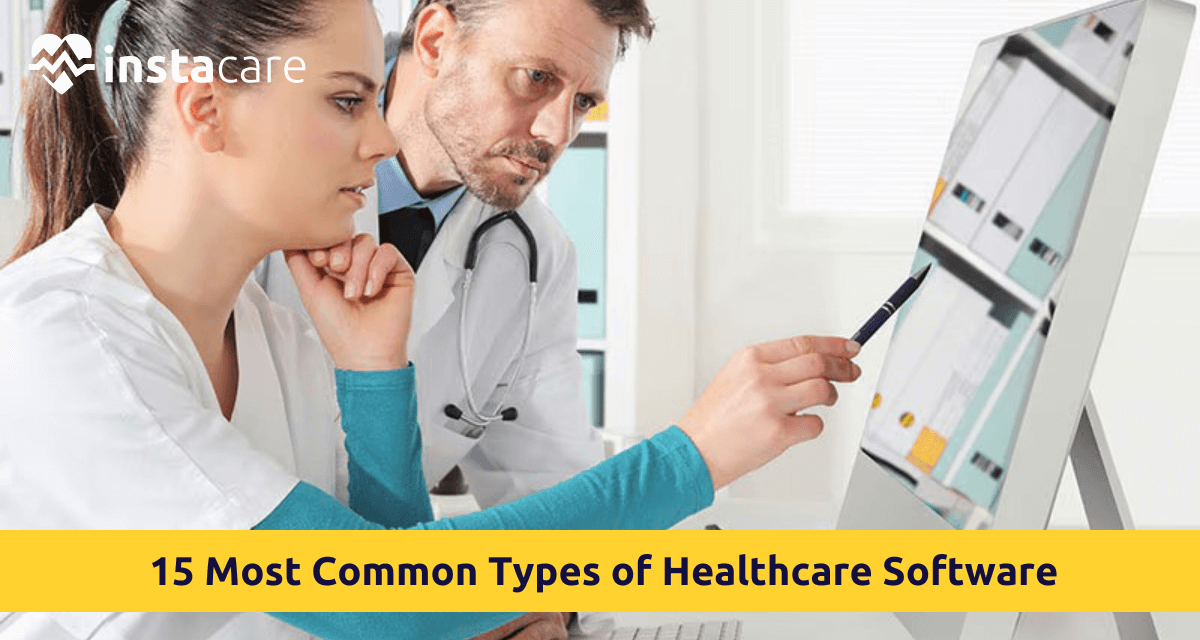
15 Most Common Types of Healthcare Software The aspect of health industry is fast changing and technology is at the centre of this change. Since bettering patient care to simplifying administrative processes, contemporary health care is dependent on software solutions. As the expectation levels of the patients increase and with the compliance demands also growing and the necessity for being efficient, the hospitals and clinics are coming increasingly to relying on the digital facilities. Whether managing patient data or facilitating teleconsultation, healthcare software is creating the future of medicine. What is Healthcare Software? Healthcare software refers to specific digital products created to assist the medical field in clinical, administrative, and operational functions. Such tools support healthcare professionals in diagnosing, treating, and monitoring patients and facilitate internal workflow management in institutions. Healthcare software has a huge variation, from storage and scheduling software to much more intricate systems that include diagnostics, imaging, and decision support. Importance of Healthcare Software in the Medical Sector Getting software tools for healthcare in 2021 is not an option anymore – it is now a necessity. It enhances the precision of diagnostics; it improves the availability of the data, and optimizes patients’ experiences. In addition, healthcare software helps minimize manual errors, reduce operational costs as well and meet healthcare regulations. This technology also facilitates data-driven decisions that would result in better outcomes for the treatment process as well as efficient resource management. Types Of Healthcare Software You Must Know Let’s get into the top 15 most common types of healthcare software systems changing things up in the medical world nowadays: 1. Electronic Health Records (EHR) Software In the core of modern healthcare systems lays the Electronic Health Records (EHR) software, which contains the complete medico-history for patients. It enables access to such information by authorised personnel such as previous treatments, allergies, lab results, and imaging. EHR software helps to coordinate between departments, reduces paper work and allows doctors to make better clinical decisions with real time access to data. 2. Practice Management Software Practice Management Software is a special software system for facilitating management of everyday administrative activities for clinics and hospitals. This entails appointment scheduling, billing and reporting, tracking of patients’ related information. It makes operations easy, eliminates much of the manual labor and guarantees the medical professionals concentrate on the patients leaving them with less of back-end logistics. 3. Medical Billing Software Effective billing in healthcare is very important, and Medical Billing Software is a solution for automatic invoicing and the claim process. This software makes fewer mistakes in cash flow and precise financial records. It also upholds several health insurance laws, as well as dictates regarding health insurance. 4. Telemedicine Software Remote consultations are becoming the standard; therefore, Telemedicine software contributes to video calls, remote diagnostics, and patient monitoring. It is now essential for healthcare access in rural or underserved areas. With this software, the patients can gain medical advice without having to go to a clinic physically, hence convenience and provision of services via book internet is enhanced. 5. e-Prescribing Software A doctor can send prescriptions electronically to pharmacies through the use of e-Prescribing software. This extinguishes handwritten inaccuracies and hastens the prescription process so customers can get prescriptions faster. It also assists in tracking patient drug history and warns providers against any potential drug interactions. 6. Hospital Management Software Hospital Management Software is a comprehensive hospital operation solution including, but not limited to, modules such as patient registration, billing, inventory, pharmacy, and HR. It simplifies all processes and smooth flow of departmental communication. Such systems increase hospital efficiency and affect patient experience. 7. Laboratory Information Management System (LIMS) For clinical laboratories, Laboratory Information Management System (LIMS) software is meant to monitor samples, as well as wanting to store test results, control inventory, and manage quality. LIMS increases a lab’s efficiency; reduces error, hence improves conformity to the regulatory measures, which is vital in the case of diagnostic and research labs. 8. Radiology Information System (RIS) The point, in this case, is to use a Radiology Information System (RIS) for controlling medical imagery and data. Such software is utilised by radiologists in monitoring imaging orders, keeping reports, among other workflow management. It is typically integrated with PACS and EHR systems to see all the patients’ records in full and make diagnoses more expeditious. 9. Picture Archiving and Communication System (PACS) Picture Archiving and Communication System (PACS) archives and retrieves certain medical images, including X-rays, MRI, and CT scans. It eliminates use of film-based storage hence enabling healthcare providers view, share and analyse images in digital format. The PACS also interoperates with RIS and EHR for increased accuracy and efficiency of diagnosing. 10. Clinical Decision Support System (CDSS) The Clinical Decision Support System (CDSS) is a powerful piece of software intended to assist the clinician in making well-informed decisions. It works with the data of patients and alerts and reminds them, as well as offers treatment. CDSS will enhance outcomes and compliance with best practices as errors by humans will be eliminated as well and there is a standard level of care provided by CDSS. Book Free Demo 11. Pharmacy Management Software Pharmacy Management Software supports pharmacists with drug inventory, which automates refilling and answers billing and compliance with regulations. It enhances safe medication by alerting about potential interaction, contraindications and it frequently integrates with EHRs and billing systems to the purpose of making the functionality, as easy as possible. 12. Healthcare CRM Software Healthcare CRM software is aimed at enhancing patient interaction, communication and services. It captures and manages patient data, preferences and communication history. This assists healthcare providers in providing individualized services and send reminders as well as long term relationships with patients. 13. Healthcare Analytics Software Healthcare analytics Software sifts through stupendous amounts of clinical, operational, and financial data to create insights. Hospitals use this software to enhance the delivery of care and cost management, as well as cost projection. It facilitates predictive analytics, population health management, and performance benchmarking.
