

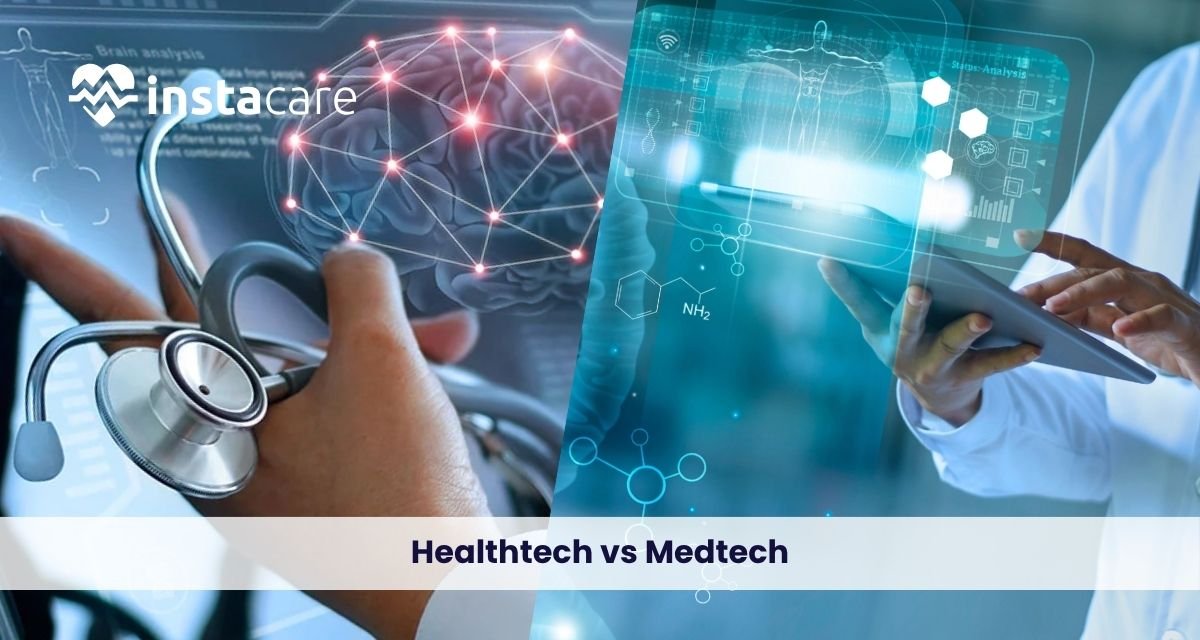
HealthTech vs MedTech: Understanding the Difference and Their Impact on Modern Healthcare Two strong waves are transforming medicine today: HealthTech and MedTech. Two sectors with different goals, technology, and effects on treating patients are equivalent to the two terms. To the patient, investor, and doctor struggling with the new medicine realities, it is important to know the difference between healthtech and medtech. What is MedTech? MedTech is short for medical technology and it is used as an abbreviation in referring to devices, equipment, and instruments that are applied in treating, monitoring, or diagnosing a state of health. The medtech meaning involves physical items regulated by healthcare authorities like the FDA that get into contact with patients when healing a state of health. Examples of medtech include: Pacemakers MRI scanners Surgery robots Insulin pumps Prosthetics Diagnostic tools Safety, efficiency, and precision in the operating room are medtech innovations‘ top priority. The vision for the medtech industry overview is one of a manufacturing-integrated, regulation-integrated, evidence-based medicine industry in which products undergo intensive clinical tests prior to licensure to enter the market. What is HealthTech? HealthTech is a more comprehensive term that entails digital health solutions, care-improving services, and software platforms that improve the delivery, availability, and organization of care. Healthtech meaning is also defined beyond temporary short-term physical hardware to encompass apps, AI algorithms, telehealth platforms, and analytics tools. Examples of healthtech are: Wearables’ exercise sensor Telemedicine apps AI diagnostic apps Mental well-being apps Remote patient monitoring software Healthtech innovations are more centered on preventive care and data-driven recommendation and is more likely to be outside of the walls of the classical clinical environment. Key Differences Between HealthTech and MedTech Digital health vs medical technology differ from each other on several underlying bases: Purpose and Use: MedTech is used for the diagnosis and treatment of disease within the clinical setting, and HealthTech is directed towards healthcare management, prevention, and health in other uses. Regulatory System: MedTech products are required to pass rigorous regulation approval with high-quality clinical data. HealthTech products, particularly well-being apps and non-diagnostic devices, will probably be more strictly regulated but most likely revised as guidelines continue evolving. Technology Base: MedTech is based on hardware, mechanical engineering, and biomedical science. HealthTech is based on software, artificial intelligence, cloud computing, and data analysis. Patient Accessibility: MedTech products tend to be prescribed by doctors and utilized in clinics or hospitals. HealthTech products are consumer products and highly accessible to patients from web sites and app stores. Business Models: MedTech makes profits from selling medical devices to health care providers. HealthTech companies employ business models such as subscription, freemium models, and data monetization. Book Your Free Marketing Consultation The Overlap: Where HealthTech Meets MedTech These boundaries are converging. Convergent medical devices characterize this intersection by blending MedTech devices and HealthTech apps. Smartphone app-enabled smart insulin pump, med device cleared digital therapeutics, and AI-based diagnostic imaging systems are some of the convergences. The second difference one can find is that whereas healthtech vs biotech the latter is biological process and biopharmaceuticals, HealthTech and MedTech are technological solution for treatment and healthcare delivery. Market Trends and Future Outlook Healthcare technology trends are in full swing with both industries growing explosively. The worldwide MedTech market will surpass more than $600 billion in size by 2027, a snapshot driven by the prevalence of chronic disease and aging populations. HealthTech investing, conversely, grew exponentially as telemedicine use went bananas during the pandemic. The future of healthtech and medtech is more convergence. Artificial intelligence is revolutionizing both fields, and the prospect of disease prediction using MedTech and tailor-made health advice using HealthTech is now available. Wearables shift from fitness monitoring to clinically-valid monitoring, merging consumer health and healthcare. New emerging breaking key trends are: AI-Powered Diagnostics: Machine learning models utilized to diagnose disease from medical images at superhuman levels Remote Patient Monitoring: Real-time self-tracking to avoid readmission to the hospital and enable early intervention Personalized Medicine: Genomically directed treatment with the patient’s genetic fingerprint and wellness history Robotics and Automation: Robotic surgery carried out autonomously, as telemedicine opens specialist healthcare services to more Blockchain in Healthcare: Secure storage of patient records and easy sharing with providers Why the Distinction Matters The stakeholders need to appreciate how healthtech and medtech improve patient care solely. The physicians need to know what solution needs clinician approval against other solutions providing ancillary well-being services. Investors require them to take into account several regulatory risk factors, development time horizons, and market conditions before they decide to invest or not. For the user, it allows them to select on an educated basis between what technology to use in the context of medicine versus overall wellness. A fitness app is a pretty distinct chunk of code from an FDA-approved cardiac monitor, but they share the same sensor technology. Regulators are faced with the cost ceiling of imposing suitable regulatory controls to provide protection for patients without stifling innovation. With HealthTech devices increasingly infusing the ecosystem with health-related claims, suitable regulation is the utmost priority. Conclusion HealthTech and MedTech are two forces that are pushing each other into transforming healthcare. MedTech propels clinical therapy with cutting-edge machines and devices, and HealthTech constructs democratization of access to health with digital platforms combined with prevention medicine. Their intersection promises an age where medical precision and customer ease go hand-in-hand, clinical discipline merges with data science, and health is more personalized, more convenient, and more efficient. With technology going on to modify medicine further, walls between such industries will come down further. Such systems will be built where vintage medical equipment communicates with spanking new digital ones, and patient care is shifted smoothly from the hospital to the home. To be able to survive in such a world, one needs to be capable of seeing as much dissonance as harmony between such disruption-perfect industries. FAQs Q: Is a HealthTech product a medical device? Yes, if HealthTech devices are either making medical claims or are diagnostically material, then they are
Staff Augmentation: The Smart Way to Scale Your Workforce Efficiently The very dynamic business environment of the contemporary world calls for organizations to be agile in addressing increasing demands, technological evolution, and customer needs. One of the practices most in demand today is adopting staff augmentation services, which allows organizations to expand their workforce immediately and economically without a long-term recruitment obligation. With the practice, organizations have managed to stay agile, access quality talent, and deliver projects effectively. This article explains staff augmentation, how it works, types, benefits and drawbacks, and future directions. It compares staff augmentation vs outsourcing and managed services and says when the companies should use this model. What Is Staff Augmentation? Typically, staff augmentation is a flexible method of employment where firms hire outside talent on a project or temporary basis to access skill niches. Instead of hiring permanent employees, firms will hire professionals temporarily from a staff augmentation company to augment their current force. This model enables businesses to be specialists in core functions and tap expert professionals who deliver real-time value. The staff augmentation model is employed everywhere in IT, healthcare, finance, and other industries where expertise and quick responsiveness are needed. How Staff Augmentation Works? The staff augmentation process begins at the stage of acknowledging the talent gaps in an organization. After the needs realization of a project, the organization partners with a vendor in such a manner that the vendor supplies it with the talented workforce. The outsourced talent then integrates into the organization’s current teams and operates under the organizational structure of the organization. For example, for staff augmentation in software development, businesses can have an AI, cloud, or security-qualified individual cover a project role immediately without waiting for the lengthy hiring process. The process involves: Establishing the needed skillsets. Having a trusted vendor. Hiring and onboarding subject matter experts. Incorporating the dedicated human assets into the business in-house team. Types of Staff Augmentation Staff augmentation is classified under different categories, each addressing a type of business need: Commodity-Based Augmentation – Outsourcing staff for general purposes without domain expertise, e.g., admin support. Skill-Based Augmentation – Outsourcing experts with a well-defined set of skills, e.g., data experts, digital marketing specialists, or technical writers. Highly Skilled Augmentation – Outsourcing premium specialists, e.g., programmers, cybersecurity experts, or data scientists. Short-Term Augmentation – Contractual employment to satisfy short-term project requirements. Long-Term Augmentation – Long-term contracts to satisfy constant projects or remove skill gaps long-term. These categories uncover the flexibility of the staff augmentation model, allowing companies to increase by project complexity and length. Key Benefits of Staff Augmentation The benefits of staff augmentation transcend industries as well as company size. The most important advantages are: Access to Expert Professionals: Companies can utilize expert professionals, such as cloud experts or AI specialists, with no long-term commitment. Flexibility and Scalability: Companies can scale up or down based on project sizes. Cost Savings: Evades recruitment, training, and employee benefit expenses. Shortened Time-to-Hire: Time-to-hire is greatly reduced compared to traditional hiring. Increased Control: As opposed to outsourcing, organizations have direct control over staff augmentation personnel and thus adhering to internal procedures. Decreased Risk: Short-term talent acquisition reduces long-term costs with flexibility. For businesses that need to have a lasting dedicated development team, staff augmentation enables them to recruit necessary experts without the bounds of permanent hiring. Common Challenges and How to Overcome Them While staff augmentation is of immense advantage, there are some problems involved as well. One has to familiarize oneself with the pros and cons of staff augmentation in order to implement it successfully. Problems: Miscommunication due to geographical or cultural diversity. Overdependence on external talent. Probability of integration issues with the internal employees. Security threat associated with divulging confidential information. Solutions: Make open communication lines and project procedures. Keep a balance between internal and external personnel. Give good onboarding so that it is easy to work. Impose strict security measures to keep information and intellectual property secure. Book Your Free Marketing Consultation Staff Augmentation vs. Managed Services vs. Outsourcing Organizations keep staff augmentation vs managed services and outsourcing in mind and decide what to do. This is where they are different: Staff Augmentation: Used external talent to expand existing teams. The organization has complete control over the project management. Managed Services: Outsourcing whole functions or processes to a third-party provider who provides end-to-end. Outsourcing: Shakes out single projects or business functions to third-party vendors with maybe less direct control. The biggest distinction between staff augmentation vs outsourcing is control and flexibility. Augmentation offers qualified folks under your control, while outsourcing offers total responsibility to a vendor. When Should a Company Use Staff Augmentation? Staff augmentation works best in situations like: When an organization needs specialist skills not present in the company. When there isn’t much time and permanent recruitment is not feasible. When companies need extra staff for peak periods. For circumstances when long-term measures are impossible. For testing new markets or technology before full commitment to staffing recruits. Companies using this approach would generally refer to staff augmentation examples like software firms engaging app release developers or enterprises hiring cybersecurity professionals for short-term audits. Steps to Implement Staff Augmentation Successfully To attain maximum success, organizations need to follow the following steps: Identify Needs: Identify the skills required and project goals. Select a Vendor: Choose a seasoned staff augmentation company with a successful track record. Select Talent: Appropriately interview and filter applicants. Board Successfully: Educate and establish procedures for assimilation with native staff members. Manage Performance: Keep track of progress with regular reporting and feedback systems. Measure Outcomes: Quantify project ROI and success in attempting to improve in the future. Future of Staff Augmentation Demand for IT staff augmentation and services will grow faster with accelerated digitalization. More and
Cloud Native vs Traditional Applications: What’s the Difference and Why It Matters for Modern Businesses? The cloud native space has dramatically transformed the way that applications are developed and deployed by businesses. Understanding the difference between cloud native and traditional applications is important to organizations looking for competitive advantages in the ever-evolving market today. This architecture change isn’t a technology innovation alone it’s a complete paradigm shift in the way that application deployment and development get done. What Are Traditional Applications? Monolithic architecture pattern is vintage-style application design where the entire shebang user interface, business logic, and data access layers is one, tightly integrated unit. Traditional application architecture differs significantly in this structure composition. Traditional app development is primarily focused on developing applications to run on physical servers or virtual machines within on-premises data centers. These applications are upgraded in complete packages, with a lot of planning and downtime involved in the process. Cloud native application deployment has the brutal opposite of the same process, where even minor changes involve redeployment of the complete stack of apps. What Are Cloud-Native Applications? Cloud native app development includes distributed architecture that is specifically built to be deployed in the cloud. Cloud-native apps leverage micro services, containers, and orchestration tooling like Kubernetes. Cloud native micro services organize applications as more discrete, independent services that interact with one another using APIs so that they can be developed, executed, and scaled independently by different teams. Cloud native architecture relies on automation, CI/CD pipelines, and infrastructure-as-code principles. Its design views infrastructure as ephemeral and dynamic rather than static and rigid and therefore alters the way organizations are dealing with their tech stack. Key Differences between Cloud-Native and Traditional Applications Architecture: Cloud native vs monolithic applications calls out the key difference micro services vs monolithic architecture. Legacy apps are depicted as standalone blocks, while cloud native apps are comprised of different loosely coupled services. Scalability: Horizontal scaling within cloud native apps and each service will be scaled according to requirement through scalability in cloud native apps. Vertical scaling in legacy apps with more powerful hardware and complete system restarts. Deployment: Full redeployment windows and redeployment windows are what legacy applications need. Cloud native applications have zero-downtime constant deployment through rolling deployments and blue-green deployments, showcasing the deployment process in cloud native applications. Infrastructure: Legacy applications need predictable, static infrastructure. Cloud native applications can easily accommodate dynamic, elastic infrastructure that automatically scales with the workload needs. Advantages of Cloud-Native Applications Benefits of cloud native apps are both operational, cost, and tech. To start with, elasticity accommodates scalable expansion in the event of a traffic surge, which earns its top-of-class performance without provisioning for it. This is a direct address to the cost comparison: cloud native vs traditional apps since companies only need to pay for utilized resources. Increased resilience is another important benefit. When certain individual micro services collapse, others remain operational, reducing the overall system downtime. Classic monolithic crashes, in contrast, bring down entire applications. Development velocity accelerates at an accelerating pace. It is probably possible to develop two or more micro services in parallel without one team on top of the other, i.e., features and patches can be delivered faster. The performance comparison of cloud native and traditional apps will typically be in their favor since they are optimized for resources and have distributed processing architecture. Besides, cloud native designs support polyglot programming, and hence appropriate technology can be employed for every service rather than leveraging a single stack for the whole application. Book Your Free Marketing Consultation Limitations of Cloud-Native Approach With all the defects, cloud native applications introduce complexity. Distributed systems are more difficult to manage, and that implies there will be increased invasive monitoring, logging, and tracing. Containerization, orchestration, and micro services patterns require specialized knowledge in organizations. The initial investment in tooling, training, and infrastructure can be costly. Latency among services would impact performance if not properly designed. Security is harder to enforce because numerous service endpoints must be protected. Legacy vs cloud native systems requires a tremendous amount of work, which in most cases requires architecturally complete overhaul rather than seamless migration. Advantages of Traditional Applications Legacy application design is uncomplicated in certain circumstances. Small apps and normal workloads don’t need the additional overhead of cloud-native infrastructure. Development and debugging are normally easier in monolithic designs. Companies with long-term on-premises investment render traditional approaches more cost-effective in the short term. Monolithic development teams need not re-learn paradigms and can continue to remain productive. For applications where tight coupling or high inter-component communication is needed, monolithic designs reduce network overhead. When to Choose Which Approach Architecture choice is a matter of needs specific to a business. Use cloud native whenever you need to scale quickly, need high availability, or deploy often or expect spectacular growth. Start-ups and companies that do lots of things digitally value the flexibility of cloud native the most. Legacy approaches suit mature applications with relatively stable requirements, small budget to roll out infrastructure optimization, or very small teams without cloud native expertise. Simple flows and anticipated resource requirements may not justify cloud native sophistication. The Future: Transitioning from Traditional to Cloud-Native As businesses are moving to cloud native applications is all about competitiveness. Businesses are adopting hybrid strategies, refactor monoliths to micro services incrementally with the strangler fig pattern new capabilities as micro services without ever laying hands on the legacy core through modernization of traditional applications. Successful migrations entail cultural shift to DevOps, investment in automation, and phased migration strategies. Containerizing applications first will yield cloud native benefits without complete rewrites. Conclusion The chasm between cloud native and legacy applications runs far deeper than technical standards to business style. Whereas cloud native development offers greater scalability, resiliency, and responsiveness, legacy practices are best suited for certain usage patterns. An understanding of both paradigms supports the capability to make the correct decisions based on organizational goals, resources, and technical aptitude. With the evolution of cloud technologies, the
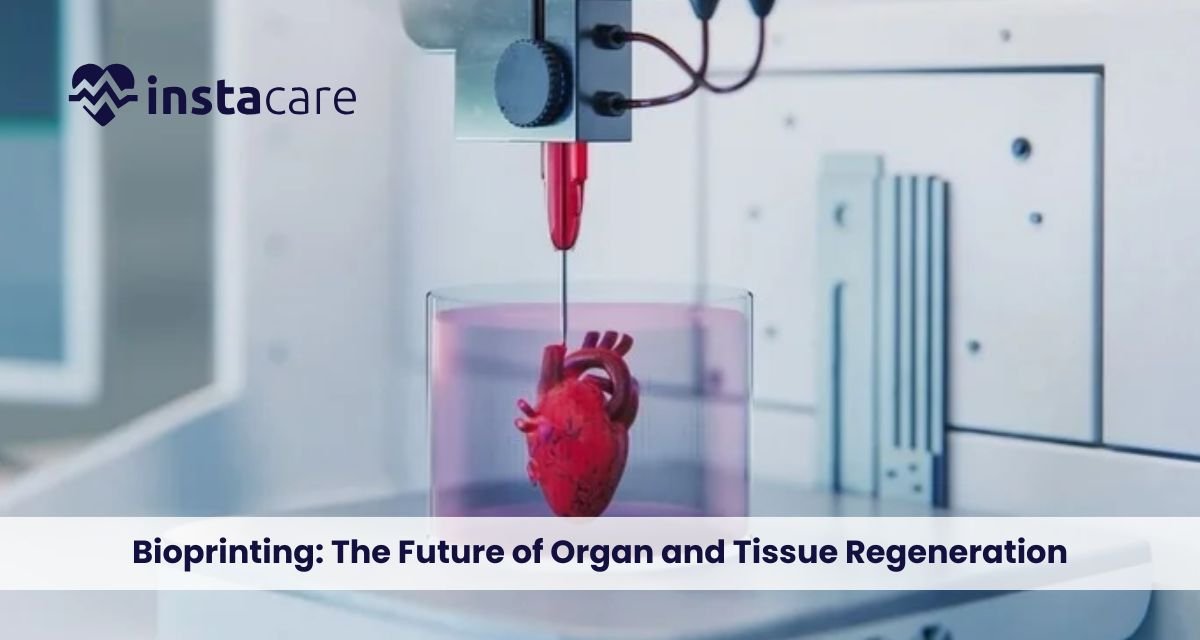
Bioprinting: The Future of Organ and Tissue Regeneration The recent decades have witnessed unparalleled advancements in regenerative medicine, and the advancement is most prominently seen with 3D bioprinting technology. The technology harmoniously brings biology, engineering, and cutting-edge advanced printing systems together to conceptualise and manufacture living tissue and even organs. The vision of printing functional biological scaffolds to repair or replace failed tissue is science fact and at our fingertips. As biomaterials science, printing technology, and stem cell technology advance, medical bioprinting can revolutionise the practice of medicine by revolutionising how doctors heal patients with organ failure, disease, or traumatic injury. What Is Bioprinting? Bioprinting is a form of 3D printing that attempts to print living organisms from living cells and biomaterials. Additive manufacturing is merely printing items with plastics, metals, or resins. Bioprinting consists of biocompatible scaffolds, growth factors, and cells. Bioprinting organs and tissues in layman’s terms is building living structures layer by layer that are copies of natural biological systems. The technology goes beyond the model of the human body to make research a reality. The technology is employed in individualised medicine, where implants and tissue grafts are tailored to suit the specific needs of a patient. With more companies venturing into bioprinting, more research is being stimulated to develop complex types of tissues like liver tissue, heart muscle, and even skin grafts to treat severely burned patients. How Bioprinting Works? To see the extent of this technology, first know how bioprinting is accomplished. It starts with the development of an imaginary model that is most often obtained through medical imaging such as MRI or CT scans. These are then copied in the form of a 3D blueprint to be printed. Some technicalities include defining the process of bioprinting: Preprocessing – Acquisition of patient-specific data, creation of digital model, and biomaterials and cell type selection. Printing – Printing layer by layer of the bio-ink containing cells, hydrogels, or growth factors. Post-processing – Printed structure incubated in a bioreactor to promote cell growth, vascularization, and maturation. The bioprinting process steps protocol enables tissues grown not just to replicate anatomy but even to work biologically. Materials Used in Bioprinting The most important aspect of effective bioprinting is choosing the material. The material, or Bioprinting materials, should be elastic, biocompatible, and also stimulate cell growth. Others that are actually hip are: Bio-inks: Immobilised live cells in hydrogels with proteins and growth factors. Synthetic polymers: Polycaprolactone (PCL) to form stiff scaffolds. Natural polymers: Gelatin, alginate, and collagen, to replicate the body’s extracellular matrix. Decellularised matrices: Cells are eliminated from the tissues, but not structural proteins. Material choice is based on the final use, bone, cartilage, vascular networks, or gross organ morphologies. Applications of Bioprinting The applications of bioprinting are many and continue to grow. Some of the major ones are: Tissue Engineering – Building bioprinted tissue such as cartilage, skin, and bone for regenerative medicine. Organ Transplantation – Functional kidneys, livers, and hearts for temporary use to cover the gap of donors. Drug Testing – Tissue printing to test the safety and effectiveness of drugs without any use of animals. Cancer Research – Tissue printing for disease modelling and treatment with new treatments. Cosmetic and Reconstructive Surgery – Personalised skin grafts, ear cartilage, and bone skeletons. Bioprinting medicine would then be able to close or minimise transplant waiting lists and even accelerate recovery of the patient. Book Free Demo Benefits of Bioprinting Advantages of bioprinting as compared to traditional medical procedures are many. The most significant advantages are: Personalization: Organs and tissue are printed to precisely match a patient’s anatomy as well as genetic requirement. Reduced Rejection Rate: Composed of a patient’s cells, thus rejection by the body is impossible. Faster Healing Rate: Implants and grafts made by computer are easily incorporated into host tissue. Ethical Benefits: No animal and human donor organ testing is required. Benchtop Benefits: Enables scientists to research disease processes with the help of high-definition tissue models. Not only avoiding horrid organ deficiencies during donation, but curing millions of patients worldwide, bioprinting can change lives. Restrictions and Limitations As promising as the Challenges of bioprinting is, there are a couple of extremely critical issues with bioprinting that must be addressed first before it stands any chance of being a standard medical procedure. Vascularization: They’ve already managed to print tissue seeded with networks of vessels to provide oxygen and nutrients. Organ Structure Complexity: Simple tissue like skin is straightforward to print, but a kidney or a heart is much more complicated. Regulatory Obstacles: Without international guidance and regulation for bioprinted product clearance. Expensive: Very sophisticated material, technology, and expertise are expensive. Scale-up Ability: Yes, very probable to produce lab-scale tissue but scale up to large-scale mass production is not feasible. It remains ostracized at the margins by scientists but will be years behind schedule by the time it becomes ordinary clinical therapy. Ethical and Legal Concerns The ability to produce living tissue also raises Ethical issues in bioprinting. They are man’s identity crisis, fear of cloning, and abuse of technology. For example, to whom does a right belong on a printed organ, the creator, the hospital, or the patient? Equity of access is also compromised. Reduced access to only affluent patients will augment health inequity. Governments and international agencies have to make sure there is some policy and guidelines for equitable, safe, and ethical access to this technology. The Future of Bioprinting There is hope for the Future of bioprinting. Scientists can already envision the day transplant lines become a footnote in books and personalised medicine the norm. The coming decade will see us standing at the edge of clinical trials for functional transplantable organs, ordinary use of printed tissue in drug discovery, and other advances in regenerative medicine. Besides it, Bioprinting vs 3D printing Organ distinctions will appear when industries overlap. Mechanical objects are
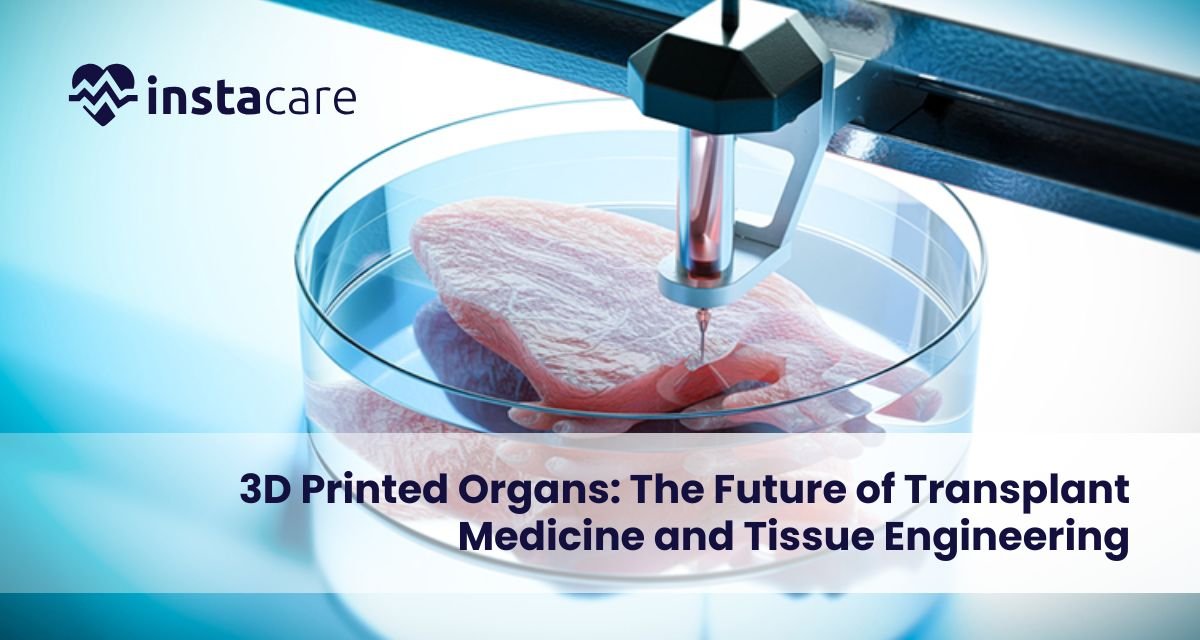
3D organ printing technology has been the most exciting advanced medicine development. There are millions of patients all over the world in need of donor organs, yet others never find a matching donor on time. Conventional transplants are hampered by donor shortage, immune rejection, and healing times. 3D bioprinting process offers another option where doctors print an organ using a patient’s cells, minimizing the risk of rejection and goodbye to donor reliance. No longer science fiction. From lab-grown tissues to working models of a 3D printed heart and 3D-printed liver, the potential is building fast. The ability to print organs on demand could transform the future of transplant medicine and regenerative therapy. In this article, we’ll explore how 3D printed organs work, their Benefits of 3D printed organs, current progress, limitations, ethical debates, and the expected future of this game-changing technology. What Are 3D-Printed Organs? 3D printed organs in medicine refer to bioengineered organs printed through printing technology to produce viable living cells. Differing from machine implants, the organs mimic the shape and function of real human organs. Scientists already have the bioprinting of minor structures like ear cartilage, blood vessels, and skin. Major organs are at the testing stage, but these are the future’s next giant leap for medicine. It is possible to translate it to bespoke organs tailored specifically to each patient. How 3D Bioprinting Works? In order to understand how the process of 3D bioprinting functions, one must understand how it is an imitation of nature. Regular 3D printing involves metals or plastic, but bioprinting involves a special form of “bio-ink,” something composed of cells and biomaterials. Let us explain the process step by step: Cell Harvesting – They are harvested from the patient, preferably stem cells, as they may be reprogrammed into another form of tissue. Bio-ink Appointment – They are mixed with biomaterials or hydrogels, in which they can nourish and develop themselves. Printing – Bio-ink is loaded into a 3D bioprinter, and it prints the material layer by layer, using a computer model of the organ. Maturation – Cultured printed organ is cultured in a bioreactor, where it develops and functional tissue. This bioprinting method of medicine enables scientists to construct organ models with a level of accuracy unparalleled in history, replicating the true tissue structure. Even the blood vessel networks and heart valves have been printed by other scientists, instrumental components for the completion of whole-scale organs. Advantages of Organs 3D Printed The advantages of 3D-printed organs far outweigh the problem of the shortage of donors. Some of the most notable advantages include: Smaller Waiting Lists: No more waiting years for patients to get transplants. Organs would instead be printed. Less Immune Rejection: Because the organs are printed from their own cells, there is less chance of immune rejection. Quicker Processes: In-body organs reduce waiting times leading up to the surgery. It is these advantages that render organ printing the future’s regenerative and customized medicine, or at least so say most experts. Future Applications and Success Stories A completely 3D printed organ transplant into the human body remains a possibility, but we do have some pretty neat stuff that indicates how close we’re getting: Skin Printing: Bioprinters now print burn victims’ skin grafts for reconstructive surgery. Cartilage and Bone Printing: For orthopedic surgery, joint reconstruction, and dental implantation. Vascular Structures: Scientists already print blood vessels, one of the largest of the organ development challenges. Heart Prototypes: A 3D-printed infant heart with cells and chambers has already been printed in laboratory tests. Liver Tissue Models: Bioprinting of liver tissue minimizes reliance on animal testing. Such a feat indicates that although whole organ transplant is years ahead, the technology of 3D printed organs for human life is increasingly being developed. Book Free Demo Limitations and Challenges There are still some challenges in 3D organ printing that are yet to be overcome with all the sudden progress: Organs’ Complexity: Organs such as kidneys and hearts possess complex networks of blood vessels, and hence they are more difficult to recreate. Longevity and Viability: The tissue needs to survive and operate for months, and maybe even years, after implantation into patients. Scale: At least for the time being, it is still beyond our means to bioprint huge, working organs on a regular basis. Cost: Bioprinting is done on costly machines, material, and professionals. Regulations: New healthcare technology undergoes thorough approval procedures before they are practiced on a large scale. These are the sorts of problems that mean organ bioprinting as brilliant as it is will be a couple of years of R&D before it becomes business as normal in hospitals. The Future of 3D Printed Organs The Future of organ bioprinting looks very bright. Within the next 10–20 years, experts say, implantable kidneys, hearts, and lungs will be manufactured through Bioprinting in healthcare. It can eventually end organ shortages and even become a donor-based transplantation option. Those future research will be hybrid in the sense that the native and synthetic tissue are merged into a composite. That is where 3D printed tissue engineering enters the scene, where not only are the destroyed organs replaced or fixed but the whole transplant is avoided. The second is tailored medicine organ printing with the exact dimensions to suit a specific patient’s biology and anatomy. That can reduce results and recovery time and improve transplants, and make them more secure. Ethical and Social Considerations Scientific progress has significant ethical issues. Availability: Will 3D printing of synthetic organs be available for all patients, or just the affluent? Regulation: Who will oversee safety and certification of artificial organs 3D printing? Impact on Donation Programs: If organs are printed, what does the donation program need to contribute? Patents and Ownership: Can firms patent human tissue? Public acceptance will also determine how quickly 3D printed organs become part of medical routine. A relationship of
Brain-Computer Interfaces: The Future Human-Technology Interface A future where it is no longer fiction to control computers, prosthetics, or even vehicles with mere thoughts. No longer the domain of science fiction narratives, it’s the reality today through Brain-Computer Interfaces (BCIs). As the intermediary between human imagination and electronics, BCIs are transforming man-machine interaction. From assisting paralyzed patients to enabling the restoration of senses lost because of disease or injury, the technology can revolutionize how we work, live, and interact. There are many brain-computer interface advantages and disadvantages, relating mainly to ethics, privacy, and security. This article describes what BCIs are, how brain machine interfaces function, their kinds, uses, pros and cons, and the future of brain computer interfaces. What Is a Brain-Computer Interface? A brain-computer interface (BCI) or brain-machine interface (BMI) or neural interface is an interface that links the brain to an external system. It allows the movement of information from the human brain to computers without any physical movement. That is, BCIs map brain waves’ electrical signals created by neural activity onto computer instructions that operate external devices. They could be robot arms, wheelchairs, communication programs, or virtual worlds. The general application of BCI technology is to restore or supplement human function. BCIs, for example, enable spinal cord injury patients to regain access to devices or to communicate even under severe physical impairment. How Brain-Computer Interfaces Work Learning about how brain-computer interfaces work starts with observing how the brain sends messages. Our brain creates electrical impulses as neurons fire. BCIs detect these and translate them into action commands. The process in general has four general stages: Signal Acquisition Sensors detect brain activity using scalp electrodes (non-invasive) or even inside the brain (invasive). The sensors detect electrical activity as we move or think. Signal Processing Store data that is typically noisy. Spurious signals are filtered out, and meaningful features for a particular thought or movement are presented to the system. Translation Algorithms Machine learning algorithms interpret the patterns in computer language. For instance, a hand movement concept can be translated to robotic arm movement. Output and Feedback The decoded signal will be used to drive an external computer terminal or device. Visual or sensory feedback is provided to enable users to correct their thinking and enhance control accuracy over time. Everything is done in real time, normally on the order of milliseconds, to enable users to control equipment nearly as naturally as they move their own limbs. Types of Brain-Computer Interfaces There are three general types of brain-computer interfaces, differentiated by the way signals are accessed: Invasive BCIs They implant electrodes in brain tissue. They yield the most and highest signals but are invasive. They are applied primarily in brain-computer interface for paralysis or advanced medical brain-computer interface research. Partially Invasive BCIs Electrodes are implanted on the brain’s surface (below the skull but not inside the tissue). They provide a balance between precision and safety, implanted to monitor seizures or complicated motor activity. Non-Invasive BCIs These are the most common and safest types of brain-computer interface technology, employing EEG caps or scalp-mounted sensors. They are appropriate to consumer markets, gaming, and research, but compromise on signal quality due to skin and skull interference. Book a Free Demo Applications of Brain-Computer Interfaces Brain-computer interface applications include medicine, industry, and entertainment. The most likely of them are: Medical Rehabilitation BCIs offer patients partial motility or communication control according to the computer pointer and speech output. Spinal cord patients are able to direct robots or the arms of wheelchairs using their brains only. Neuroprosthetics Neural prosthetic limbs incorporated by neural signals enable amputees to control prosthetics, which is more independent and mobile naturally. Virtual Reality and Gaming Non-invasive brain computer interfaces enable gaming, where players control characters through their brains, providing fully immersive games. Mental Health and Neurotherapy BCIs are being utilized to cure illnesses such as depression, anxiety, and epilepsy by monitoring and stimulating parts of the brain. Military and Research Defense personnel working in the military and in research are developing BCIs to enable communication in dangerous zones as well as improve attention or cognition. Brain-Computer Interface for Paralysis One of the most surprising uses, at least, is one in which paralyzed individuals can write, command robot arms, or even walk using exoskeletons, all via direct neural interface control. Brain computer interface companies such as Neuralink, Synchron, and Kernel spearheading brain computer interface innovation are leading the way to create tools that draw on neuroscience, artificial intelligence, and engineering to set the limits of what human beings can accomplish. Advantages of Brain-Computer Interfaces The increased demand for BCIs is due to their enormous advantages. The greatest brain computer interface advantages are: Restores Mobility and Independence: Restores paralyzed patient mobility, providing them with control of prosthetic or communication systems. Improves Quality of Life: Enables disabled people to communicate better with the virtual world. Enhances Human-Machine Interface: Makes control of machines possible without physically interacting with them. Makes Medical Research Smooth: Allows researchers to gain more knowledge about brain activities and diseases. Improves Performance: BCIs can ultimately speed up memory, attention, or reaction time the “neuro-enhanced humans.” Challenges and Ethical Issues Though the potential is so great, BCIs are also associated with ominous Ethical issues in brain computer interfaces that must be resolved before they become mainstream. Data Privacy and Security Brain data is about as personal data as one can get. Breach of access or abuse of neural data can compromise mental privacy. Informed Consent Users must fully know the risks, especially with invasive technology such as those involving brain surgery. Accessibility and Affordability Existing BCI systems are expensive and advanced, excluding access to
Technology in Mental Health: Transforming Care Through Innovation and Connectivity Our technology-engulfed era, where technology is a valuable asset in the management of mental illness, has seen rising cases of global stress disorders, Technology as anxiety and depression. Technology is now providing new avenues through which support is becoming more convenient, tailored, and effective. Use of technology in mental health shifted from promotional campaigns today to welcoming advanced gizmos, apps, and sites providing access to therapists, emotion tracking, and instant support. From artificially intelligent therapy to online mental care services, technological advancement is revolutionizing the way people receive help, the way that practitioners work, and the way that the world views mental illness. Access and the connectivity that the technologies provide are erasing the old barriers and allowing millions of people to receive help from home. Role of Technology in Mental Health The role of technology in mental health is in three ways with accessibility, personalization, and prevention. Treatment by media that are digital can be done irrespective of where one is based or their economic status they have. All the technology-based form of access to care allows one to act early and follow up at all times, something one requires in dealing with chronic psychological disorders. Technology enables individuals to monitor symptoms and engage in behavior with smarter devices, and the patient is able to conduct therapy sessions or self-help exercises without stigma. Digital Mental Health Platforms and Apps Among the most significant innovations is the development of apps and websites offering real-time mental health care and self-help information. These mental health applications consist of mood charts, guided meditation, CBT programs, and peer support chat groups. These online mental health sites have opened the profession of access therapy by making common occurrences of counseling less expensive financially. Examples include well-known apps such as Headspace, Calm, and BetterHelp with millions of subscribers globally. They enable individuals to monitor progress, establish goals, and monitor symptoms via direct Digital interventions for mental health. The advantage of technology in mental illness management is found within the device itself with the portability and ease of use. People who, for fear of social stigma or domicile, never mustered the courage to visit a therapist are now able to go about obtaining service in private at their own leisure. Teletherapy and Online Counseling The COVID-19 pandemic brought teletherapy and online counseling to the forefront faster, and now online sessions are an everyday mode of therapy. With secure video calls and chat interfaces, professional therapists can administer online therapy, uninterrupted, even in the case of lockdown or an emergency. It benefits both the patients and therapists. Patients can come without having to drive, and therapists can work with additional clients. Teletherapy also encourages honesty and ease because patients feel more at ease in revealing things from places they know. The efficacy of internet therapy and teletherapy has been supported in numerous studies of research as well as with single-case therapy for the treatment of anxiety, depression, and trauma. Artificial Intelligence in Mental Health Applying Artificial intelligence in mental health to cure mental illness is a leap of faith. AI programs are founded on patterns in verbal behavior, facial expression, and written communications to make assumptions about emotional status and symptoms of potential mental illness. For example, chatbots like Woebot or Wysa use natural language processing to provide empathetic support to users in coping behavior practice and crisis intervention. Mental health chatbots are available 24/7, with the hope of providing individuals in crisis with access to the continuity of care. Artificial intelligence also helps physicians forecast patient outcomes, tailor therapy plans, and identify potential high-risk patients who need to be treated with priority. With the passage of time, technology will certainly advance even more to a point where the use of AI will become an enabling Digital mental health tools for therapists and render the diagnosis more precise and therapies more personalized. Book Free Demo Wearable Technology and Mental Well-being Another potential is Wearable technology for mental health, such as biosensors and smartwatches, monitoring heart rate, sleep, and stress levels. These allow patients and professionals to monitor emotional and physiological reactions on a daily basis. In addition to Remote mental health monitoring, wearables enable prevention and early intervention, and enable one to actively care for emotional well-being instead of responding. Virtual Reality (VR) and Augmented Reality (AR) Therapies Virtual reality in mental health treatment is revolutionizing exposure therapy, mindfulness training, and relaxation procedures. VR envelops patients within a virtual world to expose them to their fears in a safe environment, to teach them how to manage them, or to take them through meditation. For example, PTSD patients are exposed to traumatic experiences in controlled virtual reality because the therapists can lead them through re-learning and reinterpretation of their response. Likewise, social anxiety patients are able to rehearse social competence in a simulation environment so that they build confidence before exposure. Big Data and Mental Health Research Big data psychology is revolutionizing the manner in which researchers perceive patterns of emotional well-being. By analyzing data gathered with online treatment for psychopathology, wearable sensor-based sensors, and online social media interaction, researchers have been able to examine scales of large behavior patterns. This data can be used to recognize early warnings for mental health crises, monitor the population, and optimize treatment. Big data findings have the potential to transform public health policy but also bear chilling Data privacy in digital mental health concerns over electronic mental health. The Future of Technology in Mental Health The Future of technology in mental healthcare is bright with innovation to customize it and make it affordable. Application of AI, VR, and wearables in daily life can potentially diagnose and cure mental illness years in the future, when the disease is still in its infancy. Predictive analysis can be carried out by therapists and applied according to pre-intervention on the basis of behavioral data. Intervention can
Data Risk Management: Safeguarding Your Business in the Age of Cyber Threats Data risk management is a must in this age of a technology-dominated world to safeguard precious data from hackers. Data risk management is a process of search, evaluation, and countermeasures against the threat that destroys data integrity, privacy, or availability. Assets can be safeguarded and customer confidence can be provided through good governance, compliance with regulatory requirements, and technology solutions. What Is Data Risk Management? With the present computer technology, where information is trusted for conducting the business, decision-making within the business, and relationship with customers, among the most critical of business plans is managing data risk. It is that ongoing set of locating, examining, and addressing potential dangers that will violate the confidentiality, integrity, or availability of the information. The importance of data risk management is that it protects confidential information against internal and external threats in the form of cyber attacks, data loss, and system malfunction. As businesses are creating a lot of information regarding employees, employees, and external partners, they require adequate defense measures so that they don’t fall prey to absolute misuse or loss of precious information. Types of Data Risks Companies operating in today’s world are confronted with different data risks whose occurrence is traceable to technical and human errors. The categorization of these types of risks constitutes the beginning step towards crafting a good data risk management framework. Cyber Attacks: Phishing, ransomware, and malware attacks are likely to breach systems and disclose confidential information. System Failures: Software or hardware malfunction is most likely to destroy data or render it unusable. Third-Party Data Breach: Third-party business vendors or partners occasionally will have inadequate business controls and leak information unintentionally. Cloud Threats: Poor cloud infrastructure access controls or settings may include enabling exposure. Few of them require much more sophisticated data security and risk management that must be tailored to suit a company’s niche environment and activity. The Data Risk Management Process Effective data risk assessment procedure is a range of controls formulated to identify prospective weaknesses and avail the remedial action in advance of time before they grow in magnitude. Asset and Risk Identification: It begins with a compilation of all the assets belonging to the data category, i.e., financial data, personal data, and operational data. The risks to the assets are to be mapped as a list afterwards. Risk Analysis: It is done by giving numerical values to the probability and potential impact of each risk. Quantitative or qualitative methods may be applied in trying to rank high-risk areas. Risk reduction: After vulnerabilities are identified, organizations must develop means of reducing exposure using firewalls, encryption, or access control. Involuntary Response: Where and when an information breach or loss does occur, organisations will be required to have within regulatory timescales in place arrangements for recovery from system failure and notification of stakeholders. This approach facilitates effective proactive mitigation of the risk and facilitates best practices in data governance and risk management. Improve Data Risk Management Practices Businesses must introduce best practices for data risk management as per industry norms to provide additional security against forthcoming cyber attacks. Institutionalize Risk Awareness Culture: Educate workers on data protection practices and train employees on phishing, password, and social engineering attacks. Enforce Access Controls: Limit access to sensitive information individually. This minimizes both insider threats and unauthorized disclosure. Regular Security Audits: Perform periodic tests to detect defects in current controls and establish the effectiveness of security controls deployed. Data Encryption: Protect sensitive data in storage and during its transmission by encrypting data to avoid unauthorized access. Backup and Disaster Recovery: Regularly back up in case of a disaster. Reset information under processes such as. Cyberattacks or system failure. Vendor Risk Assessment: Evaluate third-party vendors’ security processes to respond to your business needs. Book Free Demo The Compliance and Governance Role Compliance and governance is one of the data protection and compliance that places organizations into a regulatory and legal stance. Compliance solutions such as GDPR, HIPAA, and ISO 27001 demand robust control in processing personal and sensitive data. Compliant data governance and risk management procedures promote accountability by defining the process, role, and management of data throughout its life cycle. Governance procedures also ensure accuracy, consistency, and security of data in an organization and mitigate operating risks. Utilization of Technology for Smarter Risk Management Implementation Technology is leading the development of data risk management tools. AI, ML, and automation technologies can be leveraged to detect, detect, and react to threats in real-time. Detection of risk using AI and ML: The technologies can scan massive amounts of data to look for suspicious activity and vulnerabilities before they become breaches. Automated Monitoring Solutions: Real-time monitoring enables companies to keep up with dynamic threats in the threat environment. Cloud Security Platforms: Increasingly, companies are migrating to the cloud, and cloud data risk management software offers continuous visibility and control over sensitive data disseminated across environments. Data Loss Prevention (DLP) Systems: DLP systems detect and restrict sensitive data flow to prevent accidental disclosure. Encryption and Tokenization: These technologies help safeguard data against abuse, even in the case where systems become compromised. Benefits of a Good Data Risk Management Framework A good data risk management framework offers numerous benefits besides data protection. Enhanced Security Posture: A good framework keeps loopholes secured and protects defense mechanisms from cyber-attacks. Regulation Compliance: Conformity to global standards prevents litigation and retains customers’ confidence. Continuity of Operations: Data and business continuity reduce downtime after incidents. Better Decision-Making: Conformant data enables improved business planning and decision-making. Reputation Protection: Timely data protection safeguards customer trust and ensures brand name. Cost Advantage: Detection and prevention of risks early on to save potential cost loss in case of breach. Like in other industries, quality data risk management in healthcare renders the protection of patients’ data real-time, provides HIPAA
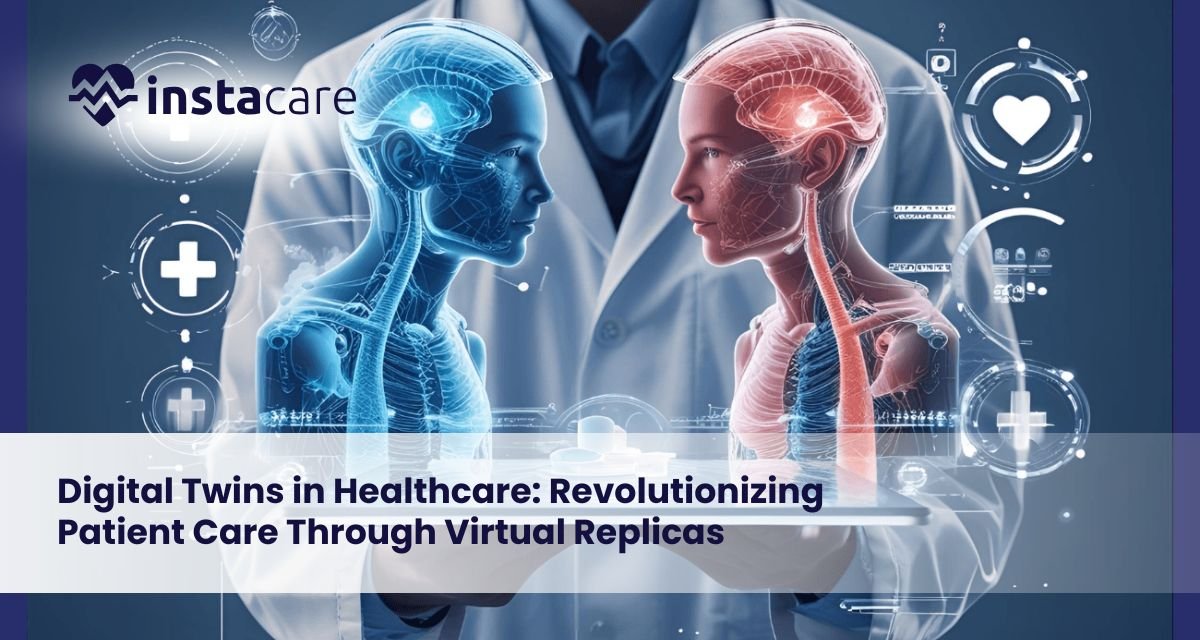
Digital Twins in Healthcare: Revolutionizing Patient Care Through Virtual Replicas Healthcare stands at the threshold of revolution when virtual replicas of patients, organs, and hospitals are redefining medicine. Digital twin technology, originally formulated for application in manufacturing and aerospace, is now redefining clinicians’ diagnosis, treatment planning, and outcome prediction for patients. With dynamic, data-driven virtual models, digital twins enable a degree of precision never before attainable in patient care as well as medical research. What Are Digital Twins in Healthcare? Healthcare digital twins are virtual copies of physical assets patients, organs, medical equipment, or healthcare facilities in general operated with real-time inputs. Static representations of health simulation, rather than dynamic copies, do not do that. Dynamic copies of these physical assets develop simultaneously with the physical assets themselves, with inputs from medical images, wearables, electronic health records, and biosensors. A patient digital twin can integrate genetic information, behavior, medical background, and real-time physiological feedback to develop a complete virtual representation to mimic treatment scenarios and predict disease development with no risk to the actual patient. How Digital Twins Work in the Healthcare Ecosystem? Digital twins work by utilizing advanced fusion of technologies and data sources: Data Integration and Aggregation: The construction begins with the aggregation of data from wearable biosensors, electronic health records, lab data, medical imaging, and genomic sequencing. Healthcare IoT and digital twins exist in a romantic marriage wherein connected devices exchange real-time physiological information in streams to the virtual model. Model Building and Renewal: Advanced algorithms convert this information into virtual copies of high fidelity. Digital twins never become disassociated from their physical counterparts as do conventional models, due to continuous data sharing keeping them current with shifting conditions. Simulation and Analysis: Healthcare simulation models facilitate the simulation of intricate scenarios. Doctors are able to trial different treatment plans and predict outcomes before they are applied to actual patients through an iterative refinement process. Applications of Digital Twins in Healthcare Applications of digital twins in healthcare encompass almost all aspects of modern medicine: Personalized Medicine: Digital twins for personalized medicine create personalized copies of patients in such a way that physicians can design treatment based on the patient’s unique genetic and physiological makeup. Surgery Planning: Surgeons plan surgery with the help of digital twins in surgery planning in order to practice complex surgeries on virtual twins. Cardiovascular surgeons can experiment with different methodologies on a patient’s digital twin heart by simulating the process of drilling, reducing surgical risk. Patient Monitoring: Digital twins for patient monitoring enable real-time tracking of patients’ health and pre-diagnosis of illness by analyzing changes in physiological patterns. Medical Device Development: Digital twins for medical device innovation accelerate the development process by enabling virtual testing on different populations of patients at lower costs and enhanced safety. Drug Discovery: Digital twins in medical research accelerate drug development by enabling the capability to conduct virtual trials on virtual patients. Hospital Operations: Digital twin hospitals achieve the utmost resource utilization, patient flow, and operational efficiency by enabling the simulation of multiple scenarios. Book Your Free Marketing Consultation Benefits of Digital Twins in Medicine The benefits of digital twins in healthcare are revolutionary: Increased Accuracy: Digital twins enable treatments to be personalized for specific patients, considerably improving outcomes and reducing side effects. Risk-Free Trials: Doctors can try out different treatment options virtually without endangering patients. Early Diagnosis: Ongoing monitoring detects health conditions early before they can be treated most effectively. Improved Surgical Outcomes: Surgeons conducting operations on patient-specific digital twins do so with fewer complications and improved results. Accelerated Research: Virtual trials significantly reduce the time and expense of medical research and improve safety. Improved Operations: Hospital digital twins improve efficiency, reduce wait times, and maximize use of resources, hence reducing health care costs and boosting patient satisfaction. Challenges and Limitations As promising as digital twin technology is, there are challenges of digital twin technology in healthcare that are plentiful: Data Quality and Integration: Digital twins require high volumes of high-quality data. Medical systems suffer from most of them being plagued by data fragmentation and interoperability issues. Privacy and Security: Personal health data is gathered by digital twins, making them financially rewarding targets for cyberattack. Computational Complexity: Sophisticated digital twins must be built with immense computational capabilities out of the reach of most organizations. Cost and Infrastructure: Installation has enormous hardware, software, and trained staff costs. Future of Digital Twins in Healthcare Future of digital twins in healthcare bring disruptive innovation: Whole-Body Digital Twins: Future designs will incorporate multiple organ-specific twins into composite models to enable global health management. AI-Powered Monitoring: Digital twins and AI in healthcare will enable digital twins to monitor patients autonomously and predict health events. Precision Prevention: Digital twins will enable preventive treatment by detecting risk factors decades in advance before problems arise. Real-Life Applications: Some real-world examples of digital twins in healthcare are the Living Heart Project, which is employed in cardiovascular disease research, and digital twin hospitals by Siemens Healthineers. The European Virtual Human Twin project attempts to create holistic digital twins for personal medicine. Conclusion Digital twins represent a paradigm change from population-based, reactive medicine to proactive, individualized health care. While there are extremely challenging problems in data integration, privacy, validation, and expense, the value potential makes digital twins one of technology’s greatest promises to healthcare. As computer power rises and artificial intelligence continues to improve, digital twins will be a part of medical mainstreaming, transforming disease prevention, diagnosis, and treatment. FAQs How well do digital twins predict the patient outcome? Accuracy varies by data quality and model sophistication, but advanced digital twins can predict the outcome as accurately as 80-90%, increasing incrementally with the addition of each data set. Are hospitals already using digital twins? Yes, the majority of the world’s top medical centers already use digital twins to preplan surgery, treat chronic disease, and optimize operations, but mass deployment is at hand. Will digital twins replace doctors? No, digital twins are decision-assistance devices that complement but do not
Prompt Engineering in Healthcare: Transforming the Future of Medical AI Healthcare artificial intelligence is transforming the medical practice. The key to the same is prompt engineering, a science that offers an interface between human medical expertise and the potential of AI. Understanding AI prompt engineering in healthcare becomes unavoidable to harness the utmost potential of such advanced devices without risking patient safety and ethics. What Is Prompt Engineering? Prompt engineering is the science and art of designing correct commands to instruct AI language models to generate exact, pertinent responses. Medical applications involve exercising medical prompt design techniques by composing questions that enable AI systems to understand complex clinical circumstances, read clinical information, and respond according to which step can be undertaken. Unlike general AI applications, healthcare prompt engineering requires unprecedented accuracy. A well-crafted prompt from the right party can be the difference between actionable clinical guidance and potentially lethal misinformation. It is a specialized field requiring natural language processing skills, medical vocabulary, and clinical procedures. Role of Prompt Engineering in Healthcare AI Applications Clinical Decision Support Clinical decision support using AI prompts is likely the most important use. Clinicians ask well-designed prompts to request AI systems to respond with questions for differential diagnoses, treatment pathways, and drug interactions. Prompts must respond in terms acceptable to current medicine and be able to address limitations of AI. Healthcare NLP applications use prompt engineering to extract helpful information from unstructured health data. LLMs in healthcare can evaluate clinical notes and literature articles when prompted. Medical chatbot prompt engineering enables virtual agents to triage patient grievances and offer health information. Use of ChatGPT in hospitals have now been extended to administrative support and educating patients. Workflow Automation Improving healthcare automation with AI prompts makes administrative and paperwork tasks easier. Carefully designed prompts allow AI to generate medical abstracts, suggest billing codes, and draft patient letters. ChatGPT for healthcare professionals has proven to be an efficient tool in reducing administrative burden. Benefits of Prompt Engineering in Healthcare Enhanced Diagnostic Accuracy Well-framed questions enable AI systems to better process history, laboratory findings, and symptoms. Designing questions with multiple variables enables physicians to use AI as an auxiliary diagnostician that reduces oversight and cognitive bias. Increased Efficiency Information retrieval approaches in medical prompt design that reduce information retrieval save valuable time during the clinic. Physicians can retrieve synthesized information using well-framed prompts and conserve time, consequently accelerating decision-making. Personalized Patient Care Prompt optimization for medical AI models facilitates personalized treatment recommendations based on individual patient profiles. Personalization enhances treatment outcomes and compliance. Cost Saving and Affordability Effective prompt engineering to address repetitive work automates the process at a lower cost of operations for healthcare organizations without affecting the quality of treatment. Medical knowledge is affordable using specially tailored prompts, making high-quality AI software of high quality accessible to professionals in underprivileged communities. Book Your Free Marketing Consultation Challenges and Ethical Considerations Data Privacy and Security Medical data privacy in AI models is the top priority. Confidentiality of the patient must be taken care of by timely engineering in not querying identifiable data. Health-care organizations must have robust policies for making AI interactions HIPAA and GDPR compliant. Accuracy and Reliability Computer algorithms are able to generate which-sounds-right-but-is-wrong information. In healthcare situations, these errors could potentially be harmful. Verification processes must be designed by prompt developers and correctly inform healthcare providers of AI limitations. Ethical AI in Healthcare Ethical AI in healthcare involves adjusting biased training data, ensuring access to equality, and transparency. There must be prompt engineering to actively mitigate bias that might result in care disparities between patient groups. Human Oversight AI may be employed to enhance healthcare delivery, but not human judgment. Proper prompt engineering favors the augmentative potential of AI by designing interactions that enhance but never substitute clinical acumen and empathy. Best Practices for Effective Prompt Engineering in Healthcare Specificity and Context Produce prompts with full context, i.e., correct patient demographics and exact clinical question. Avoid using vague language prone to misinterpretation. Iterative Refinement and Validation Test and validate on an ongoing basis for output quality and clinical input. Conduct strict testing protocols against AI output and existing medical guidelines and expert consensus. Clear Limitations Instructional constructs that receive responses that accept AI vagueness and limitation. Include disclaimers on the need for professional clinical judgment. Multidisciplinary Collaboration Involve clinicians, AI specialists, ethicists, and patients in timely construction. Multidisciplinary collaboration ensures that it meets the correct practical clinical needs without breaking ethical norms. Future of Prompt Engineering in Healthcare The future of prompt engineering in medicine is filled with momentous breakthroughs. Among the areas that the future holds promise for are: Multimodal prompts from text, images, and sensor input to perform an integrated assessment Real-time adaptive prompts learning from clinical conversation Reduced prompt engineering required by competent medical language models Machine learning-based automated prompt optimization As increasing AI ability increases, prompt engineering will evolve towards more sophisticated systems that would be readily translatable to practice. Individual libraries of standardized prompts for typical healthcare contexts will facilitate easier utilization at larger scales with less variability and safety risks. It will be accompanied by new opportunities for personalized, preventive care through concurrent use with new technologies like wearable sensors, genomics, and precision medicine. But such a revolution should come hand in hand with further respect for ethical issues and patient protection. Conclusion AI prompt engineering in medicine is an area-redefining strength of modern medicine with tenacious potential to augment clinical decision-making, enhance productivity, and prolong medical information availability. As generative AI in healthcare continues to improve in the healthcare sector, the role of skilled prompt engineers becomes increasingly crucial. It requires excellence to reconcile technological progress with unwavering commitment to safety, confidentiality of patients, and ethics. Health care organizations can harness the potential of AI by remaining committed to best practices and maintaining human agency through effective prompt engineering. FAQs How does prompt engineering enhance clinical decision-making? Prompt engineering supplies contextually relevant, evidence-based facts from AI
