

AIOps in Healthcare: Transforming IT Operations for Smarter, Safer Patient Care Healthcare organizations are facing mounting pressure to deliver high-quality patient care while dealing with cutting-edge technology. Hospitals and clinics rely on dozens of digital assets, from patient records to diagnostic equipment. The IT staff must keep the systems running, resulting in mammoth challenges. AIOps brings artificial intelligence into IT operations to make healthcare technology intelligent and reliable. The benefits of AIOps in healthcare extend beyond simple automation. These systems look ahead and predict problems before they happen, respond to troubles in real-time, and get smarter with every experience. AI operations in healthcare IT represent a radical shift in how hospitals organize their digital infrastructure. What is AIOps? AIOps combines IT operations management with artificial intelligence. The technology uses machine learning to monitor systems, recognize patterns, and automatically repair problems without the need for human interaction. In healthcare settings, that means computers monitoring medical equipment, software programs, and data networks constantly. AIOps machine learning in healthcare analyzes data to spot unusual patterns that might signal problems. When issues arise, the system can often fix them without human intervention. This approach reduces downtime and keeps critical medical services running smoothly. Healthcare IT automation with AIOps changes traditional IT management completely. The technology works around the clock, never gets tired, and processes information faster than any human team could manage. Challenges in Healthcare IT Operations Healthcare institutions have unique technology concerns that are fairly different from any other company. Patient lives hang in the balance with systems running smoothly every second of every minute. A crashed server or a lost network connection would potentially delay life-saving treatments or block access to essential medical information. AIOps for hospital IT operations must deal with phenomenal complexity. Hospitals run hundreds of different applications, ranging from scheduling software to imaging equipment. Each one must communicate with the others while maintaining strict security protocols. AIOps for healthcare cybersecurity must protect confidential patient information from rising cyber attacks. Cyber hackers target health organizations because health records contain valuable personal information. A data breach can expose personal medical histories and disrupt patient treatment. Primary Operational Challenges Systems must be available every hour without failure Different software systems must share information freely IT staff struggle with alert fatigue because of excessive false alarms Challenges of AIOps in healthcare are interoperability with legacy infrastructure Budget constraints limit technology spend with escalating requirements Staff shortages mean fewer individuals managing increasingly complex systems Book Your Free Marketing Consultation How AIOps Benefits Healthcare AIOps use cases in healthcare demonstrate concrete value across multiple areas. Medical imaging equipment generates huge quantities of data that must be stored securely and accessed quickly. AIOps in healthcare cloud systems manages this data competently, enabling doctors to see scans and reports directly when needed. AIOps for electronic health records (EHR) improves how facilities handle patient data. The system monitors database performance, prevents loss of data, and maintains quick access times. When problems happen, there are automatic measures in place before users ever notice a slowdown. Predictive analytics with AIOps in healthcare detects future problems before they occur. It identifies issues when server performance is beginning to dip or when storage space is low. Alerts are sent automatically to IT teams with sufficient time to resolve issues during planned maintenance windows. Key Benefits System downtime is minimized, keeping vital services up all the time Less time wasted on problem-solving results in decreased delays in patient care delivery AIOps and patient data management ensure data stays safe and accessible Decreasing IT operation costs through automation and optimization More precise resource allocation based on insight into when systems need to be upgraded Improved compliance with healthcare laws through improved monitoring Implementation Considerations Deploying AIOps takes planning and realistic expectations. Healthcare institutions will have to think through their current infrastructure prior to installing new systems. AIOps in telemedicine needs highly reliable network connectivity in addition to video platforms that are safe and secure. One of the key challenges is legacy system interoperability. Legacy systems are present in most hospitals, and they weren’t developed with any AI tool in mind. Healthcare IT automation with AIOps requires middleware solutions that integrate legacy and emerging technology. Staff training is also something to factor in. IT personnel need to understand how AIOps machine learning in healthcare works and when to trust automated decisions. Open communication prevents false expectations and gets everyone on the same page. Planning Steps Assess current IT infrastructure and identify areas of weakness Set well-defined goals for what AIOps must accomplish Initiate pilot projects in non-mission-critical areas before full deployment Plan for technology costs and necessary staff training Establish metrics to measure success and track progress Provision for routine maintenance and system refreshes The Future of AIOps in Healthcare The future of AIOps in healthcare is looking increasingly sophisticated. Advanced systems will predict equipment failures days or weeks in advance. AI operations in healthcare IT will automate maintenance, maximally available with minimal downtime. Integration between different healthcare systems will become much improved. AIOps in healthcare cloud systems will enable seamless data transfer between hospitals, clinics, and research centers. Patients will have their care coordinated as their complete medical history follows them from provider to provider. AIOps for healthcare cybersecurity will become more proactive. Systems will actively block attacks in real time, adaptively refining their defenses on the fly based on emerging threats. This security is increasingly needed as hospitals add more networked devices and telemedicine services. Emerging Trends Real-time monitoring of patients using networked medical equipment Autonomous allocation of resources based on forecasted patient flow Enhanced AIOps in telemedicine to support enhanced remote consultations Advanced predictive analytics with AIOps in healthcare for population health Better integration between clinical and operational systems Intelligent AIOps for electronic health records (EHR) with natural language processing Conclusion AIOps transforms healthcare IT operations from reactive firefighting to proactive management. The technology enables the essential challenges faced by medical facilities on a day-to-day basis. Increased system reliability, better security,
Contact Center Automation in Healthcare: Enhancing Patient Experience and Operational Efficiency The healthcare industry is experiencing a record transformation with the emergence of digital technology and patient-centric care models. Under such circumstances, contact center automation in healthcare has emerged as a strong measure to rationalize patient communication, check operational inefficiencies, and improve overall experience. Hospitals and clinics are spending increasingly on online platforms and automated technologies in order to respond to the growing demand for speedier, improved quality medical services. This strategy not only maximizes patient satisfaction but also enables health professionals to use resources optimally. What is Contact Center Automation? Contact center automation refers to the application of artificial intelligence (AI), machine learning, and digital technology to handle and automate the communication between patients and healthcare professionals. The operational disadvantages of call centers are high hold times, high call volume, and human errors. Automations handle these by leveraging sophisticated systems like contact center AI chatbots for healthcare, automated voice response systems, and converged systems to carry out tasks like appointment setting, prescription refill, and answering FAQs. Why Does Healthcare Need Contact Center Automation? Healthcare professionals practice in a context where time and precision are of the essence. Latent patient communication and inept handling of questions affect health outcomes and erode trust in healthcare systems. Healthcare call center automation solutions are needed since hospitals and clinics can handle high call volumes without sacrificing the quality of service. Further, automated support is available 24/7, and this is more crucial for patients who need instant guidance. The second major reason is increasing pressure for personalized medicine. Patients expect to have smooth interactions, either to book appointments, obtain medical information, or follow up. AI in healthcare contact centers provides instant responses and appropriate information to every patient without overburdening healthcare professionals. Applications of Contact Center Automation in the Healthcare Industry ● Appointment Scheduling One of the greatest successes in implementation is appointment contact center automation for appointment scheduling. Automated procedures enable patients to schedule, reschedule, or cancel an appointment through voice assistants, chatbots, or web portals. This minimizes reliance on human personnel while providing patient convenience. ● Patient Communication Patient communication automation provides timely reminders for vaccine schedules, lab test results, follow-up visits, or medication. Automated reminders minimize no-shows and enhance treatment adherence. ● Billing and Insurance Queries Automation can give real-time feedback by the minute on billing, insurance, and payment schedules without administrative hassle and confusion. ● Multi-Channel Communication Healthcare contact centers today deploy omnichannel automation in healthcare contact centers for communicating with patients via call, SMS, email, mobile app, and web chat. The common platform provides the same experience through every channel. ● Emergency Triage Support Automaton software is also capable of sorting and prioritizing patient questions right away, marking the same as priority for the medical staff to address promptly. ● Workflow Management Contact center workflow automation in healthcare eliminates tasks like updating patient records, handling insurance information, and call routing to the right department. Benefits of Contact Center Automation ● Lower Waiting Times Among the major Benefits of contact center automation in healthcare is minimizing reducing wait times with healthcare contact center automation. The patients no longer have to wait for long on the telephone; automated software gives the solution forthwith or connects them to the appropriate individual. ● Operational Efficiency Contact center automation and healthcare efficiency go hand in hand because automation reduces human error, manual repetitive tasks, and improves employees’ productivity. ● Improved Patient Experience Through real-time feedback and one-to-one conversations, contact center automation and patient experience are greatly enhanced. Patients appreciate being treated with dignity and respect during their medical experience. ● Cost Savings Automation eliminates the need of big call center staff, reducing the cost of operations while still maintaining high-quality service. ● Better Resource Utilization With repetition handled by automations, healthcare professionals enjoy the luxury of dealing with more urgent matters such as direct patient care. ● Data-Driven Insights Reports and analytics from automated systems assist organizations in grasping the needs of patients, recognizing bottlenecks, and enhancing services. ● Scalability Hospitals can scale contact center automation software in healthcare with ease and grow in demand by scaling to serve more patient inquiries without making enormous infrastructure investments. Book Your Free Marketing Consultation Challenges & Considerations While the advantages of contact center automation to the healthcare sector are wide-reaching, there are challenges: Data Security and Privacy: Keeping sensitive patient data secure is of top priority while implementing automation. Interfacing with Other Systems: Some of the hospitals have already implemented Electronic Health Record (EHR) systems, so interfacing with new solutions being challenging. Human Contact vs. Automation: Certain patients like to have a human touch, particularly for sensitive medical matters. Implementation Cost: Training and installation do come with cost and time, and this could be a dilemma to smaller health organizations. Regulatory Compliance: Software utilized in automations needs to comply with healthcare regulations like HIPAA or GDPR to safeguard patient confidentiality and safety. Future of Contact Center Automation in Healthcare The future of contact center automation in healthcare looks promising, with artificial intelligence and machine learning becoming more critical factors. Predictive analysis will enable providers to predict patient needs in advance, while voice recognition software will enable more human-like and natural communication. Telemedicine platforms will be coupled with automation, with seamless digital healthcare ecosystems being created. There will be additional intelligent triage systems, sophisticated sentiment analysis, and preventive patient engagement programs facilitated by emerging technologies. Contact centers will be smart centers as a consequence, where automation harmonizes with human smartness to deliver quality patient care. Conclusion Healthcare is a sector where smooth functioning and effective communication are given utmost priority. Automated health care call center solutions do not only automate patient interaction to contact center workflow automation in healthcare, lower expenditures, and boost the level of patient satisfaction as well. Be it automating patient communication or automating health
HealthTech SaaS: Transforming Healthcare with Scalable Digital Solutions The last couple of years have witnessed digital technology start to revolutionize the healthcare industry to a far greater degree. From artificially intelligent diagnoses to telemedicine, the sector has not minced words when it comes to welcoming innovation in a bid to enhance care, patient outcomes, and cost. Amongst them, Software as a Service (SaaS) has been a vigorously disruptive model. With flexible, cloud-based infrastructure, physicians can now have best-of-breed solutions without breaking the bank on infrastructure. Healthtech SaaS solutions are enabling startups, clinics, and hospitals to realign their businesses, enhance patient engagement, and workflowize their habitual ways of operating in unprecedented ways. SaaS expansion in healthcare is not a trend, it’s a transformation in the creation of digital health technology, implementing it, and selling it. With payers and providers needing to provide quality care at affordable rates, SaaS is the answer with the responsiveness and quickness required to fill rising patient expectations and regulatory demands. What is Healthtech SaaS? Healthtech SaaS are web-based application which are designed for use by healthcare organizations. Instead of having software installed on-site, the providers would use the programs via the web and buy them for a subscription charge. The system reduces capital outlay, is simple to maintain, and enables one to expand services as needed. Healthtech aaS firms are leading the way in developing solutions across a variety of healthcare functions, from patient management systems to clinical decision support systems. Such firms develop software that co-exists with the existing medical hardware but provides value-added functionalities like real-time sharing of data, interoperability, and health data compliances like HIPAA or GDPR. SaaS has strongly held the healthcare industry because it is economical and flexible. It can be a giant healthcare system or a nanoscopic ambulatory clinic, but organizations are able to deploy SaaS applications that are their own specific requirement without spending money on costly hardware. Major Healthtech SaaS Features Modern-day Healthtech SaaS solutions are designed to address the specific challenges in the healthcare industry. Some of the major features are: Scalability and Flexibility – SaaS solutions expand with the business. As patient volumes rise or new services are introduced, software can be upgraded with little downtime. Interoperability – Siloed data within systems is healthcare’s greatest pain point. Cloud solutions offer integrated electronic records, imaging, and lab reporting for coordinated patient care. Security and Compliance – Since medical information is confidential, such solutions are designed with top-of-the-line encryption, access control, and compliance accreditations. Remote Access – Clinicians, administrators, and patients remotely access services, an essential feature in today’s times, with telemedicine and remote consultations becoming the new normal. AI and Analytics Integration – Some SaaS platforms today integrate artificial intelligence and predictive analytics to inform clinical decision-making, streamline workflow, and drive patient outcomes. Such inherent features make the SaaS applications adapt to the evolving needs of today’s healthcare practitioners and evergreen topics such as inefficiency, data silos, and reduced accessibility. Advantages of Healthtech SaaS The Benefits of Healthtech SaaS cover the entire healthcare care continuum, ranging from providers to patients Cost-Effectiveness: The care organizations do not have to invest in costly IT installations anymore. Subscription solutions provide room for sustainable as well as predictable budgeting. Quick Deployment: It becomes simpler to deploy at a faster rate using the Cloud-based Healthtech SaaS application, and value time will be lower compared to traditional software systems. Better Patient Care: Since the patient data and rich analytics will be at their fingertips, the caregivers can make faster and better choices. Better Collaboration: Various departments within a hospital or even across hospitals can exchange information securely in real time. Patient Engagement: Patient portals, scheduling Healthtech SaaS applications, and telemedicine software are integral to most SaaS solutions that enable the patients to become engaged healthcare consumers. The transition to cloud health care computer programs has been extremely beneficial in times of crisis, such as in the case of COVID-19 when there was a dire need for more digital adoption. Book Your Free Marketing Consultation Challenges and Considerations Health care takeup of SaaS, as sweet as it sounds, does carry some drawbacks with it that need to be managed carefully: Data Security and Privacy – Patient information has to remain confidential. Betrayal would not only violate trust but would also invite draconian legal penalties. Legacy System Integration – Legacy infrastructure is the property of most healthcare organizations. Integration of cloud-based SaaS Healthtech with legacy infrastructure can prove to be troublesome. Regulation Compliance – SaaS providers are subjected to extremely stringent regulations, and regulations themselves may also differ enormously across countries. Expense Control – Although subscription addresses initial cost control, periodic expenses might end up being very expensive unless controlled properly. Training and Change Management – Proper training of medical professionals in order to shift to new electronic workflows needs to be ensured. These are the key considerations for healthcare professionals to keep in mind so that they can take a well-informed decision about SaaS adoption. Future of Healthtech SaaS There are great opportunities for Healthtech SaaS with innovation driving growing adoption among healthcare economies. Emerging trends are the way of the future: AI-Based SaaS: There will be greater applications of artificial intelligence and machine learning to diagnostics, predictive medicine, and work-flow automation. Telemedicine Integration: The crisis created impetus for adoption, and Healthtech telemedicine SaaS will continue to be useful in remote consults as well as digitally enabled delivery of care. EHR Evolution: EHR SaaS healthtech will extend interoperability to facilitate patient data exchanged between providers in real time and in redundancy. Personalized Medicine: SaaS platforms through big data analysis will enable the application of treatment to be customized by patient genetics and lifestyle. Startup Innovation: The market is aching to be disrupted, and Healthtech SaaS startups will become more and more force multipliers of innovation and agility, focusing mainly on niche spaces such
High-Performance Computing in Healthcare: Transforming Medicine with Data-Driven Innovation The healthcare sector is witnessing a computing revolution. Right from the human genome mapping to the design of life-saving drugs in history-making time scales, HPC has been the unseen force behind the most glorious developments in medicine today. With healthcare generating more data than ever before, the ability to analyze and process it has become the machine needed for more medical research and patient treatment. What is High-Performance Computing (HPC)? High-performance computing is the use of parallel processing principles and supercomputers to deliver solutions to computationally intensive problems at rates several orders of magnitude quicker than standard computing hardware. A standard computer is only capable of having a single processor, yet an HPC system has thousands or millions of processors that run concurrently to carry out enormous calculations. These supercomputers in healthcare research are petaflop speeds (quadrillions of calculations per second). Modern HPC environments include on-premises supercomputing, cloud-based HPC solutions for healthcare, and hybrid models combining the two methods, offering computational power to small- to large-sized institutions. “High-performance computing has become the backbone of modern medical research, enabling discoveries that were impossible just a decade ago.” – Healthcare Technology Expert Applications of HPC in Healthcare HPC in Genomics The human genome consists of approximately 3 billion base pairs, and information from a single sequenced genome yields over 200 gigabytes of raw data. HPC in genomics enables scientists to compare a thousand genomes simultaneously and determine patterns of drug response variability and disease susceptibility rapidly. High Performance Computing for Drug Discovery Traditional pharmaceutical development is a billion-dollar, decade-long endeavor. High performance computing for drug discovery enables hundreds of millions of potential drugs to be virtually screened against disease targets. Scientists utilized HPC to model the COVID-19 virus spike protein structure and screen for candidate therapeutic compounds—accelerating years of effort into months. HPC in Medical Imaging HPC in medical imaging provides instant image reconstruction and sophisticated analysis that detects minor abnormalities beyond human vision. Machine learning software processes dozens of medical images on HPC infrastructures to learn disease patterns and diagnoses to become more precise with virtually zero interpretation time. HPC for Disease Modeling HPC for disease modeling facilitates the simulation of disease transmission across populations and testing intervention methods. Such models employ a variety of variables in creating realistic situations that have the capacity to affect effective policy action towards public health emergencies. HPC for Precision Medicine HPC for precision medicine takes genomic information, electronic health records, environmental exposures, and response to treatment, and uses this to establish the ideal treatment for an individual patient. Personalized medicine requires huge amounts of data to be processed to identify biomarkers, treatment response, and identify appropriate clinical trials for patients. By scrutinizing patient information thoroughly, HPC systems help doctors select the best available therapy with the least side effects. The technology allows for on-the-fly analysis of the genetic variations that influence drug metabolism so that doctors can adjust dosages and select drugs based on patients’ unique profiles. Precision medicine is realized as a clinical reality because of this. Benefits of HPC in Healthcare The benefits of HPC in healthcare are transformative. Computation speed makes it possible to analyze taking months to run in hours or a few days. HPC computers can process tens of thousands more parameters than standard approaches, leading to more accurate prediction, diagnosis, and treatment. Being able to analyze the whole dataset rather than samples removes bias and increases statistical power. While infrastructure is expensive, HPC ultimately pays for healthcare by accelerating drug development, streamlining diagnosis, and enabling treatments for prevention. Virtual screening and simulation reduce expensive physical tests and clinical trials considerably. HPC for medical research promotes global collaboration, with researchers able to share computational resources and data. Arguably most significantly, HPC for big data in healthcare offers the only feasible answer to the huge datasets created by contemporary medicine, so 30% of the world’s volume of data is created in healthcare. Book Your Free Marketing Consultation Challenges and Limitations As vast as its potential is, the challenges of HPC in healthcare are enormous. Multimillion-dollar annual capital investment in supercomputer specialty facilities is necessary. Operation of the HPC platforms necessitates computational science expertise and healthcare expertise blended together a combination as rare as it is necessary and thereby producing a human resource shortage. Data privacy is still a concern, i.e., HIPAA and GDPR compliant cloud solutions. Supercomputers are humongous power guzzlers with their carbon footprint. Medical data will not be normalized and error-ridden, and requires heavyweight pre-HPC analysis scrubbing. Ethical issues of algorithmic bias and prediction exploitation of data necessitate cautionary governance solutions. Future of HPC in Healthcare The future of HPC in healthcare is filled with amazing breakthroughs. Combination with quantum computing has the potential to revolutionize drug discovery with the capability to simulate molecular interactions with an accuracy hitherto unimaginable. Combination with clinical high-performance computing in AI in healthcare will similarly continue to accelerate to make achievements in diagnostic and treatment planning. Edge computing can de-localize compute resources close to data sources enabling in-care real-time analysis. HPC solutions in the cloud will continue to provide access for smaller organizations to participate in leading research. Future HPC systems will enable “digital twins”−computer surrogates for patients used to forecast treatment outcomes before application. Future systems will be low-energy in green energy and optimized architecture. Conclusion High-performance computing has evolved from a specialized research setting to a fundamental pillar of healthcare. The HPC applications in healthcare are transforming medicine with sped-up drug development, tailored treatments, improved diagnosis, and disease simulation. With expanding innovation and availability, HPC will become a critical part of healthcare provision. Further investment into HPC hardware will have direct implications for better health outcomes, faster treatments, and indeed, lives saved. FAQs Q: In what way does HPC differ from healthcare cloud computing? Cloud computing provides on-demand access to the hardware, whereas HPC is specifically designed for large-scale parallel processing. Cloud HPC makes use of both. Q: Can small
Retrieval-Augmented Generation (RAG): The Future of AI-Powered Knowledge Artificial intelligence is developing at an incredible speed, changing the manner in which we engage with information and knowledge bases. Retrieval-augmented generation is a groundbreaking strategy that merges the power of large language models with dynamic information retrieval. This technology surpasses the built-in constraints of conventional AI systems by giving users access to current, reliable information from the outside world. The arrival of the RAG model in AI has transformed the manner in which complex questions are responded to by artificial intelligence systems and responses are produced. In contrast to fixed language models existing based on training data, RAG systems can retrieve and gather up-to-date information from diverse databases and knowledge bases. This makes AI responses more precise, context-relevant, and authoritative for various users across various industries and uses. What is Retrieval-Augmented Generation? Retrieval-augmented generation meaning refers to a new wave that supercharges conventional language models with the ability to harness outside knowledge and retrieve related information. The technology fuses two different AI elements: a retrieval model that searches for relevant information and a generation side that produces human-sounding text as outputs based on retrieved information. The fundamental principle is to expand the knowledge base of the language models from what they were initially trained on. As users submit queries, the system draws the relevant information first from external sources and then uses this information to create precise and contextually relevant responses. This functionality allows AI systems to provide timely information and address issues that might not have been covered by their original training sets. Retrieval-augmented generation architecture generally includes three fundamental elements: an encoder that handles user queries, a retrieval unit that performs a search for knowledge bases, and a generator that generates final responses. All of these elements operate together to provide improved AI performance as well as strength. How RAG Works? The RAG pipeline starts when a user enters a query in the system. The query encoder translates the input into a vector representation that can be utilized for similarity matching. The encoded query is then applied in searching against indexed knowledge bases and external documents. When retrieved, the system extracts the best-fitting documents or information segments for the user search. The text passages that are retrieved are ranked according to relevance and chosen to be added at the generation time. Retrieval uses semantic search methods to extract information related on a conceptual level rather than keyword retrieval. The generation phase integrates the original user query with extracted information to create in-depth and precise answers. The language model uses the context established by extracted documents along with its learned knowledge to generate natural language suitable for the user’s particular requirements. RAG with vector databases also improves this process by storing document representations as high-dimensional vectors. Vector databases can accomplish fast similarity search and retrieval of useful information from large sets of documents efficiently. Benefits of RAG Benefits of retrieval-augmented generation go beyond what is achievable using standard language models. The biggest advantage is that it is exposed to up-to-date and correct information not available in the training data for the model. It makes responses timely and factually correct irrespective of the manner in which information evolves with time. RAG vs traditional language models shows significant improvements in terms of accuracy and reliability. Classical models can only access information during training time and hence provide stale or inaccurate replies. RAG systems always draw on new information and hence are more appropriate for tasks that require up-to-date knowledge. The technology is also more transparent and explainable. Users can trace information sources employed in response generation, which instills confidence and trust in AI content. Traceability is important in enterprise usage where authenticity and accountability are emphasized. Scalability of knowledge is yet another vital advantage. Companies can scale up their AI capabilities by incorporating new documents and information sources without training entire language models. It brings RAG systems increased cost-effectiveness and versatility to changing business circumstances. Book Your Free Marketing Consultation Applications of RAG Retrieval-augmented generation applications have implementations across many sectors and uses. The most successful use may be customer service, where RAG for chatbots enables automatic systems to have the capability to give precise responses based on up-to-date product information, policies, and manuals. Retrieval-augmented generation for enterprise search shifts the manner organizational knowledge is searched and leveraged by employees. These systems are able to search corporate documents, databases, and knowledge bases and provide rich responses to sophisticated business questions. Retrieval-augmented generation use cases in the medical field are medical diagnosis support and treatment suggestion systems. Schools use RAG to develop smart tutoring systems, while banks use retrieval-augmented generation in NLP to support market analysis and regulatory reporting. Challenges of RAG Retrieval-augmented generation challenges pose various technical and practical issues. Information quality control is the biggest issue, since RAG systems rely on the validity and reliability of outside information sources. Low-quality source material can impact the generated output negatively. The complexity of RAG system integration is higher with the integration of RAG systems into installed enterprise applications and databases. Organizations need to recall data protection, access controls, and system compatibility when they install RAG solutions. Fine-tuning RAG models is based on experience with retrieval systems and language models. Organizations require technical staff with suitable skills to optimize performance and render the system effective in the long term. Future of RAG in AI The future of retrieval-augmented generation is towards more capable and intelligent AI. More advanced retrieval systems will enhance the accuracy and relevance of information selection. Machine learning methods will enable improvements in the ability to identify and prioritize the most beneficial sources of information. Multi-modal RAG models will include images, videos, and other content apart from text. The inclusion will enable more robust AI applications that can handle information of varied types and render improved user experiences. Integration with some of the newer technologies, such as quantum computing and new neural architectures, will also enhance the capabilities of RAG.

Quantum Computing in Healthcare: Transforming Medicine with Next-Generation Technology The medical sector is about to witness a never-before revolution due to technological innovations advancing the horizon of new-age medicine. One of the pioneering technologies, healthcare through quantum computing, is an upcoming solution that can transform patient care, research, and clinic effectiveness. Quantum computers are not like the current computing machines, but are faster than human brains according to the quantum mechanical principle. The potential can give rise to new ways of disease diagnosis, cure, and even prevention. What is Quantum Computing? Quantum computing is a technological leap above classical computing, utilizing the infrastructure of quantum mechanics like superposition and entanglement. Classical computers rely on binary bits (0s and 1s), whereas quantum computers rely on quantum bits (qubits), which are in more than one state at a time. This means they are able to compute solutions to very complex problems far more efficiently than traditional systems. In medicine, such processing ability can be harnessed to tackle enormous amounts of data, intricate biological processes, and extremely sophisticated patient data. The result is the processing ability of genetic content, drug simulation interactions, and disease pattern predictions at unbelievable speed and precision hitherto. This provides an opportunity to investigate Applications of quantum computing in healthcare that were otherwise inconceivable. Principal Uses of Quantum Computing in Healthcare ● Redesigning Drug Discovery Most intriguing is Quantum computing for drug discovery. Standard drug development takes time and money, employing years of research and billions of dollars. Quantum computers can precisely model molecular structure and the interaction between them and with the universe. This enables researchers to determine potential compounds earlier, sift through them for efficacy, and decrease the number of experiments needed in the lab. Consequently, the study of patient-available medicine time can be decreased exponentially. ● Enhancing Genomic Analysis Quantum computing in a genomics platform is one such revolutionary use. Genomic information is massive and complex, at times requiring gargantuan computing capabilities to decode. Quantum computing is more appropriate to address it, enabling us to analyze differences and mutations in the genes much better. Through decoding of DNA secrets, health practitioners can identify susceptibility to disease at an earlier level and devise personalized treatment plans for every patient. ● Enhancing Medical Imaging Medical imaging using quantum computing is also imperative. Through lightning-speed processing of high-resolution MRI, CT scans, and X-ray data, quantum computers could potentially enhance medical images to become more accurate with higher resolution. Not only does it accelerate diagnosis, but it also becomes possible to identify minute anomalies that are not possible to detect through traditional means. ● Pioneering Personalized Medicine Personalized therapy is taken to a giant leap by individualized medicine and quantum computers. Quantum systems promise ultra-personalized therapy protocols for each patient by merging genetic, lifestyle, and medical history information. The therapy is made effective as well as minimizes the side effects. ● Disease Prediction and Prevention Quantum computing for disease prediction is also used by physicians in disease prognosis. Quantum systems scan through extensive medical histories and genetic information and compute risk factors and predict the onset of diseases like cancer, diabetes, or heart disease. It is prevention, not cure, placing medicine in the prevention, not cure, lane and, in doing so, saving lives and bringing medicine down in price. ● Research and Clinical Trials Quantum computing in medical research. It speeds up research as it enables researchers to try out first in the virtual world before they are used in the real world. It is time- and capital-saving but precision-enhancing. In addition, quantum computing for clinical trials can optimize patient recruitment, forecast results, and enhance trial efficiency, getting drugs onto the market faster. Book Your Free Marketing Consultation ● Precision Medicine and AI Integration Quantum technology further leads in quantum computing in precision medicine, where therapy at the molecular level is tailored for medical treatment. Additionally, the integration of AI and the Challenges of quantum computing in healthcare advances predictive analytics to a point where the diagnosis is quicker and treatment recommendations are more accurate. AI and quantum systems, as a combination, create a strong synergy that optimizes medical breakthrough power. ● Data Security in Healthcare With electronic health records on the scene, secrecy data protection is the hour of need. Quantum computing for healthcare data security and medical data introduces cutting-edge cryptographic techniques on the scene, which are capable of safeguarding patient information against any data leakage. It introduces trust and regulatory compliance in the era of rapid digitized healthcare. ● Emerging Startups and Innovations The speed at which quantum computing healthcare startups are appearing is accelerating at a dizzying pace. Here, the entrepreneurs are developing tailored products for pharmaceutical companies, research centers, and hospitals. Drug model platforms and genomics platforms are just a few of many of the many products being developed by these startups to attempt to redefine medical technology and establish new frontiers for what can be achieved. Challenges and Limitations Though there is tremendous potential, there are monumental healthcare issues with quantum computing. The greatest challenge is that the technology is still at the developmental stage. Quantum systems are still to be built and need highly controlled environments to run effectively. There are also ethical concerns when it comes to the application of quantum systems in major fields such as genomics, quantum computing and personalized medicine. Information privacy, availability in a just manner, and regulation are some of the issues that require smoothing out before it can be easily integrated in health systems. The Future of Quantum Healthcare Despite all these problems, quantum computing in medicine has a very bright future. The more harmonized and widespread the technology, the more it will become part of healthcare systems. Advancements in hybrid systems, classical and quantum computers combined, will also narrow down the gap between constraint today and tomorrow’s potential. Research institutions and governments still invest more money to fund this area of research, seeing it as
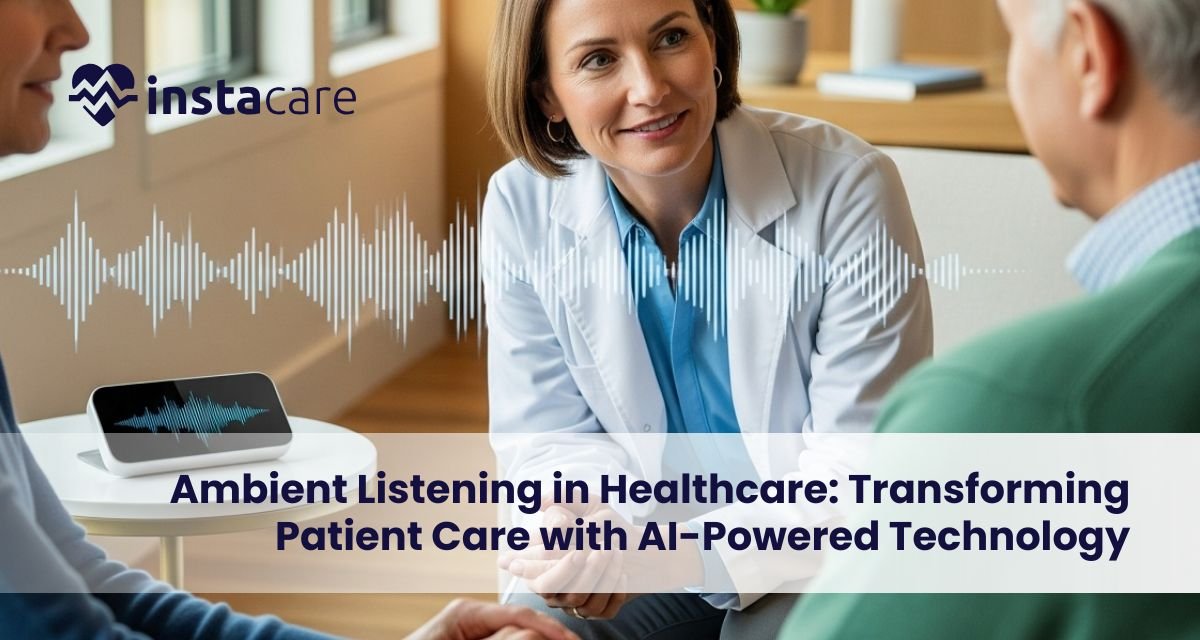
Ambient Listening in Healthcare: Transforming Patient Care with AI-Powered Technology The healthcare sector is being rapidly transformed by digital technology. Telemedicine to electronic health records, the focus has always been on patient outcomes, effectiveness, and accuracy. The most fascinating of the newer ones is ambient clinical listening technology. That allows health professionals to have automated recording of conversations that occur during doctor consultations, convert them into templated notes, and enter them directly into patient records. While other methods consume hours of tedious by-hand note-taking, ambient listening utilizes NLP and AI to record doctor-patient interactions. This keeps doctors out of additional computer time and more patient time. Hospitals, clinics, and startups now test this approach as a way to curb physician burnout, improve patient satisfaction, and reduce administrative work. What Is Ambient Listening in Healthcare? Ambient listening care means the utilization of artificial intelligence-based systems to listen and comprehend the natural flow of conversation among healthcare providers and patients. The systems generate clinical documentation automatically without any need for healthcare providers to dictate or type anesthesiologist notes post-visits. For example, while consulting, the AI logs patient symptoms along with physician recommendations. It then transforms all of this into a structured clinical note to be viewed and approved by the physician. The outcome is a seamless and precise workflow. To doctors, it’s a game-changer. Ambient listening for doctors is equal to not being obsessed with monotonous note-taking anymore, but with patient care. To patients, it is a more ordinary conversation free from the intrusions of continual typing or note-taking. How Ambient Listening Functions? Ambient listening technology brings together sophisticated audio capture with AI processing. This is how it generally operates: Audio Capture – Software-based units or secure microphones record talk in real-time. Noise Reduction – Background noise is filtered out so that only significant dialogue is translated. Speech-to-Text Translation – NLP translates the spoken words into text. Contextualization – Medical terminology, patient symptomology, med orders, and follow-up treatment are identified by AI software. Note Organization – The text is organized in a structured format into usable notes appropriate for electronic health records (EHRs). Physician listening – Doctors can quickly review and sign off on the notes, conserving precious time. Next-generation Ambient listening AI tools are trained on massive databases of medical vocabulary, clinical protocols and diagnostic protocols. This makes them very accurate, even in sophisticated medical conversations. Ambient listening for medical transcription is quicker, less expensive, and less prone to mistakes than with previous dictation equipment. Book Your Free Marketing Consultation Advantages to Healthcare Providers Benefits of ambient listening in healthcare, particularly for doctors. Less Administrative Time – Doctors will spend hours a day documenting EHRs. Automation frees them from this time. Fewer Burnout Cases – Among the leading reasons for administrative burden is physician burnout, studies have found. Ambient listening diminishes redundant work, which results in more job satisfaction. Higher Accuracy – Less handwritten or memory-based errors are made through ambient listening for clinical documentation. Higher Productivity – Physicians can see more patients in a day without sacrificing quality. Seamless Integration – Notes generated by AI can be seamlessly transferred into EHRs, hence the patient information is more accessible across departments. In healthcare environments, it is especially crucial because it has a direct impact on patient outcome. By eliminating clerical burdens, ambient listening allows clinicians to concentrate on diagnosis, treatment, and patient relationships. Advantages for Patients For the patient, ambient listening improves the entire healthcare experience. Improved Attention from Physicians – With reduced distraction, physicians can maintain eye contact, listen closely, and develop greater trust. This enhances ambient listening and patient satisfaction significantly. Accurate Medical Records – Computer transcription allows for proper recording of symptoms, histories, and treatment with lesser possibility of prescription or diagnosis errors. Improved Communication – The patients are heard when physicians are not typists’ fingers flying on the keyboard or dictating words to be spoken back to them. Faster Service – Since the notes are being created in the moment, patients receive faster follow-ups, lab orders, or referrals. Remote Care Benefit – With Ambient listening in telehealth these days, patients receive quality care from afar and AI does proper and accurate documentation. Patients end up being richer from safer, more trustworthy, and more personalized healthcare experiences. Challenges and Concerns There are issues despite the promise of ambient listening. ● Data Privacy and Security Confidentiality of patients is of utmost importance. Systems are required to meet strict regulations, i.e., ambient listening and HIPAA, to preserve confidential health information. Violation would break trust and incur legal consequences. ● Accuracy Limitations AI systems are sophisticated, yet there may be mishearing of medical terminology, accent, or dialect. Ongoing training and doctor backup are required in order not to miscommunicate. ● Implementation Costs Small settings find it hard to commit to ambient listening equipment. Costs are for software, system integration, and staffing training. ● Provider Adaptation Doctors used to taking notes will be resistant to the new equipment at first. Training and effect demonstratives are needed to close this gap. ● Ethical Issues Some people will be uncomfortable with being taped, even where information is protected. Policies of transparency and consent need to be devised. Future of Ambient Listening in Healthcare The future for ambient listening in healthcare is bright. With technology that incorporates AI, accuracy and efficiency will be even improved. Integration with Wearables and IoT – Suppose AI devices record health talks in smart homes and update clinical records automatically. Expansion to Other Specialties – Although employed now in primary care and general practice, Ambient listening healthcare examples demonstrate that it will be used for specialties such as psychiatry, emergency care, and the management of chronic disease. Predictive Analytics – In addition to documentation, AI has the capacity to analyze talk in an attempt to identify predictive indicators of disease in advance, giving preventative treatments.
Serverless Computing – Benefits, Drawbacks, and Uses Day by day, technology is changing, and cloud computing is one of the business processes that cannot be detached anymore. Amongst the most promising innovations in this field is serverless computing architecture. It has cost-effectiveness, flexibility, and speed, and because of this, businesses of all sizes and types are adopting it. The term “serverless” is confusing initially. There exist servers, but they are no longer directly controlled by the users themselves. The cloud provider does it on their behalf instead. Developers are able to focus on coding and deploying applications faster now. Here, in this guide, we will define what serverless computing is, how it is done, Serverless computing pros and cons, and the most used serverless computing applications shaping industries today. What is Serverless Computing? Serverless computing refers to an architecture wherein server management is outsourced by cloud providers. Code alone is uploaded by the coders, and the platform executes it event by event. Servers do not need to be managed, resources scaled, or downtime worried about. Examples of popular serverless computing platforms include Serverless computing in AWS Lambda, Google Cloud Functions, and Microsoft Azure Functions. These services provide their services on demand to enable businesses to scale applications without purchasing idle resources. In short, serverless computing applications allow developers to focus on features while the cloud providers handle the rest. How Serverless Computing Works? The way serverless works is straightforward but with monumental power: Event Triggered Execution: Code is only executed upon receiving a trigger, i.e., file upload, user request, or database update. Automatic Scaling: The platform automatically scales resources. One request or a million, scaling occurs behind the scenes. Pay-as-You-Go Pricing: Users pay only for execution time and resources consumed rather than paying for idle servers. Stateless Functions: Each execution is stateless, i.e., no local data is retained between executions. This makes serverless suitable for applications with periodic workloads, like mobile, IoT, and APIs. Key Advantages of Serverless Computing 1. Economical Costs One of the primary Serverless computing benefits is cost-effectiveness. Companies only get billed for execution time and not for 24/7 server leasing. Such an architecture disallows idle resources and enables serverless computing cost optimization techniques. 2. Improved Development Since developers no longer worry about infrastructure, they can write and run code without fear. This accelerates innovation and improves time-to-market. 3. Scalability Made Easy Serverless computing scalability is managed automatically. The platform scales up to accommodate surgey traffic or reduces capacity when traffic dwindles without human action. 4. High Availability Cloud providers ensure reliability through built-in redundancy. Applications are available even during failure or peak loads. 5. Flexibility for Any Use Case From APIs to chatbots, Serverless computing use cases are everything and anything. Businesses can experiment with new concepts at low cost and scale successful apps without a problem. Serverless Computing Challenges and Limitations Serverless computing challenges is not problem-free despite having many advantages. Cold Starts: When the function is idle, it will boot a bit slower, resulting in lag. Short Execution Time: Most vendors impose limitations on functions, which may be less than ideal for lengthy processes. Vendor Lock-In: It may be made difficult to move from one provider to another as a result of platform-specific tools. Security Concerns: Having several functions executed in common environments, security remains an area of interest in serverless computing. Data processing and regulatory compliance have to be addressed with care. Debugging and Monitoring: Debugging issues in the majority of standalone functions is simpler than monitoring a standard server setup. These serverless computing pitfalls highlight the importance of proper planning and best practices. Book Your Free Marketing Consultation Serverless Compared to Traditional Cloud Computing Serverless computing vs traditional computing puts into perspective why numerous businesses are making the transition. Traditional Cloud: Customers rent virtual machines, have to manage operating systems, and scale resources manually. Customers pay for servers to be running, albeit unused. Serverless Cloud: Customers upload code only. Scaling, patching, and servers on hand fall to the provider. Tied cost to usage. Traditional approaches offer more management but more maintenance. Serverless approaches reduce complexity but introduce new dependencies on providers. Serverless Computing Use Cases 1. Real-Time File Processing Firms utilize serverless to resize images, videos, or files when uploaded. For example, resizing images or file scanning for compliance. 2. APIs and Microservices Serverless facilitates microservices architecture by supporting self-contained, event-based functions. Programmers can build auto-scaled APIs without worrying about servers. 3. IoT Applications Extensive data is generated by devices, and serverless processes it effectively. Real-time processing increases the responsiveness of IoT systems. 4. Virtual Assistants and Chatbots Serverless directly replies to the questions of the users, thereby making chatbots smart and cost-effective. 5. Data Analytics Business organizations use serverless for log analysis, monitoring, and running predictive models. It processes big data on demand. Serverless computing examples like the ones mentioned above show how widespread serverless is in use. Future of Serverless Computing Serverless computing future trends signal even larger usage. With businesses needing flexibility, serverless will expand in various fields: AI and Machine Learning: Serverless will facilitate real-time training and deployment of AI models. Partnership Deployments: Companies will develop serverless applications on multiple providers for the prevention of vendor lock-in. Better Security: Providers will offer better serverless computing security features that will secure companies. Integration with Edge Computing: Integration of serverless and edge computing will reduce latency and improve performance for global applications. In conclusion, the future is bright for serverless. It will make development even easier while offering scalability and cost control. Conclusion Serverless architecture is transforming how businesses build and run applications. It allows for cost savings, rapid
Automated Medical Billing: How Technology is Transforming Healthcare Finance Medicine has never been simple to practice. Clinics, private practices, and hospitals handle thousands of claims daily that require proper coding, insurance verification, and follow-up. A weary, time-consuming, inefficient, and money-sucking process was the past. But thanks to Automated medical billing software, the finances of healthcare professionals are completely revolutionized for the better. With reduced errors, streamlined Automated medical billing workflow, and greater transparency, automation is allowing providers to spend more time with patients and less time shuffling paper. All sizes of healthcare organizations are increasingly comprehending the ability of automation in achieving more steady financial performance. Large hospitals and small community health centers are embracing automation no longer as a luxury but as an additional requirement of modern healthcare finance. What is Automated Medical Billing? Basically, automated medical billing systems were developed to carry out duplicate monetary processes that were initially done manually. They encompass checking insurance eligibility, assignment of proper medical codes, claim preparation, payment submission, and claims follow-up. Computerized medical billing makes every process conducted quickly and accurately with less room for delayed or rejected claims. In the context of manual billing, in which there is ample space for significant revenue loss through incorrect information, automation puts more money into the hands of health caregivers. Most automated medical billing solutions are cloud-based and are therefore able to easily interface with electronic health records (EHRs), practice management systems, and insurance portals. Interfacing allows for free data exchange as well as reducing administrative costs. Whatever automated medical billing for clinics or business clinic software, such systems aim to simplify one of the most intricate elements of healthcare: the revenue cycle. Key Features of Automated Medical Billing Systems Sophisticated billing software is a lot more than claim submission. It incorporates some elegant features that allow providers to effortlessly handle financial operations: Electronic Claims Management – Claims get automatically created, updated, and submitted with reduced denial. Real-Time Insurance Verification – The system checks for coverage before treating the patient to avoid future billing issues. Automatic Coding Guidance – Certain systems include automated medical billing and coding features to ensure precision with the use of ICD-10, CPT, and HCPCS codes. Payment Tracking – Providers can monitor pending payments and determine where the hold-up is. AI-powered automated billing – Predictive analytics is powered by artificial intelligence, detects probable denials, and simplifies decision-making. Personalized Reports and Dashboards – Financial administrators enjoy transparent and unambiguous vision of revenue performance. Integrated Patient Records – Integration of billing information with patient care records for accuracy and transparency. Compliance Controls – Automation of reports, compliance with healthcare legislation and payer guidelines. Automated medical billing process – Payment to registration, all processes get streamlined for effectiveness. All such skills not only facilitate billing but also minimize the fiscal risk of healthcare organizations. Benefits of Automated Medical Billing The use of automation has transformed the healthcare finance with several benefits: Improved Accuracy – There are fewer chances of errors in billing since automated systems cross-matching codes and data with payer rules. Quicker Revenue Cycles – Claims are quicker, and providers get payments sooner. Cost Savings – It reduces the gigantic billing personnel to a bare minimum, saving administrative costs. Better Compliance – Compliant designs protect providers from audits and fines. Transparency with Data – Real-time monitoring enables administrators to make sound money decisions. Better Patient Experience – Streamlined billing, fewer complaints, and quicker claim settlement ensure better patient care. For smaller clinic medicine, automated medical billing is especially applicable. Billing errors can stone dead small clinics. Providers can achieve regular cash flow and free up more cash to use to invest in patient care by using automated medical billing for clinics. Automated medical billing for hospitals helps larger hospitals because it combats large volumes of patients and numerous various payer systems within a single one, avoiding fiscal delays and increasing general efficiency. Problems with Automated Medical Billing While there are advantages, health organizations continue to be urged to apply it: Low Starting Costs – Hiring new staff and retraining existing staff is expensive, and that’s discouraging small centers. Integration Issues – There are still legacy systems in most hospitals that are not compatible with new billing software. Security Threats – Because billing involves personal patient data, robust security shielding against cyber attack is of paramount importance. Systems Reliance – A system meltdown brings down the entire billing system. Worker Resistance – People who are used to doing things the old way will resist switching to automation. Training Requirements – Computer-automated medical billing services implementation is a daunting experience that requires considerable employee training to ensure optimal efficiency. In spite of all these problems, most physicians choose to reap long-term financial benefits and business optimization beyond the initial problems. Book Free Demo What the Future Holds for Medical Billing Automation The future of healthcare finance is increasingly digital, and automation will be the star. More advanced technologies further hone efficiency and precision: Automated revenue cycle management – New systems will not only automate billing but also the entire revenue cycle from registration to collections. Smart AI Tools – AI will not only anticipate denials but even suggest remediation prior to claims submission. Cloud-Based Expansion – Cloud-based technology will automate small practices without the massive capital outlays. More Patient Engagement – Patients will have easier access to billing notices, payment portals, and financial consulting. Interoperability – Systems will start sharing data more with EHRs, payers, and even government agencies to simplify workflow. Automation will no longer be only about efficiency; it will also be applicable to profitability and patient satisfaction because technology will be more advanced. Final Thoughts Automated processes are not a choice but a necessity in healthcare finance. With the process being automated, less human error, and quick payments, automated medical billing systems are
Confidential Computing: Protecting Data in Use for the Future of Secure Cloud As the speed accelerates in the crazed digital age, data is the most sought-after good by corporations and governments across the globe. Money for stacks of research data and AI code, strategic decisions are made with confidential information. Yet with so many novel uses for the cloud, confidential computing security becomes an issue as well. Legacy solutions guard data in transit (in motion) and data at rest (in storage), but fall short in handling data in transit while in motion is the issue. This weakness opened up room for confidential computing, a platform that safeguards sensitive workloads even during transit. By rendering the data inaccessible to unauthorized parties, such as cloud Confidential computing providers and system administrators, while in transit, confidential computing is changing the future of secure cloud environments. What is Confidential Computing? Confidential computing definition can be explained in the best way as the method of protecting data in transit for processing by the support of hardware-based trusted execution environments (TEEs). The TEEs are utilized as secure enclaves to protect sensitive data from the rest of the system. In contrast to traditional security that relies upon confidential computing vs traditional encryption in transit and at rest, confidential computing protects data such that even when it is in use in the state of memory, it is encrypted and out of reach. It provides companies handling sensitive data with a new level of confidence. It allows banks to run algorithms on payment information, healthcare firms to run analytics on patient data, and governments to run sensitive data insecure by the prospect of leakage. Why Confidential Computing Is Important? The significance of confidential computing to the cloud cannot be overemphasized. Cloud adoption has accelerated with an increasing more companies relying on taking business-critical workloads off-site. That is fine for procuring scalability and expense reductions, but what it implies is that there is a secret about who handles sensitive data. For instance: Healthcare workers must adhere to draconian privacy laws like HIPAA. Patient information is shielded by confidential computing from detailed confidential examination or cross-disciplinary examination. Confidential Computing also makes secure collaboration between various organisations possible. Rather than sharing raw data sets with other companies, firms can permit computation to occur within TEEs in a manner that enables output and not sensitive data to be exchanged. How Confidential Computing Works Hardware-enforced TEEs are at the forefront of confidential computing architecture. They are rooted within the CPU of a computer, and they secure code and data from outside interference. Intel Software Guard Extensions (SGX), AMD Secure Encrypted Virtualization (SEV), and ARM TrustZone are some of them. This is where confidential computing outperforms regular encryption. Regular encryption does not go this far to secure stored data or network data. Confidential computing goes an extra step and secures the third stage of the data lifecycle: computation. This basically provides end-to-end Confidential computing security. Benefits of Confidential Computing There are a comparatively large number of confidential computing benefits that render it appealing in any sector: Enhanced Security – Data is encrypted while it is processed so that misuse is not possible. Compliance – Businesses handling sensitive compliance can leverage confidential computing to introduce privacy and compliance for security. Boundary Collaboration – Businesses can collaborate on data research without sharing raw data sets, and intellectual property is maintained. Less Insider Threats – Even system administrators won’t receive access to secret data, reducing insider threats remarkably. Innovation Enablement – Secure confidential computing enables businesses to develop and pilot novel AI, blockchain, and IoT models in a secure environment. Constraints and Confidential Computing Challenges Similar to any other emerging technology, there are Confidential computing challenges the firm must break before its universal uptake: Hardware Dependency – Confidential computing is based on a special chipset with TEE support and thus is hardware-dependent. Interoperability Issues – Secure enclave operation across multi-cloud or hybrid environments can be plagued by interoperability issues. Performance Overhead – Inline encryption and decryption can introduce latency to workloads. Deployment Complexity – Skill-level competence is needed for effective installation. Solution Maturity – As new confidential computing technologies are being developed, organizations have to evaluate solutions from vendors fully. With these notwithstanding, constant hardware and Confidential computing in cloud integration innovations are slowly filling gaps. Book Free Demo Future of Confidential Computing Industry confidential computing trends are forecasting out-of-control growth. Confidential computing market trends by industry gurus are forecasting growth through blanket adoption of confidential computing within the next ten years as companies move towards zero-trust architectures. The most intriguing of all these applications is Confidential computing in AI/ML. It has long been difficult to train AI models on confidential data like medical data or financial data based on confidentiality needs. Confidential computing helps enable safe model training with no data leakage, and this can be an area of innovation in AI research and deployment. Major confidential computing vendors such as Microsoft Azure, IBM Cloud, Google Cloud, and Amazon Web Services already offer TEE capability on their platforms. For companies, embracing confidential computing best practices such as robust governance processes, hardware attestation, and continuous monitoring will become necessary in a bid to unlock optimal value. Use Cases for Confidential Computing The list of Confidential Computing use cases is extensive and continues to grow by the day: Healthcare – Securing patient information but enabling worldwide cooperation in research. Finance – Enabling secure commerce and anti-fraud infrastructure. Government – Enabling classified communications and intelligence. Supply Chains – Securing sensitive supply chain and manufacturing information. Digital Identity – Enabling privacy-conductive authentication and verification systems. Confidential Computing Adoption The pace of confidential computing adoption is picking up. Organisations also realize growing risks from cyberattacks, data breaches, and insider threats, making this technology a necessity rather than a luxury. Regulatory environments are also compelling companies to shift towards greater protection of consumers’ and companies’ data. Final
