


The Role of ICT in Healthcare: Transforming Patient Care ICT has been integrated into the modern health care systems as a novel technology has transformed how medical services are provided, administered and simplified. It is not just digitization that can bring about ICT in medical services, but it is able to disseminate an integrated communication with providers, enhance patient safety, simplify operations, and make decisions based on data. With digital tools in the clinical working processes, the healthcare organizations will be capable of offering more accurate diagnosis, streamline the administrative processes, and get better patient outcomes without breaching the privacy and security provisions. What Is ICT in Healthcare? Information and communication technology in healthcare refers to the application of digital devices and communication technologies to handle, share and process healthcare data. It incorporates digital patient monitoring systems, hospital management systems, diagnostic tools, Electronic health records systems (EHRs) and telemedicine. The capacity of ICT in health care is to promote accessibility, efficiency and quality of care. It allows medical personnel to get real-time information regarding patients, cross-departmental interaction, and automatize daily tasks that will ultimately reduce errors and enhance the safety of patients. Key Applications of ICT in Healthcare Electronic Health Records (EHR) EHRs provide a single system that allows the storing of patient history, test results, prescriptions, and clinical notes. Recognizing, diagnosing, and treating the patient faster and reducing the tests that are repeated by diagnostic means, clinicians will be in a position to give continuity of care across the facilities when they utilize EHRs. Decision support tools are also included in modern EHR Software and they alert a provider of potential drug interactions or abnormal laboratory results. Telemedicine and Remote Care Telemedicine applications can be used to enable the patient to interact with the medical practitioner without necessarily visiting the hospitals. ICT-grounded telehealth platforms offer the opportunity of real-time video consultation, vital signs process, and safeguarding the required communication between care teams and patients. This would assist more particularly in the rural communities, or those patients who have difficulties in movement, since this would enable them enjoy equal chances in obtaining health care services. Hospital Management Systems These are the systems that computerize the administrative functions like scheduling of appointments, billing, inventory management and resource distribution. Hospital management systems ensure that human error is reduced, time is saved by employees and more effective operations. It may be incorporated with other ICT healthcare solutions to offer interdepartmental coordination. Medical Imaging and Diagnostics ICT is supporting AI-based diagnostic products in the sphere of radiology, pathology, and lab testing. Images and automated analysis software that increase the accuracy of the diagnoses are highly recognized, radiologists and clinicians are able to perceive the abnormality at the earliest stage and create a particular treatment plan. Population Health Management and Data Analytics ICT has the potential to support mass collection and analysis of population health monitoring, epidemiology and preventive care planning. The medical workers are able to identify the trends in the disease prevalence, the epidemic incidence and set up certain interventions aimed at improving the health outcomes of the community better. Benefits of ICT in Healthcare Better Patient Care ICT ensures that medical practitioners are able to retrieve accurate and comprehensive information on patients and enhance their diagnosing, treating, and follow-ups. Constant tracking of chronic conditions is also an improvement of patient health outcomes and safety that becomes possible with the help of digital tools. Operational Efficiency ICT for hospital management systems will eliminate administration processes and will enable clinicians to attend to patients as employees will not be so overwhelmed by workload. This also reduces the cost of operation and improves efficiency. Ease of access and Equity Telemedicine and ICT and remote monitoring systems will become accessible to underserved groups. The patients who are remote and those with mobility issues will be able to enjoy specialized care without traveling miles, which reduces the healthcare access disparities. Data-Driven Decisions Intelligent analytics tools may assist clinicians and administrators in evidence-based decision-making, promoting preventive care efforts, and deploying resources at maximum efficiency. High-risk patients and reduced hospital readmissions can also be detected with the help of predictive analytics. Improved Compliance and Security The ICT systems can guarantee that the information of patients is properly stored and distributed, such that the information relayed about the patient is compliant with healthcare regulations such as the HIPAA. The data encryptions, access controls and audit trails protect the sensitive medical records against unauthorized access. Book Your Free Marketing Consultation Challenges and Barriers Expensive Implementation Costs The incorporation of ICT infrastructure, integration of different systems and maintenance could be a very expensive task particularly in cases where the healthcare provider is small. Training and Adoption The staff need to be trained to learn how to use ICT tools and fear of change can be a hindrance to adoption. The training must be ongoing in order to keep up with the technological changes. Interoperability Issues Different healthcare providers can use different ICT systems, and transferring the data can hardly be easily done. Under interconnectivity, it can only be effective with standardization. Cybersecurity Threats Cybercrimes can be committed on electronic patient records. Medical facilities ought to make sure that they are well secured to maintain confidential information. Updating and Maintenance This requires regular checking, maintenance of the system and technical support to provide optimum functioning of ICT and avoid downtimes. Role of ICT in Public Health Role of ICT in healthcare is a strategic one in improving the health outcomes of the population. The digital means are followed by the health care officers to perform disease surveillance, vaccination monitoring, and preventive campaigns. Real-time monitoring of infectious diseases helps the government to respond to an outbreak in a timely manner, and analytics can help in making policy and distributing resources. Digital health technologies and education is provided to more individuals through interaction that increases their level of awareness and healthy living. In addition, ICT supports the telehealth plans in isolated or underserved areas,
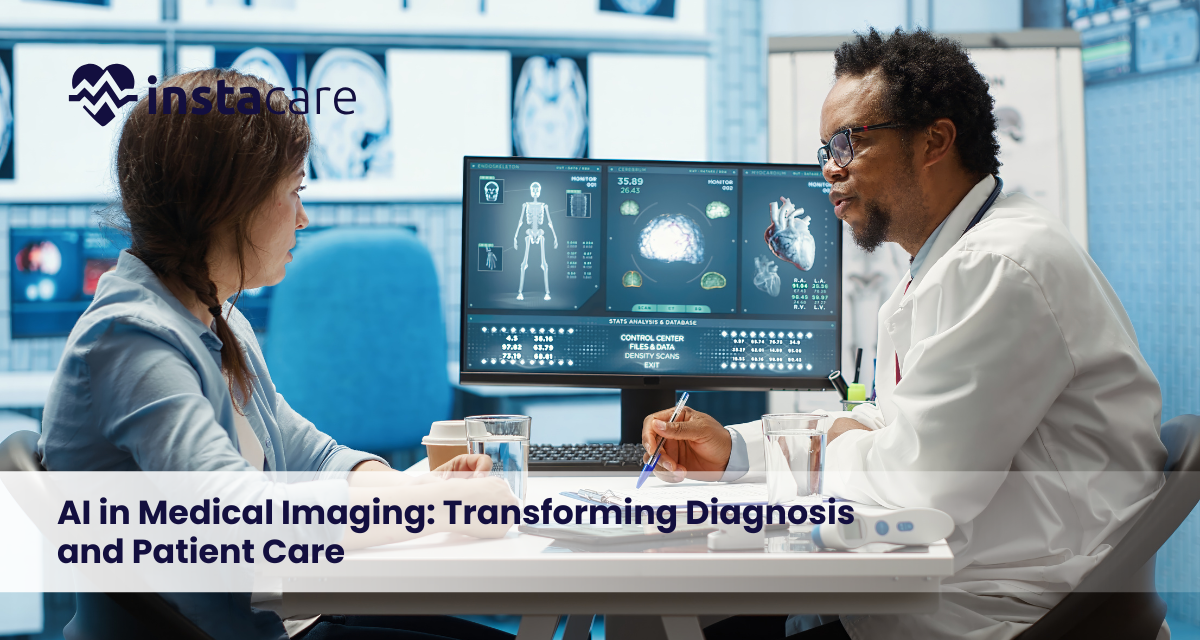
AI in Medical Imaging: Transforming Diagnosis and Patient Care The sphere of healthcare is quickly changing with the help of artificial intelligence, especially in the area of diagnostic imaging. Medical imaging systems like X-rays, CT scans and MRI scans generate high amounts of data which must be correctly interpreted. The use of radiologists in traditional analysis is very important, however, the system now adopts superior algorithms to support medical practitioners. Intelligence in medical imaging enables medical providers to analyze images more effectively, identify abnormalities at an earlier stage, and provide more accurate diagnostic results. AI solutions assist doctors to analyze complicated imaging data and decrease human mistakes and workload. This is why artificial intelligence is becoming an important part of contemporary medical diagnostics and patient care. What Is AI in Medical Imaging? Artificial intelligence in medical imaging can be defined as the application of computer algorithms which process medical images and determine patterns associated with various diseases. These systems are based on the huge volumes of medical images to train the models, which can be used to identify the abnormalities and guide the clinics. Machine learning in medical imaging enables computers to be taught based on the past data and enhance its learning as time progresses. A more sophisticated approach, Deep learning for medical imaging, is based on neural networks, which allow processing complex picture structures and discovering faint patterns, which an ordinary person could not easily see. AI systems can help radiologists to diagnose diseases more accurately and faster with the help of continuous learning and pattern recognition. Types of Medical Imaging Using AI X-ray Imaging One of the most widespread diagnostic instruments in health care is X-rays. AI algorithms can aid physicians because they can do the AI for X-ray interpretation, detect fractures, infections, and lung diseases. Radiologists can use AI to concentrate on important areas as suspicious areas are automatically highlighted in images without the need of radiologists doing this process manually. Computerized Tomographies (CT) Scans Computer Tomography scans create detailed cross-sectional scans of internal organs. Modern systems apply AI in CT scan analysis in order to identify tumors, blood clots and internal injuries. AI is able to scan through numerous scan layers in a short period and detect abnormalities that can warrant urgent attention. Magnetic Resonance Imaging (MRI) MRI scan is very precise and gives a high level of detail on the soft tissues of the body such as the brain, muscles and organs. AI in MRI diagnostics assists in reviewing the complicated imaging information to help detect neurological illness, spinal conditions, along with organ anomalies. Ultrasound Imaging The AI-based algorithms have been applied to the concept of ultrasound imaging with the aim of enhancing the visualization of the image and helping doctors detect the conditions during pregnancy, cardiovascular examinations, and abdominal check-ups. Key Applications of AI in Medical Imaging Detection and Diagnosis of Disease. AI for early disease detection is one of the most significant uses of AI. AI algorithms can detect the early signs of a disease, like cancer, cardiovascular disease, and neurological disorders based on minute patterns in medical images. Automated Image Analysis Automated image analysis in healthcare is a healthcare practice that has been employed to analyze vast amounts of imaging data in healthcare systems. Machines have the ability to scan and detect anomalies in images at high rates, and give initial reports to physicians. Radiology Workflow Optimization. AI implementation in radiology assists in optimizing the workflow, focusing on the most urgent cases and arranging the imaging information in an effective manner. This lowers the wait times in diagnosing and better management of patients. Clinical Decision Support AI devices can assist clinicians with data-driven information, which can be used to aid the diagnosis and treatment planning process. With the help of AI in radiology diagnosis, physicians will be able to correlate the results of the imaging with significant databases of medical cases to increase the accuracy of diagnoses. Book Free Demo Benefits of AI in Medical Imaging Better Diagnostic Accuracy The AI algorithms are able to forecast hidden patterns that can be overlooked when an analyst is performing the task manually. This would greatly increase the accuracy of diagnosis and also limit the possibility of misinterpretation. Sharper Picture Retrieval Radiologists are commonly exposed to massive amounts of imaging studies on a daily basis. Through AI systems, images can be analyzed in a short time, decreasing the time it takes to perform a diagnosis and making it possible to make a treatment decision faster. Reduced Human Error Fatigue or work load may sometimes affect medical image analysis. AI tools enable a stable analysis of images, assisting them with preventing human error in the interpretation. Improved Disease Surveillance With the help of artificial intelligence technologies, healthcare providers can monitor the development of diseases by conducting several imaging investigations over time. This can be applied mainly in tracking cancer treatments and chronic illnesses. Greater Productivity in the healthcare A more effective workflow and the management of resources as well as the improved collaboration of healthcare teams are also the benefits of AI in radiology. Challenges and Limitations Data Availability and Quality Training of AI systems involves huge amounts of data. In most instances, good quality labeled medical images are scarce and this may have an influence on the performance of the algorithms. Regulatory and Ethical Issues The availability of Medical image recognition technology poses regulatory and ethical challenges that focus on patient privacy and data security as well as transparency of the algorithm. Interoperability with the Existing Systems The hospitals would need to combine AI tools and the medical imaging systems and electronic health records that are already in place. Such integration may need serious technical resources and infrastructural upgrades. Reliance on the Human Element Technology is not able to substitute medical professionals even with all the modern development. To prevent incorrect diagnosis and clinical judgment, physicians have to examine AI-generated findings. Future of AI in Medical Imaging AI in medical imaging is also
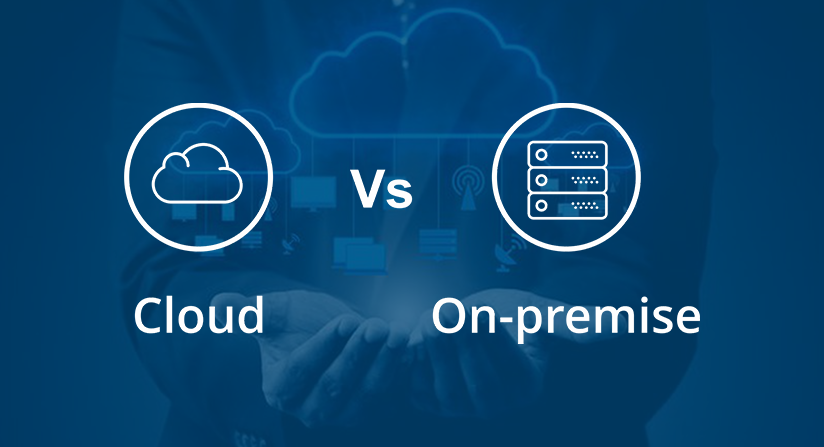
On-Premise vs Cloud ERP: Key Differences, Pros, Cons & How to Choose Enterprise Resource Planning (ERP) systems are necessary systems that would combine major business processes, which include finance, inventory, sales, and HR into one system. The modern business is in a serious dilemma on whether to use on-premise ERP software or cloud-based ERP systems. It is important to know their differences and advantages, as well as their limitations to make the best choice in favor of your organization. This manual contains a detailed discussion of Cloud ERP vs on-premise ERP comparison, which can assist companies to find out which ERP deployment models are best-suited. What Is ERP? ERP or Enterprise Resource Planning is a software that is meant to automate and simplify the main business processes. ERP systems integrate all data in a centralized system, which is available in real time, and thus has been used in financial management, supply chain optimization, and decision making. The ERP implementation may either be on-site on-premise systems or cloud deployment, both having advantages and challenges. What Is On-Premise ERP? On-premise ERP is the software that is physically located in the servers of a company, and is administered by the firms IT department. Hardware, software updates, security and maintenance are under the organization. This model gives complete data control, customization, and it can be integrated with the existing legacy systems. Advantages of on-premise ERP Complete control of information: Company sensitive data remain in-house. Customizability: Customize workflows and reports to business needs. Integration with legacy systems: Easier to be attached to other existing infrastructure. Long-term predictability of costs: Although not recurring subscriptions, fixed licensing costs. What Is Cloud ERP? Cloud ERP is available on servers of the vendor and is accessed through the internet. The service is subscribed by businesses and tends to be billed either on a monthly or annual fee, and the maintenance, security, and backups are handled by the provider. Cloud ERP systems are very flexible and scalable and thus gaining popularity in the contemporary business world. Benefits of Cloud ERP Reduced initial expenses: There is no requirement of expensive server hardware or IT professionals. Scalability: Modules and number of users can be easily added as the business expands. Accessibility: Anywhere, anywhere with a connection to the internet your ERP is accessible. Automatic updates: The provider deals with software updates and security patches. Quick implementation: Cloud ERP systems may be implemented faster than on-premise systems in some cases. Key Differences: On-Premise vs Cloud ERP Difference between cloud ERP and on-premise ERP is: Hosting On-Premise ERP: It is installed in company servers. Cloud ERP: This is hosted in the cloud of the vendor. Cost On-Premise ERP: Large initial license and hardware fees. Cloud ERP: Low cost initial and subscriptions. Maintenance On-Premise ERP: IT managed on-premise. Cloud ERP: Vendor controlled. Accessibility On-Premise ERP: Can only be limited to office network or in-house servers. Cloud ERP: Can be accessed anywhere as long as one has access to the internet. Customization On-Premise ERP: Highly tailored to meet organization business requirements. Cloud ERP: There are not all SaaS solutions with high customization. Updates On-Premise ERP: Hand updates and periodic maintenance. Cloud ERP: The provider does update automatically. Scalability On-Premise ERP: This is based on the available hardware and IT resources. Cloud ERP: It is easily scalable; adding users, modules, or storage. This explicit contrast between Cloud ERP and On-Premise ERP assists companies in determining control, flexibility, and cost variables in selecting the appropriate model of ERP deployment. Book Free Demo Which Businesses Should Choose On-Premise ERP? On premise ERP is suitable in those companies that: Are stringent with data security or compliance issues. Demand high levels of workflow customization. Like long-term predictability of cost, rather than subscription. Devoted IT units to handle servers and updates. On-premise ERP can be useful in such industries as finance, government, and manufacturing because of these needs. Which Businesses Should Choose Cloud ERP? Cloud ERP can be used by companies that: Desire low initial investment and fixed monthly expenses. Require mobile access and connectivity. Demand quick deployment and automatic application updates. Need to have scalable solutions to expand rapidly without IT overhead. Cloud ERP is flexible and easy to use, which is why it is more accepted by startups, SMBs, and companies that have adopted digital transformation. How to Decide the Right ERP for Your Business? In making a decision between on-premise and cloud ERP, one should consider the following: Budget: Are you willing to spend high at the beginning or do you want to use subscription? IT structure: Do you have an internal IT that handles servers and updates? Data security: Data security is there any strict compliance or regulatory requirement? Scalability requirement: Does your business require scalability and flexibility? Customization needs: Do you require any custom workflows or integrations? Implementation schedule: What is your hurry to get the ERP implemented? An attentive analysis of these factors will help you to select the most appropriate ERP deployment model to use in your organization. Conclusion On-premise ERP software and ERP cloud solutions have their pros and cons. On-premise ERP is more controlled, secured and customizable whereas cloud ERP is more flexible, scaled and less expensive to set up. The most important thing to do in order to choose the appropriate ERP system is to know what your business needs, budget, and long-term goals are. These factors can be properly considered to help the organizations simplify operations, improve productivity and facilitate growth with the help of the appropriate ERP solution. FAQs What is the primary dissimilarity between on-premise and cloud ERP? On-premise ERP is deployed and operated in company servers and gives complete control of it, whereas cloud ERP is hosted and accessed online and is scalable and incurs lower initial costs. Which is the most suitable ERP to use by small enterprises? Small businesses tend to find cloud ERP more suitable because it is cheaper to start up, more scalable and does not need much IT maintenance. Does the business

Labs need to be well managed in terms of equipment and inventory to ensure precision and efficiency. Asset management software in the laboratory is the central point where lab tracking, scheduling maintenance and resource management are handled. Laboratory equipment management system decreases time out, enhances efficiency, and compliance. Labs can track assets live with such features as the barcode and RFID asset tracking and equipment maintenance software. Digital lab asset management is essential in order to have painstakingly integrated and effectively managed laboratories as the operations become intricate. What Is Lab Asset Management Software? Labs need to manage equipment and inventory efficiently, and this needs to be accurate and productive. Laboratory asset management software is a centralized system that helps in tracking, scheduling maintenance, and management resources. Lab equipment management system minimizes any downtime, enhances efficiency and complies. The labs can track the assets in real time with such functions as barcode and RFID tracking of assets and equipment maintenance software. With the increase in the complexity of operations, digital lab asset management is essential with regard to managing laboratories in an orderly, productive way. Important elements of lab asset management system are: Whereabouts and application of tracking equipment. Checking on asset lifetime and depreciation. Arranging calibration and maintenance. Laboratory inventory and supply management. Production of audit reports and compliance. Through these capabilities, the laboratories can be able to ensure that equipment is always available, maintained as well as in accordance with industry regulations. Why Laboratories Need Asset Management? In the case of laboratories, hundreds or thousands of pieces of equipment are usually processed. The absence of an appropriate lab equipment tracking system may result in a chaotic state of the control over these assets. A digital lab management system allows the staff to monitor all the laboratory assets that they can use to avoid spending time on equipment downtimes and unnecessary acquisitions. The main reasons why laboratories require managing their assets are: Increased visibility of assets: Be aware of the equipment whereabouts at any point in time. Better spare part planning: Plan frequent calibration and services. Less loss of equipment: End up not losing or losing track of instruments. Compliance with the regulations: Keep proper records on inspections and audits. Cost control: To avoid re-buying and unjustified replacements. Through Asset tracking for laboratories, the organizations are in a position to streamline their operations through enhancing the accuracy and accountability. Key Features of Lab Asset Management Software A modern laboratory equipment management system offers a range of features that enable laboratories to effectively monitor and manage their equipment. Important Laboratory management system features include: Asset Tracking These details that are captured in the system are equipment name, location, its owner, purchase date, and history of usage. Barcode and RFID Tracking A large number of laboratory asset tracking systems combine barcode asset tracking of laboratories or RFID asset tracking in laboratories, where equipment can be scanned and tracked in real time. Calibration and Maintenance Arrangement Lab maintenance software assists in the planning of preventive maintenance, calibration, and servicing in order to make equipment accurate. Inventory Management By using laboratory inventory management software, laboratories will be able to track their consumables, reagents, and supplies to avoid shortages. Asset Lifecycle Management Monitor assets in a procurement to retirement process, such as depreciation and replace planning. Reporting and Analytics Produce documentation on asset use, maintenance record and performance to assist in making decisions better. Laboratory Systems Integration Most systems can be interconnected with other features of the laboratory management system like LIMS or quality management systems. Book Free Demo Benefits of Lab Asset Management Software There are several benefits to the use of laboratory asset management software across all laboratories regardless of their size. Key benefits include: Greater efficiency: Automates tasks of asset tracking and management. Less downtime: Makes sure not to postpone maintenance and servicing of equipment. Optimized resource utilization: Laboratories that are part of the Helps optimize their employment of equipment. Cost savings: eliminates unnecessary purchases and lowers maintenance expenses. Improved compliance: Keeps the proper records that are needed during audits and Regulatory Requirements. Decision making based on data: Gives information on the performance of assets and the patterns of their use. The organizations may enhance the effectiveness of operations and reliability of research through the mean of Laboratory asset tracking tools and laboratory equipment maintenance software. Who Uses Lab Asset Management Software? Digital lab asset management solutions have been utilized by many types of organizations to manage their laboratory equipment. Common users include: Universities and research institutes, research laboratories. Hospital and diagnostic center clinical laboratories. Drug research and testing companies. Biotechnology labs engaged in the higher-level scientific research. Laboratory tests of the environment studying samples and materials. Laboratories of food and quality testing. Such organizations rely on laboratory asset management systems that enable them to be sure that equipment is not spoilt, unavailable, or not of a certain standard that meets the industry requirements. How to Choose the Right Lab Asset Management Software? The appropriate laboratory asset management software is selected because it is crucial to have a smooth operation of the laboratories. Organizations are supposed to assess their needs and select a solution that is compatible with their workflow. Among the critiques that shall be considered are: User-friendliness: The software must be user-friendly. Scalability: It must be able to accommodate future expansion and other resources. Integration capabilities: The capability to interface with other laboratory management system capabilities or LIMS. Tracking technology: Barcode asset tracking of labs or RFID asset tracking of laboratories. Maintenance management: Inbuilt lab equipment maintenance software tools of service and calibration scheduling. Reporting opportunities: Advanced analytics and custom reports. Security and compliance: Make sure that the data is protected and that the regulations are met. Assessment of these factors allows laboratories to select a system that will be suitable to their operational needs. Challenges Without Asset Management Software Labs that use manual methods to track assets are usually prone to a number of operational issues. Common
Healthcare Regulatory Compliance Software: A Complete Guide for 2026 The healthcare organizations are in one of the most regulated organizations in the world. The outcomes of patient data protection and patient-clinic compliance are paramount, as they prevent the legal fines, preserve the trust of patients, and guarantee operational excellence. The healthcare compliance management software assists the hospitals, clinics, and healthcare providers to automate, monitor and optimize the regulatory requirements effectively. With regulations being dynamic in 2026, the use of modern compliance solutions has ceased to be an option. What Is Healthcare Regulatory Compliance Software? Relying on digital tools, healthcare regulatory compliance software is a program created to assist medical organizations in complying with the industry laws, standards, and internal rules. It consolidates documentation, monitors compliance activities, audits, and minimizes the possibility of violations. Heavyweight software, also referred to as medical compliance software, helps with: Documentation and update of policies. Risk analysis and reduction. Audit tracking Incident reporting Regulatory reporting Regulatory compliance solutions for healthcare help many organizations to ensure transparency and accountability among the departments. Key Regulations Healthcare Organizations Must Follow The medical compliance software aids in compliance with various regulations. Major Regulatory Areas: Patient data privacy (e.g., HIPAA compliance software can be deployed to assist with data protection standards). Medical care fraud and misconduct regulations. Quality and clinical safety statutes. Workplace safety laws Cybersecurity needs and data protection. Healthcare data protection software also incorporates compliance tools that help protect the sensitive data of patients and electronic health records. Core Features of Healthcare Compliance Software The current healthcare compliance management software is fully equipped with the capability to simplify regulatory controls. Policy Management Create and update policies Follow up policy recognition. Maintain version control Typically incorporated as healthcare policy management software. Risk Assessment Tools Identify compliance risks Conduct internal audits Take a corrective course of action. Favors a robust healthcare risk management system. Audit Management Schedule and track audits Produce regulatory reports. Otherwise referred to as healthcare audit management software. Incident Reporting Report compliance breaches Investigate incidents Document resolution steps Certification Tracking and Training Monitor staff training Keep the certifications of compliance. Send automated reminders Compliance Dashboard and Analytics Real-time compliance status KPI monitoring Violation notifications that are automated. Hospitals use a to regulate such tasks in an efficient way. Benefits of Using Compliance Software There are quantifiable benefits of using compliance software. Key Benefits: Less legal and financial risks. Better regulatory compliance. Improved patient information security. Improved efficiency of operations. Improved record keeping and openness. Automated audit preparation. Organizations save on human error and bolster healthcare quality assurance software programs through employee automation of tasks. Who Needs Healthcare Compliance Software? The use of compliance software in various healthcare fields is useful. Organizations That Benefit: Health systems and hospitals. Individual clinics and groups of physicians. Diagnostic laboratories Telehealth providers Long term care and nursing homes. Manufacturers of medical equipment. Clinicians using Clinical governance software will have a chance to enhance supervision and the quality of care. Book Free Demo What Includes Implementation Process? The application of compliance software needs to be planned. Step 1: Needs Assessment Determine regulatory provisions. Assess existing areas of compliance shortfall. Step 2: Vendor Selection Compare features Determine integration potentials. Review security standards Step 3: Migration and Integration of Data. Integrate with EHR system Connect HR and billing systems. Ensure secure data transfer Step 4: Staff Training Give compliance training. Set user permissions Establish workflows Step 5: Continuous Monitoring Track performance metrics Update policies regularly Conduct internal audits The gradual implementation of the program will guarantee the successful outcome. Challenges in Compliance Management Healthcare organizations are continually challenged in terms of compliance. Common Issues: Regulatory changes at all times. Data security threats Limited IT resources Errors in manual documentation. Staff non-compliance In the absence of appropriate systems, the process of keeping in check is time-consuming and dangerous. How to Choose the Right Compliance Software? Strategic consideration is needed in selecting the right solution. Consider the Following: Regulatory coverage Ease of use Interconnectivity with other systems. Data security standards Customization capabilities Vendor support and training Future expansion. Make sure that the software is compatible with your organization, size and source of compliance requirements. Future Trends of Healthcare Compliance Software Compliance management is now technologically oriented in the future. Emerging Trends for 2026: Artificial intelligence (AI) based compliance management. Predictive risk analytics On-demand compliance software. Live regulatory news. Policy generation Automated. High-level cybersecurity integration. In the years to come, compliance management will be redefined by incorporation into healthcare data protection software and intelligent automation. Conclusion Compliance software in healthcare management has become an essential part of the contemporary healthcare sphere. With the increase in the complexity of regulations, manual compliance management is no longer viable. With the implementation of the sophisticated clinic management software, companies will be able to streamline the audit process, secure patient information, minimize risks, and enhance the efficiency of the organization. By investing in the appropriate compliance solution, there will be stability in the long run, compliance with regulations, and increased trust in the patients in 2026 and further. FAQs What is healthcare compliance software? It assists healthcare organizations in regulations, audit monitoring, policy compliance, and patient data security. Does compliance software contain HIPAA compliance? Indeed, numerous sites sell pre-built HIPAA compliance software that helps to protect data and manage privacy. Who is to use healthcare compliance software? Structured compliance systems are beneficial to hospitals, clinics, laboratories and telehealth providers.

FBR Digital Invoicing Software: What It Is & Why Your Business Needs It The businesses in Pakistan are now expected to use modern electronic invoicing systems in order to adhere to the standards of the government as tax laws are becoming digital. The FBR e-invoicing system is included in the effort of the Federal Board of Revenue to achieve transparency, minimise cases of tax evasion, and provide real-time reporting of the sales transactions. FBR digital invoicing software assists companies in producing, validating and submitting invoices to FBR systems automatically. Whether operating a retail outlet, manufacturing plant, or a service oriented firm, compliant software is the new way forward to help you operate without challenges and be within the law. What Is FBR Digital Invoicing Software? FBR digital invoicing software is a program that incorporates your business invoice system with the Federal Board of Revenue (FBR) in order to report the sales taxes in real-time. It enables: Automated invoice creation. On the fly transmission to FBR. Secure invoice validation Adherence to the Pakistan digital invoicing compliance laws. The system identifies FBR servers via secure APIs, thus guaranteeing the capturing and verification of every transaction in time. Such common terms are as follows: FBR sales tax invoice software. Pakistani E-invoicing software. FBR API integration Why Does It Matters for Businesses? Obedience is no longer by choice. FBR has even obliged most of the sectors to report digitally, particularly the Tier-1 retailers and large manufacturers. Key Reasons It Matters: Severe penalties and fines should be avoided. Prevent invoice rejection Ensure smooth tax filing Improve audit readiness Make business more transparent. Businesses that have FBR real-time invoice reporting minimize chances of having tax related disputes and operational hiccups. Key Features of Digital Invoicing Software Modern, FBR-compliant systems are equipped with strong automated functions. Instant Authentication of Invoices Invoices are instantly checked with FBR servers. FBR API Integration Pre-built FBR API integration integrates your system with FBR databases. POS Integration Retailers apply FBR POS integration software to get an automatic report of sales received at point-of-sale systems. Automated Tax Calculations Computation of GST/sales tax is precise and lessens human error. Invoice Tracking & Archiving Keep electronic audit and reporting records. IRIS System Compatibility There is the seamless FBR IRIS integration to facilitate the filing of tax returns. How It Works (Step-by-Step)? FBR digital invoicing normally operates in the following manner: Step 1: Invoice Creation An invoice of sale is produced in your accounting system/ P.O.S. Step 2: Data Formatting The software will compile the invoice information as per the FBR standards. Step 3: API Transmission The invoice is transmitted through FBR API secure integration. Step 4: Validation & Response FBR approves the invoice and allocates a special Invoice Reference Number (IRN). Step 5: Confirmation The invoice, which will be accepted, is stored and provided to the customer. All this is done in a matter of seconds using FBR e-invoicing system. Book Free Demo Benefits for Businesses Introducing the FBR-compliant invoicing has several benefits. Legal Compliance Adhere to all the Pakistan digital invoicing requirements. Reduced Tax Errors Mistakes in calculation are reduced by automated calculations. Faster Tax Filing Unified systems make submissions of returns easy. Enhanced Corporate Transparency On-time invoice reporting creates credibility. Better Record Management Audit Readiness Digital storage ensures that data is securely stored. Operational Efficiency Automation is time-saving and cost-effective in administration. The workflow and compliance stress frequently improve at the businesses using E-invoicing software Pakistan. How to Select the appropriate Software? There is a need to carefully evaluate when it comes to choosing the appropriate FBR-compliant solution. Key Factors to Consider: Complete compatibility in FBR integration. Secure API connectivity Live reporting ability. User-friendly interface Software compatibility with accounting systems. Reliable technical support Make sure that the provider is FBR invoice integrating and is formally FBR regulated. Challenges & Tips for Smooth Implementation Digitizing invoicing may also be a problem. Common Challenges: Technical integration problems. Staff training gaps Data migration errors Problems with internet connectivity. Remedies to a successful implementation: Test system in advance of full roll out. Account sales and train accountants. Stable internet connectivity. Select authorized and professional supplier. Periodically upgrade software due to changes in compliance. Downtime and compliance risks are minimized through proper planning. Conclusion FBR computerised invoice is not merely a technological advancement anymore it is a legal requirement to several companies in Pakistan. Digital invoicing enhances compliance, transparency, and operational efficiency through real-time reporting, automated tax calculations, and integration with FBR systems. The right solution and the proper way of implementing it can help businesses to avoid any penalties, restore order when handling taxes and be ahead in the ever-digitised economy. FAQs In Pakistan, is it obligatory to have FBR digital invoicing? It is compulsory to Tier-1 retailers and some other registered businesses according to the FBR regulations. What is FBR API integration? It represents a safe network enabling your invoicing software to liaise with FBR servers in order to validate and report. What will be the consequences of not adhering to FBR e-invoicing regulations? Failure to comply might lead to fines, refusal of the invoices, and even business prohibitions.
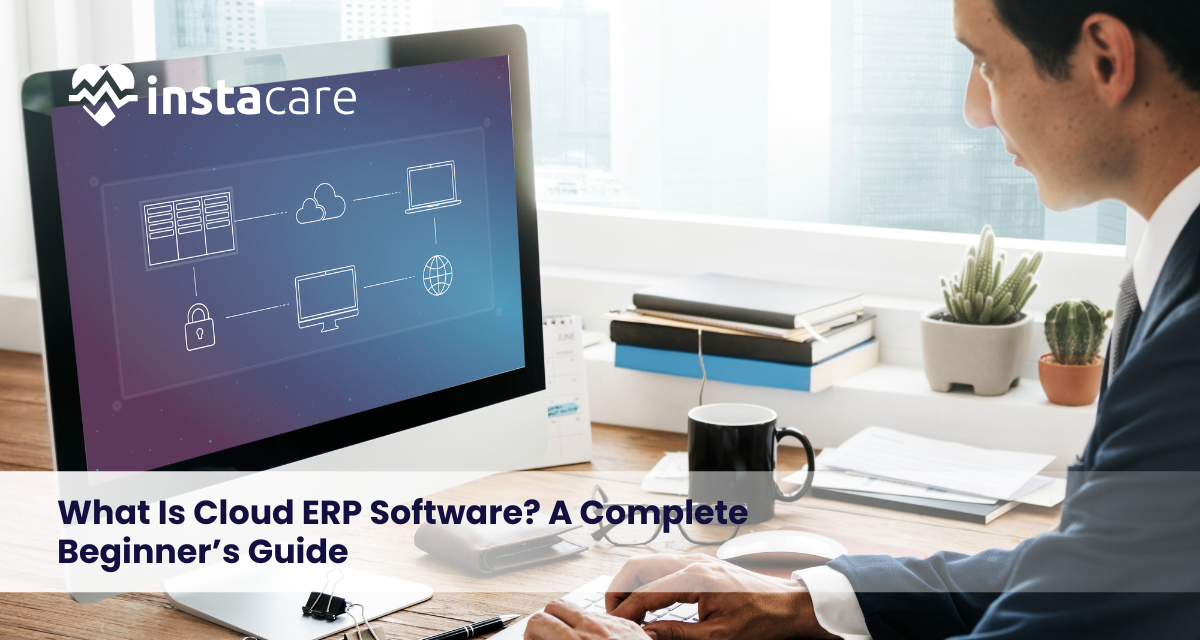
What Is Cloud ERP Software? A Complete Beginner’s Guide The digital era is bringing a new change in the way businesses handle operations, data and grow with the use of cloud ERP software. In contrast to the old systems that were deployed on the local servers, the cloud based solutions are flexible, scaling and can be accessed remotely. This is a guide on what cloud ERP is, how it functions, and why it is increasingly becoming the favorite of organizations in contemporary times. What Is ERP Software? Enterprise Resource Planning (ERP) is a centralized software used by business organizations in order to facilitate the management of business core processes such as finance, inventory, human resource, procurement and customer relationship. ERP brings together all the departments in one platform instead of having different tools hence it allows: Real-time data sharing Better collaboration Streamlined workflows Improved decision-making Businesses of any size use the ERP systems to increase the efficiency of their operations and accuracy of data. What Is Cloud ERP Software? Cloud ERP is an ERP program that is hosted on remote servers and is accessed via the internet. It does not require costly hardware on the field, or handstyle upkeep. Such Cloud-based ERP solutions are mostly available as subscription-based solutions, meaning that they are affordable to both small and large businesses. The users can access any place with a web browser and this guarantees constant collaboration and availability of data. How Cloud ERP Works? Cloud ERP works on a hosted system, which is managed by the service provider. Businesses connect to the system using the internet instead of installing the software on their computers. Here’s how it works: Information is stored in cloud servers in a secure way. The users are able to log in through web or mobile applications. It is automatically updated by the vendor. Scalability of the system is in response to business requirements. The model is commonly referred to as an ERP software in the cloud of which businesses pay to use the infrastructure instead of owning the infrastructure. Key Features of Cloud ERP Software Cloud ERP systems are characterized by high features that are efficient and automate. Core Features: Real-time data access Multi-user collaboration Analytics and automobile reporting. Financial management tools Stock and supply chain management. CRM integration Advanced Capabilities: AI-powered insights Workflow automation Mobile accessibility Third-party integrations A SaaS ERP platform solution is selected by many companies due to the fact that it is always updated and is constantly modernized without complex upgrades. Benefits of Cloud ERP There are a number of Benefits of cloud ERP over the traditional system. Lower Upfront Costs Needs no hardware installation or high costs. Scalability As a business expands, it can add users and add features. Remote Accessibility As long as one has access to the internet, he or she can work anywhere. Automatic Updates The provider takes care of software updates. Enhanced Security Leading vendors have encryption, backups, and compliance. In general, cloud ERP has advantages such as flexibility, cost-saving, and agility. Book Your Free Marketing Consultation Cloud ERP vs Traditional (On-Premise) ERP The knowledge of the difference aids in the selection of the appropriate system by firms. Cloud ERP: Hosted online Subscription-based pricing Automatic updates Remote access Minimal IT management On-Premise ERP: Installed on local servers High upfront costs Manual updates Limited accessibility Requires IT infrastructure In on-premise vs cloud ERP, cloud solutions generally prevail in terms of flexibility and cost-effectiveness, particularly to the expanding businesses. Industries That Use Cloud ERP Cloud ERP is very popular within several industries. Common Industries: Manufacturing Retail and eCommerce Healthcare Education Logistics and supply chain Financial services It is also helpful to startups and SMEs as cloud ERP decreases IT complexity and facilitates growth. Challenges and Considerations Cloud ERP has some challenges even though its benefits are apparent. Potential Limitations: Internet dependency Data migration complexity The cost of subscription in the long-run. Vendor lock-in risks Firms are also recommended to consider: Data privacy policies Compliance requirements Integration needs These risks can be reduced through a planned ERP implementation process. How to Choose the Right Cloud ERP Solution? The process of selecting an appropriate ERP is difficult. Key Factors to Consider: Industry requirement and size of business. Budget and pricing model Customization capabilities Interoperability with already existing tools. Security and compliance standards. Reputation and support of vendors. Questions to Ask Vendors: Is the system scalable? What level of protection is provided by the data storage? What support services would you like to use? Ease of migration out of legacy systems? The selection of an appropriate platform will guarantee long-term value and the easier adoption. Future Trends in Cloud ERP Cloud ERP is constantly developing in accordance with the new technologies. Key Trends: AI-driven automation Predictive analytics ERP variants in the industry. IoT integration Low-code customization We can also expect: More mobile-first platforms Enhanced cybersecurity Super-automation of workflows. These advancements will render the ERP systems more intelligent and more approachable. Conclusion The cloud ERP software is transforming the way business is being run within a digital-first era. Cloud ERP also enables organizations to simplify operations and make more intelligent decisions by providing flexibility, scalability, and real-time insights. Just like Clinic Management Software streamlines patient records, appointments, billing, and administrative workflows in healthcare facilities, cloud ERP integrates and optimizes core business functions under one unified system. Although issues such as implementation and data relocation may arise, the long-term benefits often outweigh the challenges. For businesses seeking efficiency, innovation, and sustainable growth, cloud ERP represents a forward-thinking solution that prepares organizations for the future of digital operations. Frequently Asked Questions Why does cloud ERP differ compared to traditional ERP? Cloud ERP is a web-based system and it is operated over the internet whereas traditional ERP is mounted on the local servers and needs IT management on-site. Is cloud ERP secure? Most providers do provide high quality encryption, frequent backups and adherence to international security standards, and it may be safer than on premise systems,
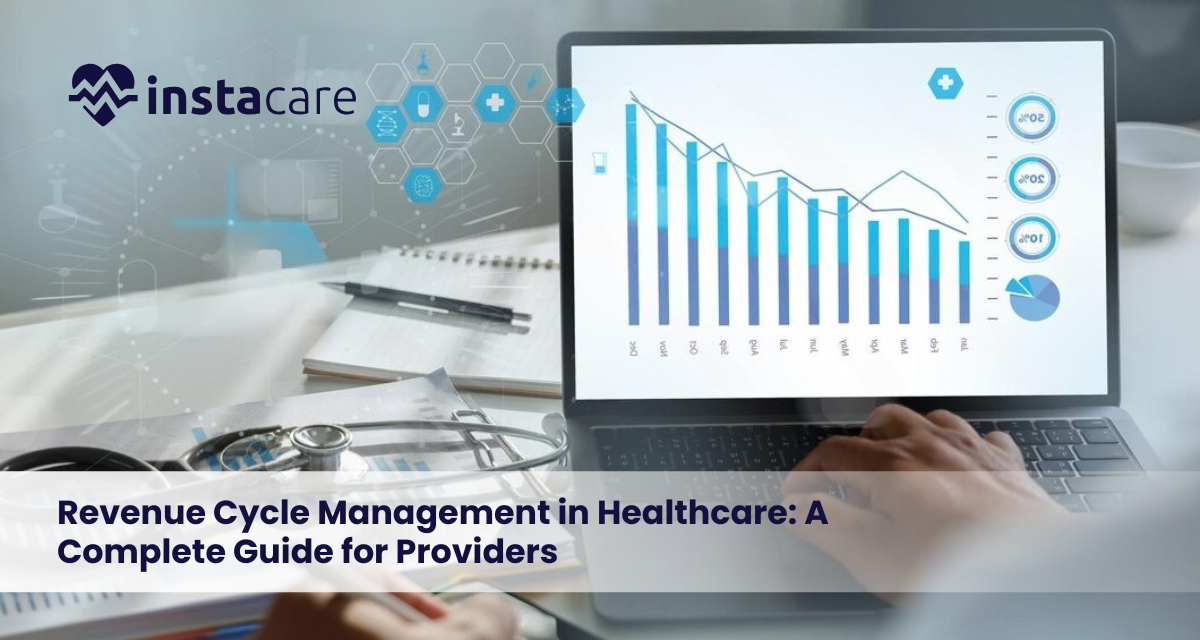
Revenue Cycle Management in Healthcare: A Complete Guide for Providers The financial component of the current healthcare systems is Revenue Cycle Management (RCM). It helps ensure that they make their payments to their providers on time and in the correct amount, without any delays or irregularities in the process. RCM is crucial to the financial survival of healthcare organizations from patient registration through final payment. As operation expenses increase and payers become more complicated to meet, hospitals need to implement effective measures in the revenue cycle to enhance their cash flow and minimize denial of claims. What Is Revenue Cycle Management (RCM)? Healthcare revenue cycle management is the financial process involved in the healthcare organizations tracking patient care episodes in terms of initial appointment booking to the final patient payment. It integrates administrative functions and clinical functions so that there is proper billing and reimbursement. The activities covered by RCM in healthcare encompass insurance verification, medical coding, and claim filing, payment recording, and payment denial resolution. An efficient revenue cycle will guarantee predictable revenue and improve patient satisfaction and efficiency. Key Stages of the Revenue Cycle Registration and Scheduling of patients This starts when a patient makes an appointment. The correct demographic and insurance information is obtained here. Insurance Verification The Insurance verification process are performed to verify patient eligibility, coverage limits and co-pay requirements prior to treatment. Medical Coding Healthcare billing and coding relies on the standardization of codes of clinical services through use of ICD and CPT systems. Charge Capture Every service offered is recorded and translated into billable services. Claims Submission Medical claims processing involves claims being electronically filed to insurance providers in order to have them reimbursed. Payment Posting Insured and patient payments are documents that are documented and matched with the claims presented. Denial Management Denial management in healthcare will refer to recognizing declined claims, rectifying mistakes, and repaying them. Billing and Collections of Patients All the remaining would go on to patients through modern patient billing solutions. Why Revenue Cycle Management Is Important? Guarantees Financial Stability Effective RCM will ensure a consistent flow of revenue and reduce leakage of finances. Reduces Claim Denials A well-established medical revenue cycle procedure reduces mistakes and enhances approval. Enhances Patient Experience. Clear billing and correct estimates result in improved trust and satisfaction. Supports Compliance Good documentation and coding implies compliance with the regulatory requirements. Efficiency in Operations. Automated processes save the administrative load and enhance productivity. Book Your Free Marketing Consultation Common Challenges in Healthcare RCM Frequent Claim Denials Coding errors or failure to document the case completely results in rejection of claims. Complex Insurance Policies The Healthcare reimbursement process has different payer rules making it complicated. Manual Processes Old systems enhance mistakes and reduce work speeds. Poor Data Integration Interoperability between systems is lacked, and hence inefficiency. Patient Payment Delays Collections are more difficult due to high deductibles and co-pays. Role of Technology in Modern RCM Technology has changed the face of RCM; it has helped in removing monotony and enhancing precision. Key Technologies Include: AI-powered coding tools Eligibility checking upon a robot. Billing solutions on the cloud. Live analytics dashboard. Electronic health records (EHR) that are integrated. Digital resources will also improve the Medical revenue cycle process through errors minimization and faster reimbursements. Benefits of Effective RCM Implementation Faster Reimbursements Robotization reduces the time of submitting and approving claims. Minimized Administrative Expenses. Automated processes reduce man-hours and overheads. Improved Cash Flow The collections are efficient, hence they guarantee a steady stream of revenue. Better Denial Management High-technology analytics recognize trends and minimize denials. Enhanced Compliance Automated procedures reduce regulatory risks. Best Practices for Optimizing Revenue Cycle Management Improve Front-End Processes Proper patient data and eligibility checks minimize errors at the downstream level. Invest in Staff Training Common training makes sure that the standards are met with respect to coding. Use Automation Tools Billing and claims tracking software should be adopted. Monitor KPIs Regularly Performance tracking assists in detecting inefficiencies at an early stage. Strengthen Communication It is vital that there should be a clear coordination between clinical and administrative staff. Outsourcing vs In-House RCM In-House RCM Pros: Increased dominion over activities. Immediate issue resolution Cons: High staffing costs Resource-intensive Outsourced RCM Pros: Access to industry experts Reduced operational burden Scalable solutions Cons: Less direct control Potential security issues of data. Decision to have in-house or outsourced RCM is influenced by the size, budget as well as complexity of the organization. Key Performance Indicators (KPIs) in RCM Monitoring of KPIs assists in gauging the healthcare revenue cycle management efficiency. Important Metrics: Days in Accounts Receivable (AR) Clean claim rate Denial rate Net collection rate First-pass resolution rate These ratios give information about financial performance and health of operation. Future Trends in Revenue Cycle Management RCM is fast changing due to changes in technology and a shift in regulations. Emerging Trends: Predictive analytics by AI. Robotic process automation (RPA) Patient-based billing models. Price transparency tools Claim data security via blockchain. Such innovations will transform the RCM in healthcare making processes quicker, smarter, and transparent. Conclusion RCM is critical in ensuring the financial viability of healthcare providers. Optimizing every phase of the revenue cycle, from patient registration to ultimate reimbursement, helps organizations improve cash flow, minimize claim denials, and boost patient satisfaction. Leveraging an advanced Clinic Management System streamlines billing workflows, automates claims processing, enhances documentation accuracy, and improves overall financial transparency. The use of modern technology, adherence to best practices, and continuous monitoring of performance indicators are essential for developing an efficient RCM strategy. In the ever-changing healthcare environment, a robust Clinic Management System integrated with strong RCM processes will remain pivotal as healthcare institutions strive for long-term growth and operational excellence. Frequently Asked Questions What does healthcare revenue cycle management mean? The full financial process encompasses billing, coding, claims submission, and payment collection in healthcare organizations. What is RCM and why is it significant in healthcare? RCM provides prompt reimbursements, minimizes billing claims and enhances the
Hospital Automation: Transforming Healthcare Through Smart Technology The world of healthcare is quickly changing with the implementation of digital technologies, and one of the areas that are being affected the most by the change is hospital automation. The automation of hospitals is making them work more efficiently and accurately, reducing paperwork, enhancing patient care, and streamlining operations. Through the integration of intelligent instruments, data analytics, and interconnected systems, hospitals will be able to improve patient safety, reduce human error, and streamline workflows. This article discusses the role automation is playing in transforming current hospitals and why it will become a necessity in future health care systems. What Is Hospital Automation? Hospital automation is the use of computerized tools, programs, and smart solutions to simplify clinical and management procedures in medical centers. It eliminates the manual processes and it introduces automated processes that enhance efficiency, accuracy, and patient outcomes. It comprises all automated patient records and billing to AI-based diagnostics and robotic surgeries. In essence, automation is expected to produce more efficient, safer, and more patient-centered care. Key Components of Hospital Automation Hospital Information Systems A Hospital information system (HIS) is a digital platform that unites all hospital activities. It integrates patient, billing, scheduling, and diagnostics into a single system, forming the foundation of a comprehensive Hospital Management Software solution. Electronic Medical Records EMR automation enables hospitals to store and handle patient data in digital format. This will enhance accessibility and lessen paperwork. Automated Billing Systems Hospital billing automation will reduce manual errors and increase the rate at which payments are processed. Patient Management Systems Patient management automation helps track appointments, admissions, discharges, and follow-ups. Integration of Laboratories and Diagnostic Laboratory automation in hospitals enables rapid, more precise testing. Types of Hospital Automation Clinical Automation This encompasses diagnostic systems, robotic surgery, and treatment planning systems that help doctors provide accurate care. Administrative Automation Billing, cover, schedule and insurance processing and documentation. Workflow Automation Automated hospital workflows eliminate delays because the communication between departments is simplified. Pharmacy Automation Medication dispensing and tracking of inventory automation improve patient safety. Infrastructure Automation Hospital environments are enhanced with smart lighting, the HVAC control, and energy-efficient systems. Benefits of Hospital Automation Improved Patient Care This minimizes mistakes and improves treatment accuracy, resulting in better outcomes. Increased Efficiency The automation of healthcare can be used to accomplish tasks that previously required hours in minutes. Reduced Operational Costs The automation systems reduce the staffing and administrative expenses. Enhanced Data Accuracy Electronic systems are used to remove duplication and the errors in manual entries. Better Patient Experience Online booking of appointments to automated reminders should make patients happier. Real-Time Data Access Medical records can be accessed immediately by the doctors enhancing diagnosis and treatment decisions. Role of Artificial Intelligence and IoT Artificial Intelligence Vital AI improves the process of clinical decision-making through processing medical data and forecasting the health risk. It supports: Disease detection Individualized care delivery plans. Predictive analytics Internet of Things (IoT) IoT devices can enable real-time patient monitoring through connected sensors and wearables. These systems: Monitor the vital signs. Create remote patient monitoring. Enhance the response times during emergencies. The future of digital hospital management is AI and IoT. Book Your Free Marketing Consultation Challenges in Implementing Hospital Automation High Initial Investment Hospital automation systems are quite expensive to install. Data Security Concerns Cybersecurity is required in manipulating sensitive patient information. Employee Training Needs Healthcare staff should be trained to use automated tools. Integration Issues Existing systems might not lend themselves well to new automation systems. Resistance to Change The implementation of new technologies can be obstructed by employees accustomed to doing things the old way. Future Trends in Hospital Automation Due to constant improvement in technology, automation of hospitals is promising in its future. Emerging Trends: AI-powered diagnostics Voice recognition clinical documentation. Smart robotic surgeries Secure medical records blockchain. Anticipatory patient surveillance. The innovations will also enhance Clinical workflow automation and enhance the provision of health care in the world. Best Practices for Successful Implementation Begin with Scalable Solutions Select systems that are scalable to Healthcare automation solutions’ requirements. Focus on Data Security Put in place effective encryption and compliance measures. Train Healthcare Staff Effective usage and adoption is made easy with proper training. Ensure System Integration They should ensure that all systems work together. Keep an eye on Performance Measures Loyal audits assist in gauging ROI and improvements in operate-ability. Conclusion The revolution in the healthcare sector is hospital automation, which enhances efficiency, accuracy, and patient care. Hospitals can improve operations and patient clinical outcomes by incorporating new technologies, such as AI, IoT, and digital record systems. Although issues like implementation barriers and costs exist, the long-term benefits outweigh the negatives. With the ongoing technological revolution, hospital automation will be significant in creating smarter, safer, and more responsive healthcare systems. FAQs What are the hospital automation systems? Hospital automation systems are digital tools that automate clinical and administrative processes to enhance efficiency and patient care. What is the use of automation in enhancing patient care? Automation minimizes mistakes, speeds diagnosis, and improves coordination between departments, resulting in better treatment outcomes. Is the automation of hospitals costly? Automation may cost a great deal at first, but it decreases long-term operating costs and enhances efficiency.
Automation in Healthcare: Transforming Patient Care and Hospital Operations The healthcare sector is rapidly changing as more digital technologies are applied to improve operations and enhance patient outcomes. Automation in healthcare is one of the most serious innovations. Since the introduction of automated appointment scheduling, robotic-assisted surgeries, and more, healthcare organisations are using technology to increase efficiency, accuracy, and patient care. Software automation in healthcare is not merely a fad; it is changing the way hospitals, clinics, and diagnostic centres are run in the current age. What Is Automation in Healthcare? In healthcare, automation involves applying technology to perform unskilled tasks with minimal human intervention. It entails the use of digital systems, artificial intelligence (AI), robotics and software to address repetitive operations, data management, and clinical processes. Healthcare automation may include: Administrative processes Clinical procedures Billing and claims management. Patient communication Data management These are aimed at decreasing the number of manuals, reducing errors, and improving the overall quality of care. Key Technologies Driving Healthcare Automation Healthcare transformation is being driven by a number of sophisticated technologies. Artificial Intelligence (AI) Predictive diagnostics Medical imaging analysis Individualized prescribing advice. Robot Process Automation (RPA) The systems based on Robotic process automation healthcare repetitive administrative functions including: Claims processing Patient data entry Insurance verification Electronic Health Records (EHR) Integration Centralized patient data Real-time updates Secure information sharing Telemedicine Automation An automation in telemedicine facilitates: Virtual consultations Follow-ups on patients automated. Electronic prescription management. Healthcare Data Automation Automation of healthcare data assists in: Real-time analytics Automated reporting Surveillance of population health. All these technologies improve the work of hospitals and patient experiences. Applications of Automation in Healthcare There is automation of several functions of health care. Computerized Appointment Scheduling Online booking systems SMS/email automated reminders. Reduced no-show rates Automated Clinical Workflow Automated Clinical Workflow Electronic prescriptions Automated exchange of lab results through integrated Lab Management Software, ensuring faster diagnostics and reduced reporting errors. Smart patient triage systems. Billing and Revenue Cycle Automation Automated insurance claims Error detection in billing Faster payment processing Inventory and Supplies Management Automated stock tracking Smart reordering systems Reduced waste Diagnostic Robotics and Surgical Robotics Robotic-assisted surgeries Precision diagnostics Improved surgical outcomes These applications illustrate the administrative and clinical efficiency of automation of software in healthcare. Benefits of Automation in Healthcare The benefits of automation in hospitals provide quantifiable patient outcome and hospital enhancement. Increased Efficiency Reduces paperwork Accelerates the administrative work. Brings optimal resource allocation. Improved Accuracy Minimizes human error Enhances data precision Enhances the diagnostic reliability. Cost Reduction Reduces costs of operation. Reduces staffing burdens Decreases billing errors Improved Patient Experience Faster service delivery Shorter waiting times Better communication Better Decision-Making Real-time analytics Data-driven insights Better treatment planning. The advantages of automation in hospitals are among the reasons why the digital transformation is a strategic decision. Book Your Free Marketing Consultation Challenges and Limitations Healthcare automation is associated with challenges, even though it has its benefits. Common limitations include: High implementation costs Employee opposition towards change. Data security and technology privacy threats. Problems in integrating with old systems. Requirements on regulatory compliance. To be successful in the adoption, these barriers are to be tackled. Impact on Healthcare Professionals There is no substitution of healthcare professionals by automation, but it expands their abilities. Positive impacts include: Less administrative work. Freer time to interact with a patient. Efficiency in the workflow. Increased diagnostic support. Nevertheless, medical professionals will have no choice but to change and acquire digital literacy and accept new technologies. Future Trends in Healthcare Automation Innovation and integration lead to the future of healthcare automation. AI-Powered Predictive Care Early disease detection Individualized care plans. Health prevention. Smart Hospitals IoT-connected devices Measurement of patients automatically. Real-time bed management Advanced Robotic Surgery Increased precision Reduced recovery time Minimally invasive surgeries. Expanded Telemedicine AI-based chatbots Remote diagnostics through automation. Wearable health combinations. The concept of automation will keep on revolutionizing the manner in which care is provided around the world. Best Practices for Implementing Healthcare Automation Effective automation needs a plan of action. Recommended best practices: Perform workflow analysis prior to implementation. Choose scalable solutions Make certain that there is compliance on data security. Train staff effectively Measure performance frequently. Implement systems in stages. Long term success and maximization of ROI are guaranteed by careful in planning. Conclusion Patient care and hospital management are being revolutionized by automation in healthcare. Automated appointment scheduling, high-tech robotic surgeries, and efficient technology are benefiting efficiency, reducing errors, and improving patient satisfaction. Although issues such as expenses and data confidentiality still exist, the benefits of the long term outweigh the constraints. With the ongoing innovation, healthcare software automation, including advanced Hospital Management Software, will be a very important factor in building smarter, more efficient, and patient-centered healthcare systems. Frequently Asked Questions What is the automation of healthcare? Healthcare automation is the employment of computer technology and software to precisely simplify the administrative, clinical, and operational processes in healthcare facilities. Where are the key advantages of automation in hospitals? The advantages of automation in hospitals are enhanced efficiency, minimized errors, saved costs, and enhanced patient experiences. What is the benefit of robotic process automation in health care? Healthcare systems that use robotics to automate repetitive processes such as data entry and claims processing apply pressure on the process and lead to more accuracy.
