

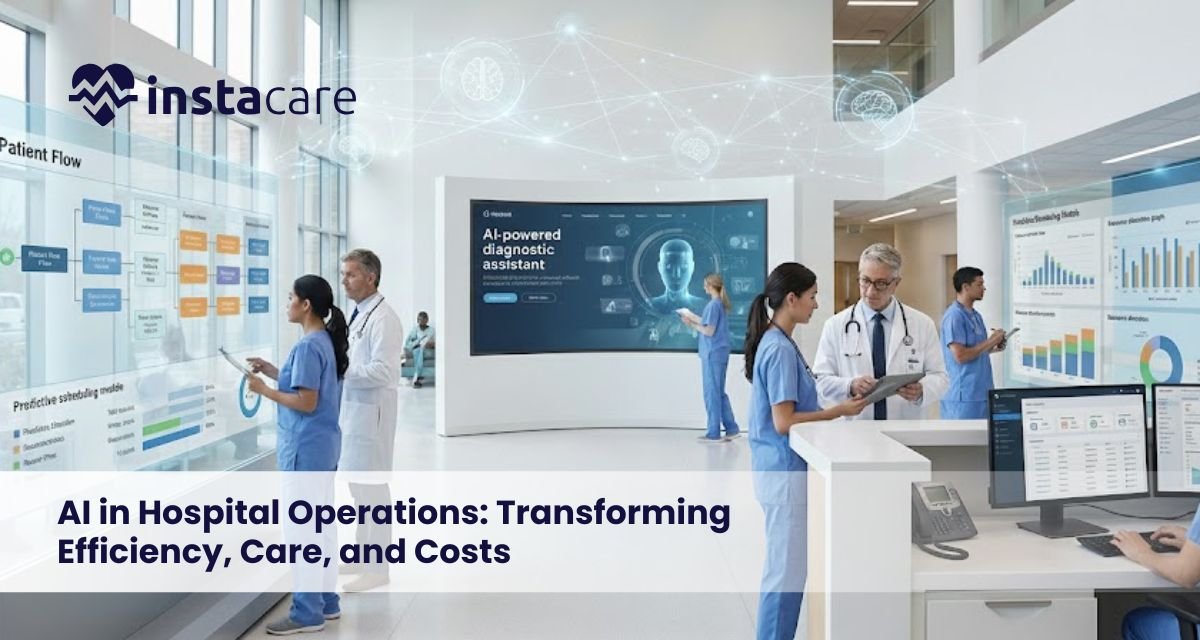
AI in Hospital Operations: Transforming Efficiency, Care, and Costs The current environment in which hospitals operate is highly complicated as it combines the volume of patients, regulatory requirements, shortage of staff, and cost constraints. The conventional models of hospital management cannot scale effectively in such conditions. The adoption of Artificial intelligence in the healthcare sector has been a transformational answer, as hospitals will increase operational effectiveness, clinical results, and regulate the increased spending through automation and intelligence, based on data. What Is AI in Hospital Operations? AI in hospital operations can be defined as the application of superior algorithms, machine learning models, and data analytics in order to optimize the clinical and non-clinical processes in the hospital. In AI in healthcare operations, it uses both structured and unstructured data to identify actionable insights in real-time, using electronic health records, imaging systems, and IoT devices, as well as administrative systems. On the operational level, AI systems act as decision-support engines by improving the planning, prediction, and execution of all hospital departments, allowing them to provide healthcare at a scale and in an intelligible way. Key Areas Where AI Improves Hospital Operations AI has effects on the performance of a hospital at various functional levels and these include: Patient throughput optimization and capacity planning. Scheduling and skillful staffing of the workforce. Computerization of financial operations and billing. Clinical diagnostics and clinical decision support. Supply chain, use of assets. With the help of AI hospital management, organizations will be able to shift to the active and foresight operational control instead of the reactive form. AI in Patient Flow and Resource Optimization When efficiency is poor in terms of patient flow, it causes overcrowding, delays in treatment, and poor use of hospital resources. The AI models can be used to examine the trends of admission, discharge, and the turnaround time of admission diagnoses and availability of staff to streamline inter-departmental flow. Predictive analytics in hospitals allows the prediction of surges, overcrowding of the emergency department, and demand in the ICU. This will enable the administrators to dynamically assign the bed, equipment and staff to enhance throughput without losing quality. Consequently, AI for hospital resource management minimizes waiting durations and idle capacity. AI for Administrative Automation The hospital operating budgets are significantly spent on administrative processes. The automation introduced by AI will deal with the inefficiencies in terms of scheduling, billing, documentation, and processing of claims. Key applications include: Auto-scheduling and reminders of appointment. Smart medical coding and billing validation Clinical documentation Natural language processing. Approval and compliance checks routing. Administrative workloads are decreased through Hospital workflow automation, mistakes are minimized and employees are able to focus on patient activities. Artificial intelligence in healthcare administration helps directly to contain costs and accuracy of compliance. Improving Clinical Decision Support Through AI The sphere of clinical decision-making is becoming more dependent on huge datasets that are beyond the human cognitive limits. AI-powered clinical decision support systems evaluate the history of patients, laboratory values managed through Lab Management Software, imaging outcomes, and clinical guidelines to support physicians in the diagnosis process and planning of treatment. AI for patient care improves the early detection of diseases, diminishes the uncertainty of the diagnosis, and promotes individual treatment courses. Machine learning in healthcare operations not only enhances accuracy in clinical practice but is also operationally efficient when installed in the hospital systems. Benefits of AI in Hospital Operations AI technology implementation provides quantifiable impacts on operations and clinical areas. Key advantages include: Better care coordination and less length of stay. AI-based real-time optimization of the Hospital. Reduced cost of operations through automation and future planning. Less clinician burnout through administrative workloads reduction. Better patient satisfaction and safety results. AI-powered hospital software empowers the performance and resilience of hospital ecosystems by making them data-driven. Book Free Demo Challenges and Limitations Although it has its beneficial aspects, AI implementation in hospitals has significant challenges. Common limitations include: Interoperability limitations and data quality. Complexity of integration with the old hospital systems. Data privacy and regulatory compliance issues. The problem of algorithm bias and model transparency Employee resistance and skills shortage. The absence of strong governance would mean that AI solutions will not be able to enhance operations. Thus, responsible AI in medical administration implementation should include close system validation and constant supervision. Future of AI in Hospital Operations The hospital of the future will trend more on Smart hospital technology, which incorporates AI in the field of clinical layers, operational layers, and infrastructure layers. The modernization of real-time analytics, edge computing, and autonomous systems will allow optimization of its operations at any moment. AI-based hospital optimization will move towards self-learning systems that would make adaptive decisions. AI will assist in predictive maintenance, incorporation of virtual care, and scale population health as part of the larger Digital transformation in hospitals. How Hospitals Can Successfully Implement AI? To effectively implement AI, there must be a plan and gradual process in line with organizational strategy. The major principles of implementation comprise: Creating high-quality data infrastructure that is interoperable. Focusing on use cases that create quantifiable operational impact. Ensuring staff and clinician engagement in deployment. Building AI governance, ethical considerations, and compliance systems. Collaborating with established technology providers and specialists. When applied strategically, AI hospital management will be a long-term service and not an independent technology investment. Conclusion It is no longer an experimental tool but it is an inherent part of contemporary hospital work. Through the incorporation of intelligence into workflows, decision-making, and resource allocation, hospitals will be able to make sustainable gains in Hospital efficiency with AI, quality and financial performance. With the next wave of healthcare systems becoming larger and more complex, AI-based models will characterize the next generation of resilient and patient-centered hospitals. FAQs What does AI do to enhance the efficiency of hospitals? AI enhances productivity by automating operations, streamlining resource allocation, patient demand forecasting, and administrative overload through intelligent data analysis and real-time operational feedback. Is AI safe to be used
Human Resource Management Software: Streamlining Workforce Management for Modern Businesses Human Resource Management Software (HRMS) is now a critical enterprise level technology, which organizations are looking to best automate, optimize and centralize their workforce related functions. Manual HR methods that are used as companies grow lead to inefficiencies like duplication of data, compliance risk, slow approvals, and false insights into the workforce. HRMS solutions address these problems by offering end-to-end digital ecosystems of employee lifecycle functions, real-time analytics, and policy-based automation. Today, companies need a system that can accommodate distributed teams, high volume data processing and compliance with strict regulation. HRMS solutions are able to offer this and at the same time maintain cost-effectiveness, data integrity, and operational efficiency. What Is Human Resource Management Software? An integrated digital platform that provides management of the entire employee lifecycle including recruitment and onboarding, payroll, attendance, and performance analytics. An HRMS is a central human resource system that consolidates data on the employees, automates the processes, and allows HR teams to work more precisely and with less manual intervention. Typical modules of comprehensive HRMS architecture are modules covering personnel management, document management, compliance management, time management, calculation of payroll, and benefits management. There are also cloud-native formations of remote accessibility, multi-location operation, and continuous scaling. Key Features of HRMS An effective HRM software has integrated several levels of functionality to facilitate the operations of the workforce. Key features include: Single-point Employee Information Management The company keeps employee records, contracts, digital documents and organizational structures in a safe database instead of paper methods of storage. Automation of Talent Acquisition and Onboarding of HR Companies automate formalities related to joining, documents submission, role allocation, and induction processes with the help of HR onboarding software, which saves time, and increases compliance accuracy. Biometric Integration and attendance HRMSs tend to incorporate HR attendance management that has time clocks, geofencing of field workers, and automated shift assignments. Payroll Generation and Compliance Since it has inbuilt HR payroll software, monthly payroll calculation encompasses overtime, deductions, insurance, EOS benefits, tax compliance and allowances. Performance Monitoring Structures HR performance management modules are the modules through which organizations monitor KPIs, OKRs, competencies, and appraisal cycles based on analytics and organized evaluation templates. Cloud Infrastructure Contemporary systems are implemented in the form of cloud-based HR software that guarantees their availability, portability, and low scalability. Personnel Management Analytics and Dashboards HRMS systems create real-time attrition, absenteeism, performance, training requirements, and workforce cost projection dashboard like. Benefits of Using HRMS Improved Operational Effectiveness In this way, the HR departments automate repetitive processes in employee management like attendance validation, leave approvals, contract renewals, and payroll by use of employee management software. Minimization of Compliance Risk and Red errors Digitized workflows guarantee that the rules of labor law, policy limits and organizational SLAs are followed in an uninterrupted manner. Data-Driven Decision Making HR software solutions provide embedded analytics that allow leaders to evaluate the performance of the workforce, staffing requirements, trends in overtime, skills gaps, and inefficiency by department. Better Employee Engagement Workforce management software has self-service portals through which employees request leave, upload documents, receive payslips, monitor performance scores and file grievances. Lean Recruitment and Retention The automation saves time to hire, enhances the hiring experience, and offers HR an insight into attrition trends. Growth Business Scaleability Cloud-based architecture will guarantee easy growth to a new location and department without limitations on the infrastructure. Book Your Free Marketing Consultation Choosing the Right HRMS When choosing an HRMS, it is necessary to consider the operational requirement as well as the long-term organizational strategy. Key Criteria: Functional Coverage See to it that the core services like payroll, attendance, performance and onboarding are not third-party add-ons. Integration Capabilities Systems will have to integrate with ERP, financial platforms, access control devices, biometric devices and external identity systems. Adaptability Flexibility Role-based workflows Approval matrices, leave policies, pay structures should be able to be customized to complex organizations. Compliance Alignment The HRMS should facilitate the regional labor laws, the visa renewal process, labor working hours, and insurance policies. Data Security Architecture Find ISO-certified hosting, password encryption, MFA, and role-based access controls. Automation & AI Layer Solutions This provides HR automation tools solutions that would greatly cut down the HR overhead through predictive alerts, automated onboarding and anomaly detection. Implementation Tips for Businesses A successful implementation must have an organized implementation roadmap: Conduct a Process Audit Mapping the existing HR functions to determine manual bottlenecks, redundant processes, and compliance lapses. Data Migration Strategy Clean up and harmony employee data formats and integrity checks completed prior to uploading the HRMS. Configure Custom Workflows Consistent and align the policies of leaves, wage structure, overtime arrangements, and approval lines with the HR governance model of the organization. Integration Phase Integrate the HRMS and the ERP systems, biometric systems, email systems, and document management systems. This is necessary to have a smooth environment for the HR management system. User Training Train HRs, heads, and employees to make sure that the employees know how to use the systems. Pilot Testing Practice soft-launch rollouts to discern the issues with the system, delays in the workflow, and challenges at the user level. Full Deployment & Monitoring Implement organization-wide go-live and observe the system regarding compliance obedience and processes efficiency. Future of HR Management Software HRMS systems will keep on developing with highly automatized systems, analytics and cognitive computers: Anticipatory Workforce Analytics The high-tech models to predict attrition, drops in productivity, and staffing needs will be based on advanced forecasting methods of predictive analytics applied to healthcare but with an HR twist. AI-Driven Recruitment The AI-based engines will filter the resumes, detect skill deficiencies, schedule interviews and rank shortlisted applicants with AI-based healthcare-like reasoning but adapted to the HR. Real-Time Decision Engines The systems in the future will incorporate the enhanced algorithms of real time scheduling, dynamic workload balancing, and the proactive performance interventions. Improved EHR-style Employee Profiles Similarly to the medical systems that have clinical profiles, the HRMS will
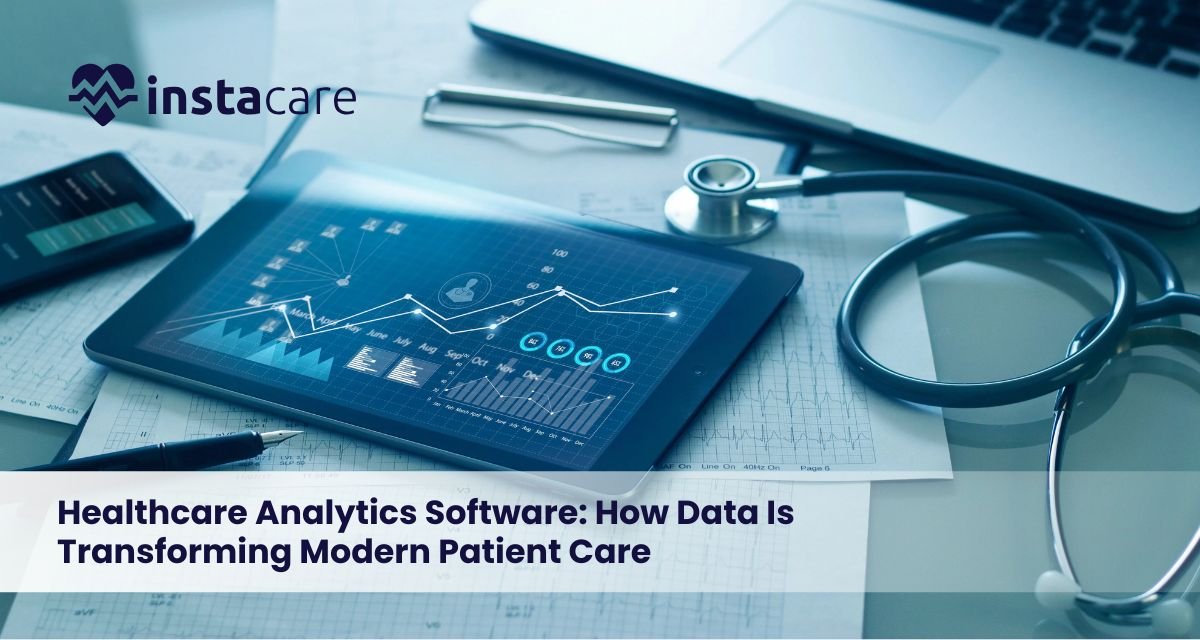
Healthcare Analytics Software: How Data Is Transforming Modern Patient Care In modern healthcare, results depend more on how data is used. Because of this, clinics and hospitals now apply analysis tools to support choices in treatment, cut delays, reduce waste, also lift service quality. These systems give live updates on patient patterns, staff workloads, and equipment needs, while forecasting risks before they grow serious. They turn unorganized information into practical steps for care teams. What Is Healthcare Analytics Software? Healthcare analytics tools gather patient and system information to support better choices. These systems analyze medical records, use forecasts, show reports, plus display insights through interactive screens. Data flows in from EMRs, labs, or wearables, enabling clinics to track treatment progress while spotting dangers early. Providers gain clearer oversight, helping them act ahead of time to improve results. Key capabilities: Data aggregation across multiple sources Display of client data alongside system performance measures Predicting how illnesses develop plus sorting patient risks Linking EMR or EHR platforms to support smooth daily operations Why Healthcare Analytics Matters Today Today’s medical system deals with more patients, widespread long-term illnesses, plus higher running expenses. Using data tools matters greatly because it helps manage these challenges effectively through better insights and planning over time Improving patient results by using data-driven choices instead of assumptions Lowering hospital readmission rates while cutting mistakes in treatment Improving how workers are assigned, alongside better handling of supplies Using shared data to help public health efforts through combined analysis Groups that apply data tools in healthcare see higher satisfaction from patients, fewer workflow issues, also stronger adherence to rules. Key Features of Healthcare Analytics Software Healthcare medical analytics platforms offer a range of specialized features tailored for clinical and operational needs: Live health data tracking: instant updates on vital signs, test outcomes, triggering faster care actions when needed. Healthcare Dashboard Software: healthcare dashboard software tools let users adjust views to show key data, patterns, or patient details, helping leaders and care teams check info fast through tailored layouts that improve clarity and decision speed by organizing inputs clearly. Predictive Analytics for Healthcare: predictive analytics for healthcare uses machine learning to forecast illness trends, estimate needed resources, while also sorting patient risks by likelihood. Population Health Analytics Tools: Population health analytics tools assess community patterns, helping spot vulnerable patients, so clinics can act early. These systems track outcomes while guiding prevention strategies through data use instead of guesswork. AI-Based Healthcare Capabilities: Use AI-based healthcare to spot issues automatically. Or streamline daily operations efficiently. Also assist doctors with smart tools for better choices. EMR/EHR Analytics Integration: EMR/EHR analytics integration combines patient records with lab outcomes through a single analytical platform, also linking imaging details efficiently. Types of Healthcare Analytics Healthcare clinical data analysis falls into four main kinds Descriptive Analytics: gives an overview of past information to notice trends in patient entries, recovery results, or how equipment is used, using insights from earlier records while focusing on practical observations rather than complex theories. Diagnostic analytics: looks into causes of results, like why readmissions are frequent or treatments don’t work well, by examining patterns from past data using logical review methods. Predictive Analytics: Leverages math-based tools to estimate health risks, track illness development, or anticipate workload needs. Prescriptive Analytics: Recommends actionable strategies, including optimized treatment plans, staffing schedules, or resource allocation. Every kind supports different goals, some help hospitals track data, while others improve community well-being. Benefits of Healthcare Analytics Software Implementing robust analytics software provides tangible benefits: Data-Driven Decision Making: Data-driven decision boost clinical choices by using actual patient information to guide actions, through this, accuracy increases while assumptions fade. Operational Efficiency: Streamlined operations improve bed use, staffing plans, or supply tracking, cutting down on excess. Each part works better when linked through clear processes instead of isolated fixes. Enhanced Patient Outcomes: Patient results improve when forecasts and risk checks support timely actions or prevention steps. Regulatory Compliance: Simplifies documentation for HIPAA alongside ICD-10, meeting key healthcare requirements efficiently. Cost Reduction: Pinpoints key expenses, cuts redundant steps, while improving how resources are used. Essential Integrations & Technologies To work best, healthcare hospital analytics solutions tools need to connect with current systems through seamless compatibility. EMR/EHR Systems: EMR or EHR Software are essential; they enable ongoing patient information access. Lab Information Systems (LIS): Lab Information Systems deliver test outcomes, enabling timely medical decisions through immediate data access. Imaging Systems (PACS): Combines radiology info with visual records to support full patient review. IoT & Wearable Devices: IoT and wearable tools track health signs nonstop, sending instant warnings when needed. Business Intelligence & Visualization Tools: Business intelligence tools help create reports for hospital leaders. These systems turn data into clear visuals. They assist decision-makers with up-to-date insights. Information is shared through dashboards tailored to management needs. Good integration allows smooth operations, correct reports, or shared data access. Book Your Free Marketing Consultation Challenges in Implementing Healthcare Analytics Even though the benefits are obvious, hospitals struggle with putting things into practice because of various obstacles. Data Quality & Standardization: Data quality varies between EMRs, lab results, or imaging records, which impacts analysis accuracy. Different formats from sources like clinics plus hospitals create mismatches that slow down processing. Uniform standards help align entries yet gaps remain common in practice. Expense to set up: Requires big initial spending on tools, equipment, or learning. Costs rise due to technology purchase, setup needs, also employee education. Compatibility problems: Challenges linking various platforms between teams or locations, due to mismatched standards. Systems often fail to communicate properly, creating delays, especially when software versions differ widely. Data Privacy & Security: Using secure systems that follow HIPAA rules, access is limited, sharing happens under strict checks, while storage stays protected through monitored protocols. Resistance to Change: Some clinicians resist shifting to data-based methods instead of familiar approaches. To tackle these issues, a careful strategy is needed along with a step-by-step rollout while preparing those involved. Future Trends in Healthcare Analytics The future of
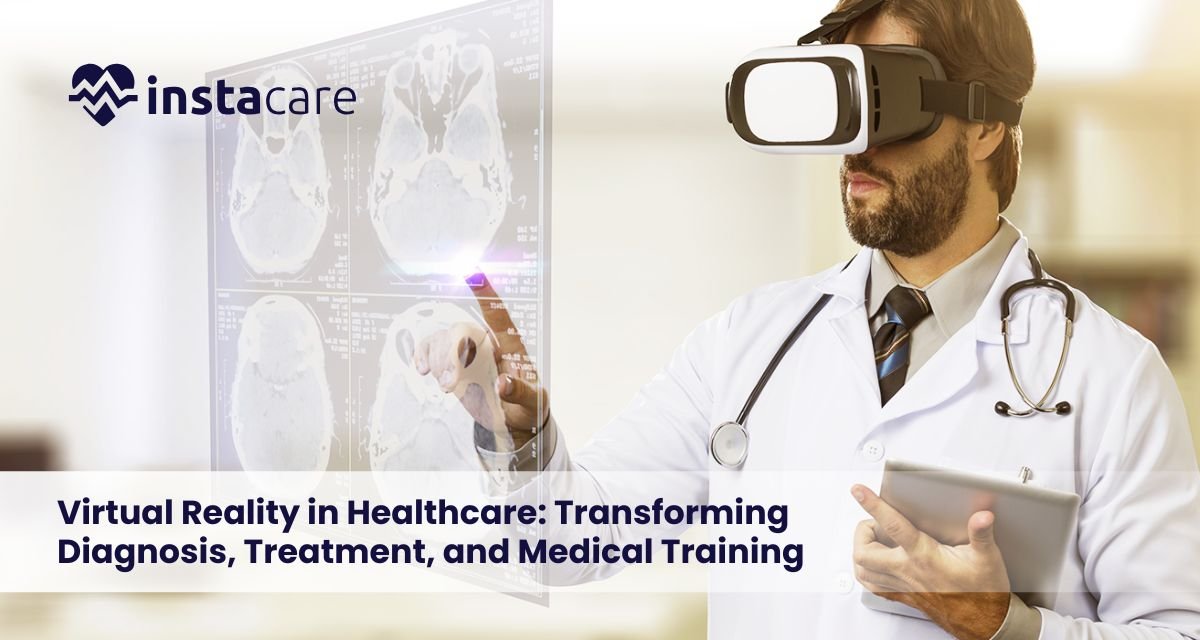
Virtual Reality in Healthcare: Transforming Diagnosis, Treatment, and Medical Training Virtual Reality (VR) is currently one of the most effective technologies that transform contemporary healthcare. It is no more gaming approach or entertainment tool, as currently hospitals, medical universities, and clinics implement VR systems to provide better patient care, better diagnosis, and support the making of clinical decisions and improve the level of medical training. Due to the development of simulation hardware, motion sensors and haptic feedback, medical VR technology is increasing the transition towards an immersive and data-driven delivery of healthcare. VR provides a simulated digital setting, in which clinicians, trainees, and patients can communicate with realistic situations without any real-life hazards. Consequently, it is still being embraced in the fields of surgery, mental health, physical rehabilitation and patient education. In this blog you will know How VR is used in healthcare. What Is Virtual Reality in Healthcare? In healthcare, Virtual Reality is the application of real-like computer-controlled environments, which create a virtual replica of a medical environment or simulate a clinical scenario. These systems enable the users to visualize anatomy in 3D, practice surgery, simulate patient cases, and undertake complex procedures without taking risks. Its central goal is the improvement of VR-based medical learning, greater accuracy, and better patient outcomes. VR is used more and more in hospitals to facilitate diagnostic imaging, pre-operative planning, and the individualization of treatment. Since clinicians start investigating the way VR can be applied in healthcare, it becomes evident that VR is helping to bridge the gap between theory and practice. Key Applications of VR in Healthcare VR in healthcare applications is also developing with each passing year, some of the most notable applications being: Surgery Simulation and Planning VR changes surgical practice as it allows organ, tumor, and vascular structure 3D modeling. Virtual reality for surgery simulation where the surgeons practice the complicated procedures before they enter the operating room. This minimizes errors, decreases the length of surgery and maximizes patient safety. VR-Based Medical Training VR medical training that simulates real clinical environments is used in medical schools and hospitals to engage students in medical practice and training. Students will be able to develop emergency response, visualization of anatomy and handling of patients, without compromising on the safety of the real patients. VR also has the benefit of repeatability, consistency, and fine-grained performance metrics, something that is not available in the traditional training. Pain Management VR for pain management has become a non-pharmacological intervention used by clinicians as part of the process in non-acute setting during procedures, childbirth, dressing changes, and chronic illness treatment. Immersive surroundings focus the brain, which decreases the perceived pain and the anxiety. Mental Health and Psychological Therapy Virtual reality is experiencing growing use in mental health treatment in the treatment of anxiety disorders, PTSD, phobia, and depression. VR-based exposure therapy enables clinicians to administer stimuli in a controlled and gradual manner, which provides safe and effective treatment directions. Rehabilitation and Physical Therapy VR rehabilitation in healthcare provides guided, interactive recovery channels. VR rehab systems in the medical field are used to aid recovery after a stroke, mobility training, balance and neuro-rehabilitation. The motivation and adherence of patients increases. Patient Education The immersive modules of Virtual reality in patient education that are utilized in clinics in patient education aid patients in comprehending the processes of surgery, treatment, medical procedures, and post-surgical care. Decision-making and fear of treatment before treatment are enhanced with visual learning. Physical Therapy Enhancement The advanced systems designed to be used in VR for physical therapy apply real-time motion tracking to allow patients to rehearse the movements patterns and restore their strength. The therapists can vary the level of difficulty, track progress and create individual routines. Hospital Operations and Workflow VR is often incorporated in modern facilities to train staff in hospitals on emergency protocols, infection control as well as equipment usage and high risk activities. Book Your Free Marketing Consultation Benefits of Using VR in Healthcare The Benefits of virtual reality in medicine are numerous and can be measured, and those will become especially significant in the 2025s and further: Improved Accuracy and Precision Clinicians and surgeons are able to study anatomy, practice and simulate complications beforehand. This increases the levels of clinical confidence and minimizes the chances of errors. Controlled, Risk-Free Training There are no consequences of practicing on a particular case of trauma or a rare disease so that trainees can practice as many of them as possible. Medical educational VR is more effective in developing competence more quickly than conventional training. Enhanced Patient Comfort Virtual reality for anxiety treatment decreases the levels of anxiety among patients undergoing painful procedures. It also assists the pediatric patients as well as geriatric patients in keeping calm during the MRI scans, injections and treatments which are time-consuming. Personalized Recovery VR is used to provide customized exercises and therapeutic spaces in rehabilitation and mental health and make the treatment more interactive and successful. Higher Efficiency and Lower Long-Term Cost VR decreases surgical errors, shortens recovery time, accelerates training, and improves patient satisfaction, which results in reduced operational costs in the long term despite high initial set-up costs. Challenges and Limitations Along with its benefits, various issues affect the implementation of VR: High Initial Cost The investment in VR systems, haptic devices, sensors, and simulation that are medical-grade and high quality is very high. It demands significant resources to be invested, particularly in large hospitals. Technical Complexity Some platforms are delicate to calibrate and maintain. Healthcare workers do not necessarily feel comfortable using new technologies at once. Weak Clinical validation Although VR has potential, numerous applications are yet to undergo extensive clinical trials to be approved and evidenced. Motion sickness and Discomfort A very high percentage of the users might develop dizziness, fatigue or nausea in the immersive sessions. Data Privacy Concerns Medical VR is a sensitive type of data covering patient information, which needs a high level of cybersecurity and meets the requirements of HIPAA/GDPR.
Predictive Analytics in Healthcare: Transforming Patient Care with Data Healthcare is gradually moving into a new phase where medical decisions are becoming more of an active planning process as opposed to a reactionary one. The modern-day hospitals, clinics, and health systems contain colossal quantities of patient data, diagnostics reports and treatment histories to lifestyle trends. With smart healthcare data analysis, such information can be a potent tool that aids in forecasting diseases, the results of treatment, hospitalization, and preventive measures. This technology is called predictive analytics – a technology-based strategy that is revolutionizing patient outcomes, cost reduction, and enhancing efficiency in the operations of healthcare networks. What Is Predictive Analytics in Healthcare? Predictive analytics is the application of statistical modeling, data mining, and artificial intelligence to predict the future health of given the current data. The option is applied in the healthcare setting to discover trends and patterns in patient data to predict medical events as disease progression, response to treatment, readmission likelihood, or emergency risk. The main idea is basic, it is possible to use past and present information to create healthier possibilities in the future Medical prediction models help healthcare organizations to justify decisions, diagnose more accurately, and become less uncertain in medical planning. These systems neither substitute clinicians but empower them with scientifically supported evidence. How Predictive Analytics Works? The predictive analytics system starts by getting a considerable amount of patient data in the form of electronic medical records, diagnostic equipment, wearable health devices, clinical notes, and even genomic data. After collection, the information is cleaned and organized in order to make it true and useful. The data are then analyzed through advanced algorithms to identify the patterns that cannot be seen by the human eye. These algorithms are expected to take into account various factors, including age, lifestyle, previous history, vitals, and lab outcomes, to determine who is possibly at risk of particular health events. The results are presented in dashboards or clinical systems, which allow healthcare personnel to act in time – even prior to the manifestations of symptoms. Major Applications of Predictive Analytics in Healthcare Predictive analytics has become embedded in most spheres of medicine. Here are some key predictive analytics use cases in healthcare: 1. Early Detection of Chronic Diseases Such diseases as diabetes, hypertension and heart diseases are most likely to be forecasted months or even years ahead of complete development. Lifestyle changes and intervention care are more effective when the warning signs are detected early to minimize complications. 2. Prediction of Patient Readmissions Patients are usually readmission cases in hospitals. Predictive analytics can recognize those that have the greatest probability of returning to help doctors with the added monitoring, follow-up, or discharge planning. 3. Treatment Personalization Predictive devices develop personalized treatment regimens by analyzing the reaction of various patients to drugs and treatment. This has a tremendous effect in enhancing success rates and minimizing side effects. 4. Demand Forecasting Resource Management Forecast models enable healthcare systems to plan how they staff, availability of ICU, medicine stock in the system, and equipment placement with more precision, resulting in increased operational efficiency. 5. Public and Population Health Planning Predictive analytics provides an important contribution to the management of outbreaks, seasonal behavior, and health policy at the community level. All these are potent predictive analytics applications in healthcare, where information and technology drive more intelligent decisions. Book Your Free Marketing Consultation Benefits of Predictive Analytics in Healthcare The benefits of predictive healthcare are far reaching and ever-widening. Some core benefits include: Less hospitalization due to timely intervention. Quickly identified and precise clinical decisions. Improved patient satisfaction and care quality. Reduced spending on healthcare and efficient use of resources. Guaranteeing organization of future disease trends. Individualized therapy and response to drugs. Powerful evidence-based treatment of doctors and experts. All of these strengths reflect the increasing worth of predictive analytics benefits in healthcare, which is a change that can improve patient health and medical outcomes. Key Technologies Behind Predictive Analytics Predictive healthcare is driven by a number of digital solutions that are important in interpreting and forecasting data. These include: Neural networks and artificial intelligence. Pattern recognition software and data mining. EHRS integration systems. Real-time tracking and wearable data gathering. Clinician visualization dashboards. Cloud storage of data security. Automation and machine-guided processing assist healthcare teams in large datasets analysis in a short amount of time and to a high degree of accuracy. Such methods as healthcare predictive modeling, machine learning in healthcare, and big data analytics in healthcare collaborate and provide profound understanding of patient trends. Challenges and Limitations In spite of its impressive growth, predictive analytics has such difficulties as: Data Privacy & Security Concerns The data about patients is very confidential. There must be good cybersecurity and regulatory compliance. Technical Complexity Medical institutions do not necessarily have sophisticated digital infrastructure and qualified staff. Model Accuracy & Bias Algorithms also demand constant optimisation so that they would be precise, equitable, and impartial in a broad population. Integration Issues Linking various data resources, old systems, and clinical processes can be time and resources-consuming. Despite the challenges, adoption is still on the rise worldwide as hospitals appreciate the importance of using ai for medical prediction, clinical decision-making through predictive analytics for hospitals, as well as accurate healthcare forecasting models. Future of Predictive Analytics in Healthcare In the coming ten years, predictive analytics is going to be a fundamental support of modern medicine. The systems will evolve out of mere risk predictions into full automated decision support eliminating human error and increasing the speed of diagnosis. Hospitals across the globe will be dependent on cloud-based monitoring systems, wearable devices, and automated warning systems. There will be easier remote management of patients particularly in chronic cases. Early disease detection using analytics will lower the number of mortalities, and hospital predictive analytics will optimise workflow, ambulance routes, the availability of ICUs, and resource allocation. At a
What Is Teleconsultation? A Complete Guide to Modern Virtual Healthcare Teleconsultation, which was in the past an innovative idea, has now become a normal way of attending to patients by millions of people across the globe. It allows patients to contact the doctor at home, office, or during traveling, through smart phones, tablets, and computers. Teleconsultation helps save time, minimize expenses, and enhance patient satisfaction regardless of whether the medical consultations are urgent, covering long-term conditions, or regular follow-ups. Telehealth tools are becoming more and more popular in healthcare systems, hospitals, and clinics to manage the growing patient demand and provide ongoing professional assistance. With the current trend of the drive to digital healthcare, teleconsultation will have an even more significant role to play in influencing the way medical care would be in the future. What Is Teleconsultation? Teleconsultation is a health care provision service in which the patients are able to interact with the medical workers digitally through the use of communication devices rather than physically going to the clinic. It is an inseparable aspect of Virtual healthcare where doctors are able to assess symptoms, make a diagnosis, recommend treatment and prescribe medications without the need to see the patient physically. It does not match the usually available online medical content as teleconsultation is done with licensed doctors or specialists in real-time. It facilitates live video/audio consultation as well as asynchronous communication (text-based or recorded messages). Teleconsultation is very much associated with Telemedicine services, which involve diagnostics, remote monitoring, and medical advice using technology. How Teleconsultation Works Teleconsultation is generally organized and secure: Patient Registration or Logging in Patients use telehealth platforms or mobile health apps to build accounts, identify themselves, and enter basic medical data. Appointment Scheduling Customers choose a physician, specialty, or time of appointment. There are also numerous services with the instant Online video doctor appointments in case of an urgent situation. Medical Submission of Information Patients complete questions, submit past reports or present the symptoms. This move helps the doctors to be ready in advance of the consultation. Live Consultation Consultations may occur via: Video call Audio cal Chat messaging In the session, physicians evaluate symptoms, test results and discuss treatment. This is what Remote patient consultation is all about. Electronic Prescriptions and Recommendations Hospital physicians discuss the prescriptions, lab tests orders, and follow-up details electronically. Aftercare and Internet-based medical support The patients are provided with constant attention by messaging, check-ins, and reminders of medications or tests. Online medical support is where the long-term outcomes are enhanced. Key Benefits of Teleconsultation Teleconsultation is becoming one of the most desired nowadays since it introduces hitherto unknown convenience and effectiveness to the medical experience. Comfort and Saving of time No commuting, no time wastage, and no time constraints. Teleconsultation is convenient and suitable to hectic schedules and enables instant healthcare. Increased Availability of Experts Patients in rural and remote areas will have access to the best specialists regardless of their location in the world. Reduced Healthcare Costs The Benefits of teleconsultation include the expense reduced. Patients save in transportation, clinic cost and sick leave. Services will become cheaper as providers will be able to lower the operational expenses. Improved Chronic Disease Management Teleconsultation enables regular check-ups with the help of digital devices, which are more effective in controlling the status of diabetes, hypertension, asthma, and heart disease. Improved Privacy and comfort Virtual channels may help patients to feel more relaxed when talking about sensitive matters. After-Hours Care Teleconsultation offers the possibility to get medical advice during the time when a clinic is closed, and it allows the patient to obtain the help on time. Lower Risk of Infection Virtual consultations enable the safety of both the patients and the medical practitioners because physical contacts are minimized. Common Services Offered via Teleconsultation Teleconsultation helps in a large scope of medical requirements. Common services include: Consultations with general physicians. Mental health counseling Dermatology assessments Pediatric consultations Nutrition and diet guidance Chronic care follow-ups Second opinions Medication reviews Post-surgery monitoring Interpretation of laboratory tests. Most of the sites also feature Online doctor consultation of urgent but non-emergency cases like cold, fever, allergies, infections, stomach-related problems etc. Who Should Use Teleconsultation? Tele Consultation is appropriate in: Busy Professionals Patients that have busy schedules and cannot easily access clinics. Parents with Young Children The virtual care minimizes the burden of taking ill children. Elderly Patients Less effort to get regular follow-ups without having to drive far. People in Remote Areas Teleconsultation fills the unmet needs gap that exists between medical facilities. Patients who demand Long- term care. Virtual check-in is simpler to monitor. Travelers Staff access to licensed medical practitioners, 24/7. People Who Are Frightened by Exposure to Infection Virtual care decreases the exposure to congested health facilities. Teleconsultation should not be used in an emergency and there is an urgent need of care like bleeding, big injuries, a heart attack, or a problem breathing. Book Your Free Marketing Consultation Limitations of Teleconsultation Despite this, teleconsultation has some weaknesses: Absence of Physiological Analysis. Diagnosis of some of them needs physical examination like palpation, detailed auscultation, or imaging. Technology Dependency Needs consistent internet, compatible devices and digital literacy. Not Ideal for All Conditions Complex processes or emergencies cannot be addressed remotely. Data Privacy Concerns Patient information needs to be secured through secure platforms. Service Quality Fluctuation. The quality of care is based on the knowledge of the doctor, the reliability in the platform, and communication tools. The knowledge of such limitations enables patients to make an informed choice of when to use teleconsultation. Teleconsultation Trends & Future Digital innovation and expanding demand by patients keep the field of teleconsultation developing. Future trends include: AI-Powered Diagnostics Artificial intelligence will help in symptom analysis, providing potential diagnosis proposals, as well as determining the level of risk. Remote Monitoring Devices Smart medical sensors and wearable will enable real-time tracking of heart rate, glucose, oxygen, and blood pressure, etc. In-depth Digital Health Ecosystems There will be

How AI Agents Are Transforming Modern Business Operations? Artificial intelligence is not an additional operation in business; it is emerging as the support of the future AI in business operations. Automation, decision-making support, and intelligent task execution are being adopted in organisations today as a way of minimizing human efforts and maximizing efficiency. AI Agent for Business are ushering in this change and they are programmed to act, learn and make autonomous decisions. By the year 2025, AI has ceased being an early experimentation tool to a business transformation tool where businesses can work smarter, faster and at reduced operational expenses. With the increase in the competitiveness of industries, AI-powered systems are setting new productivity and customer experience standards. What Are AI Agents and How Do They Work? AI Agents are smart computer systems which do the tasks independently by processing information, making a decision, and acting upon it with minimal human involvement. The AI agents are able to learn through experience, change as per current data context, and optimize performance on-the-fly unlike the traditional software programs which use coded instructions only. These are machine learning powered agents, natural language processing agents, deep learning network powered agents, and workflow logic powered agents that allow them to act independently. The behavior of the AI agents is generally composed of three essential steps: Input Interpretation – The agent gathers information through various channels which include CRM platforms, websites, emails, spreadsheets, or communication channels. Decision Processing- Algorithms consider and analyse the available data and compare patterns, predict and decide on the best course of action. Output Execution – The agent executes the necessary operation, responds to a query, transmits a reply, produces a document or initiates automated processes. Key Benefits of AI Agents for Businesses AI agents can provide quantifiable value by enhancing productivity, decreasing the operational expenses, and assisting the companies in their more efficient functioning. The major benefits include: Automated performance of tasks with reduced manual workload. More rapid decision-making on a real-time basis. More accurate data-dependent tasks. Scalability with no extra labour expense. 24/7 performance, which offers 24/7 operational performance. This is the reason why various organisations currently embrace AI agents on behalf of companies as a necessary addition to the workforce. Practical Use Cases Across Industries Artificial intelligence is reshaping various industries, including retail and healthcare, finance, logistics, etc. In real life, they can be used in: Retail & E-Commerce AI agents will study the behaviour of consumers, keep track of inventory, price optimisation, and product recommendations. They also automate processes of order processing and logistics Banking and Finance Agents identify fraud, automate loan checks, create financial reports and analyse credit scoring swiftly and accurately. Healthcare AI Agents help in diagnosing the patient, scheduling appointments, recording data, and predictive treatment planning. Supply Chain and Manufacturing. Agents control the production cycles, predict demand, minimize waste, and predictive maintenance of machinery. Hospitality & Travel The AIs are in charge of making a reservation, answering client requests, and personalising travel suggestions and simplifying the check-in procedures. These applications demonstrate the AI agent use cases in business when industries are shifting to smart automation. Book Your Free Marketing Consultation How AI Agents Improve Customer Experience? One of the fastest-growing fields of AI implementation is customer engagement and support. Smart systems can process high requests, respond immediately and present customised customer experiences. Chatbots and AI-based help desks steer the users towards queries, order tracking, payments and troubleshooting without human interruptions. Such improvements result in a higher level of satisfaction, faster resolution of cases and improved quality of communication. The AI agents are also used to study the emotions, preferences, and historic interactions of customers to personalize every service. It has rendered AI agent for customer support one of the most used types of enterprise AI implementation. Implementation: How Businesses Can Get Started The implementation of AI agents in business activities must be effectively planned and implemented in phases. The organisations need to identify areas of inefficiency, redundancy of processes and areas of operation where automation would bring the most value. Upon identification, the subsequent actions are involved: Mapping automatable business processes. Choosing the appropriate AI tools, platforms, and deployment structures. Training based on previous business information. Controlled experimental testing prior to full implementation. Slowly expanding implementation into departments. Several firms are currently embracing business automation with AI agents, which they are exploring to automate all the functions of the company starting with HR onboarding, accounting, and daily business communication. Businesses also use tools that are aimed at enhancing performance like AI productivity tools for business, which makes automation accessible and scalable. In the case of small firms just entering the arena of AI transformation, such solutions as small business AI solutions can provide inexpensive entry points to the world of AI transformation without extensive technical investment. Challenges and Considerations Although AI agent benefits for enterprises, there are also implementation issues that a company should consider. These include: Issues of data safety and confidentiality. First-level complexity of integration. Skill gaps and training needs of the workforce. Reliance on quality information in order to produce best outputs. Autonomous decision-making has an ethical implication. Those enterprises which are able to overcome these obstacles have the greatest returns- a key point being AI agent benefits as a long-term growth resource to an enterprise. The Future of AI Agents in Business Multi-stage tasks that are performed with a small amount of supervision are the future of artificial intelligence as it will be powered by independent reasoning systems. The next-generation agents of AI will handle end-to-end processes, i.e., data analysis and workflow triggers up to long-term forecasting and decision-making. The use of autonomous AI agents for business is also increasing, and they are meant to perform similarly to digital workers. These agents have the ability to learn, devise working processes, interact with software and generate strategic output. These developments are a transition between conventional
Today’s companies deal with growing challenges when handling tasks in IT, human resources, finances, office operations, or related areas. Staff now want quick, smooth support, much like the service they get as shoppers. Because of this shift, more firms use Enterprise Service Management (ESM): an organized method spreading trusted processes company-wide. Through digital upgrades, ESM supports smoother operations, better outcomes, and stronger performance across departments. What Is Enterprise Service Management? Enterprise Service Management means using IT service methods beyond IT, like in HR or finance. Rather than working separately, teams share one system to handle tasks, issues, steps, and sign-offs. ESM works by using set methods to provide services smoothly, relying on organized lists of offerings alongside common automated tools. When adding staff members, handling budget permissions, or dealing with office maintenance needs, ESM keeps performance steady across teams. While standardization supports speed, unified systems reduce errors during operations. Why ESM Matters Today? Companies now face fast-moving markets, mixed workplace setups, or higher staff demands. Outdated hand-done methods reduce speed while raising mistakes. Instead, ESM helps handle company workflows through smarter task coordination along with improved procedures. In today’s work environment, staff expect simpler ways to get things done, juggling several platforms isn’t acceptable anymore. Because of ESM, Cross-department service delivery come together under one system. This improves tracking, ensures responsibility, and supports rules adherence, all without complexity. Key Components of an ESM Framework A well-structured service management system depends on key parts, these elements function together through integration to create benefits 1. Unified Service Platform A Unified service platform where various teams handle tasks, processes, and information together, removing duplicate software while boosting teamwork through shared access. 2. Service Catalog Management A clear list showing every service, type of request, and how things get done. Service catalog management allows staff to submit needs quickly while understanding next steps. 3. Workflow Automation Workflow automation systems cut hands-on tasks, speed up sign-offs through streamlined steps. These Enterprise workflow management tools help drive such improvements by linking processes together efficiently. 4. Incident and Request Management Uniform methods for Incident and request management service requests, while dealing with incidents or escalations between teams, lead to quicker fixes along with better support outcomes. 5. Service Lifecycle Management ESM handles every stage of business services, from planning and launch to tracking results while making ongoing upgrades, using feedback loops. Service lifecycle management combines setup processes with real-time monitoring so operations stay efficient over time through small adjustments. 6. Service Governance and Compliance Built-in oversight makes sure Service governance and compliance comply with company rules, legal norms, or inspection criteria. Benefits of Enterprise Service Management Adopting Enterprise Service Management offers measurable benefits across the organization: Improved Employee Experience With employee service management, staff get quicker replies; information is shared clearly while access to tools becomes simpler through intuitive self-help options. Operational Efficiency Using automated workflows along with set procedures helps groups cut down repetitive jobs, shifting attention toward more meaningful tasks. Enhanced Visibility and Control ESM offers live updates through dashboards, so managers can monitor progress while spotting delays. This allows quicker choices based on current information instead of guesswork. Cost Reduction Centralizing tools, alongside automation, cuts expenses while boosting efficiency. Scalable Service Delivery When companies expand, ESM adjusts smoothly while avoiding extra hassle. Book Your Free Marketing Consultation How ESM Works Across Different Departments? One key advantage of Enterprise Service Management lies in how well it adjusts to different teams: IT Department IT teams expand standard ITSM functions by linking Service desk solutions with incident handling through workflow tools across the business. While connecting these elements improves coordination, adjustments are needed to fit wider operational demands. Each integration supports smoother operations without relying on outdated methods or vague terminology. Human Resources HR applies ESM during hiring, leaving processes, salary questions, or rule-related inquiries, improving integration quality while monitoring adherence more effectively. Finance Finance teams use automation for expense checks, purchase forms, or spending plans, resulting in fewer errors and faster processing. Facilities Management Facilities staff handle repair tasks, monitor equipment locations, while organizing office spaces via unified request systems. Legal and Compliance ESM handles contract checks, authorizes policies, also manages compliance, using automation plus clear tracking records. Through shared workflows across units, ESM helps groups use uniform methods, yet keeps room for team-specific adjustments. Steps to Implement Enterprise Service Management Putting ESM into action works best with a clear plan: 1. Identify High-Impact Use Cases Begin by focusing on steps that often lead to hold-ups or irritation, like employee setup or sign-off procedures. 2. Standardize Processes Record workflows first, then set standards, to maintain uniformity while allowing growth. Use clear steps before automation takes place, so systems can expand smoothly over time. 3. Choose the Right Technology Select a platform offering enterprise automation tools, alongside smooth integration capabilities. It should scale easily while ensuring solid usability throughout use. 4. Build a Service Catalog Create an easy-to-read catalog that shows staff what services they can access along with how to apply for them. 5. Automate and Integrate Automate routine work to save time, connect current tools so information moves smoothly. While doing this, ensure compatibility across platforms by aligning workflows step by step. 6. Train and Communicate Make sure those involved grasp the advantages while getting adequate instruction to use it. While doing so, support their learning process through clear guidance and consistent feedback during rollout. 7. Measure and Optimize Business process optimization monitor key metrics for process efficiency, service standards, or staff morale, adjust workflows regularly using clear feedback loops. Future of Enterprise Service Management The future of Enterprise Service Management links directly to changes in Enterprise digital workplace. Because companies adopt artificial intelligence, ESM systems grow smarter, also more responsive over time. Predictive analytics can speed up solving problems, meanwhile, smarter automation improves how businesses manage tasks. Linking systems with teamwork apps boosts the digital workspace, so services become more relevant and easier to reach. ESM is set to boost company-wide tech growth
AI in Mental Health: Transforming Care and Support for Everyone The increasing need of having affordable, effective, and available mental health care has driven the healthcare industry into high technology. Artificial intelligence in mental health is transforming the way people are being supported, clinicians diagnose mental disorders, and ways treatment plans are customized today. Since it is not only identified at an early stage but also analyzed in order to produce data during the whole process, AI is changing mental health to a more active, involving, and data-driven process. What Is AI in Mental Health? AI in mental health is the domain of using digital systems and algorithms to process behavior, emotions, speech patterns, and physiological data and assist in the diagnosis, prevention, and treatment of mental health conditions. These systems will be able to detect the slightest indicators of distress, monitor progress, and prescribe interventions depending on the behavior of the user. AI mental health diagnosis platforms and intelligent applications are expected to support human professionals, and not to substitute them, offering their in-depth analysis and faster assessments. As AI has become a regular part of everyday life, mental health practitioners can employ such technologies to gain a clearer insight into patients in terms of their emotional conditions, Behavioural patterns, and psychological requirements. Assessments that are based on data minimize guesswork and enhance clarity, particularly in instances where symptoms are hard to judge. How AI Is Used in Mental Health? AI has brought a set of ground-breaking innovations that are currently employed throughout the mental health sector: Early Detection and Screening: AI can process speech, writing, sleeping behavior, social media use, and facial expressions to identify early warning signs of emotional distress. Nowadays, AI can detect depression earlier, when it is not severe yet. AI Therapy and Support: The emergence of AI therapy applications and chatbot has assisted individuals in getting mental health care at any time. These applications offer coping, mood monitoring, and personal advice. Digital Mental Health Apps: There are now numerous AI-based mental health apps, such as those that assist users in tracking their stress, anxiety, sleep, and emotional triggers. They offer live feeds and develop tailored courses of action to improve the emotional state. Predictive Behavioral Insights: Systems that provide AI-assisted insights into behavioral health assist professionals in predicting patterns, including a risk of relapse or emotional breakdowns based on data analytics. Constant Monitoring: Mental health monitoring using AI of sensors and wearables is more accurate. The devices monitor heart rate variation, sleep patterns, and daily behavior, which are used to alert about mood swings. AI for anxiety management: Fresh technologies offer tips to help with stress management, relaxation methods, and cognitive assistance with anxiety management, so that people can better cope with symptoms on their own. Automation: Automated communication systems and predictive analytics in mental health help hospitals and clinics to organize the appointment schedule, remind patients about the exercises of the therapy, and monitor the progress. Digital Mental Health Platforms: Technology-based platforms are platforms that provide integrated and seamless digital mental health solutions, which make care more accessible to remote populations. Benefits of AI in Mental Health AI has many benefits of AI in mental health treatment to patients and mental health practitioners: More rapid and Accurate Diagnosis: Machine learning in mental health can enable clinicians to consider patterns that a human can miss. This has the benefit of lessening the diagnostic lag and enhancing treatment results. Easy Availability of Support: AI chatbot for mental health provides 24/7 support which means that people will get guidance even in case they cannot get professional help. Individual Treatment Plans: Algorithms know the behavior of a person and make specific plans depending on the emotional pattern and lifestyle. The opportunities of AI in the treatment of mental health are increased engagement and increased recovery rates. Inclusive Mental Healthcare: Remote and underserved communities will have the ability to gain access to resources and tools that they did not have before. Efficiency in Professionals: AI can perform tasks such as documentation and monitoring, and therapists can dedicate their time to individual sessions. Improved Clinical Decision-Making: Clinical insights aid clinicians in making evidence-based decisions to support more accurate interventions. Book Your Free Marketing Consultation Challenges and Limitations Although it has its advantages, AI in mental health has a number of challenges: Privacy of Data: Data of an emotional and medical nature is sensitive and needs to be highly secured. The increase in the number of ethical issues in AI mental health underscores the necessity of secure systems and open data use. Absence of Human Compassion: The most sophisticated technology is not able to substitute the emotional attachment or the cultural knowledge. AI should not replace human therapists, but they are supposed to be assisted by it. Biases of the Algorithms: When AI systems are trained on biased data, there is a likelihood of them being misleading to some demographics. Excessive reliance on Technology: Automated systems alone can decrease the amount of human interaction needed to conduct most therapies. Regulation and Standards: The government and other organizations need to develop effective guidelines as the industry advances to make sure that there is safe and responsible usage. The Future of AI in Mental Health The future of AI in mental healthcare is likely to introduce very sophisticated technologies that will develop immersive, predictive, and personal mental health experiences. Future developments entail: Hyper-Personalized Therapy: AI will give an immediate emotional response to adjust therapy sessions in real-time. Sensitive Devices: Wearables will be able to sense stress or panic and prevent its development to a higher level. Virtual Therapists: More complex chat bots will provide AI therapy tools with the help of human therapists. Integrated Care Platforms: Sleep, mood, stress, cognitive performance, and all other mental health data will be integrated into one platform to conduct the holistic analysis. Accessibility around the world: AI-powered systems will enable mental health accessibility across various languages and across regions. These innovations are bound to de-stigmatize,
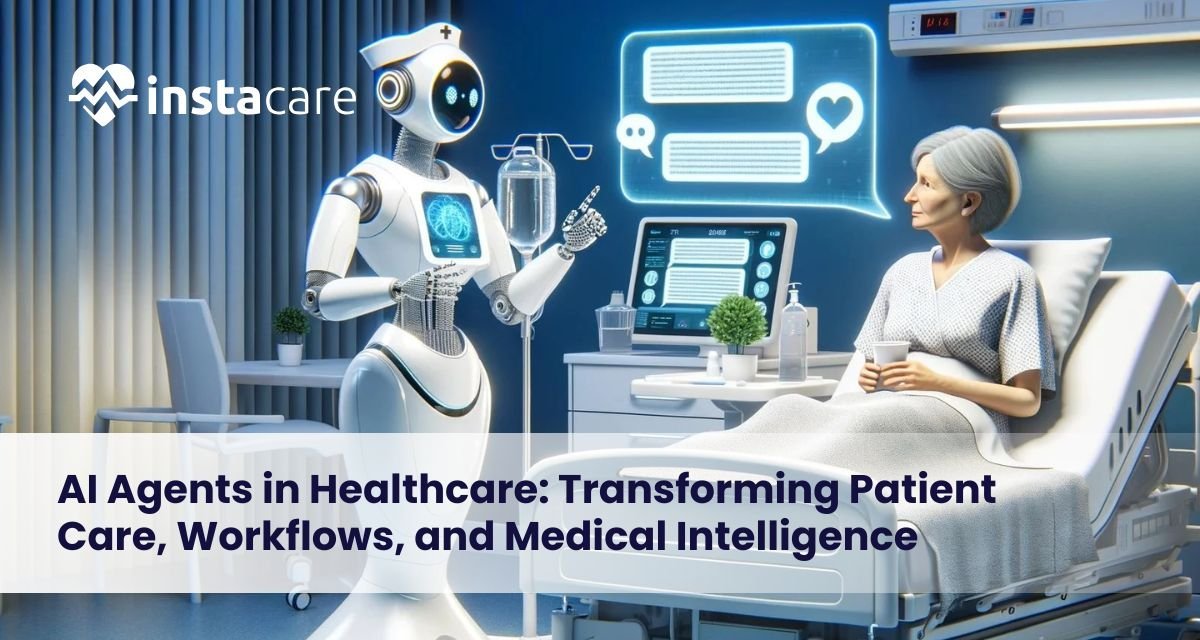
AI Agents in Healthcare: Transforming Patient Care, Workflows, and Medical Intelligence Artificial Intelligence is changing healthcare step by step, bringing new ways to boost recovery results, make processes smoother, also assist doctors and nurses. Within this tech wave, smart AI helpers are becoming key players. Instead of people, these tools take on jobs like watching patients, handling records, organizing visits, either alone or with some guidance. When added into clinics, hospitals, or online health services, they speed things up, cut down mistakes, besides improve how patients feel about care. Thanks to them, medical staff spend less time on routine work; instead, attention shifts toward personal treatment, since machines manage complicated repeat actions accurately. These advances illustrate the potential of autonomous AI agents in healthcare to transform medical workflows. What are AI Agents in Healthcare? AI Agents work alone or with some guidance to get certain jobs done. When used in health settings, they rely on pattern recognition, text analysis, and forecasting tools to aid treatment processes and services for patients. Some examples are smart helpers that give physicians diagnostic advice, digital aides handling conversations with individuals seeking care, while others function as tech-based advisors assessing detailed medical records. Some agents work alone using set rules; others assist medical staff by offering advice. Using several connected systems lets clinics improve operations in different areas at once. This includes clinical AI agents that support specialized departments, ensuring accurate, data-driven insights. Types of AI Agents Used in Healthcare Medical systems use various AI tools, each built for specific tasks. Some handle diagnostics while others manage patient records or support treatment planning AI Patient Monitoring Agents: AI tools watch patient health nonstop, notifying doctors at once when something seems off. Suitable for critical wards or checking patients from a distance. AI Agents for Diagnostics: AI tools help spot health issues by studying scans, test data, or records, supporting physicians with faster, clearer insights. They combine image reviews, lab values, and past cases while improving detection speed through pattern recognition. These systems work alongside clinics to reduce delays using digital analysis instead of guesswork. Generative AI Agents in Healthcare: Generate patient reports, summaries, or treatment suggestions using advanced natural language processing. AI Agents for Appointment Scheduling: AI helpers handle appointment scheduling, streamlining booking, setting alerts, or managing check-ins to free up team hours. Predictive Analytics Agents in Healthcare: Predictive analytics tools help healthcare by estimating how patients might worsen, using past records. These agents track illness patterns over time, giving insights into future demands. Hospitals use them to anticipate bed or staff shortages, not just react. Insights come from data trends rather than guesswork, supporting timely choices. Conversational AI Agents for Healthcare: Chat-based AI helpers in medicine work like bots or spoken tools, leading users through typical questions plus basic check-ups. Such agents together create a digital environment that helps hospitals, as well as clinics and telehealth systems, offer timely and accurate treatment. They integrate seamlessly into multi-agent systems in healthcare for holistic operations. Key Benefits of AI Agents in Healthcare The use of AI agents in hospitals or clinics offers several advantages: Improved Patient Care: AI tools help patients by spotting issues fast, which means quicker care and fewer emergencies. Alerts go out sooner because systems watch closely, so problems get caught earlier instead of later. Enhanced Workflow Automation: AI automates hospital workflows, improving schedules, documentation, or back-office duties, so healthcare workers spend more time on patient care instead. This highlights the importance of ai workflow automation in hospitals. Data-driven Choices: AI tools analyze medical information, helping doctors decide with support from forecasting methods, this boosts accuracy in identifying illnesses while shaping care strategies through statistical insights. Operational Efficiency: Multi-agent setups in healthcare help separate units share info clearly, cutting repeats while speeding up workflows through smoother coordination instead of siloed actions. Custom Care: AI tools guide choices, using a person’s past health and wishes to shape treatments. Machine learning adapts plans, so each fits better. Hospitals using such tools see better performance, lower expenses, alongside happier patients, showing how AI patient monitoring agents and analytics agents can shift operations meaningfully. Book Your Free Marketing Consultation Challenges & Limitations Even though there are advantages, AI systems come with some difficulties: Data Privacy and Security: Managing confidential patient details means following rules such as HIPAA closely, yet care must stay consistent. While standards apply, adherence ensures trust; each step protects personal records without delay or error. Connecting to Old Systems: Outdated hospital technology might not allow modern AI tools to work properly, compatibility becomes an issue when upgrading is limited, some setups simply can’t adapt. Reliability Concerns: Although AI tools suggest solutions, mistakes can happen when information is inaccurate. Staff Training & Acceptance: Medical staff need proper guidance to work well alongside artificial intelligence tools, training ensures smoother adoption across teams. Ethical Considerations: The autonomy of AI brings up issues around responsibility, also, whether patients agree matters. Trust becomes a concern when machines make choices instead. Addressing these constraints calls for thoughtful preparation; a strong technology setup also plays a key role. Meeting legal standards is essential, this supports secure, responsible implementation. Incorporating ai agents for medical data analysis ensures precise insights without compromising patient confidentiality. Future of AI Agents in Healthcare The future of AI agents in health care looks strong. Because of advances like automated systems in clinics, these tools are used more often in medical settings. As a result, treatments can be predicted ahead of time, stopped before they start, or tailored to individuals. When linked to online consultation services, smart helpers talk to people from a distance, so fewer go into hospitals while access improves. Advanced multi-agent setups let AI work together across teams, keeping processes smooth, from diagnosis through care to check-ins. Since machine learning keeps advancing, these AIs should offer sharper advice, helping doctors act quicker with better accuracy. Also, stronger cybersecurity in healthcare safeguards private information, building confidence and encouraging broader use. Integration with autonomous AI agents
