


7 Ways LIMS Can Automate Your Lab As more laboratories embrace digital technology, automation is now fast becoming an essential building block of laboratory operations. Automation helps keep track of huge volumes of samples, maintain data integrity, remain compliant, and assists in Optimized lab workflows to be highly competitive in scientific research or diagnostic operation. A Laboratory Information Management System (LIMS) provides all the solutions necessary. By implementing a LIMS, laboratories can automate processes, minimize human errors, and enhance productivity in all aspects of work. This article discusses what LIMS automation is all about and delves into seven tremendous ways it can automate and revolutionize your lab. What is LIMS Automation? LIMS automation involves the method of using computerized software functions and tools within a Laboratory Information Management System to carry out routine or intricate operations automatically. To enhance precision, reduce turnaround time, and increase the efficiency of operations in the laboratory. LIMS automation enhances the automation of operations such as data capture, scheduling of tasks, management of workflows, reporting, and complying with regulations to lead to maximized performance of the laboratory. Learn more about LIMS Automation. Significance of Automation in Today’s Laboratories Meeting the Needs of High-Volume Operations: Today’s laboratories need to analyze thousands of samples and produce high volumes of data daily. Manual data entry and documentation just can’t meet this need. Automation allows laboratories to manage higher workloads without sacrificing speed or accuracy. It guarantees results are delivered on time, eliminating backlogs and turnaround times. Improving Accuracy and Data Integrity: Human error is among the major sources of erroneous results in laboratory settings. Automated systems provide uniform performance through reduced human intervention. Whether it is data input, computation, or sample traceability, automation guarantees that each process follows predetermined protocols. Thus, the integrity of better data and reproducible scientific results. Automated Compliance and Reporting: These rigorous regulatory demands upon laboratories, which include comprehensive documentation and traceability, are known. The logs automatically kept by the system provide an accurate record of all actions for audits, minimizing human error to the extent possible, which is vital for inspections and maintaining certifications. Assisting Laboratory Personnel: By means of automation in routine and administrative jobs, laboratory professionals can concentrate on the analytical, research, and strategic aspects of work. This boosts job satisfaction, and it consolidates the lab as an innovational and scientific space. Here are 7 Ways LIMS Can Automate Your Lab 1. Automated Data Capture Manual entry of data is one of the most prone-to-error operations within laboratories. LIMS offers automated capture of data, capturing data directly from devices and instruments. There is no manual transcription, which minimizes the risk of typographical errors or missing information. Such equipment as robotic pipettes, spectrophotometers, and chromatographs can interface with LIMS for accurate and real-time data acquisition. With automation, traceability is facilitated, as well as decision-making time using sound results. 2. Task Scheduling in the Laboratory A well-organized lab operates like a well-oiled machine, and that’s where scheduling tasks in the lab comes into play. LIMS can automatically schedule task assignment by calculating resource availability, prioritizing urgent samples, and assigning staff and equipment usage in an optimal way. For instance, routine quality control tests, instrument calibration, and maintenance schedules can be automated without manual intervention. It ensures that there are no skipped tasks, balanced workloads, and timelines consistently met, increasing overall lab productivity. 3. Effective Lab Workflows Workflows form the foundation of any lab process. LIMS enables labs to achieve effective lab workflows by defining step-by-step processes for different sample types, tests, and quality controls. These workflows are electronic and eliminate vagueness and guarantee consistency for several departments or sites. LIMS incorporates conditional logic, which allows the lab to reroute samples to re-test or further analyze them automatically based on initial results. This structured automation not only makes the lab more efficient but enhances the lab’s scale-up capabilities. 4. Automated Compliance within Laboratories Automated compliance in laboratories with regulatory standards such as ISO, CLIA, and FDA is necessary. Automated laboratory compliance with LIMS ensures that every activity and data point is monitored with appropriate timestamping, user IDs, and version control. Automated audit trails and compliance reporting decrease the administrative workload of laboratory personnel. Automated reminders for calibration, validation, and certification due dates ensure laboratories remain compliant and inspection-ready at all times, therefore eliminating the potential for penalties or shutdowns. 5. Remote Access to Laboratory Management The modern lab environment is usually in the form of remote workers or multi-location facilities, and therefore remote access to lab management becomes increasingly important. A cloud LIMS allows trained staff to access lab data, monitor workflows, and generate reports remotely. This is advantageous when lab managers, researchers, and QA personnel need to manage processes without being physically present. Real-time dashboards with user-specific access control support operational transparency and data safety. 6. Lab Calculations Done Automatically Laboratories typically require lengthy and monotonous mathematical computations for some tests and experiments. Manual computation is time-consuming and error-prone. LIMS provides Automated calculations in labs by combining algorithms and formulae into the system. Reproducibility, accuracy, and speed are provided across analysis by this. In case it’s for the calculation of concentration, dilutions, or rate velocities, computer-assisted computation makes the burden light on the workers in laboratories and ensures reproducible and accurate outcomes. 7. Reporting and Documentation Automation Accurate and timely documentation is the key to lab performance, regulatory compliance, and client communication. Reporting and documentation automation becomes a piece of cake with LIMS. The system is able to generate standard reports, custom formats, data summaries, and trend analysis automatically. Reports can be run at pre-specified intervals or triggered by some events, like completion of a test or approval of a sample. This automation saves time, makes things more transparent, and allows labs to maintain an orderly digital repository of all the important documents. Book Free Demo Facilitating Capabilities for Lab Automation Inventory and Sample Handling: A good LIMS possesses Inventory and sample management modules that monitor

Dental Appointment Reminder Templates for SMS & Email Dentist practices are dependent on ongoing patient visits. No-shows not only disrupt the schedule but also have an impact on the overall efficiency and revenue of the clinic. A Patient reminder template of dental appointments is one of the most effective ways to manage no-shows and maximize patient communication. Reminders sent via SMS, email, or automated messaging connect patients with their dental appointments. In this guide, we’ll explore different dental appointment reminder templates, why they are essential, and how to use them effectively to boost dental practice communication and reduce cancellations. Why Dental Appointment Reminders Matter? The cost of a missed dental appointment is more than an available booking on the books. It is an opportunity loss to instruct patients about keeping teeth and money loss to the clinic. Reminders of appointments are gold to remind patients about appointments, which leads to enhanced dental patient attendance, reduced lost bookings, and more efficiency. With busy lives, even the most conscientious patients end up missing appointments. That is where dental appointment reminder software proves to be useful. These programs provide reminders that remind a patient of their appointment, confirm their arrival, and even allow rescheduling when necessary. In the long term, this leads to more Dental practice efficiency, better patient satisfaction, and higher retention rates. Various Kinds of Dental Appointment Reminders Templates to Choose From Different communication channels work well with different patients. The following are the most prevalent and effective Dental appointment reminder templates you can use: 1. SMS Appointment Reminder Template SMS appointment reminders are one of the fastest and simplest ways to communicate with patients. SMS reminders have an open rate of normally more than 90%. SMS reminders are appropriately suited for short, time-sensitive reminders. Example SMS Template 1 Dear [Patient Name], your dental appointment at [Clinic Name] is coming up on [Date] at [Time]. If you’d like to confirm this appointment, reply YES, or call us at [Phone Number] if you need to reschedule. Sample SMS Template 2 Hi [Patient Name], [Clinic Name] would like to remind you of your appointment on [Date] at [Time]. Be here about 10 minutes early. Got questions? Get in touch at [Phone Number]. These emails for appointment reminders are very clear and concise, so the reminder must be designed as HIPAA-compliant, which means that it has no unprotected sensitive patient health information or patient authorizations. 2. Email Appointment Reminder Template Email appointment reminders permit more text-based descriptions. They’re ideal for adding pre-visit instructions, clinic details, and contact addresses. Example Email Template 1 Subject: Reminder: Your Dental Appointment on [Date] Dear [Patient Name], This is a friendly reminder of your appointment at [Clinic Name] that you have scheduled on [Date] at [Time]. Come in 10 minutes before your appointment time. To cancel or reschedule your appointment, call us at [Phone Number] or reply to this message. Sincerely, [Clinic Name] Team Example Email Template 2 Subject: Don’t Forget Your Appointment at [Clinic Name]! Hello [Patient Name], We are awaiting your arrival on [Date] at [Time] for your dental appointment. Need to reschedule? Click here: [Reschedule Link] Questions? Call us at [Phone Number]. Stay healthy, Your friends at [Clinic Name] These templates enhance dental patient engagement through higher access to information and a more professional look, hence reducing Patient no-shows. 3. Automated Appointment Reminder Template Automatic systems are integrated with SMS, email, and even voice calls at times to simplify the reminder process. Automated dental reminders are triggered by your dental appointment scheduling software and remove manual contact. Example Automated Template Subject: [Clinic Name] – Upcoming Appointment Reminder Hello [Patient Name], Reminder that your dental appointment is booked for [Date] at [Time]. Reply to this message to confirm or click here [Link] to reschedule. Questions? Call [Phone Number] This alert can be scheduled 7 days, 3 days, or 1 day ahead of time. Many appointment reminder software solutions will also allow you to personalize timing, message, and channels so that the message is consistent with your brand voice and patient preference. Book Free Demo What are the Best Practices for Writing Dental Appointment Reminders? Effective Dental communication strategies start with the right tone, time, and message. Below are some best practices: Personalize Messages: Use the patient’s name, precise appointment date/time, and clinic details. Personalization is more interesting. Keep It Clear and Short: Especially in SMS, keep the message brief with the core information. Avoid using jargon. Include a Call to Action: Whether “Reply YES,” “Call to reschedule,” or “Click here,” always tell the patient what to do next. Send Bulk Reminders: Best practice is sending two reminders, one two days before and another on the day before. Use Brand Consistency: Your clinic’s logo, color scheme, and tone must be included in the emails to establish a strong brand image. Make It HIPAA-Compliant: Do not send sensitive information unless the patient has specifically opted to receive such information via SMS or email. Make Rescheduling Simple: Offer phone numbers or links to make it simple for patients to reschedule appointments if needed. Benefits of Dental Appointment Reminders Utilizing reminders to implement an effective Dental Record System has numerous advantages for your practice: Fewer No-Shows: Regular reminders significantly decrease missed appointments and last-minute cancellations. Wins Efficiency: Fewer missed appointments enable your staff to more effectively manage time and resources. Build Patient Relationships: Gentle reminders remind the patient that you value their time and their health. Drives Revenue: More appointments booked = increased financial success for your clinic. Makes Scheduling More Accurate: Reminders allow patients to pre-cancel or confirm, allowing you to make appropriate changes to your schedule. Build Patient Engagement: Reminders keep your clinic top of mind and remind them of routine dental care. Streamlines Communication: Automatic messages sent via dental scheduling software conserve administrative time and reduce human error. Conclusion The use of well-crafted dental appointment reminder templates—via SMS, email, or automated systems—is a
Why Most Clinics in Pakistan Fail to Scale — And How Software Solves It? The rapidly evolving healthcare industry of Pakistan depends heavily on clinics and small medical practices, which provide essential medical care to numerous patients throughout urban and rural areas. These medical facilities treat patients across millions of individuals throughout cities as well as remote areas. Despite performing critical functions, most clinics in Pakistan encounter difficulties expanding their operations past one clinic or doctor location. The expansion of clinics into multi-location healthcare groups remains rare even within densely inhabited areas. Many clinics in Pakistan face growth limitations which leads to a fundamental inquiry about the causes and solutions for this situation. The solution requires an integration of structural problems with business process weaknesses, coupled with weak digital capabilities as the primary reason for growth stagnation. The implementation of digital health record systems and solutions, combined with clinic management software systems, begins to eliminate the barriers that hinder clinic expansion and sustainable scalability. Understanding The Scaling Problem in Pakistani Clinics The objective of scaling a private clinic business exceeds merely extending patient volume across multiple branches. The goal is to develop standardized systems that provide uniform patient care throughout every operational contact point. The majority of clinics in Pakistan battle organizational excellence because of multiple essential factors, and require the best clinic management system in Pakistan 1. Manual Record Keeping and Data Loss Reliable patient documentation records persist on paper at most clinics that operate in the small to mid-sized category. The lack of proper data management produces various problems, which include lost patient history records along with difficult follow-up procedures and increased chances of data loss. Financial expansion through patient data management proves impossible when retrieval capabilities cannot ensure clinical data accessibility. 2. Lack of Operational Visibility The majority of Pakistani clinic owners together with their medical staff operate their clinics without knowing their operational efficiencies. Clinics are effectively making use of the available appointment times. The medical staff manages to follow their scheduled work protocols. What amount of income does the clinic lose through patients who fail to show up and through incorrect inventory management? These important questions remain unanswered because clinics have insufficient monitoring systems. A data-driven strategy is essential for making strategic expansion decisions since the absence of insights will turn important decisions into mere speculation. New clinic branches reflect identical inefficient operational methods from existing facilities, which produce failure instead of growth. 3. Staff Dependency and Lack of Standardization Multiple clinics in Pakistan rely heavily on selected personnel who grasp their operational systems because only these workers enable proper performance. When essential staff members exit, the system fails to function properly. The facilities lack standard operating procedures (SOPs) to train staff and manage flow operations while processing payments. Business expansion depends on standardized operating systems that serve the company beyond individual employees. The absence of automation and enforcement software preserves the fragile and inconsistent operational status of clinics. 4. Financial Leakage and Untracked Expenses Examining monetary movements remains a significant obstacle for businesses trying to expand their medical operations. Several clinics fail to establish proper systems that track both income and expenses, discounts and patient refunds. Petty cash goes unrecorded. Patient payments might be under-reported. The inability to track financial data undermines any possibility of comprehending whether a clinic makes enough profit to grow. The lack of software-backed patient tracking systems results in conflicts about revenue sharing among doctors who share revenue at multi-practitioner clinics. Book Free Demo How Smart Clinic Management Software Solves These Problems? Digital transformation functions across all healthcare institutions, starting from large hospitals to small clinics. A patient management software platform transforms all medical facilities, even in small clinics, through automated operations and improved patient care and data analytics. Here’s how: 1. Automated Appointment Management When patients use clinic software, they can make appointments using a computer or a mobile device options which cuts both telephone congestion and human mistake rates. Software management tools help doctors schedule appointments better so patients obtain their appointments on time, which decreases missed appointments. Real-time updates maintain constant alignment between clinic personnel as well as medical staff. 2. Electronic Medical Records (EMRs) The EMR software for clinics functionality enables clinics to maintain safe storage of patient information including medical records, laboratory reports and clinical prescriptions. The health care quality measures enhance as the system allows patients to keep their medical history accessible across different network doctors or clinics. 3. Centralized Billing and Payments The central billing feature of clinic management software joins all financial operations, including payments and receipt handling together. The software system provides instantaneous transaction recording and report production, and minimises financial loss through cash theft. Seamless payment processing occurs when certain platforms link with POS equipment and digital payment solutions. Benefits of Centralised Billing: Eliminates manual errors Enables transparent revenue-sharing between doctors The software system allows clinic owners to determine their revenue numbers according to service type and department. Patients have better trust in billing processes because items appear separated in statements. 4. Inventory and Pharmacy Management Clinic automation solutions enable clinics with in-house pharmacies to track supply quantities and expiration dates as well as automatically request reorders for consumable materials. The system prevents unnecessary stocking while ensuring essential drugs, together with consumables, remain available during needed. Advantages of inventory automation: Avoids medicine shortages By implementing this measure, expired products cannot reach the market for sale Reduces theft or unaccounted losses The system generates up-to-the-minute evaluations of clinic stock 5. Multi-Branch Management Through software for multi-branch clinics, users can visualise and control various locations through a unified dashboard. Clinic owners gain centralised oversight of all locations’ activities, which include an appointment system along with revenue generation and employee performance tracking, even when they are not physically present. Courting expansion becomes possible for clinics since they gain direct oversight and control across all their new locations. Conclusion Modern medical facilities that will prosper within Pakistan’s changing healthcare environment must begin their

What is LIMS Systems? Overview, Benefits, Features, and Importance In the last few years, as data-based industries have become a standard rather than an alternative, labs have felt mounting pressure to deliver rapid, accurate results together with conformance to regulations and guidelines. Thus, Laboratory Information Management Systems (LIMS) are emerging as an essential software package for labs nowadays. A LIMS enables labs to handle samples in a timely, efficient manner, automates trivial tasks, and ensures extremely high levels of data integrity. Understanding the true scope of LIMS can help laboratories streamline their workflow, report more effectively, and make their entire data handling process more efficient. Let’s define what LIMS systems are, what they can provide, what they can accomplish, and why they are such an excellent resource for laboratories today. Understanding LIMS Systems A LIMS leverages computerization and automation in a laboratory environment. It controls sample movement, laboratory operations, and related data, and offers a formal environment to ensure maximum efficiency, accuracy, and regulatory compliance. LIMS is able to be far more than basic sample tracking systems because they have become complete systems that can carry out inventory control, instrument calibration schedules, billing, customer relationship management, and advanced reporting capabilities. Current LIMS packages are capable of interacting with most of the instruments of a laboratory and enterprise systems such that laboratory data are collected in a single place within a facility and departmental communications are enabled. LIMS software is a very convenient tool to interact with diverse industrial applications like pharmaceutical, environmental science, clinical R&D, testing food and beverages, chemical lab, biotechnology, and forensic science. By employing LIMS packages, laboratory environments can eliminate manual reporting, reduce the degree of human error, and achieve an end-to-end audited trail for all laboratory procedures or tests being performed. Key Advantages of LIMS Systems LIMS systems have numerous advantages that increase operational efficiency, data integrity, and business development. Some key advantages are discussed in detail below: Automation of Manual Process: Does away with manual repetitive tasks such as sample tracking, reporting, and logging. Better Handling of Samples: Trace samples in real-time from collection to final disposal, traceable to the last level. Regulation Compliance: Brought labs into conformity with international standards such as ISO 17025, GLP, GCP, and FDA 21 CFR Part 11. Enhanced Entry: Does away with entry mistakes and lab activity consistency. Ease of Time and Space: Provides trained personnel access to laboratory data anywhere across the globe, so remote work is not a concern. Saving Costs: Reduces the operating expense by rationalizing the procedures, preventing wastage, and maximizing the utilization of resources. Real-time Business Decision Making: Provides instant access to sound data and analysis reports for informed business decisions. Enhanced Client Satisfaction: Effective and timely reporting allows laboratories to deliver enhanced services to clients and enhance client relations. Integrity and Security of Data: Sensitive laboratory information is safeguarded from unauthorized access through user authentication, encryption, and audit trails. Implementation of a LIMS system enhances productivity within as well as service quality and reputation without. Book Free Demo Principal Features of a LIMS System A well-designed LIMS system is replete with features that can be customized to meet the advanced needs of today’s laboratories. Some of the most valuable features are: Sample Tracking and Management: Sample location, status, and custody tracking throughout the workflow. Workflow Automation: Streamline workflow to automatically assign work, set due dates, and locate overdue items. Inventory and Supplies Management: Monitors laboratory reagents, consumables, and equipment to avoid stockouts. Laboratory Instrument Integration: Easily integrates with laboratory instruments to import and automatically analyze test results. User Role Management: Offers varying levels of access based on user roles to ensure data privacy. Document Management: Store and archive crucial documents such as SOPs, certificates, and audit reports in a common repository. Audit Trails: Trace all the activity in the system to support traceability and accountability in internal and external audits. Reporting and Analytics: Provides configurable reports and dashboards to return data on laboratory operation and performance. Regulatory Compliance Support: Comprises capabilities to enable support of data integrity, electronic signatures, and validation procedures needed to facilitate approval following regulatory directives. Upon the selection of a LIMS, the lab has to verify that the system complies with their requirement for workflow, goals in scalability, and regulation. Importance of LIMS in Modern Laboratories The laboratory setup has completely changed over the past ten years. The data volumes have increased exponentially, regulatory requirements have increased, and customers desire faster turnaround times. In this kind of dynamic setup, the function of LIMS cannot be exaggerated. A well-planned LIMS allows for better development to accommodate higher numbers of samples with precision. A LIMS allows laboratories to sustain operational levels whether they grow big operations or not. Highly regulated entities use LIMS as the solution for having records available in an audit-ready form and complying with nation-wide and world-wide quality standards. Besides, recent research studies have also been carried out at numerous places that are collaborative in nature. A web-based LIMS system allows for information sharing between individuals who are geographically distant from one another. The second key planning aspect is future-proofing laboratory operations. While digitalization can no longer be optional today, those labs with LIMS capabilities are in a position to choose newer technologies such as AI, machine learning, and IoT for

AI for Medical Diagnosis: How Artificial Intelligence Is Transforming Disease Detection and Treatment Artificial Intelligence (AI) is transforming medicine in ways people’s imaginations a decade ago could not possibly conceive. No longer science fiction, AI is indeed transforming detection, diagnosis, and disease treatment by physicians. Medical AI diagnosis is the most thrilling development in medicine today, and real-world applications are already transforming lives globally. Let us discuss how artificial intelligence is revolutionising medical diagnosis and the future of medicine. Early Detection Saves Lives One of the best reasons why AI has been applied so extensively to the medical diagnostic process is that it identifies disease early. Early identification is a big determining factor in treatment success. The sooner a condition is identified, the more treatments are available to doctors to treat it, and the better the patient will heal. AI can analyse vast quantities of patient data, lab tests, imaging studies, and genetic markers, faster and more accurately than doctors. To give an example, AI computer algorithms trained on thousands of mammograms can identify fine textures in breast tissue that a radiologist cannot see, such as cancers when they are in stage one. Such precision can enable potentially life-threatening illnesses to be detected before the point at which it is too late to treat. Outside of cancer, AI also diagnoses diabetic retinopathy, heart disease, pneumonia, and even mental illness by interpreting patterns of scans or patient behaviour. Its true value lies in its learning and adapting over time and improving with each iteration. AI in Diagnostic Imaging One of the fields where AI has left an enormous mark is medical imaging. X-rays, MRI, and CT scans are expensive diagnostic machines, but they take time, expertise, and frequency to read. Step into AI. Now, medical computers can also read medical scans with incredible precision. The computers were trained on hundreds of thousands of radiology exams and can identify diseases such as tumors, bone fractures, and internal bleeding in organs. AI in Medical Diagnostics is also utilized occasionally, identifying areas of interest even before a radiologist lays eyes on them. It does this with a reduced turnaround time, allowing doctors to treat critical cases more quickly and efficiently. In neuroimaging, AI has been detecting neurological diseases like Alzheimer’s and Parkinson’s years before conventional means. Algorithms detect subtle differences in brain anatomy or perfusion that the human brain might not be able to detect. In cardiology, AI helps diagnose blocked arteries and arrhythmias, leading to heart attack or stroke. Through Image review faster and with reduced diagnostic errors, Image enhancement is improving outcomes and patient safety. Decision Support for Doctors Doctors today are more inundated than ever. But information will not be enough—information must be properly interpreted and in timely relevant. Clinical Decision Support Systems (CDSS) based on AI help doctors make improved decisions by taking into account medical history, signs and symptoms, test results, and treatment in real-time at the same time. These systems are a second brain, reading vast medical databases and studies in real time to give likely diagnoses. This isn’t replacing physicians, it’s providing them with a tool they can use to double-check, confirm suspicions, or even diagnose obscure diseases they may not have otherwise thought of. By taking the chance of human error out of the equation and removing diagnostic delay, AI is becoming an indispensable business partner for today’s clinics. Book Free Demo Real-World Application in Hospitals Hospitals and clinics across the globe are already reaping the benefits of AI-powered diagnostic technology. Leading institutions like the Mayo Clinic, Mount Sinai, and Stanford Medicine have integrated AI into business-as-usual operations. For example, Mount Sinai uses an AI system to anticipate which ICU patients will get sepsis—a potentially fatal disease, before they ever present themselves with symptoms, hours in advance. It lets doctors act and save lives. In cancer clinics as well, AI is being used to help decide the best treatment for a tumor based on its genes so that patients are treated as unique individuals. Hospitals are utilizing AI to provide automated administrative diagnoses, i.e., quick abnormal laboratory test results for timely examination. Such applications, besides improving care, also eliminate the physicians’ workload, bringing it down to burnout. Challenges and Concerns Healthcare AI does have some serious concerns to tackle, however. Privacy is one of them. AI systems handle a lot of patient data, and it must be secure, anonymized, and responsibly used. Bias in machine learning algorithms is a problem as well. Training data to which an algorithm is being trained, unless representative, will not allow the algorithm to generalize over populations. Such a system for diagnosing skin cancer trained on mostly light-skinned patients, for instance, will perform poorly with dark skin. Developers need to make training data representative across all segments. Doctors and patients are rebelling as well. AI technology becomes more reliable, but for others, concerns that too much reliance on computers will mean errors in diagnosis persist. Human management and control must be established in place to place trust. Where AI Excels? Although AI is useful in all fields, there are some diagnostic specialties in which AI is far better than the conventional way. Let us find out where AI works best: Radiology: Identification of lung nodules, fractures, or intra-abdominal hemorrhage. Dermatology: Identification of skin cancer from photographs. Ophthalmology: Identification of diabetic eye disease and glaucoma. Pathology: Identification of abnormally growing cells in biopsy tissue. In each of these fields, AI pattern recognition technology is boosting speed and diagnostic confidence. Rather than substituting for doctors, it allows them to focus on patient care and complex decision-making. How AI Empowers Patients and Providers? AI places very high importance in the providers’ and patients’ hands if used ethically: Faster Turnaround Time: AI allows quicker turnaround time. More Accuracy: Less misdiagnosis equals improved outcomes. Cost-Effectiveness: Prevention through early detection saves expensive end-stage treatment. Fair Care: Where there is a deficiency in poorer societies, AI fills the gap

Immunization Tracking through EMR Software Made Easier As healthcare increasingly shifts to digital solutions, Immunization Tracking through EMR software is transforming how we manage and monitor vaccinations. What was once a complex, paper-based process is now a streamlined, efficient system powered by advanced software, giving both practitioners and patients complete control. From flu shots and travel vaccinations to routine pediatric immunizations, EMR systems are essential for ensuring timely doses, minimizing errors, and providing healthcare providers with centralized, easy access to patient records. This is especially valuable in today’s interconnected, networked healthcare landscape. Major Features Of EMR Immunization EMR software provides measurable benefits of much greater value than convenience. Here’s the payoff in its entirety: Real-Time Record Keeping: Eliminates delay and errors associated with manual entry. Reminders and Alerts: Provides automated reminders, reducing the likelihood of dose omissions. Improved Data Sharing: Conveniently shares vaccine history with schools, employers, or other healthcare providers. Compliance Support: Helps clinics meet national vaccination standards and reporting mandates. Time Savings: Freeing up valuable administrative time, enabling providers to devote more time to patient care. All these amount to improved practice, improved patient safety, and improved public health. Application & Benefits Of Immunization Tracking by EMR Software The Value of Accurate Immunization Records Vaccines are a foundation of public health. Vaccines prevent infectious disease spread and save a million lives annually. But vaccines are only effective if there is the schedule and dosing adherence. That is where accurate immunization records come into play. Paper or tainted records, however, have the undesirable consequence of causing missed doses, duplicate injections, and even becoming a health risk. They are misplaced or missing in emergency conditions or patient transfer between providers. These problems are addressed by EMR systems. Monitoring computerized allows all doses administered to be accurately documented, creating an entire lifetime history of immunizations available at any authorized location. Successful Vaccine Management through EMR Systems Core EMR software must have the ability to automate sophisticated clinical workflows. Immunization tracking is now baseline functionality for almost all EMR systems, and this is how it works: If a vaccine is given, it’s entered on the patient’s electronic record. The software captures important information like the type of vaccine, the manufacturer, the lot number, the location where given, and the provider. This information is then stored indefinitely and added to the patient’s entire medical record. Much more importantly, the system tracks follow-up doses and reminds providers and patients of due or past-due immunizations. This automation avoids vaccinating on schedule delays without reminders. Automated Alerts: Provider Safety Net The favorite thing about EMR-based monitoring for immunization is the automated alert. The provider does not have to go on a wild search for patient records to discover upcoming vaccinations. The system uses reason-based scheduling to produce reminders for all patients based on age, medical history, and recommended vaccinations. For example, children are tracked against early child vaccine schedules, and adults are reminded of shingles, pneumonias, or flu vaccines. The predictive alerts prevent failure of vaccination, thus making individuals and populations safe otherwise at risk. Patient Empowerment Through Digital Portals Healthcare today is heading towards the patient-focused direction, and EMRs are at the center of it. By integrating patient portals with EMR systems, now patients can conveniently access from home to see their immunizations, appointment reminders, and even place orders for copies of their records online. This puts patients well-informed and activated. Parents can track vaccination history on children, adults can track booster shots and flu shots, and travelers can track being ready to go at the destination. Second, electronic reminders timed, through SMS, email, or push notification, radically increase rates of compliance. Integration with National and Global Registries Most EMR solutions are also designed to integrate easily into government immunization registries and health information exchanges. This allows clinics to Develop reports needed by national or local health authorities. Use state-wide or nationwide immunization statistics as a reference. Improve disease surveillance and response to outbreaks. The unity strengthens public health infrastructure and facilitates quick response during emergencies like pandemics or disease outbreaks. AI and Predictive Vaccine Management As EMR software matures, artificial intelligence and machine learning are being used to enhance the forecasting of vaccines and activation of patients. For instance, EMRs will be in a position to forecast who will be most likely to miss an upcoming vaccination and automatically schedule follow-ups. They can even use population-level information to inform policymakers where they have to prioritize vaccinations during crisis. This idea of leadership reframes immunization tracking from passive to active, proactive, serving the entire healthcare ecosystem. Best Practices for Optimum EMR Immunization Solutions To aim towards maximum benefits of monitoring immunizations using EMR software, doctors and health practitioners must have the following in place: Train Healthcare Personnel Appropriately: Train all health personnel in recording vaccine information and viewing immunization calendars on the software. Standardize Documentation: Document on the same types of documents across the entire network, avoiding error entries and enhancing the quality of information. Make It Cross-Accessible: Allow sharing immunization records in real-time across departments or even offices within the network of health centers. Audit Records Frequently: Regular audits prevent missed doses, repeated doses, or incorrect recording. Budzing these practices into work on a daily basis, health centers are able to provide more uniform and reliable immunization services. Real-World Impact: Community Health at Scale When EMR immunization software is effectively installed in clinics, schools, pharmacies, and hospitals, the effect quickly scales. Where EMR integration is strong, governments have reported: Improved vaccination coverage Improved speed in ending outbreaks Better vaccine
Know All About EHR for Physical Therapy Electronic Health Records (EHRs) have transformed healthcare practice. For physical therapists, who must carefully monitor and document the history of every patient, EHRs are the solution. Whether it’s treating post-operative physical rehabilitation or chronic pain care, physical therapy clinicians need technology that ensures clinical excellence and business acumen. Manual documentation is tedious, prone to errors and full of mistakes. Put that next to an EHR for physical therapy with template notes, well-organized treatment reports, immediate access to information, simplified billing, all those things which are required to provide quality care and reduce workflow. Advantages of Using EHR in Physical Therapy Physical therapists have enough on their hands already: clinical documentation, calling patients back, physician coordination, and billing. An EHR for PTs automates all of these, so the therapist can worry less about what happens to the patient and less paperwork. 1. Increased Clinical Efficiency With an EHR, therapists can document sessions within pre-formatted templates. SOAP notes (Subjective, Objective, Assessment, and Plan) with static fields give session-to-session consistency. Speech-to-text and dropdown menus reduce typing time and errors. 2. Seamless Patient Management Appointment history, treatment plans, progress notes, and home exercises are all in one place. Convenient so therapists can easily customize care plans and make changes along the way. 3. Streamlined Billing and Compliance Government programs and payers require accurate documentation for reimbursement. EHR systems code automatically, reduce human error, and generate clean claims, leading to faster payments and fewer denials. 4. Enhanced Communication Integrated communication tools allow therapists to send a message with staff, physicians, or patients. This facilitates care coordination and referrals, result sharing, or modifying treatment on the fly. 5. EHR is a Source of Security and Compliance Security is extremely critical in each healthcare setting. The EHR systems are constructed with encrypted cloud storage, two-factor authentication, and role-based authorization so others can be authorized to view or modify confidential details. Supported, it possesses features like audit trails, version history, and backup scheduling to guarantee records’ integrity and prepare your clinic for any type of audits or judicial inspections. All these preventatives guarantee patient data is handled securely in clinics without any type of offenses. 6. EHR & Integration with Telehealth and Mobile Devices In the COVID era, telemedicine is here to stay. Almost all contemporary EHRs include telehealth modules by which physical therapists can conduct sessions remotely. Remote posture assessment by supervised exercise, and even on-site treatment, are facilitated. Mobile access is another major benefit. Remote work, home calls, and web browsing between appointments notwithstanding, mobile-enabled EHRs provide immediate access to patient records anywhere at any time. This flexibility allows physical therapists to provide more comprehensive treatment, considering the timings and preferences of patients. Book Free Demo Key Features to Look for when Choosing a Physical Therapy EHR Choose an EHR for your practice that is focused on physical therapy and is not generic healthcare software. PT-Specific Documentation Templates: Pre-filled templates for orthopedic, neurological, pediatric, and geriatric therapy visits. Integrated Scheduling Tool: Intelligent calendar to monitor therapist rotations, patient visits, and resource scheduling. Automated Outcome Measurement: Monitoring of clinical progress based on standardized tests such as Oswestry, DASH, or Gait Analysis. Integrated Billing Features: Claim posting, payment posting, and clearinghouse integration to allow transactions. Patient Access Portal: Secure patient portal to schedule appointments, review progress reports, and view their home exercise videos. HIPAA & Medicare Compliance Checks: Automated notifications that bring non-compliant or incomplete notes to the provider’s attention before submission. All of these functions not only ease documentation and billing but also enhance the patient experience, which leads to enhanced retention and satisfaction. Impact on Patient Outcomes EHRs are not administrative in function; they also have a direct impact on patient outcomes by providing structure and continuity to care. Therapists can monitor patient progress in real time, establish measurable outcomes, and modify interventions. For instance, a patient after ACL (anterior cruciate ligament) rehabilitation will have ROM and strength values recorded at each session. The measurements can then be graphically interpreted by the therapist and adjusted in the exercise program based on real data rather than observation. Besides this, presenting these outcomes to the patient through a portal gives them interest and motivation. If patients can see concrete outcomes of their work, they will be more likely to follow home exercises. Challenges and Overcoming Them There are some challenges in the implementation of an EHR system. But with proper strategies, these can be overcome. 1. Learning Curve It may be difficult for some therapists to transition to a new computer system. Solution: Select a welcoming user interface and design thorough onboarding sessions. Hands-on training and support on a regular basis are typically bundled by most vendors as well. 2. Data Migration Issues Not being able to move away from the paper charts or an outdated system may become overwhelming. Solution: Hire a vendor that offers migration services to transfer existing patient histories, templates, and billing data. 3. Costs Initial software, installation, and training fees will deter small practices. Solution: Implement cloud-based EHRs with subscription-based models. These reduce upfront costs and offer scalability and flexibility for upkeep. Why Physical Therapists Are Making the Switch? Private clinics, outpatient facilities, and rehab hospitals’ therapists are rapidly adopting digital technology, particularly through the use of a Clinic Management System that often includes features like Electronic Health Records (EHRs), appointment scheduling, and billing integration. Here’s why: Streamlined Operations: All paperwork, communication, and billing in one location. Enhanced Workflow: More patient time and less staff time spent on mundane drudgery. Increased Revenue: Fewer mistakes and faster reimbursements boost monthly revenues. Compliance Confidence: Stop second-guessing compliance with insurance regulations and laws. Increased Patient Engagement: Sophisticated systems with portals, reminders, and notifications involve patients in the healing process. Conclusion: Future development of EHR technology
Learning Electronic Remittance Advice (ERA) in Medical Billing Timeliness and speed of communication between health service providers and payers are of utmost importance to medical billing. Of all the gadgets facilitating communication, Electronic Remittance Advice (ERA) is one of the most precious gadgets. It makes payment smoother, reduces manual labor to a great extent, and enables practices to enjoy an uninterrupted revenue cycle. ERAs are digital Explanation of Benefits (EOBs) issued by insurance firms to notify health care providers of claim status. ERAs replace paper EOBs and contain such details as paid, denied, or adjusted. By understanding how ERAs work, medical billers and providers can accelerate payments and reduce administrative burden. Introduction of ERA into Your Medical Billing System The initial step every insurance payer demands is enrolling a provider before accepting ERA files. This typically involves completing a form or online ask through the payer’s portal or clearinghouse. After approval, ERA files begin appearing in the provider’s billing system. All current EHRs and most current billing systems have built-in ERA processing capabilities of automated posting and payment matching. Your practice system should be set up so that it can: Read the ANSI 835 format Automate posting into the proper patient accounts Locate unmatched payments and errors to reconcile Moreover, your employees will need to be trained so that the staff knows how to work on, read, and repair ERA reports. Shifting the Payment Cycle via ERA ERA Streamlines Claims Payment and Posting. Before electronic billing systems, payers would wait for paper EOBs to be mailed to them. They might take days to come, putting billing personnel in suspense. ERAs are now commonplace in healthcare reimbursement, giving faster and more systematic information electronically. An ERA will typically be transmitted after a claim is accepted and processed. It will include: Claim details and patient details Amounts paid, denied, or adjusted Explanation codes for payment adjustments Claim status indicators Files are usually sent via clearinghouses or directly to practice management systems. The instant delivery allows providers to post payments quickly and process denials efficiently. ERAs adhere to the ANSI X12 835 standard, a HIPAA-compliant format that allows for system and payer standardization. Standardization is automation’s key — the vehicle to apportion payments automatically to claims, minimizing keying. Book Free Demo Why ERA Is Crucial to Billing Teams? Medical billing professionals rely on timeliness and accuracy to keep revenues flowing. ERA in medical billing makes it so by doing more than just listing payments. They offer an official, electronic method of understanding how payers compute each claim. For example, in instances of partial denial based on coding errors or partial coverage, the ERA will include reason for denial codes. This enables billers to act quickly, e.g., resubmit corrected claims or appeal. In addition, since ERAs can be integrated into electronic health records (EHRs) and revenue cycle platforms, billing personnel can: Track payments in real-time Update patient balances automatically Reconcile bank deposits with posted payments Catch rejections or underpayments in real time Such information transparency not only simplifies the billing process but also detects underlying causes in claim submission, enabling process improvement over the long term. Top Benefits of ERAs The benefits of ERA in healthcare provide different strategic advantages to healthcare practices, clinics, and billing firms. Quicker Payment Posting: ERA files reduced delay due to mailing and keying. Payments are posted in minutes when files arrive. Less Human Mistakes: Automation eliminates the chance for transcription errors, giving correct financial records. Enhanced Denial Management: Clean reason codes allow for real-time resolution of denials, expediting the correction and resubmission process. Reduced Administrative Cost: Printing, scanning, and manual filing of paper EOBs are not necessary. Simplified Reconciliation: As one ERA covers one claim and payment, reconciliation is easier against bank deposits. Also, submitting the providers as ERAs eliminates the workers from having to handle massive quantities of payment details, especially for these practices that submit hundreds of claims daily. Difference Between ERA and EOB While ERAs and EOBs look alike, they are not. An EOB is patient-focused and lays out how a patient’s coverage was spent on a claim. It is simple to read, typically mailed or sent by email, and has a breakdown of patient responsibilities. On the other hand, ERA is an electronic provider report that is in electronic form. It is there to facilitate automated financial processing as well as notify medical billing personnel of payment activity. The most significant differences are: Format: ERAs are in machine-readable form; EOBs are in human-readable form. Recipient: ERAs are transmitted to providers; EOBs are transmitted to patients. Functionality: ERAs are input into billing systems to automate. Finding the difference ensures providers and patients get the proper information in the proper format. ERA Challenges and Solutions to Overcoming Them While it has its merits, working with ERA can prove to be problematic. Legacy processes may be plagued by compatibility issues. Moreover, not all payers, especially smaller or local insurers, enable full ERA capability. Common problems are: CARC (Claim Adjustment Reason Codes) and RARC (Remittance Advice Remark Codes) issue Variations in ERA data format among payers Technical support or enrollment delays To avoid such a scenario, choose a well-known clearinghouse, plan with your software vendor, and provide periodic training to billers. Going through the ERA reports weekly can help pick up and eliminate issues early. Successful Processing of ERAs Maximizing Benefit with Each Electronic Payment File. Once received, it is time well spent to process them properly. Having them filed and evaluated regularly makes cash flow easier and less billing misery. Some of the best

Why InstaCare Is the Best Clinic Management System for New Practices With the fast-paced nature of the healthcare industry, clinics need efficient mechanisms for everyday operations that deliver quality patient care. InstaCare, as the Best Clinic Management Solution, offers a holistic solution to oversee everything from patient records to scheduling and billing, automating clinic procedures and guaranteeing hassle-free clinic operation. For modern-day healthcare practice, InstaCare makes administration easy and helps clinics stay organized while delivering quality care. InstaCare is not merely a software solution, but an overall system that streamlines clinic efficiency, minimizes overhead, and maximizes patient satisfaction. The centralization of several clinic management tasks within one system allows medical professionals to dedicate themselves to curing patients and as little time as possible to administration. InstaCare Clinic Management Software Features InstaCare as the Best Clinic Management Solution could come with a variety of powerful features for making the life of the clinic easy for both solo practitioners and health centers having multiple staff members. Be it a one-person practice or a coordinated team of healthcare professionals, InstaCare Clinic Management Software Features will deliver flexibility and usability associated with a tailored solution ideal for the specific requirements of particular clinics, resulting in simplified operations and ultimately increased efficiency. Patient Records Management: InstaCare combines patient records, providing instant access to medical history, test results, and treatment plans. With all the necessary information within reach, healthcare providers can make faster, more informed decisions with less effort. Appointment Scheduling: InstaCare’s user-friendly scheduling module allows easy scheduling of patient appointments. Auto-sent reminders to patients and clinic staff avoid no-shows and maintain the clinic’s smooth operation. Billing and Invoicing: InstaCare streamlines billing, enabling accurate billing and payment tracking. It provides financial reports that enable clinic administrators to track cash flow and avoid missing any payments. Inventory Management: InstaCare monitors medical supplies in real time, so clinics never run out of vital supplies. Low stock alerts enable clinics to prepare in advance, avoiding any disruption to patient treatment. Reports and Analytics: InstaCare’s reporting capabilities provide live information on all aspects of clinic operations. Patient load, revenue streams, and other critical statistics are at the disposal of managers and owners and can be utilized for taking decisions. These features make InstaCare the Best Clinic Management Solution today because it enables them to automate operations and enhance efficiency on all sides of operations. Advantages of Deploying InstaCare in Clinics There are many Benefits of using InstaCare for Clinics; it provides a simple method by which clinics can maximize efficiencies, reduce administrative costs, and enhance patient care. InstaCare automates and enables clinics to streamline scheduling, billing, and record management, allowing them to focus more on patient outcomes than on administrative tasks, ultimately enhancing the success of their practices. Improved Efficiency: InstaCare removes redundant administrative tasks like scheduling, billing, and record-keeping. This enables clinic staff to spend more time on patient care and streamlines workflow. Enhanced Patient Experience: With features such as appointment reminders and rapid check-ins, InstaCare enhances the patient experience. Decreased patient wait times and enhanced clinic layout are the consequences, thus improving patient satisfaction. Decreasing Costs: With no requirement for labor and reduced administrative mistakes, InstaCare saves clinics money in operations and staff expenses. Electronic billing and automatic stock management dispense with waste and errors too, bringing cost-saving benefits. Improved Decision Making: Built-in analysis features of InstaCare offer owners of clinics useful information about their clinics. From the financial status to patient trends, an analytics-driven model enables the clinics to take evidence-based decisions, resulting in improved outcomes. Compliance and Data Safety: InstaCare is fully compliant with industry regulations, and patient data is stored securely. The software utilizes robust encryption methods to secure sensitive data, ensuring clinics remain compliant and avoid incurring substantial fines. InstaCare is not simply automation; InstaCare assists clinics in lowering overhead, enhancing patient satisfaction, and making informed expansion decisions. Get InstaCare to Optimize Your Practice While the demands of administration and other non-patient-centered activities can take their toll on the quality of patient care, InstaCare enters the scene to fit the bill. Where InstaCare, as the Best Clinic Management Solution, comes in, all patient history, appointment, billing, and inventory can be considered from one point, and there are no more multiple systems or manual processes to deal with. This great reduction in concurrency will drastically Streamline Your Practice with InstaCare, saving time and increasing efficiency and minimizing errors even more. Seamless Integration: InstaCare combines a number of clinic functions such as scheduling, billing, and patient management into one. InstaCare makes it easy to manage the clinic and provides good communication between staff. Time-Saving Automation: InstaCare is saving time for employees and patients in clinics with task automation such as appointment reminders and billing. Automation of these routine tasks keeps them on schedule, freeing up employees to tackle more pressing issues when it comes to patient care. Streamlined Communication: InstaCare streamlines communication within from real-time patient information, scheduling, and inventory levels. This eliminates the likelihood of miscommunication and ensures that everyone on staff is on the same page. By implementing InstaCare, clinics can significantly reduce their administrative burdens, streamline processes, and allocate more time to delivering exceptional patient care. The convenience of the software in eliminating manual tasks and facilitating streamlined processes makes it an essential tool in healthcare businesses today. Conclusion Overall, InstaCare, as the Best Clinic Management Solution, offers revolutionary practices in the healthcare sector with a one-stop shop for daily management. With patient record management, scheduling, billing, and inventory management features, InstaCare helps clinics operate efficiently and reduce administrative costs. The capacity of InstaCare software to automate processes and optimize efficiency in clinics makes it the best solution for any clinic that can invest in improving patient care as well as ramp up operations. InstaCare is a whole package that not only assures clinics undergo a shift in adapting to their in-house challenges but also promotes patient satisfaction and
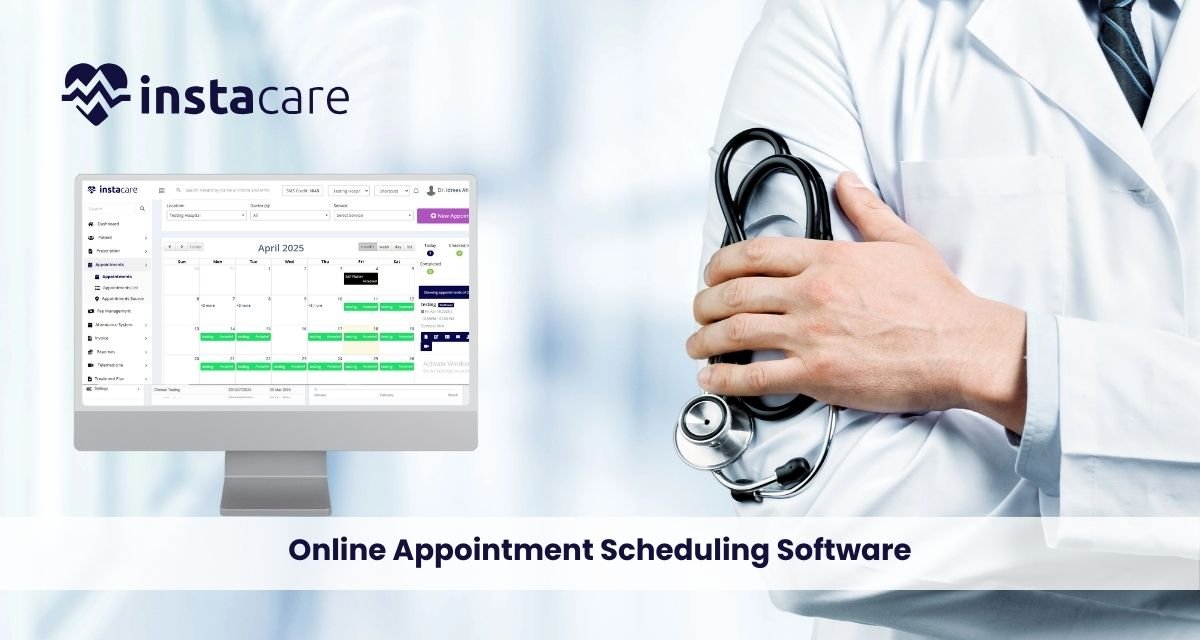
How Online Appointment Scheduling Software Is Transforming Medical Practices? As our digital age of living is in full gear, Online Appointment Scheduling Software is changing the face of medical practice. This revolutionary tool makes the entire process of scheduling appointments easy by enabling patients to schedule, reschedule, or cancel appointments at their convenience, anywhere, anytime. For medical professionals, it significantly reduces administrative tasks by eliminating scheduling work, lowering no-shows through automated reminders, and freeing staff to focus on more critical tasks. Through its function of connecting the providers to the patients, the technology enhances communication, efficiency, and overall patient satisfaction. Additionally, it sends real-time updates to calendars, seamlessly integrates with electronic medical records (EMRs), and enables providers to save time. Such software, used by medical practices, allows them to manage their practices efficiently, on time, and with a patient-centered approach. Online scheduling software is no longer a luxury, but a necessity for all modern-day hospitals and clinics that wish to excel in the current fast-paced, technologically driven age. Streamlining Administrative Workflows Physicians have always performed multiple functions, from walk-ins to appointments. Procedural functions always led to overbookings, missed show-up visits, and administrative mismatches. Physicians’ movement towards scheduling electronically is making that practice distinct now. Real-time calendar synchronization makes the doctors’ staff immediately aware of available time slots and prevents them from getting confused when handling multiple calendars. That transparency also helps avoid conflicts during meetings. Additionally, cloud-based appointment systems securely store data and can be accessed remotely at any time. This is especially convenient for multi-site practices where telehealth operations are conducted, and makes scheduling seamless and centralized. Streamlining Patient Experience with Self-Scheduling Today’s patients are increasingly focused on convenience. They do not have to wait on the phone to book an appointment or plan their day around the availability of a clinic. That’s where patient self-scheduling systems come in. Through offering Online booking for clinics, practices place patients in control of their care journey. Patients can schedule, modify, or cancel appointments 24/7, significantly improving satisfaction and volume. Automated reminders can also help patients, minimizing no-shows and missed appointments to a minimum. Reminders may be sent via SMS, email, or push notifications, whichever method is available to the patient. Ideal for Security and Compliance Issues In a field as heavily regulated as healthcare, security is not a luxury. HIPAA-compliant appointment software is a mandatory necessity to ensure that patient information is secure and your practice remains compliant. A quality system should incorporate encryption, user authentication, audit trails, and permission-controlled access levels. Data center commitment and disaster recovery functionality are two of the key functionalities in other cloud-based scheduling software. Such security will foster patient confidence and ensure business continuity during outages or emergency scenarios. Offers Revenue Growth and No-Shows Elimination One less apparent but extremely valuable benefit of online appointment scheduling software is its ability to reduce no-shows. Automated appointment reminders via SMS, email, or app notifications remind patients about their appointments, thereby reducing revenue loss. By reducing last-minute cancellations and no-shows, practices create space for walk-ins or waitlisted patients, thereby increasing revenue and resource utilization. Additionally, by allowing physicians to book online, clinics can more efficiently schedule last-minute appointments, thereby maintaining a full calendar at all times. Serves as The Future of Appointment Booking The digital revolution in healthcare appears to be accelerating, rather than slowing down. With telemedicine going mainstream and patient expectations changing, having strong healthcare appointment software is no longer a choice; it’s a necessity. Emerging trends, such as AI-powered scheduling, voice booking, and predictive analytics, will rapidly transform the patient-doctor relationship once again. Visionary clinics are already ahead of the curve, leveraging online appointment scheduling software as both a tool and a business enabler. What are the Principal Features of Scheduling Software? When making a decision, a person should consider the features of scheduling software that can enhance efficiency in a practice. Among the most useful features are: HIPAA-compliant scheduling tools for the protection of sensitive patient data Customizable scheduling platforms to fit the unique needs of different practices EHR system integration to ensure smooth flow of information and constant process continuity Waiting list, repeat booking, and provider preference appointment scheduling software Such features confirm that the software has the capability to meet the complex needs of various specialties, whether it is a high-volume dental practice, a dermatology clinic, or a general practice. Benefits of Online Scheduling Software Online Scheduling software for medical practices is advantageous for both providers and patients in several ways. Some of the greatest Benefits of online appointment scheduling are: Increased efficiency and fewer manual errors Enhanced patient satisfaction and retention 24/7 availability for booking Enhanced workload management for healthcare professionals Enhanced communication through automated reminders Decreased no-shows and cancellations These advantages collectively lead to a healthier, patient-centered model of healthcare. Best Practices Of Online Scheduling Software Despite numerous available solutions, the ideal appointment scheduling software must possess some deal-breaker features. Consider the following: Real-time calendar sync to avoid scheduling conflicts Support for EHR systems for easy medical record management Mobile-friendly accessibility interfaces for all types of devices Adjustable scheduling platforms to suit various workflows Cloud-based appointment systems for remote access and scalability Further, choosing a multi-location supported solution with multilingual interfaces is optimal for growing practices. Choosing the Right Software for Your Practice Choosing practice scheduling software is more than selecting a familiar name. Each practice must consider its own particular needs, including the number of providers, patient volume, and means of communication. Most also prioritize integration with EHR systems to avoid switching between applications and minimize redundancy. Others require appointment management software that can manage a large staff or complex procedures. Trial periods, customer reviews, and vendor support are all factors that need
