

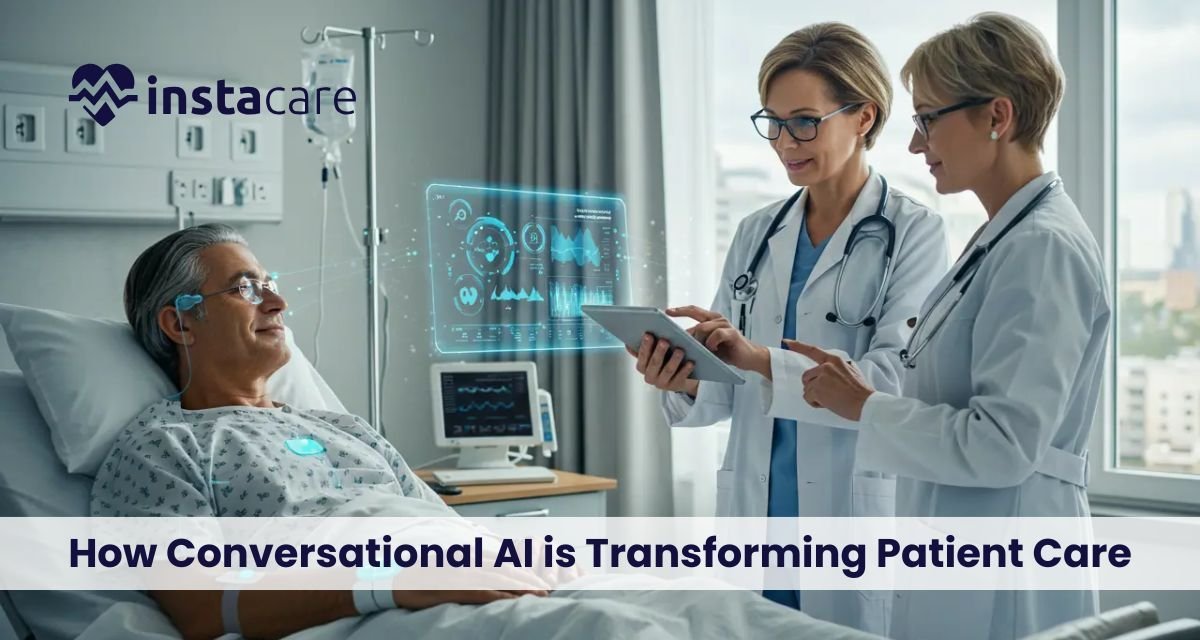
Revolutionizing Healthcare: How Conversational AI is Transforming Patient Care Healthcare is undergoing a significant transformation due to the emergence of conversational AI. Hospitals, clinics and online health platforms are currently implementing AI-based tools that facilitate communication, symptom analysis and administration. The interaction between providers and patients is currently changing rapidly with the emergence of new technologies like AI chatbots for healthcare. This change is turning healthcare to be more accessible, efficient and personalized. What is Conversational AI in Healthcare? Conversational AI is a type of intelligent tool that can have a conversation with you, either in written or spoken form. This also covers virtual health assistants in the healthcare sector that can assist patients, provide responses to their questions, and even support medical personnel. Advanced algorithms, speech recognition, and NLP in healthcare in these systems to learn what the patient means and provide correct answers. These tools have promptly been embraced in healthcare organizations due to their capacity to handle large numbers of patients and also the elimination of administrative workload. Key Applications of Conversational AI Medical applications of conversational AI can be used in medical care in many ways, including as a clinical aid or as an administrative assistant. Among the most influential applications, there are: Automated Patient Support Hospitals are under a continuous stream of inquiries by patients. Conversational tools offer automated patient support, which enables the patients to receive responses 24/7. These systems deal with FAQs regarding hospital schedules, lab results, prescriptions and others as well- ease the burden of manual work, and take the strain off the staff when it comes to communication. AI-Powered Symptom Checkers and Triage The latest symptom checkers are AI-driven to assist patients in evaluating health issues at home. The tools gather the symptoms by natural discussion, interfere with medical databases, and propose symptoms on whether immediate attention should be applied. Smart AI triage systems also direct patients to the appropriate department, specialist, or emergency care, enhancing the response time and decreasing the number of visits. Enhancing Patient Engagement and Experience Patient engagement automation is one of the largest contributions conversational AI is making. Healthcare facilities can offer patients with automation that helps them with reminders, follow-ups, medication reminders, and wellness tips to keep them involved even after they have come out of the hospital. Administrative and Workflow Support Conversational tools facilitate communication, and organizational work in a busy setting. As an example, an AI-based solution applicable in a hospital helps nurses and doctors by retrieving patient information or updating their record or sending a message. Such tools minimize mistakes and speedy processes, which enhance the efficiency of hospital teams. Healthcare Chatbot Applications The emergence of healthcare chatbot applications is transforming digital patient experience. The chatbots assist in making appointments online, insurance, billing insights, and pre-admission. They are presenting a vital intermediary between the healthcare provider and patients in that they provide real-time, precise assistance without prolonged waits in the call center. Improving Digital Experiences Conversational applications are also improving the online patient experience by providing a smooth customer experience in mobile applications, telehealth, and hospital websites. Patients will feel free to communicate with a smart system that is fast to react, comprehends situations and offers explicit instructions. Book Your Free Marketing Consultation Benefits of Conversational AI in Healthcare Conversational AI is associated with numerous benefits that can be of benefit to both hospitals and clinicians and patients. 1. Improved Efficiency The AI makes the healthcare industry less burdened with routine tasks, and the health care provider is able to have time to attend to important cases. Thousands of interactions are handled in automated systems at a time reducing waiting time and speeding up the workflow in hospitals. 2. Enhanced Communication and Coordination Hospital-specific conversational AI for hospital communication in and out of the organization. Clinicians are able to get necessary updates quicker and the patients are notified timely and the healthcare teams are able to work together across the departments. 3. Cost Savings and Resource Optimization Conversational AI for hospitals reduces the expenses on labor since it decreases the necessity of manual operations, eliminates delays, and minimizes the use of hospital resources. 4. Better Clinical Support Assistants powered by AI offer medical professionals access to patient information and treatment plans and initial diagnostics in real-time. With these automation tools in healthcare, there is a great deal of human error minimization, and all decisions are made on the basis of appropriate information. 5. Improved Patient Outcomes AI-based care is beneficial to patients on a big scale. Improved adherence, reduced complications and increased satisfaction levels are achieved through better communication, on time reminders, and responsiveness. These improvements are indicative of the larger medical chatbot benefits that are currently being reaped by contemporary healthcare organizations. Challenges and Limitations Although conversational AI is positive, it is associated with a number of difficulties: Accuracy and Reliability AI technologies should be able to comprehend medical terms and patient-related information correctly. The wrong guidance may result in misinterpretation and that is why training and improvement are to be performed continuously particularly in case of using conversational interfaces in healthcare. Data Privacy Concerns Healthcare is a very sensitive matter. Before the adoption of conversational systems, it is essential to ensure the security of data, encryption, and adherence to the regulations, such as the HIPAA. Integration with Existing System Many hospitals have several systems of management. The incorporation of conversational AI into the EHRs, lab software, and billing systems may be complicated and involves technical skills and planning. Limited Human Touch Although AI is very efficient, there are still patients who like to be interacted with by a human being. The issue of striking the right balance between technology and individual care is one of the challenges facing most healthcare institutions. The Future of Conversational AI in Healthcare Conversational technology promises to have a promising future in the healthcare industry. The smarter the AI is, the more the hospitals will depend on the support systems that will act automatically.

IPD Management in Hospitals: A Complete Guide to Efficient Inpatient Care Inpatient care is the main support of the hospital services that provide patients with the complete service in case of hospitalization. The Inpatient department management is required to be efficient in providing quality care with an uninterrupted flow of the hospital. The processes involved in the treatment of a patient including the period of admission until the time of discharge are to be carefully planned, coordinated, and monitored. Hospitals are turning to contemporary systems and technologies to simplify the process of IPD and improve patient outcomes because healthcare is becoming more and more complex. What is IPD Management? The IPD Management can be defined as the systematic method through which hospitals handle patients admitted to stay overnight or on a long term basis. It covers registration, planning of treatment and medical follow-up all the way to billing and discharge. The vision is to deliver effective, safe, and smooth, inpatient services and utilize hospital resources and staff utilization to the best. Management will make sure patient care takes precedence, and the operations have bottlenecks that are minimal. Core Components of IPD Management Effective Hospital IPD workflow depends on a number of important elements: Admission process of IPD patients- This is the initial important step in the inpatient care. It is the process of checking the details of patients, bed assigning, and documentation of medical history. Uncomplicated admission procedure reduces time wastage and creates an opportunity to prioritize medical personnel with high-priority cases. Inpatient record management– keeping of proper patient records that are current and up-to-date records will make sure that the doctors, nurses and other healthcare professionals have access to all pertinent medical records. Digital systems have ensured that record-keeping is efficient, safe and accessible. Hospital bed management – It is essential to allocate and monitor the hospital beds properly so as to accommodate patients. Hospitals have to manage the availability of beds and demand of patients and keep hygiene and safety standards. Monitoring of IPD patients: It is important that patients should be continuously monitored in terms of their vital signs and general health condition. These involve a regular examination, surveillance, and the early detection of complications in order to offer interventions in time. IPD discharge process– Discharge: This entails synthesising the treatment of the patient, record updating and making future care plans. The procedural discharge process will eliminate delays, enhance patient satisfaction, and adherence to medical procedures. IPD billing system- Hospital revenue and patient transparency involve proper billing and insurance payment. Contemporary IPD billing systems make payment automatic, which minimizes errors and administration. Core Components of IPD Management The IPD department software has changed into a centralized point of managing inpatient services due to technology. The management systems in hospitals incorporate a number of functions including patient admission, bed allocation, monitoring, billing, and maintenance of records. Electronic Health Records (EHRs) help to ease the process of IPD documentation due to the possibility of secure and real-time updates. The use of automated alerts and monitoring devices provides the IPD patient safety measures with a higher level of efficiency by making sure that critical healthcare changes are identified and properly managed. Remote consultation is also made possible by telemedicine devices to minimize unnecessary visits to hospitals and better manage the coordination of inpatient care. Technology’s Role in Enhancing IPD Operations Regardless of the improvements, there are a number of women facing hospitals in IPD management: The lack of enough beds and overcrowding has the potential of overworking the Hospital ward management and staff. Poor documentation and manual record-keeping has the potential to impair the Inpatient record management and patient safety. Technology integration needs training and management change because employees should be able to adjust to new IPD operational efficiency tools. Hospital inpatient services have been faced with a challenge of ensuring patient satisfaction at a desired cost-effectiveness. To overcome such challenges, strategic planning, staff training, and embracing of sound management systems are needed. Book Free Demo Key Challenges in IPD Management The best practices that hospitals should adopt to maximize inpatient care are the following: Standardize the procedure of admission of IPD patients using clear procedures and pre-admission assessments. Employ electronic methods of keeping Inpatient records to ensure a well-kept and accessible information about a patient. Adopt intelligent Hospital bed management systems that monitor the occupancy of beds in real time. Implement technologies of constant IPD monitoring of patients to identify the initial indicators of deterioration. Enhance the IPD discharge process to minimize bottlenecks besides enhancing patient satisfaction. Install billing software to improve on the IPD billing system to minimize errors and manual labor. Provide training to the train staff on inpatient care coordination and IPD patient safety protocols to guarantee high standards of care. Best Practices for Effective IPD Management Effective management of the Inpatient department management has a number of advantages: IPD patient admission process to be attributed to timeline interventions and coordinated care. Better patient record management, reducing turnover time in admissions, transfers and discharges. More efficient use of the resources in the Hospital bed management, such as personnel, equipment, and beds. A rise in patient satisfaction due to a systematic IPD chart and a clear billing policy. Less medical errors due to constant IPD patient monitoring and regular protocols. Hospitals can use optimized IPD systems to increase services without sacrificing the quality of care. Advantages of an Optimized IPD System Technology and patient-centred care are the key factors that define the future of Hospital inpatient services. Key trends include: High-tech AI-based monitoring devices that improve IPD monitoring of patients. Hospital bed analytics and resources allocation analytics. IPD department software on mobile and cloud to access the patient records seamlessly. Improved coordination of telehealth services to enable coordinated Inpatient care. Intelligent automation in the documentation and billing
Healthcare IT Outsourcing: Benefits, Challenges, and Best Practices for Modern Healthcare Technology has become a key instrument in the modern rapidly changing healthcare sector to better patient care, increase efficiency in operations, and ensure regulatory compliance. Customised IT solutions continue to be embraced by hospitals and healthcare providers to facilitate various procedures, including electronic medical records, telehealth, cybersecurity, and data management. In-house IT development and management may, however be costly and time-consuming. This is where medical IT outsourcing and Healthcare IT services come in as viable and economical solutions to contemporary healthcare organisations. IT outsourcing in healthcare enables hospitals and clinics among other medical facilities to tap into expertise outside the organisation in handling the complex technological requirements. Organisations can have access to scalable solutions, adopt the most advanced technologies, and ensure that they adhere to the strict healthcare regulations by collaborating with provides. What is Healthcare IT Outsourcing? Healthcare IT outsourcing refers to the process of outsourcing third party vendors or service providers to operate, design, or maintain IT infrastructure and software in healthcare organizations. Such services may include outsourcing of software development to healthcare and also to hospitals, as well as telehealth outsourcing of IT services. Outsourcing can cover: EMR/EHR support: The effective management of electronic health records. Healthcare cybersecurity services: Data protection and regulation. Medical cloud computing: It provides storage and access to medical information, which is safe and scalable. Healthcare data management services: Gathering, examining and protecting patient and operational data. Outsourcing these tasks, hospitals do not have to worry about technology management as it is a competency that is left to special professionals. It further enables organizations to be flexible towards embracing digital transformation in healthcare IT. Major Advantages of Healthcare IT Outsourcing IT Healthcare software development outsourcing has many benefits. The most prominent benefits are the following: Cost Effectiveness Outsourcing will not necessitate the inclusion of huge in-house IT departments and the huge investment of capital. The services of the hospitals are paid on a case by case basis and this makes the IT outsourcing for hospitals a cost effective one. Availability of Specialization Third-party providers can provide expertise in Healthcare IT consulting, cybersecurity, and developing software. This makes the hospitals keep pace with the current technologies. Scalability Outsourced solutions entail the ability of healthcare providers to scale operations based on the volume of patients and the needs of the operations. IT system outsourcing to healthcare also makes sure that IT systems expand with organizational needs. Regulatory Compliance Trusted providers are HIPAA compliant and deliver HIPAA compliant IT outsourcing which reduces the chances of legal and compliance claims. Enhanced Patient Experience The outsourced EMR/EHR support and telehealth solutions enhance appointment management, data accuracy, and communication with patients. Greater Security Healthcare cybersecurity protects sensitive medical information against breaches, ransom attacks and unauthorized access. Consider Core Services When IT duties are outsourced, hospital employees have an opportunity to concentrate on patient care and quality enhancement, as well as on strategic activities. These advantages render healthcare IT outsourcing a viable solution to organizations that aim at efficiency, professionalism and technology without overwhelming their internal capabilities. Hardships in Healthcare IT Outsourcing Along with the advantages, the outsourcing of healthcare IT services also has certain difficulties: Data Privacy Issues The process of transferring sensitive patient information to third-party vendors needs to be highly data-protected. Organizations need to make sure that vendors are IT outsourced under the HIPAA compliant standards. Integration Problems The incorporation of the outsourced systems with the existing IT system may be complicated. Outsourced medical billing services or hospital IT support services may also be incompatible with the hospitals. Vendor Reliability Selecting an inappropriate provider may cause delays, technical glitches or disruption of services. The vendor must have experience in Healthcare technology outsourcing. Unknown Expenses Certain outsourcing deals could have undisclosed charges on upgrades, maintenance, or other support. Sustainable outsourcing contracts need transparent pricing. Communication Barriers Using offshore or remote IT teams can create difficulties related to real-time communication and collaboration and impact the timelines of service delivery. Through these issues, hospitals can make wise choices, identify reputable providers as well as institute risk mitigation measures to healthcare IT services. Book Free Demo Best Practices to effective healthcare IT outsourcing Best practices can help healthcare organisations to reap the greatest benefits of IT outsourcing: State Requirements Clearly Determine scope, deliverables, and the anticipated results of the services, including outsourced EMR/EHR support or telehealth IT outsourcing. Select long-term Vendors Find an outsourcing provider of software development and healthcare cybersecurity services. Guarantee Regulatory Compliance Check that the vendors comply with HIPAA and other local healthcare laws to ensure patient data are safe. Determine Communication Rules Frequent reporting, status updates, and collaborative software enhance visibility and organization Monitor Performance Track KPIs, Quality of the services, and user feedback to make sure the outsourced team performs as expected. Data Backup and Security The backup and encryption of data should be robust to ensure that information on patients and the organization is protected. Ongoing Training Promote constant training and updating to ensure outsourced teams have access to knowledge on the trends and changes in healthcare, software, and digital transformation in healthcare IT. These best practices will guarantee the success of the outsourcing relationship, which will enable the hospitals to utilize the potential of the hospital IT support services and other specialized IT solutions. Healthcare IT Outsourcing in the Future There is more expected digital transformation in the healthcare sector, and the role of IT outsourcing will be critical in the transformation. Key trends include: AI and automation integration: Outsourced IT providers will start to be more integrated with AI to provide predictive analytics, workflow automation, and patient monitoring. Telehealth Expansion: The increase in demand of remote care will help expand telehealth IT outsourcing that would implement virtual consultations and remote patient monitoring. Cloud-Based Solutions: Cloud adoption solutions in the healthcare ensure scalability, data security storage
Generative AI in Healthcare: Transforming Diagnostics, Treatment, and Patient Care The healthcare sector is experiencing an enormous digital revolution, and Generative AI is at the center of them. Generative AI has also brought a new age of precision-based, intelligent, and flexible medical arrangements by utilizing powerful models that can generate new data, insights, predictions, and simulations. The technology is transforming the way clinicians practice and how patients are treated with technologies tailoring treatment plans to an individual disease, as well as disease prediction. Advanced algorithms will become more and more popular among hospitals, pharmaceutical companies, and health systems to improve results, decrease workloads, and increase the overall efficiency of operation. What Is Generative AI? Generative AI can be defined as those models and algorithms that can create new content, including images, text messages, predictions, or simulations, using large datasets. The models in healthcare have the potential to produce artificial medical images, generate clinical records, design drug molecules, simulate patient outcomes, and help with predictive analytics. Conventional AI is concerned with identification and marking. Generative AI however builds on this by coming up with new possibilities which assist clinicians in having a better understanding. As an example, synthetic medical imaging AI tools can be used by radiologists to create a superior model, and generative analytics can create several treatment pathways simulations using past and real-time data about a patient. Why Healthcare Needs Generative AI? The global healthcare systems experience the growing patient numbers, the increased rates of chronic illnesses, deficits in personnel, and the rising complexity of operations. Generative AI can provide a solution that will reduce the number of administrative tasks, decrease the error rates, and shorten the diagnostic and treatment process. One of the most significant advantages is the fact that it is possible to process the huge amount of electronic health data and make meaningful conclusions. Generative models allow the use of AI in clinical decision-making with the ability to diagnose faster and provide better treatment suggestions due to the enhanced computational power of these systems. Key Applications of Generative AI in Healthcare Generative AI is changing the process of care delivery in many fields. applications of generative AI in healthcare in the following fields: Diagnostics and Predictive Analysis Generative models are used to aid AI-based medical diagnosis, determine patterns in medical images, laboratory findings, and diagnosis reports. The tools are useful in the early warning of diseases like cancer, heart diseases, and neurological diseases. Simulations are also produced using the predictive models, which enable the clinicians to predict the risk of patient deterioration. Advanced Medical Imaging Artificial intelligence (AI) medical imaging technologies are becoming useful in improving image quality, decreasing noise, and creating high-quality scans. With generative AI, the radiologist can complete missing data in images and reach an earlier diagnosis and determine disease progression more precisely. Drug Discovery and Development Generative algorithms are used to create new drug molecules and recreate biological interactions, significantly accelerating research timeframes. This helps in the development of AI-driven medical diagnosis, which reduces the number of years in the process of developing a drug. Clinical Workflow Automation To healthcare automation with AI, hospitals use AI to support patient monitoring schedules, documentation and automate scheduling. Administrators can generate clinical summaries, discharge notes, and treatment plans automatically through generative AI, which lessens the burden of administrative staff. Patient Care and Engagement Generative models aid the virtual patient assistant, tailored treatment recommendation, and continuous remote observation. These applications can boost generative AI for patient care by forecasting their needs, possible complications, and prescribing lifestyle changes. Electronic Health Records Enhancement Generative AI enhances the quality of documentation and makes the clinical data more organized to access it faster. It is combined with AI in electronic health records (EHR/EMR), which guarantees more precise clinical histories, reduced occurrence of documentation errors, and improved patient tracking abilities. Medical Research and Simulation Generative AI facilitates initial trial with machine learning in healthcare models that produce synthetic data that is used to train. These simulations facilitate the quickening of clinical trials and minimizing expenses and safety improvements prior to actual application in the real world. Applications in Multiple Healthcare Fields Personalised oncology, cardiology decision support, mental health therapy chatbots, surgical planning, and genomic analysis are now among the many generative AI use cases in medicine. Book Free Demo Benefits of Generative AI in Healthcare Generative AI has a number of most outstanding benefits of generative AI for hospitals, such as: Improved Accuracy and Faster Diagnosis Generative models assist clinicians in identifying diseases earlier, scans with high precision, and minimize the possibility of a misdiagnosis. Reduced Administrative Burden The healthcare automation with AI will enable physicians and nurses to pay more time and attention to direct patient care instead of paperwork. Cost Efficiency AI can reduce the cost of operation by ensuring that resources are well distributed, unnecessary tests are eliminated, and resources are not duplicated. Personalized Treatment Plans Generative models can analyze the patient data to create specific plans based on the condition of the particular patient, history, and pattern of response. Enhanced Research and Innovation Predictive modeling and simulation via AI can accelerate the development of new solutions in pharmaceutical companies and research institutions, since AI can be used to create new, more rapid solutions. Improved Patient Experience Predictive alerts, chatbots, and personalized guidance make healthcare smoother, more predictive and supportive to patients. Challenges and Concerns of Generative AI in Healthcare No matter how huge its potential is, Generative AI has a number of challenges. Data Privacy and Security The information in healthcare is confidential and patient information must be secured. Unsecured AI systems may result in data violation and abuse of information. Ethical and Bias Issues The results of models that have been trained using biased data are likely to be unfair. This brings ethical issues to healthcare AI, particularly when algorithms affect the treatment decision. Regulatory Compliance To ensure that the clinical standards, medical devices regulation and other international privacy laws are observed, close monitoring is
Explainable Artificial Intelligence (XAI) In Healthcare XAI implementation in healthcare is changing the medical sphere and making AI more transparent, credible, and helpful in clinical practice. Doctors and patients are seeking answers to the question of how these systems conclude as they become more dependent on machine-learning-based tools in hospitals. This increased desire to be transparent has led to explainable systems which bring about a glimpse into complicated medical algorithms. What Is Explainable Artificial Intelligence (XAI)? Explainable Artificial Intelligence (AI) describes approaches and models of AI’s that aim to explain their decisions to humans. XAI does not generate anything opaque but underlines the logic of predictions. This eliminates the black box AI vs explainable AI confusion by providing clinicians with insight into how algorithms process data and give recommendations. Why Explainability Matters in Healthcare? It is necessary that explainability is important since healthcare decisions are made in the context of actual human lives. In the case when algorithms create treatment recommendations, physicians must be convinced that the logic of the system is sound in its medical aspects. This would be of particular importance to AI decision-making in medicine, where transparency assists with safer and more dependable clinical decisions. The transparent models also give the patients more power, and they get the confidence that the technology that is used to guide them is ethical and evidence-based. Key Applications of XAI in Healthcare XAI in healthcare is affecting an enormous range of explainable AI medical applications, enhancing trust and acceptance in clinical practice. Diagnostics: XAI allows radiologists to have insight into the imaging models used in the detection of tumors or anomalies. This justifies the use of XAI for diagnostics, which minimizes mistakes and enhances trust in automated testing. Predictive Analytics: There are XAI-based tools that are used in predicting risks like sepsis or readmission in hospitals. Treatment Planning: Clinicians use explainable systems to analyze treatment trajectories based on patient data. Monitoring & Alerts: XAI also improves early-warning systems of critical care by describing graphically triggers of an alert, which belongs to XAI patient safety in rapidly changing settings. Techniques Used in XAI A number of explainable machine learning healthcare techniques are supported: 1. Feature Importance This technique prioritizes the variables that affect a forecast. In the medical field, it provides a clear understanding of what symptoms, biomarker, or imaging characteristics contributed to the outcome. 2. Local Interpretability Model-Agnostic Explanations (LIME). LIME generates human-readable approximations of complicated models. Healthcare providers can use it to decipher personal patient recommendations. 3. SHAP Values SHAP constructs a single score of significance of each feature. In medicine, SHAP can be used to understand the effect of each variable on the classification of a disease or treatment recommendations. 4. Rule-Based Models The logic will be transparent in itself when decision trees or rule engines are utilized. This is in line with the fact that interpretable AI healthcare has to be sought after and professionals can more readily validate models. 5. Visual Explanation Tools A particular application of heatmaps and highlight overlays in the imaging field can also help clinicians identify what exactly in an X-ray or MRI image is causing the AI to make a specific decision. Book Free Demo Benefits of XAI for Healthcare Stakeholders The predictable AI in healthcare has a variety of advantages: For Clinicians Offers clarity required to authenticate AI results. Favours trusting in computerized suggestions. Facilitates making of more reliable and accurate diagnoses. For Patients Establishes confidence in technology-based care. Provides transparency in the manner medical decisions are arrived at. Improves patient interaction and satisfaction. For Administrators Makes auditing and compliance easier. Favors effective implementation of hospital technologies. Collectively, these effects reinforce clinical decision support XAI, improving the quality of care and efficiency. Challenges and Limitations of XAI in Healthcare Although there are several benefits of explainable AI in medicine, it is associated with several issues. The existing models can not always provide strong performance and total interpretability, and these trends demonstrate the existing issues of XAI in the healthcare industry. There are medical tasks in which there are very sophisticated algorithms in which interpretability is sacrificed to accuracy. Also, AI explanations cannot be readily adopted because many clinicians are not trained to comprehend them. The other area of concern is the reliability of explanations. When interpretability tools make model logic too simple, it is likely to deceive specialists. All these restrictions render AI accountability in healthcare a developing, but crucial field of interest. XAI and Healthcare Regulations Governments are undergoing changes in digital health policies and are focusing more on transparency, as their policies are updated. Regulators are urging hospitals to shift towards AI model transparency healthcare as one of the risk-mitigation and quality-assurance models. The need to generate justifiable results, which are required by many compliance standards, supports the relevance of ethical AI in healthcare and the need to make sure that the decisions made by the automated systems are justified and do not contradict medical practice and the rights of the patients. The Future of XAI in Healthcare There are more innovative systems that are yet to be developed in healthcare principles even in future with transparent AI in healthcare. Explainability will form a basis of emerging technologies, i.e., federated learning, multimodal AI models, and adaptive decision-support tools. With the advancement of hospitals towards intelligent automation, the automation system of the hospital and automated clinical platforms will rely on readable and reliable algorithms. Finally, the development of digital medicine will require transparency on all levels, where patients and professionals will know how data-driven systems work. Conclusion Explainable AI is transforming healthcare into a more trustworthy, transparent, and useful digital system. Enhancing the transparency of algorithmic decisions, healthcare organizations will be able to take the full advantage of advanced technologies and ensure safety and accountability. With the development of the field, the incorporation of interpretable systems will become a crucial part of providing quality patient care
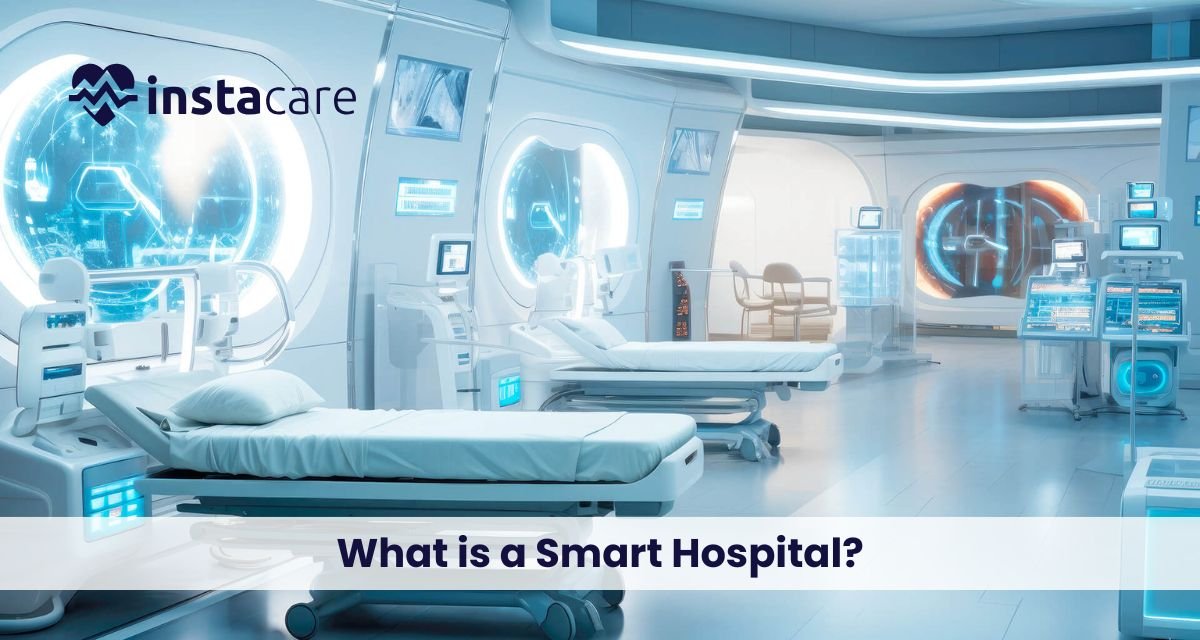
Smart Hospitals: The Future of Healthcare Driven by Technology The healthcare systems of the world are experiencing a significant change and the development of smart hospitals is one of the most radical changes. The merging of digital solutions, automation, artificial intelligence, and high-end connectivity is transforming the delivery of medical services. Hospitals today are ceasing to simply utilize the old mechanisms of operations but are integrating intelligent hospital solutions in order to maximize accuracy, improve patient experience and lessen the workload. What is a Smart Hospital? A smart hospital is a medical center that targets the use of sophisticated digital systems, automated procedures, artificial intelligence, and interconnected equipment to streamline the patient care process, promote medical processes, and overall efficiency. The vision of these hospitals is to become a complete digital hospitals in which technology will assist in all the steps of the patient journey, admission, treatment, and discharge. AI in hospitals, which are going to be smart and enable quicker diagnostics, auto-documentation, customized treatment, and predictive analytics. They also rely on interconnected devices and sensors that run on IoT in healthcare, which forms real-time data streams that enhance the decision-making of healthcare personnel. Core Components of a Smart Hospital ● Advanced Connectivity and IoT Devices Smart hospitals rely heavily on connectedness with the help of sensors, medical equipment, and automation software. Connected healthcare systems are based on these interconnected systems that make it possible to monitor patients in real-time, track their location, issue automatic notifications, and share medical information. ● Hospital Automation and Robotics To enhance the accuracy and decrease the human workload, automation is necessary. Robots are employed in the transportation of medication, room disinfection, or even surgeries. These systems are included in hospital automation systems that facilitate the flows of operations and decongest the staff to attend to patients. ● Digital Infrastructure and Data Systems Smart hospitals are based on the robust digital framework that is able to store, process, and analyze enormous volumes of medical information. The high-tech platforms can contribute to the healthcare digital transformation, as they allow centralizing electronic records, diagnostics, imaging, and workflow management into a single system. ● Integrated Smart Solutions The interconnected solutions used in smart hospitals include AI-based diagnostic solutions, automated pharmacies and telemedicine portals, and virtual reality therapy. These systems are classified as smart hospital solutions, which can assist physicians and personnel to provide more precise medical services at a higher speed. ● Enhanced Monitoring and Wearables Smart hospitals include real-time monitoring of patients. Devices and sensors will deliver constant information that facilitates early complications identification. This is referred to as smart patient monitoring and this is relevant in minimizing hospital readmissions and avoiding medical emergencies. ● Strong Technological Foundation Smart hospitals require a sound digital base called smart healthcare infrastructure to provide continuous services, and it consists of networks, cybersecurity, cloud, and digital storage. ● Automated Hospital Management Not only digital appointments, but also automated billing, modern hospitals are dependent on the automation of hospital management to minimize the number of manual errors and increase administrative efficiency. These systems facilitate the internal operations and the internal departmental orderly operations. ● Virtual Healthcare and Telemedicine One of the greatest strengths of the modern hospitals is their capability to provide care past physical walls. They promote virtual healthcare systems that enhance accessibility and convenience to the patients across the globe through virtual consultations, remote diagnostics, and follow-ups. ● Innovations in Health Technology The emergence of health tech innovations (AI diagnostics, robotics and digital wearables) will ensure the smart hospital of tomorrow will be more developed and patient-centred. ● Paperless Operations Innovative hospitals are determined to get rid of the old paper trails and move entirely to the electronic system. This idea is called paperless hospitals and contributes to the minimization of administrative delays, enhancement of the quality of data, and environmental sustainability. Book Your Free Marketing Consultation Benefits of Smart Hospitals ● Improved Patient Care Smart hospitals guarantee more precise diagnoses, quicker treatment and customized care plans. It is also possible to provide doctors with a rapid response to the needs of patients with the help of continuous monitoring and data-driven insights. ● Reduced Human Error Having automated processes that cover the routine operations, the hospitals could minimize the risks of human errors in the documentation process, medication, or diagnostics. ● Enhanced Efficiency Workflow enhancement across departments is enhanced through automation. The processes of admission, discharge, medical imaging, lab reporting and the process of pharmacy become quicker and more structured. ● Cost Savings Smart hospitals minimize unnecessary tests, decrease hospitalization, and enhance resource utilization, which lead to financial savings in the long term both to patients and hospitals. ● Better Patient Experience Patients get to get quicker services, more convenient appointments, and more individualized care. Smart environments make the environment comfortable, transparent, and well communicated. Challenges and Considerations of Smart Hospitals ● High Initial Investment The development of a smart hospital will consume a lot of financial resources in digital products, cloud computing, hardware, software, and training solutions. ● Cybersecurity Risks Hospitals are at risk due to cyberattacks with increased dependence on digital systems. Good security systems are required to safeguard patient information. ● Staff Training There is a need to embrace new smart hospital technologies by doctors, nurses, and administrators. Training requires time and could cause a disruption in the normal work process in the first place. ● Integration Issues Various software platforms are used in healthcare systems. The process of seamless integration of devices, applications and departments can be complicated. The Future of Smart Hospitals Hospitals will become fully automated, their diagnostics will be supported by artificial intelligence, and remote
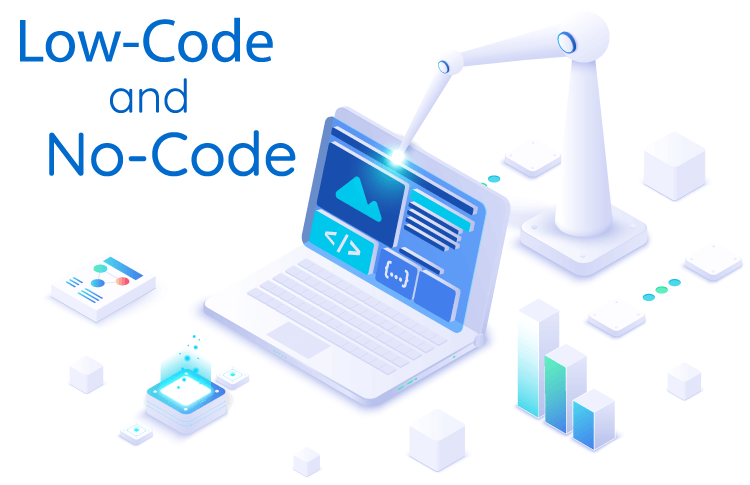
Low-Code & No-Code in Healthcare: Transforming Digital Innovation Without Heavy Coding The healthcare sector faces fast tech changes, yet standard software methods tend to be sluggish, costly, or rely heavily on scarce IT staff. That’s why low-code healthcare platforms and no-code healthcare solutions are gaining ground in medical settings. Instead of coding from scratch, care centers can now create apps through visual interfaces. Automation becomes easier for routine tasks across clinics and health networks. With these platforms, teams design tools tailored to their needs, even without developer support. In this guide, we’ll look at what these systems are; then examine why healthcare relies on them. Real examples show where they’re used, highlighting advantages alongside obstacles. Finally, discover how such tools influence future advancements in health technology. What Are Low-Code and No-Code? Low-code and no-code platforms are software development tools that allow users to create applications with minimal or no coding. Low-Code Platforms Low-code solutions offer: Drag-and-drop interfaces Pre-built components Adaptation using simple coding These tools work well for creating simple low-code EMR software, hospital systems with minimal coding, low-code clinical software that requires less programming, also digital health products built quickly. No-Code Platforms No-code tools let people create apps through drag-and-drop screens or form creators, using automation features instead of code. These often serve to build: No-code telemedicine platforms No-code patient management tools for handling patients No-code EHR solutions No-code digital health tools for digital health Each method lets medical groups build systems more quickly while cutting costs compared to standard methods. Why Healthcare Needs Low-Code and No-Code Solutions? Healthcare faces distinct issues like strict rules, not enough workers, complicated processes, also ever-increasing patient information. Low-code and no-code tools solve these pain points by enabling: 1. Faster Digital Transformation Hospitals can skip long waits for software. Because of fast development, medical apps are built quickly through rapid healthcare app development. Teams now release tools in days, sometimes just a few weeks. 2. Reduced IT Burden Some medical centers don’t have big tech groups. Still, these systems let nurses and office workers create what’s necessary, without coding skills. 3. Affordable Technology Expansion Classic bespoke software comes at a high price. Meanwhile, low-code or no-code options cut expenses by around 60% to 80%. 4. Improved Workflow Efficiency Several medical centers continue using handwritten records. Yet digital health automation streamlines operations, cutting mistakes while boosting efficiency. 5. Better Patient Care Digital health tools help doctors save time, so diagnoses happen quicker; this boosts teamwork among staff while patients get healthier results. Healthcare needs better tech that adapts quickly, so low-code or no-code tools are now essential rather than optional. Book Your Free Marketing Consultation Key Use Cases in Healthcare Low-code or no-code tools open many practical options. Among the strongest examples are: 1. Electronic Medical Records (EMR) & Electronic Health Records (EHR) Hospitals may develop custom low-code EMR tools, while also designing no-code EHR systems that match their processes. 2. Telemedicine Applications Clinics might build no-code telehealth tools fast, using them for virtual visits, web-based booking, or e-prescriptions. 3. Patient Management Systems Create simple digital tools without coding: Manage appointments through automated reminders Use dashboards to handle check-ins instead of manual logs Streamline payments via integrated invoicing systems Enable messaging features for smoother conversations between visits 4. Hospital Management Tools Low-code hospital management system simplifies creating hospital tools for admissions, also streamlining how staff are assigned. It supports pharmacy monitoring while improving control over supplies. Systems become quicker to deploy due to reduced coding needs. Each function integrates smoothly without complex programming. 5. Clinical Decision Support Tools Using simple coding tools, healthcare groups build logic-driven apps that help physicians decide on diagnoses or therapies. These systems guide medical choices via automated rules instead of complex programming. 6. Digital Health Automation Healthcare workflow automation includes: Lab reporting workflows might use digital tools to run automatically Insurance claim steps could operate via tech solutions Triage setups may function through system automation Discharge summary tasks can work using smart software 7. Custom Mobile Apps Groups may create phone tools for nurse checks through healthcare app development, handling equipment, gathering patient opinions, or sharing messages inside departments. 8. Data Dashboards & Analytics Low-code platforms can integrate real-time data to provide dashboards for hospital administrators. These examples reveal how simple and strong low-code or no-code platforms are within today’s medical setups. Benefits for Healthcare Organisations Adopting low-code and no-code tools offers major advantages: 1. Speed Companies may develop software ten times quicker by leveraging fast medical application builders. 2. Lower Cost Less demand for big coding groups or costly tailored programs. 3. Customization Hospitals may adapt tools to fit how they work rather than reshaping routines around programs. 4. Empowered Staff Non-tech team members are able to build digital health solutions addressing actual needs, using simple methods or practical approaches, to reach meaningful outcomes. 5. Easy Integration Many platforms work well with current health tools, such as EMRs or labs, and also connect to hospital records. While some link directly, others need minor adjustments; each setup varies by site. Compatibility depends on structure, yet most adapt without major changes. 6. Better Patient Experience Faster service comes through automation; better care follows clearer communication. 7. Scalability Applications scale smoothly when businesses expand, while updates roll out without hassle. Challenges & Considerations of Low-Code and No-Code Though strong, these tools bring difficulties too, yet they’re useful despite drawbacks. However, issues arise alongside benefits; still, people keep using them regardless. 1. Data Security and Privacy Medical services deal with private details. Firms need to confirm systems meet HIPAA rules, follow GDPR standards, or adhere to regional laws. 2. Limited Customization in No-Code No-code solutions might limit advanced app features. 3. Vendor Lock-In Some platforms limit moving data or apps to different systems, migration becomes a challenge due to restrictions built into the design. 4. Need for Basic Training Although programming isn’t necessary, employees must learn how to build smooth processes, through proper instruction. Yet without hands-on practice, workflow planning may
What Is Healthcare Workflow Automation? Healthcare changes fast as digital tools improve how patients are treated and systems run. Among key advances, automating workflows stands out by simplifying tasks across hospitals, clinics, or health networks. When these automated healthcare processes are used, staff spend less time on paperwork, make fewer mistakes, and meanwhile dedicate greater attention to individuals needing care. With tools like automatic booking and electronic records management, clinics use these systems to boost precision, efficiency, and patient results. Knowing their advantages, tech setup, or real-world uses helps medical organizations adapt during digital transformation in healthcare. What Is Healthcare Workflow Automation? Healthcare workflow automation means applying tools to simplify routine, lengthy duties across medical and office settings. This includes activities like signing in patients, setting appointments, handling test results, processing payments, also organizing treatment plans. Using automation in healthcare helps hospitals cut mistakes while freeing up employee hours; this also boosts how patients feel about their treatment. Tools such as systems that organize hospital duties or refine clinical workflow automation offer clear methods for handling workflows, each part of care stays on track without gaps. Why Healthcare Workflow Automation Matters? Healthcare systems involve many teams, plus different people working together. Outdated methods often take more time, carry mistakes, or demand extra effort. Digital tools help manage tasks better through smarter organization Lessening paperwork tasks for healthcare workers. Enhancing patient happiness by streamlining clinic processes via digital tools. Enhancing operational efficiency and cost-effectiveness. Meeting rules through precise records or verified logs. Hospitals using automated appointment scheduling may speed up treatment, reduce wait times, leading to better patient results through streamlined workflows. Examples of Healthcare Workflow Automation Examples of real-world uses are: Automated appointment scheduling: Patients pick, shift, or skip visits online, less pressure on office staff. EMR workflow automation simplifies handling digital patient files, improving consistency while supporting access between teams through integrated systems that reduce errors over time by maintaining updated information without delays during transfers from one unit to another. Automated medication handling helps give the right dose at the right time, boosting care reliability. These tools reduce mistakes by streamlining delivery schedules through digital oversight. Billing plus insurance tasks get easier, fewer mistakes in codes, claim handling, or balancing payments thanks to automation. Lab and diagnostic processes get automated, test requests move smoothly, outcomes reach doctors quickly, while warnings pop up when needed. These cases show how healthcare automation tools improve medical tasks as well as office work, leading to smoother operations in hospitals. Technologies Used in Workflow Automation Modern healthcare automation relies on various digital technologies: Robotic Process Automation (RPA) handles routine jobs like entering data or creating reports by using software bots that mimic human actions. These tools follow set rules to complete tasks quickly without manual effort involved in daily operations across departments. Artificial Intelligence, along with Machine Learning, aids in forecasting trends, assessing patient risks, or improving clinical choices. Cloud computing allows safe storage while making patient files easy to reach. It supports business information access through digital systems instead of physical servers. Data stays protected yet available when needed across locations using network connections. Integration platforms link various hospital systems, enabling smooth interaction between units through unified data exchange. Apps on phones or online help streamline how patients are managed, also supporting distant healthcare delivery. These tools work together, creating a full system that supports change in health care through digital means. Book Your Free Marketing Consultation Key Areas Where Automation Delivers the Biggest Impact Automation impacts various hospital workflow management tasks differently: some areas improve quickly, others change slowly, while certain processes adapt over time through gradual shifts in workflow standards Medical workflow optimization simplifies how patients are registered, cared for, and tracked, using smart tools that reduce manual steps while improving accuracy across departments by connecting data smoothly between stages. Healthcare operations automation: Optimizes administrative functions, including staffing, inventory, and billing. Healthcare task automation boosts productivity by handling routine work, cutting mistakes while allowing workers to focus more on patients through streamlined processes that replace manual efforts with reliable systems operating consistently over time. Patient workflow automation: Enhances record accuracy, accessibility, and compliance with healthcare regulations. Hospital process automation: makes scheduling easier, cuts missed visits, boosts patient happiness through smoother rescheduling plus reminders. Focusing here helps hospitals improve results while boosting daily performance. How Healthcare Workflow Automation Works? The process of automating hospital workflows generally follows these steps: Process mapping: spot recurring tasks that often fail, then pick ones fit for automated solutions using logical workflows instead. Install healthcare workflow software that work with current hospital tech platforms. Task automation: Apply software to manage appointments, alerts, medical records changes, payments, also post-visit checks. Monitoring plus analytics help measure results, check patient feedback, also assess how well systems work. Keep improving: adjust processes by using data insights along with input from employees and those receiving care. Through consistent automation, healthcare facilities may improve operations without compromising treatment standards. Role of AI in Improving Healthcare Workflows AI helps improve how healthcare tasks are managed. These systems streamline processes through smart technology Predict hospital intake while adjusting team shifts accordingly. Detect irregularities in patient files, enabling quicker choices. Help manage hospital operations through suggested distribution of resources. Streamline healthcare tasks through guidance on difficult diagnoses, using smart tools that help professionals choose next steps. Instead of manual checks, systems suggest actions based on patient data patterns. Analyzing big data helps boost performance while enhancing care results. Smart systems using artificial intelligence, alongside automated health tools, help clinics respond faster and work better. Conclusion Medical centers now use smart systems to manage daily tasks more smoothly. Thanks to digital tools, services become faster while mistakes drop sharply. Staff perform better under less pressure thanks to streamlined routines. Systems like automatic records handling or booking appointments save time as well as money. Putting money into digital upgrades helps clinics stay ahead, yet improve care quality. Since tech keeps changing, automated processes in medicine boost
Psychometric Software: The Future of Smarter Hiring and Talent Assessment In a tough job scene, spotting the right person isn’t just about CVs or chat sessions. Companies now lean on psychology-based tools to speed up choices and boost precision in hiring. Instead of guessing, they tap into mental skills, character patterns, and how someone tends to act. These insights let bosses foresee how well a new hire might perform, or mesh with team vibes – making it easier to bring people on board who stick around longer. What Is Psychometric Software? Psychometric Software is a tech tool built to check someone’s thinking skills, character, and how they act. Instead of relying on gut feelings from chats, these systems give clear data points so hiring folks can choose wisely. The software usually comes with parts such as aptitude test software programs, psychometric assessment tools, talent assessment platform, or employee assessment software. These resources shift hiring away from hunches – turning it into something guided by actual numbers. How Psychometric Software Works? HR psychometric tools use step-by-step web quizzes. Test takers go through evaluations checking thinking skills, behavior patterns, or job-related strengths. After finishing, systems instantly review answers while producing detailed summaries. These reports point out what people are good at, where they struggle, plus how well they fit a job – so hiring teams can pick who to call back without second-guessing. Lots of tools link right into HR software, which keeps things moving smoothly while saving time along the way. Benefits of Using Psychometric Software Businesses using personality and skill tests tend to see a few solid benefits: Objective Decision-Making: cuts down on personal preferences getting in the way. Better role match: spots applicants who fit the job well – while also clicking with how the workplace vibes. Time and Cost Efficiency: cuts manual tasks by handling checks alone, so staff can focus elsewhere. Predictive Insights: Gives a heads-up on how well things might go over time, while also hinting at who’s likely to stick around. Beyond hiring, these psychometric test software for recruitment help shape team strategy, grow skills over time – while also tracking how people do at work; that’s why today’s HR groups can’t really go without them. Applications Across Industries Psychometric tools aren’t just for hiring. They’re used across many fields – education relies on them, healthcare applies them too; even sports teams use such systems now because they help understand behavior patterns better than traditional methods sometimes can Education: Figuring out how students learn best + what they’re good at. Medical teams: checking how workers interact + fit together. IT and tech: checking how well you solve problems plus think things through. Business: Steering the team along with preparing who steps up next. Retail plus hospitality: checking how well someone helps customers, also their people skills. With a clearer look at thinking skills and how people act, companies can choose wisely – not just for hiring but also when moving folks up, teaching new skills, or placing them where they fit best. Key Features to Look For While picking staff evaluation tools, think about: Adjustments: Lets you tweak tests based on job types or fields. Integration: Works well with hiring tools + HR software. Data Security: Keeps applicant details safe through coding tech plus meets legal rules. Scalability: Handles tiny squads or big company hiring – works either way. Reporting: Reporting gives straightforward insights through easy-to-read charts that help you make choices. Smart functions in employee performance assessment tool, such as real-time skill checks or performance tracking – add extra worth for hiring pros and people ops teams by making decisions easier. The Role of AI and Machine Learning A smart hiring tool uses artificial intelligence to study behavior trends, guess who’ll do well, yet improve tests gradually. Computer-based findings may spot top applicants by matching role needs with personal traits – also cutting down hidden prejudices. Using workforce analytics software alongside AI lets companies spot patterns, pinpoint top employees, while acting early on staffing choices. Cognitive and Behavioral Assessments A strong personality test software mixes mental ability checks with personality analysis – using one helps shape the understanding of the other, while each part adds depth through different angles Cognitive Ability Testing Software: cognitive ability testing software check how well you solve problems, use logic – also handle number-based thinking. Behavioral Assessment Software: behavioral assessment software checks character features, measures ability to lead – also shows how well someone fits within a group setting. These tests used side by side offer a full picture of what someone can do – also showing if they fit the job and how things work around here. Book Your Free Marketing Consultation Managing Assessments Effectively A web-based testing tool makes exam handling easier. Hiring managers set up various quizzes, follow updates live – then pull individual summaries using built-in reporting features. This cuts down on human mistakes, does away with paper checks, while keeping things uniform no matter the site. Online assessment management system let evaluations happen from afar – key now that hiring spans countries and mixes office-remote setups. Challenges and Ethical Considerations Though psychometric tools bring advantages, ethics still matter – because skipping them can cause real harm Data privacy: means keeping applicant info safe while meeting legal rules – also making sure systems protect details properly; this follows standards without sharing carelessly or storing weakly. Cultural bias: tests should work equally well for everyone, so they’re built without favoring any group. Proper Interpretation: HR staff need practice to
Loan Management System: Streamlining the Future of Financial Lending Technology in the fast-changing financial industry has changed the manner in which loans are being processed, traced, and controlled. The time of manual loan handling has passed, and today financial institutions have agreed to use automated systems which are accurate, efficient, and customer-friendly. A Loan Management System (LMS) is a key to this change. An LMS streamlines all the processes involved in loan origination, loan repayment monitoring and the lending process is quick, transparent and trustworthy. It does not matter whether you are a bank or a credit union or a microfinance institution, the trick towards smarter lending and sustainable growth is to have a loan tracking system implemented. What Is a Loan Management System? A Loan Management System refers to a specialized financial institution software that employs the complete loan lifecycle of a loan. It automates application intake, credit assessment, approval, disbursement and repayment tracking. Conventionally, managing loans used to entail manual keeping of records, paper work and human checking of records, all which was likely to cause delays and error. An online lending platform removes all these inefficiencies by automated digitization of all operations to provide a smooth and safe management of loan portfolios. An LMS has the ability to act as: An accessible and scalable cloud-based loan management system Repayment loan software on premise that allows banks to retain control over their data A microfinance loan software designed in micro lending organizations and cooperatives Key Functions of a Loan Management System A contemporary loan servicing software encompasses a number of key functions that make things easy: 1. Loan Origination The LMS simplifies the loan origination system flow – including customer registration and credit assessment, loan passage, and delivery. It provides the stability of decision-making based on pre-determined credit guidelines and analytics. 2. Loan Servicing After a loan is given out, LMS also takes care of the other continuous activities which include loan repayment tracking, calculation of interest on the loan, and rescheduling. This assists in keeping a good balance of payments and balances. 3. Customer Management The system keeps a digital record of the entire borrowers, their financial background, credit rating as well as history of communication with them making it easy to offer customized service. 4. Compliance and Reporting The strict legal and regulatory frameworks require financial institutions to comply with them. The LMS is automatic in generating reports and enforcing laws and data protection measures on loans. 5. Loan Portfolio Management An LMS enables lenders to track the efficiency of their loan portfolio management by providing real-time analytics to assist them in identifying risks and defaults and detecting growth opportunities early. Core Features of a Modern LMS An effective lending management software has high-performance tools that aim at optimizing the customer experience and efficiency. Here are some key features: 1. Workflow Management and Automation Under loan processing automation, tedious duties like data entry, verification of documents and routing approval are automated. This saves on the manual work and enhances accuracy. 2. Integrated Payment Systems The system is connected with online banking, digital wallets, and payment gateways so that the system operations in the loan collection management system are smooth and safe. 3. Cloud-Based Architecture A loan management system that is based on the cloud enables the financial institutions to view data at any time and any place. It facilitates remote access, real-time access, and scalability. 4. Risk Analysis and Credit Scoring The LMS will be connected to credit bureaus and its algorithms will be built using AI to determine the creditworthiness of a borrower, minimizing the risk of issuing credit to a risky client. 5. Customizable Dashboards All loan transactions including pending approvals and overdue can be tracked by managers and administrators using one dashboard. 6. Notifications and Alerts Email and SMS alerts are automated to remind customers about impending payments or outstanding loans and enhance the collection and customer satisfaction levels. 7. Data Security and Backup Having an inbuilt encryption and frequent data backups, an LMS guarantees total security against data invasion and information loss. Book Your Free Marketing Consultation Benefits of Implementing a Loan Management System Embracing an LMS provides financial organizations with a very diverse set of advantages, which do not necessarily mean operational efficiency. 1. Streamlined Operations Automation saves time and lessens the use of manual paperwork within the lending cycle by the institutions. Automated loan management makes it more productive and accurate. 2. Better Decision-Making With the assistance of sophisticated analytical and reporting systems, lenders are able to make credible credit decisions and minimize the possibility of non-recovery. 3. Higher Customer Satisfaction Borrowers are able to easily access loans and monitor their loans and even paying them online making it convenient and transparent. 4. Cost Efficiency An automation will decrease the cost of administration, employee workload, and physical documentation, which results in savings in the long term. 5. Enhanced Compliance Audit trails and automated reporting make regulatory compliance easier and less time-consuming. 6. Real-Time Loan Tracking A centralized loan tracking system allows institutions to know all loans Real-Time to a minimum risk of oversight or fraud. 7. Scalability Cloud-based loan administration system will have the capacity to manage larger loan portfolios and customer bases with minimum infrastructure investments. Types of Loan Management Systems The various institutions demand various models of LMS solutions based on their lending models. 1. Bank Loan Management System Enterprise-level software is used by banks that interfaces with core banking systems to administer an extensive variety of loans – personal and home loans to corporate financing. A bank loan management system is crucial for large-scale operations. 2. Microfinance Loan Software This system is designed to serve small lending organizations and rural cooperatives and promotes group lending, microloans, and streamlined approval procedures. 3. P2P Lending Solutions These online lending companies match single lenders and customers and provide convenient rates and quicker loans using a digital lending platform. 4. Consumer Lending Management Applied to credit card firms, auto lenders,
