

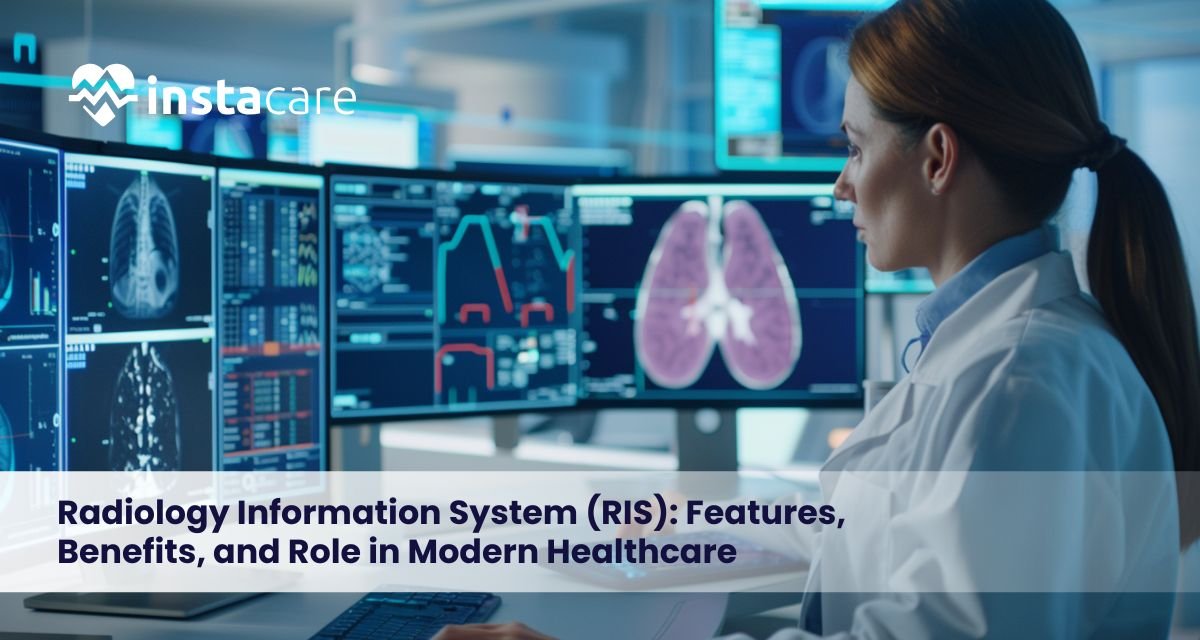
Radiology Information System (RIS): Features, Benefits, and Role in Modern Healthcare The way healthcare is conducted nowadays depends on effective imaging processes. With increased volume of diagnostic imaging, radiology departments require intelligent systems that coordinate, report, and store patient information. The Radiology Information System (RIS) is a key element in enhancing efficiency, precision, and productivity in imaging departments. The paper examines RIS software, its main characteristics, advantages, implementation issues, and its changing role in the healthcare of today. What is a Radiology Information System (RIS)? A Radiology Information System (RIS) refers to a special application that is used to organize and automate the work of radiology. It facilitates administration and clinical processes, such as scheduling, patient tracking, reporting, and billing. RIS in healthcare is the pillar of radiology workflow management since it provides smooth coordination among radiologists, technicians, and other healthcare providers. It combines patient records, imaging orders, and reports into a single system, thus lessening work by hand and enhancing accuracy. Key Functions of a Radiology Information System RIS systems deal with various activities that can improve the efficiency of operations. Key radiology information system features include: Registration and Demographics of patients. Scheduling and resource allocation of appointments. Radiology reporting system management. Status and workflow tracking. Billing and coding support The radiology department software is necessary to manage the large volumes of imaging using these functions. Core Features of RIS The current RIS software has advanced functionalities that aim at enhanced accuracy in the workflow and data. Workflow Automation and Scheduling Radiology scheduling software will make sure that imaging equipment and staff will be used optimally. Robotic scheduling ensures that there are no disputes and the patient wait period is minimized. Patient Data Management RIS modules are where patient history, imaging orders and clinical notes are stored. This centralized method eliminates duplication of data and enhances coordination. Reporting and Documentation Radiology reporting system facilitates a more systematic reporting, voice recognition, and template that can be used to achieve consistent results. Billing and Financial Integration RIS assists in coding, billing, and insurance processing that enhances the management of revenue cycle and hospital financial results. Analytics and Reporting High-tech dashboards assist administrators to research the trends in workflow efficiency and productivity to analyse healthcare investment. Cloud-Based RIS RIS solutions on clouds are scalable, accessible remotely, and less expensive in terms of the IT infrastructure, which is why they are the most suitable ones to display in the context of the modern healthcare organization. RIS vs PACS: Understanding the Difference RIS and PACS are frequently mixed and confused yet have other uses. RIS is concerned with the administrative and workflow. PACS is concerned with storage and retrieval of medical images. RIS and medical imaging information system such as PACS form an entire digital radiology ecosystem. RIS is in charge of data flow and scheduling whereas PACS is in charge of image storage and viewing. Benefits of Implementing RIS Greater Workflow Effectiveness RIS in healthcare automates routine operations and enhances interdepartmental communication to minimize delay and errors. Enhanced Patient Care Rapid scheduling and reporting enhance the diagnosis and treatment results. Better Data Accuracy The patient data is centralized, leading to less duplication and transcription mistakes. Financial Optimization RIS enhances the financial performance and cost-efficient operating of hospitals by simplifying the billing and use of resources. Regulatory Compliance RIS aids in audit trails, data protection and healthcare compliance. Integration with Healthcare Systems The ability to integrate with other healthcare platforms is one of the most important benefits of RIS. Electronic Health Records (EHR). Hospital Information Systems (HIT). Laboratory Information Systems (LIS) Clinic Management Software PACS and imaging tools Such integration establishes one cohesive ecosystem in which information moves through it smoothly enhancing clinical decision making and lessening administrative load. Challenges in RIS Implementation RIS implementation may be challenging despite its advantages. High Initial Costs Implementation of RIS needs to invest in software, training and infrastructure. Integration Complexity RIS requires technical integration with the existing healthcare systems. Staff Training Radiologists and technicians might need some time to adapt to new working procedures. Data Migration Risks When converting old data into a new system, it is necessary to plan on how to avoid the loss of data. Nevertheless, these issues can be addressed with minimal difficulties given correct planning and assistance of the vendor. Book Your Free Marketing Consultation Future Trends in Radiology Information Systems Innovation and digital transformation are the key to the future of RIS. AI-Powered Automation Artificial intelligence will boost the accuracy of reporting and optimization of the workflow. Cloud Adoption Scalability and cost economy will ensure cloud-based RIS keeps on growing. Interoperability Advancements The better integration standards will help exchange the data across the systems more smoothly. Predictive Analytics Supply-side analytics will assist healthcare providers to predict the demand of imaging and enhance resource allocation. Such developments will give RIS modules more strength and re-invent the software capabilities of the radiology department. Conclusion Radiology Information System is a very important part of the modern healthcare infrastructure. RIS software supports the management of radiology workflow and enhances clinical outcomes through the scheduling and reporting as well as billing and analytics. With the current digitization of healthcare, the optimal best radiology information system can be an important factor in improving operational efficiency, patient care, and financial performance. Organizations that invest in advanced RIS solutions will be better positioned to meet increasing imaging needs and evolving healthcare expectations. Frequently Asked Questions What is RIS software used for? Radiology workflow is controlled with the help of RIS software that provides scheduling, patient tracking, reporting, and billing that ensures the efficient operation of an imaging department. How does RIS differ from PACS? RIS it controls administrative and workflow operations whereas PACS has a store of medical images and displays them. The two systems collaborate to produce full imaging control. What does cloud-based RIS have to offer? RIS in the cloud also provides scalability, remote access, reduced cost of infrastructure, and enhanced data security.
HIS vs HMS: Understanding the Key Differences in Healthcare Software The healthcare organizations have been overly relying on digital systems to facilitate operations, enhance patient care, as well as increase efficiency. The Hospital Information System (HIS) and the Hospital Management System (HMS) are two popular systems of healthcare IT. These terms are used interchangeably though there are some significant differences between the two. The comparison between hospital information system vs hospital management system will help healthcare providers to select the appropriate solution to their problems. This guide elaborates the main characteristics, dissimilarities, and similarities as well as advantages of HIS and HMS. What Is a Hospital Information System (HIS)? A Hospital Information System (HIS) is a software interface comprising of an integrated system used to handle the clinical, administrative, financial, and operational data of a hospital. It pays much attention to the patient data and clinical processes. HIS is integrated with relationship among various departments-laboratory, radiology, pharmacy and billing into one digital hub. In comparison with HIS, HMS is said to be more clinically oriented. What Is a Hospital Management System (HMS)? A Hospital Management System (HMS) is software designed to manage a hospital’s administration and operations. It automates routine procedures and enhances productivity. Although HMS can contain clinical modules, it generally focuses on: Patient registration Appointment scheduling Billing and invoicing Inventory management Staff management Put simply, in HIS vs HMS comparison, HMS is more operational management-centered, whereas HIS is more in-depth in combining both clinical and operational data. Key Features of HIS The HIS software features will help explain its broader scope. Electronic Medical Records (EMR) Integration Keeps patient medical histories electronically. Laboratory Information System (LIS) Tracks lab tests and results efficiently. Radiology Information System (RIS) Manages imaging reports and diagnostic workflows. Pharmacy Management Monitors prescriptions, drug inventory and dispensing. Clinical Decision Support Facilitates doctor treatment plans and alerts. Patient Data Management Enhances through central and safe storage of medical records. Financial & Billing Modules Processes insurances, payments and tracking of revenues. Large hospitals that have many departments may need HIS in order to have a wide integration. Key Features of HMS The HMS software features that are more operational oriented. Appointment Scheduling Books automatically and shortens the waiting of patients. Patient Registration Electronically records the admissions and discharges. Billing & Invoicing Prepares bills and records payments. Inventory & Asset Management Tracks the use of medical supplies and equipment. HR & Payroll Management Administers personnel files and wages. Reporting & Analytics Reports the performance of the administration. HMS is most applicable to small to mid-sized healthcare facilities where administrative efficiency is the primary objective. Book Free Demo Key Differences Between HIS and HMS The scope and functionality of HIS and HMS are the major differences. Regarding a classic comparison between HIS and HMS, HIS focuses on clinical and administrative processes, providing a wide range of patient data management capabilities and sophisticated tools such as EMR, LIS, and RIS. It is extensive in interdepartmental integration and is most applicable to large hospitals and multispecialty health facilities that require deep clinical coordination. Conversely, HMS primarily focuses on administrative and operational activities, such as patient registration, billing, appointment scheduling, and inventory management. It provides a moderate level of integration and is mostly well-suited to small to medium-sized healthcare facilities. The difference between hospital ERP vs HIS is that the HIS is viewed as having more clinical strength than hospital ERP in discussions where HIS is viewed as focusing more on enhancing hospital management processes. Similarities Between HIS and HMS Although they are different, HIS and HMS have a number of similarities: They both digitalize hospital operations. Both enhance efficiency of workflow. Both reduce paperwork Both enhance data accuracy Both favour reporting and analytics. The two systems are the fundamental elements of present-day healthcare IT systems. HMS vs EMR: How Do They Compare? When we are discussing HIS and HMS, it might also be useful to understand HMS vs EMR. EMR (Electronic Medical Record) refers to the computerized medical records of patients. HMS incorporates non-patient record administrative functions. HIS is also the system that typically integrates with EMR. Therefore, EMR is generally part of an HIS rather than an entire hospital management system. Benefits of Implementing Healthcare Software Healthcare organizations also have several advantages regardless of the HIS or HMS selection. Better Operational Efficiency The automation decreases the number of manual jobs and administration. Better Patient Care The centralized data enhances the quality of diagnosis and treatment plan. Enhanced Data Security Digital records are safer as compared to paper based systems. Cost Reduction Automated procedures cut on wasteful costs. Better Hospital Financial Performance Proper billing and revenues recognition enhance profitability. Regulatory Compliance Electronic systems can be used to support healthcare quality and reporting issues. By investing in the appropriate healthcare IT system, one will see a growth in the long run and a better patient outcome. Choosing Between HIS and HMS The choice depends on: Hospital size Budget Clinical complexity Integration requirements Digital transformation long-term objectives. HIS can be more useful to large multi-specialty hospitals, whereas the small facilities can be satisfied with HMS. Conclusion Hospital management system vs hospital information system is vital information that a healthcare decision-maker should understand. Though both HIS and HMS enhance efficiency and digitalize operations, HIS is more deeply integrated clinically, and HMS is rather about the administrative management. An attentive comparison of the HIS and HMS assists the healthcare providers to determine the appropriate solution depending on their size, services, and the long-term goals. Finally, adoption of appropriate healthcare IT system improves patient care, efficiency in operation and financial performance. Frequently Asked Questions How does HIS differ primarily with HMS? HIS concentrates on clinical and administrative operations whereas HM is preoccupied with administrative and operational activities. Is HMS the same as EMR? No. EMR deals with the medical record of patients, whereas HMS has administrative tasks, including billing and scheduling. Which is better: HIS or HMS? It depends on hospital needs. Hospitals that are large
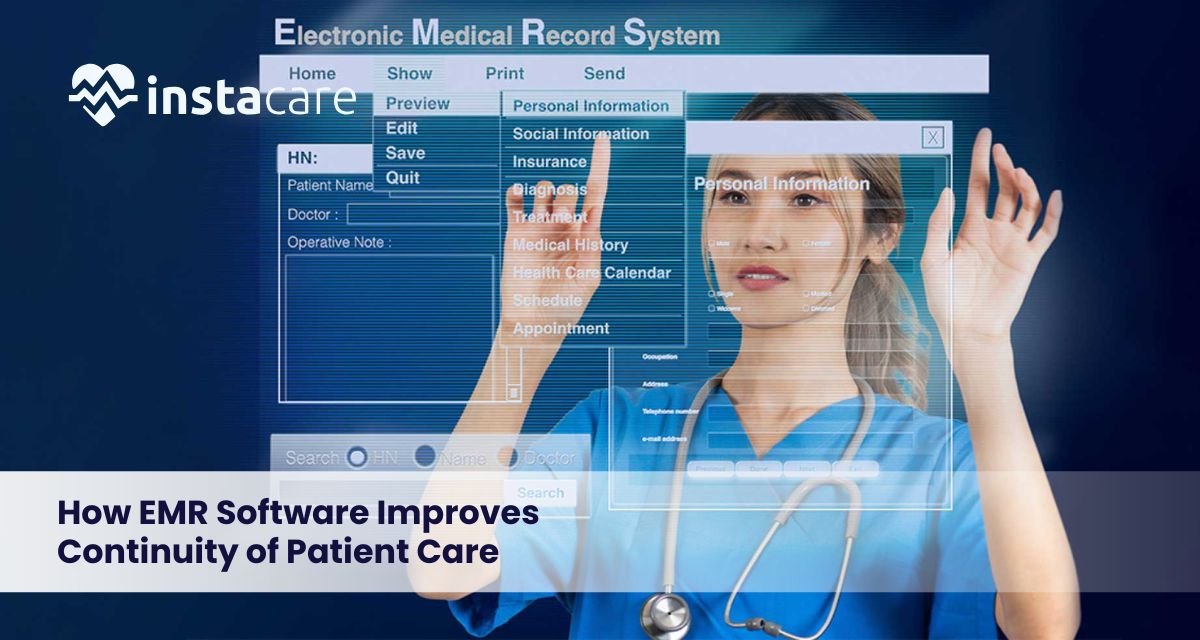
How EMR Software Improves Continuity of Patient Care Patient continuity of care is a critical aspect to provide safe, effective, and patient-centred care. When paper files or disparate systems contain medical information, gaps in care, delays, and errors are more likely to occur. In this respect, electronic medical records in healthcare have a transformative role. EMR software helps providers keep patient records complete, accurate, and accessible, facilitating transfers and improving coordination throughout the care process. What Is EMR Software? EMR (Electronic medical record) software is a system used to store, maintain, and update patient medical records in a medical institution. EMRs provide real-time access to clinical information, unlike paper charts, enabling informed decision-making. EMR software generally consists of: Patient demographics and medical history. Diagnoses and treatment plans. Medications and allergies Lab findings and imaging findings. Advancements and medical records. EMRs are the basis of enhanced patient care continuity through centralization of patient information. How EMR Software Supports Continuity of Patient Care Centralized Patient Records The development of a unique and single patient record is one of the most significant EMR software advantages. Up-to-date information is accessible to all providers involved in a patient’s care. This helps: Eliminate unnecessary tests and procedures. Minimise medical errors through absent data. Ensure there are consistent treatment plans across departments. Improved Care Coordination EMR and care coordination are synonymous. EMRs enable smooth communication in case of two or more healthcare professionals, which include primary care doctors, specialists, nurses, and pharmacists. The benefits of the coordination are: Referral and consultation note access. Real-time communication on treatment change. Improved transfers in an admission or discharge. This cooperation makes the care constant even in a case of change of providers. Better Clinical Decision-Making EMRs support clinical decision-making by providing patients with their full medical history in a short period. Practitioners can consult prior treatment, test results, and findings before making new decisions. This leads to: More accurate diagnoses Individualized care plans. Less risk of adverse drug reactions. Consequently, the EMR effect on the patient outcomes. Enhanced Patient Safety Continuity of care is closely linked with the patient safety. EMRs also contain inbuilt warnings and reminders that prevent clinicians to make errors. Safety features common to them are: Alerts on allergy and medication interaction. Preventive care reminders Unusual lab result reports. These tools assist the providers to provide safer and more reliable care in the long run. Faster Access to Information When there is an emergency or a situation that requires urgent care, time is an issue. EMRs provide the ability to get patient records in real time, even during off clinic hours. Benefits of faster access: Faster treatment and diagnosis. Less time wastage in care provision. Improved performance in the face of crisis. This instant accessibility enhances continuity, particularly in complex cases. Book Free Demo Benefits of EMR Software for Healthcare Providers and Organizations For Healthcare Providers Reduced administration and paperwork. Additional time on direct interaction with the patient. Enhanced interaction with care teams. Increased trust in clinical processes. For Healthcare Organizations Standardized processes of care. Enhanced efficiency of workflow. The improved adherence to regulations. Increased scores on patient satisfaction. Overall, these EMR software advantages can help healthcare systems deliver uninterrupted, high-quality care. Challenges and Best Practices for EMR Implementation Common Challenges Although EMR software benefits are numerous, it can be difficult to implement because it may be associated with the following challenges: Staff resistance to change. First training and training curves. Paper or legacy system data migration. Technical and cost requirements. Best Practices for Successful EMR Implementation In order to benefit the most and enable continuity of care, organizations must: Get clinicians involved in system selection and design. Conduct extensive employee education. Implement EMRs in phases Assure accuracy and security of data. On-going workflow optimization. These best practices enable the healthcare providers to realize the full value of electronic medical records in healthcare. Conclusion EMR software is important for enhancing continuity of patient care through accurate, accessible, and coordinated medical data. EMRs positively impact all phases of the care process by improving care coordination, patient safety, and clinical decision-making. When properly implemented, EMRs can enhance provider efficiency and improve health outcomes, among other benefits. Frequently Asked Questions What advantages does the EMR software have in enhancing continuity of care? EMR software enhances continuity and it offers benefits in that it centralizes patient records so that care coordination is possible between providers and also that it provides a consistent access to accurate medical information throughout the care journey of the patient. How can EMR be used in care coordination? EMR and care coordination collaborate as they enable various healthcare professionals to share real-time updates, referrals, and treatment plans to eliminate communication breakdowns and delays in care. Does EMR software have any effects on patient outcomes? Yes, the EMR impact on patient outcomes is important. EMRs minimize medical errors, assist the making of informed decisions, and improve the safety of patients, resulting in more efficient and consistent care.
Hospital ERP Software: Features, Benefits, and Why Hospitals Need It There are also enormous volumes of data, intricate processes, and high compliance demands that healthcare organizations have to deal with today. Lack of automation in the management of clinical, administrative, and financial operations or their functionality using disconnected systems are likely to result in inefficiencies and errors. ERP system in a hospital offers an integrated system which assists hospitals to stream down operations, enhance patient care, and uphold financial control. This guide describes the nature of hospital ERP software, its main features, advantages and why it has become a necessity to the current hospitals. What Is Hospital ERP Software? Hospital ERP software is a type of integrated healthcare ERP that is used to handle both clinical and non-clinical hospital activities. An ERP software does not concentrate on the patient records as in the case of the traditional hospital information system but integrates departments like finance, inventory, human resources, billing and procurement into one system. Hospital management ERP will enable instant exchange of data between departments to provide the administrators with the necessary insight to make a decision and minimize bottlenecks in operations. Key Hospital ERP Modules An effective ERP system is a hospital system that consists of several modules that operate in harmony. Typical hospital ERP modules include: Billing and Finance Module: Manages patient billing, insurance claims, revenue cycle and financial reporting. Inventory Management Module: Manages medical supplies, pharmaceuticals and equipment to prevent shortages or overstocking. Human Resource Management: It deals with the staff schedule, payroll, attendance, and performance tracking. Procurement and Supply Chain: Automates Vendors management and purchase orders. Patient Administration: Assists with registration, admissions and discharge. These are modules that make a hospital information management system work. Essential Hospital ERP Features ERP characteristics of modern hospitals are engineered to enhance efficiency, precision and conformity. Key hospital ERP features include: Data management of all departments is centralized. Real time reporting and analytics. Data security role access. Manual workflow automation. Healthcare regulations compliance. Clinical system integration. A cloud-based hospital ERP is also scalable, has access remotely and is automatic. Benefits of Hospital ERP Software The adoption of a hospital ERP solution provides quantifiable returns in the operations of the hospital. The key hospital ERP benefits are: Efficiency: Automation of operations saves on paperwork and administrative delays. Better Financial Control: Better billing and cost monitoring are good to minimise revenue leakage. Inventory management Hospital: hospital ERP for inventory management is the best that guarantees optimal inventory levels and minimizes wastage. Improved Decision-Making: Live dashboards and reports aid in strategic planning. Better patient experience: Reduced time spent by patients in waiting lines and streamlined processes. In sum, ERP software in the medical field aids in hospitals providing quality care and at the same time being financially stable. Hospital ERP for Billing and Finance hospital ERP for billing and finance are one of the most important applications. This module automates: Invoicing and tracking of payment to the patients. Claims processing of insurance. Revenue cycle management Compliance reporting and financial audits. Hospitals can enhance the cash flow and patient confidence by minimizing billing errors and delays. Hospital ERP Integration with EMR To ensure smooth healthcare services, hospital ERP software must be integrated with EMR systems. Integration enables administrative and clinical data to pass across systems without problems, which ensure: Proper billing of the patients associated with clinical services. Increased co-ordination of medical and administrative teams. Less duplication and errors of data. Such an integration overcomes the divide between patient care and hospital operations. Book Free Demo Cloud-Based vs On-Premise Hospital ERP Hospitals are left with the option of using the conventional on-premise system or cloud-based hospital ERP system. Cloud ERP benefits of hospitals include: Lower upfront costs Faster deployment Scalability and remote access. Backups and update automatically. Premises-based solutions can be more controlling, but usually more expensive to maintain and run infrastructure. Hospital ERP Implementation Challenges The hospital ERP implementation is also complicated, although positive. Common challenges include: High initial investment Staff resistance to change Migration of data in legacy systems. Training requirements These issues can be greatly mitigated through proper planning, support of the vendors and a gradual implementation. Hospital ERP Software Pricing The hospital ERP software pricing differ according to: Number of users and modules Cloud or on-premise deployment type. Customization requirements Vendor maintenance and support. Small hospitals can choose modular or cloud ERP solution in order to manage the costs whereas big hospitals tend to invest in the fully customized system. Why Hospitals Need ERP Software Today Hospitals are under pressure of providing quality care at low costs and make sure they comply. ERP system in a hospital assists in a health organization: Integrate disjointed systems. Enhance transparency of operations. Increase patient satisfaction. Support long-term growth ERP software is no longer a luxury in a competitive healthcare setting; it is a strategic requirement. Conclusion ERP software in hospitals is crucial in contemporary healthcare management. Hospital ERP solutions enable hospitals to operate more efficiently by combining finance, inventory, HR, and administrative functions on a single platform, improving patient care. ERP software can revolutionize hospital processes and help deliver healthcare sustainably with the appropriate implementation strategy. Frequently Asked Questions What does an ERP system of any hospital do? ERP system in a hospital is applied to execute administrative, financial, and operational management processes in a hospital. It combines billing, inventory management, human resources, and reporting functions into a single platform and assists hospitals in becoming more efficient, minimize errors, and have superior control over the daily operations. What is the difference between healthcare ERP software and a hospital information system (HIS)? Healthcare ERP software is primarily focused on non-clinical processes, such as finance, procurement, and workforce management, whereas a hospital information system is focused on clinical information, such as patient records and treatments. In case of hospital ERP integration with EMR or HIS, administrative and clinical workflow integrate with each other without any disruption. Should small hospitals use cloud-based hospital ERP software?
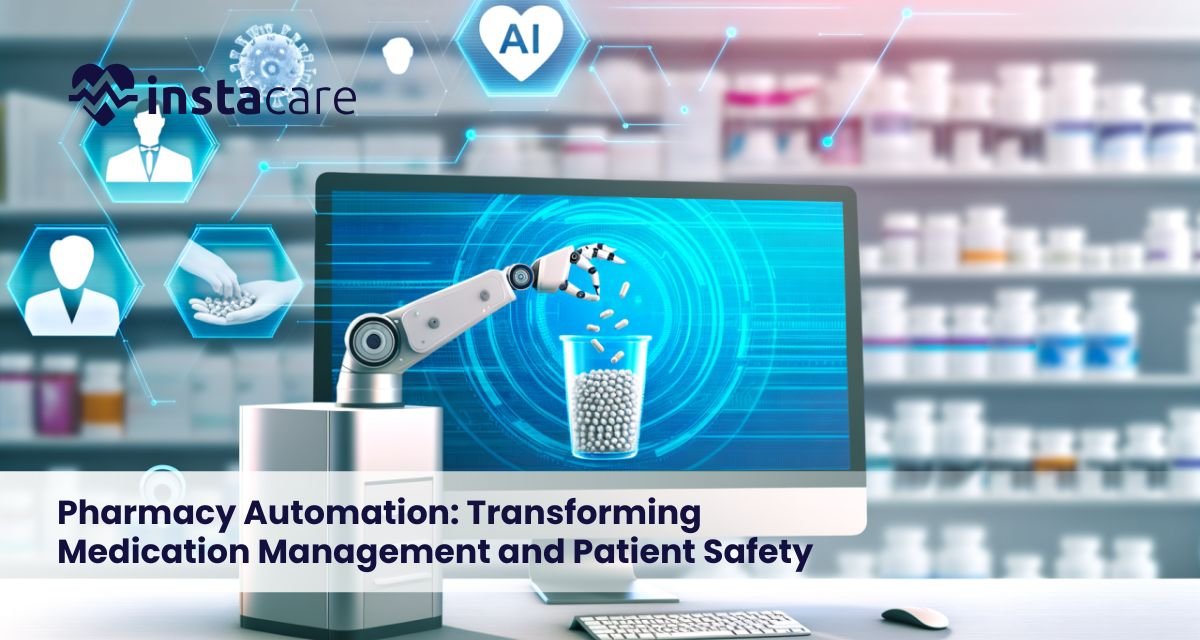
Pharmacy Automation: Transforming Medication Management and Patient Safety Pharmaceutical automation is transforming how medications are stored, dispensed, and managed in hospitals and retail pharmacies. As the need for precision, speed, and patient safety increases, automated pharmacy systems are becoming a vital component of contemporary healthcare. The integration of technology and pharmacy workflows could help healthcare organizations optimize workflows, minimize errors, and improve patient care outcomes. What Is Pharmacy Automation? Pharmacy automation is the application of technology and machinery in managing the routine pharmacy activities, including dispensing of medications, managing inventory and tracking workflow. The pharmacy automation software reduces human error and maximizes efficiency compared to the traditional manual systems, which have a high probability of human error. Some of the important pharmacy automation areas include: Dispensing of drugs automatically. Electronic health record (EHR) integration. Pharmacy inventory automation tracking and management. Tracking the drug use and expiration. Hospital pharmacy automation will help pharmacists be more involved with patient counselling and clinical services than help with repetitive, manual work. Types of Pharmacy Automation Systems Various automation systems can be implemented in pharmacies based on pharmacy size, workload, and patient needs. Common types include: Robotic Pharmacy Systems Medication dispensing, packaging, and labelling are performed with great precision by robots. This minimizes errors and does not lead to incorrect patient dosages. Robotic pharmacy systems are especially appropriate in hospitals and pharmacies with high volumes. Automated Medication Dispensing Cabinets These automated medication dispensing shelves are safe storage units and contain monitored access to drugs. They are common in the hospital wards so that the correct patient gets the correct medication. Automobile Pharmacy Software Prescription order, inventory tracking and generation systems which are digital. Automation of pharmacy workflow enhances communication between the pharmacy staff and other medical professionals. Inventory systems are being automated These pharmacy automation solutions keep track of the level of stock, expiry dates, and the reorders. Automation in pharmacy minimizes wastage, and maintains constant supplies of medication. Key Benefits of Pharmacy Automation Pharmacy automation benefits are several to both the patients and the medical professionals. Increased Accuracy: Automated systems reduce medication errors during dispensing. Time Saving: Activities such as counting, labelling, and stocking are completed more quickly. Better Patient Safety: Guarantees proper medication, dosage and timing. Simplified Process: Pharmacists spend less time attending to patients and more time on manual tasks. Inventory Optimization: Automated tracking helps prevent shortages and overstocking. Compliance with regulations: The systems support the process of maintaining accurate records for audits and reporting. All in all, pharmacy automation enhances the clinical safety and operational performance of the healthcare institutions. Book Free Demo Impact on Pharmacists and Staff The automation replaces pharmacists in performing repetitive functions but does not eliminate jobs. Staff can focus on: Counseling and medication education of the patients. Clinical decision support Safety control and quality control. The optimization of pharmacy activities. Through pharmacy dispensing automation, pharmacists will have more time to focus on the important activities, which results in increased job satisfaction and improved patient outcomes. Challenges and Considerations Pharmacy automation has its advantages, but man is also associated with difficulties: Large Start-up: Automated systems are not cheap to acquire and install. Training Needs: The personnel should be trained on how to use new systems. Technical Maintenance: Machines and software should be serviced and updated on a regular basis. Integration Problems: It may be difficult to make sure that the EHR is compatible with the existing hospital and EHR system. The choice of pharmacy automation options should consider costs, effect on workflow, and staff preparedness by healthcare providers. Pharmacy Automation and Patient Experience Direct patient experience improvements are achieved through automation by offering: Quick filling of prescription orders. Less time spent in the pharmacy lobby. Reduction of medication errors. Effective labelling and monitoring of drugs. Patients receive safer, more efficient service, and pharmacists have the opportunity to take a greater role in clinical care, which will increase trust and satisfaction. Future Trends in Pharmacy Automation Pharmacy automation has a bright future, and the innovations will improve the efficiency and safety of the patients. Emerging trends include: Dispensing and decision support based on AI. Remote management pharmacy automation software in the cloud. State-of-the-art robotics in customised medication packaging. Inventory optimization predictive analytics. Outpatient and retail pharmacy automation. These inventions will keep on advancing automation of pharmacy workflow as well as intensifying the role of technology in healthcare provision. Choosing the Right Pharmacy Automation Solution The appropriate system will be selected based on pharmacy size, patient volume, and clinical objectives. Consider the following: Automation required: dispensing cabinets, robots, or software. Interoperability with the current EHR and pharmacy management system. Reliability of the vendors, training and support services. Experience vs. anticipated cost-benefits of operation. Future growth: Scalability. By considering these aspects critically, healthcare organizations can select automated pharmacy systems that ensure the highest level of efficiency and safety. Conclusion Automation in pharmacy is transforming how medications are handled by improving accuracy, efficiency, and patient safety. Since the hospital pharmacy automation up to the small retail clinics, pharmacy automation software and robotic systems are adopted to decrease the errors, optimize workflow optimization, and relieve pharmacists to concentrate on patient care. With technology on the rise, automated pharmacies will be at a better place to support the increasing needs of modern healthcare and offer safer, faster, and more reliable services. FAQs What does automation of pharmacies offer? The primary advantage is enhanced patient safety via accurate automated dispensing of medication and minimized chances of a human error, besides the optimization of the pharmacy operations. Do small clinics need robotic pharmacy systems? Yes, but smaller clinics may choose smaller pharmacy automation systems or software-driven systems to manage inventory and prescriptions effectively without a large initial investment. What are the benefits of automating the pharmacy workflow? Prescription management, inventory tracking, and integration with EHR systems, pharmacy workflow automation enable staff to focus less on manual tasks and more on patient care.
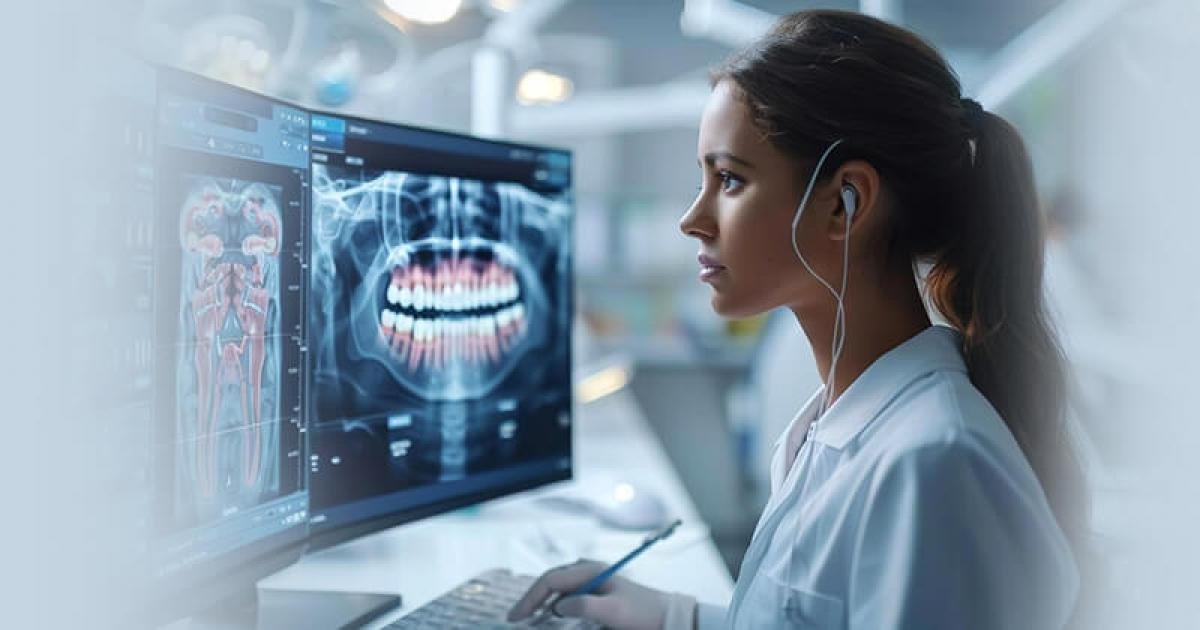
Dental Practice Management Software: A Complete Guide for Modern Clinics In a modern dental clinic, the environment is hectic, and efficiency, precision, and patient satisfaction are crucial. Manual handling of appointments, patient records, billing, compliance, and daily workflows can quickly become unmanageable. That is why dental practice management systems are becoming popular in most clinics, as they help centralise operations and minimise administrative burden. Dental practice management software is a solution that facilitates the workflow of clinics, enhances patient experience, and ensures financial and regulatory control, which is why it is an essential tool of any modern dental clinic regardless of its size. What Is Dental Practice Management Software? Dental practice management software is a multifunctional digital tool used to manage the administrative and operational functions of a dental clinic. It serves as a centralized hub which links scheduling, billing, patient, and reporting into a single system. Effective dental clinic management software can streamline the work of both front-desk and clinical staff by improving coordination and reducing repetitive manual tasks. Dental EHR software is also integrated with many systems and enables clinics to securely store patient histories, treatment notes, and diagnostic data electronically. These dental software systems are applied in individual practices, groups, and dental chains to assist with stable and effective operations. Key Features of Dental Practice Management Software The success of any dental software is determined by the extent and quality of the functions. Simple dental practice software characteristics comprise: Dental scheduling software to control appointments, reminders and availability of chairs. Invoicing, insurance claim and payment tracking. Dental patient management software to keep an elaborate patient records and treatment history. Clinical documentation and digital charting: Integrated dental EHR software. Appointment and follow-up automated notifications. Financial, clinical and operational reporting tools. Inherent dental compliance and reporting software to assist regulating needs. All these features enable dental workflow automation, reducing errors and shortening time. Benefits of Using Dental Practice Management Software Dental practice management software has a variety of benefits spanning clinical effectiveness, financial management, and patient experience. Key benefits of dental practice management software include: Better appointment scheduling and fewer no-shows. Quick and more precise billing and insurance. Patient information is centrally accessed. Less bureaucracy and administration. Improved staff-clinician communication. Increased patient satisfaction and retention. In the case of lower sized practices, small clinic dental practice software assists in keeping things running without necessarily having big administrative departments and complicated hardware. Challenges Dental Clinics Face Without Software Dental clinics that are not using automated systems or are outdated are likely to encounter challenges in clinic operations. Common challenges include: Time clash and appointment failure. Inaccurate billing and late reimbursements. The unstructured or unfinished records of patients. Risk of increased compliance on the basis of poor documentation. Lack of transparency into clinic performance. Increased staff pressure and burnout. These are issues that may impact the quality of patient care and the profitability of the clinic without a stable dental office management software. How to Choose the Right Software for Your Practice? To choose the appropriate dental software, it is necessary to match technology and clinic requirements. Significant aspects to be taken into account are: Clinic volume and size. User-friendly to the staff and clinician. Access to basic and high-end dental practice software features. Integration of existing systems and tools. Vendor support and training services. Scalable and transparent dental practice software. The appropriate software must meet the existing business processes together with a room to expand in the future. Book Free Demo Cloud-Based vs On-Premise Software Dental clinics have options of cloud-based and on-premise deployment model. Dental practice software using the cloud: Available anywhere as long as there is internet. Reduced initial investment is required. Has automatic backup and updates. Advocates of telecommuting and distant clinics. On-premise software: Placed on the local clinic servers. Gives direct control on the data storage. Frames more expensive initial and maintenance costs. Inadequate distance availability. Among existing dental practice software, cloud computing is favored by many clinics for its flexibility, affordability, and ease of IT management. Tips for Successful Implementation The implementation is the success factor to the maximization of software value. Best practices include: Early participation of the personnel in the selection. Conducting pre-launch structured training. Migration of existing data should be done with caution and protection. Carrying out pre-deployment tests. Tracking performance and getting employee feedback. The dental practice management system would be implemented effectively to make it a part of the daily operations. Future Trends in Dental Practice Management Software The technology in the field of dentistry keeps changing, and practice management software is not an exclusion. Emerging trends include: Artificial intelligence scheduling and analytics. Improved patient portals and mobile access. Connection to the teledentistry services. Performance and revenue tracking Advanced reporting. Increased emphasis on security and compliance of data. The future will bring even more automation and decision-making in the area of dentistry. Conclusion Management software in dental practice has become an essential tool in contemporary dental clinics. It is more efficient and improves patient care by centralizing scheduling, billing, patient management, and compliance. Regardless of the scale of dental network management or a small-scale dental practice, implementing an appropriate dental practice management system can help the clinic operate more efficiently, remain compliant, and deliver high-quality dental services in the ever-growing digital healthcare space. FAQs What does dental practice management software do? The primary aim of dental practice management software is to streamline clinic operations by centralizing scheduling, billing, patient data, and compliance on a single platform, thereby improving efficiency and reducing administrative burden. Does dental practice management software fit small clinics? Yes, small clinics have a range of dental software solutions that provide fundamental functionality, scale their pricing, and can be installed without acomplex IT infrastructure. What benefits does cloud-based dental practice software have on the operation of the clinic? Cloud-based dental practice software enables access to information wherever needed, automatic updates and backups, low startup costs, and facilitates easier collaboration between teams and across locations.
EDI in Healthcare: Meaning, Benefits, and How It Works To a great extent, the healthcare sector relies on data that is delivered correctly, at the right time, and in a safe manner among providers, payers, clearing houses, and regulatory authorities. With the increasing volume of patients and administrative needs, manual organization of data has proven to be ineffective and inaccurate. This is where healthcare EDI becomes very important. The EDI system has redefined the way healthcare institutions deal with billing, claims, eligibility, and compliance. Electronic data interchange healthcare systems enhance efficiency, cost reduction, and regulatory compliances by substituting paper-based operations with standardized electronic communications. EDI has become an essential part of the new healthcare management and revenue cycle. What Is EDI In Healthcare? EDI in healthcare is a term used to refer to the formal fallout of administrative and financial data between healthcare organizations through electronic interchange. Data transmission between parties is done in standardized digital formats which can be processed automatically by computer systems instead of sending paper forms, emails, or faxes. Healthcare EDI is mostly applied in the insurance claims, eligibility checks, payment remittances and prior authorizations transactions. These transactions are formatted to strict rules that are accurate, consistent and interoperable across systems. EDI healthcare systems assist companies to facilitate the smooth running of operations, decrease errors and have quick communications among the stakeholders in the organizations. How EDI Works In Healthcare? The EDI procedure in the healthcare is generalized into a systematic workflow that guarantees data accuracy and compliance. Every step will ensure information between systems is validated, translated and sent in a secured manner. A conventional EDI procedure consists of: Healthcare information development in a billing or EHR system of a provider. Transformation of data to standardized EDIs. Transmission via an EDI clearinghouse or through direct connection. Error checking and validation. Payment to the payer-receiving party. Response generation and processing. A clearinghouse that handles EDI is usually an intermediary, setting the data to payer-specifications before submitting. This process will minimize rejections and fast-track the reimbursement processes. Common EDI Transactions In Healthcare Healthcare organizations also depend on a very extensive variety of EDI transactions to facilitate their daily administrative and financial functioning. All the types of transactions in the revenue cycle have their purpose. Typical EDI transactions in healthcare are: The EDI claims processing (837) is used to present insurance claims. EDI to check patient coverage (270/271) To monitor claim progress, claims status inquiries (276/277) are claimed. Remittance advice (835) of payment and adjustment information. Previous authorization forms (278) The enrollment and disenrollment (834) Such transactions allow communication between providers and payers to proceed faster and curtail administrative work. EDI Standards Used In Healthcare Healthcare EDI depends on standardized formats to be used in order to achieve consistency and interoperability. These standards describe the arrangement and transfer of data. The most popular healthcare EDI standards are: The major standard of the healthcare administrative transactions is ANSI X12. The HIPAA EDI transactions also require certain format to be used by the covered entities. Pharmacy-related transactions are usually handled using NCPDP standards. The standards of healthcare EDI help to guarantee effective communication between various systems irrespective of the software vendor and the size of the organization. Benefits Of EDI In Healthcare EDI has considerable operational and financial benefits to healthcare organizations. EDI enhances efficiency at the revenue cycle by automating administrative processes. Key benefits include: Fewer paperworks and manual data entries. Quicker claims filing and refunding. Better quality of data and a reduced number of errors. Reduced administration and operation expenses. Improved scalability to expand companies. Enhanced patient satisfaction by speedy billing. The use of EDI billing software in medical billing has a significant part in the maximization of these advantages through incorporating EDI processes into the healthcare finance platforms. Challenges Of EDI Implementation Even with its benefits, the introduction of healthcare EDI may be a challenging task, especially when applying it to a smaller organization or a company switching to old systems. Common challenges include: Initial set up and integration costs are high. Multifacetedness of payer-specific regulations. Continued upkeep and modification. Problems of data mapping and compatibility of format. Training and change management of the staff. These issues can be resolved by means of proper structuring, supporting the vendor, and constant monitoring of the system. Book Your Free Marketing Consultation EDI And Healthcare Compliance A very important factor in healthcare data exchange is compliance. The EDI systems will be required to meet stringent regulatory aspects in order to safeguard patient data and provide legal responsibility. Such areas of key compliance are: Compliance with HIPAA EDI transactions guidelines. Protected information transfer and encryption. Audit trails and tracking of the transaction. Effective access laws and identification. Not adhering to the EDI rules may lead to rejection of claims, the fines, and the rupture of reputation. EDI product lines that are compliance-oriented assist the organization to remain in line with regulations. Best Practices For Implementing EDI In Healthcare The implementation of EDI must be done strategically and in a structured manner. Best practices in organizations will increase chances of attaining efficient and scalable results in the long run. Best practices would be recommended as: Choosing good EDI billing software and partners. With an established EDI clearinghouse. Normalization of internal data. The regular testing and validation. EDI Workflow and compliance training. Tracking performance and error rates of transactions. These measures can be used to guarantee a seamless integration and long term operational dividends. Future Of EDI In Healthcare The future of healthcare EDI is closely associated with the use of digital transformation and interoperability efforts. With the development of healthcare systems, EDI is still improving to meet new technologies and regulatory needs. Emerging trends include: Connection with cloud-based systems. Artificial intelligence in terms of increased automation. Increased interoperability to EHR systems. Increase of real-time eligibility and authorization tools. Greater emphasis on analytics and reporting of data. Although newer technologies like APIs are becoming a topic of focus, EDI is still part
Patient Demographics: Understanding Population Data in Healthcare Demographic of patients is an important element in the contemporary healthcare systems. They give the necessary information on the patients and how they receive care and what affects their health outcomes. With the shift to value-based healthcare and population strategies, demographic information has become vital to clinical decision making, hospital management, and long-term planning. Knowledge of population characteristics can enable healthcare providers to provide more individualized, effective, and equal care. What Is Patient Demographic Data? Patient demographic data are non-clinical data obtained concerning patients in a health care system. This data involves the characteristics of a patient, but not his or her medical conditions or treatments. It assists healthcare organizations to know the number of patients, properly identify, communicate and plan their services. Undertaking a systematic and continuous collection and upkeep of demographic data makes it the source of healthcare demographics and allows making valuable observations in clinical and administrative operations. Key Components Of Patient Demographics Name and identifier of the patient. Information on patient age gender. Ethnicity and race Language preference Address and geographical location. Insurance and payer details All these factors make demographic information which enables healthcare providers to classify patients and does demographic segmentation in healthcare. Properly measuring these elements promotes successful demographic investigation in healthcare and provides solid reporting and planning. Clinical Importance Of Patient Demographics The importance of patient demographics in healthcare is for the determination of the diagnosis, treatment, and prevention plans. Demographic characteristics, age, gender, etc. influence disease prevalence, response to medications, and screening suggestions. The role of patient demographics in healthcare is particularly pronounced in the context of preventive care, in which the impact of demographic factors determines the risk assessment and early intervention. Demographic information is also effective in enhancing patient safety by eliminating misidentification and duplicate records. Demographic data, when coupled with clinical information, provides patient data analytics to make more informed decisions and achieve improved patient outcomes. Role Of Patient Demographics In Hospital Management Patient demographics are also used in hospitals to make informed management decisions that have a direct effect on the efficiency, quality of care, and long-term sustainability. Modern Hospital Management Software leverages demographic insights to streamline operations, improve resource allocation, and support data-driven administrative planning. Through the analysis of patient demographic management, hospital administrators can better understand the population of their patients and thus, it is easier to plan, allocate resources and adhere to the rules of healthcare. Proper utilization of demographic data promotes daily business operations as well as strategic expansion plans. Helps predict patient demand and seasonal admission patterns. Assists with bed, department and specialized service capacity planning. Staffs decisions regarding guide staffing depending on the number of patients and the complexity of care given to them. Briefs service design that is responsive to the needs of various groups of population. Aids in expansion of facilities and infrastructure planning. Allows proper reporting of patient demographics to comply with regulations. Favors the quality measure, audits and accreditation. Enhances financial planning through the utilization patterns and payer mix. Challenges In Managing Patient Demographic Data Poor data entry or incomplete data. Duplicate patient records Poor standards of data consistency within systems. Data security and privacy issues. Poor cross-site platform interoperability. Such issues have the ability to undermine demographic analysis in healthcare and make the insight less reliable. To make good use of demographics in clinical and administrative environments, it is important to address the issue of data quality and governance. Use Of Technology In Patient Demographics Analysis Technology can be very critical in enhancing the process of collecting, storing and analyzing demographic data. It enable healthcare organizations to have centralized and standardized patient demographics in EHR. This minimizes mistakes, enhances access and facilitates continuity of care. State-of-the-art applications facilitate analytics of patient data identification of trends in mass data. patient demographic trends allow healthcare organizations to predict the future and target underserved populations and interventions. The use of technology facilitates the demographic segmentation of healthcare through the use of technology and aids in proactive decision-making. Book Your Free Marketing Consultation Demographic Data And Population Health Population health programs are based on the correct demographic data to determine trends, disparities, and prevention opportunities. population health demographics also give a wider picture of health outcomes in a community and not only those of individual patients. This will aid the healthcare systems to move towards a proactive care sphere, rather than reactive care. Demographic data make it possible to target outreach, chronic disease program and preventive care plans. With the knowledge of demographic trends, healthcare institutions will be in a position to enhance performance at minimal costs and inefficiencies. Strategic Value Of Demographic Analysis Demographic analysis assists in long-term healthcare planning by leading to the realization of how the number of patients is changing. These insights are used to drive service alignment, policy decisions, and investments to help healthcare organizations adjust to changing needs and to be sustainable in a complex care environment. Determines changes in the size and composition of the patient population. Favours aging population and chronic disease expansion planning. Helps predict the healthcare utilization trends. Change in the design of guides service to suit changing patient needs. Exposes access, quality, and outcome differences between groups. Funds health equity efforts using data. Enables the creation of inclusive care and culturally sensitive care models. Eliminates care gaps by addressing underserved groups in the population. Conclusion Demographic of patients is one of the pillars of quality healthcare services, management, and planning. Demographic data assists in making crucial decisions in the healthcare ecosystem, whether in clinical care, the operations in the hospital or in population health programs. Valid demographic information is beneficial to patient safety, operational efficiency and strategic growth. With the constant transformation of healthcare systems, the skills to gather, store, and process demographic data will be significant. Those organizations that support good practices in demographic data and invest in analytics will be in a better position to provide high-quality care, equitable,

Multicloud Strategy Explained: Benefits, Challenges, and Use Cases Due to the increased pace in digital transformation in businesses, the use of cloud computing is inevitable. Although a single cloud provider was initially embraced in many organisations, the increasing need to be flexible, resilient, and performant has encouraged them to have more than one cloud provider. Multicloud strategy enables organizations to consume services delivered by a cloud provider that is beyond one cloud provider, which has allowed them to achieve cost optimization, mitigate risk and provide solutions to workloads that are unique. This guide discusses the meaning of multicloud, its reasons why companies embrace it, its benefits and difficulties, and how companies can successfully implement it. What Is Multicloud? Multicloud is the inclusion of several cloud computing services of various vendors, i.e. AWS, Microsoft Azure, Google Cloud, or others, within one IT environment. A multicloud architecture is well-architected by spreading applications, data, and workloads across multiple platforms instead of being single-vendored. Such an arrangement helps to establish the flexible multicloud environment in which organizations can select the most appropriate cloud service to match each particular need, be it analytics, storage, artificial intelligence, or application hosting. Why Businesses Choose Multicloud? Companies use multicloud due to a number of strategic reasons: Breaking the lock-in of the vendor by not relying on one. Enhancing resilience by implementing platform redundancy. Workloads placed nearer to users are optimized. Satisfying the compliance standards in regions and industries. Finding a balance between price and features through the choice of best-in-class services. High control over data and infrastructure: This is especially critical in highly regulated industries such as finance and healthcare, where systems like Laboratory Software rely on secure, compliant, and resilient multicloud environments. Key Benefits Of Multicloud An effectively implemented multicloud solution has various benefits that can be used to help in achieving both technical and business objectives. Flexibility And Choice Flexibility is one of the greatest multicloud benefits as a business choice since instead of adapting to a single ecosystem it is possible to choose the services offered by various providers depending on their performance, cost, or innovation. Better Reliability And Business Continuity Organizations can lessen the risk of downtime by distributing the workloads of the providers. In case there is a failure of one cloud, it would keep functioning on a different platform. Cost Optimization Multicloud allows companies to put pricing models together and divide the workloads to the most affordable provider to achieve better results in the overall efficiency of spending on the clouds. Performance Optimization Workloads are able to be deployed nearer to the end users or in a location where a particular cloud provider is better than the others, improving the speed of applications and user experience. Improved Security And Compliance Choice Multiple provider provides organizations with more effective compliance and data residency options and enables them to customize multicloud security controls to each platform. Challenges Of Multicloud Although there are merits, there is complexity in adoption of multicloud. multicloud challenges should be understood to have a realistic plan. Higher Management Complexity Multiple provider management needs high-end skills, multicloud management capabilities and standard processes. Security Risks Mixed security policies between providers may provide vulnerabilities in case of improper control. Increased Operational Overhead Operation between clouds may add to both costs and administrative labor. Integration And Compatibility Issues The different cloud platforms are characterized by distinct tools and APIs and thus become more complicated to integrate. Governance And Compliance Coherent policies, access controls and cost visibility among clouds demand robust multicloud governance frameworks. Book Free Demo Best Practices For Multicloud Success The organizations are advised to pursue established multicloud best practices in order to achieve successful adoption. Establish An Elaborated Strategy Modify the multicloud strategy to business objectives, workloads and long-term objectives. Standardize Tools And Processes Adopt multicloud tools at a centralized location to monitor, automate and control costs to minimize the complexity of operations. Focus On Security By Design Have one identity, encryption, constant surveillance to improve multicloud security. Automate Where Possible Automation minimizes people error, enhances continuity, and the operational expenses in any environment. Create Good Governance Effective policies on access, compliance, and cost management should be in place to achieve sustainable operations. Invest In Skills And Training Teams should know the various platforms and technologies to be in charge of multicloud deployment. Future Of Multicloud Multicloud is directly linked to enterprise digital transformation. Multicloud will be the operating model instead of an exception as organisations embrace the use of AI, edge computing, and data-driven services. Multicloud platforms are also moving up to offer provider, visibility and automation as well as security. Cross-industrial applications, such as healthcare, finance, and manufacturing, will also keep being adopted as businesses strive to gain resiliency, compliance, and scale innovation. Conclusion A multicloud strategy provides flexibility, resiliency, and flexibility to organisations to explore innovation without relying on the same provider. It creates complexity, but the rewards usually match the obstacles placed when it is put in place with proper planning, governance and use of appropriate tools. Multicloud will be essential as cloud ecosystems and environments develop to ensure that businesses remain agile, competitive and future-ready in an ever-more digital world. Frequency Asked Questions What is the distinction between multicloud and hybrid cloud? Multicloud involves more than one public cloud provider whereas hybrid cloud integrates between the public and the private cloud. Are small businesses the right ones to use multicloud? Yes, but it needs to be thought through carefully to prevent the unwarranted complexity and cost. What is the benefit of using multicloud in security? It enables customized security policies and less reliance on one vendor, which enhances resiliency.
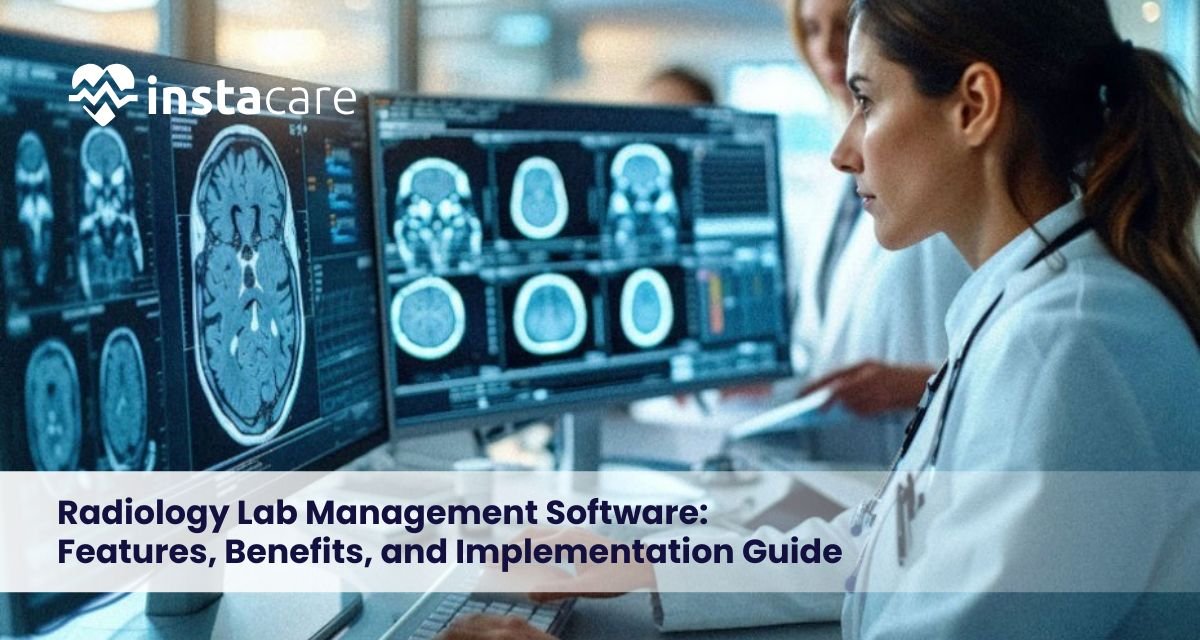
Radiology Lab Management Software: Features, Benefits, and Implementation Guide Radiology departments are of utmost importance in contemporary health care in that they aid in the correct diagnosis and timely treatment decision making. With the growth of imaging volumes and the growth of patient expectations, the manual and fragmented system cannot keep up. Radiology lab management software has become a complete online solution to stream operations, minimize errors, as well as enhance efficiency. These systems assist imaging centers and hospitals in providing faster and more reliable services and being compliant with regulations, starting with scheduling appointments, to image storage, reporting, and billing. What Is Radiology Lab Management Software? The radiology lab management software is a specialized IT system of healthcare that is used to control end-to-end processes of radiology or imaging departments. It combines clinical, administrative and financial processes into one digital platform. The software is often constructed on a radiology information system (RIS), which aligns the data and imaging orders with reports and communication between radiologists, technicians, and referral physicians. Combined with image storage solutions, it will guarantee smooth management of diagnostic processes in terms of patient registration up to the delivery of final reports. Key Challenges in Traditional Radiology Lab Operations Radiology labs have a number of operational challenges before digital transformation: Long wait time of patients due to manual scheduling. The paper-based records contributing to the risk of losing and error data. Slow turnaround of reports on clinical decision making. Lack of proper coordination among radiologists, technicians and clinicians. Problem with handling huge imaging files. Poor billing and reimbursement procedures. These problems do not only influence productivity but also patient satisfaction and accuracy of the diagnosis. Core Features of Radiology Lab Management Software The present-day radiology solution has very diversified features to tackle the operational gaps. Registering And Scheduling The Patients Radiology scheduling software can be integrated with other software to provide quick booking of appointments, minimise no-shows and maximise equipment utilisation by automated time-slot allocation. Workflow Management Of Imaging An effective radiology workflow management system monitors patients and imaging orders using real-time applications that enable an orderly flow of scan acquisition to reporting. Image Storage And Access The state-of-the-art PACS and RIS software enables the safe storage, retrieval, and sharing of high-resolution diagnostic images, which helps in speedy reviews and second opinion. Reporting And Documentation Radiology reporting software is built in to assist the radiologist in creating structured, accurate reports with templates, voice recognition and standard terminology. Billing And Revenue Management Radiology billing software is integrated to simplify the capture of charges, coding, invoicing, and claims with insurance companies to minimize revenue leakage and delays in payments. Automation And Integration The comprehensive radiology lab automation software links all imaging devices with the hospital information systems and the electronic health records in order to obtain a constant data flow. Book Free Demo Benefits of Radiology Lab Management Software The adoption of radiology management software presents clinical and administrative functions with quantifiable advantages. Quick turnaround time in diagnosis. Less reporting errors and greater accuracy. Improved use of imaging equipment. Improved patient experience and reduced waiting time. Automated imaging center and hospital operations. Better data security and regulation. An imaging center management software is also scalable to support the growing facilities without impairing the performance. Role of AI and Automation in Radiology Software Radiology processes are being altered by artificial intelligence and automation. Machine learning systems can help in the analysis of images, deriving priority cases, and aiding clinical decisions. Automation minimizes manual work like data input, appointments and report delivery. In the diagnostic imaging management software, the AI will increase productivity and assist radiologists in concentrating on complicated patients. In the long term, such technologies will help increase the level of diagnostic confidence and minimize burnout among medical workers. How to Choose the Right Radiology Lab Management Software? The choice of the appropriate solution is based on the careful consideration of operational and technical requirements. Determine Workflow Requirements Get to know the needs of imaging volume, specialties, and integration of your lab before shortlisting vendors. Customization And Scalability Select a software that is capable of expanding with your company and adapting to the evolving organization workflow. Interoperability Make sure that it is compatible with the existing hospital systems, imaging devices, and EHR. Information Privacy And Protection Ensure compliance with healthcare data protection procedures and local laws. Vendor Support And Training The long-term success depends on the reliability of the customer support and consistent updates as well as the staff training. Future Trends in Radiology Lab Management Innovation and digital transformation are shaping the future of laboratory software, with scalability and remote access becoming increasingly common through cloud-based platforms. The integration of AI-driven analytics is expected to enhance the accuracy and reliability of diagnostic and prognostic data. Online portals and mobile access to reports are also emerging as standard features, supporting a more patient-centric approach. As value-based care models continue to grow, laboratory software will evolve to support more efficient operations, higher quality decision-making, and data-driven workflows. Conclusion The software of radiology lab management is a necessity and not a luxury any more in the modern healthcare facilities. These solutions enable radiology departments to provide high quality care at an optimal cost by digitizing the work process, increasing the accuracy of various diagnostic procedures, and streamlining their financial procedures. In the current data-oriented healthcare landscape, using the appropriate system is a means of guaranteeing long-term operational excellence and improved patient outcomes with the development of AI, automation, and interoperability. Frequency Asked Questions What does radiology lab management software do? It consolidates scheduling, imaging processes, reporting, billing and data management to enhance efficiency and diagnostic quality. Is small imaging center fit to use radiology software? Well, clinics, diagnostic centers, and large hospitals can have scalable solutions. How does PACS differ from RIS? PACS is an image storage and retrieval centre whereas RIS is a patient data, workflow, and reporting centre. The combination of the two offers a full solution.
