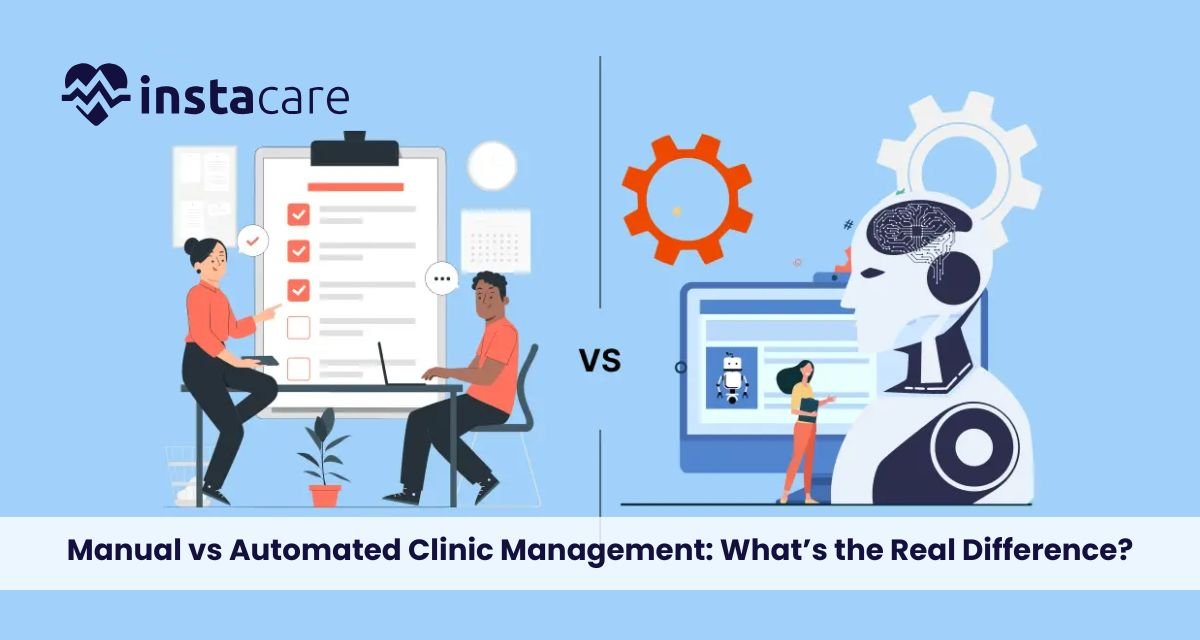
Manual vs Automated Clinic Management: What’s the Real Difference? Much has been written about Manual vs Automated Clinic Management as health facilities seek to optimise administrative costs and improve patients’ welcomes. Most clinics typically rely on manual systems such as paper records and human input for administrative tasks. However, means have developed over the last years with many modern systems that automate processing and provide other benefits that can radically change a clinic’s operations. Thus, healthcare providers must understand the distinction between the two to better manage themselves. The Manual Clinic Management Manual clinic management generally implies practices that have been basic for healthcare administration for many decades. It usually means using paper files, handwritten notes, and manual scheduling systems. These methods might have performed their functions; however, they leave much to be desired in their drawbacks, which can hinder clinic operation efficiency and patient care. Time-Consuming Task Patients’ medical records are stored in physical files manually, making recovery time-consuming and, in most unfortunate cases, the a danger of losing or destroying files. Also, introducing human input into data entry has created a health risk environment that establishes a high disorder or error state in patient information. Such symptoms contribute to a poorer workflow, severely affecting patient satisfaction and the entire clinic’s performance. Administrative Effort They often require a lot of administrative effort, which clinic staff invest almost all their working time into, eventually leading to an inevitable diversion from patient-centred activities. Such experiences are the precursors of burnout among healthcare workers, impacting the quality of patient services. Such gaps in clinic management will become glaringly visible as changes in the healthcare sector continue shaping demand for better alternatives. Understanding Automated Clinic Management On the other hand, automated clinic management software depends largely on different kinds of digital systems to optimise the efficiency and accuracy of various processes in healthcare settings. Electronic health records (EHR), billing systems, and appointment scheduling tools are automated systems designed to facilitate a perfect run of course in the management of a clinic. Professional Patient History With automated systems, professional patient history is stored in digital form; thus, it can be accessed quickly and securely for authentication. It reduces time consumption in carrying out administrative tasks and also reduces human errors related to manual data entry. For example, automatic systems can ensure that patient folders are updated with treatment work readily available to health professionals, enabling them to make immediate decisions. To Increase Efficiency In The Workflow Furthermore, automated systems are often equipped with techniques to increase efficiency in the workflow. For example, reminders can be set up to alert staff concerning upcoming appointments, follow-ups needed, or critical billing deadlines, which helps reduce the chances of missing assignments. Such an organisation cultivates a more cohesive working environment so that healthcare professionals can devote their attention to where it truly matters: patient care. Advantages of Automated Clinic Systems When considering the benefits of automated clinic systems, it is found that these are just some of the solutions through which most manual management problems can be addressed. Such change does bring modernisation to the ruins of a clinic; however, the transition from paper to digital introduces the following significant changes. Improved Efficiency Improved overall efficiency is by far the greatest benefit of automated clinic management. In effect, automating routine stuff streamlines working processes within the clinic and, in this manner, enables clinicians to spend more time talking to their patients instead of doing administrative work. This results in speedier processing of patients and a more organised approach to managing appointments and records. Automated scheduling systems enable patients to make appointments online, relieving the administrative staff from extra burden and reducing scheduling conflicts. This adds convenience to the patient’s experience and helps clinics optimise their schedules to better allocate their resources. Reducing Errors Reducing errors is another important advantage of automated systems. Automatic systems eliminate the possibility of human error at this stage as far as data entry is the outcome being wrong. But above all that, automatic systems always include built-in checks and balances that notify potential errors long before they become an issue. For example, if a health provider tries to enter different information, the computer can output an alert, allowing immediate correction. This level of oversight is immensely valuable for the precision of patient information, as well as ensuring that healthcare providers will have accurate information available for their patients. Enhanced Patient Experience Apart from this, automated clinic management systems also contribute to a much better patient experience. Features such as easy online appointment scheduling and secure portals for patients will increase the flexibility of healthcare activities. These will empower patients since they can now manage more on their own, such as gaining access to their medical records, seeing the outcomes of tests, and communicating directly with their healthcare providers. From A Paper-Based Management System to an Automated Shifting from a paper-based management system to an automated one may be intimidating; however, clinics have succeeded in this transition. A transition becomes successful with careful planning and good execution. These clinics should begin as far away from the final implementation as possible in evaluating existing workflows for situations that most deserve automation. This could include administrative processes, management of patient data, or billing practices. After recognising the areas that require improvement, clinics can then choose suitable software products based on those needs. It becomes important to involve the staff in this phase, as their input may give very relevant context to the selection of systems that will work best. Following this, training the staff on the new technology becomes very important so that everyone feels good and can use the automated tools in their work. Follow system implementation with ongoing support and feedback possibilities to keep improving. As the staff becomes increasingly comfortable with the automated processes, clinics can optimise the potential of their new systems and reap the benefits of enhanced efficiency and fewer errors. Digital Healthcare Management With healthcare constantly evolving, digital healthcare
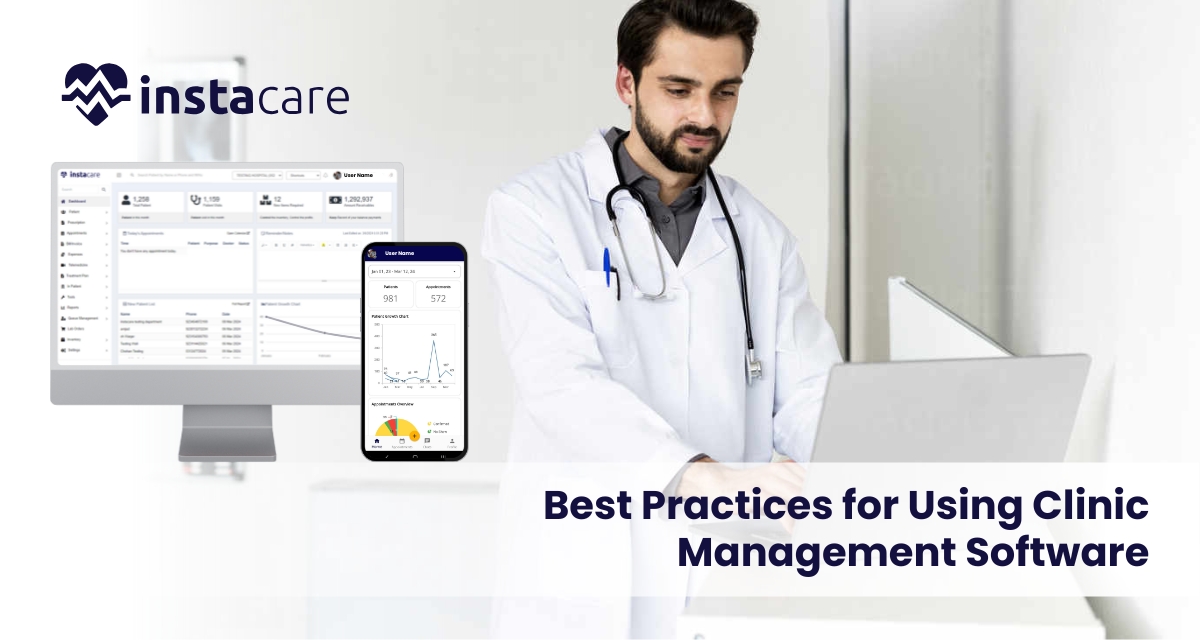
In today’s fast and busy healthcare environment, clinic management software forms an integral part of enhancing patients’ care and streamlining operational activities. The solutions benefit the healthcare provider in a variety of ways by keeping track of the patient’s record, appointments, billings, and much more for the enhancement of the experience of the patient. With this in mind, to bring maximum benefits from clinic management software, healthcare providers need best practices. This article outlines some of the effective strategies that can be used in the context of leveraging CMS for better patient care. 1- Choice of Right Software In order to improve the kind of patient care in the clinic, there must be a choice of the best clinic management software. This involves some of the following considerations. User-Friendly Interface The software must facilitate an intuitive user-friendly interface for the staff to easily use it and that the possibility of error decreases along with efficiency increases. Customization Options Explore customizable software that answers to your needs as a clinic. This will make the system flexible in the addresses of workflows and enhances its usability. Integration Capacities Select a CMS that has the integration ability to harmonize well with other health care systems, such as EHRs and billing applications. This would mean fewer duplication cases and efficient data flow. Scalability Select software that can grow with your clinic. As your practice expands, you want a solution that can accommodate increased patient loads and additional functionalities. 2- Train Staff Effectively Effective training is critical for the successful implementation of clinic management software. Consider the following training best practices: Comprehensive Training Programs New staff separately or together with the old one will undergo training on how to handle the software. The training would encompass all aspects of the system including, appointment setting, record keeping and even the billing system. Support after Implementation Ensure that there is continuous support offered to the staff as they go through the new system. This may include online resources, help desks, or regular refresher courses. Feedback Encouragement Encourage the staff to give feed on the usability of the software. The input will help in further training and identifying areas where further support may be required. 3- Simplify Patient Scheduling Schedule for the patient is part of their care. Your clinic management software has the following functions: Online Booking This is booking of appointments that makes it easy for scheduling by patients. It’s a feature that saves patients and staff time and, consequently, cuts down on no shows. Scheduling Optimization With the scheduling tool in your software, optimize the timing of appointments while minimizing the gaps in your schedule. Automated reminders reduce missed appointments as well. Track Patient Flow Track patient flow through the clinic by using the reporting capabilities offered by the software. The collected data can be used for the identification of bottlenecks and improvement of general efficiency. 4- Effective Patient Communication The mantra to good patient care lies in communication. Use your software for the management of a clinic to: Auto-Reminders Set up alerts for appointment, follow-up and refill of prescriptions. These reminders could be through emails/ texting or telephone calls depending on the patient’s convenience so that they have to be reminded. Use the software to send educational resources to patients, including treatment options and preventive care tips. Equipping patients with information may help them become more engaged in their care. Secure Messaging It is recommended to add safeguarding features for the purpose of enabling the patient–provider direct messaging. In this way, patients would be able to pose questions and givers would be able to reply back to those questions immediately without having to refer to the office. Book Free Demo 5- Efficient Management of Patient Records Quality care is characterized by proper management of patient records. The following are what your clinic management software should do. Centralize Patient Information All patient information shall be collected in one location: medical history, medication, and lab results. It can then be accessed by the healthcare providers easily. Validating Data Accuracy The software must have checks for validation to confirm accuracy in patient data. This ensures that accurate records can be used in sound clinical decisions. Regulations Please make sure that the clinics management software you use is HIPAA compliant if you are in the United States. Compliance protects patient information and builds trust. 6- Track and Analyze Performance Metrics Monitoring performance metrics is key to improving patient care. Use your CMS to: Monitor Patient Satisfaction Collect patient feedback regularly through surveys or reviews. Analysis of this data can help identify areas for improvement in patient care and service. Track Clinical Outcomes Use the application to monitor clinical results, such as treatment success and recovery periods of patients. This may inform evidence-based practice, ensuring quality care. Evaluate Operational Productivity Examine operational data, such as patient waiting times and staff productivity. Based on these metrics, make process improvements and improve care delivery. 7- Secure Data Data security in health care is critical. Keep patient data confidential through: Robust Access Control Role-based access control will be used to limit the view and edit of sensitive patient information, thus limiting exposure to unauthorized access. Frequent Updating of Software Clinic management software should be frequently updated with security patches and updates. Regular updates protect against vulnerabilities. Staff Training on Security Protocols Educate employees about the importance of safeguarding information and best practices about protection of patient information. Continued education is a reinforcement on the importance of safeguarding confidential information. 8- Promote a Patient-Centered Culture A patient-centered culture in your clinic has better outcomes for the overall experience of the patient. Implement these strategies: Involving Patients in the Decisions Incorporate patients in the plans by involving them in shared decision-making. This would help them feel a greater sense of ownership and participation in their care. Personalized Care Personalize care based on information from your clinic management software. Personalized care plans enhance patient satisfaction and outcomes. Continuous Improvement of Care Processes Analyze and
Improving Patient Experience through Advanced Clinic Management Software An excellent patient experience means much more to today’s fast-moving healthcare environment than ever before. Patients are not just expecting access to care in a timely and efficient manner; they expect effortless communication with healthcare providers and the process of managing health to be completely hassle-free. It plays an important role in meeting expectations through improving efficiency in operations and communication, which follows to improve on the patient experience. This report provides information about how advanced CMS modifies patient interactions and outcomes. What is Clinic Management Software? Clinic management software is the technological aid for the smooth running of clinics. From scheduling appointments, patient’ records handling, billing, and communication, CMS integrates various functionalities to streamline clinics at maximum efficiency. Most current advanced CMS goes beyond its basic functionalities such as telemedicine, patient portals, analytics, and automated reminders. Key Features of Advanced CMS Appointment Scheduling: Streamlines scheduling patients and staff appointments. Electronic Health Records (EHR): Store all records in an electronic digital repository. Billing and Insurance Management: Has contained automation in billing and insurance claims. Patient Communication Tools: Offers secure messaging, reminders, and follow-up communication. Telehealth capabilities. This enables virtual consultations that enhance access to care. Streamlining Patient Experience with CMS 1-Simplify Appointment Scheduling The most painful part is the process of scheduling. With an advanced CMS, a patient can book online, and that’s at any time of day or night. Benefits: Efficient Resource Use: The health care workforce is better able to control flow patterns, thereby maximizing the use of available clinical resources. 2-Electronic Health Record Centralization Centralized electronic health records allow healthcare providers quick access to patient histories. Ease of access enhances the quality of care due to practitioners who can consider all patient-related information during a period. Benefits: Optimal Care Coordination: Since all information about patients is centralized, the providers can communicate and confer well, and hence this yields better results for patients. Less Errors: Digital charts pose no risk of misreading or losing data, thus offering higher safety to the patient. 3-Efficient Communication A sound experience for the patient is based on proper communication between patients and providers. Improved CMS allows safe messaging that will take the patient directly to the provider. Pros: Quick Answers: The patients get their answer without delays, thus eliminating anxiety and confusion for them. Follow-Up Care: Automated follow-up messages can remind patients about post-visit instructions or check-ups, thereby leading to better adherence to care plans. 4-TeleHealth Integration Telemedicine has gained popularity over the years, and remote access has changed the face of how patients get care. Advanced CMS often includes capabilities that let a patient virtually consult their provider from anywhere. Benefits Ease of Access: Patients in rural areas or with mobility issues can get care without traveling long distances. Ease:Telecare saves both the patient and the provider a lot of time, and so makes healthcare much more streamlined . 5-Automated Insurance Billing Management Billing is perhaps one of the most frustrating problems patients have to face. The most advanced CMS can help automate the entire billing process so that patients are not confused by unnatural bills. Advantages Less Confusing Bill Statements: Patients easily understand detailed bill statements and are not confused. Streamlined Insurance Claims: Processing claims automatically ensures a lesser delay in practice reimbursement, which gives providers ample time to concentrate on their core competencies-patient care. 6-Patient Portal Patient portals are the key part of a mature CMS. They enable patients to access and manage their health records on a secure site. Advantages Health Record Access: Patients can view all medical history, lab results, and medication lists together, thus putting the patient in the best possible position to direct their treatment. Self-Scheduling: Patients are enabled to schedule or even reschedule an appointment directly from the portal, adding to the convenience factor. 7-Analytics Reporting Advanced CMS makes available very useful analytics and reporting tools, which in return allow practices to measure patient satisfaction and their own operational efficiency. Benefits Comprehension of the Fields That Need Improvement: Through analysis of responses received and performance metrics, practices can enact changes, hence improving the patient experience. Data-Informed Decisions: With perception generated through data, providers are able to make resource allocation and service offerings choices that are informed. Book Free Demo Developing Contemporary Clinic Management Software 1-Needs and Objectives Assessment The specific needs and goals of the healthcare organization must be determined prior to considering CMS, and based on these specific needs and objectives, functionalities would be determined that should be chosen – one of these might be appointment scheduling, telehealth, or billing. 2-Selecting the Right Vendor The following are aspects that come into consideration while selecting CMS software: User-Friendliness: The interface has to be intuitive for employees and patients alike Integration Capabilities: Ensure the system is able to integrate with existing systems, as well as EHR, billing, etc. Customer Support: There must be good customer support to resolve a problem quickly. 3-Training Staff Implementation success also depends on proper training. Your staff must know how to work the software in your favor. Sustained training and resource provision for the staff so that it is always fresh with regard to new features is in order. 4-Engaging Patients An excellent method for improving the patient experience would be to educate patients on new features, such as patient portals or telehealth options. Tutorial programs or information material can also comfort the patient with regard to the new system. Measuring Success 1-Patient Feedback Feedback from patients through survey or focus groups can tell practices regarding how the patients experience the new system. Accrued feedback allows regular monitoring, which helps practices make necessary adjustments. 2-KPIs Track KPIs associated with wait times for appointments, no-show rates, and patient satisfaction scores to gauge the impact of CMS on the practice’s operating efficiency as well as patient experience. 3-Continuous Improvement Make improvements constantly through data and feedback. Processes must be considered for review and amendments to continue to improve the patient experience regularly. Conclusion