


Top 10 Benefits of HR Software for Modern Businesses Human resource departments in the busy business environment are expected to handle numerous duties including hiring of employees, staff management, payroll administration, compliance, and performance appraisal. These processes had been done manually, which resulted in time-consuming operations and errors and inefficiencies. However, with the help of HR software, businesses can automate and simplify their human resource functions, increasing efficiency, accuracy and productivity. HR software or Human Resource Management System (HRMS) is designed to help businesses manage their human resources effectively, providing a centralised point of operation by the HR department. Hiring, payroll, employee performance, and compliance are just some of the processes that HR software automates and simplifies so that HR professionals can invest in strategies to support business objectives. In this article, we shall argue about the benefits of HRMS systems and its relevance in the modern business environment. What does HR Software Mean? HR software is a package of applications that assists in the administration of HR. These platforms computerize several HR activities, including recruiting, payroll, benefits administration, performance management, and compliance monitoring. HR software may be on-premise or cloud-based, and it has flexibility and scalability to any sized business. Such systems may also consist of dashboards, employee data management reporting and modules, leave management, training, and attendance, etc. When HR processes are incorporated in one platform, companies are able to simplify HR work, lessen manual work and eliminate errors. Top Advantages of HR Software 1. Streamlined Recruitment Process The fact that HR software can automate the hiring process is probably the most significant advantage of this software. It usually involves scanning through heaps of resumes, arranging interviews and monitoring applicant information. Much of this can be automated with HR software and enables HR professionals to screen resumes, make interviews and send emails to applicants efficiently. HR Software Benefits : Resume Matching: Resumes are searched by keywords and skills using HR software, and the best candidates are identified by the HR managers. Job Board Integration: Advertise job descriptions in different job boards and social media platforms so that you can increase your pool of talent. Candidate Tracking: Find it simple to monitor the progress of a candidate at several stages of the recruitment process, starting with application filing and ending with a final interview. It makes the recruitment process more efficient and enables the companies to recruit superior employees since it is automated. 2. Centralized Data Management of Employees One of the advantages of HR software is that it gives a central and safe database where employee records can be stored. This may involve the personal information, employment history, performance appraisal, pay details and a lot more. By centralizing employee data, HR personnel are also able to view and update employee data in a short period of time, and the data available is up-to-date and easily accessed. Key Benefits: Easy Access: HR teams will find it easy to access and update employee data when needed. Security: HR software is safe and secure in storing and protecting information about employees so that it is not lost in data breach. Paperless: HR software benefits for businesses enables an organisation to be paperless and save on administrative expenses. This also makes it easier to comply with data privacy laws and corporate policies. 3. Improved Compliance and Reporting HR has to comply with the employment laws, tax requirements and corporate policies, and HR software is one of the major components of this. Such systems also have compliance features that are automatically updated to comply with changes in regulations, to ensure that companies do not go out of compliance. Advantages of Compliance Features: Automated Notifications: The HR software can send notifications and reminders about significant compliance dates, including income tax and worker safety reports and employee benefits. Proper Reporting: HR software gives detailed reports that can be utilized to demonstrate that the labor regulations were adhered to during audits. Eliminates Fines and Penalties: HR automation benefits offers compliance procedures to eliminate penalties and fines. The process of automation will help businesses to save money on expensive errors and to be able to comply with the requirements established by regulations. 4. Improved Employee Self-Service HR software provides employees with self-service to manage the HR-related processes. The software enables employees to update their contact information, apply leave and access their remuneration slips and benefits. This saves the HR administrative time, as well as boosts employee satisfaction. Important Benefits: Time Off: The employees will be able to request and manage their time off and look up their leave balances. Payroll History: Click to view pay stubs, payroll history and tax documents. Benefits Administration: Employees are able to access and update their benefits plan including health insurance and retirement benefits. Such a self-service employee approach may simplify the operations of HR and decrease the number of HR queries. 5. Efficient Payroll Management Payroll is one of the most tedious tasks for HR. Payroll is made easier with HR software, which automates salary, bonus, benefits and tax calculations. The fact that HR software collaborates with tax filings and even allows direct deposit processing means that payroll processing will always be timely and error-free. Benefits of HR Software: Automated Calculations: HR software does the calculation of salaries, taxes, deduction and bonuses of workers, and eliminates the errors in calculations. Direct Deposit: HR software is able to create a payroll through direct deposit to make it convenient and timely. Payroll Reports: The HR software generates tax payroll reports and financial reporting payroll reports. HR software is automated, which saves time and costs, reduces errors, and delays payments. Get Your Free HR Software Demo 6. Insights and Analytics with Data HR software analytics provides insight into the talent of companies. HR software analytics can track employee performance, attendance, engagement, and turnover. This aids the HR professionals in making evidence-based decisions regarding hiring, employee training and retention. Major Advantages: Performance Tracking: the HR programs will be able to track employee goals, performance
Types of HR Software: A Complete Guide for Modern Businesses Human Resources software is really important for businesses nowadays. It helps them manage their employees in a way. From hiring people to paying them and tracking how they are doing this software makes things a lot easier. With more companies using automated HR tools and cloud-based software they can now do things faster with less work and be more productive. Knowing what different HR software for small businesses can do, helps them pick the one for their needs. What Is HR Software? HR software is a computer program that helps with things like hiring, paying and keeping track of employees. It also helps companies store information, do tasks automatically and make their HR work better. Modern software for managing employees combines tasks into one platform. This makes it easier for the HR team to do their job. Both small and big companies use these tools. Main Types of HR Software (Core Systems) The Cloud-based HR software types are the foundation of managing employees. HRIS (Human Resource Information System) HRIS is used to store and manage information about employees. It is like a database for HR. HRMS (Human Resource Management System) HRMS has features like paying employees for hiring and tracking performance. It is a solution. HCM (Human Capital Management) HCM systems focus on HR tasks like managing talent training employees and planning the workforce. These main systems are part of Enterprise HR software solutions used by large companies. Types of HR Software by Function Best HR software types can also be grouped by what it does. Payroll Software Payroll software systems calculate salaries, deducts taxes and makes payslips. Recruitment Software Recruitment software helps with job postings, applications and hiring. Employee Management Software Employee management software stores and organizes employee information. Performance Management Systems Performance management systems track employee goals, evaluations and productivity. Attendance Management Software Attendance management software monitors working hours, leaves and time. This way of grouping helps businesses choose the tools for their needs. Cloud-Based vs On-Premise HR Software Companies can choose between cloud-based and on-premise HR software. Cloud-Based HR Software Cloud-based HR software is online. Can be used from anywhere. It is flexible, can grow with the company and’s cost-effective. On-Premise HR Software On-premise software is installed on the company’s servers. It gives control but needs more maintenance and costs more. Most companies today prefer cloud solutions because they are easy to use and can be accessed from anywhere. Benefits of Using HR Software HR software has advantages for businesses. It Makes Things Efficient: Automating tasks saves time and reduces work. It Helps Manage Information Better: Centralized systems make information more accurate and easier to access. It Improves the Employee Experience: Employees can easily get information through platforms. It Saves Money: It reduces paperwork and manual tasks. It Grows With the Company: It supports business growth with solutions. These benefits make HR software a valuable investment for companies. Get Your Free HR Software Demo How to Choose the HR Software? Choosing the HR software depends on several things. Company Size Choose HR software based on the size of your company. Features Needed Decide if you need payroll, recruitment or full HR management features. Budget Consider how much it costs and what the long-term costs will be. Ease of Use User- systems are adopted more easily by employees. Integration Make sure it works with existing tools and systems. Looking at these factors helps businesses choose the HR tools and systems list for their needs. Future Trends in HR Software HR technology is changing fast with innovations. Artificial Intelligence Artificial Intelligence improves recruitment, analytics and decision-making. Automation Advanced automation tools reduce HR tasks even more. Cloud Expansion More companies are using cloud-based HR software for flexibility. Focus on Employee Experience Modern systems prioritize engagement, being and productivity. Data Analytics Advanced insights help improve workforce planning and performance. These trends are shaping the future of HR software solutions. Conclusion HR software helps make managing employees easier and more efficient. It does this by making things simpler for the people in charge of the employees. There are kinds of HR software like HRIS and HRMS and also specialized tools like payroll software and attendance management software. To pick the HR software companies need to understand what HR software is and what they need for their business. As HR automation tools and cloud technology get better, HR software will keep changing how companies manage their employees. This means HR software will keep making things easier for companies to manage their employees. FAQs 1. What are the main kinds of HR software? The main kinds of HR software include HRIS, HRMS and HCM along with tools like payroll software, Recruitment software tools and performance management systems. These are all types of HR software that companies can use. 2. Which HR software is best for companies? The best HR software for companies should be affordable and easy to use. It should also have features like payroll, attendance and employee management. Companies should look for HR software that has these features. 3. What is the difference between cloud-based HR software and on-premise HR software? Cloud-based HR software is online which means it can be used from anywhere. On-premise HR software is installed on the company’s computers. Needs more work to keep it running. This is a difference between cloud-based HR software and, on-premise HR software.
What is CRM? A Complete Beginner’s Guide Customer Relationship Management (CRM) is a potent technology that assists companies to deal with customers and enhance relations. In the current competitive business environment, firms have been using CRM tools to help businesses to sort data, enhance communication, and increase sales. Since the age of startups, cloud-based CRM software has become an indispensable tool to follow the behavior of customers, enhance their service, and grow. This guide presents the work of CRM and its features and the selection of the appropriate system. What is CRM? CRM is an acronym of Customer Relationship Management. It is a strategy and software that is utilized to operate customer interactions across the business lifecycle. Customer data is stored in a CRM system including contact and purchase history, communication records. Such examples of CRM systems assist businesses to have stronger relations and enhance customer satisfaction. How CRM Works? The next important step to the effective use of CRM is to understand its functionality. CRM software gathers customer information and the information is centralized in a single platform. It allows teams to: Monitor contact with customers. Administer leads and sales channels. Depersonalize follow-ups and communication. Analyze customer behavior CRM guarantees the smooth customer experience by incorporating various departments such as the sales, marketing and support departments. Types of CRM Systems CRM software is available in various forms based on the requirements of a business. Operational CRM Concentrates on the automation of selling processes, marketing and customer service. Analytical CRM Relies on data analysis to comprehend how customers behave and enhance decision-making. Collaborative CRM Improves interdepartments/inter-teams communication to better its customer service. Knowing about such CRM software is useful in business to select the appropriate solution. Key Features of CRM Software The modern CRM systems are associated with a broad number of features. Contact Management Organizes and stores customer information effectively. Sales Management Tracks, dealings, and sales performance. Automation Automation of tedious processes such as emails and follow-ups. Reporting and Analytics Gives information on the behavior of customers and their sales trends. Integration The integration with other applications such as email, marketing software, and accounting software. These are customer relationship management features and functions that facilitate easier customer relationship management. Book Your Free Marketing Consultation Benefits of CRM There are numerous Benefits of CRM systems in businesses. Better Customer Relationships Assists businesses in knowing the needs of customers. Increased Sales Increase in lead tracking increases conversion rates. Better Organization Efficiency and communication is enhanced by centralized data. Time Savings Automation eliminates manual work. Data-Driven Decisions Data analytics helps to make smarter business decisions. These are the pluses of CRM system that makes CRM a beneficial investment. Who Needs CRM? CRM is applicable to many businesses and even professionals. CRM for small businesses is effective in utilizing scarce resources. CRM helps sales teams to manage leads and seal deals. It is applied to marketing in marketing campaigns and customer insights. It is used by customer support teams to process inquiries and to service. CRM can be of use in any organization that deals with customers. Popular CRM Tools The number of available CRM tools for businesses is high. Examples of CRM systems that are popular include: Salesforce HubSpot CRM Zoho CRM Microsoft Dynamics 365 These tools have different features and prices based on the needs of the business. How to Choose the Right CRM? The appropriate CRM is a choice that depends on your objectives and needs in business. Identify Your Needs Decide what you require, e.g. sales tracking or automation. Consider Budget Select a solution that matches your budget particularly in CRM of small businesses. Check Scalability Make sure that the CRM is expandable with the business. Evaluate Ease of Use An easy-to-use system enhances adoption in the employees. Look for Cloud Options CRM software based on the cloud is flexible and remote-access. The CRM vs ERP difference is also understandable, whereby CRM is concerned with customer relationship and ERP is concerned with general business processes. Conclusion CRM is a critical instrument that is necessary in customer relationship management and business development. Businesses can find out the appropriate CRM software to use by having an idea on how CRM functions and by examining various Types of CRM software. Having strong CRM features and functions and various advantages of CRM systems, CRM assists in terms of enhancing efficiency, customer satisfaction as well as sales. One major difference has been the long term success that can be gained by investing in the correct CRM system. FAQs What is CRM used for? CRM is applied to deal customer interactions, to track the sales and enhance the relationship with the help of the CRM business tools. Which are the varieties of CRM software? There are operational CRM software, analytical CRM and collaborative CRM as the main types of CRM software. Are CRM in small businesses? Yes, small business CRM is used to handle customer data and enhance efficiency.
HRIS vs HRMS: What’s the Difference and Which One Do You Need? It is not always easy to select the appropriate HR software when such concepts as HRIS and HRMS are usually taken interchangeably. Although the two systems assist in employee data management and HR process, they are differentiated in functionality and coverage. The need to know HRIS vs HRMS which is better on your business, size, and objectives. This guide will demystify to provide you with the differences, similarities and advantages to choose the correct option. What Is HRIS? The HRIS (Human Resource Information System) is information software that is mainly used to accumulate information about employees. It serves as a central repository of HR related information. Key features of HRIS include: Records management of employees. Basic payroll processing Attendance tracking Reporting and analytics HRIS suits well in organizations which require effective data management and easy HR operations. Small to mid-sized businesses seeking to streamline their operations are using many HRIS software examples. What Is HRMS? A more powerful and integrated system (that is not limited to the data management) is HRMS (Human Resource Management System). It entails all HRIS capabilities and other HRMS tools for businesses to handle the entire lifecycle of the employees. Key features of HRMS include: Recruitment and onboarding Performance management Training and development Developed payroll and compliance. Most of the business specific HRMS systems are made with companies that need more functionality and strategic HR management. Key Differences between HRIS and HRMS Learning the essence of disparities assists in choosing the appropriate system. Scope of Features HRIS is concentrated on the storage of information and simple HR functions. Performance tracking and recruitment are all that is offered by HRMS. Functionality Administrative work is done with HRIS. HRMS assists in administrative and strategic HR. Business Size HRIS is appropriate in small companies. HRMS is suited to medium and large organizations. Complexity HRIS is also less complex and simpler to install. HRMS is more sophisticated with sophisticated functions. In this Human Resource Management Systems comparison, it is evident that HRMS is more functional. Similarities between HRIS and HRMS Though different, the two systems have a number of similarities. They are both classes of HR software that are described as workforce management. HR automation systems comparison is used to automate HR processes. They both enhance precision of data and decrease manual tasks. Report and give analytics to make decisions. These parallels determine their contribution to contemporary HR practices. Benefits of Using HR Software Either of the two, HRIS vs HRMS benefits are immense. Improved Efficiency Repetitive tasks are minimized and time saved through automation. Better Data Management The data on employees is securely stored and can be accessed with ease. Enhanced Decision-Making Analytics assist HR departments to make decisions. Cost Savings Elimination of manual operations reduces the operational cost. The following HRIS vs HRMS advantages enable HR software to be a critical requirement of businesses of all magnitudes. Book Your Free Marketing Consultation How to Choose Between HRIS and HRMS? The choice of the appropriate system is dependent on the needs of your organization. Choose HRIS If: You run a small business You need basic HR functions You prefer an affordable solution. You need mere data management. Choose HRMS If: You need advanced HR tools Your business is expanding at a very fast pace. You would like to take control of the whole lifecycle of employees. Performance and training systems are what you need. In the case of HRIS vs HRMS which are applied in small firms, it is common to find that HRIS can be employed whereas the application of HRMS in bigger firms is of the benefit. Future Trends in HR Technology The HR technology is changing towards novel innovations in the future. Cloud-Based Solutions Remote access and flexibility is made possible through Cloud HRIS vs HRMS systems. Artificial Intelligence AI is enhancing the hiring, performance monitoring, and decision-making. Automation and Integration Comparison of advanced HR automation system demonstrates greater integration with other HRMS tools for businesses. Employee Experience Focus The modern systems are concerned with employee engagement and satisfaction. The following trends are determining the next generation of the HR software types explained. Conclusion Both HRIS and HRMS are relevant in the management of human resources yet they are different in scope and functionality. Whereas HRIS aims at simple management of data, the HRMS offers a complete handling of employee lifecycle. The question of which of the two is better, HRIS or HRMS, is determined by the size and the needs of your business. Organizations would be able to select the appropriate system and enhance productivity using modern HR technology by examining the characteristics, expenditure, and future development. FAQs How does HRIS and HRMS differ? The major distinction between HRIS and HRMS is that the former is dedicated to the data management, whereas the latter incorporates such sophisticated tools as recruitment and tracking performance. Which is better, HRIS or HRMS? The question is which is the better between HRIS and HRMS, this depends on your needs. HRIS is best suited to the small businesses, whereas HRMS is best suited to the larger organizations. Is small business usable with HRMS? Yes, yet the comparison of HRIS vs HRMS for small businesses provides evidence that HRIS tends to be more affordable in the
What is human resources (HR) software? Human Resources (HR) software is an online application that is designed to help organizations manage their employees in a better way. It also simplifies all the complex HR activities of hiring, payroll, time tracking and monitoring performances of employees. The contemporary business environment is very fast and businesses cannot afford to be without the HR management software to ease their operations and improve their productivity. The superior HR automation software can help businesses reduce the number of manual labor errors, and enhance employee experience. HR software can be used in people management, which is among the most valuable resources of any business, starting with startups, and ending with large organizations. Key Functions of HR Software HR software for small businesses is loaded with a wide array of capabilities that are useful in day-to-day human resource work. Such functions help organizations to manage the workforce. Employee Data Management With an employee management system, all the information pertaining to employees is kept at a central location. This is a compilation of personal data, employment role, remuneration, and work history. It offers efficiency and convenience of information. Payroll Processing Pay payroll software computerizes calculation of pay, tax concession, bonuses and produces payslips. This assists in preventing errors and paying the employees their due amounts and at the right time. Recruitment Management Recruiting management software helps the HR in management of the hiring process. It allows advertisement of jobs, management of the applications, screening and scheduling of interviews in one system. Timekeeping and Leaves The attendance, hours and leave request of the employees are tracked by HR software. It helps to maintain a proper record and provides time management transparency. Performance Management The performance management systems enable a company to evaluate the productivity of the employees, set objectives, and provide feedback. This helps in improving the general performance and growth of the employees. These are the key functions, which can confirm that HR automation tools simplify the complex HR processes and make them more efficient. Benefits of HR Software Enterprise HR Management software has numerous advantages to both large and small-scale businesses. Increased Efficiency The automation also reduces the time of doing manual labor that is monotonous and the Human resource department can focus on the strategic work. Improved Accuracy Computer systems decrease payroll, attendance and data error. Better Employee Experience Employees can access their information, apply leave and view their payslips using cloud-based HR software and this is more convenient. Cost Savings Automation is economical in administrative costs and paperwork that makes operations less expensive. Data-Driven Decision Making HR software provides analytics and reports and allows a business to make sound decisions. All these benefits make best HR software solutions a need of the contemporary organization that desires to evolve and be productive. Get Your Free HR Software Demo Types of HR Software To support the different business demands, HR software may be of any type. HRIS (Human resource information system) The major part of HRIS involves keeping and upholding staff data. It serves as a hub of HR data. Human Resource Management System (HRMS) HRMS is more comprehensive, which includes payroll, recruiting and performance management. The differences between HRIS vs HRMS enable business organizations to choose a relevant system based on the business requirements. Payroll Software Payroll is handled through specific payroll management software that takes care of payroll, tax calculation and regulatory provisions. Recruitment Software The recruitment management software is used in the management of the recruitment processes such as job posting and on boarding. Cloud-Based HR Software Cloud based Hr systems are available anywhere, and this is what makes it applicable to the remote working environment, and modern businesses. Each of the types performs a specific job and companies like to choose a group of such tools to possess a complete HR management. Who Uses HR Software? HR software is applied in innumerable industries and types of organizations. Some of the advantages of HR software on small business are efficient utilization of the limited resources and automation of the simple HR functions. The medium and large companies have well-developed mechanisms of handling the complex workforce. HR professionals use these tools to recruit, payroll, and offer performance tracking. Managers use the HR software to monitor performance and productivity of the teams. The employees are also empowering themselves with self services such as leave requests and salary tracking. Good adoption of the HR software implies that all people will be able to operate the system and improve the working process. Conclusion The HR software has become an inseparable aspect of a business to guide the workforce in an effective and efficient manner. These tools ensure that one can easily manage the complex HR processes and increase productivity, beginning with the employee management systems, and then moving to the performance management systems. By having the right HR management software and right HR software implementation, the companies would gain more accuracy, cost reduction, and a better experience of the employees. The future of workforce management will give more relevance to HR software due to the dynamism of the technological field. FAQs What is HR software used for? HR management software entails effective and organized management of the employee information, payroll, recruitment, and performance tracking. What is the difference between HRIS and HRMS? The difference between HRIS and HRMS lies in the fact that the former is focused on managing the data of the employees, whereas the latter contains the role of the payroll and performance management. Do small businesses consider the HR software helpful? Yes, small business HR software makes the workflows to be automated and to save time and use the scarce resources more productively.
10 Healthcare Business Ideas For Startups Healthcare sector is among the rapidly developing industries in the world and presents inexhaustible chances of innovations and development of business. About the growing need to have convenient, affordable, and technology-oriented care, entrepreneurs are considering new methods of venturing in this arena. Starting with health tech startup ideas and ending with online healthcare business ideas, there are numerous possibilities on the way to the successful venture. Knowing the future healthcare business trends now and strong new medical business opportunities can make you build a sustainable and effective business. Why Invest in Healthcare Startups? The healthcare sector is a stable and necessary industry, and hence it is a good location to venture in by an entrepreneur. There is an ever-increasing demand of better services, digital solutions, and patient-centered care. Investment in the healthcare provides: Long-term growth potential A high demand for innovative solutions. Physical and digital services opportunities. Room to make meaningful contributions to society. All these reasons allow concluding that healthcare is a good option when one wants to venture into Healthcare entrepreneurship ideas and consider entering a developing market. 10 Healthcare Business Ideas for Startups Below are ten new Healthcare startup opportunities in medical business that can work out: 1. Telehealth Services Platform Design an online doctors consulting platform, which links patients and healthcare professionals together at a distance. It is one of the most trendy business concepts of online healthcare today. 2. Health & Wellness Coaching Provide individual training on fitness, nutrition, and mind. It is one of the best businesses when it comes to low investment healthcare business ideas. 3. Home Healthcare Services Deliver home-based services to elderly or chronically ill patients such as nursing and physiotherapy services. It is an expanding sector of healthcare start-up opportunity. 4. Medical Delivery Services Begin a company with the delivery of medicines, laboratory samples, or medical equipment to the homes of patients. This is in line with the present trends in future healthcare business. 5. Health Tech App Development Create fitness trackers, mental health, or appointment booking mobile apps. They are disruptive health technology start-ups that are highly scalable. 6. Diagnostic and Lab Services Establish a mini diagnostic centre or mobile laboratory testing service. It is among the strongest prospects of new medicine business. 7. Medical Equipment Rental Rent equipment such as wheelchairs, oxygen cylinders or hospital beds. It is a low investment viable healthcare business concept. 8. Drugstore or Online Pharmaceutical Establish a drugstore or develop an e-commerce library to sell and distribute medicine, which would add to the online healthcare concept. 9. Mental Health Support Services Provide counseling, therapy, or digital mental health. This is a booming field in the healthcare entrepreneurship concepts. 10. Nurse Training and Education Initiate an educational institution or an online center to educate healthcare practitioners or caregivers. This aids in the growth of workforce and is in line with strategies of healthcare industry start up guides. Book Your Free Marketing Consultation Key Factors to Consider Before Starting Healthcare startup requires proper planning before its undertaking. Policies legal and regulatory. Determine your target market and audience. Develop your budget and sources of funds. Make quality and patient safety a priority. Make investments in trusted technology. A startup guide in the healthcare industry would save risks, and would run smoothly. Challenges in Healthcare Startups There are special issues to healthcare businesses that should be ready to face by the entrepreneurs. Rigorous rules and codes of conduct. Zealous start-up costs in certain sectors. Personal information security and privacy issues. Requirement of qualified personnel. Establishing trust with patients. These obstacles are imperative determinants in the successful venture of healthcare startups. Tips for Success in Healthcare Business The innovation, quality, and customer satisfaction are the key factors to success in the healthcare industry. Finger on the pulse with new business trends in healthcare. Focus on serving patients and experience. Efficiency can be enhanced through technology. Establish effective ties with medical practitioners. Provide continuously better services. The strategies are useful in transforming ideas of health tech startups into successful companies. Conclusion The healthcare sector has enormous scope to an entrepreneur who is prepared to be innovative and find solutions to real life challenges. With the idea of an online healthcare business to the concept of advanced health technology start ups, there are a lot of ways to succeed. Locating startups in the healthcare industry can succeed by identifying market demands, adhering to an excellent healthcare industry startup guide, and concentrating on quality health care. The healthcare businesses can be profitable and effective with the correct strategy. FAQs What are the most appropriate healthcare business ideas as a beginner? Health coaching, medical delivery services, and online consulting platforms are some of the most advantageous healthcare entrepreneurship concepts to beginners since they are comparatively cheap to operate and they are simple to establish. Is online healthcare a profitable business? Indeed, telehealth services and health apps are lucrative business concepts in healthcare online because of the growing need to access and seek convenient and affordable online healthcare. What are the things that I should take into account when starting a healthcare startup? A good healthcare industry startup guide should be in place before beginning, which involves learning about the regulations, demand in the market, budgeting, and concentrating on the quality of patient care.
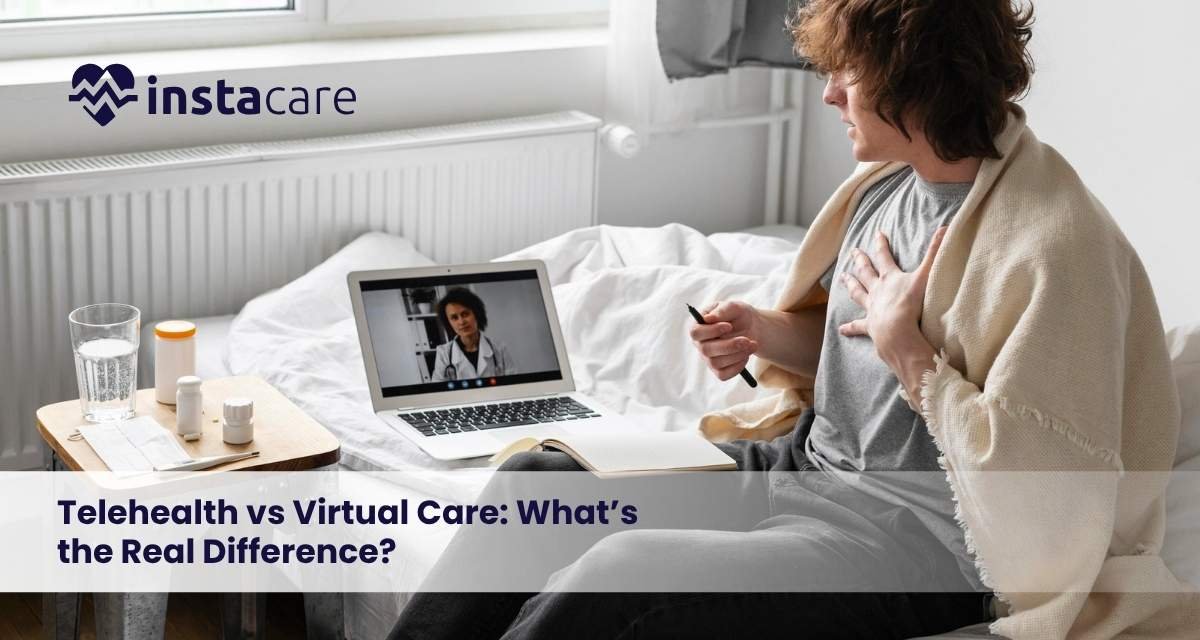
Telehealth vs Virtual Care: What’s the Real Difference? Digital healthcare has revolutionized the process of accessing medical services and made care more convenient and accessible to patients. Two terms that are quite common in this space are telehealth and virtual care. Although it is common to use them interchangeably, they have different meanings and uses. Knowing the distinction between the Telemedicine vs virtual care differences will allow patients and providers to make the correct choice. They are both components of current digital health care services and they are based on new technologies of remote patient care. What Is Telehealth? Telehealth is defined as the application of digital communication technology to provide health care services over long distances. It contains a broad variety of services other than doctor visits. Telehealth services in healthcare can include: Video or telephone doctor appointments. Home based patient monitoring. Education and awareness on health. Scheduling and following up of appointments. Telehealth is concerned with enhancing care access and particularly addressing individuals in remote or underserved communities. It contributes significantly to the growth of digital healthcare services and enhances patient convenience. What Is Virtual Care? Virtual care is a wider term that encompasses all types of care provided remotely via digital means. It concentrates on the nonstop patient treatment through the technology. Contrary to telehealth, virtual care can require continuous communication between patients and healthcare providers on virtual care platforms. Examples include: Diagnosis and treatment on-line. Electronic prescription order. Constant surveillance using applications and gadgets. Electronic communication with medical staff. Virtual care focuses on the long-term management of the patient and is one of the major elements of remote patient care technologies. Key Differences Between Telehealth and Virtual Care Telehealth and virtual care are similar terms, but they do not mean the same thing. Scope Education and administrative work are just one of the many services that telehealth covers. Virtual care deals primarily with direct patient care and treatment. Interaction Telehealth can be a one-time or a few communication process. Virtual care is conducive to continuous and ongoing care. Technology Use Telehealth involves the use of simple communication devices such as telephones and video. Virtual care is based on advanced virtual care platforms and systems. Purpose Access and convenience Telehealth enhance access and convenience. Virtual care improves the management of long-term care. The concept of online doctor consultation vs telehealth also reveals that telehealth is more extensive than the mere consultations. Book Your Free Marketing Consultation Benefits of Telehealth There are a number of benefits associated with telehealth both to patients and health care providers. Improved Accessibility In the healthcare sector, telehealth services can be provided to patients virtually, thereby saving time on traveling. Convenience Healthcare will become more flexible as it is easy to schedule appointments. Cost-Effective Telehealth has the ability to save money on transportation and face-to-face meetings. Reduced Exposure to Illness It reduces the number of visits to the hospital, and it reduces the risk of infections. With these Advantages of virtual care, telehealth is an effective substitution to telehealth vs in-person care in most cases. Benefits of Virtual Care Virtual care offers more intensive and ongoing healthcare solutions. Continuous Monitoring Remote patient care technologies can help monitor patients on a regular basis. Personalized Care Therapy plans may be adjusted according to the current data and communication. Better Patient Engagement Virtual care platforms keep patients in touch with healthcare providers. Improved Health Outcomes Consistent check-ups and communication would aid in timely diagnosis and effective treatment of ailments. These are some of the benefits of virtual care making it very effective in long-term care. Challenges and Limitations Both telehealth and virtual care have some challenges, despite their merits. Technology Barriers Not every patient has access to good internet or device required to access digital healthcare services. Data Security Concerns It is important to protect patient data in virtual care. Restrained Physical Examination There are still some conditions that need to visit a doctor to be correctly diagnosed. Learning Curve There can be time required to make new systems and technologies adaptable to patients and providers. These problems need to be solved to enhance the performance of both systems. When to Choose Telehealth vs Virtual Care? The decision to administer telehealth or virtual care will rely on the nature of the medical need. Choose Telehealth When: You should have a word of caution. You need medical advice in general. Follow-up appointments are required. Choose Virtual Care When: You require continuing care or follow-up. Treatment of chronic diseases. Frequent contact with healthcare providers is needed. Knowing the difference between online doctor consultation and telehealth will allow you to choose the best option. The Future of Digital Healthcare Future of telehealth and virtual care and technology continues to improve. Advanced remote patient care technologies, artificial intelligence, and wearable devices will make patient care and access more accessible. Digital healthcare services will also be more efficient when integrated with systems. Telehealth and virtual care will become an important part of providing patient-centered care as healthcare continues to change. Conclusion Telehealth and virtual care are the two important parts of contemporary healthcare that have distinct advantages. Where telehealth emphasizes the element of accessibility and convenience, virtual care is an ongoing and individualized care. Learning the difference between telemedicine and virtual care will empower patients to make wise choices. With digital healthcare services on the rise, the two methods will continue playing a crucial role in the future
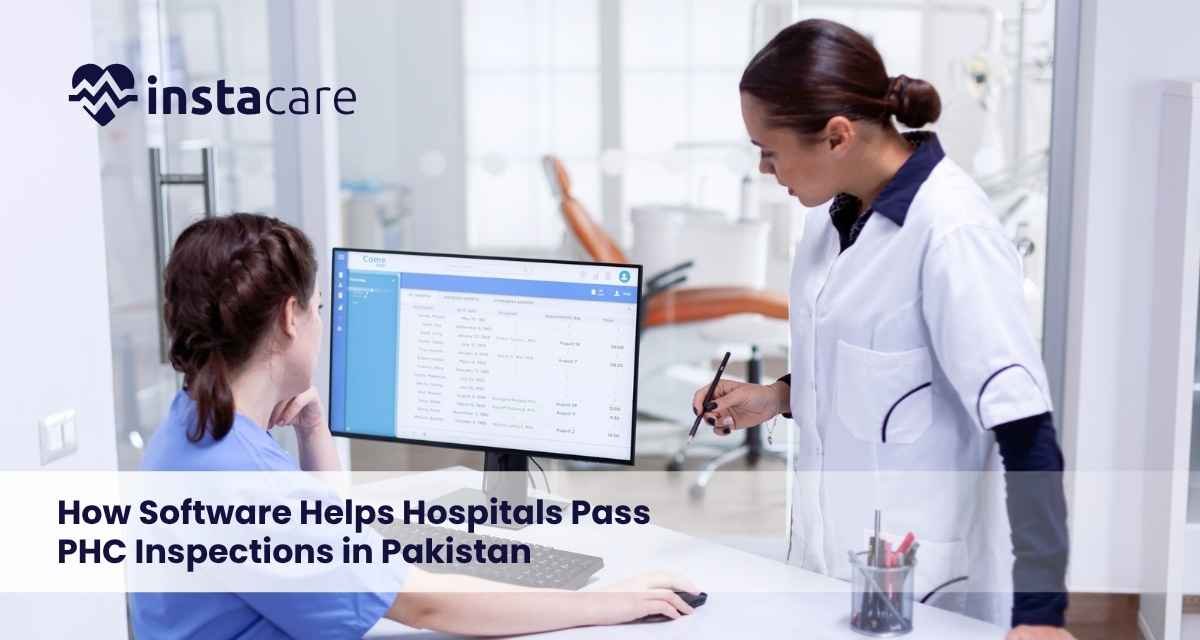
How Software Helps Hospitals Pass PHC Inspections in Pakistan Healthcare facilities in Punjab are required to comply with regulations set by the Punjab Healthcare Commission (PHC). These regulations focus on patient safety, documentation accuracy, and operational transparency. PHC inspections evaluate whether hospitals and clinics meet the required Minimum Service Delivery Standards (MSDS). Facilities that fail to maintain proper documentation, staff credentials, and clinical records often struggle during inspections. To address these challenges, many healthcare providers are adopting PHC compliance software to manage operations, maintain records, and prepare for inspections more efficiently. This guide explains how healthcare software helps hospitals meet PHC requirements and improve inspection readiness. Why Hospitals Struggle with PHC Inspections Many healthcare facilities rely on manual or fragmented systems, which create compliance challenges. Common issues include: Incomplete patient records Missing staff credential documentation Unorganized files during inspections Lack of audit trails Inconsistent operational processes These issues make it difficult for hospitals to demonstrate compliance during PHC inspections. What Is PHC Compliance Software? PHC compliance software is a digital healthcare system that helps hospitals manage clinical, administrative, and regulatory processes in a structured way. These systems integrate multiple hospital functions into a centralized platform, allowing healthcare facilities to maintain accurate records and prepare for inspections. PHC compliance software typically includes: Electronic medical records (EMR) Hospital management systems (HMIS) Laboratory information systems Pharmacy management systems Staff credential management How Software Helps Hospitals Meet PHC Requirements 1. Structured Medical Records Management Healthcare software allows hospitals to maintain complete and accurate patient records. Digital systems help store: Patient history Consultation notes Prescriptions Diagnostic reports This ensures that records are organized and easily accessible during inspections. 2. Staff Credential Management Hospitals must maintain documentation of staff qualifications and licenses. Software systems help: Store staff credentials Track license validity Maintain training records This simplifies verification during PHC inspections. 3. Audit Trails and Documentation PHC inspections require traceable records. Healthcare software provides: Activity logs Record update tracking Access history These audit trails help demonstrate compliance and accountability. 4. Integrated Departmental Systems Modern healthcare software integrates multiple hospital departments, including: Outpatient services Laboratory systems Pharmacy operations Inpatient management This ensures consistent data across the organization. 5. Complaint Management Systems Hospitals are required to manage patient complaints effectively. Software systems allow facilities to: Register complaints Track resolution Maintain documentation This improves service quality and regulatory compliance. 6. Infection Control and Safety Tracking Healthcare software helps hospitals track infection control measures and safety protocols. This supports compliance with PHC safety standards. 7. Equipment and Asset Management Hospitals must maintain records of medical equipment and maintenance schedules. Software systems help: Track equipment usage Maintain maintenance logs Monitor calibration schedules Book Your Free Marketing Consultation Benefits of Using PHC Compliance Software Hospitals that implement healthcare software gain several advantages. Improved Inspection Readiness All required documents are organized and easily accessible. Reduced Administrative Work Automation reduces paperwork and manual processes. Better Operational Efficiency Integrated systems improve workflow and coordination. Enhanced Data Accuracy Digital systems reduce errors and improve record consistency. Stronger Regulatory Compliance Hospitals can maintain documentation required by PHC standards. How to Choose PHC-Compliant Software Healthcare facilities should evaluate software solutions based on key requirements. Important factors include: Support for EMR and HMIS systems Integration across hospital departments Secure data management Audit trail capabilities Scalability for future growth Selecting the right system helps hospitals maintain long-term compliance. Preparing for PHC Inspection Using Software Hospitals can improve inspection readiness by using software effectively. Recommended steps include: Digitize patient records Maintain staff credential databases Organize compliance documentation Track operational processes Conduct internal audits using system reports These steps help healthcare facilities prepare for inspections confidently. Future of PHC Compliance and Digital Healthcare Healthcare regulations in Pakistan are increasingly aligned with digital systems. PHC continues to encourage hospitals to adopt: Electronic medical records Integrated hospital systems Data-driven healthcare management Hospitals that invest in digital solutions will be better prepared for future regulatory requirements. Conclusion PHC inspections require healthcare facilities to maintain accurate documentation, structured processes, and transparent operations. Manual systems often fail to meet these requirements, creating challenges for hospitals during inspections. By adopting PHC compliance HIMS software, healthcare facilities can streamline operations, maintain proper records, and improve inspection readiness. Digital healthcare systems are not just tools for efficiency they are essential for regulatory compliance and the future of healthcare in Pakistan.
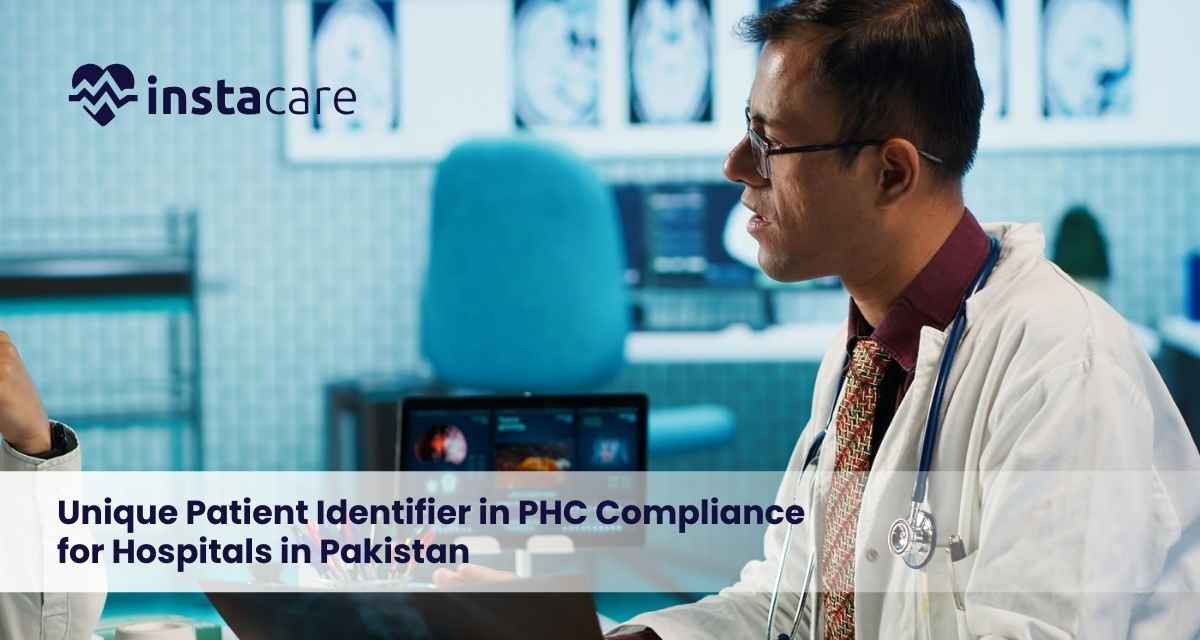
Unique Patient Identifier in PHC Compliance for Hospitals in Pakistan Accurate patient record management is a critical requirement under the regulatory framework of the Punjab Healthcare Commission (PHC). As healthcare systems move toward digital transformation, maintaining consistent and reliable patient data has become essential for compliance, safety, and operational efficiency. One of the most important components of modern healthcare data management is the use of a Unique Patient Identifier (UPI). This ensures that every patient has a distinct identity within a healthcare system, preventing duplication, improving traceability, and supporting regulatory compliance. This guide explains the role of unique patient identifiers in PHC compliance, why they are important for hospitals and clinics, and how digital systems help implement them effectively. What Is a Unique Patient Identifier? A Unique Patient Identifier (UPI) is a distinct identification number assigned to each patient within a healthcare system. This identifier ensures that all medical records related to a patient are linked to a single, consistent identity. A UPI helps healthcare providers: Avoid duplicate patient records Maintain complete patient histories Ensure accurate medical documentation Improve data consistency across departments In digital healthcare systems, this identifier is automatically generated and remains associated with the patient across all visits and services. Why Unique Patient Identification Is Important for PHC Compliance PHC requires healthcare facilities to maintain accurate, complete, and traceable medical records. Without a proper identification system, hospitals may face several issues: Duplicate patient records Incomplete medical histories Incorrect treatment documentation Difficulty in tracking patient care Challenges during inspections Unique patient identifiers help eliminate these issues by ensuring that all patient data is linked correctly and consistently. This improves both clinical accuracy and regulatory compliance. Problems Caused by Duplicate Patient Records In facilities that rely on manual or poorly structured systems, duplicate patient records are a common issue. This can lead to: Incomplete Medical History Doctors may not have access to a patient’s full treatment history, affecting diagnosis and care decisions. Medication Errors Duplicate records can result in incorrect prescriptions or repeated medications. Delayed Treatment Time may be lost in identifying the correct patient record. Compliance Issues PHC inspections require accurate and traceable patient documentation. Duplicate records can lead to non-compliance findings. How Unique Patient Identifiers Improve Healthcare Operations Implementing a unique patient identification system provides several operational benefits. 1. Accurate Patient Records Each patient is assigned a single identity, ensuring all medical data is linked correctly. This improves documentation accuracy and reduces errors. 2. Better Clinical Decision-Making Doctors can access complete patient histories, allowing them to make informed treatment decisions. 3. Improved Data Consistency All departments within a healthcare facility use the same patient identifier, ensuring consistent data across: OPD laboratory pharmacy radiology inpatient services 4. Faster Patient Registration Digital systems quickly retrieve patient records using unique identifiers, reducing waiting time. 5. Enhanced Regulatory Compliance Hospitals can demonstrate structured and accurate patient record management during PHC inspections. Book Your Free Marketing Consultation Role of Digital Systems in Patient Identification Modern healthcare systems automatically generate and manage unique patient identifiers. Digital platforms help healthcare facilities: Assign unique IDs to patients Link all medical records to a single profile Prevent duplicate entries Maintain audit trails Ensure data consistency across departments This makes patient data management more efficient and compliant with regulatory standards. Key Features of a Patient Identification System Healthcare facilities should ensure their systems support essential identification features. Important capabilities include: Automatic generation of unique patient IDs Duplicate record detection Centralized patient database Integration with clinical departments Secure patient data storage Audit logs and tracking These features help hospitals maintain reliable and structured patient records. How Hospitals Can Implement Unique Patient Identification Hospitals transitioning to structured patient identification systems should follow a clear implementation strategy. Recommended steps include: Review existing patient record systems Identify duplicate record issues Implement a digital patient management system Standardize patient registration processes Train staff on data entry protocols A structured approach ensures a smooth transition to accurate patient identification. Unique Patient Identification and EMR Systems Electronic Medical Record (EMR) systems play a central role in managing patient identification. EMR platforms: Assign unique identifiers to each patient Store complete medical histories Connect patient data across departments Maintain audit trails for regulatory review Hospitals using EMR systems are better equipped to manage patient data and meet PHC compliance requirements. Challenges in Managing Patient Identification Healthcare facilities may face challenges when implementing patient identification systems. Common challenges include: Legacy data with duplicate records Inconsistent data entry practices Lack of standardized processes Staff training requirements Addressing these challenges requires proper planning, system implementation, and staff training. Future of Patient Data Management in Pakistan As healthcare systems continue to digitize, structured patient identification will become increasingly important. Regulatory frameworks like PHC emphasize: Accurate patient documentation Traceability of medical records Integration of healthcare data systems Hospitals that adopt digital patient identification systems will be better prepared for future regulatory requirements and improved healthcare delivery. Conclusion Unique patient identifiers are essential for maintaining accurate, consistent, and traceable patient records in healthcare facilities. For hospitals and clinics operating under PHC regulations, implementing structured patient identification systems is a key step toward compliance and improved patient care. By adopting digital healthcare systems that support unique patient identification, healthcare providers can reduce errors, improve operational efficiency, and ensure readiness for regulatory inspections.

PHC Compliance Timeline and HMIS Implementation Phases in Pakistan Healthcare regulation in Pakistan is evolving as authorities move toward digitization and standardized healthcare practices. The Punjab Healthcare Commission (PHC) has introduced requirements that encourage hospitals to adopt structured digital systems, particularly Hospital Management Information Systems (HMIS). These requirements are not implemented all at once. Instead, PHC promotes a phased approach, allowing healthcare facilities to gradually transition from manual operations to fully integrated digital systems. Understanding the PHC compliance timeline and HMIS implementation phases helps hospitals prepare for regulatory expectations and avoid compliance risks. Why PHC Is Moving Toward Digital Healthcare Systems PHC aims to improve healthcare quality, transparency, and patient safety across healthcare establishments. Traditional healthcare systems often face challenges such as: Incomplete patient records Lack of coordination between departments Limited operational transparency Difficulty in tracking healthcare data To address these issues, PHC encourages hospitals to adopt digital systems that improve documentation, monitoring, and service delivery. PHC Compliance Timeline Overview PHC promotes a structured approach to healthcare digitization through phased implementation of HMIS systems. Hospitals are expected to gradually implement digital systems across different departments rather than adopting everything at once. This phased approach allows: Smoother transition from manual to digital systems Better staff training and system adoption Reduced operational disruption Improved system integration PHC HMIS Implementation Phases PHC encourages healthcare facilities to implement HMIS Software in multiple phases based on operational priorities. Phase 1 – Core Clinical Systems The first phase focuses on essential hospital departments that directly impact patient care. Key modules include: Outpatient Department (OPD) Manages patient registration, consultations, and appointment scheduling. Emergency Department Handles urgent patient cases and maintains emergency treatment records. Laboratory System Supports diagnostic testing, result reporting, and sample tracking. Radiology System Manages imaging services and diagnostic reports. Pharmacy System Handles medication dispensing, inventory management, and prescription tracking. Central Dashboard Provides a real-time overview of hospital operations and patient flow. This phase establishes the foundation for digital healthcare operations. Phase 2 – Advanced Clinical and Administrative Systems After implementing core modules, hospitals expand their systems to include additional departments and operational processes. Inpatient Department (IPD) Manages patient admissions, bed allocation, and inpatient care documentation. Intensive Care Unit (ICU) Supports monitoring and management of critically ill patients. Operation Theatre (OT) Handles surgical procedures and operating room management. Infection Control Systems Tracks infection prevention protocols and healthcare safety measures. Equipment Management Maintains records of medical equipment and maintenance schedules. Complaint Management Tracks patient complaints and feedback. Continuous Quality Improvement (CQI) Monitors healthcare performance and improvement initiatives. Human Resource Management (HRM) Maintains staff records, credentials, and training documentation. This phase improves operational efficiency and regulatory compliance. Phase 3 – System Integration and Emergency Preparedness The final phase focuses on integrating systems and strengthening hospital readiness for emergencies. Hospitals are expected to: Establish emergency response systems Implement disaster management protocols Enhance data reporting and analytics Integrate all hospital departments into a centralized system Advanced dashboards provide healthcare administrators with real-time insights into hospital operations. Book Your Free Marketing Consultation Benefits of Following PHC Implementation Phases Hospitals that follow a phased implementation approach experience several benefits. Smooth Transition Gradual implementation reduces disruption to daily operations. Better Staff Adoption Healthcare staff can adapt to new systems more effectively. Improved System Integration Modules can be integrated step by step, ensuring stability. Stronger Compliance Hospitals can meet PHC requirements progressively and avoid compliance risks. Risks of Delayed HMIS Implementation Hospitals that delay digital transformation may face several challenges. Common risks include: Difficulty in maintaining accurate patient records Inefficiencies in hospital operations Increased risk of non-compliance during inspections Lack of operational transparency Early adoption of HMIS systems helps healthcare facilities avoid these risks. How Healthcare Software Supports PHC Compliance Timeline Modern healthcare software platforms are designed to support phased implementation of hospital systems. These platforms allow hospitals to: Start with core modules Gradually expand system capabilities Integrate departments over time Maintain compliance documentation This makes it easier for healthcare facilities to align with PHC requirements without disrupting operations. Preparing for PHC Digital Compliance Hospitals planning to implement HMIS systems should adopt a structured approach. Recommended steps include: Assess current hospital workflows Identify priority departments Implement core modules first Train staff on digital systems Expand implementation in phases A planned approach ensures successful system adoption and compliance readiness. Future of Healthcare Digitization in Pakistan Healthcare digitization is becoming a central focus of regulatory authorities in Pakistan. PHC’s phased approach reflects a long-term vision of: Integrated healthcare systems Improved patient safety Data-driven healthcare management Enhanced regulatory oversight Hospitals that adopt digital systems early will be better positioned for future healthcare advancements. Conclusion The PHC compliance timeline and HMIS implementation phases provide a structured path for hospitals to transition toward digital healthcare systems. By following a phased approach, healthcare facilities can improve operational efficiency, maintain accurate patient records, and meet regulatory requirements. Hospitals that invest in digital transformation today will be better prepared for the future of healthcare in Pakistan.
