

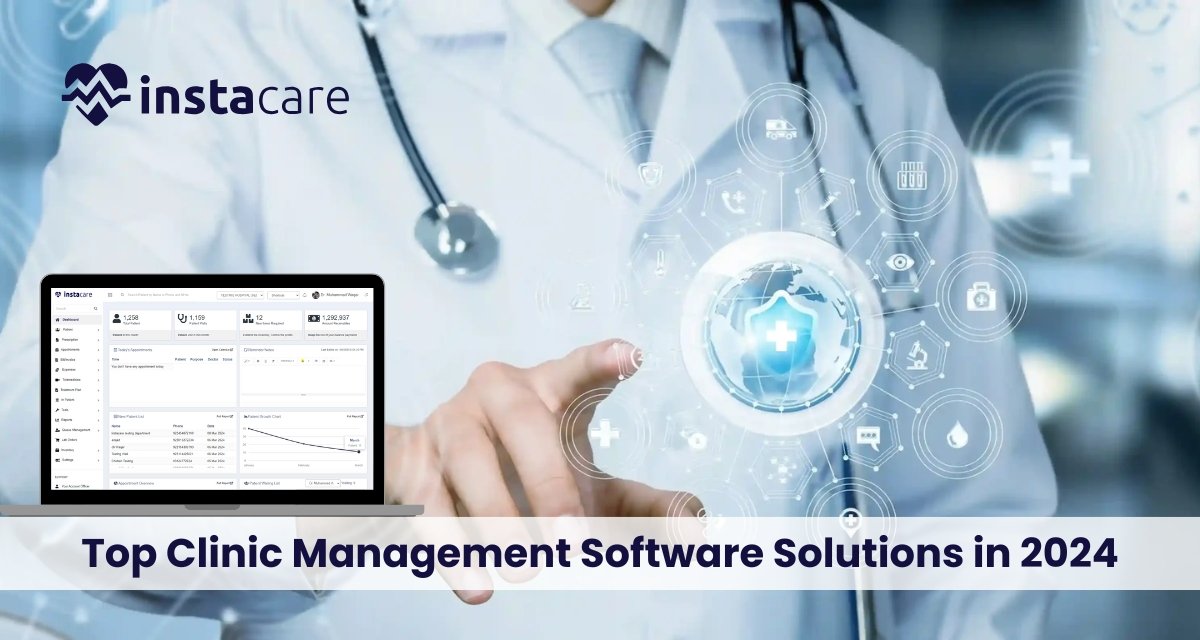
In this healthcare landscape, clinic management software helps in optimizing operations, enhancing the quality of care provided to patients, and simplifying administrative tasks. As the year progresses into 2024, different clinic management software solutions meet the distinct needs of clinics – from very small practices to large healthcare centers. The following guide discusses the top clinic management software available this year and their respective features, benefits, and what puts them at the forefront of the competitive market. 1- InstaCare InstaCare offers a cutting-edge solution for the management of healthcare operations in clinics of all sizes. InstaCare is a user-friendly clinic management platform that bundles rich functionalities for streamlining clinical and admin workflows. The software will fit practices looking forward to enhancing operational efficiency and patient engagement. Key Features Patient Management: All tools managing patient records, medical history, and treatment plans. Appointment Scheduling: Convenience features of appointments that means the choice of appointments that can be achieved online including appointments booking, changing or cancellation without any difficulties. Besides, it has default alerts to help reduce no-show instances in appointments. Billing and Financial Management: It has an integrated billing solution, making invoicing easier and streamlining the processes of payment and insurance claims management. Telehealth: Secure telehealth functionality includes video visits, so a patient’s care isn’t interrupted. Reporting and Analytics: Extremely feature-rich for tracking performance metrics and reporting on patient outcomes to guide decision-making. Pros Provides with additional free time for human management, because it reduces the administrative work It is convenient to get information in health and telehealth-related things. It provides with the cost-effective solution; price structure transparent and clear Clinics are scalable to grow. 24/7 customer service to help deal with any issues. Cons Smaller systems might miss some advanced features. In comparison to “all-inclusive” and comprehensive packages, customizations may be fewer. 2- Kareo Kareo is considered as one of the best practices management tools for practices of small to the mid-size medical concern. It has incorporated a generous amount of different functions, all of which seem to essentially minimize tasks relating to clinical and administrative procedures; thus it is ideal for use in a practice that aims to maximize on productivity. Key Features Patient Management: streamlined scheduling, reminders, electronic health records (EHR). Billing and Revenue Cycle Management: Billing tools are very well-integrated in order to reduce claims denials and increase revenue. Telehealth Capabilities: HIPAA-compliant video consulting. Pros User-friendly interface. Good customer support. Extensive training. Cons Limited flexibility. Potentially pricey for added functionality. 3- Athena health Athena health is a cloud-based service vendor that streamlines the management of clinical, administrative, and financial workloads. This solution is very suitable for larger practices and hospitals. Key Features EHR and Practice Management: Fully integrated EHR solutions to improve clinical workflow functionalities. Patient Engagement: Online appointment scheduling, reminders, and portals. Analytics and Reporting: Analytics are quite advanced to track practice performance and patient outcomes. Benefits A deep emphasis on interoperability. Flexible pricing plans Profound regulation compliance support. Cons Steep learning curve for new users May need additional training for more complex features 4- Cerner Cerner has been one of the forerunners in health information technology offering solutions mainly to large healthcare organizations. Their rich ecosystem is capable of carrying out a broad range of functionality, hence ideal for a highly complex environment. Key Features Population Health Management: Tools to manage and improve community health outcomes. Interoperability: Seamless data sharing with other healthcare systems. Data Analytics: Ability to harness advanced analytics to inform an appropriate decision Strengths Highly customizable to meet specific needs of any organization Extensive reporting capability Strong support for large-scale implementations. Cons More expensive than other smaller solutions. Implementation may be very time-consuming. Book Free Demo 5- NextGen Healthcare Meant for ambulatory care settings, NextGen Healthcare provides an array of functionalities to enhance both clinical and administrative work flows. Key Features Fully Integrated EHR and Practice Management: All-encompassing tools for managing patients and creating clinical documentation. Patient Portal: Interactive interface of the patient to access their medical information. Telehealth Services: Secure telemedicine services that allow for remote consultations. Pros For specialty practices with special needs. Support for robust customization options. Built-in billing and reporting features. Cons Not that easy to grasp and navigate for first-time users. The customer support strictly depends upon the tier of service. 6- Practice Fusion Practice Fusion is one of the cloud-based EHRs, designed specifically for medium-size and small practices. The system is relatively easy to use and is priced affordably. Key Features EHR and Patient Scheduling: User-friendly interface for maintaining patient information and scheduling. Billing and Insurance Verification: Appliances for making billing and insurance verification smoother. Health Information Exchange: You can exchange information with other providers. Pros Core EHR product free for eligible practices. The interface is very easy to use. Effective patient engagement tools. Cons Has fewer advanced modules than large systems. Customer service varies. 7- Meditech Meditech is one of the most recognized healthcare IT companies. It supports hospitals and health systems and aims at improving care for patients and operational efficiency. Key Features EHR: This software has a fully functional module for electronic health record support and clinical documentation. Patient Engagement Tools: Practice that enables appropriate communication among patients and, therefore, treatment. Mobile Access: Healthcare provider applications that allow a glance at patient data from mobile. Benefits Renowned brand and reliability factor Huge library of training Patient-centered care Cons Too costly for small clinics Rather old-fashioned user interface when compared with contemporary peers 8- eClinicalWorks eClinicalWorks is a well-established brand in the healthcare software market which offers a single tool that can be used by clinics of any sizes Key Features EHR and PM Solutions: An integrated system for handling patient records and practice management. Telehealth Services: Secure and user-friendly telemedicine capabilities. Patient Portal: Engaging patient communication and access to health records. Strengths Has several functionalities. High interoperability emphasis. Good customer service and training. Cons Initial setup is complicated. Users have complained of a few bugs in the system. 9- Simple Practice Simple Practice
Artificial Intelligence (AI) is transforming so many aspects of life, and healthcare cannot stay behind. Artificial Intelligence in clinic software shifting landscape regarding how health providers approach their management of care for the patients, organization of their operations, and decision-making processes. This article gives an overview of how AI affects clinic software in the benefits, challenges, and future perspectives. Understanding AI in Healthcare AI is the process of simulating human intelligence with machines, particularly computer systems. In the healthcare sector, AI encompasses a broad scale of technologies, like machine learning, natural language processing, and robotics. All these technologies have given a new dimension to the methods of analyzing complex data related to medical care and have automated processes for improving better clinical outcomes. Key Components of Artificial Intelligence in Clinic Software Machine Learning Natural Language Processing (NLP) Robotic Process Automation (RPA) Advantages of Artificial Intelligence in Clinic Software Better Care to the Patients: The AI-based clinic software will be able to greatly enhance the care offered to the patients as the health care providers have access to the decision-making tools. For example, predictive analytics can identify people who might be in danger of certain diseases and follow-up on them early so that the conditions do not advance into dangerous lethal conditions. Streamlined Operations AI frees most routine administrative tasks, which would then give staff more time to pay attention to other aspects that are crucial. For instance, AI can free up work on appointment scheduling, insurance verification, and billings out of its non-value-adding activities. Improved Diagnostic Accuracy AI algorithms can read medical images and data with a high precision rate, which can help healthcare service providers to classify the condition. For example, AI systems have been developed for early disease detection in cancer and diabetic retinopathy through medical imaging, mostly with an accuracy equal to that of human experts. Personalized Treatment Plans With AI analysis of such enormous patient data, including genetic, lifestyle, and medical history, it will be easier to give personalized treatment plans to a patient, which may have a high chance of success and a very satisfied patient. Data Analytics and Insights Clinic software equipped with AI is able to generate valuable insights from patient data; thus, healthcare providers will make intelligent data-driven decisions, optimize the allocation of resource, and thereby improve clinic performance as a whole. Applications of Artificial Intelligence in Clinic Software Clinical Decision Support Systems: The AI-based CDSS is going to alert healthcare providers with evidence-based recommendations both for diagnostic and treatment purposes. These analyze patient data as well as the relevant medical literature to provide appropriate personalized recommendations that enhance the quality of care. Telemedicine and Virtual Health Assistants The virtual AI assistant is an automated means of a virtual health assistant guiding the patient through symptom assessment, scheduling of appointments, and follow-up care. It is also able to answer basic health queries to increase engagement for patients. Predictive Analytics for Patient Management AI can utilize past patient data to predict the outcomes of health in the future. In turn, this enables clinics to identify and eventually intervene with patients who are at risk, thus lowering the admission rate of readmitted patients into the hospital and enhancing the management of patients. Natural Language Processing in Documentation NLP can help ease documentation as speech is converted into written notes; it minimizes the administrative burden of the healthcare provider. This allows for better and more trustworthy recording of interactions with a patient. Billing and coding can be automated by AI because it can deeply analyze patient records and provide correct insurance codes for claims. This automatically reduces errors and brings down the revenue cycle time. Book Free Demo Challenges to Integrating Artificial Intelligence in Clinic Software Data privacy and security: Clinic software with AI also raises concerns with regards to data privacy and security. In this respect, healthcare providers have the responsibility of protecting the data against its breaches in relation to such compliance as HIPAA. In the Case of Existing Systems The legacy systems in clinics might not be compatible with new, modern AI tools. Integrating AI-driven software with existing systems can even be complex and costly. Much time and resources need to be invested in this process. Training and Adaptation Healthcare workers should be trained to use AI tools properly. Resistance to change may often act as a barrier, and clinics need to spend on trainings to make the staff friendly with new technologies. Cost of Implementation Implementing AI in the software of clinic can turn out to be expensive, at least to the small practices. The cost of software, the cost of training, and the maintenance costs may prove to be a barrier to many entry stages for healthcare providers. Ethical Issues There will be ethical issues due to AI usage. This includes biased algorithms and little interaction from the human-to-human side in the care of the patient. The bottom line for developing trust in healthcare is keeping the AI system transparent and fair. Future Use of Artificial Intelligence in Clinic Software The future of AI in clinic software is pretty promising. The most significant improvement in AI from now will be an evolution in its capabilities through fast developing technology. Further developments that are expected include: More Personalized Care With data collection increasingly being improved, AI systems will generate more personalized healthcare experiences. As such increases in the amount of available data, AI systems will take into account more factors when presenting a plan of treatment. Greater Interoperability Future AI systems will have to be seamlessly integrable with the legacy healthcare technologies. Interoperability will ensure better data sharing among providers and contribute to improved care coordination. Increased Use of Robotics The clinic’s operations will heavily rely on robotic technologies: from enhancing surgery support to routine automated workflow. This will enable healthcare providers to interact with more patients. Real-Time Analytics This will enable analysis of data in real time, hence quick and well-informed decisions by healthcare providers. It will be a
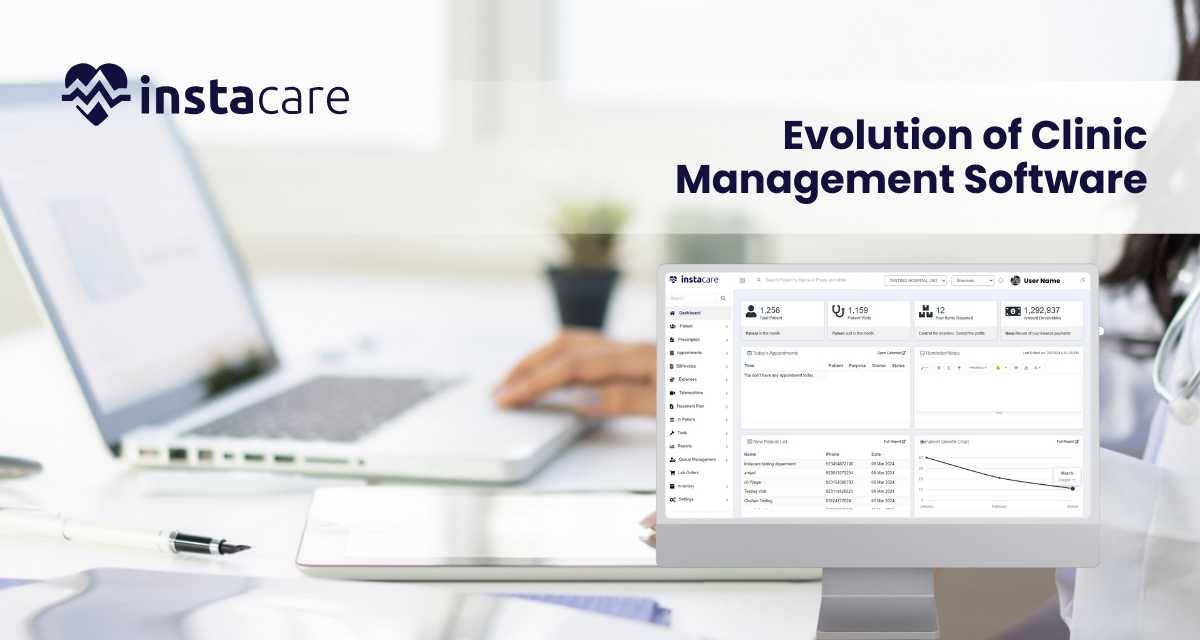
Clinic management and interaction with the patients have always been one of the most prioritized tasks in the medical field. CMS experienced drastic changes from simple scheduling tools to advanced, AI-based platforms enhancing better care for the patients and operation efficiency over the years. This review is a general overview of the progress of development of clinic management software, key features, and future trends in healthcare technology. Birth of Clinic Management Software The clinics management software came into place at the start of the 20th century as the providers began to feel that clinics were not yet organized in their methods of handling patients. These systems were still undeveloped, incorporating basic functions such as scheduling and record-keeping. Most of the clinics used the systems of using papers and calls to handle the information of the patients and scheduling appointments. Simple Characteristics of Early Systems The scope of the first-generation clinic management software was pretty narrow. Some important features included the following: Appointment Scheduling: Compared with paper calendars, clinics could keep track of patient appointments much more efficiently. Basic Patient Records: Some began to digitize patient information, making it easier to gain access to a patient’s medical history. Billing Functions: Most of the early software featured basic billing functions, from generating invoices to tracking payments. Although the first systems were efficient, they were not at all advanced, providing less functionality and integration capabilities. The clinics used to face the problem with the usage of data sharing, and thus the fragmented care was given to the patients. Integrated Comprehensive Solution Integration and Interoperability As technology shifted, the need for full clinic management technologies increased. Over time, clinics got integrated systems that managed many aspects of patient care under one roof. Interoperability was also presented where various healthcare providers would share information across the system. Key Features of Modern CMS The next generation of clinic management software developed several key features that revolutionized how clinics have been run: Electronic Health Records (EHR): The new CMS technology implemented EHR capability that contained all the patient’s information, like medical histories, laboratory results, and treatment plans. Patient Portals: This technology provided secure online access to patient information, scheduling, and communication with their healthcare providers, making the patients themselves more involved. Billing and Insurance Management: Enhanced billing capability reduced the time and errors in claims, made revenue cycle management easier and more efficient. Reporting and Analytics: Clinics could provide reports according to a number of parameters, including patient demographics, appointment trends, and financial performance, in order to make decisions and have strategic planning. This was a huge leap towards more patient-centered care and efficient management of clinics. Book Free Demo The Emergence of Cloud-Based Solutions Advantages of Cloud Computing Cloud-based clinic management software revolutionized the healthcare administration industry as its data storage on the cloud allowed access to the systems from any location through an internet connection. The benefits of this benefit were obvious to both multi-site and telehealth services. Key Benefits of Cloud-Based CMS Cost Effectiveness: With most cloud-based solutions, one pays as one uses. This usually eschews upfront costs associated with installation of traditional software. Automated Upgrades: The providers would be offered an endless stream of current updates and enhancements due to automatic installations. This way, they can have constant access to the new features of their disposal. Sensitive patient information: The best cloud providers embrace appropriate security measures, such as encryption, coupled with scheduled backup. Clinic management software on the cloud enabled clinics to increase the scale of their service without compromising the standards in their care of patients. Deployment of Artificial Intelligence AI Powered Features The latest clinic management software is developed by integrating AI technologies. AI-based tools transform the operations of clinics in totally unthought-of ways and efficiencies. Advanced AI-driven features available at clinics include the following: Predictive Analytics: AI algorithms analyze historical data to forecast patient trends, which may be appointment no-shows or fluctuations in the volume of patients coming to the clinics. Such information helps optimize scheduling and resource allocation in clinics. NLP: The use of NLP tools would help in transcribing and interpreting the conversations with the patient-providers and hence easy documentation of interactions, capturing critical information. Chat bots and Virtual Assistants: These AI-based technologies can engage patients better by timely response to frequently posed questions, scheduling of appointments, and reminders for medicines. Improving Patient Care AI-based clinic management software not only simplifies the administrative processes but it also helps improve care for patients. With this data-driven insight, clinics can personalize treatment, improve patient outcomes, and form stronger bonds with patients. The Future of Clinic Management Software Technological advancements are going to always have trends that shape future developments in clinic management software. Some of these trends that dictate the face of the clinic management software industry are discussed here: Telehealth Integration: It is telehealth services that the COVID-19 pandemic brought forward. The future CMS solution should thus integrate the telehealth features seamlessly to allow remote care of patients while retaining total records. Interoperability Standards: Connected care within the sphere of health care dictates that interoperability between different systems would be highly necessary. Later, future CMS has to live up to the standards that are created in order to share data with other systems. Personalized Patient Experience: With AI and data analytics, clinics will offer more customized experiences following the needs, preferences, and medical history of individual patients. Improved Security: Cyber attacks will improve. The management software for the clinics needs security features not only to protect patients’ information but also to maintain compliance with the likes of HIPAA. Future clinician management software will be more towards enhancing engagement for patients. Through the provision of tools empowering patients to take an active role in health, clinics will be able to foster better health outcomes and improved satisfaction. Such features as personalized health assessment as well as educational resources coupled with gamification elements shall encourage patients to work more efficiently on their health. Conclusion The clinic management software revolution
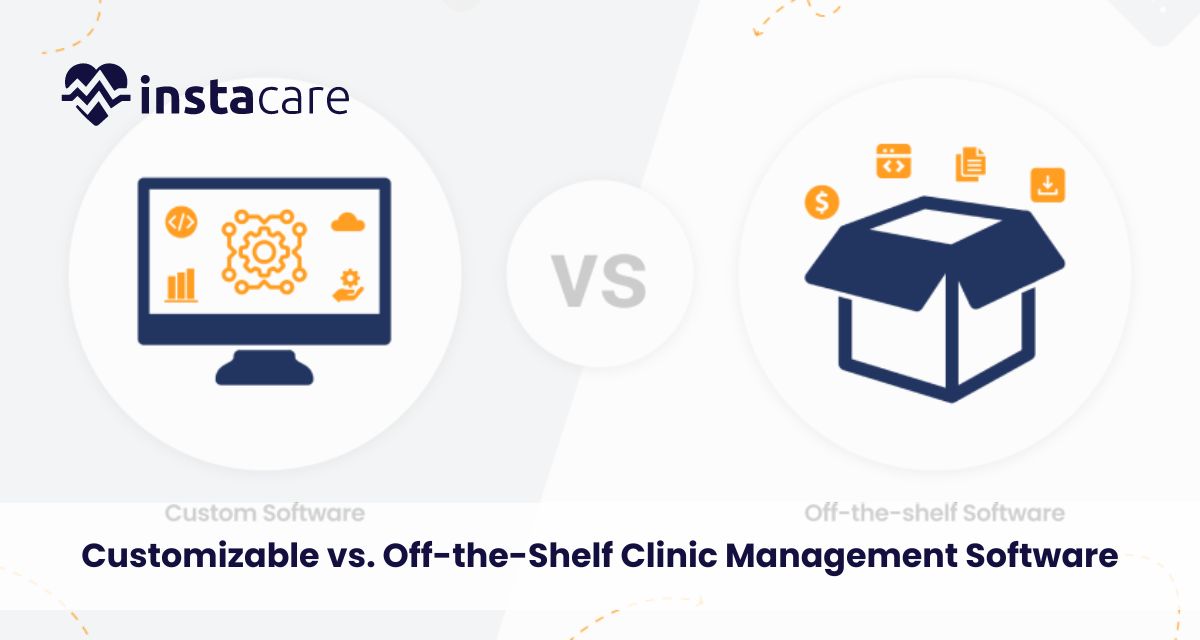
It is extremely important to choose the proper clinic management software these days as such a choice is about being effective, improving patient care, and speeding up administrative work. Among the biggest decisions facing practices these days is whether to choose software that one can customize or opt for an off-the-shelf solution. Before one decides on either, they need to weigh the pros and cons against their own requirements. Here, we are going to present both options and at the end of it, you will have the answer as to which one is better suited for your practice. What Is Clinic Management Software? To discuss how customization or off-the-shelf software is, firstly, there is a need to define what a clinic management system is. Clinic management systems are designed for the administration of a health care facility. It involves scheduling and holding electronic health records, billing, patient communication, among many others. Therefore, through automation, clinics become much more efficient, reduce errors, and also assure better satisfaction for patients. Off-the-Shelf Clinic Management Software Off the shelf software are those readymade systems which can be purchased off the shelf for buying immediately and for use. Thus, these systems support the wide range of practices, hence it carries the standard features supporting all sorts of specialties. Examples of a very popular system are Practice Fusion and Athenahealth . Advantages Of Off-The-Shelf Software The Advantages Of Off-The-Shelf Software Include: Cost-Effective: Off-the-shelf packages are less expensive than customized packages because the development expense is distributed over many users and the expenses of maintaining them are also spread out since they are mass produced. Fast Implementation: The fastest possible implementation for such a system can be developed and brought into action relatively quickly, and it allows practices to be able to begin working on them shortly after that. It is helpful for a new practice or for one wishing to convert over to a paper-based system. Off-the-shelf software providers, most of the times than not, update and supports it regularly. Therefore, users are constantly updated on the latest features and current legislations. Solutions with a proven record will most probably be available with off-the-shelf systems because they were tried and perfected over time to produce a more stable and reliable product. Reviews by other users and their stories can assist in analyzing its usability. Disadvantages of Off-the-Shelf Software Limited Customization: Off-the-shelf solutions cannot be modulated to an extent that is required by a particular practice. Features may not fit the workflows as good and that leads to inefficiency. Generic Features: They service such a large audience that they typically will not be able to provide specialized features that might be required for a particular specialty medicine, such as pediatrics or orthopedics. Integration Issues: Off-the-shelf software packages rarely have integration capabilities built into them or with the other systems and third-party applications used in your practice, which may create information silos. Scalability Issues: A change in the size or nature of your practice, that off-the-shelf systems cannot keep up, may mean you must change systems entirely. Book Free Demo Customizable Clinic Management Software Customizable software may be developed to fulfill specific needs of a given practice. These systems can be developed from scratch and tailored to fulfill specific needs in terms of workflow. A few companies, such as AdvancedMD and DrChrono, offer customizable solutions as well. Benefits of Customizable Software Office-specific functionalities: Customized software has features that have particular selections, in which case the selected features are according to the requirements of the practices. This helps the customized software increase productivity and smoothen out the workflows. Seamless integration: One may design customized software that integrates well with other systems of the practice, so all elements work together very smoothly. Scalability: Even as your practice grows, so can this custom software, with new features and capabilities when needed-but not by being limited by the form and shape of a prepackaged solution. Better User Interface: This type of software can be developed to have the right user experience that respective users need. This will make it more accessible and easier for employees to navigate and work with the system. Disadvantages of Customizable Software Higher Cost of Implementation: As all these development and design costs are included in this, a custom software is generally more expensive than its non-custom counterpart. This can be a very high investment for a small practice. Longer Implementation Period: Tailor-made solutions may take more time to develop and implement than a ready-made system. Transition processes of the implementation practices do need to have some preparation time. Maintenance Requirements: Customized solutions will require continuous maintenance and support, an added cost in the long run. The practices have to be ready to commit them with sufficient staff. Over-Customization Risk: The risk is that practices may over customize software to develop complexities to an extent that the system becomes more and more difficult to handle or even impossible to upgrade sometime later. Determinants on the Right Choice of the Software Developing one’s own custom or buying an off-the-shelf management clinic software involves making some considerations. Some of these considerations include; 1-Practice Size and Specialty For instance, a large practice or even one that requires unique, custom-made software packages, on the other hand, a smaller-sized practice would be fine with off-the-shelf kind. Think about your specialty and what unique features you might need that may not be available in the off-the-shelf products. 2-Budget Determine how much you can afford for your software. Any of shelf software packages have a lesser investment at the onset, compared to made-to-order. You should also think about future costs such as support and upgrades. 3-Implementation Timelines Off-the-shelf may be your only option in a crunch. The customized solution will most probably take more time for implementing. 4-Integration into Existing Systems Determine how far each solution is going to be compatible with your existing systems. In case integration is required, then customizable solutions have better possibilities of doing so. 5-Future Growth You must consider
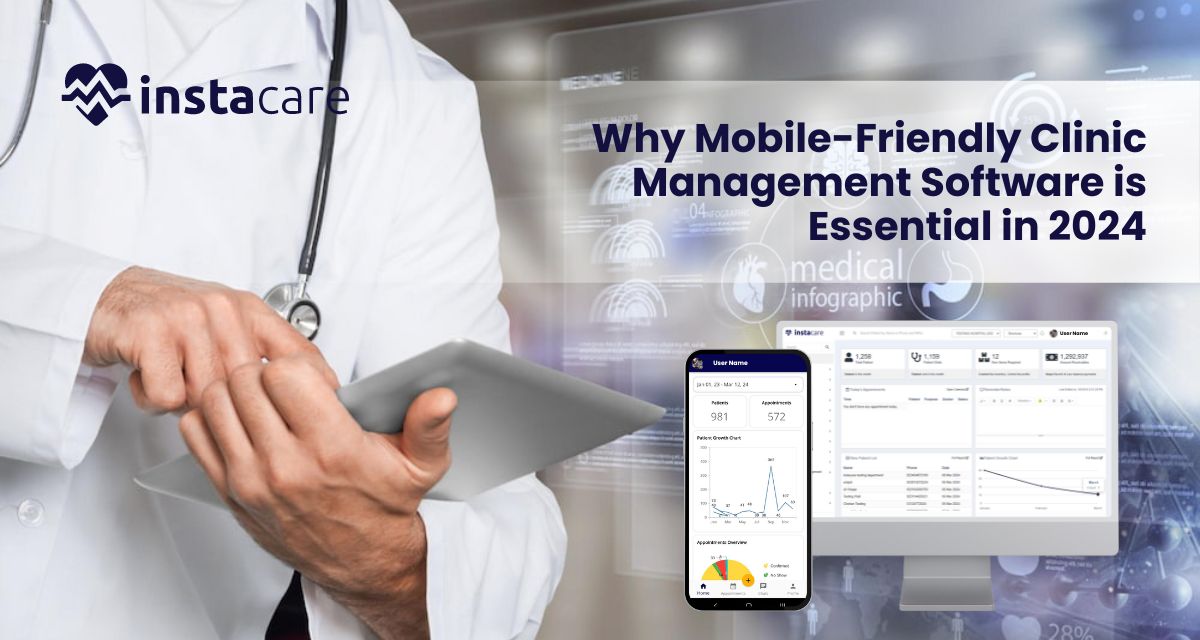
Why is Mobile-Friendly Clinic Management Software is Essential in 2024? With the sands moving in the health-care arena, never before have the calls for effective and accessible solutions for clinic management been so strong. As we now enter 2024, mobile-friendly clinic management software has come to play the very important role of being in the toolkit for healthcare providers. This article discusses why clinics need to embrace such software, enhancing operational effectiveness and also improving the quality of care of patients. 1-The Rise of Mobile in Health Care 1.1 Changing Expectation of the Patient Current patients are more ‘tech-savvy’ than ever, having convenience and accessibility expectations from health care services. Where these patients have increased with smartphone and mobile applications, they wish to communicate with their healthcare providers through digital interfaces. With mobile-friendly clinic management software, patients can now schedule appointments and access their medical records from their devices while communicating with healthcare providers. 1.2 Increasing Adoptation of Telehealth Service The COVID-19 pandemic has made telehealth services more mainstream; support for virtual consultations has been needed in terms of mobile solutions. Telehealth is a lifeline today, 2024. A clinic management software that is mobile-friendly enables users to carry out the smoothest and most readily available virtual visits required by any patient anywhere in the world for timely care. 2-Efficient Operations 2.1 Appointment Scheduling streamlined Another very important thing that clinic management software does is to help in scheduling. Mobile-friendly solutions allow patients to book, reschedule, or cancel appointments through an easy-to-use interface, therefore reducing administrative burdens on staff and minimizing no-show rates, which really optimize the clinic’s resources. 2.2 Better Communication Effective communication is an essential feature in healthcare. Mobile-friendly software typically features an integrated secure messaging function in which patients and providers communicate directly with each other. This allows for better engagement because questions are resolved quickly, adding to improved patient results. 2.3 Automated Reminders and Notifications For instance, automated reminders concerning upcoming appointments, medication refills, or follow-up visits can work wonders as far as patient compliance is concerned. Using mobile-friendly clinic management software, one can create SMS or push notifications in reminders, which, consequently minimizes the instances of no-show appointments and accordingly brings about a very significant improvement to the experience directed toward the patient. 3-Detailed Patient Management 3.1 Easy Accessibility of Medical Records Patients would like to see more access to both their clinical information and their treatment plans. The clinic management software must be mobile-friendly, so that patients can log-in to a secure portal to view their clinical records, their test results, and even their treatment plans. This level of transparency and how it increases patient confidence is more likely to motivate patients to engage better with their healthcare providers. 3.2 Customized Patient Profiles Each patient is unique and with portable friendly software, the clinics can create personalized profiles of patients containing history, allergies, and treatments. The information will be readily available to healthcare providers to provide more personalized care, thus improving patient relations. 3.3 Better Data Security As cyber threats rise, information security in healthcare is vital, and by norms, clinician-friendly clinic management software employs heavy-duty encryption and security protocols to safeguard possibly sensitive in nature patient information. It ensures that compliance of regulations will be covered, such as HIPAA for this, and it also enhances patient trust. Book Free Demo 4-Analytics and Reporting 4.1 Data-Driven Decision Making Data analytics is yet another key optimization step for running clinics in 2024. On its own, mobile-friendly clinic management software often tends to come along with analytics tools which will enable the provider to follow KPIs, patient satisfaction scores, and efficiency of doing operations. It makes clinics highly informed in decisions about improving service delivery. 4.2 Financial Management It can be a very complicated process to manage the clinics, but with the help of a mobile-friendly software system for the billing process as well as payment tracking and generating real-time financial reports, the cash flow has significantly improved, and powerful insights into the financial health of the clinic can be obtained. 5-Integration with Other Systems 5.1 Interoperability with EHR Systems Seamless integration with Electronic Health Records is common with most mobile-friendly clinic management software. This will allow the exchange of information by ensuring interoperation and, therefore, assures a comprehensive collection of patient data available to clinical decision makers. 5.2 Third-party Applications Connectivity Third-party application access will become a really hot topic in 2024. Most mobile-friendly clinic management software integrates well with any third-party tool, such as telehealth platforms, lab systems, and billing software. This makes operations more efficient and improves patient care in general. 6-Cost-Effectiveness 6.1 Lowered Administrative Fees Automating administrative work helps reduce the cost of running a mobile-friendly clinic management software: appointment scheduling, billing, and patient communication, among others, are streamlined, thus allowing staff to have more time for high-value activities. 6.2 Improved Revenue Cycle Management Efficient revenue cycle management can be a difference-maker in the financial sustainability of any clinic. A mobile-friendly software manages billing more efficiently for moving collections forward and less likely to deny it. In this way, cash flow and health improve for the clinic. 7-Future-Proofing Healthcare Operations 7.1 Market Trend Adaptation With the clinic evolving over time, clinics should adapt to the latest trends happening around them. In a mobile-friendly platform, the clinics are in a better position to switch anytime related to changes in patient needs, regulatory requirements, and technological issues. 7.2 Patient Engagement With patient engagement being the top priority in 2024 for healthcare providers, mobile-friendly solutions ensure constant communication and engagement, building deeper relationships between clinics and patients with improvement in overall satisfaction. 8-Patient Outcome Improvement 8.1 Personalized care plans Mobile-friendly clinic management software provides health care providers with the ability to create and implement customized, patient-specific care plans for clients. Based on information in the profiles of the patients, medical history, and patients’ preferences, clinicians can design treatment options that suit the individual’s needs. This tailored approach means improved levels of patient adherence to the
How is Cloud-Based Clinic Management Software is Revolutionizing Healthcare? The healthcare sector has witnessed a transformation in recent years, especially due to technology. Among such innovations is the clinic management software implemented through the cloud game-changer. Overall, by leveraging cloud technology, healthcare providers can refine business processes, improve patient care, and increase efficiency. This blog post addresses the methods through which cloud-based clinic management software is changing healthcare, its benefits, and the future of the technology in medical practice. Understanding Cloud-Based Clinic Management Software Cloud-based clinic management software is a digital solution that enables healthcare providers to manage various administrative chores and patient information from a central, web-accessed platform. It’s not at all similar to the traditional software that could only work on an on-premises basis with maintenance. These systems are housed on secured servers that enable real-time updating as well as remote access. Important Features of Cloud-Based CMS Patient Scheduling: Appointments can be scheduled easily, rescheduled, or even canceled in advance using cloud-based systems which avoid no shows, optimizing the clinician’s workflow. Electronic Health Records: The electronic record provides aggregated information on patient records like medical history, treatment plans, and medications to avoid delays in access of crucial information. Billing and Invoicing: Automated billing processes help in smooth financial transactions; it becomes easy to raise invoices, collect payments, and deal with insurance cases. Telehealth Integration: Most cloud-based CMS systems have telehealth functionalities. Which means that providers can virtually consult and are very important to healthcare providers and patients in the last couple of years. Benefits of Cloud-Based Clinic Management Software 1-Improved Accessibility Access is one of the most beneficial advantages of a cloud-based CMS. Patient data and administrative tools are available anytime, anywhere with an Internet connection on any device. This allows for the following: Remote Work: Health care professionals can work from home and other locations, remotely, to improve work-life balance and continued delivery of health care services. Mobile Accessibility: The health care professional will be able to access the patient’s history or update information from a mobile device on the move, thus leading to quicker decision-making and better patient care. 2-Better Collaboration Cloud computing systems ensure that members of the health care team are collaborating better with each other. Many users can access and update patient information in real-time; thus, redundant data entry is avoided, and communication among departments improves. This collaborative approach leads to: Care Coordinated by Others: Collaboration among different specialists has the ability to be done with much ease, which essentially means a lot in the treatment process. Interdisciplinary Communication: Teams can discuss cases much more efficiently and will have better outcomes with the patient. 3-Cost Efficiences Saving big money on the expenses: Taking the clinic management software through the cloud saves big for health organizations when considering the expenses. With traditional systems, one has to incur high expenditure on hardware and installation costs, in addition to maintenance costs. With cloud solutions, the services can be deployed based on a subscription system, thereby allowing for: A lower initial investment: the providers can start with their minimal upfront expenses, and this makes it friendly to small practices adopting the technology. Lower IT Costs: Upgrades and maintenance are handled by the cloud service providers hence the clinic will save on employing skilled IT staff and other support. 4-Enhanced Data Security In health sectors, security of data is always of great importance since any information in relation to patients are secrets. The CMS solutions based on cloud usually include robust security features such as: Data Encryption: The patient’s data will be encrypted during both transit and storage to minimize unauthorized access. Regular Backups: Automated backups will support saving the data in case a system crashes or in case of cyber-attacks. Compliance with Regulations: Many providers of the cloud hold the compliance as per HIPAA, which helps you ensure patient records and other health data are handled safely. 5-Streamlined Workflow Cloud-based clinic management software automates the majority of administrative tasks, thus managing workflows more efficiently. Features, including appointment reminders and automated billing, enhance workflow for staff and reduce the administrative burden that consequently can enable more time to be spent with patients. Some of the benefits include: Higher Productivity: With routine tasks automated, staff dedicate more time to interacting with the patient and providing care. Lower Errors: The chances of a human making a mistake in billing and data entry are reduced by automation. Book Free Demo Role of Telehealth The rise of telehealth has been perhaps the most impactful trend in healthcare. It really came to a head during the COVID-19 pandemic. Cloud-based clinic management software typically has telehealth capabilities, allowing providers to see patients remotely. Some benefits include the following: Challenges and Considerations Even though cloud-based clinic management software has several benefits, some challenges and considerations should be regarded as essential in its implementation and usage: 1-Implementation and Training Another change required to transition into a cloud-based system may include adjustments in workflow and processes. Staff training and proper support are essential for implementing this transition process. Providers must have considerable blocks of time and resources set aside to train and reduce resistance to change. 2-Internet Connectivity Cloud-based systems require reliable connectivity in terms of the internet. Poor connectivity in areas might be an underlying factor that affects the access of the system to the clinic, which will eventually impact the patient care. Clinics must assess their internet infrastructure before moving to such a system. 3-Data Privacy Issues Cloud technology has its weaknesses, and that is data privacy. Cloud service providers and healthcare providers must ensure that the said provider has complied with the regulatory requirements and ensures the protection of patient information. The Future of Cloud-Based Clinic Management Software Cloud-based clinic management software promises a bright future. As technology evolves, we see the following aspects: Interoperability Coordination of care requires effective communication and easy data exchangeability between various healthcare systems. Future cloud-based CMS solutions will probably highlight interoperability as the core focus of sharing

Investing in Clinic Management Software vs. Traditional Management In the current high-speed healthcare scenario, clinics are constantly looking for avenues through which they can make their operations more efficient, improve patient care, and function smoothly. Managers of such clinics have to often take significant decisions in regards to whether the clinic should embrace management software or invest in traditionally used management practices. It is this cost-benefit analysis that guides clinic managers and owners into understanding the complete advantages and disadvantages of the two management options, thereby enhancing informed decision-making. What is Clinic Management Software? The CMS is otherwise known as Clinic Management Software is an electronic system designed for automating a wide range of management and clinic-level activities in the health facility setting. Such tasks may include appointment scheduling, managing patient records, preparing bills, and reporting. The software integrates well with the Electronic Health Records, thus providing an all-inclusive toolset for clinic operation management. Key features of Clinic Management Software Appointment scheduling: This software allows patients to make an Online Appointment, thus reducing administrative work. Patient management: It can aggregate data about the patient and thus be ready available to healthcare providers. Bill and collect processing: It provides for automated billing, insurance claims, and related payment processing. Reporting and analytics: It provides for analytics of clinic performance and population demographics Telehealth capabilities: It can host virtual consultations and thereby expand patient reach. Conventional Management Methods Most legacy management practices utilize manual methods that involve paper-based documentation, scheduling in person, and billing face-to-face. In so far as these have served for centuries, they are labor intensive and error-prone. Key Characteristics of Legacy Management Paper-Based Patient Records: It takes time to retrieve information on these paper files. In-Person Scheduling: Patients schedule appointment with one another through call or in-person messages. In-Person Billing: The billing is done in person. Limited Data Analysis: Acquiring insight into the performance clinic takes immense efforts if one does it without machines. Cost Analysis Clinic Management Software: The start-up costs for CMS are quite high and range based on the type of features and the scale of software. It may consist of costs for software licensing fees, hardware if needed, and implementation services. An average clinic would expect to pay between $5,000 and $30,000 for a full-fledged solution. Traditional Management: The initial set up for a traditional management system like paper supplies and employees is cheap. Only over time do these costs pile up due to inefficiency. Ongoing Cost CMS: Ongoing costs for traditional systems will include subscription fees for cloud-based options, plus updates and user training on software maintenance. These may range between $200 to $2,000 per month, depending on the clinic, in terms of size and complexity of the software. Traditional Management: Ongoing costs include mostly labour as more people time is needed in a manual process. This can spread over time in payroll expense, mainly when the clinic lacks in real efficiency. Cost Savings Clinic management software brings the possibility of great cost savings. Automated billing and scheduling reduce administrative hours so that staff can tend more time to the patients. Also, the probability of accuracy for collected data reduces the number of billing mistakes and claim denials. Traditional Management: Although traditional methods are the cheapest to set up, inefficiencies usually mean a high cost in the long run. Administrative errors, lost documents, and scheduling conflicts would add up to increased operational costs. Book Free Demo Benefit Analysis Efficiency and Productivity CMS: One of the major advantages of CMS is efficiency. It attempts to reduce the time spent on administration and permits more patients to be seen by health providers and more care to be provided. For example, an appointment schedule can be set through online portals, which minimizes calls over the phone to manage the process, thus, freeing up time for the staff to engage in other work. Traditional Management: This has been described to take much time, hence reducing productivity. Employees are said to spend too much time on tasks that can be automated, thereby diverting from quality care of patients. Patient Experience Clinic Management SoftwareCMS : Features made available to the patients help in the better management of patient expectations, such as online scheduling of appointments, reminders, and access to their medical records. This helps the patient in easy scheduling, on time or even prior to visit the doctor, and transparency of their medical record-in hand which increases the satisfaction level among patients. Traditionally Managed: The patients have a longer wait; frustrations related to scheduling and miscommunications in the process with manual work may lead to errors, and therefore the patient experience, overall is affected. Data Management and Compliance CMS: CMS has robust data management capabilities where all information regarding the patients will be maintained properly, securely, and can be made available in quick time. Most of the systems support compliance with regulatory standards like HIPAA, which requires compliance. Traditional Management: Paper-based records are more vulnerable to human errors, losses, and confidentiality breaches. Compliance is also very resource and time consuming without the automated systems. Scalability CMS: It also scales so easily to meet growing patient volumes and more services added for larger clinics. Most the software, on the other hand, provides different levels of pricing and allows customized options that allow clinics to expand with few adverse dislocations. Traditional Management: Expansion of a traditional management system, however may demand more employees or physical sources. This can be expensive and inefficient. Potential Drawbacks Clinic Management Software Initial Costs: Initial Costs of the software may be a significant barrier to entry for some of the clinics, particularly smaller ones. Training Requirements: The staff would be required to be retrained to effectively use the new software, which would disrupt the operations. Technical System Failure: With reliance on technology, outages or other technical failures make their clinics unable to service clients. Traditional Management Inefficiencies: Labor-intensive, there is a possibility of human error, and it is slow. Limited Data Insights: Clinics may not gain insight
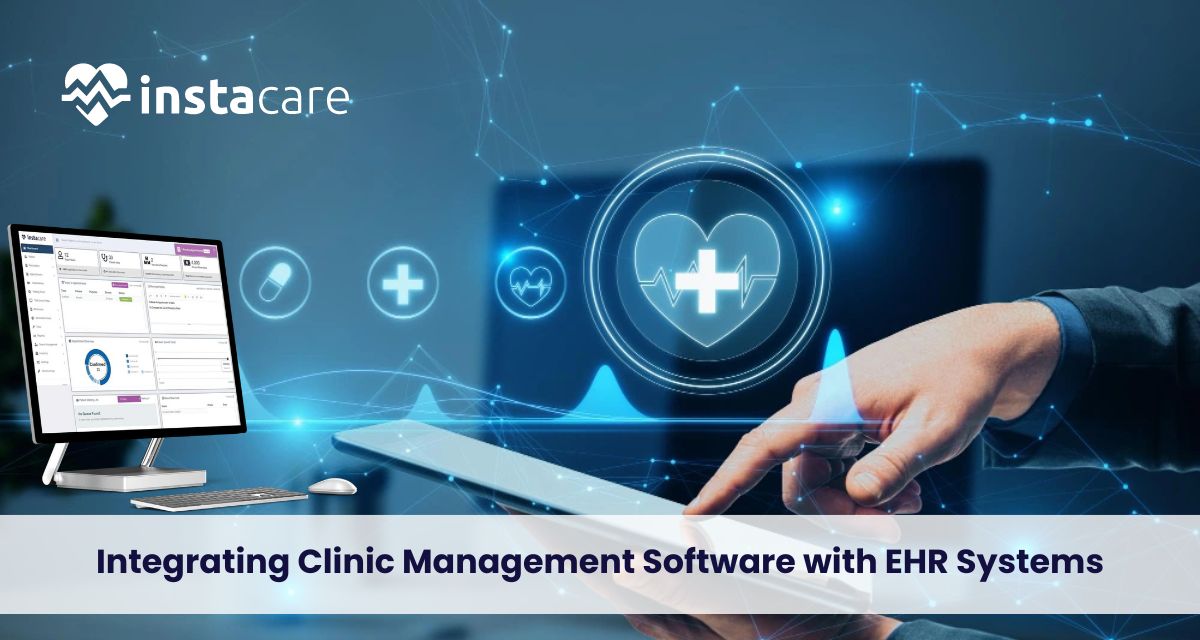
Integrating Clinic Management Software with EHR Systems: Challenges and Solutions Clinic management software integrated with electronic health record systems is fundamentally important to increase efficiency, care, and streamline health operations. However, it offers enormous challenges. An appreciation of these challenges and formulation of appropriate solutions may better healthcare delivery. Understanding Clinic Management Software and EHR Systems Clinic management software (CMS) is actually engineered to make the process of automation of various administrative tasks possible in a healthcare setting, such as scheduling appointments, billing, and managing patients. In a nutshell, clinics can handle their practices in the best manner possible, thus ensuring healthcare providers focus their attention where it matters most-taking better care of their patients. EHRs are digital replacements for a patient’s paper charts. In real-time, patient-centered records provide access to this information instantly and securely to anybody authorized to have it. EHRs are important because they would ensure that there are permanent records of patient interactions, treatment plans, and outcomes, which would generally improve clinical decision-making. Integration of CMS with the EHRs will ensure smooth communication between administrative and clinical functions, thereby contributing to improved patient care and operational efficiencies. Challenges Involved in the Integration of CMS with EHR Systems 1-Data Interoperability Data interoperability is the major issue involved in the integration of CMS and EHR systems. The main reason for this discrepancy is that different software vendors usually use different formats and standards of data. In this case, diversity in formats and standards leads to problems of compatibility, and if the data shared or interpreted between different systems is not correct, then there is a lapse in patient information that prevents care delivery. Solution: Organizations need to use standardized formats such as HL7 or FHIR (Fast Healthcare Interoperability Resources) and ensure data exchange is much easier between the systems for proper communication. Moreover, proper vendor assessment can help in identifying solutions that prioritize interoperability, which can save time and resources in the long run. 2-Resistance to Change Healthcare providers and workers may be reluctant to adopt new systems because of a fear of change or a lack of training, or perhaps even feeling that the combined system may not be necessary. This resistance can make the optimum use of the combined CMS and EHR systems inefficient or prone to errors. The transition process becomes easier with comprehensive training programs. The participation of end-users during the selection process may also contribute to the feelings of ownership and acceptance. The same healthcare providers, if they agree that this integration reduces the administrative burden and can improve patients’ outcomes, are likely to accept the change. 3-Cost Considerations Indeed, this may be too heavy for many healthcare organizations, particularly small clinics that have very minimal budgets, as the cost implication of integrating CMS with EHR systems could become unbearably high due to costs encompassed in the purchase of software, implementation, training, and maintenance. Solutions: Long-term investment for integration, rather than an immediate cost item, should be taken. A cost-benefit analysis will have the employee determine the ROI of integrating systems. Cloud-based approaches may decrease front-end costs, allow for scalable growth, and then grow with the organization. 4-Data Security and Compliance In general, integrating CMS with EHRs has increased the concern over the need to secure data and be specifically compliant with HIPAA. The higher the number of systems involved, the higher the risk of breaches or even compliance violations. Solution: Strong security protocols in place. These include encrypting data in transit through to regular security audits, but also adequately training staff on the best practices of data protection. This also goes a long way with regards to vendor choice, where compliance and security-minded vendors would help avoid most integration-related risks. 5-Workflow Interruptions While the integration of CMS with EHR may result in temporary inefficiencies in relation to workflow disruptions, that is not any grounds for not going through the integration process. Another reason for not using integrated CMS is that it can change how things are done, and some time will be required to learn these new changes. Solution: In order to avoid disruptions in workflow, the integration process should be tested on a few users before it is set on a full scale. That way, the organization will be able to identify any potential problems, and by the time the entire staff is bothered, adjustments will have been made. Ongoing user feedback will also help the organization fine-tune their workflows while integrating. Book Free Demo Solutions for Success Integration 1-Needs and Goals Assessment Health care organizations should assess their specific needs and goals before embarking on an integration journey. Knowing in precise terms what they wish to achieve by integrating, whether it is better patient care, improved operational efficiency, or better data management shall serve as a roadmap for the choices of relevant solutions by vendors. 2-Choose an Appropriate Vendor So critical is the choice of CMS and EHR vendors. The organizations must seek such vendors that have shown previous experience of success in integration and give excellent support services. Demonstrations and reference exchanges will reveal much about a vendor’s capabilities. 3-Collaboration Integration success is underpinned by involving both IT teams and clinical staff with administrative personnel. Establishing a cross-functional team promotes communication to ensure that all perspectives are taken into account at every stage of integration. 4-Monitoring and Evaluation Following the completion of integration, organizations must stay vigilant and monitor processes in a bid to find ways to enhance their improvements. Through taking feedback from users and analyzing performance metrics, organizations will perfect their systems and processes overtime. 5-Set up Clearly Defined Channels of Communication Effective communication is an important part of the integration process. Open and transparent communication channels among all parties-including IT teams, clinical staff, and administrative personnel-can help ensure that each is receiving relevant information and kept in the loop throughout the process. Meetings and updates are a great time to have discussions about challenges, progress, and feedback. Conclusion Clinics face challenges with EHR systems on
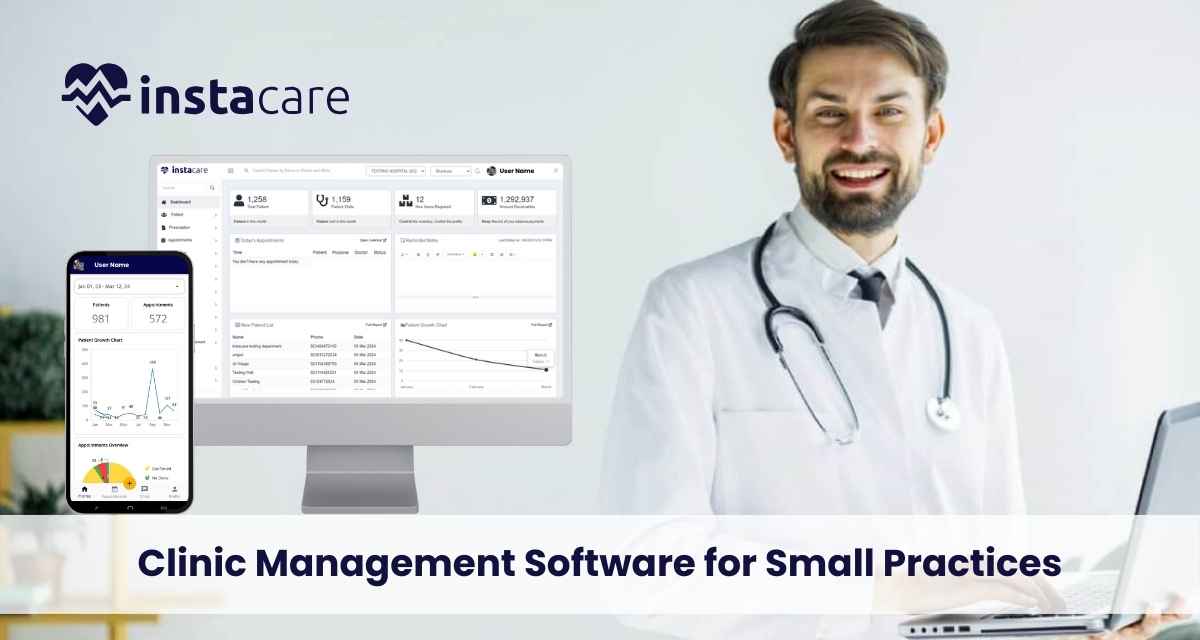
Guide to Choosing the Right Clinic Management Software for Practices As the health world keeps changing, small medical practices continue to adopt technologies that help them streamline their activities and improve patient care, therefore generally raising overall efficiency. Clinic management software acts as one important tool through which a small practice can manage everything from scheduling and billing to EHR and telemedicine. Choosing the appropriate clinic management software is a well-thought-out decision, perhaps, which will determine the functionality and success of the practice. This comprehensive guide is in place to outline the core factor for consideration and steps that are to be undertaken while choosing an appropriate clinic management software for small practices. Understanding Clinic Management Software The clinic management software was basically designed to manage, automate, and integrate various facets of operations concerned with clinics. It normally consists of modules related to the management of the patient, appointment scheduling, billing, electronic health records, and other advanced functions such as telemedicine and practice analytics. The main intention behind this type of software is to ease administrative tasks, minimize manual errors, and enhance the care provided to the patients. Key Features to Consider Patient Management The core function of any clinic management software is patient management. It should enable users to perform all-purpose management, creation, and maintenance of patient information: demography, medical history, allergies, treatment plans, and so on. Find ease of use in software with a user-friendly interface where viewing and updating of patient records is an easy task. It must be integrated with EHRs so that the exchange of patient data goes smoothly between them. Appointment Scheduling It is necessary for the system to provide for efficient appointment scheduling to ensure that there is good workflow and satisfaction for the patients. Therefore, the software should have a user-friendly scheduling system in which staff would easily book, reschedule, and cancel appointments. In relation to this, features to look at include: automated reminders through email or SMS, options for self-scheduling by the patient, and calendar integration that may help avoid double-booking. Billing and Coding In effect, correct billing and coding are essential for sound financial health and compliance. The software should provide electronic submission of claims, auto-suggestions for coding, and integrated relations with insurance providers. Furthermore, strong reporting functionality will allow you to track revenue, manage claims denials, and ensure timely reimbursement. Electronic Health Records (EHR) EHR functionality is a cornerstone of modern clinic management software. It needs to allow the creation, storage, and management of patient records in digital format, with facilities for custom templates, integrations with other health systems, and recording means for clinical notes, prescription, and lab results. The module also needs to be compliant with relevant regulatory standards, such as HIPAA. Practice Management and Analytics Advanced practice management may afford a wider view of critical insight into the functions of a clinic. Analytics software may allow for tracking of key performance indicators, or KPIs, such as patient volume, revenue per visit, and appointment no-show rates. This provides insights toward well-informed decisions and points out areas where improvement needs to be done. Book Free Demo Telemedicine Integration Telemedicine has increasingly become an important aspect of healthcare delivery. If your practice is offering or intending to offer telehealth services, then select software that is compatible with the working of telemedicine platforms. The feature list should include video conferencing, remote patient monitoring, and secure lines of communication. User Interface and Support A user-friendly interface means that staff will be able to work with the software without much training. Besides, consider the extent of customer support provided by the vendor. Good support can become irreplaceable in solving technical problems and ensuring flawless operation. Customization and Scalability Every clinic has different needs, and the software should be able to be adjusted as necessary to meet the needs of your practice. Another factor is scalability: you need a solution that will grow with your practice and give the practice an opportunity to adjust to changes in the volume of patients and/or services offered. Data Security and Compliance Security should be as strong as possible since the information on the patients is very sensitive. The software should be compliant with all regulations regarding data on patients, for instance, the United States should ensure they areHIPAA compliant. The features that shall be employed are data encryption, users’ authentication in a secure manner, and frequent updating of the software for patching security concerns. Integration with Other Systems Integration capability is key to seamless integration of clinic management software with other systems at use in your practice. This would include laboratory systems, imaging systems, pharmacy systems, and any other tool that forms a part of your ecosystem. Seamlessness in data flow between the systems reduces manual data entry and enhances efficiency for all stakeholders involved. Evaluating Software Options The following steps should be considered when evaluating various clinic management software options to get the best fit for your practice: Understand Your Needs and Priorities Begin with an analysis of precisely what your practice needs. Think about the size of your clinic, the number of staff members, services you provide, and any particular issues you have. Based on these, draw up a list of things you really need versus those you would like to have. Research and Compare Software Vendors Find out as much as possible about the various software vendors available. Read product reviews, ask other practices for their recommendations, and do research about the reputation of the vendors. Compare the options from each vendor based on their features, pricing, and customer support. Most vendors have a free trial or demo that can be taken advantage of for more hands-on comparison. Cost and Pricing Models Evaluate software costs, considering the setup cost, license fees, and other recurring maintenance costs. The pricing models vary; hence some vendors provide subscription-based models, whereas others offer options to purchase once in a lifetime. Keep in mind the budget you set and look out for solutions that guarantee value for money.
How AI is Transforming Clinic Management Software? AI causes a change in many aspects of life, and it cannot be otherwise with healthcare. In clinic management software, AI technologies drive serious changes toward making clinics highly efficient, improving patient care, and smoothing administrative tasks. The article discovers how AI is becoming a game changer for modern clinic management software by exploring its benefits, applications, and the prospective future of AI-driven solutions. Understanding AI in Clinic Management Software Clinic Management Software to use clinic management software, the software is also going to be powered with Artificial Intelligence. AI is a combination of Machine learning, Natural language processing, Predictive analytics among other complex algorithms-techniques that has the capability to handle a vast amount of data, perform an operation without help and provide results with the potential to be used. Some of the applications of AI in clinic management software includes; scheduling, patient communication, organization of office operations, and clinical recommendation. Key AI-Driven Features in Clinic Management Software Enhanced Scheduling and Resource Management Predictive analytics for Scheduling AI algorithms analyze data on appointment history, no-show patterns of patients, and availability of staff to make predictions and build a good schedule. This will reduce gaps in appointments, better handle peak times, and thereby bring general efficiency to the clinic. Automate Rescheduling AI-enabled systems auto-suggest dates for appointments in cases of conflict or when anyone of the participants needs rescheduling. It reduces administrative overload while handling such activities and helps in keeping the appointment running with no manual interference. Resource Planning AI can plan and manage such resources as examination rooms, medical equipment, and staff within clinics. The recommendations of AI in resource planning that will minimize idle time and increase productivity can analyze resource utilization with respect to patient flow. Book Free Demo Improved Patient Communication and Engagement Patient Personalization AI processes data regarding patients and presents personalized recommendations and interactions. Example: AI-driven Chatbot, for instance, can respond to various patient inquiries about appointments, health tips, and so on for different issues based on the history of a patient. Virtual Health Assistants AI-powered virtual assistants help patients in performing routine tasks such as appointment setting, answering frequently asked questions, and health information. With that, virtual assistants might enable 24/7 services for patients, which could offer them more engagement and support than what may be provided during office hours. Sentiment Analysis AI will analyze patient feedback and interactions for sentiment and satisfaction. AI will process natural language information from surveys, reviews, and other forms of communications to enable clinics to take preliminary steps to assure patient satisfaction. Smoothening Administrative Processes Automation of Documentation and Coding: AI technologies, like NLP, can automate clinical documentation regarding physician notes while simultaneously coding these into suitable formats. This reduces manual data entry and hence facilitates more accurate and efficient billing and coding. Claims Processing and Denial Management AI automates claims submission, manages denials by analyzing claim data, and lists the most frequent reasons it gets rejected. This may help the clinics to fix up the problems much faster, reduce claim denials, and hence improve revenue cycle management. Optimization of Billing and Payment The AI-powered system would have the ability to optimize billing processes in terms of predictions about patient payment behavior, identification of errors in billing, and most suitable plans for the presentation of payments. This improves financial management and enhances cash flow in clinics. Data-Driven Decision Making AI-Based Predictive Analytics for Patient Outcomes AI enables the viewing of a patient’s data for predicting health outcomes with possible risks. This way, immense historical data and complex machine learning algorithms will eventually assist healthcare providers in being more effective in decisions regarding patient care and treatment plans. Clinical Decision Support AI-enabled decision support systems may also support health professionals by providing evidence-based recommendations and alerts. These systems analyze data from patients, medical literature, and clinical guidelines to provide support in real time for the care of patients. Population Health Management AI makes sense of massive volumes of data regarding the trends and patterns of the patient population. The extracted knowledge will contribute to the clinic in appropriately devising targeted interventions aimed at better management of chronic conditions for an improvement in the overall population health outcomes. Enhanced Security and Compliance Anomaly Detection AI ensures better data security by detecting any patterns and anomalies in the way systems are gaining access and using data. To this end, it identifies potential security breaches and fraudulent activities that in turn protect patient data. Regulatory Compliance AI helps in promoting compliance with regulations in health through the automation of activities related to monitoring and reporting on compliance matters. These are going to involve document management, monitoring changes in laws and regulations, data protection standards, among others. Future of AI and Their Potential in Clinic Management SoftwareIntegration with Internet of Things (IoT) Artificial intelligence integrated into the functioning of devices combined with the concept of the Internet of Things is expected to further strengthen clinic management. These IoT devices, such as wearable health monitors and smart medical equipment, generate big volumes of data that can be analyzed by AI for real-time insight into improvements in patient care. Enhanced Natural Language Processing NLP technologies keep on evolving, which provides greater scope for AI systems to understand human languages and act accordingly. More sophisticated NLP capabilities would also engrain in future clinic management software, thus allowing better documentation, improved communication with patients, and advanced data analysis. AI-Powered Personalized Medicine In the not-so-distant future, AI will also play a very serious role in personalized medicine through analysis of data from genetics, lifestyle, and environment for creating particular protocols of treatment. Indeed, such an approach promises great improvement in the treatment results, as therapies will be much more focused and, therefore, highly effective. AI-Enhanced Telemedicine AI will be increasingly integrated into such telemedicine platforms to offer higher levels of functionalities, such as virtual triage, symptom-checking, and real-time decision support of virtual consultations, thus improving quality and efficiency in
