


Last Updated on 10 months ago by zuraiz How SaaS Companies Make Money: The Business Model Defined SaaS has transformed software development, delivery, and profitability. SaaS stands for Software as a Service. SaaS enables companies to deliver cloud-based applications to customers over the internet, in most cases, on a subscription basis. But instead of merely selling software, SaaS businesses operate on other models of revenue centered around recurring revenue in SaaS, customer retention, and long-term expansion. Whether you are an investor, a marketer, or an entrepreneur in the tech industry, knowing how revenue is generated in SaaS is vital. In this article, we explore the main sources of how SaaS generates revenue, the most in-demand monetization models, SaaS key financial performance indicators, and trends that are changing this fast-rising industry. What Is a SaaS Business Model? A SaaS model provides computer programs via the cloud rather than the traditional installed software versions. The user typically employs a program or web interface to use the product and pays regularly, monthly, quarterly, or annually. The model benefits the customer and the vendor in the following manner: Lower initial cost for customers Vendor’s scalable architecture Simplified management and updating Upselling opportunities within SaaS To businesses, subscription model SaaS provides steady revenues and better customer relationships. Instead of transaction volumes, retention and lifetime value become the key. Sourcing Large Revenues for SaaS Companies While the subscription model is the main source for most SaaS companies to generate revenue from, there is a second one. Well-established SaaS companies diversify revenues with more than one monetization stream: 1. Subscription Plans This is the source of core recurring revenue. Companies offer tiered seats, features, or prices by usage. An example is as follows: Basic (freemium or low-price) Professional Enterprise This model locks in recurring revenue for SaaS, levels cash flow, and aids in long-term planning. 2. Freemium to Premium Conversions The freemium SaaS model offers free, limited functionality to users and later tries to convert them into paid plans in the future. This is most suitable for quickly expanding user bases. 3. Upselling and Cross-Selling Upselling additional features, add-ons, or ancillary products increases SaaS customer lifetime value. For example, a CRM software upsells additional automation features or adds marketing modules. 4. Professional Services Some SaaS software has consulting, implementation, or training services, oftentimes in B2B settings. They are revenue and client success drivers. 5. API or Usage-Based Billing A select few charge on a per-number-of-API-calls, data-consumed, or per-transaction basis. This applies to developer-focused SaaS or infrastructure products such as Twilio, AWS, etc. Monetization Strategies in SaaS Effective SaaS pricing strategies depend on several of the right pricing methods being chosen. Some of the most established approaches in use at present by SaaS firms are outlined below: 1. Per-User Pricing Paid by the number of customers. It’s reasonably well-suited to scale with firm size, but will level off team adoption. 2. Tiered Pricing Plans grow with sets of features. Tiered pricing is best for upselling and moving customers into higher-priced plans. 3. Usage-Based Pricing Such as “pay-as-you-go,” the model is cost-value aligned. It’s employed by infrastructure software and SaaS that operate with variable workloads. 4. Flat-Rate Pricing Single price for all. Such a method is extremely simple and easy, but does not include revenue from over-consumption. 5. Freemium Strategy Offering an ad-supported version with limited functionality to capture users. The strategy is to promote some of these users to a paid one through monetization of value. Book Your Free Marketing Consultation Savvy SaaS Metrics Driving Revenue In attempting to understand how SaaS startups make money, it’s important to monitor SaaS financial metrics that are performance indicators, retention and profitability: 1. Monthly Recurring Revenue (MRR) / Annual Recurring Revenue (ARR) These are the pillars of SaaS profitability, giving visibility to revenues in the future in the long term. 2. Customer Lifetime Value (CLTV) It determines how much revenue is driven by a customer over their lifetime. Upselling to drive CLTV growth and product stickiness is on the priority list. 3. Customer Acquisition Cost (CAC) It puts a number on getting a new customer. To be viable, CLTV must be 3x CAC. 4. Churn Rate Churn rate in SaaS is the percentage rate at which customers unsubscribe within a given time. Lesser churn implies more consistent revenues and improved growth rates. 5. Net Revenue Retention (NRR) It accounts for upgrades, downgrades, as well as churn to figure out how much revenue is being retained from current customers. 100% or more NRR reflects good growth. 6. Conversion Rate In freemium or trial-based models, it is important to gauge which of the users are transitioning into paid customers. 7. Efficiency of SaaS Sales Funnel Monitoring how the leads move through the SaaS sales funnel, from awareness to activation and on to purchase, aligns marketing and sales activities in an effort to maximize performance. Challenges in SaaS Monetization SaaS has many benefits, but the SaaS business model is not without some problems that are holding back growth and SaaS profitability: 1. High Churn Rates It costs less to keep a customer than it does to acquire a new one. SaaS high churn rate can be expensive and hurt scalability. 2. Price Sensitivity Subscribers would prefer to compare products side-by-side. If your SaaS pricing model doesn’t bring value, users will abandon it quickly. 3. Tardy ROI Since SaaS income builds up gradually, SaaS companies must spend initially on product creation and customer acquisition before they generate profits. 4. Customer Support Burden Serving a large number of repeat clients involves maintaining lean support staff and onboarding infrastructures to avoid churn. 5. Scaling Infrastructure As user bases grow, platforms must add server capacity, uptime stability, and security, features with high costs. Trends in Future SaaS Revenue Models The SaaS trend is evolving through customer requirements and technology
Last Updated on 10 months ago by zuraiz SaaS Churn: Mitigating Customer Turnover and Maximizing Retention Churn is perhaps the most important business metric for SaaS businesses. Customer loss to competitors or de-adoption can wipe out sustainable revenue growth in the long term. Incremental retention rate improvements can lead to phenomenal growth in recurring revenue, company value, and customer lifetime value. Having understood what is SaaS churn, monitor the right churn metrics, and take measures to minimize churn and maximize retention, you’ll build your subscription business on stronger grounds. In this, we’ll take a look at what exactly churn is, how to measure it, and effective steps to minimize it, and improve customer loyalty in SaaS and maximize retention at each step. What is SaaS Churn? Churn in SaaS is the percentage of clients who do SaaS subscription cancellations within some time frame, most commonly a month or year. It is also known as the customer churn rate and is either lost revenue or lost customers. It is so easy to calculate the monthly churn rate: sql CopyEdit churn rate formula (%) = (Customers Lost During Period ÷ Total Customers at Start of Period) × 100 For instance, if you began the month with 500 customers and 25 departed, your monthly churn would be 5%. Churn can also be measured as a percentage of revenue, or, as it is sometimes referred to, revenue churn or net revenue retention (NRR). NRR is recurring revenue retained that accounts for expansions or upsells, giving a fuller picture of retention performance. How to Measure Churn Effectively? Churn is not a metric. Segmentation and measurement of various types of customers at their lifecycle are required for proper user churn analysis. Some of the most important metrics include: Customer Churn Rate: Tracks the percentage of customers within a specific period. Revenue Churn Rate: Compiles recurring revenue lost as a percentage of first total revenue. Voluntary vs Involuntary Churn: Segments’ reason for churn. Monthly vs Annual Churn: Monitors trends over time to spot seasonal or subscription-duration effects. Net Revenue Retention (NRR): Accounts for upsells, cross-sells, and expansions minus lost revenue. By examining these metrics and analyzing which customer segments churn most, you’ll gain invaluable insights into customer lifecycle management and identify the most effective SaaS retention strategies. Strategies to Minimize Churn and Enhance Retention It’s not a matter of lowering churn, it’s a matter of showing value in each and every interaction point. Some effective ways of lowering SaaS churn are: 1. Enhance Onboarding Experiences New customers are most susceptible in their first days or weeks. Poor onboarding is the leading cause of early churn. Develop a seamless, frictionless onboarding process that guides new users to the “wow moment.” Product tours curated for every user, tutorial emails, and welcoming in-app tips will have customers discovering value in no time. 2. Prioritize Customer Success A single unified customer success team can track account health, observe usage, and react early to customers who appear to be disengaged. A successful customer lifecycle churn management tool puts the customer in the best possible position to get the right support, training, and check-ins, before they become cancellation drivers. 3. Personalize Customer Experience Customers love personalization. Use past behavior history and goals to personalize product experience and communication. Personalized recommendations, milestone reminders, and feature suggestions drive stronger loyalty and better retention. Book Your Free Marketing Consultation 4. Get Customer Feedback Gather customer feedback regularly, particularly at milestone lifecycle stages, and pay close attention to it. Actively incorporate it into your product plan so that your customers can hear themselves. By listening to what hurts them, you can address problems in the bud before they become churning causes. 5. Provide Flexible Plans Fixed pricing and contracts deter customers. Try flexible price plans, annual payment discounts, or “pause” terms to accommodate different budgets and lower cancellation. 6. Boost Engagement Regular value-added content engages customers. Product update announcements, expert webinars, training sessions, and success stories highlight additional features and enable customers to optimize subscription value. Regular engagement boosts retention and loyalty. 7. Offer Customer Support Customers tend to leave after open cases of support or a poor support experience. Provide multiple channels of support, live chat, help center, phone support, and monitor first-response and resolution rates very intensely. Supported happy customers stick around. 8. Enhance Product-Market Fit Customers occasionally leave because they weren’t a good match. Periodically review customer bases and make sure messaging is aligned with actual product strengths. Focus on acquiring and retaining the type of customer who requires what you’re best at. How to Minimize Involuntary Churn Whereas involuntary churn is usually the result of dissatisfaction or misfit, involuntary churn is the result of non-failed payments, i.e., expired credit cards or failed transactions. It can be prevented by proper measures: Automatic Payment Retries: Use dunning measures, which retry failed payments after a few days. Payment Reminders: Alert customers when their credit card is expiring. A gentle reminder avoids declined payments. Provide an Alternative Payment Method of Choice: Provide customers with an alternative payment method of choice, such as PayPal, Apple Pay, or direct debit, to increase success rates. Leverage Payment Dunning Software: Payment dunning software will send reminders to customers automatically after they fall behind on a transaction, so follow-up is convenient and the administrative cost is minimal. Conclusion Reducing SaaS churn is crucial to thrive in the long term with SaaS. Understanding what SaaS churn rate is, monitoring user churn behavior regularly, and applying tested retention and dunning tactics will minimize loss and facilitate sustainable growth. Proactiveness in the detection of at-risk customers enables you to catch them with the right communications and incentives before they go away. In
Last Updated on 10 months ago by zuraiz How to Price Your SaaS Product: Strategies & Models That Convert Pricing a SaaS product is the one thing that must be resolved within any software organization. Get it right, and you’ll be on a sunny growth path, enjoying stable recurring revenues, customer retention, and long-term growth. Get it wrong, and you might end up with pricing that repels customers or leaves much money on the table. Creating the perfect SaaS pricing strategy is an art and a science of balancing business goals, competitive forces, and customer value. This article discusses the successful SaaS pricing models, the successful strategies behind them, and optimization techniques that help drive conversions and successful scaling. What is SaaS? SaaS Software is an abbreviation for Software-as-a-Service and refers to a style of on-cloud software distribution under which customers are charged an ongoing fee, typically monthly or annually, to use software operating on some other party’s server. The repeat customer revenue model does not compel customers to buy hardware or install the program on their machines. Instead, they simply access it from a browser or app. SaaS companies have reliable cash flow, recurring revenue, and chances to cross-sell and up-sell, all relying on successful SaaS product monetization. Why SaaS Pricing Matters? Your SaaS pricing strategy affects every element of your business, customer acquisition and retention, cash flow, and business value. Your SaaS pricing strategy, when done so clearly, will allow you to differentiate your product as premium, mid-market, or value-priced, allowing you to grow the customer base that you wish to serve. In particular, B2B SaaS companies must realize that their customers aggressively test value, scalability, and ROI. Pricing consistent with customer needs immediately can accelerate conversion rates and reduce churn, and poor or unresponsive pricing repels customers. Primary SaaS Pricing Models Some popular SaaS pricing models companies employ based on their business goals: 1. Subscription Pricing Strategy Subscription pricing strategy is the most common model in which clients pay a periodic fee, annual vs monthly pricing, for continuous utilization of the service. The majority of companies provide discounts on long-term contracts to create initial income and improve cash flow. 2. Usage-Based Pricing Also referred to as “pay-as-you-go,” usage-based pricing charges customers according to what they use, i.e., the number of transactions, API calls, or usage hours. Given developer tools and infrastructure solutions, this model increases with customer success and growth. 3. Freemium Pricing Model The Freemium pricing model provides a low rung of the software at no cost and charges a premium for the others. It may drive fast adoption and reduce customer acquisition cost, but conversion rates from paid to free should be monitored closely to ensure sustainably. 4. Value-Based Pricing In value-based pricing SaaS, organizations price their services based on the value that they bring to customers and not based on their cost. This allows them to capture a higher percentage of value created and requires an intimate understanding of customers’ pain points and willingness to pay. 5. Tiered Pricing SaaS price points offer different degrees of packages at different charges, and clients can choose the one that suits them best. This facilitates market penetration and allows for upgrades as companies grow. 6. Cost-Plus Pricing In cost-plus pricing SaaS, business organizations calculate the cost of delivering the software and then add a certain margin. Although the method is straightforward, the process will low-ball what customers will ultimately pay if the value proposition is massive. 7. Dynamic Pricing Dynamic pricing in SaaS adjusts prices based on demand, seasonality, or buying behavior, often through AI-based decision-making. The practice is not yet widespread in B2B SaaS, but it can generate the most revenue per customer possible. Book Your Free Marketing Consultation SaaS Pricing Strategies That Convert To convert and retain, you require more than a basic price model; you require proven SaaS pricing tactics. Below are a few tactics that work: Anchor High to Drive Conversions To position your highest-priced plan first on the price page makes the alternative options comparatively lower, one of the optimum psychological pricing techniques. Offer Yearly Discounts Engaging customers with multi-pricing rather than single-pricing by offering discounts can improve cash flow, reduce churn, and increase long-term loyalty among customers. Optimize the Price Page Your pricing page optimization matters. Nicely call out benefits, use testimonials or logos for trust, and offer live chat for questions. Keep your prices simple to avoid decision fatigue. Test Tier Names and Features Your list of features must meet customer needs at more than one level. Try to test out different feature name options, benefit copy, and trial duration to find out what will work best. Competitive-Based Pricing Use competitive pricing analysis to see how your product will compare with the competition. Attempt to differentiate by feature, service, or result, don’t simply price lower than the competition. How to Select the Ideal Pricing Model for Your SaaS The ideal pricing strategy for B2B SaaS depends on your target buyer, product maturity, and goals. Here is a quick checklist to guide your decision: Understand Customer Value: Are customers paying for features or results? That will determine whether value-based, usage-based, or subscription will be optimal. Measure Usage Patterns: Usage-based works well for varied usage (e.g., data software). Tiered pricing works well for stable, predictable usage. Test Price Elasticity: Would customers pay extra to have improved features? Test multiple SaaS pricing tiers and monitor conversion rates. Match with Go-To-Market Motion: Enterprise buyers prefer to purchase annually versus monthly, but SMBs prefer flexibility. Have Scalability in Mind: Choose a model that scales with customers, e.g., SaaS price points or seat-based pricing. Testing & Optimizing Your Pricing Pricing is never “set and forget.” Persistent testing is crucial to long-term success: A/B Test Price Points: Experiment with small price increments to see what customers will tolerate without higher churn.

Last Updated on 10 months ago by zuraiz InstaCare Hosts Sold-Out Workshop in Lahore: Transforming Healthcare Professionals into Business Leaders June 21, 2025 – Pearl Continental Hotel, Lahore InstaCare, Pakistan’s leading healthtech company, successfully hosted a high-impact workshop titled “Building a Patient-Centered Profitable Healthcare Business” in Lahore on June 21, 2025. The session was led by Bilal Amjad, Founder & CEO of InstaCare, and welcomed healthcare professionals from across the ecosystem — including clinic owners, lab managers, pharmacists, and hospital administrators. Location: Pearl Continental (PC) Hotel, Lahore Time: 3:00 PM – 5:00 PM Format: In-person + Virtual | Boardroom-style workshop Seats: Fully Booked (25 seats filled + online participation) Why This Workshop Was Needed In Pakistan, over 75% of small healthcare businesses plateau within the first five years, not because of a lack of medical excellence, but due to limited exposure to structured business education. This workshop was built to bridge that critical gap, offering hands-on training in: Pricing strategies & smart revenue models Financial leak detection Clinic-to-hospital growth roadmaps Leadership thinking for medical professionals Real-world profitability case studies Operational systemization More than just a lecture, it was a movement toward building sustainable, scalable, and patient-centered businesses in healthcare. The Impact 25+ Healthcare business owners turned decision-makers. Multiple specialties represented: clinics, labs, pharmacies, hospitals. Real questions. Practical answers. No fluff. Unforgettable energy and collaboration. “Most doctors are passionate. But no one taught them how to grow a business. This workshop changed that — from overwhelmed owners to empowered entrepreneurs.” — Bilal Amjad, CEO, InstaCare Who Attended? Clinic & lab owners Pharmacy entrepreneurs Hospital administrators Healthtech startup founders Medical professionals seeking growth What’s Next? This was just the beginning. Based on the overwhelming response, InstaCare is committed to bringing more high-impact workshops across Pakistan, combining clinical expertise with entrepreneurial skill-building. For updates or private workshop inquiries: business@instacare.com.pk Highlights Housefull event — Alhamdulillah Incredible engagement from medical leaders Actionable tools used during the session Patient-centered, provider-powered model of profitability Closing Note “Pakistan’s healthcare future doesn’t just need more hospitals — it needs smarter healthcare businesses. That’s our mission.” – Team InstaCare Let’s continue the mission to heal the business of healing.
Last Updated on 10 months ago by zuraiz Top 10 SaaS Trends to Watch in 2025 The SaaS business is changing at a rapid rate, reengineering business processes, communication, and growth. Cloud computing has developed as the leading technology over time, and SaaS is part of this movement. The SaaS business is expected to cross $1 trillion in 2025 on the basis of bleeding-edge technologies, changing user requirements, and growing demands for digital-first solutions. For companies to remain competitive, one has to be aware of the SaaS trends 2025 that will lay the groundwork anew. From AI-powered automation to skinny vertical SaaS solutions, SaaS’s future is all about intelligent, responsive, and highly integrated platforms. What is SaaS? SaaS Software as a Service is only one of the software distribution models in which the programs are maintained on the cloud and made available to users on the web. Rather than buying and installing software on dedicated devices, subscribers subscribe to programs that the service provider maintains and updates. It lowers IT costs, enables simple access, and facilitates collaboration anywhere. SaaS solutions are being embraced in almost every sector HR and accounting, customer relationship management, and healthcare. Technology will keep accelerating, and the future of SaaS will all be about even more automation, vertical solutions, personalization, and SaaS integration with AI with next-generation technologies. Top 10 SaaS Trends to Watch in 2025 1. AI-Powered Personalization Artificial Intelligence (AI) is not a luxury anymore, it’s an imperative to SaaS development these days. In 2025, AI will redefine personalization at a much larger scale. Platforms will provide smart user experiences, dynamic features, recommendations, and workflows that learn based on user preferences and behavior. AI-powered personalization will prevent churn and increase customer interaction. SaaS dashboards will become intelligent, real-time, adapting to the individual user role and requirement. Recommendation systems, predictive search, and chatbots will become the norm. Software: More and more software will be a dynamic software component and less of a static software component with AI in SaaS continuing to advance. 2. Vertical SaaS Will Flourish Instead of generic software, vertical SaaS platforms are made specifically for a particular business like logistics, real estate, education, or law. Focused on specific issues, such programs have better workflows, compliance mapping, and industry-specific integration. Monitor expansion in healthcare SaaS software handling electronic health records, telemedicine centers, and automated billing. Real estate SaaS software will provide end-to-end functionality like property listing, contracts, and client management. The growing need for specialization will drive the use of vertical SaaS solutions quickly, and they will become a leading source of driving SaaS product innovation. 3. Low-Code/No-Code Platforms Bring Everyone into the Game Low-code SaaS platforms will force developers, coding skills aside, more and more to develop custom tools and SaaS market growth 2025. Low-code development of apps makes app development democratized and enables marketing, HR, and sales departments to solve their issues without the need for developers. Graphical builders and drag-and-drop functionality will reside on a SaaS platform. Companies can quickly prototype and deploy internal tools at minimal cost. Create. This trend speeds up innovation by providing greater numbers of people with creation power across an organization. 4. Predictive Analytics Will Guide Strategy SaaS applications today provide reporting; SaaS applications tomorrow will provide foresight. With AI and machine learning, SaaS products will provide profound insights based on predictive models. These will guide marketing, finance, HR, and ops choices. Predictive software will detect customer churn, detect sales opportunities, and predict supply chain challenges. Marketing automation will recommend the best time to send an email or execute a campaign depending on how individuals act. Businesses that spend money on predictive analytics in SaaS will achieve a strong strategic advantage with data-based insight. 5. Automation Will Be the Default Since human beings getting things done at a breakneck rate is about to become a relic of the past, in 2025, SaaS software will provide end-to-end automation of business-as-usual tasks, anything from onboarding and billing to data entry and email reminders. SaaS products will provide Robotic Process Automation (RPA) for process automation. Automation will cross-organizational fences, wasting valuable time with cross-functional collaboration. As SaaS automation trends keep advancing, businesses will have more time to focus on strategic activities and less time on repetitive work. Book Your Free Marketing Consultation 6. Easy AI Assistance Across All Functions AI will be integrated into every SaaS tool, not just for feature enhancement. Look for AI in all layers, from backend processes to user tools. AI will be used on sales platforms to anticipate leads and suggest next-best actions. HR SaaS apps will screen candidates automatically and search for sentiment. Voice and text AI assistants will provide real-time assistance in apps. Software vendors will create better, intelligent, and context-based apps by turning their attention to integrating SaaS with AI. 7. Security and Compliance Will Drive Innovation With more and more common data breaches and with tighter and tighter new regulations (e.g., GDPR and HIPAA), SaaS providers are prioritizing security in the number one position. Security will be second only to performance or usability in 2025. Multi-layer encryption, live protection, and access controls will be the standard. Compliance reporting will be built into tools to make audits and certificates simple. Businesses will choose platforms that lead in SaaS security trends, ensuring their sensitive data and operations are protected around the clock. 8. Dynamic and Transparent Pricing Models Users are demanding more flexibility in how they pay for SaaS products. In 2025, rigid monthly pricing will give way to outcome-based, usage-based, and hybrid pricing models. Companies will pay based on data usage, API calls, or business outcomes. Transparency-priced calculators and tailor-made add-ons that can be constructed modularly will enable customers to select what they truly require. These SaaS pricing models will enable organizations to match expenses with perceived value obtained, resulting in long-term customer satisfaction. 9. Retention will Trump
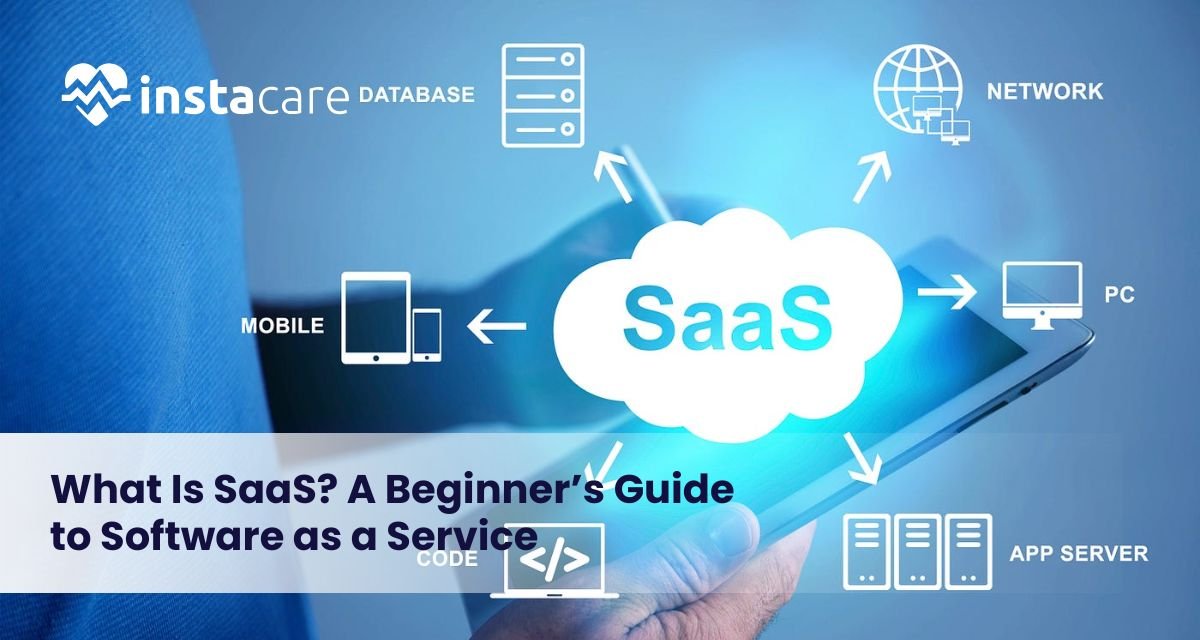
Last Updated on 10 months ago by zuraiz What Is SaaS? A Beginner’s Guide to Software as a Service Ever since the beginning of the age of computers and digital technology, companies and individuals have depended increasingly on software to carry out day-to-day tasks, communicate with each other, keep information stored, and perform processes automatically. Some of the most significant advances in history have been the invention of cloud-based software, that is, Software as a Service (SaaS). Precisely what is SaaS, anyway? How are folks using it, and why is it so globally popular among so many different types of industries? This beginner’s guide contains everything you ever wanted to learn about SaaS from the way it works to its advantages, examples, and problems prior to implementation. What Is SaaS? SaaS meaning is “Software as a Service,” which is an on-demand delivery model for software where a third-party company owns the software and hosts it on the internet to customers. Rather than installing and maintaining software on individual computers or internal servers, customers can access web browser-based SaaS applications on a pay-per-use basis. The SaaS definition can be employed to articulate a wide variety of software solutions, from productivity suites like Google Workspace to customer relationship management (CRM) solutions like Salesforce. Unlike traditional software, which has to be installed physically and updated periodically, SaaS provides perpetual access, ongoing updates, and minimal setup. History of SaaS traces back to the 1960s when mainframe computing rendered sharing of software on use inevitable. The modern SaaS model which started gaining momentum in the course of the late 90s was pioneered by Salesforce through offering web-based software. SaaS has since become a ubiquitous application structure of business establishments of any size implementing software. How Does SaaS Work? To learn about SaaS, consider renting software instead of purchasing it. SaaS applications are stored on the provider’s servers. The provider does all the work: hardware, software updates, security, and infrastructure. Users just log in over the web to access the software. The SaaS model is usually accompanied by recurring fees, annual or monthly. Both the user and producer benefit from the model. Producers get stable revenue, while users avoid front-end expenses and pay when they use. One of the advantages of SaaS includes: Multi-tenancy: Various users share one infrastructure but maintain their data segregated. Automatic updates: Features and fixes are provided without involving users. Accessibility: Individuals can utilize software from anywhere they are accessing the internet. Scalability: Simple to scale up or down usage depending on the requirement. Advantages of SaaS Advantages of SaaS are many and have made it present in nearly every sector. Below are the main advantages: Cost-Efficiency: No hardware or software acquisition cost. There is a subscription fee, which spreads the cost over time. Ease of Use: The majority of SaaS solutions are easy to use and don’t demand technical expertise to become operational. Availability: Clients can access software through any device that is networked, which allows working remotely and communicating. Scalability: The companies are easily able to scale up and down with no concern for infrastructure. Security: The best security features are readily available, including encryption, backup, and compliance certification of the SaaS vendors. Automatic Updates: The security patch and updates are automatically applied. Integration: SaaS applications will typically integrate with other company software to enable process streamlining. There are SaaS pros and cons, but even with those pros. Some of the cons include the absence of control over customization, reliance on internet connections, and vulnerability to data security breaches if left unattended. Book Your Free Marketing Consultation Common Use Cases of SaaS SaaS applications today touch nearly all personal and business operations. Below are some of the most utilized SaaS businesses and software: ● Collaboration & Communication Remote work necessities include tools such as Slack, Zoom, and Microsoft Teams. ● Customer Relationship Management (CRM) Salesforce, HubSpot, and Zoho CRM are programs that manage company sales pipelines and customer relationships, similar to how Clinic Management Software helps healthcare providers streamline patient interactions, appointments, and administrative workflows. ● Accounting & Finance Easy-to-use bookkeeping software is offered by cloud-based solutions for small and medium-sized businesses, such as QuickBooks or Xero. ● Project Management Asana, Trello, and Monday.com make task management and collaboration with a team extremely simple. ● Marketing Automation ActiveCampaign and Mailchimp make email marketing, email segmentation, and lead nurturing easy. ● E-Commerce Both Shopify and BigCommerce allow businesses to create storefronts online without being experts in web development. ● Human Resources BambooHR and Gusto help in automating Human Resources services, such as onboarding, payroll, and benefits services. ● File Storage & Sharing Google Drive and Dropbox enable one to save business and personal files in the cloud. SaaS in healthcare is fast developing in the niche markets with electronic health record (EHR) systems, telemedicine software, and patient scheduling applications Key Considerations Before Choosing a SaaS Product There are numerous benefits of SaaS, but choosing an appropriate one requires vigilant consideration. The following are key things to consider: Data Security and Privacy: Consider how the SaaS provider approaches data backup, data security, and regulatory compliance (e.g., GDPR, HIPAA.). Pricing Model: Find out how much it will cost in total: subscription fee, fee per extra user, license to watch. Integration Capabilities: Ensure that the SaaS product fits into your existing equipment and infrastructure by not causing too much of a wrench in your operations. Service Level Agreements (SLAs): SLAs have guarantees of uptimes, support response, and support that is important to the mission-critical applications. Scalability: Go with a platform that scales along with your business and has scalable pricing plans. SaaS vs PaaS vs IaaS SaaS is one of the three basic models of the long list of cloud computing. The other three models are PaaS and IaaS models. SaaS (Software as a Service): pre-installed software over
Last Updated on 10 months ago by zuraiz Product-Led Growth (PLG) in SaaS: Strategy, Benefits & Best Practices In the fast-changing and competitive SaaS landscape of today, Product-Led Growth (PLG) is now among the most successful ways of scaling SaaS companies. Compared to traditional paradigms of marketing and sales, PLG trusts in enabling the product itself to be responsible for user acquisition, retention, and expansion. By doing this, the process puts the product experience at the center of the customer journey, and it results in more natural and scalable growth. This guide explores what PLG is, why SaaS cares about it, its basic building blocks, most popular benefits, and best practices to make it successful. What is Product-Led Growth (PLG)? Product-Led Growth (PLG) refers to a business strategy where the product itself is the key driver of customer acquisition, activation, and retention. In a PLG model, users self-discover and start using a product themselves, typically through a freemium in PLG or trial, isolated from contacting sales or support teams. This is a reversal of the old funnel. Instead of sales or marketing efforts first, users experience the value of the product directly. It’s a bottom-up strategy with an emphasis on a user experience that effortlessly turns free users into paid customers. One famous product-led growth example is Slack, which was broadly adopted through its clean design, easy onboarding, and ability to solve communications pain points directly without needing a long sales pitch. Why PLG Matters in SaaS? SaaS companies exist on scale, automation, and retention. PLG just perfectly fits these needs. Traditional go-to-market strategies outsourced sales and expensive marketing may struggle to keep pace with the expectations of current B2B and B2C buyers. They would rather “try before they buy,” educate themselves, and self-onboard. This is where PLG shines. It allows users to learn the product value upfront, with more control and confidence. Contrast product-led vs sales-led growth, PLG offers a less expensive and more scalable path, especially for companies targeting global markets or SMBs with low contract value. Core Elements of a PLG Strategy To build a successful PLG motion, SaaS companies need to be sensitive to several fundamental building blocks: 1. Frictionless Onboarding A successful PLG onboarding experience allows customers to learn and gain access to the core value of the product in an instant. Think guided tours, templates, interactive walkthroughs, and contextual tips that reduce time to value (TTV). 2. Self-Serve Infrastructure One of the basic foundations of the self-serve SaaS model, it is about allowing customers to sign up, upgrade, bill, and even cancel without ever having to talk to sales or support. One of the most significant considerations for reducing customer acquisition cost (CAC) and maximizing scalability. 3. User Activation User activation in PLG is the moment when a user receives a beneficial consequence from the product. Activation matters since that’s where the periodic user is turned into a potential long-term customer. Activation metrics help in bringing forth friction points in the user experience. 4. Product Qualified Leads (PQLs) Product qualified leads (PQLs) are users who have experienced notable product value and are very likely to be paying customers. Unlike regular MQLs or SQLs, PQLs are based on usage patterns and in-product signals. 5. PLG Metrics Track the appropriate product-led growth metrics to refine your strategy. These are activation rate, time to value, expansion revenue, product engagement score, churn rate, and PQL conversion rate. Book Your Free Marketing Consultation Benefits of Product-Led Growth Embracing PLG releases numerous strategic advantages for SaaS businesses: ● Lower Customer Acquisition Costs Since users can onboard themselves and experience the product without any direct intervention from sales, CAC declines significantly. ● Lower Time-to-Value (TTV) By making it easy for users to view immediately how the product can help them, PLG makes the adoption period shorter from sign-up. ● Higher Retention and Expansion Heavy users are more likely to stick around, add on features, and upgrade plans. ● Scalability PLG makes it possible to onboard thousands (millions) of users simultaneously without requiring proportional sales efforts, and it’s ideal for explosive growth. ● Improved Customer Experience PLG places the power in the user’s hand, allowing them to find out, experiment with, and purchase on actual product experience. This results in increased satisfaction and trust. The following are only a few of the benefits of product-led growth, but collectively, they can be a gigantic competitive advantage for SaaS companies today. Best Practices for Implementing PLG in SaaS To successfully convert or launch with a PLG motion, remember the following tested and proven best practices: ● Design for the End User Create product features and design for what the end customer needs, not just the buyer persona. This fosters adoption and advocacy on the grassroots level, subsequently influencing top-down buying decisions. ● Simplify Sign-Up and Onboarding Use one-click sign-ups, minimize unnecessary form fields, and get users to their “aha moment” as quickly as possible. A strong PLG and onboarding experience is essential in locking value early. ● Leverage Freemium or Free Trials Afreemium model in PLG allows users to learn about the product without friction. Make your free version provide real value, but holds back enough premium features to necessitate a step up. ● Measure and Refine PLG Metrics Track each touchpoint from onboarding to feature adoption to locate where users drop off and what drives activation. Use product-led growth metrics to refine and tailor user experiences. ● Enable Viral Loops and Referrals Attributes such as “invite a team member” or “share a report” enable users to proliferate the product within and between organizations, fueling organic growth. ● Bring Teams Together Around the Product PLG necessitates cooperation between product, marketing, sales, and customer success. Everyone needs to be aligned on common metrics, e.g., PQLs and activation rates. ● Create SaaS Growth Strategies Around Usage Different from traditional strategies that focus on campaigns and leads, SaaS growth tactics for PLG are built
Last Updated on 10 months ago by zuraiz Marketing for Dentists: How to Get More Appointments Through Google In a world that’s increasingly digital-first, an internet presence is less of an amenity for dental offices and more of a necessity. Patients no longer use word of mouth or directory listings printed out to locate a dentist. They Google it. Whether to Google reviews, learn about services offered, or schedule an appointment, Google is involved in some way in every patient journey. Successful dentist marketing begins with learning how to show up in front of the right people at the right time. That means ranking high in the search engines, making paid ads work for you, and streamlining every facet of your online presence. In this article, we’ll explain why Google is so important to dentists and how you can leverage it to fill dental appointments consistently. Why Is Google Important for Dental Offices? Google has become the modern-day Yellow Pages, except smarter, more personalized, and far more competitive. When someone types “dentist near me” into Google, they’re often ready to make an appointment. If your clinic isn’t visible in those search results, you’re likely losing out to competitors who are. Here’s why being on Google matters: High Search Intent: People looking on Google for dental care are ready to take action. Local Exposure: Google favors local businesses, so dentists are ahead of the competition locally. Mobile Usage: With most searching on mobile, Google Maps and mobile-optimized listings dominate. Trust Signals: Good Google reviews establish trust and inform decisions. By setting Google My Business for dentists in the spotlight, you will be able to make your clinic easily discoverable, authoritative, and conversion-ready. How to Get More Appointments with Google To get the most out of Google, you must set various strategies together that support one another. What follows are tested methods to receive more bookings via your Google presence: 1. Complete Your Google Business Profile Your Google Business Profile can serve as the initial point of contact for patients. It is listed in local map search results and provides users with direct access to reviews, directions, photos, and contact details. Having an active, current profile is paramount. Add business hours, address, and phone number in proper format. Add quality photos of your clinic, staff, and services. Encourage happy patients to review your practice. Respond to reviews in a timely, professional manner. This is the basis of local SEO for dentists, placing you in front of “near me” searches and map packs. 2. Spend on Dental SEO Search Engine Optimization (SEO) places your site higher in organic (free) search results. For dentists, that means appearing when people search for terms like “teeth whitening in [city]” or “emergency dentist open now.” Some of the top dental SEO tactics are: Utilize location-based keywords throughout your website Write useful blog entries surrounding dental subject matter Optimize page speed and mobile responsiveness Acquiring backlinks from reputable healthcare and local websites Dental SEO boosts visibility, establishes credibility, and drives long-term traffic from prospective clients. 3. Use Google Ads to Appear Instantly SEO is a long-term approach, whereas Google Ads has immediate visibility. You are able to target high-intent keywords and geography, appearing at the top of results in almost no time. Advantages of Google Ads for dentists are: Instant visibility for high-intent keywords Targeting geography to attract local patients Ad extensions to display reviews, contact information, and links A well-executed campaign means paying only for the clicks of the individuals most likely to book, and it is an apt inclusion in dental clinic online marketing plans. 4. Create a Conversion-Oriented Dental Website Your website is your online shop. Once people click over from Google, they need to be greeted by a clean, easy-to-use website that calls people to action. Key elements of dental website optimization are: Mobile responsiveness Simple call-to-action (CTA) buttons such as “Book Now” or “Schedule Appointment” Online appointment booking integration Patient testimonials and trust indicators Service pages with targeted keywords The idea is to convert visitors into booked appointments with ease. 5. Enable Online Appointment Booking Patients today want convenience. Having dentist online appointment booking directly from your site or Google listing can significantly increase conversions. Embed scheduling tools that sync with your calendar Automatically send confirmation and reminders Make it mobile-friendly to access on the go Web-based scheduling eliminates friction, builds trust, and appeals to web-savvy patients who prefer online interactions. Book Your Free Marketing Consultation 6. Leverage Social Media to Get Not Noticed While Google holds sway in search, social media can impact patients and build brand awareness. Post dental tips, patient reviews, and behind-the-scenes items humanize your practice and build trust. Dental social media marketing can also act as a complement to your SEO by bringing traffic to your site, boosting engagement, and generating reviews. Try these out: Facebook and Instagram posting regularly Utilize local hashtags Pin Google review snippets Paid local ads for new products or offers 7. Share by Email Marketing Don’t underestimate the strength of email. Keep current and future patients connected with newsletters, promotions, appointment reminders, and educational information. Dental email marketing can help with: Reactivating current patients Creating follow-up appointments Promoting seasonal specials (e.g., spring teeth cleaning) It’s a low-cost, high-value way of building patient loyalty and visits. 8. Track and Improve Patient Retention Acquiring new patients is great, but keeping your current patients is equally important. Ongoing Google touchpoints reviews, reminders, and new content keep patients engaged with your clinic. Prioritizing patient retention for dentists means: Building long-term relationships Encourage word-of-mouth referrals Keeping your calendar full year-round Happy patients also tend to leave positive reviews, which increases your Google visibility naturally. 9. Leverage the Greatest Marketing Tools It can be analytics software, SEO software, or a patient communication platform,
Last Updated on 10 months ago by zuraiz Top Cybersecurity Threats in Healthcare and How to Protect Patient Data The healthcare industry is also a high-priority target for cybercriminals due to the value and sensitive content of patient information. With electronic health records, networked medical devices, and telemedicine growing in popularity, health care organizations have to put security first. Healthcare data breaches, not only financially costly, erode patient trust and attract legal liability. It is more important than ever to value threats and implement measures that are effective in safeguarding information. Why Healthcare is a Prime Target for Cyberattacks? There are a number of reasons why healthcare has been a prime target for cyberattacks. Firstly, health providers have long records that include complete names, Social Security numbers, medical histories, insurance details, and billing details. Medical details, as opposed to credit card details that can be tampered with once there has been a compromise, cannot be changed. Second, the majority of healthcare organizations continue to utilize outdated technology and legacy systems. These older systems have unpatched vulnerabilities that are easily taken advantage of by attackers, which pose serious healthcare IT vulnerabilities in platforms. Additionally, the chaotic and highly stressful hospital setting can result in the abandonment of security protocols, which further provides easy entry points for cyber attackers. Third, hacking healthcare organizations has the direct potential to disrupt patient care, such as surgery and emergency services. This places attackers at a leverage position when demanding payment of ransom to activate, which has resulted in ransomware attacks in hospitals that leave entire hospital networks crippled until ransom is paid. Top Cybersecurity Threats in Healthcare Healthcare organizations are faced with an array of AI in healthcare cybersecurity attacks of differing sophistication and damage potential. Knowledge of the dangers is the beginning of introducing effective security measures. ● Ransomware Attacks One of the most detrimental attacks, ransomware on healthcare facilities, renders users inoperable on important systems by encrypting their information and demanding payment to resume access. Ransomware attacks are likely to hinder medical treatment, disrupt emergency response, and even jeopardize patient lives. ● Phishing Scams Phishing in the healthcare industry is increasing. Spammers send spoofed messages that look like authentic emails as a way to get login credentials or click on hacked attachments. Phishing attacks tend to open the doors to more dangerous threats like ransomware or data breaches. ● Medical Device Vulnerabilities Hospitals in most hospitals today possess networks with networked, smart medical devices. Such systems do not have impenetrable security controls. This, thus, poses threats of medical device hacking risks that, in an indirect way, breach data as well as the functionality of life-saving devices. ● Electronic Health Record Attacks Electronic health records (EHRs) hold highly valuable and confidential data. Such systems are susceptible to data theft, identity theft, and billing fraud. Poor electronic health records security can lead to humongous breaches and patient trust. ● Insider Threats Employees, whether inadvertently or just sloppy, can indirectly do a tremendous amount of damage. Insider threats are one of the toughest to catch, especially in those systems that do not have good monitoring and access controls. ● Supply Chain Risks The hospitals are also found to rely on third-party suppliers for bill, cleaning, and IT services. The attackers can bypass them without safe security measures by the third-party suppliers. ● Lack of Real-Time Monitoring of Threats There are few hospitals that do effective data threat detection in hospital systems, and that results in delayed response times. Without real-time monitoring and analysis, there is no opportunity to identify unusual behavior prior to most damage having been achieved. Book Your Free Marketing Consultation How to Protect Patient Data: Best Practices? Protecting medical software from threats to patient data requires aggressive, multi-layered action. Technology, employee training, and all the rest must work together. ● Lock down access with strong controls Enforce role-based access control so that only appropriate employees can read or modify sensitive data. It reduces exposure and insider threats. ● Use End-to-End Encryption Encryption of healthcare information protects sensitive content from reading or use by the wrong people even when the data gets intercepted as it is being sent or stolen. ● Employee Training and Awareness Human error is one of the leading causes of information breaches. Conduct regular training sessions to educate employees how to identify phishing, how to handle patient information successfully, and how to implement strong passwords. ● Use AI-Based Security Solutions AI technology in health security can identify anomalies, assess threats in real time, and respond immediately. AI software plays a central role in preventing false positives and identifying true issues. ● Enforce HIPAA Compliance Following legislation, such as HIPA,A maintains patient data as securely as possible. HIPAA-compliant cybersecurity includes administrative, physical, and technical security controls such as secure logins, audit controls, and encryption to keep sensitive data secure. ● Secure Medical Devices and Software As more and more adopt digital health, physician software now also needs to be protected from harm. Secure these computers and monitor illegitimate access with firewalls, antivirus programs, and updates. ● Patch Management and Regular System Updates Malicious actors usually attack unpatched systems. Regularly update software and firmware to eliminate known vulnerabilities. ● Data Backup and Disaster Recovery Plans Store safe regular backups of all important information. This offers a means of re-creating systems without opting to pay ransom on attack. ● Invest in Tailor-Made Cybersecurity Solutions Healthcare organizations must employ cybersecurity solutions for clinics that are made to suit their individual needs. These could be endpoint security, firewall platforms, and security incident response software. ● Conduct Strict Risk Assessments Daily monitoring is what assists in finding weaknesses in your system. It entails evaluating the preparedness of personnel, technical infrastructure, and third-party vendors. Conclusion Cybersecurity in health care isn’t just a technological requirement, it’s a crucial part of ensuring patient safety. As hospitals and clinics become increasingly reliant
Last Updated on 10 months ago by zuraiz Google vs. ChatGPT in Healthcare: Which AI Tool Offers Better Medical Support? Artificial Intelligence (AI) is revolutionizing healthcare by providing quicker access to information, improving diagnostic precision, and even automating patient support. Two organizations are leading the way in this revolution: Google and ChatGPT. Both leverage strong AI capabilities but apply them to medical support in very different ways. Google’s AI is mostly used to fuel search algorithms and health-oriented platforms such as Google Health and Bard, whereas ChatGPT, designed by OpenAI, is more of an interactive assistant with dialogic formats. Both offer strengths, but which provides superior medical assistance? Knowing the AI Tools ● Google Health AI Tools Google’s activity in healthcare is diverse. The firm uses Google Search, Google Health, and Bard AI, combining AI-infused search intelligence and deep learning algorithms to achieve real-time health monitoring, imaging diagnostics, and predictive modeling. Google also partners with organizations such as the Mayo Clinic to improve diagnostics through AI models in patient care. Google Search enables users to input symptoms or health conditions and have instantly available a list of links, articles, and occasionally summaries. Google has brought conversational AI into the equation with Bard AI, providing direct, chat-based answers rather than merely blue links. ● ChatGPT for Medical Advice ChatGPT is intended to interact with users in natural conversations. Having been trained on large sets of data, including open-source medical literature (not individual patient data), ChatGPT for medical advice can provide general medical information, break down symptoms, and describe diseases or medications. While ChatGPT is not a substitute for a physician, it is being more and more utilized in patient education and healthcare decision support systems. As a doctor chatbot, it offers readable and bite-sized information to users, particularly for people drowned in the intricacies of conventional health material. Speed vs. Context: How They Provide Medical Information ● Google: Speed-Oriented Delivery Where speed of search is concerned, Google is unmatched. A user can type in symptoms such as “nausea and headache” and obtain thousands of responses within a couple of milliseconds. Google’s power is in its full-indexing and real-time information retrieval. But Google results are apt to be filtered through several sources. Although this may suit tech-literate users, it drives others crazy. And SEO content is not necessarily always prioritizing medical correctness over clickability, leaving one to question the limits of Google Health AI tools. ● ChatGPT: Context-Rich Conversations ChatGPT strikes a different path; it slows down but deepens. Rather than blinding users with hyperlinks, ChatGPT gives them streamlined, conversational responses. For example, a user inquiring about “possible causes of chest pain” gets a formatted, human-style explanation, graded by severity and emergency. This renders ChatGPT’s medical precision more user-friendly, particularly for non-professionals. Furthermore, ChatGPT can recall a conversation flow, which a search engine cannot. This capacity to preserve context across a series of interactions makes possible AI-powered personalized health recommendations AI advice a capability search engines cannot match. ● Patient Trust in AI Tools The real measure of medical AI tools lies in how much users trust them. Research shows that patient trust in AI tools and they often use both platforms for initial health queries, yet differ in what they rely on more. ● Trust in Google’s Health Ecosystem Google enjoys high user trust due to its long-standing reputation. However, its model lacks empathy and adaptability. It doesn’t remember conversations or tailor information unless you’re using an account with personalized tracking. Additionally, searching through results requires discernment users need to sort out verified sources such as Mayo Clinic or WebMD from suspect blogs. This puts the responsibility for ChatGPT’s medical accuracy on the user. ● Trust in ChatGPT Medical Chatbot ChatGPT establishes trust through its friendly conversational tone. Patients value having a non-judgmental, always-available aide to field personal health inquiries. Its answers incorporate disclaimers, urging users to refer to medical professionals, a function that enforces ethical concerns of AI in medicine, issues of AI in medicine, and demonstrates prudent AI application. The human-like answers also make it perfect for emotional illness discussions, where empathy is paramount. Real-Time Diagnosis with AI: Are We There Yet? Neither Google nor ChatGPT is currently approved for real-time diagnosis with AI. Google has tested AI in radiology and ophthalmology with very good results, but clinical use is still confined. ChatGPT is utilized in triage systems, symptom checkers, and virtual health assistants. While useful, it’s not a diagnostic program. In both instances, the technology is ancillary, not determinative. But AI model advancements in patient care indicate this can turn around. Google is piloting AI systems for cancer screening, and ChatGPT-type models are being trained on up-to-date medical data for improved clinical application. Book Your Free Marketing Consultation ChatGPT vs. Search Engines: Which Provides More Support? This is a comparative analysis: Google (Search/Bard) Speed: Lightning quick; brings back thousands of results in seconds. Personalization: Restricted to search history; not strongly personalized for people. Medical Accuracy: Dependence on the source clicked (some authoritative, some not). Ease of Use: Manual filtering, reading, and clicking through several links. Emotional Sensitivity: No empathy or emotional sensitivity. Offline Integration: Poor integration with healthcare equipment or APIs. Trust Factor: High based on brand reputation, but impersonal and non-interactive. ChatGPT (AI-Powered Assistant) Speed: Slower than search engines, but delivers well-structured answers. Personalization: Highly tailored to continued conversation and context. Medical Accuracy: For the most part, accurate and consistent, with obvious disclaimers. Ease of Use: Straightforward, interactive, and chatty, no need to exit the chat. Emotional Sensitivity: High; answers with sympathy and a human-like tone. Offline Integration: Integratable into health systems and apps using APIs. Trust Factor: Medium to high; conversational tone encourages user trust, particularly in sensitive areas. The main point: Google is ideal for scanning numerous sources in a short time, and ChatGPT is ideal for leading the user through lengthy health-conversation-type
- 1
- 2
