


Data Silos in Healthcare: Challenges, Causes, Solutions, and the Path to Connected Care The healthcare sector generates massive amounts of data in various forms like patient history, laboratory data, imaging studies, prescriptions, treatments, and billing data. The healthcare industry can use the data to improve diagnoses and treatment as well as optimize other business processes in the industry. One of the challenges, however, is that different units in the industry use different systems to capture data. This leads to data silos. Data silos create gaps in information and lead to redundancies, increased costs, delays in patient care and other inefficiencies. The focus in health care is moving towards digitization to facilitate the shift towards better, more efficient and more effective health care. Breaking data silos is part of this shift towards a better and more patient-centered care. Analyzing healthcare data silos provides an opportunity for healthcare organizations to improve their service delivery. Healthcare data silos affect service delivery in many ways, and this creates an opportunity to implement ideas that improve the service delivery systems of an organization. What Are Data Silos in Healthcare? The term “data silos” in healthcare describes segmented data across different units, departments and facilities that do not effectively communicate with one another. An example of this is when laboratory results are stored in a separate system from other data like prescription records. In addition, the billing department may use a different system from those used by other departments. When different systems are used in various units, even if they all work efficiently, communication gaps may arise and create challenges in healthcare. Common Causes of Data Silos in Healthcare There are various reasons as to why disconnected health information systems exist. 1. Use of Multiple Healthcare Software Systems It is common to find a healthcare organization using different software applications to manage electronic health records, billing, laboratory and medical imaging management, appointment scheduling, and other similar functions. When these software applications are not properly integrated, information remains fragmented across different systems and makes it hard to share data. 2. Lack of Interoperability The ability of various healthcare systems to exchange and use information is referred to as interoperability. A number of healthcare systems use different data formats and/or technical and communication standards. Failure to address differences in data formats and technical and communication standards can make it hard for various departments within the same organization and healthcare providers to exchange information. 3. Use of Old Technology Old and outdated software applications and infrastructure are still being used in some healthcare organizations. It can be expensive and challenging to integrate and use new and modern software applications.Therefore, some organizations are likely to retain disconnected systems and applications. 4. Departmental Separation Information managed by various departments in a healthcare organization is often different. There are separate and often unintegrated financial and administrative information systems as well as clinical systems. 5. Data Security and Privacy There are privacy and security laws and regulations that protect patient information. However, in an effort to address privacy and security concerns, some organizations may institute policies that unintentionally limit information sharing. How Data Silos Affect Healthcare Organizations 1. Fragmented Patient Information One of the largest impacts of an incomplete patient record is not being able to review a patient’s full record. Healthcare personnel are often only able to see information pertaining to their specific department or system. Lack of details related to the patient’s medication, allergies, treatment history and/or diagnosis can complicate the healthcare professional’s ability to make informed decisions about the patient. 2. Increased Medical Errors If prescription information is unavailable, a healthcare professional may unintentionally prescribe a medication that could adversely interact with a patient’s other medication. Reliable and timely access to patient information can facilitate the healthcare professional’s ability to make more informed decisions. 3. Duplicate Medical Tests If healthcare professionals cannot easily access previously performed diagnostic tests, they may order the same test be performed again, increasing both medical cost and the burden on the patient, as well as delaying the time to treatment. 4. Administrative Inefficiencies Often, when different systems are not connected, staff must manually enter information into another system, causing unnecessary inefficiency. Manual entry is slow, increases workloads, and raises opportunities for error. Staff can waste a lot of time looking for documents or verifying data. 5. Higher Operational Costs Operating several disconnected systems increases expenses related to software maintenance, employee training, data storage and administrative activities. There are costs associated with correcting erroneous or duplicated data. Book Your Free Marketing Consultation Why Eliminating Healthcare Data Silos Is Important Breaking down data silos improves information accessibility and quality, and supports authorized staff in fulfilling their duties, responsibilities and functions by making relevant information readily available and accessible. This supports the provision of integrated and coordinated care, especially for patients who require services from various healthcare personnel, facilities and specialists. Breaking down data silos allows for the identification and fulfillment of gaps in services, optimization of resource allocation, and improvement in information accessibility, performance and service monitoring. This supports strategic and operational effectiveness and provides a good patient experience, by eliminating redundant testing and paperwork, and promoting timely communication. Effective Solutions to Reduce Data Silos in Healthcare Healthcare organizations have several options to deal with disconnected information systems. 1. System Interoperability The greatest opportunity to remove information silos is through the improvement of system interoperability. In general, advancements in the integration of various healthcare IT systems have moved beyond traditional EDI and HL7 connections to embrace secure integration technologies, and supported the use of common data formats to drive interoperability. Healthcare organizations should give preference to solutions which facilitate the integration of systems to enable the flow of structured, consistent, and timely data. 2. Electronic Health Records The use of Electronic Health Records (EHR) has improved access to valuable patient information and has begun to break down information silos in healthcare. While information silos may remain inaccessible when different EHRs cannot communicate with each other, integrated
What Is a Longitudinal Health Record? Benefits, Components, and Importance in Healthcare A longitudinal health record is a collection of medical data for a patient that is regularly updated throughout their life. These records reflect an individual’s medical information, including conditions and diagnoses, treatments, prescriptions and medications, laboratory results, and other health-related encounters. Unlike traditional medical files that contain information about a single healthcare visit or treatment, a longitudinal health record includes medical data from multiple encounters across different healthcare institutions. In this way, healthcare professionals can review a patient’s medical history and make informed decisions about future treatment. As the medical field becomes increasingly dependent on technology, longitudinal health records are gaining importance in providing better healthcare services. What Is a Longitudinal Health Record? A longitudinal health record is a medical record that provides information about an individual’s health across various stages of their life. The record forms a timeline of medical events, enabling healthcare professionals to review previous diagnoses, treatments, medications, procedures, and other health-related issues. For instance, if a patient has diabetes and receives care from multiple healthcare providers, their longitudinal health record may include blood glucose levels, medications, specialist consultations, hospital admissions, and other treatment details within one medical history. A longitudinal health record can be developed by combining information from various sources, such as electronic health records, hospitals, laboratories, pharmacies, and other healthcare facilities. Key Components of a Longitudinal Health Record A well-maintained longitudinal health record contains several types of patient data that help healthcare professionals understand an individual’s medical history and current health status. 1. Patient Demographics This section includes basic demographic information, such as age, date of birth, gender, and relevant contact details. Accurate demographic data helps healthcare organizations match patients with their medical records correctly. 2. Medical History Previous illnesses, chronic diseases, surgeries, hospitalizations, and other medical conditions are documented in this section. This information provides essential background for future healthcare decisions. 3. Medication History Current medications, prescription dosages, changes in medicines, and known drug allergies are documented in the longitudinal health record. Healthcare professionals can use this information to identify potential drug interactions and reduce medication-related risks. 4. Laboratory and Diagnostic Data This component includes blood tests, imaging reports, diagnostic assessments, and other clinical findings. Reviewing these results over time can help healthcare professionals identify changes in a patient’s health. 5. Medical Treatments and Procedures Records of treatments, therapies, surgeries, and medical procedures provide insight into a patient’s previous healthcare experiences and treatment outcomes. 6. Preventive Healthcare Information Vaccinations, health screenings, preventive tests, and relevant lifestyle information may also be recorded. These details help support preventive care and long-term health monitoring. How Does a Longitudinal Health Record Work? A longitudinal health record is created by collecting and organizing patient data across different healthcare encounters. Whenever a patient interacts with the healthcare system, new clinical information may be gathered and integrated into their record. For example, information from a general practice visit, specialist consultation, emergency department visit, or laboratory test may become part of the same longitudinal health record. With interoperable digital healthcare systems, this information can be exchanged and combined through standardized protocols and data-sharing technologies. However, the completeness of a longitudinal health record depends on several factors, including system compatibility, data availability, accurate patient identification, and authorization for information exchange. Consequently, gaps may exist when certain healthcare providers do not contribute their records or when information cannot be shared. Book Your Free Marketing Consultation Benefits of Longitudinal Health Records Longitudinal health records offer several benefits for healthcare organizations, healthcare professionals, and patients by making relevant medical information available over time. 1. Improved Continuity of Care One of the main benefits of longitudinal health records is improved continuity of care. Healthcare providers can access information from a patient’s past rather than relying only on details from the current visit. This is particularly useful for individuals receiving treatment from multiple specialists or healthcare facilities. 2. Better Clinical Decision-Making Access to a patient’s medical history supports better decision-making because it helps healthcare professionals understand how the patient’s health has changed over time. For instance, reviewing blood pressure measurements collected over several years can help identify persistent hypertension and assess how treatment has affected the patient’s condition. 3. Improved Patient Safety Longitudinal records can improve patient safety by making previous medication use, allergies, and adverse drug reactions easier to identify. Access to these details helps healthcare professionals consider potential risks when making treatment decisions. 4. Better Chronic Disease Management People living with chronic illnesses, such as diabetes, heart disease, and asthma, often require regular monitoring. Longitudinal health information enables healthcare professionals to track disease progression and adjust treatment plans based on historical and current clinical data. 5. Reduced Unnecessary Repeated Tests When previous test results are available and clinically appropriate to use, healthcare professionals may be able to avoid repeating certain investigations unnecessarily. This can reduce patient inconvenience and healthcare costs while supporting more efficient care. 6. Improved Patient Involvement Access to longitudinal health information can help patients understand their medical history and participate more actively in healthcare decisions. When appropriate access is provided, patients can better understand their treatments, test results, and long-term health needs. Role of Longitudinal Health Records in Chronic Disease Management Longitudinal health records are particularly useful for patients living with chronic illnesses that require continuous monitoring and ongoing treatment. For example, a person with heart disease may need regular blood pressure checks, laboratory tests, medication adjustments, and specialist consultations. Using a longitudinal health record, healthcare professionals can compare historical and current results. This can help them evaluate treatment effectiveness, identify potential complications, and coordinate care across different healthcare settings. Patients with diabetes can also benefit from longitudinal monitoring of blood glucose levels, kidney function, medications, and related complications. Reviewing these details over time supports more informed treatment planning and ongoing disease management. Challenges of Longitudinal Health Records Despite their benefits, longitudinal health records present several challenges that healthcare organizations must address to ensure accurate, secure, and reliable information
A Master Patient Index (MPI) is an important element of a healthcare information management system. It helps health organizations to reliably identify patients, classify and consolidate patient information, and integrate patient records across various departments and systems. The increasing adoption of electronic records in healthcare has amplified the need to accurately manage patient identities to facilitate timely, safe, and quality care. An effectively managed Master Patient Index helps reduce redundant patient records and eliminates or minimizes patient identification errors. Additionally, it enables authorized users to access valuable and reliable patient information. Understanding the operations, features, benefits, and associated challenges of an MPI gives healthcare workers insight into its importance in healthcare data management. What Is a Master Patient Index (MPI)? A Master Patient Index (MPI) is a database or indexing system that captures patient identifiers and provides connectivity to a patient’s health information across a range of healthcare services provided by an organization. There are many identifiers assigned to a patient. Some of these identifiers connect the patient’s demographic and clinical information and records across a variety of healthcare systems. An MPI typically consists of: Patient’s name Date of birth Gender or sex Address Contact information Medical record number Patient identification number Insurance information An MPI enables access to the right patient information by helping to resolve patient identifier conflicts. It acts as a patient identity management system and connects patients to their health information. An Electronic Health Record (EHR) captures health information in greater depth and breadth than an MPI. EHRs are typically clinical systems. How Does a Master Patient Index Work? A Master Patient Index consolidates a patient’s identification information across various healthcare systems and organizes it in a way that allows the information to be matched. Every time a patient enrolls for a healthcare service, a healthcare worker enters the patient’s demographic information into the system. The MPI checks whether an existing patient record matches the information entered. If a match is found, the new registration is linked to the existing patient record. If there is no match, a new patient record is created. More complex MPI systems deploy matching algorithms to help reduce duplicate patient records. If a patient visits different departments within the same healthcare organization, the MPI helps associate the patient’s records with the correct identity. Potential matches that cannot be automatically confirmed require review by authorized staff. A Master Patient Index works more effectively when integrated with a reliable patient system that organizes patient registration, maintains accurate patient records, and supports efficient information retrieval. Healthcare facilities can use a best patient management software solution to streamline administrative workflows, reduce data entry errors, and improve the management of patient information across departments. Key Features of a Master Patient Index A comprehensive MPI should contain certain features to accurately identify patients and manage healthcare information. Unique Patient Identification In an MPI, patients are assigned a unique identifier that differentiates their records from other records. Using a unique identifier helps avoid confusion between patients with the same or similar names. Duplicate Record Detection MPI systems help identify duplicate records generated when patients provide incomplete or inconsistent information. Duplicates may also occur when patients register more than once. Detecting duplicates helps healthcare facilities improve data quality and maintain accurate patient records. Patient Record Matching Record matching involves comparing records containing the same or similar information to determine whether they belong to the same person. Various techniques include exact matching and probabilistic matching. Data Integration An MPI may facilitate the integration of various data systems, such as registration systems, electronic health records, pathology systems, and laboratory systems. Data Updates and Maintenance An MPI may facilitate the maintenance of patient records by allowing changes to be made when patient information changes. Security and Access Controls MPI systems may incorporate role-based access controls, data encryption, and audit trails to enable controlled access to patient records. Why Is a Master Patient Index Important in Healthcare? Correct patient identification is critical to delivering competent, high-quality healthcare services. An MPI is an important resource that links a patient’s unique identifier to the appropriate information. An MPI reduces the possibility of incomplete and fragmented patient data. This facilitates information sharing between various departments within an organization. Without an MPI, healthcare staff may be unable to find a patient’s previous laboratory results if those results are stored in a duplicate file. An MPI effectively links patient records to a unified patient identity. This strengthens healthcare organizations’ registration, billing, and collection processes while improving interdepartmental communication. Benefits of a Master Patient Index Improved Patient Safety An MPI decreases the risk of medical information being connected to the wrong patient by supporting accurate identification. It allows clinicians to make more informed decisions by retrieving the correct patient information. Fewer Duplicate Patient Records Multiple patient records can lead to confusion and increase staff workloads. An MPI can help identify and resolve duplicate patient identities, improving the overall quality of healthcare information. More Effective Care Coordination Healthcare workers often need to review various patient records to gain a complete understanding of a patient’s medical history. An MPI helps connect these records so healthcare workers can access more complete information. Enhanced Operational Efficiency An MPI decreases the time spent locating patient records and editing or removing duplicates. This allows administrative staff to work more productively. Improved Billing Accuracy Consistent patient identification helps consolidate billing information under the correct patient account, improving the overall accuracy of claims. Better Healthcare Quality and Data Management A reliable patient identity system supports the creation of quality reports, operational reports, and other reports that can help improve the overall healthcare system. Book Your Free Marketing Consultation Master Patient Index vs. Enterprise Master Patient Index A Master Patient Index (MPI) and an Enterprise Master Patient Index (EMPI) both help unify patient identities. However, an EMPI generally covers a broader area. An MPI is typically confined to a single healthcare organization or system. For example, it can unify patient records across different services within a single
Clinical Information Systems: Transforming Healthcare Through Digital Innovation The use of technology in healthcare has improved numerous aspects of the industry, including patient care and the efficiency of healthcare procedures. One of the latest developments in the industry is the use of Clinical Information Systems (CIS). These systems enable healthcare professionals to manage patient information in a structured manner that improves the quality and speed of service delivery. A Clinical Information System is a type of software that helps healthcare organizations manage patient information systematically. The system enables healthcare professionals to manage information related to various stages of the clinical process, including patient evaluation, diagnosis, and treatment. By improving the management of patient information, Clinical Information Systems enable healthcare professionals to spend more time with patients and less time searching for records. As a result, the overall efficiency of healthcare services can be improved. What Are Clinical Information Systems? Clinical Information Systems (CIS) electronically capture and manage multiple formats of health-related data, including a patient’s previous and existing health conditions, diagnoses, prescriptions, laboratory and radiologic tests, treatment plans, and other clinical information. These systems improve healthcare delivery by making relevant data accessible at the time and place where it is needed. CIS are not simply systems for electronically storing data. They can enhance the clinical process by providing clinical reminders and alerts, assisting with patient assessment and monitoring, and improving communication among healthcare workers. Through these capabilities, Clinical Information Systems can help healthcare organizations improve the accuracy, accessibility, and management of patient data. Key Components of Clinical Information Systems Clinical Information Systems consist of interconnected components designed to support healthcare professionals and improve the delivery of clinical services. Key components include: Electronic Health Records (EHRs) Electronic Health Records (EHRs) are essential components of Clinical Information Systems. They are used to capture and organize a patient’s health information, including medical history, health conditions, allergies, previous and ongoing treatments, and diagnostic tests. Through EHRs, healthcare professionals can access patient records and use relevant clinical information to support appropriate treatment decisions based on the patient’s condition and requirements. Computerized Provider Order Entry (CPOE) Computerized Provider Order Entry (CPOE) allows healthcare providers to electronically issue orders for diagnostic tests, medications, and other therapeutic interventions. By replacing many manual ordering processes, CPOE can help standardize clinical orders, improve information accessibility, and reduce errors associated with handwritten or manually transferred orders. Clinical Decision Support Systems (CDSS) Clinical Decision Support Systems (CDSS) provide clinicians with recommendations, reminders, and alerts based on available clinical information and evidence. Examples include identifying potential medication conflicts, notifying clinicians about abnormal laboratory or test results, and generating recommendations for routine screenings and preventive interventions. The overall goal of CDSS is to support healthcare professionals in making informed clinical decisions. Integration of Laboratory and Diagnostic Services Integration with laboratory and diagnostic systems allows Clinical Information Systems to incorporate test results and diagnostic reports directly into patient records. This reduces the need for manual transfer of information between departments and can improve the speed at which test results become available to the clinical team. Continuous Patient Monitoring Some Clinical Information Systems can integrate with devices used to monitor patients and collect clinical data. These systems can help healthcare professionals analyze patient information across different platforms. They may also support the identification of changes in a patient’s condition and generate alerts when further clinical assessment or intervention may be required. Benefits of Clinical Information Systems Clinical Information Systems can provide several benefits to healthcare organizations, healthcare professionals, and patients. Improved Patient Safety Improving patient safety is one of the major benefits associated with Clinical Information Systems. Digital systems can reduce documentation errors and help maintain the integrity of patient information. Digital records can provide healthcare professionals with access to a patient’s medical history, while automated alerts can notify clinicians about potential medication interactions, abnormal results, or other issues requiring attention. Facilitates Communication Another advantage of CIS is the ability of different members of the healthcare team to access current patient information. Improved communication can support the development and coordination of a patient’s care plan, particularly when treatment involves multiple healthcare professionals or departments. Improves Timeliness Clinical Information Systems can reduce delays associated with accessing medical records. Patient information can be made digitally available to authorized healthcare workers at the point where care is provided. Quick access to relevant information can support healthcare professionals when assessing, diagnosing, and treating patients. Improves Healthcare Worker Productivity CIS can automate many clinical and administrative tasks performed by healthcare workers. This can allow professionals to spend less time handling paperwork and searching for information and more time providing direct patient care. Digital systems can also streamline various administrative processes involved in managing healthcare organizations. Book Your Free Marketing Consultation Challenges of Implementing Clinical Information Systems Despite their potential benefits, Clinical Information Systems also present several challenges that healthcare organizations need to address. Data Security and Privacy Healthcare organizations handle highly sensitive patient information, making data security and privacy essential considerations when implementing CIS. Organizations need appropriate technical, administrative, and physical safeguards to protect patient information from unauthorized access, data breaches, and other security risks. Staff Acceptance and Use Clinical Information Systems can improve healthcare quality and workforce efficiency, but their effectiveness also depends on staff adoption. Insufficient training, limited technical knowledge, or resistance to changes in established workflows can reduce the potential benefits of a new system. Continuing education and appropriate training can help healthcare workers understand and effectively use Clinical Information Systems. System Integration Healthcare organizations often operate across multiple locations, departments, and facilities. Integrating different information systems can therefore be a complex process. Effective integration can improve information sharing and coordination, but compatibility issues between existing systems can make implementation more challenging. Cost and Maintenance The adoption of Clinical Information Systems can require significant investment in software, hardware, implementation, training, and infrastructure. In addition to initial implementation costs, organizations must account for ongoing maintenance, technical support, system upgrades, and cybersecurity requirements. The Future of Clinical Information Systems
Efficient healthcare data management helps healthcare organizations collect, organize, store, access, and utilize valuable patient information. The increasing use of digital records has created opportunities for healthcare providers to analyze information in ways that can improve and personalize patient services. Effective data management ensures that the right information reaches the right person at the right time. Accurate and well-organized healthcare data can benefit healthcare professionals, patients, and caregivers by reducing errors, minimizing communication gaps, and supporting better-quality care. What Is Healthcare Data Management? Healthcare data management refers to the processes and procedures used to collect, document, organize, store, protect, and retrieve information related to healthcare services. Healthcare data may include: Past and current medical conditions Treatments and medications Diagnostic and laboratory test results Appointment information Patient health assessments Care and treatment plans Billing and administrative information Clinical and encounter records Because healthcare information is highly sensitive, organizations need integrated strategies to ensure that data is available when required, accessible only to authorized users, and protected against unauthorized access or misuse. Why Is Healthcare Data Management Important? Accurate and accessible healthcare data helps healthcare professionals understand patients’ conditions and make informed decisions about their care. Since healthcare delivery often involves multiple professionals, effective data management also supports communication and coordination across the care team. Key benefits include: Improving patient safety Reducing documentation errors Making patient information easier to access Supporting collaboration among healthcare teams Tracking and monitoring patient progress Facilitating coordinated care Supporting informed healthcare decisions These benefits can also extend to patients receiving healthcare services in community and home-care settings. Types of Healthcare Data Healthcare data comes in different formats and can have both clinical and administrative purposes. Understanding the different types of healthcare data helps organizations manage information effectively. Patient Health Records Patient health records contain information about an individual’s medical history and current health status. This may include existing medical conditions, previous treatments, allergies, medications, and healthcare interventions. Accurate patient records are essential for developing appropriate and personalized care plans. Medical Test Results Results from laboratory tests, diagnostic procedures, and health assessments provide important information about a patient’s condition. Healthcare professionals can use these results to monitor health conditions, evaluate treatment effectiveness, and identify changes that may require further attention. Interventions and Care Plans Healthcare interventions and care plans document the actions taken by healthcare professionals to improve or maintain a patient’s health. These records help members of the healthcare team understand the patient’s treatment objectives, ongoing interventions, and progress toward expected outcomes. Administrative Data Administrative healthcare data relates to the organization and management of healthcare services. It may include information related to appointments, billing, insurance, staffing, scheduling, and other administrative activities. Benefits of Effective Healthcare Data Management Proper healthcare data management can improve the efficiency, accuracy, and coordination of healthcare services. Better Patient Care Healthcare professionals need complete and accurate information to understand patients’ needs and develop appropriate care strategies. Well-managed data provides healthcare workers with relevant information that can support better-informed decisions. Better Collaboration Healthcare is often delivered by teams rather than individual professionals. Timely and accurate information allows team members to stay informed about a patient’s condition, treatment, and progress. This can improve communication and continuity of care. Faster Healthcare Services Well-organized information can reduce the time required to search for and retrieve patient records. When healthcare professionals can access relevant information efficiently, they can spend more time on patient care and other important responsibilities. Reduced Errors Accurate healthcare data can help reduce mistakes associated with incomplete, outdated, or incorrect patient information. Having reliable medical histories, medication information, test results, and treatment records can support safer healthcare decisions. Support for Special Healthcare Needs Comprehensive patient information can help healthcare professionals identify specific conditions, requirements, or risks. This information can contribute to the development of care plans that address individual patient needs. Book Your Free Marketing Consultation Challenges in Healthcare Data Management Managing healthcare data effectively can be challenging because of the sensitive, complex, and rapidly growing nature of medical information. Data Security and Privacy Healthcare information contains sensitive personal and medical details. Protecting this information from unauthorized access is essential. Strong security practices can help organizations protect patient privacy and maintain trust. Data Quality Incorrect, incomplete, or outdated information can negatively affect healthcare decisions. Healthcare organizations need processes for reviewing and updating patient records to maintain data accuracy and reliability. Healthcare facilities can improve patient data accuracy by using the patient management system to organize patient records, standardize registration details, and reduce duplicate entries. These capabilities help maintain consistent patient information and make relevant records easier to retrieve when needed. Large Volumes of Data Healthcare organizations generate significant amounts of information through patient visits, diagnostic testing, electronic records, prescriptions, billing, and other activities. Organizations therefore need appropriate systems and processes to store, organize, and retrieve large volumes of information. Data Access and Transfer Healthcare professionals often need to share relevant information with other members of a patient’s care team. Efficient data access and transfer can support better communication and continuity of care while maintaining appropriate privacy and security controls. Staff Training Healthcare employees need appropriate training on data management systems, documentation procedures, privacy requirements, and security practices. Well-trained staff are better equipped to maintain accurate records and handle healthcare information responsibly. Best Practices for Healthcare Data Management Healthcare organizations can improve their data management processes by following consistent documentation, security, and review practices. Maintain Accurate Records Patient records should be kept accurate and up to date. Changes in health status, medications, treatments, and care plans should be documented appropriately. Create Comprehensive and Clear Records Healthcare documentation should be organized, understandable, and sufficiently detailed. Clear records make it easier for authorized healthcare professionals to understand patient information and coordinate care. Protect Patient Records Appropriate security controls should be implemented to restrict access to patient information. Access should be provided according to the responsibilities and authorization levels of healthcare staff. Standardize Data Collection Healthcare organizations should use consistent approaches to collecting and documenting information. Standardized data
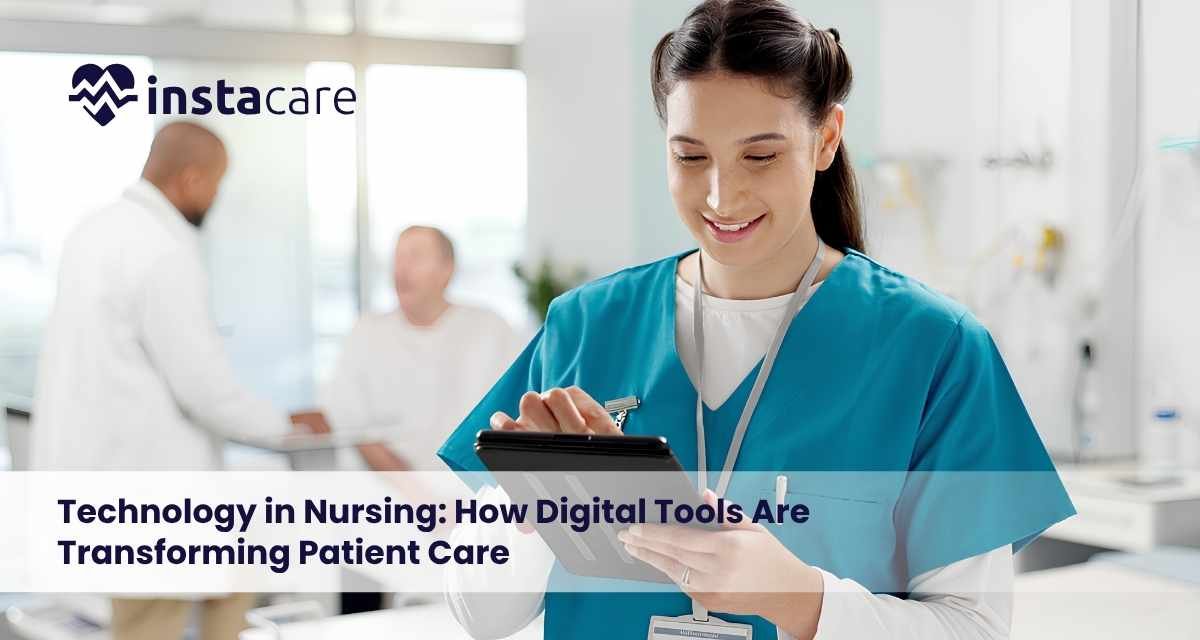
Modern nursing cannot exist without technology. Nurses use technology to aid in the delivery of safer, more efficient, and more effective patient care. Technology also aids in healthcare communication and documentation, education, and decision making. Nursing combines a simple logic with a sense of touch and humanity. Technology enhances the practice of nursing. It expands the capacity of the nursing staff in the face of the changing and complex healthcare system. Healthcare technology is advancing and nurses must be prepared to keep up and stay patient centered. What is Technology in Nursing? Technology in nursing is facility based or mobile based equipment or systems that assist in patient care optimization and the operation of the healthcare system. Systems of this nature can be found in hospitals or clinics or in any care environment. Some systems are designed to capture patient information, while others collect data on vital signs or assist in the administration of medication, or provide a means of interfacility communication or healthcare consults. These systems also help as supports for continuing education and professional development of the nurse. Electronic Health Records These are a type of technology that is used extensively in nursing. These systems allow the storage and retrieval of patient data from a computer. Nurses may use electronic records to formulate data on: Patient symptoms Vital signs Medication administration Nursing assessments Treatment responses Care plans Patient progress Discharge information Digital records can make the organization and distribution of information to authorized members of the healthcare team easier. Accurate documentation is vital to nursing because it forms a valuable record of the care offered to the patient and makes the patient’s condition understandable to the other members of the healthcare team. Electronic recording also requires accuracy, confidentiality, and data security. Digital Patient Monitoring Patient monitoring technologies enable nursing teams to record important health measurements more efficiently. Monitoring systems may capture data on: Heart rate Blood pressure Oxygen levels Body temperature Breathing rate Heart rhythm Some technologies provide continuous monitoring and alert staff if the measurements move outside the safe control limits. Such alerts allow nurses to recognize changes in the patient status more quickly. However, technology must be used as a supplement to clinical judgment. Nurses are required to perform nursing assessments, then decide on a course of action that considers the entire patient (their symptoms and behavior) and integrates their medical record and history. Accurate patient information is also essential for effective nursing coordination. Using the patient management software can help healthcare facilities organize patient details, maintain updated records, and improve access to relevant information across departments. Medication Management Technology Medication administration is an integral part of nursing. Technology can help promote best practices in medication administration. Technology is able to provide nursing staff with patient identification and medication verification and also remind staff of the correct dose and administration time. Digital medication administration systems may be able to reduce documentation errors and provide reminders of the time of medication administration. Some of these systems incorporate the use of barcode identification to confirm the identity of the patient and the correct medication prior to administration. Even with digital support, nurses must continue to follow safety precautions. Some risks that technology can reduce will always remain under the responsibility of the nurse. Telehealth and Remote Nursing Using telehealth, nurses can communicate and support patients in new ways. Video consults, phone calls and secure messages are just some of the ways that nurses can support patients all while working remotely. There are multiple types of nursing that can be conducted remotely. These include: Checking symptoms Monitoring conditions Giving instructions Instruction and support following a course of treatment Offering health education Answering queries Supporting patients following a course of treatment Remote nursing is particularly effective for the treatment of those who are: Mobility restricted Far from health care services Require frequent monitoring There are some health issues that still require hands-on care, and some that require a health care worker to perform a physical examination, and some that require a health care worker to perform a diagnostic test or respond to a call for help. Mobile Technology in Nursing iPads, smart phones, mobile app technology, and other electronic health technology are tools that are commonly used by nurses in a variety of settings. Nurses are able to use mobile technology to check on patients, contact colleagues, or document care after accessing electronic medical records, or after receiving notifications. Some individuals are able to use technology to help them manage and monitor their health (blood pressure, glucose level, physical activity, scheduling). Nurses can help patients use the digital health technologies appropriately and safely. Technology in Nursing Education Technology has impacted nursing education.Domain specific resources can be used for education and training at multiple sites. This includes assessments and lectures. Nursing students and professionals can access the resources from different locations. Technology-based simulation training is highly effective in nursing education. The real risk to patients is eliminated with simulated clinical experiences. Virtual simulations are useful in developing skills related to: Assessing patients Responding to emergency situations Making decisions in a clinical setting Effective communication Proper administration of medication Effective collaboration within a nursing team Although it cannot fully substitute for real clinical experience, simulation training is extremely valuable in preparing novice nurses for the realities of clinical practice. Book Your Free Marketing Consultation AI in Nursing AI has the ability to analyze millions of patient records to pinpoint and interpret patterns which suggest troubling or concerning clinical deterioration. Many digital systems are adept at both recognizing and interpreting clinical patterns which may include deteriorating patients, concerning medications, and even vital sign changes. Automating the nursing process may provide many benefits such as increased documentation efficiency, improved scheduling, and better information management. However, it is the responsibility of the nurse to integrate and interpret information in the context of the broader clinical situation. Automated suggestions may not be a substitute for clinical judgment, patient assessment, and/or the communication with other
Speech Recognition Technology in Healthcare Voice interfaces are modifying how clinicians engage with applications and the way they manage and manipulate data. As opposed to entering the comments or records manually, clinicians can verbally enter report data, search queries, and even document the data entry. In tandem with the digitization of healthcare, speech recognition offers a means of reducing clinical administrative work and increasing the efficiency of workflows. It can also offer inclusive digital interfaces for individuals for whom keyboard/digital interface use is challenging. Despite these benefits, the effective use of speech recognition technology necessitates a few concerns. These include system accuracy, adequate security protocols, and a manageable level of oversight. What Is Speech Recognition Technology? Speech recognition technology enables digital and computer systems to interpret what is said and convert it to written word or interpreted commands. Modern day speech recognition systems are capable of understanding complex, natural speech, different accents, and even medical terminology. Used in conjunction with healthcare, the technology is adaptable with and can be implemented on computers, smartphones and tablets, or dedicated devices. From there, a clinician can verbally reference any patient information and have it converted to digitized, editable text. Unlike standard voice to text tools, speech recognition technology for healthcare use can be adapted to directly understand medical terminologies, abbreviated words, and standard medical phrases. How Does Speech Recognition Work in Healthcare? In this context, the process is initiated with a clinician stating the information in a digitally compatible device equipped with a microphone. The system is then able to interpret the audio and process the words. Tech converts digital sounds to text, word by word. This recognition can boost with added context to help identify sentence structure and interpret complex language. The drafted text can be modified, checked for accuracy, and added to its final position on an electronic document. Perfection in this technology isn’t guaranteed which still justifies human review. Imperfections can still arise from a plethora of sources like surrounding noise, poor word pronunciation, word similarities, and complex language using unusual words. Healthcare Applications Medical Documentation A key application of this technology in healthcare is assisting medical personnel with dictating and documenting patient care. This technology allows healthcare personnel to complete documentation with reduced time spent on typing. This technology empowers medical personnel to document patient care with improved focus. Patient Records This technology can assist users with documentation in patient records. Users can dictate data, which, once checked for accuracy, can be incorporated in the patient records. For accurate documentation, the dictated data must be verified. Clinical Notes and Reports Healthcare personnel are often required to draft and document lengthy reports. This technology can aid in drafting reports with the spoken text converted to written form.This technology can aid this documentation process. Administrative Tasks This technology can be used in other administrative tasks with voice commands to create digital content, dictate digital searches, or direct movement in controlled digital environments. Improving workflow means eliminating unnecessary, repetitive tasks. Accessibility Voice technology can improve usability of digital systems for the healthcare professional with temporary or permanent physical limitations. Voice technology can be designed to allow the users to interact with the systems by speaking. Voice-enabled digital systems can be designed to allow patients to interact with the digital systems when appropriate. Benefits of Speech Recognition Technology Saves Time Lengthy notes require a long time to enter. Dictation of long reports can improve documentation. This can be especially beneficial for professionals whose speaking speed is higher than their typing speed. Reduces Repetitive Work Dispensing care services require significant time for data entry. Speech recognition can be used to reduce some data entry work. Improves Workflow Easier documentation can be used to improve productivity of the services and the overall workflow, and to devote more time to other important issues like caring for the patients. Supports Better Accessibility Digital systems that can be operated by voice can be more accessible for many users who are limited by their inability to use traditional keyboard and/or mouse input methods. Allows Hands-Free Interaction When healthcare professionals need to use their hands for other activities, speech recognition can be of great help. Book Your Free Marketing Consultation Challenges of Speech Recognition in Healthcare One of the greatest challenges of using speech recognition technology is the difference in how spoken words are understood as compared to the typed words. Accuracy Issues Due to the nature of the spoken words / names, speech recognition systems can misunderstand the pronunciations of words. Complex terminology or slang that is not used often can be mistakenly omitted. Healthcare professionals should always review speech recognized texts. Background Noise Healthcare facilities can be chaotic and noisy, which affects accuracy when recognizing background noises. The use of the appropriate microphones, as well as quieter surroundings, can yield better results. Privacy and Security The private nature of healthcare data makes it imperative that speech recognition systems have related privacy and security procedures. Organizations must be diligent in how voice data and the resulting text/data are collected, processed, stored, and used. Training Requirements It may take the healthcare workers some time to adjust to voice interaction systems. This can be mitigated through appropriate training. This training will help staff understand how to speak effectively and use the available commands and prompts to minimize errors. Speech Recognition and Patient Communication Care delivery is an interactive process. Digital solutions should be designed to support the delivery of healthcare services rather than substituting the processes of engagement and communication. Tech solutions should support effective engagement while healthcare professionals should be active participants in the therapeutic process. The Future of Speech Recognition in Healthcare Improved voice-processing systems will have the ability to differentiate between various phrases and/or commands, support voice-activated command systems, and address the needs of peripheral, hard-to-reach communities with more capability to support language and social user nuances. The ability to support data capture with voice prompts may improve the integration of digitally-based, personal healthcare services. The
What Is Connected Care? A Complete Guide to the Future of Integrated Healthcare The evolution of technology is pushing the boundaries of healthcare by making it more convenient, individualized, and digitized. One of the distinct features of this paradigm shift is connected care, a method that integrates patients, healthcare providers, medical apparatus, and health information systems. Connected care promotes the active, safe, and unbounded sharing of health information and the provision of support beyond the traditional hälsocentralen or hospital visit. Connected care provides patients the support, guidance, and supervision they need no matter where they are. The combination of remote monitoring, data sharing, integrated digital technologies, and patient-centered care allows connected care to build a system that is more efficient, individualized, and proactive. Understanding Connected Care Connected care is the digitization of the different, previously disparate components of the healthcare system. It enables the secure digital exchange and coordination of care for patients, doctors, nurses, and caregivers via healthcare systems. Connected care resolves all the problems and enables the system and healthcare providers to be truly proactive by facilitating the constant, real time sharing of health information. The connected care system of healthcare providers is able to assess the health of patients, analyze medical data, and offer recommendations without the need for a face to face consultation. For example, a patient with a chronic illness may use a measuring device that is part of a connected health system. The data is accessible to the patient’s doctor, who can monitor the doctor and offer help when the doctor notices a change. How Does Connected Care Work? Combining multiple components of digital health care and telecommunications systems makes connected care possible. The steps are typically: Data Collection Health data can be obtained from: Health devices that are worn Smart medical devices Mobile health apps Electronic health records Remote monitoring systems These various tools can capture data such as levels of activity, vital signs, medication schedules, and trending health data. Data Sharing Health care data can only be shared with authorized personnel within a secure environment. This helps doctors and care teams gain a more complete picture of the current state of a patient. In addition to the data obtained during health care encounters, health care teams can now access a patient’s real-time health data. Analysis and Decision-Making Data can be assessed to identify trends, and define the best course of treatment. Sophisticated digital systems can even identify evolving threats to a patient’s health and signal the need for critical intervention. Continuous Support Connected care makes it possible to maintain an open line of communication with a patient, and, as necessary, reinforce health care management through ongoing coaching and supportive check-ins that don’t require a trip to a health care facility. Key Technologies Behind Connected Care Connected care builds a networked health care system on a variety of foundational technologies. Internet of Things (IoT) in Healthcare In health care, the Internet of Things refers to the use of digital telecommunications to connect medical devices and health care tools. Examples include: Smart monitoring devices Connected medical equipment Wearable health trackers Remote patient monitoring tools Healthcare professionals understand patient conditions better through tools that collect information in real time. Electronic Health Records Electronic health records are a modern and organized way to keep and look up patient information. They may include: Medical history Previous treatments Test results Medication details Allergies Health Reports Healthcare professionals have faster means to coordinate care and close communications gaps through connected health systems. Telehealth and Virtual Care Telehealth is a way for patients to conduct remote communications with healthcare professionals, and it may include: Remote visits Follow up appointments Health check ins Health and medical advice Virtual care is especially useful to those who have challenges with making the visit to a healthcare facility, or to those who need regular health check ins. Artificial Intelligence and Data Analytics Health information systems enhanced with artificial intelligence and data analytics help to sift through the large volumes of health information to identify information that may be of value. These systems may be used for: Identifying risk earlier Planning interventions Monitoring patients Making health care decisions These systems act as information management aids. Benefits of Connected Care There are many benefits to connected care for patients, healthcare professionals, and the healthcare system. Improved Patient Experience Connected care leads to more patient centered and accessible health care. Patients are empowered to communicate with health care professionals, receive reminders, and manage their health information. Healthcare professionals are in a better position to guide and support patients, which enables patients to avoid reaching a point of a health crisis and needing more intensive care. Better Disease Management Connected care is very effective for the management of health conditions that are chronic in nature. Healthcare professionals can adjust care as needed based on the information readily available through regular monitoring. This can help: Achieve better outcomes after treatments Minimize health complications Help people make positive health choices Improve engagement Accelerate Healthcare Choices Healthcare providers can make better choices more quickly when they have the most current information about the patient. Real-time data helps find critical problems and helps support the most important response. Less Healthcare Strain Connected care helps prevent hospital visits and helps make the best use of available resources. Using remote care and virtual visits helps reach and care for more people and helps relieve some of the burden on healthcare facilities. Focused Healthcare Every person has different healthcare needs, and connected care helps create different pathways to care. More focused choices of treatment can be made by considering a patient’s specific condition and their lifestyle and health habits. Book Your Free Marketing Consultation How is Connected Care Used in Healthcare? There are many uses of connected care in different areas of healthcare. Remote Care People are able to use connected devices to monitor their health at home. Healthcare teams are able to view the data and offer support. Smart Systems for Medications
EMR Cloud Migration: Benefits, Process, Challenges, and Best Practices Electronic medical record systems keep track of patient histories, diagnoses, prescriptions, test results, and billing. Traditionally, healthcare organisations have kept electronic medical records on local servers. Many concerns, including cybersecurity, have prompted further interest in EMR cloud migration. EMR cloud migration is the transfer of cloud-based electronic medical record applications, databases, and associated services from local infrastructures to the cloud. This process involves much more than the technical transfer of data. Some of the main areas that need to be considered and monitored after the migration process include data protection during the migration process, thorough testing and analysis of the workflows and staff training on the system, and the migration should be done in phases. What Is EMR Cloud Migration? EMR cloud Migration refers to the transfer of hosted electronic medical records from local servers to cloud infrastructures.The migration process may include the transfer of a number of electronic medical records, including but not limited to: patient demographics, histories and progress notes, lab reports and images, medications and allergies, appointments and logs, insurances and billing records, users and their permissions, clinical templates and forms, and clinical workflows and integrations with other external systems in health care, as well as all other archived records and documents. Electronic medical record systems can be locally or cloud hosted. Cloud hosted systems are those that are hosted over the internet. Why Are Healthcare Organisations Moving EMRs to the Cloud? Healthcare organisations need systems that provide secure access, support growing data and seamless interoperability, and ensure active business continuity. Self-hosted systems can require a large capital investment into servers and storage, as well as security and maintenance staff, and ongoing software and security updates. Cloud migration offers a solution to old hardware by flexibly enabling clinical operations. Easily Scalable Healthcare data storage needs grow with each new patient and each new report, image, prescription, and clinical note. Cloud infrastructure is easily expandable, allowing storage and processing needs to grow without the need to purchase new physical servers. Remote and Secure Cloud-based EMR systems allow secure access of authorized personnel from selected locations and devices. It supports clinical personnel that work in multiple locations, remote personnel, and authorized access during a critical situation. Remote access is only useful when supported by strong character authentication, access controls, data encryption, and a constant evaluation of systems. Improved Business Continuity Local systems can be damaged by degraded or failing hardware, fire, flooding, power loss, cyber systems attack, and damage by personnel and still become unavailable. A properly built cloud environment provides less risk for system backup and business continuity. Even though the risk is mitigated, the organization is still responsible for ensuring that backup systems function, and data is available and uncorrupted. Book Your Free Marketing Consultation Key Steps to EMR Cloud Migration A planned and structured migration process improves the likelihood of uninterrupted and secured records with minimal downtime and disruption of your normal workflow. Assess the Existing Environment Establishing a baseline inventory for the systems, data, and accounts, as well as the infrastructure and user access and service storage, is the first step. These details help assess: The nature and quantity of data What records are incomplete or duplicated Security vulnerabilities What laboratory and billing systems are in use Requirements for Internet and other networks What records are required by retention schedules What current backup processes are in place What important clinical workflows are in place This assessment helps the initial planning for migration. Define Migration Goals Healthcare entities have a variety of migration goals. Improved remote access, reduced hardware expenditures, improved resiliency and speed of the system, and the ability to accommodate the growth of the organization are a few of the migration goals. Migration goals also help assess the migration’s success. Develop a Data Migration Plan Not all files should be moved. This may include files that are old, duplicated, corrupted, or not useful, as these may strain the storage and the manageability of the new system.Data should be scrubs, reorganized, and categorized and data should be placed in a structure prior to the migration. During all of these activities, the quality of clinical data must be preserved. Plan Security and Compliance Given that medical records contain sensitive data that must remain private, the protection of data must be incorporated in each of the phases of migration. Cloud security planning must consider these aspects: Encryption during transfer and storage Multi-factor authentication Role-based access control Audit logs Secure backup systems Continuous threat monitoring Incident response procedures Data retention and deletion rules Employee security training Regular vulnerability assessments Cloud services must still address the threats and vulnerabilities to the security of electronic health information in health care organizations. Test Before Full Migration All records should not be migrated before one small pilot migration is done. This migration helps flag errors for inconsistent formats, slow integration, missing fields, access issues, and workflow interference. Testing should confirm the following: Completeness of patient records Correct dates and codes Validating that attachments open User permissions Accuracy of reports Integrated systems Restoration of backups Integrated systems Migration meets the operational performance All errors should be rectified before proceeding to the full migration. Train Employees A technically correct migration can still “fail” if employees are not versed in the new system. Different employees from the clinics, nursing, and administration may require different training. Training should include access to system logs, privacy and security procedures, and how to report issues during system downtime. Training employees using a “live” system with clear guides will reduce “surprises” after the system launch. Complete the Migration The full migration should be done when it will have the least impact. A phased approach is to migrate one department at a time or one data set at a time. An alternative is to set the migration date and time, after which all systems are switched over. There should be procedures for managing temporary service disruptions to ensure that staff
EPR Software (Electronic Patient Record): Features, Benefits, and Importance in Modern Healthcare EPR software, or Electronic Patient Records software, is a health record management system that allows healthcare workers to keep track of patients’ health records digitally. Unlike conventional patient health records that are stored on paper and are dispersed, EPR software creates a centralized system on which healthcare workers can capture and access patient health records at any time. EPR systems can document a multitude of patient information from identification to health evaluation and diagnosis, treatment and medication history, to laboratory records. With EPR software, health workers are able to provide comprehensive care to their patients in a timely manner. What is EPR Software? EPR software is a health records management system that allows the creation of a digital patient record system. The patient record system can be created and updated by healthcare workers (e.g. doctors, pharmacists, nurses, and administrative staff) at any time during the patient’s treatment. In comparison to patient health records that are stored on paper, electronic patient records can be updated and searched for in an authorized health care setting. This also mitigates the amount of time a health care worker spends searching for a document and minimizes the risk of patient information being misplaced or incorrectly recorded. The most important function of an EPR system is to make certain that healthcare workers can access patient information when it is needed to make a clinical decision. A comprehensive electronic patient record can also provide medical staff with health evaluation histories and health risk assessments. Key Features of EPR Software Patient Information Management EPR software provides the capability to capture and store patient personal information. When patient information changes, such as their contact information or emergency contact/s, staff are able to update electronic patient records. Medical History Documentation Healthcare workers record patient’s past illnesses, operations, hospital visits, chronic illnesses, and current problems. It also includes family history of illnesses. This helps clinicians assess the patient’s health status. Clinical Notes Consultation notes, symptoms, and observations with their respective diagnosis, orders, and treatment can be directly documented in the patient record by doctors and nurses. The use of structured templates improves the clinical documentation consistency. Medication and Prescription Management An EPR system documents all the past and present medications in the system. It can also show documented allergies, indicated dosages, prescribed dates, and flagged drug interactions. Having proper documented medication helps decrease prescribing errors, and proves safer treatment options. Laboratory and Diagnostic Results Diagnostic tests and their results, and lab and imaging records can be part of the electronic patient record. Unlike the previous system, the clinician can now find all the test results, both past and present, in one place. Appointment and Scheduling Support Most EPR systems come with scheduling modules. This allows the administrative team to manage patient appointments, cancellations, follow-ups, and the availability of clinicians. Automation of some tasks can help minimize no shows. Billing and Administrative Records EPR software may deal with services billing and invoicing, insurance documentation and tracking, payment processing, and clinical service coding. Having all clinical and administrative services connected in one system will help improve operational efficiency by reducing tasks requiring repeated data entry. Access Control and Security EPR systems use role-based access control to decide which users are permitted to view or edit specific data. For instance, clinical doctors have access to clinical data, whereas employees in admin have access to data on appointments and billing. Audit logs can record who viewed a given patient record, what data they modified, and the timestamps of all recorded actions. Book Your Free Marketing Consultation Benefits of EPR Software Improved Access to Patient Data EPR systems provide the ability to rapidly access patient data by authorized members of the health care team. Ready access to patient data is critical in the case of emergencies, follow up visits, or when making complex treatment decisions. Better Coordination Among Healthcare Staff A patient may be treated by a number of different health care providers. EPR systems facilitate the development of a shared database to aid the coordination of treatment by doctors, nurses, and even clinical pharmacists. When a staff member views the most currently updated record, the likelihood of communication errors and unnecessary repeats of a procedure is greatly reduced. Less Paperwork Compared to a paper-based system, EPR systems greatly decrease the amount of space necessary to store records and decrease the time necessary to complete and manage documentation. Challenges of Implementing EPR Software Implementing EPR software is a long, difficult, and complex process, despite the advantages of EPRs. Healthcare services need to select an EPR system that aligns with their patient volumes, clinical services, security requirements, and workflow. Important barriers to implementing an EPR system include training staff to properly input data, maintaining their privacy, controlling access, and resolving issues. Additionally, converting data from older or paper based systems can be a challenge. Data is often painstakingly reviewed to ensure there are no missing records, multiple copies, or inaccurate entries. Cybersecurity has become more important with the digitization of patient health information. Protecting patient information from loss or unauthorized access is imperative. Malicious software also leads to data loss and damage to infrastructure. Patient health data can be better protected through the use of complex passwords, encryption, access control, data backups, system updates, and training of staff. Choosing the Right EPR System An appropriate EPR System should be user friendly, protect data, and be adaptable to the needs of the organization. Healthcare providers should evaluate the EPR systems based on their clinical documentation, their reporting and appointment scheduling, data access and control, integration, and the support they will need. The EPR system should be infrastructure expandable. The healthcare organization may need additional users, sites, departments, and/or services. Organizations should assess the EPR system based on actual work flow. This includes the staff and healthcare professionals who will be the actual users of the system. The Future of EPR Systems EPR technology will
