Clinical Information Systems: Transforming Healthcare Through Digital Innovation The use of technology in healthcare has improved numerous aspects of the industry, including patient care and the efficiency of healthcare procedures. One of the latest developments in the industry is the use of Clinical Information Systems (CIS). These systems enable healthcare professionals to manage patient information in a structured manner that improves the quality and speed of service delivery. A Clinical Information System is a type of software that helps healthcare organizations manage patient information systematically. The system enables healthcare professionals to manage information related to various stages of the clinical process, including patient evaluation, diagnosis, and treatment. By improving the management of patient information, Clinical Information Systems enable healthcare professionals to spend more time with patients and less time searching for records. As a result, the overall efficiency of healthcare services can be improved. What Are Clinical Information Systems? Clinical Information Systems (CIS) electronically capture and manage multiple formats of health-related data, including a patient’s previous and existing health conditions, diagnoses, prescriptions, laboratory and radiologic tests, treatment plans, and other clinical information. These systems improve healthcare delivery by making relevant data accessible at the time and place where it is needed. CIS are not simply systems for electronically storing data. They can enhance the clinical process by providing clinical reminders and alerts, assisting with patient assessment and monitoring, and improving communication among healthcare workers. Through these capabilities, Clinical Information Systems can help healthcare organizations improve the accuracy, accessibility, and management of patient data. Key Components of Clinical Information Systems Clinical Information Systems consist of interconnected components designed to support healthcare professionals and improve the delivery of clinical services. Key components include: Electronic Health Records (EHRs) Electronic Health Records (EHRs) are essential components of Clinical Information Systems. They are used to capture and organize a patient’s health information, including medical history, health conditions, allergies, previous and ongoing treatments, and diagnostic tests. Through EHRs, healthcare professionals can access patient records and use relevant clinical information to support appropriate treatment decisions based on the patient’s condition and requirements. Computerized Provider Order Entry (CPOE) Computerized Provider Order Entry (CPOE) allows healthcare providers to electronically issue orders for diagnostic tests, medications, and other therapeutic interventions. By replacing many manual ordering processes, CPOE can help standardize clinical orders, improve information accessibility, and reduce errors associated with handwritten or manually transferred orders. Clinical Decision Support Systems (CDSS) Clinical Decision Support Systems (CDSS) provide clinicians with recommendations, reminders, and alerts based on available clinical information and evidence. Examples include identifying potential medication conflicts, notifying clinicians about abnormal laboratory or test results, and generating recommendations for routine screenings and preventive interventions. The overall goal of CDSS is to support healthcare professionals in making informed clinical decisions. Integration of Laboratory and Diagnostic Services Integration with laboratory and diagnostic systems allows Clinical Information Systems to incorporate test results and diagnostic reports directly into patient records. This reduces the need for manual transfer of information between departments and can improve the speed at which test results become available to the clinical team. Continuous Patient Monitoring Some Clinical Information Systems can integrate with devices used to monitor patients and collect clinical data. These systems can help healthcare professionals analyze patient information across different platforms. They may also support the identification of changes in a patient’s condition and generate alerts when further clinical assessment or intervention may be required. Benefits of Clinical Information Systems Clinical Information Systems can provide several benefits to healthcare organizations, healthcare professionals, and patients. Improved Patient Safety Improving patient safety is one of the major benefits associated with Clinical Information Systems. Digital systems can reduce documentation errors and help maintain the integrity of patient information. Digital records can provide healthcare professionals with access to a patient’s medical history, while automated alerts can notify clinicians about potential medication interactions, abnormal results, or other issues requiring attention. Facilitates Communication Another advantage of CIS is the ability of different members of the healthcare team to access current patient information. Improved communication can support the development and coordination of a patient’s care plan, particularly when treatment involves multiple healthcare professionals or departments. Improves Timeliness Clinical Information Systems can reduce delays associated with accessing medical records. Patient information can be made digitally available to authorized healthcare workers at the point where care is provided. Quick access to relevant information can support healthcare professionals when assessing, diagnosing, and treating patients. Improves Healthcare Worker Productivity CIS can automate many clinical and administrative tasks performed by healthcare workers. This can allow professionals to spend less time handling paperwork and searching for information and more time providing direct patient care. Digital systems can also streamline various administrative processes involved in managing healthcare organizations. Book Your Free Marketing Consultation Challenges of Implementing Clinical Information Systems Despite their potential benefits, Clinical Information Systems also present several challenges that healthcare organizations need to address. Data Security and Privacy Healthcare organizations handle highly sensitive patient information, making data security and privacy essential considerations when implementing CIS. Organizations need appropriate technical, administrative, and physical safeguards to protect patient information from unauthorized access, data breaches, and other security risks. Staff Acceptance and Use Clinical Information Systems can improve healthcare quality and workforce efficiency, but their effectiveness also depends on staff adoption. Insufficient training, limited technical knowledge, or resistance to changes in established workflows can reduce the potential benefits of a new system. Continuing education and appropriate training can help healthcare workers understand and effectively use Clinical Information Systems. System Integration Healthcare organizations often operate across multiple locations, departments, and facilities. Integrating different information systems can therefore be a complex process. Effective integration can improve information sharing and coordination, but compatibility issues between existing systems can make implementation more challenging. Cost and Maintenance The adoption of Clinical Information Systems can require significant investment in software, hardware, implementation, training, and infrastructure. In addition to initial implementation costs, organizations must account for ongoing maintenance, technical support, system upgrades, and cybersecurity requirements. The Future of Clinical Information Systems
Context-Awareness in Healthcare: Applications, Benefits & Examples Healthcare systems are becoming increasingly personalized and connected, with technology playing a significant role in improving patient care. One of the key elements shaping the future of healthcare is context-awareness in healthcare. Context-aware systems use a patient’s situation, behavior, environment, and health status to provide personalized and timely assistance. Traditional healthcare systems primarily rely on stored patient data to develop treatment plans. In contrast, context-aware systems consider the circumstances surrounding a patient. These circumstances may include the patient’s location, activity level, vital signs, medication schedule, lifestyle, behavior, and surrounding environment. Understanding these factors helps healthcare providers and digital systems make informed decisions, improve patient experiences, and deliver more personalized care. What Is Context-Awareness in Healthcare? Context-awareness in healthcare refers to the ability of a healthcare system, device, or application to collect, combine, and interpret information about a patient’s situation and respond appropriately. Contextual information in healthcare often includes the following: Patient Data: Age, medical history, existing health conditions, allergies, and healthcare plans. Environment: Surrounding conditions, environmental safety, location, and temperature. Activities: Exercise levels, sleep patterns, daily routines, habits, and movement. Time: Medication schedules, healthcare activities, and medical appointments. Health Data: Blood pressure, heart rate, glucose levels, and oxygen saturation. A context-aware healthcare system uses this information to provide relevant recommendations, reminders, and alerts based on a patient’s circumstances. How Does Context-Awareness Work in Healthcare? Most context-aware healthcare systems operate through three primary stages. 1. Data Collection Context-aware healthcare systems collect information from various sources, including wearable devices, electronic health records, mobile applications, sensors, and monitoring equipment. For example, wearable devices can measure physical activity, while healthcare applications can record medication schedules and daily routines. Collecting information from multiple sources allows healthcare systems to develop a more comprehensive understanding of a patient’s condition and circumstances. 2. Data Analysis and Interpretation Once data is collected, the system analyzes it to identify patterns, potential risks, and changes in the patient’s health status. Certain technologies use data analytics and machine learning to identify unusual patterns or changes in health measurements. For example, a monitoring system may identify an unusual change in heart rate and generate an alert for further assessment. 3. Customized System Response Based on the collected context, the system can provide reminders, recommendations, alerts, or notifications to patients and healthcare professionals. For example, if a patient’s health measurements indicate a potentially concerning change, the system may recommend contacting a healthcare provider. Note: Automated alerts and recommendations should support clinical decision-making rather than replace professional medical assessment. Applications of Context-Awareness in Healthcare Context-aware technology has applications across different areas of healthcare, from remote monitoring to preventive care. 1. Remote Patient Monitoring Context-aware remote patient monitoring combines connected devices, health sensors, and digital healthcare tools to support care outside traditional healthcare facilities. These systems analyze health data while also considering daily activities and information collected from the patient’s surroundings. For example, wearable devices can monitor activity levels, while home-based sensors can provide information about movement and daily routines. This information can help healthcare professionals understand changes in a patient’s condition without requiring frequent in-person visits. Remote monitoring may be particularly useful for older adults and people managing chronic health conditions, provided that appropriate clinical oversight and safety measures are in place. 2. Personalized Treatment Plans Patients respond to treatments differently, and their individual circumstances can influence healthcare decisions. Context-aware healthcare systems incorporate relevant patient information to support more personalized care planning. Treatment recommendations may consider: Lifestyle and daily habits Previous health records Current symptoms Daily routines Environmental conditions By considering these factors, healthcare professionals can develop treatment approaches that are more relevant to a patient’s individual needs. Contextual information should complement professional assessment and evidence-based treatment guidelines. 3. Medication Management Taking medication correctly is essential for effective treatment. Pharmacy Management Software can support medication management by organizing prescription records, tracking medication schedules, and improving coordination between healthcare providers and patients. When integrated with context-aware systems, it can help provide medication reminders based on a patient’s schedule and routine. For example, a medication management application may remind a patient to take a scheduled dose or notify them when a dose has been missed. These systems can be particularly helpful for older adults and patients who take multiple medications. However, medication reminders should be designed carefully because missed doses, dosage changes, and medication interactions may require guidance from a healthcare professional. 4. Fall Detection and Elderly Care Older adults may face an increased risk of falls, making safety monitoring an important area of healthcare technology. Context-aware systems can use movement patterns, wearable sensors, and environmental data to identify potential falls or unusual activity. For example, a monitoring device may detect a sudden fall and send an alert to a caregiver or designated emergency contact. Early notifications can help caregivers respond more quickly, although detection systems may produce false alarms or fail to identify certain incidents. 5. Smart Hospitals and Patient Monitoring Context-aware technologies can support patient monitoring and workflow management in smart hospitals. These systems may assist healthcare facilities with: Monitoring patient status Tracking healthcare resources Supporting emergency response Improving communication between healthcare professionals Coordinating patient care activities By integrating relevant information, hospitals can improve coordination and support more efficient healthcare operations. 6. Virtual Healthcare Assistance Virtual healthcare assistants can use contextual information to provide more relevant interactions with patients. For example, a virtual assistant may consider a patient’s symptoms, medical history, and previous interactions when providing general health information. These systems can help patients navigate healthcare services, receive appointment reminders, and access relevant information. However, virtual assistants should not replace qualified healthcare professionals when diagnosis or treatment decisions are required. 7. Preventive Healthcare Context-aware technologies can support preventive healthcare by analyzing current conditions and historical health information. For example, a system may identify changes in activity levels, sleep patterns, or health measurements that could warrant further attention. These insights can encourage patients to monitor their health and seek professional advice when necessary. Context-aware systems can support early
Speech Recognition Technology in Healthcare Voice interfaces are modifying how clinicians engage with applications and the way they manage and manipulate data. As opposed to entering the comments or records manually, clinicians can verbally enter report data, search queries, and even document the data entry. In tandem with the digitization of healthcare, speech recognition offers a means of reducing clinical administrative work and increasing the efficiency of workflows. It can also offer inclusive digital interfaces for individuals for whom keyboard/digital interface use is challenging. Despite these benefits, the effective use of speech recognition technology necessitates a few concerns. These include system accuracy, adequate security protocols, and a manageable level of oversight. What Is Speech Recognition Technology? Speech recognition technology enables digital and computer systems to interpret what is said and convert it to written word or interpreted commands. Modern day speech recognition systems are capable of understanding complex, natural speech, different accents, and even medical terminology. Used in conjunction with healthcare, the technology is adaptable with and can be implemented on computers, smartphones and tablets, or dedicated devices. From there, a clinician can verbally reference any patient information and have it converted to digitized, editable text. Unlike standard voice to text tools, speech recognition technology for healthcare use can be adapted to directly understand medical terminologies, abbreviated words, and standard medical phrases. How Does Speech Recognition Work in Healthcare? In this context, the process is initiated with a clinician stating the information in a digitally compatible device equipped with a microphone. The system is then able to interpret the audio and process the words. Tech converts digital sounds to text, word by word. This recognition can boost with added context to help identify sentence structure and interpret complex language. The drafted text can be modified, checked for accuracy, and added to its final position on an electronic document. Perfection in this technology isn’t guaranteed which still justifies human review. Imperfections can still arise from a plethora of sources like surrounding noise, poor word pronunciation, word similarities, and complex language using unusual words. Healthcare Applications Medical Documentation A key application of this technology in healthcare is assisting medical personnel with dictating and documenting patient care. This technology allows healthcare personnel to complete documentation with reduced time spent on typing. This technology empowers medical personnel to document patient care with improved focus. Patient Records This technology can assist users with documentation in patient records. Users can dictate data, which, once checked for accuracy, can be incorporated in the patient records. For accurate documentation, the dictated data must be verified. Clinical Notes and Reports Healthcare personnel are often required to draft and document lengthy reports. This technology can aid in drafting reports with the spoken text converted to written form.This technology can aid this documentation process. Administrative Tasks This technology can be used in other administrative tasks with voice commands to create digital content, dictate digital searches, or direct movement in controlled digital environments. Improving workflow means eliminating unnecessary, repetitive tasks. Accessibility Voice technology can improve usability of digital systems for the healthcare professional with temporary or permanent physical limitations. Voice technology can be designed to allow the users to interact with the systems by speaking. Voice-enabled digital systems can be designed to allow patients to interact with the digital systems when appropriate. Benefits of Speech Recognition Technology Saves Time Lengthy notes require a long time to enter. Dictation of long reports can improve documentation. This can be especially beneficial for professionals whose speaking speed is higher than their typing speed. Reduces Repetitive Work Dispensing care services require significant time for data entry. Speech recognition can be used to reduce some data entry work. Improves Workflow Easier documentation can be used to improve productivity of the services and the overall workflow, and to devote more time to other important issues like caring for the patients. Supports Better Accessibility Digital systems that can be operated by voice can be more accessible for many users who are limited by their inability to use traditional keyboard and/or mouse input methods. Allows Hands-Free Interaction When healthcare professionals need to use their hands for other activities, speech recognition can be of great help. Book Your Free Marketing Consultation Challenges of Speech Recognition in Healthcare One of the greatest challenges of using speech recognition technology is the difference in how spoken words are understood as compared to the typed words. Accuracy Issues Due to the nature of the spoken words / names, speech recognition systems can misunderstand the pronunciations of words. Complex terminology or slang that is not used often can be mistakenly omitted. Healthcare professionals should always review speech recognized texts. Background Noise Healthcare facilities can be chaotic and noisy, which affects accuracy when recognizing background noises. The use of the appropriate microphones, as well as quieter surroundings, can yield better results. Privacy and Security The private nature of healthcare data makes it imperative that speech recognition systems have related privacy and security procedures. Organizations must be diligent in how voice data and the resulting text/data are collected, processed, stored, and used. Training Requirements It may take the healthcare workers some time to adjust to voice interaction systems. This can be mitigated through appropriate training. This training will help staff understand how to speak effectively and use the available commands and prompts to minimize errors. Speech Recognition and Patient Communication Care delivery is an interactive process. Digital solutions should be designed to support the delivery of healthcare services rather than substituting the processes of engagement and communication. Tech solutions should support effective engagement while healthcare professionals should be active participants in the therapeutic process. The Future of Speech Recognition in Healthcare Improved voice-processing systems will have the ability to differentiate between various phrases and/or commands, support voice-activated command systems, and address the needs of peripheral, hard-to-reach communities with more capability to support language and social user nuances. The ability to support data capture with voice prompts may improve the integration of digitally-based, personal healthcare services. The
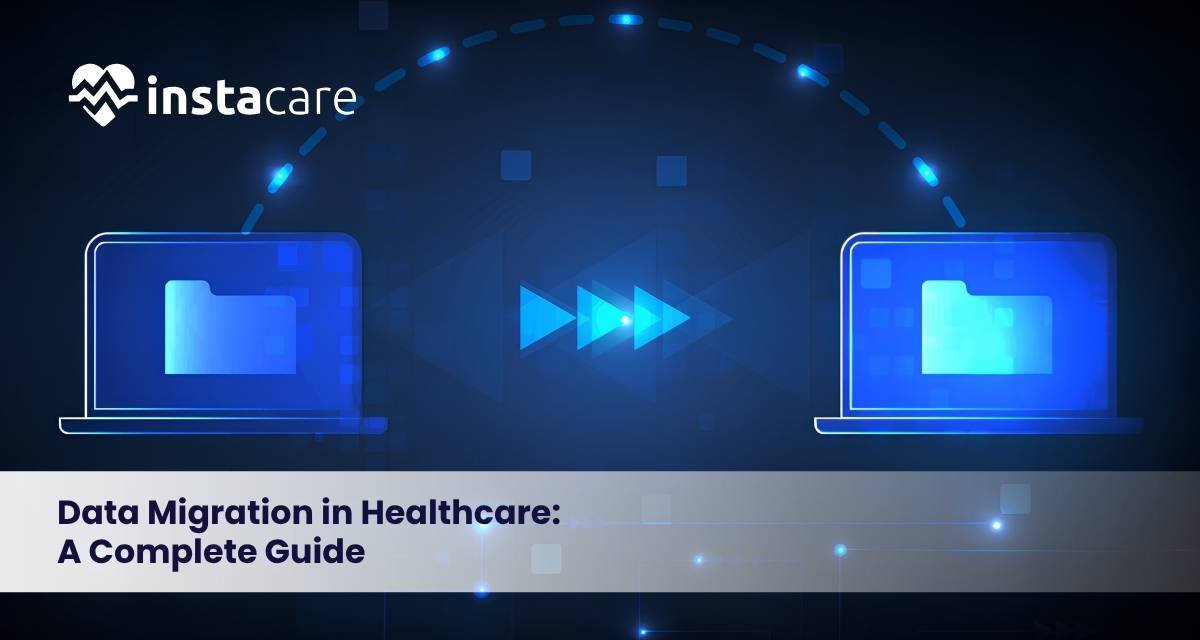
Data Migration in Healthcare: A Complete Guide Healthcare organizations generate and manage enormous volumes of data every day. From patient medical records and diagnostic reports to prescriptions, billing information, medical imaging, and insurance records, healthcare data plays a critical role in delivering quality care. As hospitals, clinics, laboratories, and healthcare providers continue adopting digital technologies, data migration has become an essential part of healthcare transformation. Whether upgrading an Electronic Health Record (EHR) system, moving to cloud infrastructure, or consolidating information after a hospital merger, healthcare organizations must ensure that sensitive data is transferred securely and accurately. Although data migration may sound straightforward, it is a highly complex process in healthcare. Even a missing patient record, formatting error, or inaccurate data entry can negatively impact patient treatment, billing, regulatory compliance, and operational efficiency. This guide explains healthcare data migration, why it matters, its challenges, best practices, and the long-term benefits for healthcare organizations. What Is Data Migration in Healthcare? Healthcare data migration is the process of transferring clinical, administrative, financial, and operational data from one system, database, application, or storage platform to another. This may include: Migrating from an outdated Electronic Health Record (EHR) system to a modern platform Moving healthcare databases to cloud storage Consolidating records after hospital mergers or acquisitions Integrating data from multiple healthcare facilities Upgrading laboratory, pharmacy, radiology, or billing software Healthcare data migration is much more than copying information between systems. Every record must remain: Accurate Complete Secure Accessible Compliant with healthcare regulations In many cases, data must also be cleaned, standardized, reformatted, or transformed so it functions properly within the new system. Common Examples of Healthcare Data Migration Healthcare organizations perform data migration for many reasons. Some of the most common scenarios include: Transitioning from paper records to Electronic Health Records (EHR) Migrating patient data between EHR or EMR systems Consolidating records following healthcare mergers or acquisitions Moving healthcare applications to cloud infrastructure Combining patient databases from multiple hospitals or clinics Upgrading laboratory, pharmacy, radiology, or billing systems Preserving historical patient records for legal and clinical purposes Why Healthcare Data Migration Is Necessary Many healthcare organizations still rely on legacy systems that are expensive to maintain, difficult to integrate, and unable to support modern clinical workflows. Older systems often create problems such as: Fragmented patient information Duplicate records Security vulnerabilities Limited reporting capabilities Poor interoperability Slow system performance Migrating to modern healthcare platforms allows organizations to improve efficiency while delivering better patient care. Doctors and nurses gain faster access to complete patient information, while administrators benefit from stronger reporting, planning, and operational insights. Benefits of Modern Healthcare Data Systems Successful data migration enables healthcare organizations to achieve: Better collaboration between departments Elimination of duplicate patient records Improved data security Support for digital and remote healthcare services Regulatory compliance Advanced analytics and artificial intelligence capabilities Lower long-term technology costs More personalized patient care Types of Healthcare Data That May Be Migrated Healthcare organizations manage multiple categories of information. Each requires careful planning during migration. Clinical Data Clinical data includes: Patient medical histories Diagnoses Treatment plans Progress notes Allergies Vital signs Medication records Discharge summaries Since this information directly affects patient care, maintaining complete accuracy is essential. Medical Imaging Data Medical imaging consists of: X-rays CT scans MRI scans Ultrasounds Mammograms Other diagnostic images These files are often extremely large and are commonly transferred between Picture Archiving and Communication Systems (PACS) or migrated to secure cloud storage. Laboratory and Pharmacy Data Laboratory and pharmacy systems contain: Test results Diagnostic reports Medication histories Prescription information Drug interaction records Each record must remain correctly associated with the appropriate patient profile. Administrative Data Administrative information includes: Patient registration Appointment scheduling Staff records Bed management Referral information Department schedules Although not clinical in nature, this data is essential for efficient hospital operations. Financial and Billing Data Financial systems manage: Patient invoices Insurance claims Payment records Reimbursements Service charges Financial reports Errors during migration may lead to billing disputes, delayed reimbursements, and compliance issues. Key Challenges of Data Migration in Healthcare Healthcare data migration is often complicated because different systems store information in different formats, structures, and coding standards. Data Quality Issues Legacy systems frequently contain: Outdated records Missing information Duplicate entries Incorrect formatting Inconsistent terminology Migrating poor-quality data only transfers existing problems into the new system. Data cleansing and validation should always occur before migration. System Compatibility Older healthcare software often uses different: Databases Medical coding systems File formats Data structures Terminology standards Data transformation is frequently required to ensure compatibility between systems. Patient Record Matching Every medical record must be linked to the correct patient. Patient matching becomes difficult when: Multiple patients have similar names Patient identifiers are missing Information is incomplete Spellings differ across systems Incorrect matching can create serious patient safety risks. Security and Privacy Risks Healthcare data contains highly sensitive personal and medical information. Migration projects must protect this data through: Encryption Secure transfer protocols Multi-factor authentication Access controls Audit logs Continuous monitoring These safeguards help prevent unauthorized access and data breaches. Operational Downtime Hospitals and clinics operate around the clock. Extended system downtime during migration can disrupt: Patient appointments Emergency care Medication administration Clinical workflows Billing operations Proper planning, testing, and phased migration strategies help minimize downtime. Regulatory Compliance Healthcare providers must comply with data privacy, security, and retention regulations. Migration projects should demonstrate that patient information remains: Secure Confidential Accurate Traceable Properly retained Comprehensive documentation and audit trails are essential throughout the migration process. Book Your Free Marketing Consultation Best Practices for Successful Healthcare Data Migration Healthcare organizations can significantly reduce migration risks by following proven best practices. Develop a Detailed Migration Plan Begin planning early by defining: Project objectives Migration timelines Data scope Success criteria Risk management strategies A well-structured roadmap keeps the migration organized and minimizes unexpected issues. Involve Clinical and Technical Teams Successful migrations require collaboration among: Physicians Nurses IT professionals Database administrators Compliance officers Healthcare executives Each stakeholder identifies different operational and clinical risks. Clean and Validate Data Before
EHR Data Migration: Process, Challenges, Benefits, and Best Practices Data migration in Electronic Health Records (EHR) involves the transfer of digital health records, patient data, and medical documentation between different EHR systems. It is now common for healthcare organizations to switch to new, more advanced systems and new digital solutions. With this, the secure and precise transfer of data becomes critical for seamless provision of healthcare services. EHR migration is not simply the transfer of data from one storage system to another. It involves extensive preparation and system controls to the transfer of data and the protection of data integrity and accessibility. What Does EHR Data Migration Involve? The migration of EHR data involves the transfer of digital records from one health system to another electronically. This transfer may be between different databases, systems, and even across different providers. There are many different types of data that are migrated, from: Personal patient data Medical history records Diagnoses and treatment Medications Allergies and lab results Imaging and medical notes Reports and plans Clinic, insurance and billing records Appointment history Providing the healthcare system added functionality and the ability to access more health data, while also protecting and preserving health data, is an important reason for EHR migration. What are the Reasons for EHR Migration in Healthcare? There are many reasons for EHR migration in healthcare. The New EHR System To get new features, improved user interfaces, enhanced data security, and advanced analytic capabilities, organizations may need to switch to a new EHR system. Mergers If a new healthcare system is created from a merger, the patient records and data systems from the separate organizations need to be merged. Shifting to Cloud Solutions Healthcare organizations prefer cloud-based scalable, easily manageable, and more accessible EHR systems over traditional location-based systems. Better Data Management Outdated systems might have outdated frameworks, duplicated data, and poor reporting, if any. Migration helps in data cleansing and structuring. Growth of Patient Care Improving the ease and accuracy of data enhances decision making and reduces the errors of care providers and helps to give better and more individualized care. EHR Data Migration Types The needs of the organization determine the type of migration strategies. Total Data Migration This is a total transfer of all patient data and information to a new EHR. Organizations that want to keep a complete and unbroken historical record, use this strategy. Select Data Migration This is the transfer of only a certain class of data, for example, transferred treatment data, visits, or medications. This strategy saves time and space on the new system. Migration by Archiving This is the transfer of all active patient data to the new EHR and the transfer of all other patient data to a secure archiving system. This strategy is useful for organizations that have a large volume of historical data. Migration by Combination This is a merger of archived data and active data based on the needs of the organization. Migration of EHR Data The migration of the EHR data involves a lot of planning and migration is done in multiple phases. Book Your Free Marketing Consultation The EHR Data Migration Process Step 1. Planning and Evaluation This is the phase where the system to be migrated is reviewed, the data to be migrated is assessed, and the goals of the migration are defined. During this phase, organizations analyze the following: Current data volume Data quality System compatibility Compliance requirements Migration timelines Required resources. More detail provided in the migration plan helps reduce risks for the future and potential problems. Data Extraction During this step, data is securely extracted from the current EHR system. Data can be pulled from: Databases Electronic Files APIs Data Exports Clinical Data HIEs. Extreme caution is required during this step so data does not become incomplete or altered. Data Cleaning and Preparation Organizations wish to ensure the quality of data post movement and thus review and enhance data quality from the current state to the end state. This can involve the data quality activities of: Removal of duplicates Correction of data Format standardization Identifying and resolving missing data. With the data quality activities above and the complete data within the new EHR system, the data quality is improved. Data Mapping and Transformation Different EHR systems store and catalog data in different ways. Data mapping ensures that data from the old system is placed in the proper structure of the new EHR system. For this alignment, the following is required in the new system: Mapping for patient data Medical codes Dates Meaning of clinical data. Data mapping is essential to ensure that data is not transferred in a loss state or an incomplete and flawed state. Data Loading EHR systems have the capacity to accept data once it is cleaned and formatted. Prior to the actual migration, the data loading step is performed for a Test Migration in the new EHR system and all migration activities are undertaken to identify risks and problems. Testing and Validation The quality of the data migration process is assessed by verifying the accuracy and completeness of the data moved. The validation activities to ensure the data quality of the data migrated, especially the medical data, include verifying the data for: Patients Medical History Medication Labs Clinical Notes User Permissions Healthcare personnel must ensure that the data of highest priority to them has been captured in the new system in preparation for the System Go-Live. Final Migration and Deployment The Final Migration is performed after the completion of all the tests. The final migration is usually scheduled during the least busy times to limit the effects on operating healthcare functions. Common Challenges in EHR Data Migration There are challenges that are met during EHR migration, despite the benefits of EHR migration. Data Compatibility Issues Data conversion is often difficult due to the use of different formats, structures, and coding standards in different EHR systems. Data Loss Risks Missing information and data corruption may be due to lack
Cloud-Based Healthcare: Benefits, Applications, Challenges, and Future Trends Cloud-based healthcare helps medical organizations simplify how they store, organize, and share patient information. Using cloud technology, a collection of hospitals, clinics, labs, and healthcare providers can access medical records safely, work collaboratively, and provide patient care more efficiently. The digital transformation of healthcare means the industry needs solutions that most cloud providers offer, like operational and cost efficiencies as well as increased telemedicine and improved patient care. This guide provides information on cloud-based healthcare, its advantages, uses, drawbacks, and anticipated developments. What Is Cloud-Based Healthcare? Cloud-based healthcare is the application of cloud computing to use the internet for the storage, processing, and management of healthcare data, whereas, previously, there was an overreliance on both local and physical data storage. Using a cloud system, healthcare organizations have the ability to view and manage EHRs, medical images, lab reports, clinical notes and schedules, and billing and other healthcare-related information virtually, safely, and system collaboratively. Cloud systems, however, provide the means to mobilize healthcare data and keep healthcare data systems secure. How Cloud-Based Healthcare Works? In a cloud healthcare system, medical data and information are stored in the healthcare system and secure on the data storage servers of the cloud providers. Healthcare system that have been authorized to view the data and information have the ability to do so via a secure Internet connection from a desktop computer, tablet, or mobile device. In addition to being able to protect and keep sensitive healthcare data secured, modern cloud systems allow healthcare teams to record and synchronize data across multiple locations and departments. Benefits of Cloud-Based Healthcare Health care made available via the cloud means better accessibility. Staff at every level can access the patient record system securely and at any point in time. This drastically cuts the time needed for staff to formulate the next steps and further improves the overall patient care system. Because of a cloud system, the need for time-consuming and costly in-house IT systems and services is eliminated. This makes the system financially accessible by even small town clinics. The major points are: Patient records systems have better security. The different health care staff levels work seamlessly. The costs for IT systems and services drastically drop. Data management systems have built-in recovery. Health data systems communicate rapidly. Data systems can be expanded rapidly and economically. Common Uses of Cloud-Based Healthcare Cloud-based systems can be utilized in virtually every health care service and even some of the administrative services required. Health care systems that have electronic health records are more cloud-based. This lessens redundant tests and improves the quality and flow of health care. The cloud provides the basis for video-based health care, remote health care, and even follow up health care. Cloud networks aid health care imaging, lab and pharmacy systems, scheduling and billing systems, and inter-health care data systems. Cloud-Based Health Care Improves Patient Care Because the cloud makes patient data and health care services available in real time, health care staff are empowered to improve the timeliness, efficiency, and quality of health care. Patient engagement is enhanced by the secure patient portals that support viewing of medical records, scheduling of appointments, access to test results, prescription refill requests, and the ability to message providers. Remote patient monitoring with cloud-embedded care devices also allows providers to assess and manage chronic conditions, including diabetes, hypertension, and heart disease, without requiring as many office visits. Book Your Free Marketing Consultation Security and Data Protection Protecting patient information is one of the highest priorities of cloud-based healthcare. The most advanced cloud systems provide multiple layers of protection for sensitive medical data. Some of the standard protective measures are as follows: Data encryption Multi-factor authentication Role-based access controls Security monitoring Data back up Auditing access to data Healthcare organizations must also comply with the privacy regulations that are applicable to them, and have their own policies of limiting access to, the storage and sharing of, data. Challenges of Cloud-based Healthcare Even though there are so many advantages of cloud technology, healthcare organizations may face numerous challenges when implementing cloud technology. Cybersecurity challenges will always be a concern since valuable data are of higher risk in the healthcare cloud. Failure to secure systems and educate staff of the possible threats will be the responsibility of the organization. Also, reliable internet access is essential for utilizing cloud services. Uninterrupted access to medical records may be impossible if there are no adequate backup systems. Additional challenges include integrating older healthcare systems with cloud systems, staff training, data migration and upholding healthcare regulations. The Role of Cloud Computing in the Future of Healthcare Alongside healthcare, cloud computing will develop with the rest of technology. AI, machine learning, the analytics of large data sets, and Internet-of-Medical-Things devices are all going to use cloud computing in the delivery of healthcare. Cloud computing will also facilitate the development and deployment of predictive analytics, personalized medicine, and precision healthcare. Furthermore, robotic surgery and advanced clinical decision support systems will likely be enhanced through cloud computing. With the continued development of cloud computing, the healthcare systems of the world will appreciate benefits in efficacy, reach, and patient experience. Cloud Strategies for Healthcare Organizations Before the implementation of cloud computing, healthcare systems should have a thorough plan. The selection of an appropriate cloud computing vendor, an ongoing evaluation of the security posture, employee training, and a strong data governance framework are a few of the key areas for adoption. Healthcare operations should also rely on the establishment of disaster recovery plans, the ongoing assessment of the safety of systems, and the assurance of optimal functioning of systems. Conclusion Cloud computing in healthcare offers a world of possibilities. The traditional approaches to the delivery of healthcare services are being made more efficient from the digitization of patient records and the use of cloud computing in telehealth, online patient monitoring, and advanced analytics. With the necessary precautions in place for safety and compliance, the
Top 10 Features Every Medical Practice Management Software Should Have Healthcare practice management goes beyond the necessary provision of quality healthcare. Daily management of patient schedules, billing, records, claims, reports, etc. demands efficient management. Completely automating these daily tasks with medical practice management software provides better healthcare workflows as well as a better patient experience. Practice management software varies in offered capabilities. To smooth practice operations, it is essential to have a solid understanding of software features that will support core functionality. Below are the features we consider as the most essential that a medical practice management software solution should have. Scheduling and Calendar Management Practice management software should provide a powerful, efficient employee scheduling system. Staff should be able to reliably schedule, reschedule, and cancel patient appointments with minimal staff and scheduling conflicts. An effective and comprehensive scheduling module is one that supports: Multiple provider calendars Real time appointment availability Automated reminders Waitlist management Recurring appointments Color-coded scheduling views Email and text appointment reminders can also facilitate less missed appointments and improved patient engagement. Patient Registration and Demographics Practice management software should provide the capability to easily and securely collect and organize patient information. Practice management software should provide the capability to maintain patient profiles and provide patient contact, insurance, and emergency contact information, medical history, and consent documentation. An effective patient registration system should eliminate or reduce the paperwork and improve data accuracy as well as administrative staff data accessibility. Electronic Billing and Invoicing Integrated premium medical practice management software should significantly streamline the practice billing and invoicing process. Automated practice management software should be able to create invoices and charge, process payment, and manage collections. Helpful billing features include: Automatic invoicing Flexible payment methods Payment and balance tracking Financial summaries Refunds Billing efficiency strengthens cash flow and lessens the admin burden. Insurance Claims Management Manual insurance claims and poor insurance workflow equal increased claims processing times, as well as a higher probability of claim denials. A good practice management solution facilitates the entire claims process and eases the burden of tracking claims. Key claims management features include: Submitting certified electronic claims Checking eligibility Claims status tracking Detection of claims submission errors Denial management Resubmission of claims Increased claims processing times and decreased claims denials are direct results of these features. Electronic Health Record (EHR) Integration Though practice management software primarily focuses on the practice management aspect of the operations, integration of EHR Software is a great way to increase operational efficiency. Systems integration allows clinicians to access the clinical data they need, billing data, and scheduling data, without having to switch between multiple systems. Advantages include: Less duplication of data entry Enhanced communication Timely patient check-in Accurate documentation Greater coordination of care Patient Portal Today’s patients expect digital offerings when it comes to healthcare. A patient portal streamlines communication and lessens the volume of calls to healthcare staff. A patient portal allows patients to: Schedule appointments View scheduled appointments Access and download their medical notes and billing Request prescription refills Change personal information Send messages The self-service option is the best way to streamline operations and increase patient satisfaction. Reporting and Analytics Built-in reporting tools help managers view and analyze the performance of the business in both the financial and operational segments. Valuable reports might consist of: Revenues Stats on Appointments Productivity of Provider Demographics of Patients Balances Reimbursements from Insurances Rates of Cancellations Performance of Collections Analytics identify patterns. These can focus on better ways of doing things and promote growth that lasts. Managing Inventory and Supplies In many healthcare practices, management of some form of medication, vaccines, medical supplies and equipment takes place. A good inventory management system allows practice managers to keep control of their supplies and avoid wasting stock. Some helpful features of good inventory management systems are: Tracking of Stock Alerts for Low Stock Monitoring of Expiration Dates Management of Purchase Orders Management of Suppliers Reports on Usage Control of inventory means good management of finances, by having in stock what is needed and everything required to practice. Protection of Data and Compliance Healthcare practices are custodians of sensitive data about patients. System security and privacy compliance of data protection have high priority. Some of the security features of importance are: User Verification Access Control Based on Role Security of Data through Encryption Backups of Data to the Secure Cloud Audit Trials Logs Monitored Automatically Protection of Data along with Compliance of Security of Data is highly needed. Accessibility on Mobile Devices and Via the Cloud Practitioners in healthcare are increasingly required to have access to healthcare practice data from many different locations. Software that resides in the cloud allows users authorized access to data via a laptop, tablet, or mobile phone. Some of the advantages of cloud access include: The Ability to Schedule Remotely The Ability to Bill on the Go Access to Data with Instant Updates Automatic Updates of the Software Less Required Hardware Assistance with Recovery From a Disaster Cloud-based Systems are also a great benefit for Practices that have more than one location. Some Additional Features Worth Considering Aside from what is listed above, the modern practice management system can offer features that make things easier. Other functionalities can include: Automated patient notifications Telehealth Digital management of documents Online payments Staff Scheduling Task Management Referrals Lab Integration Prescriptions Managing multiple locations Voice Integration Dashboards Scaling operations, practice management software takes both staff productivity and patient satisfaction to the next level. Book Your Free Marketing Consultation Advantages of Medical Practice Management Software The robust features offered by modern practice management software have brought numerous improvements in the practice of healthcare.Some of these improvements are: Less admin work Easier to manage appointments Streamlined billing and payments Corrected claim submissions Higher patient satisfaction Better staff and patient communication Increased efficiency Improved operations Better finances and financial reporting Increased security of patient data and practice More time to be with patients Greater patient satisfaction The new software does the tedious
AI Virtual Assistants in Healthcare: Benefits, Uses, Challenges, and Future The introduction of artificial intelligence (AI) into the healthcare sector is rapidly transforming the way healthcare services are delivered, managed, and experienced. One of the most promising and exciting manifestations of this technology is the emergence of AI virtual healthcare assistants. These digital assistants, powered by AI, natural language processing, automation, and data analytics, have the potential to alleviate some of the most significant challenges and serve diverse stakeholders, including patients, providers, nurses, hospitals, and healthcare enterprises. AI virtual assistants are not intended to supplant physicians. Their purpose is to improve the ease of access to healthcare services, facilitate better communication, and maximize patient engagement. AI assistants now play a vital role in contemporary healthcare by performing numerous functions, including responding to healthcare inquiries and scheduling and supporting the completion of clinical documentation. What are AI Virtual Healthcare Assistants? AI virtual healthcare assistants are computing tools that can interact with a user, comprehend health-related inquiries, perform virtual healthcare tasks, and offer supplemental virtual healthcare assistance through websites, mobile applications, patient portals, voice systems, and hospital computing infrastructures. These tools can take the form of chatbots, voice assistants, automated scheduling tools, virtual symptom checkers, and clinical virtual support systems. Some of the tasks that these virtual assistants can perform include: Booking a healthcare appointment Sending reminders to patients about their medication Answering health-related questions Pre- and post-treatment patient guidance Collecting virtual patient data Supporting Virtual Healthcare Assisting physicians with clinical notes and documentation Providing directions for follow-up care The World Health Organization (WHO) has indicated that while large AI models may be deployed in healthcare and other related fields, they would also require the establishment of rigorous safeguard standards. The Role of AI Virtual Assistants in Healthcare Healthcare systems are inundated with challenges like heavy patient demand and staff shortages. There’s also the challenge of growing administration pressure. The burden of managing patient outreach, handling repetitive patient inquiry, managing, and documenting patient appointments; all enact a heavy burden on healthcare staff, especially doctors and nurses; impacting their overall productivity. The adoption of AI virtual assistants in healthcare can ease these challenges by handling the burden of tedious and repetitive tasks with high efficiency. AI virtual assistants also provide direct access for patients to healthcare information and, in some cases, real time support. Patients no longer have to wait in physically or virtually ineffectively long queues to get basic information. Some healthcare virtual assistants are even capable of giving patients reminders as well as instructions on next steps. The American Medical Association describes healthcare AI as “augmented intelligence,” meaning these tools a re designed to assist physicians and not replace their judgment. The organization also notes the increasing use of AI tools in the medical field, especially those designed to help with documentation and patient navigation. Common Uses of AI Virtual Assistants in Healthcare Patient Assistance and Health Queries AI supports a variety of patient inquiries. Examples include common questions about symptoms and treatment, as well as questions about the schedules for clinic visits, tests, medication, and post-care treatment. AI assists patients in determining the most appropriate pathway for care. Examples include deciding whether to use urgent care, a teleconsult, or a routine care request. AI is not a replacement for health care professionals, especially for serious symptoms such as chest pain, or difficulty breathing, as well as headache and fever. Also, sudden weakness should not be a serious healthcare concern. Appointment Management AI virtual assistants are particularly useful for managing appointments. They can help patients find available doctors, book and cancel visits, and even send reminders to patients. This results in fewer no-shows. Reducing no-shows helps front-desk staff and improves workflow throughout the hospital. Reminders for Taking Medication AI virtual assistants can also send reminders to patients to take or refill medication and to follow through with and adhere to other instructions. This feature is particularly useful for patients who struggle to manage their maintenance medications for chronic conditions like diabetes and hypertension. Monitoring Patients Remotely AI virtual assistants also help monitor patients remotely by collecting self-reported symptoms and recording basic health information. They can notify the appropriate healthcare team if an issue is identified. This allows patients to receive healthcare support while avoiding frequent visits to the hospital. Assisting with Clinical Documentation AI virtual assistants can help draft clinical notes, document patient information, and even help summarize a patient’s visit. This helps reduce the burden of clinical documentation and helps provide physicians with more time to spend on caring for patients. Support for Mental Health AI virtual assistants can support mental health by offering basic emotional support, mood tracking, a breathing exercise, and reminders for therapy sessions. They can also help a user find a mental health professional, but they should not substitute mental health professionals for more serious cases. Book Your Free Marketing Consultation Benefits of AI Virtual Assistants in Healthcare AI Virtual Assistants improve patients’ and healthcare providers’ experiences. Key benefits include Faster response time to frequent patient inquiries Less administrative burden Better appointment management Improved patient engagement Basic support around the clock Less no-show rate Better medication compliance Telehealth support Improved workflow Better patient communication These assistants will make clinics and hospitals more productive due to the ability to take care of tedious tasks. For the patient, it will make healthcare more accessible and convenient. Challenges and Risks Despite the benefits, important challenges come with the use of AI virtual assistants. Healthcare information is sensitive, and providing information that is even a little bit off can have serious repercussions. For this reason, the designing, implementing, and using of AI tools must be done with a lot of careful consideration, and most importantly, human supervision. Some of the most common challenges virtual assistants face are the risk of providing incorrect and/or incomplete information, privacy data security challenges, and providing biased information. In addition, there is a lack of understanding in the emotional sense, overreliance on these

How to Eliminate No-Shows in Your Health Practice: Proven Strategies for Success? When patients fail to show up for an appointment, this situation is known in healthcare practices as a “no-show.The issue when patients do not show up to an appointment is a common and frustrating problem in healthcare practices, and is called a “no-show. For any health care facility, large or small, wasted time and lost revenue due to no shows can disrupt workflow! The good news, however, is that there are strategies you can use to minimize, if not eliminate, this issue in order to ensure that all of your practice runs are smooth, efficient, and without a problem. In this blog we will discuss why it happens, its effect on a health practice, and some tried-and-tested ways to avoid or reduce no shows. These tactics can help you schedule more patients for your appointments, keep your practice healthier and your patients happier. The Impact of No-Shows in Health Practices No shows can pose major difficulties for the healthcare agency, whether it is financial repercussions or disruptions to schedule. The prevalence of No-Shows has caused a variety of negative impacts, such as: Wasted Time and Resources: When a patient misses an appointment the time they were scheduled for expires. This can cause other patients to not be served while it is being performed, causing inefficiency and backlogging. Lost Revenue: When patients don’t show up for their scheduled visits, the revenue associated with that appointment is lost. This can be an expense that can accumulate over time, particularly for those practices that make an income through its appointments, such as private practices. Last minute cancellations or cancellation with no notice: Rescheduling of appointments due to disruptions is difficult. This can leave useful time periods available which could have been used by other patients if they had been notified earlier. High No Show Rate: This leads to a decrease in patient satisfaction as practices become frustrated with high no shows. This can be detrimental to patient satisfaction, for instance, if there are long wait times and no availability if the surgeon is not available to schedule appointments. Operational Stress: No-shows may be a source of unnecessary stress in running the practice. Lack of attendance presents difficulties for staff to manoeuvre shifts and could lead to situations where staff becomes inefficient or delays with treatment. Why Do Patients Miss Appointments? It is important for the doctor or health care professional to find out the reason for the missed appointments to get at the problem. There are several typical causes of non-attendances: Failure to remember appointments: Patients may forget the appointment, particularly if no reminders were sent and/or the appointment was set for a long time in the future. Lack of Transportation: Some patients may not have access to reliable transportation, making it difficult for them to attend their appointments. Medical Anxiety: Appointment complications such as insurance coverage or payment concerns could make it difficult for patients to make appointments. Inconvenient Scheduling: In some cases patients may not be able to arrange their appointments to have times that are convenient for them, particularly if they have work or family commitments. Sick/Painful Patients: These patients may elect to cancel or not appear in an outpatient clinic believing they are ill or in pain and too sick to come. Fear and Anxiety: Other patients may experience anxiety and/or fear about medical procedures which can prevent them from even coming for appointments. Proven Strategies to Reduce No-Shows A handful of sensible strategies can be used by healthcare practices to minimize the number of no shows and maximize patient attendance. 1. Send Appointment Reminders A good way to combat “no showing” appointments is to remind patients. It can be carried out via various platforms: Text Messages: Automated text reminders are quick and convenient for patients to acknowledge. Emails: Emails are slower than text messages, but can be used for giving detailed information on when to meet. Phone Calls: For patients without easy access to technology or for more critical appointments, a phone call can be a personal and effective way to remind them. Reminders to be sent out a few days prior and again on the day of the appointment are ideal. Providing a convenient means for patients to acknowledge and reschedule (e.g., reply to the message or use the online portal) will also help minimize no-shows. Book a Free Demo of Marketing Consultation 2. Implement Online Scheduling and Patient Portals Having patients book appointments online and reschedule as well as cancel, can significantly decrease no shows. Patients can make appointments on online scheduling platforms and use patient portals to manage their time more effectively and minimize no-shows. Some features to consider include: Self Scheduling: The patient can choose a time that is convenient for him/her to have the appointment, making the chance of him/her falling 15-20 minutes before or after available more less. Automatic rescheduling: When patients need to reschedule, they are automatically rescheduled to a new time point, and this decreases the likelihood of a time being “wasted. Patient Portal Appointment History: Your patient portal appointment history section can help remind patients of their next appointments to encourage them to attend. 3. Adopt a Cancellation Policy Clear cancellation notice terms can help minimize the no shows. Patients need to be aware of the practice’s policy for, for example, canceling or rescheduling, which may need notice of at least 24-48 hours. These are just some examples of how a cancellation policy can be enforced: Adopt Late Payment or No Show Charges: A great way to deter high-demand practices from cancelling late or from not showing up. Communicate about this policy when booking. Further Reduce the Number of Cancellations and Rescheduling: Have a limit on how many times the patient is allowed to cancel or reschedule an appointment before they are required to pay up-front or some other repercussions occur. Fees are crucial to ensure practices do not go on as a regular clinic, but
Information Management System: Definition, Types, Benefits & Uses In the digital environment we now live in, organizations receive and process large amounts of information every day. The management of such data is essential to decision-making, compliance and operational success. An Information Management System (IMS) is a framework of organizing of information collection, storage, processing, and use. Whether the information is on businesses, health facilities or government departments, a sound IMS makes sure that information is correct, readily available and safe. Modern solutions contribute to streamlined processes, enhanced productivity, as well as regulatory compliance of organizations, based on data governance frameworks as well as integrated information systems. What is an Information Management system? Information management system refers to tools, processes and technologies that resulted in the capture, management and dissemination of information within an organization. It enables orderly gathering, processing, storage, and retrieval of information, which will ensure that information, is available when required by the decision-makers. The information management software in use today usually incorporates the functionality of the document management systems, records management system and the content management systems (CMS) to provide a full service to the enterprises. The end vision is to make sure that the flow of information is effective between all organizational levels, in the support of strategic goals and operational activities. Key Components of an Information Management System An effective IMS has several important elements: Data Management System (DBMS): It will store and categorize structured information so that it is easily accessible. Document Management System: It is used to manage digital documents, which should be version-controlled and securely accessed. Content Management System (CMS): aids in content creation, publication, and cooperation. Records Management System: Archives and maintains records of the past within the regulations of the requirements. Information System Architecture: Determines the interaction of data, hardware, software, and processes. Information Security Management: Prevents sensitive information against unauthorized access and breach. Data Governance Framework: Signs the policies and sets of data quality, privacy, and compliance. These elements are used to aid in the lifecycle management of information, both creation and storage, retrieval and disposal, to guarantee data integrity and usability. Types of Information Management Systems In terms of data type and purposes to serve the organization, IMS may be divided into: Enterprise Information Management (EIM): A solution covering all the data in the organization, incorporating several digital information management systems. Database Management System (DBMS): It is dedicated to the structured storage and retrieval of data with the high level of query and reporting features. Document Management System: Manages Electronic documents, and is used to support version control, automation of workflows and secure access to the documents. Content Management System (CMS): Manages online material like web pages, web blogs, multimedia, and collaborative material. Records Management System: Provides the long term storing, compliance and retrieval of corporate records. Healthcare Information Management System: Hospital Management Systems or Hospital Information Management System are hospital- and clinic-specific platforms designed to manage patient records, laboratory reports, and core medical workflows efficiently. All of them respond to particular organizational needs, yet nowadays most IMS solutions are combined to provide more functionality and efficiency. How an Information Management System Works An IMS is executed in such a way that it simplifies the process of information flow: Data Collection: Data is recorded in different sources including sensors, databases or manually. Data Storage: It is stored in centralized repositories such as a data management system, making it easily accessible and secure. Data Processing: Data is arranged, processed, and classified into actionable information Data Distribution: Relevant Data is disseminated to stakeholders in form of reports, dashboards or notifications. Data Archiving and Disposal: Archiving or destroying data that is old or unnecessary is stipulated by information lifecycle management policies. By doing so, an IMS enhances decision-making, decreases redundancy, and promotes regulatory compliance. Book Your Free Marketing Consultation Benefits of an Information Management System The benefits of adopting a strong IMS are many: Increased Productivity: Faster access to correct information helps to minimize the time in search of information. Informed Strategic Decisions: Real-time insights are used to make informed strategic decisions. Accuracy of Data: Centralization will minimize replications and mistakes. Regulatory Compliance: Aids in the compliance of legal and industry standard. Information Security: ensures sensitive data is secured by controlling access and encryption. Cost Efficiency: This means less operational cost through the improvement of operations and the elimination of paper-based operations. Teamwork: Supports teamwork by sharing digital information management tools. Applications of Information Management Systems The application of IMS solutions is in industries: Business Information Systems: Control corporate information, customers and financial data. Information Management System: Manages patient records, appointments, and treatment records. Educational Institutions: student records, research data, and administrative records. Government Agencies: Deal with public records and licensing, and interdepartmental communication. Corporate Enterprises: Deploy enterprise information management (EIM) solutions to harmonize the global operations. Organizations get efficiency, compliance, and competitive advantage through such applications. Challenges in Implementing an IMS Nevertheless, organizations have IMS adoption challenges: Expensive initial cost of implementation. Employee resistance due to a lack of knowledge of new technology. Connection to legacy systems. Assuring data quality and consistency. Using information security management procedures. Staying abreast with the fast-changing technologies. These challenges need special planning, training, and constant monitoring in order to address them. Best Practices for Effective Information Management Organizations ought to adhere to best practices in order to maximize IMS efficiency: Create a powerful data governance initiative. Establish clear roles and responsibilities for handling information Install digital information management tools with having scalable architecture. Audit and clean data regularly to keep it accurate. Employee training on compliance and usage of IMS. Check the performance of the monitor system and update the software. The practices will provide a secure, reliable, and productive information management software environment. Future Trends in Information Management Systems The IMS technology is also changing in accordance with new trends: AI/ML: To have predictive analytics and machine learning data processing. Cloud-based Systems: Allow accessibility and scalability. Blockchain to Data Security: Improve information
- 1
- 2