


Paper prescriptions and electronic prescribing are two contrasting methods of medication management. The healthcare environment continues to morph along with the method of prescription creation. This paper is an attempt to shed light on how the two ways differ from one another, listing the advantages that each mode produces as well as the shortcomings of each in regard to both healthcare providers and patients and health care systems themselves. What are Electronic Prescribing? The term e-prescribing refers to a computer crafted and transmitted prescription except for a printed format. The process can take place with the use of a computer, or a tablet or even a mobile phone. Information of the prescription is captured directly by the prescriber using an electronic health record system. Characteristics of e-prescribing Direct Transference: The E-prescriptions are transmitted to the pharmacy. Thus, a paper prescription that the patient has to carry will be avoided. Real-time Alerts: E-prescribing systems can alert health care providers about real-time interactions of drugs, allergic reactions, and dosing mistakes that increase the safety of a patient. Patient History Access: Access to patient medication history increases the prescribing skills of health care providers. Better Workflow: Apart from the above, e-prescribing with EHRs has streamlined the workflow for the prescribers. What are Paper Prescriptions? The prescriptions that the prescribers complete in paper then hand over to the patient in a hard copy that the patient has to take physically to the pharmacy for dispensing. That was the prescription writing way in the old times for centuries. Traditional Prescription: Important Attributes Paper Prescription on Paper: Prescription is on paper. The prescription has to be taken to a pharmacy by the patients. Handwritten Reconciliation: The pharmacists have to write down the prescription information in their records, and it is one of the major sources of transcriptional errors. Inadequate Medication History: The healthcare providers do not get an instant of a detailed view of a patient’s medication history. Thus, the interactions are hard to identify. Paper prescriptions tend to get misplaced or even stolen. This puts the patient and pharmacies in danger. Electronic Prescribing Vs. Traditional Prescriptions 1- Safety and Accuracy E-Prescribing: The greatest advantage of e-prescribing is patient safety, in my view. Any e-prescribing system, by definition, contains decision support that pop-up reminders to a healthcare provider possible drug interactions, allergies, and contraindications. Real-time feedback from such systems may prevent adverse drug events as well as improve quality care. Electronic prescriptions eliminate the possibilities of misinterpretation via poor handwriting or vague instructions. Old Drugs. The prescription of the old medicine has been there from time immemorial. That is, they have been existing for ages; sometimes the inscriptions inside include unclear writings with imperfections. This leads to errors that often deceive pharmacists in presenting such prescriptions and, therefore leading to drug-related problems with the patient. 2- Efficiency and Inconvenience E-Prescribing: Efficiency comes because of optimizing the process of writing a prescription. The doctor can pen an easy prescription and then email it to a chosen pharmacy in time to spare the patient many hours of delay. Convenience does not stop at the doctor’s office for patients-they do not have to carry paper prescriptions with them very often; theirs is ready upon pickup. Traditional Prescriptions: The traditional prescribes one more step to the patient; that is, the prescription should be handed in personally at the pharmacy. This leads to added wait time and even delay in getting the prescribed medicine. Book Free Demo 3- Cost-Effectiveness E-Prescribing: One advantage in the use of e-prescribing is that it can reduce cost in the long run. For example, if the health care systems lower the medication errors, adverse drug events, hospitalizations and ED visits, then they are cutting their cost. Furthermore, electronic systems may help manage medication therapy better, and this might potentially be more cost-effective. Traditional Prescriptions: The cost of traditional prescription may also include potential costs of prescription error that ultimately might mean increased treatment cost and admission. But when set-up cost of the system might be on higher side of small practice of e-prescribing systems then they would pay up eventually too. 4- Patient Participation and Satisfaction E-Prescribing: E-prescribing supports the enhancement of activation as the patients will automatically receive reminders from the prescribers about the prescriptions that have been issued. The patient also can access his/her medication history and fills through a patient portal included with most EHR systems. This can potentially help enhance patient satisfaction and adherence to therapy. Patients on traditional prescriptions care less about their drug management. Patients in such prescriptions would often request the provider about their history of drugs that can only be retrieved if a patient requested the same. 5- Challenges and Limitations E-Prescribing: While e-prescribing has been treasured for its advantage, there is some disadvantage of undertaking it in practice. Technical constraint may include system breakdown or slow Internet connection hitch may slow down the process of prescribing. Not all pharmacies are e-prescription-capable, so that becomes a problem for the patient. Finally, there is a concern about electronic data transmission being used to ensure that sensitive information of patients does not fall into the wrong hands. Traditional Prescriptions. Traditional paper-based prescriptions are easy to lose, or even be stolen, and worse still, become forged. It takes some reasonable time before most patients get access to drugs simply because pharmacies run on few hours, take long in processing and, in a few cases, communicate other providers inaccurately. Impact on the Healthcare Providers With the introduction of e-prescribing, prescription management becomes different through its integration into the EHRs. Healthcare providers can easily smoothen out their workflows by enhancing quality care delivery. These are a few impacts for the healthcare provider as follows. 1- Simplify Workflow Probably the biggest advantage of such systems is a reduction of the administrative work load associated with prescriptions, thereby lessening the hassle that providers experience while handling prescriptions. Since it’s very easy and fast to input and transmit prescriptions, providers are able to devote much

Electronic prescription is a great technology that has taken over prescribing drugs in the healthcare facilities. This speeds up the medication administration process, greatly reduces the margin of error that comes with manual entry, and provides a more secure system to prevent drug errors. Several issues of the present article will discuss the advantages of implementing e-prescribing for both patients and providers to understand how it has impacted positive change in care delivery, patient safety and pharmacists’ work environment. Understanding Electronic Prescribing E-prescribing can be described as the creation, transmission and completing of medical prescriptions. This is mainly about direct transmission of prescriptions to the pharmacy which makes it that paper prescription is no longer required. Often such systems have incorporated features like the medication history, drug interaction check list and clinical decision support systems to help in the common prescription decisions for providers. Key Components of E-Prescribing Systems User Interface: This is a user-friendly interface that allows a provider to input and manage prescriptions easily. Drug Interaction Alerts: Alerts that warn providers of the potential adverse interactions of prescribed medications. Medication History: A patient’s history of prescribed medications, which helps in making proper treatment decisions. Refill Management: Tools that help manage refills on prescription medications. 1- Increased Precision and Safety Decrease of Errors Another very important benefit that can be cited about e-prescribing is a major reduction of errors related to medications. Written prescriptions often suffer misinterpretation; for example, from bad handwriting of a prescriber, sometimes prescriptions carry obscure instructions, among others. Electronic prescribing removes this risk because the prescription would thus be clear and readable. Drug Interaction Checks Clinical decision support is integrated automatically into any e-prescribing system, thereby incorporating into it the clinical reasoning that auto-checks the potential drug interaction and allergies. This feature in e-prescribing is very critical to patient safety since it helps ensure that any prescriber can identify possible issues before even the filling of a prescription. In example, if the prescriber is trying to prescribe a drug which might cause an adverse interaction with a patient’s other drugs which he or she is already taking, the system will alert the prescriber to reassess the treatment plan. This can prevent adverse drug events and therefore safer prescribing. E-prescribing enhances general patient safety by minimizing possible medication errors. Patients will be put on safer appropriate medication that actually cures health issues; such increases treatment result efficiency and decrease risks of secondary complication. 2- Increased Productivity The Efficiency Workflow E-prescribing is a process that expedites prescription operations for the healthcare provider. Prescriptions can be directly sent to pharmacies as electronic prescriptions, speeding up workflow operations, reducing telephone calls, or faxes and cutting down on paperwork, thus saving time for both providers and the pharmacy staff. For instance, once an appointment is completed, a provider can quite simply input the prescription into an e-prescribing system and then send the prescription to pharmacy for processing. The efficiency of the process saves time in the hands of providers since they are allocated more time directly to patient care. Fast Prescription Processing With e-prescribing, prescriptions can be processed more quickly than traditional methods. Pharmacies receive prescriptions immediately, allowing them to prepare medications without delay. This efficiency benefits patients by reducing wait times for medication pickup. Patients can walk into the pharmacy, and in most cases, can find their medicines ready for them, so waiting for prescriptions is not an issue. This also helps in those patients who really need the prescription as soon as possible, and this may benefit those who require medication to regulate chronic conditions. Improved Communication Thus, the e-prescribing benefits include improvement of relations between the providers and the pharmacies. For instance, if prescription contains an error, for instance the dose adjustment or the, or if the drugs are out of stock e-prescribing will allow the pharmacy to instantly communicate with the prescribing practitioner. Rapid communication will result in quick resolution of the problem, improving patient care. For example, if there is an issue related to a prescribed medication for a drug that a pharmacy has ordered, this could potentially convey the provider through an e-prescribing system such that the prescription would be clarified or corrected in real time. In this way, care coordination would be able to be impacted by healthcare providers and pharmacists. 3- Greater Convenience to the Patient Availability of Medication E-prescribing directly allows the electronic sending of prescription medication to one’s preferred drugstore. Thereby, saves the patients several frustrations as this way they have avoided the numerous hassle and annoyance of going back to the physician’s office just to gain a paper form prescription. For immobile patients or those living in remote areas, e-prescribing becomes the easy facilitator to access the drugs they need. A patient will be at liberty to settle on any pharmacy where it is considered to be more accessible for them, hence being more patient-centered. Book Free Demo Medication History Most of the current e-prescribing systems allow patients to view their medication history on the Web. This feature allows patients to keep a record of their prescriptions and be well-equipped about what to say when they go to new providers or pharmacies. The ability of all patients’ medication histories being available would be a control the patient can take over their care because they could tell the new providers what drugs they were receiving, hence lessening the occurrence of duplicate prescriptions or adverse reactions. Fewer Medication Errors at the Pharmacy Electronic prescriptions reduce the chance of an error that could result from the fill of a prescription. Easy and legible prescriptions create less ambiguity and prevent errors of dispensing. For instance, the paper prescription may fail to indicate clearly the medication, dosage, and route of administration. An e-prescription has it clear in terms of medication, dosage, and route of administration, thereby making the dispensing process much more reliable. 4- Efficient Prescription Refill Management Simplified Refill Requests It enables patients to request refills easily. Patients can request prescription refills

Telemedicine technology, specifically e-prescribing technology has changed the face of the health system by embracing efficiency, accuracy, and safety. As the e-prescribing advances, several trends are set up to progress into the future. In this article, I will be presenting expectations for the future with regards to precreation, how technology is changing the practice, and the issues that come with change. The Current State of E-Prescribing However, knowing the present status of e-prescribing is vital for further concerns regarding the future trends to be discussed. E-prescribing is defined as the action through which prescriptions are electronically transmitted from prescribing health care practitioners to pharmacies with the purpose of eradicating errors of handwritten prescriptions. This technology has been on the rise across the United States mainly due to regulatory incentives and better patient safety. Advantages of E-Prescribing Error Minimization: E-prescribing removes misinterpretations that occur due to poor handwriting or ambiguity. Streamlined Workflow: Providers can fill prescriptions more easily, hence saving their time and increasing patient flow Medication Management: Many of the E-prescribing systems comprise alerts regarding possible drug interaction or allergies for providers Increased Convenience to Patients: Patients benefit by getting the medications much quicker because their prescriptions can be transmitted directly to a patient’s preferred pharmacy However, even better futures for e-prescribing can be gained. Future Trends in E-Prescribing Technology 1- EHRs Integration The more widespread EHRs are made, the more e-prescribing systems that are integrated with a platform of EHRs. With this, the histories of patients, their allergies, as well as the kind of medications they have administered are available at the service of the healthcare provider. Advantages of Integration A Comprehensive Patient View: The prescriptions can be written by healthcare professionals from the comprehensive view of the patient’s profile. Efficient Workflows: The e-prescribing integrated into EHRs saves providers from sifting through various systems, hence making workflow processes streamlined. Good Communication: The communication among the providers and pharmacies will also help in the instant sharing of information, hence reducing the time gap before prescription fulfillment. 2- Artificial Intelligence and Machine Learning Artificial intelligence and machine learning will revolutionize e-prescribing by enhancing the processes of decision-making. It is possible to analyze tremendous volumes of data, making possible predictions of patient needs, which can lead to the delivery of tailored medication recommendations. Possible Applications: Predictive Analytics: AI can predict the possibility of a patient adhering to medication by past data. That way, providers will know the right time to intervene. Automated Alerts: AI-based systems can alert in real-time about potential drug interactions, allergies, or duplicate therapies to ensure patient safety. Personalized Treatment Plans: Machine learning algorithms will analyze patient responses to medications and tailor future prescriptions to better outcomes. Book Free Demo 3- Integration with Telehealth The process of e-prescribing has received a stimulus from the use of telehealth. Telehealth also means that healthcare providers are now capable of prescribing medicine from across the other side of the screen. There is the likelihood that e-prescribing systems will be connected to telehealth to increase the ease of prescribing with the increased use of telehealth. Telehealth Integration Impact Convenience for Patients: Patients will receive prescriptions during virtual consultations. This reduces in-person visits. Access to Care: Telehealth will allow patients in resource poor settings increased access to care, and the e-prescribing will enable them to obtain their medicines on time. Continuity of Care: A combination of e-prescribing with telehealth ensures continuity in medicine management as well as follow-up treatment. 4- Advanced Engagement Tools for Patients In future versions, sophisticated engagement tools would be common in e-prescribing systems. This means the patient can be involved actively in their care using apps on mobile devices, portal access, and reminders, among others. Reminders for Medication: Alert patients to take medication in due course; hence, increasing compliance rates. Availability of Information: The patient will have easy access to his prescription history, instructions on the intake of medicines, and warnings against the side effects through easily useable apps. Feedback Mechanisms: Patients are able to give their feedback in the prescription process, so that physicians are able to make a suitable adjustment based on them. 5- Blockchain The technology behind blockchain can help enhance some aspects of security and transparency when using e-prescribing systems. Through decentralized ledgers, a healthcare organization could be in a position to guarantee integrity for prescription data, implying it becomes hard for illegal activity execution. Benefits of Blockchain Security: Blockchain has capabilities to encrypt any prone patient information that may subject them to unauthorized access. Transparency: Shared ledgers would mean that providers, pharmacies, and patients would view actual prescriptions in real-time, which would help correct the discrepancies. Chain Supply Integrity: Blockchain means one could trace the chain of the medication, hence reducing the chances of having counterfeit drugs in the market 6- Interoperability Standards With the advancement in interoperability in the health sector, e-prescribing systems must follow standardized protocols for the free flow of data from one platform to another. This will lead to sharing of prescription information from different health settings. Benefits of Interoperability: Enhanced Care Coordination: Providers have the ability to view all medication history of the patient to enhance care coordination between different specialties Reduced Administrative Work: Standardized processes within the e-prescribing technology facilitate workflows, saving time spent on less meaningful administrative tasks Patient Safety Enhancement: Interoperability prevents mistakes from happening by using partial or incomplete prescription information. Limitations of E-Prescribing Technology Even though e-prescribing technology holds much promise for the future, there are still a few challenges in the way: 1- Legal Compliance E-prescribing software possesses all these several kinds of regulatory issues as well as the issues to patient’s right and safety and other among these, so that become a struggle of health organization. 2- Implementation Cost Costs advanced e-prescription system which is for most health in the small part and possibly it lacks money left on hand for everything. 3- Education and Acceptance It is very difficult to ensure that personnel, including health care providers, are adequately educated regarding
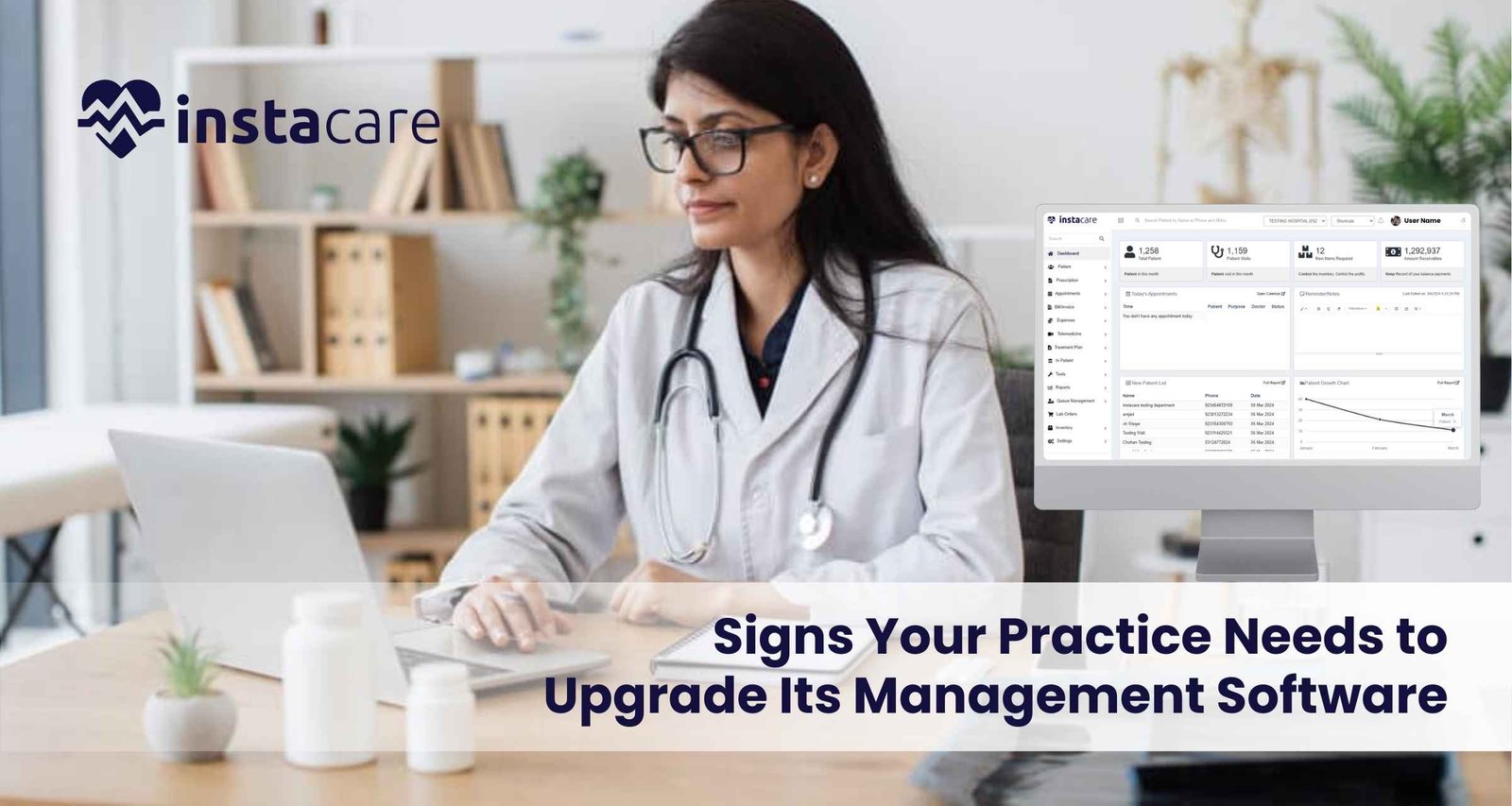
With the fast pace of modern health care today, proper management software can make any health practice thrive. The tools given allow practices to streamline things, enhance patient care, and improve regulatory compliance. Unfortunately, however, your old management software may not remain good enough for your constantly developing and growing practice. Five indications it is time to move on from the old software into a new one; there follows some practical advice on how to best do that. 1- Inefficiencies and Workflow Bottlenecks Identifying Inefficiencies Probably, the most indicative sign that upgrading management software is in place is when inefficiencies are manifested along with workflow bottlenecks. If, for example, your employees are taking too much time on activities such as setting appointments, managing patient files, or making bills, it’s probably time for an upgrade. Effects on Patient Care The longer the time patients take to access care, the unhappier they will be; there is also a chance of danger of safety due to a lack of accessible information, which can provide crucial details. Advanced software systems will automatically allow automation of routine tasks, enabling staff to spend more time with the patient instead of the paper. Solutions Assessment: an appropriate assessment of the existing workflow that indicates where things need improvement. Automation: Seek a software that provides automation in scheduling, billing, and reminders. Integration: Select a system that has the potential to integrate with other applications the practice uses, for example, electronic health records and billing. 2- No Reporting and Analytics The Role of Data Given current market environment and focusing on data – driven approach, it is essential to gain access to reporting and analytics tools. If your current management software does not have built-in reporting tools, it can imply that your practice is missing out on important information in such categories as demographics of patients or the state of your practice’s finances or its efficiency. Poor data visibility leads to: It would become very challenging to determine trends, predict future needs or make improvements without the capability to analyze data. This can adversely affect the growth of your practice and also impact the adaptability of your practice to changes in regulatory healthcare and market conditions. Solutions Determine the Reporting Needs of Your Practice: Determine if your practice needs financial reports, patient flow metrics, compliance reports, and other summary reports. Select Advanced Analytics Tools: Select software that allows real-time analytics and custom reporting. Training: Make sure your staff is trained to use these reporting tools to make better decisions. 3- Complexity in Managing Patient Engagement Patient-Centric Care The current environment of the healthcare sector can be said to be customer centre especially as it pertains to the patients. Lack of elements of communication with the provider, appointment reminder, or an online patient portal in your management software will make the practice struggle to meet patient expectations. The Need for Innovative Engagement Solutions Patients today are demanding easy access to health information, make appointments online, and acquire insight into their care in due time. Satisfaction, healthier outcomes, and loyalty could be delivered by a system that encourages patient engagement. Patient Portals: Choose a software that offers a patient portal as an easy way of viewing the records, communicating with the staff, and also scheduling appointments. Automated Reminders: Choose a system that will automatically send reminder appointments for medication refills and follow-up visits Feedback Mechanisms: Allows patients to give you real-time experience feedback so that you’ll know where things went wrong. Book Free Demo 4- Compliance Challenges and Security Concerns Regulatory compliance Healthcare regulations, such as HIPAA in the United States, require practices to carry out strict standards on handling patient data security and its privacy. If your management software does not support it, your practice will also be exposed to some extreme risks, including hefty fines and reputational damage. Security Risks Outdated software may also leave your practice vulnerable to security risks. Cyber security threats are increasing daily, and having a system that cannot adequately protect sensitive patient information is very serious. Solutions Assess Compliance Features: Make sure any new software you look at meets all the applicable regulatory requirements and includes data encryption, access controls, and audit trails. Regular Updates: Select a provider that offers periodic updates and support to help cope up with emerging security threats. Training: Train your employees on best practices and requirements for data security compliance that can help minimize potential risk. 5- Very Poor Scalability and Flexibility Preparation to scale As your business grows, your management software grows with you. In the moment when you actually realize that it is neither scalable nor customized, most probably you’d not quickly respond to whatever changes happened in the quantity of the patients, kind of provision of services or needs of operation. Necessity to Scale An unyielding system can frustrate the staff and even prevent you from offering new workflows or services that will benefit your patients. An advanced system should allow the customization of needs for your practice and patients. Solutions Scalable Solutions: You want to have software that is built to grow with your practice. This means it should be easy to add users, locations, and services with little to no disruption. Customization Options: Select a system that can be customized in terms of workflows, templates, and user interfaces according to the specific needs of your practice. Vendor Support: The software vendor must provide strong support and resources for customization and scalability. Conclusion Upgrading management software is an important step toward efficient and successful practice. Knowing that it’s time for change through inefficiencies, lack of reporting, hard time to engage the patients, challenges with compliance, and inability to scale further provides the leeway for finding a better solution that addresses your needs better. Investment in modern management software does not only streamline your operations but also enhances patient care and satisfaction. When viewing potential upgrades, be on the lookout for features and benefits that align with your objectives for your practice and for your

Investing in practice management software can really boost efficiency and profitability for a health care practice. But calculating its return on investment is more challenging. This guide is going to walk you through the key considerations and metrics to effectively evaluate the return on investment of your practice management software. Understanding ROI in Practice Management Software What is ROI? ROI or return on investment is considered as an important tool used to make a measure of investment profitability depended upon its investment cost. It is usually put forth in percentage and computed using the following formula, ROI=Cost of Investment Net Profit×100 While reviewing PMS, one needs to look at both tangible as well as intangible benefits. Why is it Essential to Assess ROI? Evaluating ROI is important for many reasons: It makes practices realize whether the investment is worth making. Budget Justification: The ROI calculation clearly provides justification for the budget. Identification of Improvement Areas: Through the ROI, it may point out where the software is underperforming and needs adjustments or improvements. Critical Metrics in Determining ROI 1- Cost Savings One of the biggest benefits of practice management software is that it offers operational efficiency, hence saving costs. Consider the following: Reduced administrative costs- Find out how many hours employees save by way of administration in these areas, including scheduling, billing, and managing the patient. For example, if the PMS cut down 20% time in those activities, calculate the monetary saving from salaries for such staff members. Reduced Billing Errors: Determine the ways in which the software has reduced billing errors, which translate into costly claim rejections and delays. Estimate the average cost of billing errors pre and post implementation of the software. Workflow Streamlined: Determine the ways the software has streamlined workflow processes and improved productivity. For example, if the software allows for check-in of patients more rapidly and scheduling of appointments more rapidly, determine the amount of time saved. 2- Revenue Generation Besides saving costs, practice management software can also help in generating revenue. Analyze the following key areas: More patients retained: The enhanced experiences of patients-for example, online scheduling and reminder capability-will enhance patient retention. Calculate the value gain of retaining more patients during a year. More patients will come as there would be easy scheduling and probably better marketing capabilities through software. Therefore, work out your additional income on extra patients. Faster realization of money from the insurance companies It could make for speedier claims processing which contributes to faster cash flows and improved cash flows are often brought with quicker payments. 3- Intangible Benefits While the tangible metrics can be useful, do not overlook the intangible benefits of practice management software. Improved Patient Satisfaction: It is likely that a patient will experience better satisfaction based on better scheduling, wait times, and communication; although this is a non-quantifiable result, satisfied patients are likely to return and recommend the practice. Staff Morale and Retention: An effective system reduces burnout and encourages high job satisfaction among staff; hence, a small rate of turnover occurs. It can calculate how many to hire and train so that savings can be figured out. Compliance and Risk Management: Determine how the software is helping to maintain compliance with healthcare regulation. Non-compliance can lead to fines or litigation. Software that makes it easy to maintain compliance with these requirements may save a lot of costs on fines. Book Free Demo Calculating ROI: A Step-by-Step Approach Step 1: Gather Data Accumulate pertinent information both prior and post-deployment of practice management software. Some of the necessary points to include would be Staff salary and hours used on administrative tasks Billing errors percentage along with cost of the error Count of patients retained plus retention percent; volume details Revenue from service Step 2: Step 2: Cost Accounting Calculate all costs that the practice spends on software by the following; Entry Costs: This would be software acquisition/implementation along with equipment purchased. Operational Expenses: subscription or service charges, and any other training cost. Step 3: Step 3: Savings and Income Based on the data gathered, find: Administrative Costs and Billing Error Savings: calculate how much of administrative costs and billing error would be decreased. Income Generation: calculate the income produced with improved patient retention and high volume of patients. Step 4: Compute Net Income Now, subtract the total costs from the combined cost saving and increased revenue to calculate the net profit: Net Profit = Total Savings + Increased Revenue – Total Costs Net Profit=Total Savings + Increased Revenue−Total Costs Step 5: Calculate the ROI Finally, in conclusion, use the formula for ROI to calculate the percentage return on your investment: ROI = Net Profit – Total Costs × 100 ROI= Total Costs Net Profit ×100 The fees of software implementation in new practice management in medical practices are $30,000 one time and $5,000 yearly in form of maintenance. The estimated billing error averaged around 15 per cent before the practice acquired the new software system, which cost them about $20,000 each year. Step-by-Step Calculation Cost Savings Administrative cost savings from saved time in scheduling and billing: $10,000 Less incurring because of fewer billing errors: $15,000 or a decrease assumed from accuracy More patients coming in: $25,000 (new patients brought in by improvement in marketing) Patient retention: $10,000 (increase in revenue from retained patients) Total Savings and Revenue: Total Saving: $10,000 + $15,000 = $25,000 Total Increase in Revenue: $25,000 + $10,000 = $35,000 Net Profit: $25,000 + $35,000 = $60,000 Total Costs: Cost initially: $30,000 Annual Maintenance Cost: $5,000 Total Costs: $30,000 + $5,000 = $35,000 Net Profit: Net Profit = $60,000 – $35,000 = $25,000 ROI Calculation: ROI = 25,000 35, 000 × 100 = 71.43 % 35,000 25,000 ×100=71.43% Conclusion of Case Study In this case, the practice management software returned a 71.43% ROI. This means it is very profitable to invest in it. Such analysis will assist similar practices to decide their potential software investment. FAQs 1- What factors do I need to consider in selecting practice management software? When you select practice management software, consider the following factors: Functionality: It should
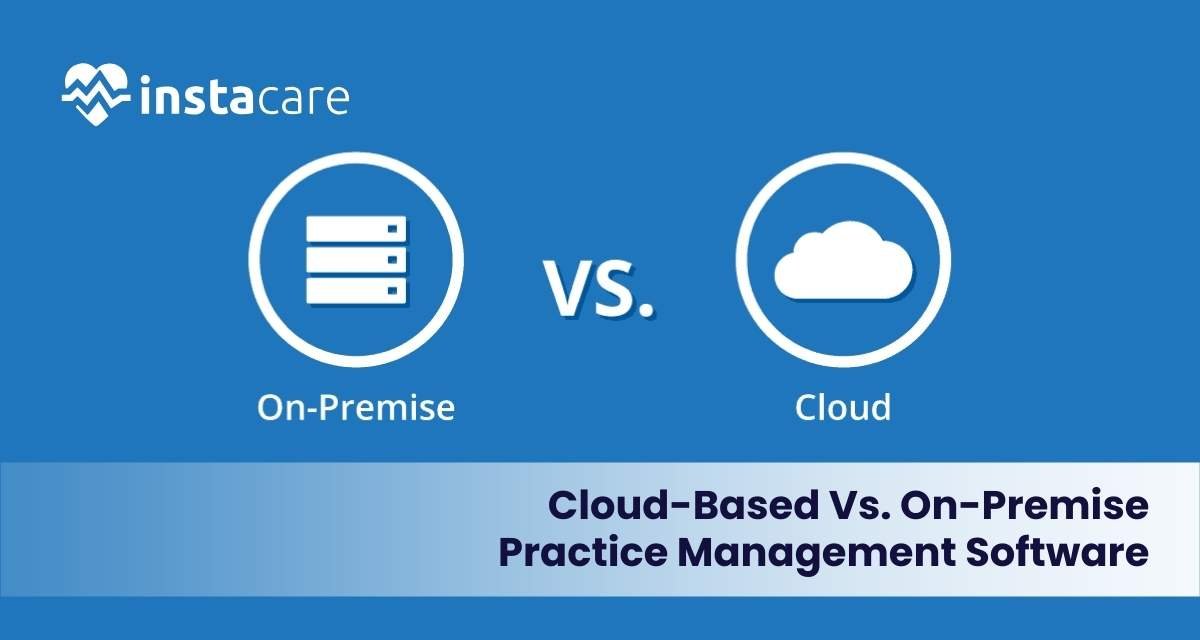
Practice management software is an essential tool for all clinics and practices of every size in the ever-changing healthcare landscape. PMS makes things generally easier by streamlining operations, managing patient records, and scheduling appointments. The most crucial decisions when choosing a PMS involve whether to choose cloud-based or on-premise solutions. This report will articulate some of the variations in those sorts as well as what they enable to finally enlighten the reader on choosing a suitable practice management application. Understand A Practice Management Application A Practice Management application is one of the widest terms to identify the capabilities to manage a health care professional’s practice with reasonable ease. Major functionalities include: The appointment schedule Patient registering health information Billing, accounting facilities Reports analytics Verify insurance information. The right selection of PMS can really have an impact on the success of your practice, the patient’s satisfaction, and even profitability. Cloud-Based Practice Management Software What Is Cloud-Based PMS? Cloud based practice management software is a hosted software in which the user does not have to install the software on their server since it can be accessed through the internet. This means that users are able to login from any device with internet connection, and this feature makes this model very elastic and can easily expand to accommodate other users. Advantages of Cloud-Based PMS Accessibility Distributed Accessibility: It becomes easy for doctors to gain access to patient data and even the management of activities to be done from any place in the world, thus flexibility and responsiveness. Support of multiple Devices: Users can acquire access through desktops, laptops, tablets, and even on smartphone devices. Cost Effective Initial Deployment Costs: Cloud-based systems are very cheap to implement if put side by side with an on-premise system Subscription Models: Most cloud PMS providers follow subscription pricing that would actually save cash flow management. Vendor Responsibility: Providers do the software update and maintenance, which reduces the burden on your IT staff. Latest Features: Consumers can enjoy the latest feature and security updates without additional expense. Scalability Expansion Made Easy: Cloud solutions make it easy to scale to your practice as it grows to provide more users and features. Flexible Plans: Many vendors offer tiered plans that depend on the user number or the features used Book Free Demo Drawbacks of a Cloud-Based PMS Internet Dependency Data connectivity problems- stable connection is required, loss of accessibility during outages may mean access to some of the important information Data security issues-High speed internet causes slowdowns under traffic conditions. Off-site Storage for Patient Information. Offsite storage of patient information sparks questions on breach and observance of best practices. Reliance on Vendor Security: A practice needs to trust that a vendor is taking appropriate measures for security. Subscription Costs Ongoing Costs: Subscription fees accumulate with time, which means one could be paying much more for a service over time compared to having purchased it once. Practice Management Software On-Premise What Is Practice Management Software On-Premise? This practice management software is installed on the local servers and computers of the practice. This type of system provides full control of the software and data but utilizes a lot more management and resources. Advantages of On-Premise PMS Full Control Data Ownership: A practice owns their data and can use any security measures. Customization: On-premise systems are more easily customized to meet the requirements of a specific practice. No Internet Dependency Local Access: In unstable internet access areas, the access of the software by the user is not dependent on the internet connectivity. Consistent Performance: Local servers tend to have faster access to the software without latency problems. Security and Compliance In-House Security Measures: Practices can create their security protocols that are always more stringent than third-party vendors Compliance Control: Through their own security measures, practices can always be HIPAA compliant. Disadvantages of On-Premise PMS More Expensive Initial Costs Initial Costs: On-premise solutions are very costlier to the practices in terms of software licensing, hardware, and implementation. Costs of Ongoing Maintenance: Ongoing maintenance up gradations and technical support will always be a cost to the practice. Less Accessibility Geo-bound: The accessibility is restricted more to the devices within the practice which results in a poor mobility for remote working. Accessible Devices: The access can be restricted to other devices or from other operating systems Resource- Intensive IT Management Needed: Practices would require in-house IT sources that would monitor and service the application; this, at times, is a strain in a smaller practice. Longer Period in Updating: Updates, in this case, and any type of upgrade take a very long period and require planning processes and, therefore, make for less current software. Considerable Aspects to Choose Between Cloud-Based and On-Premise PMS When making that choice between cloud-based and on-premise practice management software, the following issues arise: 1- Practice Size and Growth Small Practices: Cloud-based solutions will be more apt to small practices because of lower upfront costs and easier use. Larger Practices: The on-premise solution will benefit the larger practices where customization requirements are specific and dedicated resources within the IT department will be employed. 2- Budget and Financial Considerations Initial expenses against recurring subscription fees will have to be balanced by considering your budget: whether this is more aligned with your financial plan. 3- IT Resources and Expertise In-House IT Support: If your practice has an in-house team of IT support, on-premise will probably be quite manageable. But if this is not feasible, perhaps a cloud-based solution will be even more appropriate. 4- Data Security and Compliance Needs Regulatory Requirements: Consider your practice’s particular compliance needs to see if you feel you can support security and compliance in-house. 5- Remote Work and Flexibility Remote Access Requirement: There is more flexibility if remote access capability is integral to your practice with the cloud-based option Conclusion Choosing the proper practice management solution is a very significant step that will impact the effectiveness and profitability of a practice as well as patient satisfaction significantly. While

Among key tests of any healthcare, delivering a small clinic or a large hospital, the choice of the best practice management software for business belongs. The right one will streamline operations in a way that will allow positive and total shift patient care with the enhancement of general efficiency, whereas, on the other hand, the wrong choice is highly likely to get you resource waste, angry staff, and dissatisfied patients. With this article, we hope to guide you in avoiding those ten mistakes to make the choice of practice management software an efficient decision. 1- Lack of definition of needs: One of the most significant mistakes is failing to clearly define your practice’s specific needs before starting your search for PMS. Each healthcare practice has unique requirements. Before evaluating software, take the time to identify what features are essential for your operations. Consider aspects such as scheduling, billing, patient management, reporting, and compliance with regulations. Why It Matters This will allow you to narrow your list of choices better and eliminate the purchase of software packed with unnecessary features or one that lacks critical functionality. 2- Price Only Now, cost is obviously relevant, but making a mistake in prioritizing price versus functionality can lead to wrong choices. Many practices take the cheapest solution available on the market without considering long-run implications. Low-cost solutions often lack essential features; they may require updates pretty frequently or have other associated costs. Long-Term Considerations Consider the cost of ownership including implementation, training, and ongoing support, as well as future upgrades. A more expensive but comprehensive solution will pay off in the long run with reduced inefficiencies and better patient care. 3- Neglecting User Experience User experience is important when choosing practice management software. If the software is difficult to navigate or calls for long training periods, your staff will resist it. Overlooking the fact that the interface needs to be user-friendly may bring about reduced productivity and irritation among the employees. Training Choose software that is rich in training materials and support. This way, your personnel can quickly adapt to the system and minimize downtime for increased overall efficiency. 4- Integration Capabilities One of the most critical features of practice management software is integration with other systems. Most practices use more than one application, such as electronic health records, billing systems, and inventory management. In case a PMS lacks an integration with existing tools, it can lead to data silos and inefficiencies. Effective Data Flow Look for software that can easily integrate with your current systems. This will enable seamless data sharing and improve workflow, ultimately enhancing patient care and administrative efficiency. 5- Not Considering Scalability As your practice grows, so do your software needs. One of the most common mistakes when selecting a system is picking one that may not grow to meet growth projections. You are bringing in new practitioners, are adding services, or possibly opening new locations; an ideal PMS must allow the system to grow right along with your practice. Scalable software will save you from the headache and expense of later having to change systems. Research the vendor’s history of upgrades and enhancements to see if the software will keep up with your expanding practice. Book Free Demo 6- Failure to Analyze Vendor Support Reliable vendor support is the lifeblood for implementing new software. Most practices overlook this area of on-going support only to find it difficult to get answers in times of trouble. Responsiveness can mean the difference between a smooth transition and frustration. Assessment of Support Options During the vendor comparison step, vendors should be asked questions related to their support and frequency, timeliness, and kind of support offered phone support, web-based support, or email support. A vendor that offers robust support will help you address any issues that might arise quickly. 7- Overlooking Compliance and Security Compliance in the health sector is non-negotiable. In this case, if a practice management software does not emphasize compliance and security, it risks your practice significantly, exposing it to data breaches and legal issues. Emphasis on Security Features This software should possess the strength of security in data encryption, user authentication, and audit logs. Further, the vendor should be compliant with the regulations in its domain to coexist peacefully with patients concerning the protection of their information. 8- Skip the demo or trial period Many practices commit to a software solution without having an experience with it. Not taking the demo or trial period will lead to later unpleasant surprises, such as unexpected limitations or usability issues. Informed Decision Making Request a demo or a trial period to test the software’s features and functionality. Involving your team in this process can provide valuable feedback and help ensure that the chosen software meets everyone’s needs. 9- Not Involving Staff in the Decision-Making Process However, the type of practice management software that will be of most use to your staff is the one which they will have to use most is the reason why it would be advisable to involve the staff in the decision-making process. The lack of input from the key team members might make them resistant to the solution chosen and also dissatisfied with it. Be willing to consider diverse input from various team members-the inputs maybe both at the administration level, from clinicians and even IT individuals. The software selected shall meet your practice’s broad needs thereby ensuring buy-ins across your whole team 10- Failure to Consider the Long Term Objectives Some practice focuses on present needs and forgets long-term goals. A software solution that meets all the current requirements might not be in line with future aspirations of expanding services or improving patient engagement. Aligning Software with Vision In a software you pick to help manage your practice, think of the kind of vision you have in the future for your practice. So, make sure you are picking a solution that satisfies your needs right now but supports your long-term vision. Conclusion Selection of practice management
In the fast-moving environment of modern healthcare, the transfer of clinics from manual to digital systems is important to clinics for greater efficiency, improved patient care, and smoother flow. This step-by-step approach outlines how clinics may achieve a seamless transition that is free from any hitch but rather a maximally benefited transition process. Transition From Manual to Digital Systems: An Importance Understanding Understand that digital transition in clinics, among other reasons, is important: Improved Efficiency: The digital system automates many tasks, hence reducing the time spent on paperwork and manual processes. Enhanced Patient Care: Digital records provide better tracking of patient history, thus improving diagnosis and treatment. Data Security: Digital systems often provide better security measures for sensitive patient information than manual systems. Compliance: Many regulations require clinics to maintain EHR to ensure patient safety and data integrity. Step 1: Analyzing Current Processes Your automation journey starts with a comprehensive analysis of your current manual processes, as follows: Analyzing the Workflows of the Existing Systems You have to draw out each workflow; there is that of taking patients, then record-keeping, then billing, and finally communicating. Find bottlenecks and repetitive tasks to be done automatically. Getting Input from Staff Surveys and Meetings with Staff: Interview them on any challenges faced currently and improve on what would work if implemented. Identify Pain Points: Understand specific frustrations that staff members experience with manual processes. Step 2: Define Goals and Objectives Now that you have a clear view of your current situation, define the goals and objectives of your digital transition: Set Specific Goals Increase Efficiency: Target reducing administrative hours spent by a percentage. Improve Patient Experience: Set goals for patient satisfaction scores post-transition. Define Measurable Outcomes KPIs (Key Performance Indicators): Establish metrics that would reflect the success, such as the reduction of wait time, improved scheduling of appointments, or even higher patient retention. Step 3: Explore Digital Options Armed with your objectives, begin researching some of the best digital solutions for your clinic: EHR Systems Identify Functionality: Seek EHR systems that include functionalities such as scheduling, billing, and patient communication. Scalability: Select a system that will grow with your clinic to meet future needs. Compare Vendors Demo and Trials: Ask for demos from different vendors to understand what they are offering and how easy it is to use. Read Reviews: Go through online reviews and testimonials from other clinics to know the user satisfaction and support. Step 4: Transition Plan A good transition plan is important to ensure a smooth transition from manual to digital processes: Timeline Phase in the digital system rather than a one-time installation, which would cause less disturbance. Milestones: Define clear milestones that track progress during the transition process. Resource Allocation Budgeting: Determine budget for software, hardware, and training Staffing: Assign team members responsible for the transition process, to hold them accountable. Step 5: Training and Support Train your staff. That is the most critical step of a successful digital transition: Training Program Design Comprehensive Training: The new system must cover all the aspects of data entry to patient management and troubleshooting. Develop a comprehensive training program for the staff on the new system. Practice Hands-on: Have the staff practice in a controlled environment before the live date. Ongoing Support Designate Support Staff: Identify who will support them at every stage of transition Create Resources: Make guides for users or FAQs so they can refer to these to navigate the new system. Book Free Demo Step 6: Data Migration Moving to a digital system requires careful data migration to ensure that all the information of the patients is transferred accurately: Plan Data Migration Data Clean-up: Before migration, look at all the records existing in the system to remove all duplicate information and outdated information. Select Migrate Tools: Select the tools or services that are reliable and will help in the data transfer from manual records to the new EHR system. Verify Data Integrity Test Steps After migration test that everything moved was complete, and is available. Resolve discrepancies Identify any discrepancy which occurs during the verification process for potential resolution. Step 7: Go Live Once staff are trained and data transfer is successful, it’s the time to go live to your new digital system that goes a mile in providing value. Launch the New System Soft Launch: Consider a soft launch where only a portion of the clinic uses the new system initially. This can help identify any issues before a full rollout. Gather Feedback: Instruct employees to give feedback on the new system and any challenges they are facing. Monitor Performance Track KPIs: Monitor the set KPIs to measure how well the system is working and how it is impacting clinic operations. Adjust as Necessary: Be prepared to adjust the system based on the staff feedback and performance metrics. Step 8: Evaluate and Optimize Once the system is live and up and running, it’s essential to evaluate its effectiveness and identify areas for improvement: Conduct Regular Evaluations Seek Staff Feedback: Consistently seek feedback from staff on the usability and effectiveness of the system. Patient Feedback: Seek feedback from patients on their experiences with the new system. Optimize Processes Continual Improvement: Use the feedback received to optimize the workflows and improve the functionality of the system. Stay Current: Keep updating the software and processes in relation to advancements and best practices. Step 9: Engage with Patients Maintain communication with the patients during transition Informs Patients Announcement: Communicate the change to the patients through newsletters, emails, or social media. Change: Educate the patient on how the new system will better serve them such as making appointments more accessible and their medical records available. Talk to them Reach out to Patients: Make sure a contact number is available to call or contact the new system to inquire about something. Gather Feedback: Engage the patients and allow them to share their experience and suggestions for improvement. Step 10: Celebrate Success Lastly, take time to celebrate a successful transition to a digital
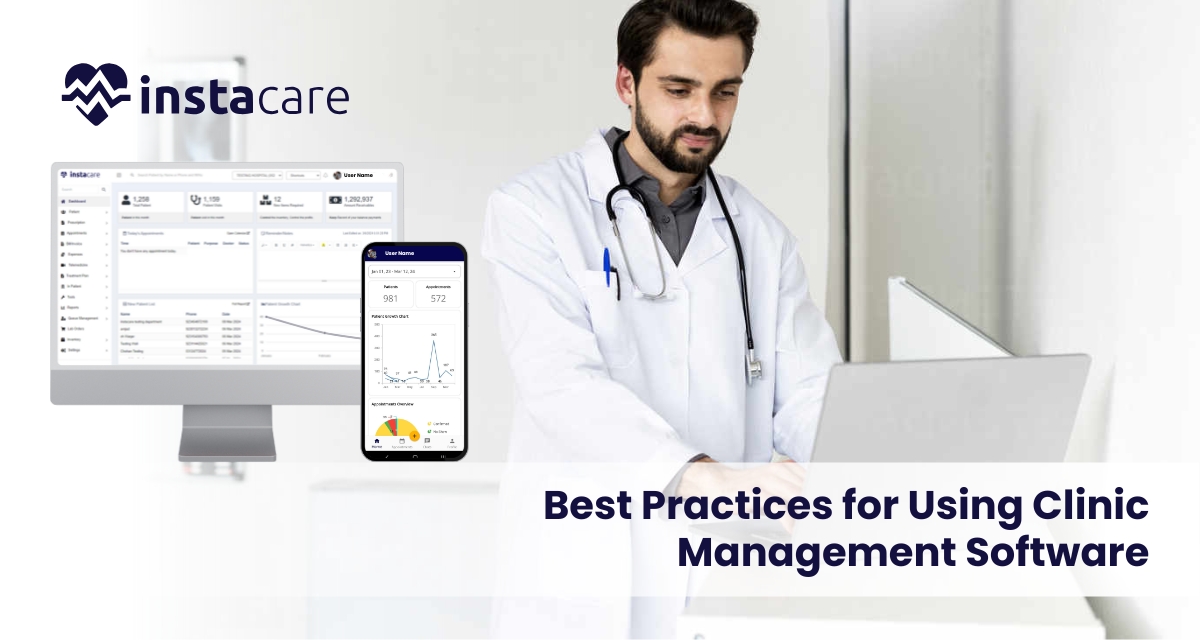
In today’s fast and busy healthcare environment, clinic management software forms an integral part of enhancing patients’ care and streamlining operational activities. The solutions benefit the healthcare provider in a variety of ways by keeping track of the patient’s record, appointments, billings, and much more for the enhancement of the experience of the patient. With this in mind, to bring maximum benefits from clinic management software, healthcare providers need best practices. This article outlines some of the effective strategies that can be used in the context of leveraging CMS for better patient care. 1- Choice of Right Software In order to improve the kind of patient care in the clinic, there must be a choice of the best clinic management software. This involves some of the following considerations. User-Friendly Interface The software must facilitate an intuitive user-friendly interface for the staff to easily use it and that the possibility of error decreases along with efficiency increases. Customization Options Explore customizable software that answers to your needs as a clinic. This will make the system flexible in the addresses of workflows and enhances its usability. Integration Capacities Select a CMS that has the integration ability to harmonize well with other health care systems, such as EHRs and billing applications. This would mean fewer duplication cases and efficient data flow. Scalability Select software that can grow with your clinic. As your practice expands, you want a solution that can accommodate increased patient loads and additional functionalities. 2- Train Staff Effectively Effective training is critical for the successful implementation of clinic management software. Consider the following training best practices: Comprehensive Training Programs New staff separately or together with the old one will undergo training on how to handle the software. The training would encompass all aspects of the system including, appointment setting, record keeping and even the billing system. Support after Implementation Ensure that there is continuous support offered to the staff as they go through the new system. This may include online resources, help desks, or regular refresher courses. Feedback Encouragement Encourage the staff to give feed on the usability of the software. The input will help in further training and identifying areas where further support may be required. 3- Simplify Patient Scheduling Schedule for the patient is part of their care. Your clinic management software has the following functions: Online Booking This is booking of appointments that makes it easy for scheduling by patients. It’s a feature that saves patients and staff time and, consequently, cuts down on no shows. Scheduling Optimization With the scheduling tool in your software, optimize the timing of appointments while minimizing the gaps in your schedule. Automated reminders reduce missed appointments as well. Track Patient Flow Track patient flow through the clinic by using the reporting capabilities offered by the software. The collected data can be used for the identification of bottlenecks and improvement of general efficiency. 4- Effective Patient Communication The mantra to good patient care lies in communication. Use your software for the management of a clinic to: Auto-Reminders Set up alerts for appointment, follow-up and refill of prescriptions. These reminders could be through emails/ texting or telephone calls depending on the patient’s convenience so that they have to be reminded. Use the software to send educational resources to patients, including treatment options and preventive care tips. Equipping patients with information may help them become more engaged in their care. Secure Messaging It is recommended to add safeguarding features for the purpose of enabling the patient–provider direct messaging. In this way, patients would be able to pose questions and givers would be able to reply back to those questions immediately without having to refer to the office. Book Free Demo 5- Efficient Management of Patient Records Quality care is characterized by proper management of patient records. The following are what your clinic management software should do. Centralize Patient Information All patient information shall be collected in one location: medical history, medication, and lab results. It can then be accessed by the healthcare providers easily. Validating Data Accuracy The software must have checks for validation to confirm accuracy in patient data. This ensures that accurate records can be used in sound clinical decisions. Regulations Please make sure that the clinics management software you use is HIPAA compliant if you are in the United States. Compliance protects patient information and builds trust. 6- Track and Analyze Performance Metrics Monitoring performance metrics is key to improving patient care. Use your CMS to: Monitor Patient Satisfaction Collect patient feedback regularly through surveys or reviews. Analysis of this data can help identify areas for improvement in patient care and service. Track Clinical Outcomes Use the application to monitor clinical results, such as treatment success and recovery periods of patients. This may inform evidence-based practice, ensuring quality care. Evaluate Operational Productivity Examine operational data, such as patient waiting times and staff productivity. Based on these metrics, make process improvements and improve care delivery. 7- Secure Data Data security in health care is critical. Keep patient data confidential through: Robust Access Control Role-based access control will be used to limit the view and edit of sensitive patient information, thus limiting exposure to unauthorized access. Frequent Updating of Software Clinic management software should be frequently updated with security patches and updates. Regular updates protect against vulnerabilities. Staff Training on Security Protocols Educate employees about the importance of safeguarding information and best practices about protection of patient information. Continued education is a reinforcement on the importance of safeguarding confidential information. 8- Promote a Patient-Centered Culture A patient-centered culture in your clinic has better outcomes for the overall experience of the patient. Implement these strategies: Involving Patients in the Decisions Incorporate patients in the plans by involving them in shared decision-making. This would help them feel a greater sense of ownership and participation in their care. Personalized Care Personalize care based on information from your clinic management software. Personalized care plans enhance patient satisfaction and outcomes. Continuous Improvement of Care Processes Analyze and
An effective clinic management system is the dire need of the day in today’s world where the healthcare sector is evolving at a very rapid pace. Today, it might be equally challenging to practice in the outdated system and fulfill the requirements and desires of your clinic since technology has advanced a lot. The ways which tell that it is high time to change the clinic management system can help to increase their effectiveness and make patients’ lives better, therefore the clinic’s turnover’s rate will grow in the future. To help, here are ten key indicators that point towards it being time perhaps to think about an upgrade. 1- System Downtime Often Understanding the Issue: That is, if you CMS is constantly experiencing downtimes or technical hitches your clinic would be more severely impacted. Unattended appointments, angry and dissatisfied workers as well as dissatisfied clients are the short-term effects. An upgraded CMS often features better reliability and technical support. This leads to less down time, thus making sure that your clinic is up and running. They are designed to be able to handle high volumes of data and users, so that they do not crash too easily. 2- Poor Workflow Processes Understanding the Problem: Do your employee’s complaints involve a lot of time spent on administrative tasks? And if one’s current system demands a large quantity of data entry, manual work or extended and complex processes then it leads to ineffectiveness or to put it in layman terms, wastes time. Why Upgrade? An upgraded CMS can help streamline workflows, automate repetitive tasks, and improve communication among staff. Electronic prescriptions, automated reminders, and integrated billing can save time and reduce errors. 3- Lack of Integration with Other Systems Understanding the Issue: Integration of your CMS with other systems in the existing interlinked healthcare environment with EHR, billing, and patient engagement tools is something highly important. A standalone would most likely hamper proper flow of communication and sharing of the same. Why Upgrade? A modern clinic management system that possesses robust integration capabilities better aids the workflow. Improvement of patient care, simplified data access, and reports could be achieved through an integration of these. 4- Failure to Generate Reports Explaining the Problem: Producing meaningful reports is critical to tracking clinic performance, analyzing patient demographics, and realizing opportunities for growth. If your existing system hinders the creation of reports or analysis of data, it is probably due time to upgrade. Why Upgrade? An advanced CMS typically provides advanced reporting functionality through which you can customize your reports and know the critical performance metrics. This can be helpful in taking smart decisions for the future of your clinic. 5- Poor Patient Experience Problem Understanding: Patient experience is considered in the current scenario of healthcare. In case the current system creates longer waiting times, missed appointments, or failures in communication, then it will lead to an unsatisfactory experience of the patients. Why Upgrade? A modern CMS can make the patient experience better as it offers features like online appointment scheduling, automated reminders, and secure patient portals. All these tools empower the patient with a lot of powers and enhance overall satisfaction of your clinic. Book Free Demo 6- Unavailability of Data Access through Remote Understanding the Problem: With telehealth and remote working on the rise, your ability to be able to access information from your clinic from anywhere has become crucial. If it is not accessed remotely but only locally, then a system may limit flexibility as well as respond to events. Why Upgrade? There is remote accessibility in the cloud-based management systems, which means people, can operate from anywhere; this promotes productivity and supports the ability for your team to respond to events quickly. 7- Compliance Issues Understanding the Problem: All medical regulations are continually changing and ought to be updated with the best latest CMS standards, for instance HIPAA and other regulations on health privacy. A clinic risk is likely when the compliance with the existing system is below requirement. Why Upgrade? An upgraded CMS will often include features designed to ensure compliance, such as secure data storage, access controls, and automated updates. This can help protect your clinic from potential legal issues and fines. 8- Difficulty in Training New Staff Understanding the Issue: If your current CMS is complicated or not user-friendly, training of new staff is a pretty laborious and painful process. Inefficiency and subsequent decline in performance of a team may occur due to high learning curve. Upgrade: The current CMS system generally keeps usability in mind during design. A user-friendly interface facilitates ease in training new staff who can promptly come into contribution for working at your clinic. 9- Very Limited Options in Personalization Understand the Issue: Each clinic is unique, and your CMS must understand your requirements. If your system today does not allow much personalization, then maybe your workflows or the set of specialties might be severely unsupported. Why Upgrade? Upgrade of CMS often brings personalized features and modules where personalization may help in improving efficiency and, overall user satisfaction. 10- High Maintenance Costs Understanding the Issue: But if the maintenance of a particular CMS is too expensive or requires up-grades very often like to make repairs or technical assistance. Time to Upgrade. Why Should You Upgrade? Upgrades using modern CMSs can even cut long-term maintenance. Many of the updated versions of the systems offer their technical support along with self-serving options so that you hardly need any technical assistance after updates. Conclusion Knowing the telltale signs that it is time to upgrade your clinic management system is essential for ensuring the smooth operation of your practice. A good CMS can help improve the workflows, promote patient experiences, and increase growth in the clinic. From this article, you can make informed decisions regarding upgrading a system and positioning a clinic for success. FAQs 1- How do I select the right clinic management system for my practice? When you are selecting a clinic management system, think about
