

The rising trend of technology integration across various fields has affected the healthcare sector, too. Digital patients prefer services that offer convenience, accessibility, and individualized healthcare. Personalized healthcare is made possible with the integration of digital patient engagement. Digital patient engagement helps bridge the digital divide between patients and healthcare practitioners. Various tools have been developed to provide patient-centered and efficient healthcare services. Patients are given the opportunity to be actively engaged in their own healthcare. These tools facilitate patients’ understanding of their healthcare conditions and treatment, allowing them to make informed decisions regarding their care. This blog explores what digital patient engagement is, why it is important, the main tools or technologies associated with it, its benefits and limitations, and the impact it has on the global healthcare system. What Is Digital Patient Engagement? Digital patient engagement utilizes digital technologies to improve the way patients and healthcare professionals communicate, interact, and collaborate. There are many digital tools that allow patients to find and access healthcare services, control their health information, and contact their healthcare professionals. Traditional healthcare interactions usually rely on face-to-face interactions and phone calls. Digital engagement allows patients to contact their healthcare professionals remotely. Examples of Digital Patient Engagement Some examples of digital patient engagement include: Patient portals Mobile healthcare applications Telehealth services Online health education The ultimate aim of patient engagement is to change the way patients engage and interact with their healthcare professionals, manage their health, and improve their overall healthcare experience. Why Is Digital Patient Engagement Important? Active participation of patients is important for the effective management of health conditions. Patients need to understand their conditions and treatment options to be able to follow their treatment plans. Participation can be enhanced through digital engagement, which provides patients with convenient access to healthcare resources. For example, patients with chronic conditions can use digital tools to track and manage their conditions, including scheduling and adhering to their medication routines. The use of digital tools to engage patients in managing and monitoring their conditions can be enhanced with automated reminders for appointments, consultations, and follow-ups. Digital engagement offers improved access to information and communication, thus facilitating better patient-provider collaboration. Key Technologies Used in Digital Patient Engagement There are several technological innovations that help simplify communication and engagement between healthcare providers and patients. Here are a few examples. 1. Patient Portals A patient portal is a secure online website that allows individuals to access their health information. It may also offer the following functionalities: Reviewing personal health information Checking test results Renewing prescriptions Scheduling appointments Communicating with the healthcare team Patient portals improve the overall transparency of an individual’s health information. 2. Telehealth and Virtual Consultations Telehealth enables individuals to communicate with healthcare professionals through video calls, phone calls, or secure messaging. This is particularly helpful for individuals living in rural or remote areas, those with mobility issues, and patients who need routine follow-ups. 3. Mobile Health (mHealth) Mobile health, commonly known as mHealth, refers to applications or programs that assist individuals in managing their health through mobile devices such as smartphones and tablets. Examples of mobile health applications include: Medication reminder apps Fitness apps Symptom and health monitoring apps Appointment scheduling applications For individuals with chronic conditions, these applications can support treatment adherence and help monitor health status and symptoms. 4. Automated Patient Communication Improvements in healthcare communication technologies allow the automatic generation and delivery of patient reminders, notifications, and other messages. Communication methods include text messages, emails, mobile applications, and other digital channels. Proactive healthcare communication encourages patients to take responsibility for their health and helps them remember appointments and follow-up visits. 5. Remote Patient Monitoring Remote patient monitoring uses medical devices connected to the internet to transmit patient health information to healthcare providers outside traditional hospital or clinic settings. These devices can measure and send health information, including: Blood pressure Heart rate Respiratory rate Blood glucose levels Other relevant health measurements Remote patient monitoring can be effective for certain patients, such as those with chronic illnesses. It allows healthcare professionals to review patient information and identify health changes that could indicate the need for medical intervention. Book Your Free Marketing Consultation Benefits of Digital Patient Engagement Digital patient engagement offers numerous benefits for both patients and healthcare professionals. 1. Improved Communication Digital platforms allow healthcare professionals to communicate easily with patients. They can send messages, provide instructions, and answer questions without requiring patients to visit the healthcare facility. Clearer communication can reduce confusion about treatment plans and help patients better understand their healthcare needs. 2. More Convenient and Accessible Healthcare Digital healthcare services make it easier for patients to book or change appointments online, attend virtual consultations, and access medical records electronically. These convenient services can be particularly useful for patients who prefer managing their healthcare needs from home. 3. Better Treatment Adherence Many health conditions require patients to follow their treatment plans consistently for effective management. Digital platforms can support treatment adherence through medication reminders, educational materials, and follow-up notifications. These tools help patients stay informed about their treatment schedules and healthcare responsibilities. 4. Increased Patient Satisfaction Improving convenience, transparency, and responsiveness can enhance the patient experience. Examples include easier appointment scheduling, effective communication, and timely access to medical records. Digital tools also give patients greater control over their healthcare appointments, allowing them to schedule, reschedule, and manage visits more conveniently. 5. Improved Healthcare Operations Digital services can minimize repetitive administrative tasks by automating appointment confirmations and reminder messages. By reducing the time spent on these tasks, healthcare employees can devote more attention to addressing patients’ needs and supporting healthcare delivery. Challenges of Implementing Digital Patient Engagement While digital engagement offers many advantages, it also comes with several challenges. 1. Data Privacy and Security Healthcare providers need to safeguard personal patient data. Secure and appropriate systems must be used to protect sensitive information and maintain patient confidentiality. 2. Digital Literacy Not all patients are comfortable using digital or online platforms. Simple, user-friendly systems
Master Data Management in Healthcare: Everything You Need to Know Healthcare organizations collect a multitude of information every day. From patient information to insurance information and everything in between, this information gets stored in different systems. While there may be information silos for different aspects of the business, when the same information is stored differently in these silos, it can create inefficiencies in the administrative process and contribute to errors. There is a need to standardize this important information and structure the ways in which it is created, organized, and updated. Master Data Management (MDM) for healthcare provides a disciplined approach for creating, organizing, and governing important data for the healthcare industry. Through MDM, the healthcare industry is able to standardize important data and ensure the information is accurate, consistent, and available where and when it is needed. What Is Master Data Management in Healthcare? Master Data Management (MDM) is the management process for important organizational data to ensure consistency. In the case of healthcare, examples of master data include: Patients Healthcare professionals Medical facilities Departments Medications Medical equipment Medical procedures Medical suppliers Medical plans Locations Healthcare organizations implement several systems to manage various tasks such as appointments, billing, laboratory test results, prescriptions, medical records, and other administrative and clinical activities. Without proper data management processes, a person or item may appear differently in various systems. MDM provides a mechanism to manage data and create consistent records within the organization. Why Is Master Data Management Important in Healthcare? Accurate information is vital in the healthcare industry. For example, a patient may have several different records because of different spellings of their name during different visits. One record may include a middle name, another a nickname, and another may include an outdated address. Without connecting these records, crucial information about a patient may remain divided. MDM allows organizations to identify, authenticate, unify, and manage information. This may help personnel in various divisions of an organization communicate with one another and alleviate confusion caused by conflicting data. What Types of Data Can Be Managed Through Healthcare MDM? Patient Data Management Patient information is possibly the most critical aspect of data management in healthcare. A patient’s master record includes their: Full name Date of birth Contact information Identification details Address Emergency contacts Insurance information Medical record identifiers Inconsistencies in how data is captured and processed within different systems can lead to a failure to identify the right patient and result in the creation of duplicate patient records. MDM or other advanced data management tools can integrate different data systems, create links between data entries and patient records, and ultimately improve the data management of healthcare organizations. Healthcare Provider Data Management Healthcare organizations collect large quantities of data on healthcare professionals. Provider master data can include: Name Professional role Specialty Department Contact information Credentials Work location Availability Identification numbers Standardizing provider data can simplify appointment scheduling, referrals, billing, communications, and other business and administrative activities. Provider data is often updated when, for instance, a change of professional role occurs. Master data processes and services can simplify the update of such data across other systems. Facility and Location Data Large healthcare systems may operate multiple facilities, such as hospitals, pharmacies, laboratories, and diagnostic centers. Each of these facilities has the potential to generate a large amount of operational data. Facility master data may consist of: Name of facility Address Departments Contact information Services offered Hours of operation Internal location codes Uniform facility information helps organizations plan the availability of staff and other resources, as well as coordinate patient services, staff assignments, inventory, and reports. Medical Product and Supply Data Many different kinds of medical products and supplies are utilized in healthcare facilities. Examples include: Surgical supplies Disposable medical supplies Diagnostic aids Medicines Medical devices Cleaning supplies Protective equipment Names for the same product may be different depending on the department. For example, the same surgical supply may be described as a “dressing” in one department and as “surgical padding” in another department. Master Data Management helps standardize names for products and product categories, as well as units of measurement and identifiers. Standardization can contribute to improvements in purchasing and inventory and supply management. How Does Master Data Management Improve Healthcare Data Quality? Healthcare MDM aims to improve the quality of data. Healthcare data can have many flaws, such as: Duplicate and triplicate records Missing data Incorrect spellings Different data formats Outdated data Incorrect values and classifications MDM can help identify these issues and create methods to resolve them. Standardization of data can assist in creating information that meets organizational specifications, such as proper address formats, spelling of names and data, phone numbers and dates, IDs, codes, classifications, and other formats. This can enhance data quality and help improve reporting and the administration of healthcare systems. Book Your Free Marketing Consultation How Does MDM Create a Single Source of Reliable Information? A key element of Master Data Management (MDM) is the ability to develop a trustworthy master record. There are instances where multiple systems house the same information about a patient, provider, location, or product. In these cases, MDM determines which of the multiple records should be considered authoritative. The authoritative information becomes a trusted record that is referenced and used by multiple systems. This is often referred to as a “single source of truth.” This does not necessarily mean all the information in a healthcare setting needs to be housed in one large database. Rather, it refers to systems using agreed and governed information for defined data elements. How Does MDM Support Healthcare Data Integration? Healthcare organizations often utilize many digital systems. These systems may include: Electronic Health Records (EHR) Laboratory systems Appointment systems Billing systems Pharmacy systems Inventory systems Human Resource (HR) systems Insurance systems MDM allows systems to manage and share master data and identify data uniformly, allowing them to achieve the same goals. For example, there should be uniform identifying information for a facility, patient, provider, or department across integrated systems.
Clinical Information Systems: Transforming Healthcare Through Digital Innovation The use of technology in healthcare has improved numerous aspects of the industry, including patient care and the efficiency of healthcare procedures. One of the latest developments in the industry is the use of Clinical Information Systems (CIS). These systems enable healthcare professionals to manage patient information in a structured manner that improves the quality and speed of service delivery. A Clinical Information System is a type of software that helps healthcare organizations manage patient information systematically. The system enables healthcare professionals to manage information related to various stages of the clinical process, including patient evaluation, diagnosis, and treatment. By improving the management of patient information, Clinical Information Systems enable healthcare professionals to spend more time with patients and less time searching for records. As a result, the overall efficiency of healthcare services can be improved. What Are Clinical Information Systems? Clinical Information Systems (CIS) electronically capture and manage multiple formats of health-related data, including a patient’s previous and existing health conditions, diagnoses, prescriptions, laboratory and radiologic tests, treatment plans, and other clinical information. These systems improve healthcare delivery by making relevant data accessible at the time and place where it is needed. CIS are not simply systems for electronically storing data. They can enhance the clinical process by providing clinical reminders and alerts, assisting with patient assessment and monitoring, and improving communication among healthcare workers. Through these capabilities, Clinical Information Systems can help healthcare organizations improve the accuracy, accessibility, and management of patient data. Key Components of Clinical Information Systems Clinical Information Systems consist of interconnected components designed to support healthcare professionals and improve the delivery of clinical services. Key components include: Electronic Health Records (EHRs) Electronic Health Records (EHRs) are essential components of Clinical Information Systems. They are used to capture and organize a patient’s health information, including medical history, health conditions, allergies, previous and ongoing treatments, and diagnostic tests. Through EHRs, healthcare professionals can access patient records and use relevant clinical information to support appropriate treatment decisions based on the patient’s condition and requirements. Computerized Provider Order Entry (CPOE) Computerized Provider Order Entry (CPOE) allows healthcare providers to electronically issue orders for diagnostic tests, medications, and other therapeutic interventions. By replacing many manual ordering processes, CPOE can help standardize clinical orders, improve information accessibility, and reduce errors associated with handwritten or manually transferred orders. Clinical Decision Support Systems (CDSS) Clinical Decision Support Systems (CDSS) provide clinicians with recommendations, reminders, and alerts based on available clinical information and evidence. Examples include identifying potential medication conflicts, notifying clinicians about abnormal laboratory or test results, and generating recommendations for routine screenings and preventive interventions. The overall goal of CDSS is to support healthcare professionals in making informed clinical decisions. Integration of Laboratory and Diagnostic Services Integration with laboratory and diagnostic systems allows Clinical Information Systems to incorporate test results and diagnostic reports directly into patient records. This reduces the need for manual transfer of information between departments and can improve the speed at which test results become available to the clinical team. Continuous Patient Monitoring Some Clinical Information Systems can integrate with devices used to monitor patients and collect clinical data. These systems can help healthcare professionals analyze patient information across different platforms. They may also support the identification of changes in a patient’s condition and generate alerts when further clinical assessment or intervention may be required. Benefits of Clinical Information Systems Clinical Information Systems can provide several benefits to healthcare organizations, healthcare professionals, and patients. Improved Patient Safety Improving patient safety is one of the major benefits associated with Clinical Information Systems. Digital systems can reduce documentation errors and help maintain the integrity of patient information. Digital records can provide healthcare professionals with access to a patient’s medical history, while automated alerts can notify clinicians about potential medication interactions, abnormal results, or other issues requiring attention. Facilitates Communication Another advantage of CIS is the ability of different members of the healthcare team to access current patient information. Improved communication can support the development and coordination of a patient’s care plan, particularly when treatment involves multiple healthcare professionals or departments. Improves Timeliness Clinical Information Systems can reduce delays associated with accessing medical records. Patient information can be made digitally available to authorized healthcare workers at the point where care is provided. Quick access to relevant information can support healthcare professionals when assessing, diagnosing, and treating patients. Improves Healthcare Worker Productivity CIS can automate many clinical and administrative tasks performed by healthcare workers. This can allow professionals to spend less time handling paperwork and searching for information and more time providing direct patient care. Digital systems can also streamline various administrative processes involved in managing healthcare organizations. Book Your Free Marketing Consultation Challenges of Implementing Clinical Information Systems Despite their potential benefits, Clinical Information Systems also present several challenges that healthcare organizations need to address. Data Security and Privacy Healthcare organizations handle highly sensitive patient information, making data security and privacy essential considerations when implementing CIS. Organizations need appropriate technical, administrative, and physical safeguards to protect patient information from unauthorized access, data breaches, and other security risks. Staff Acceptance and Use Clinical Information Systems can improve healthcare quality and workforce efficiency, but their effectiveness also depends on staff adoption. Insufficient training, limited technical knowledge, or resistance to changes in established workflows can reduce the potential benefits of a new system. Continuing education and appropriate training can help healthcare workers understand and effectively use Clinical Information Systems. System Integration Healthcare organizations often operate across multiple locations, departments, and facilities. Integrating different information systems can therefore be a complex process. Effective integration can improve information sharing and coordination, but compatibility issues between existing systems can make implementation more challenging. Cost and Maintenance The adoption of Clinical Information Systems can require significant investment in software, hardware, implementation, training, and infrastructure. In addition to initial implementation costs, organizations must account for ongoing maintenance, technical support, system upgrades, and cybersecurity requirements. The Future of Clinical Information Systems
Healthcare Data Lifecycle: Understanding the Journey of Healthcare Information Healthcare data is the foundation of stakeholder collaboration to optimize patient care. For healthcare systems to evolve and benefit the patient, there is a need to strategically manage the volumes of data created in the process. Effective data management encompasses the healthcare data lifecycle. The healthcare data lifecycle demonstrates the various steps taken from the creation of data to its retention or destruction. The focus of each step is to guarantee data is secure, accessible, and usable in the form of quality information. Healthcare personnel should be able to access the information needed to deliver care. The benefits of transitioning to digital systems in healthcare have encouraged further growth in the industry. Simultaneously, there is an increased risk of breaching the trust of patients by exposing their health and personal information. For healthcare systems to evolve and have the digital backbone, reliability of information systems is a must. Understanding the data lifecycle assists in information management. What Is the Healthcare Data Lifecycle? The healthcare data lifecycle captures the various stages of the healthcare data journey. These stages include creating, collecting, storing, processing, analyzing, communicating, keeping, and eliminating data. Examples of healthcare data include patient data, medical histories, diagnostic data, laboratory data, imaging data, service data, billing data, and health data. Healthcare organizations must manage this data to keep it accurate and accessible while protecting it from unauthorized access. Healthcare organizations benefit from efficient data lifecycle management through improved business decision-making. Additional benefits include reduced operation errors and improved services. As a result, organizations are able to improve the overall patient experience. Stages of the Healthcare Data Lifecycle 1. Data Creation and Generation The creation of healthcare data is the starting point of a healthcare data lifecycle. Healthcare data is created during the course of providing or receiving healthcare services. This includes consultations, tests, procedures, observations, and the use of healthcare equipment and facilities. When creating new data, it is important to ensure that accuracy is maintained. This is especially important because, at some point in time, this data may be used to make healthcare decisions. Healthcare data may be created in various formats and in several ways, including through forms, electronic documentation, and electronic data capture. Examples of Healthcare Data Names Dates of birth Races Ethnicities Genders Sexual orientations Addresses Marital statuses Family and social histories Symptoms Findings Diagnoses Tests and procedures Treatments Medications Services Healthcare data created correctly and completely forms the base for other activities in the lifecycle of the data. 2. Data Collection and Integration After data is created, it must be retrieved and structured. Data in healthcare is often scattered across different systems, and therefore, integration becomes essential in this process. Different departments and facilities within the healthcare system generate and maintain different information. Combining these information sources helps healthcare personnel have a more comprehensive understanding of an individual’s health status and condition. Essential Elements of Data Collection Standardization of data Identification of information sources Elimination of redundant information Verification of information Protection of information during transfer Integration of healthcare data helps work groups work together and aids healthcare professionals in making informed decisions and fulfilling their obligations based on complete and sufficient information. 3. Data Storage and Maintenance Once healthcare data is collected, it needs to be securely stored, organized, and managed through systems such as Hospital Management Software. As with other data, storage also has the concern of security. This ensures that the data is neither accessed nor processed illegally and remains complete and available to the entity that owns it. Storage has the primary concern of ensuring the data is available in an accessible format. This requires a balance between factors that impact the security and accessibility of the data. Security of the data is impacted by the confidence and integrity levels and the access controls that are implemented on the data. Storage also needs to ensure that the data is processed reliably and is available in a defined format. Healthcare data is subject to both retention and retention laws. Therefore, data may be stored for an extended period. It is important that, during the extended period of storage, data is updated and checked for accuracy to ensure it is relevant and useful to the organization. 4. Data Processing and Management Data in the healthcare sector is typically raw and unstructured and therefore not immediately actionable. Before it can be utilized, it must undergo numerous processing activities. Examples of Data Processing Activities Data cleansing Data reduction Data integration Data standardization Data quality improvement Managing data helps the healthcare workforce work effectively and efficiently and improves the quality and safety of services offered to patients. Poor management of data leads to negative consequences, including loss of time, increased stress, frustration, and an increased likelihood of erroneous conclusions. Hence, data processing activities should be performed while maintaining the integrity of the data. 5. Data Analysis and Utilization The analysis of healthcare data helps uncover relevant information. Recognizing relevant information in healthcare data allows for detection of trends, measurement of performance, and revision of protocols in order to promote quality in healthcare services. What Can Healthcare Data Analysis Achieve? Better comprehension of public health More effective health planning Maximization of available resources Definition of performance standards Fostering of prevention in health Protection of confidentiality while performing analyses on healthcare data Healthcare data should be systematically collected to assess its value and appropriately analyzed and utilized to promote its worth. 6. Data Sharing and Exchange Health information is frequently transferred between various staff members, departments, and facilities. Secure data exchange helps improve communication and collaboration. The implementation of practices that ensure the security and confidentiality of health information is of great importance during data transmission. Security Measures for Data Sharing Limit access to the minimum required Use protected and secure ways of communication Guarantee the integrity and authenticity of transmitted data Trace the use of the data The ability to implement these practices empowers healthcare professionals to
Context-Awareness in Healthcare: Applications, Benefits & Examples Healthcare systems are becoming increasingly personalized and connected, with technology playing a significant role in improving patient care. One of the key elements shaping the future of healthcare is context-awareness in healthcare. Context-aware systems use a patient’s situation, behavior, environment, and health status to provide personalized and timely assistance. Traditional healthcare systems primarily rely on stored patient data to develop treatment plans. In contrast, context-aware systems consider the circumstances surrounding a patient. These circumstances may include the patient’s location, activity level, vital signs, medication schedule, lifestyle, behavior, and surrounding environment. Understanding these factors helps healthcare providers and digital systems make informed decisions, improve patient experiences, and deliver more personalized care. What Is Context-Awareness in Healthcare? Context-awareness in healthcare refers to the ability of a healthcare system, device, or application to collect, combine, and interpret information about a patient’s situation and respond appropriately. Contextual information in healthcare often includes the following: Patient Data: Age, medical history, existing health conditions, allergies, and healthcare plans. Environment: Surrounding conditions, environmental safety, location, and temperature. Activities: Exercise levels, sleep patterns, daily routines, habits, and movement. Time: Medication schedules, healthcare activities, and medical appointments. Health Data: Blood pressure, heart rate, glucose levels, and oxygen saturation. A context-aware healthcare system uses this information to provide relevant recommendations, reminders, and alerts based on a patient’s circumstances. How Does Context-Awareness Work in Healthcare? Most context-aware healthcare systems operate through three primary stages. 1. Data Collection Context-aware healthcare systems collect information from various sources, including wearable devices, electronic health records, mobile applications, sensors, and monitoring equipment. For example, wearable devices can measure physical activity, while healthcare applications can record medication schedules and daily routines. Collecting information from multiple sources allows healthcare systems to develop a more comprehensive understanding of a patient’s condition and circumstances. 2. Data Analysis and Interpretation Once data is collected, the system analyzes it to identify patterns, potential risks, and changes in the patient’s health status. Certain technologies use data analytics and machine learning to identify unusual patterns or changes in health measurements. For example, a monitoring system may identify an unusual change in heart rate and generate an alert for further assessment. 3. Customized System Response Based on the collected context, the system can provide reminders, recommendations, alerts, or notifications to patients and healthcare professionals. For example, if a patient’s health measurements indicate a potentially concerning change, the system may recommend contacting a healthcare provider. Note: Automated alerts and recommendations should support clinical decision-making rather than replace professional medical assessment. Applications of Context-Awareness in Healthcare Context-aware technology has applications across different areas of healthcare, from remote monitoring to preventive care. 1. Remote Patient Monitoring Context-aware remote patient monitoring combines connected devices, health sensors, and digital healthcare tools to support care outside traditional healthcare facilities. These systems analyze health data while also considering daily activities and information collected from the patient’s surroundings. For example, wearable devices can monitor activity levels, while home-based sensors can provide information about movement and daily routines. This information can help healthcare professionals understand changes in a patient’s condition without requiring frequent in-person visits. Remote monitoring may be particularly useful for older adults and people managing chronic health conditions, provided that appropriate clinical oversight and safety measures are in place. 2. Personalized Treatment Plans Patients respond to treatments differently, and their individual circumstances can influence healthcare decisions. Context-aware healthcare systems incorporate relevant patient information to support more personalized care planning. Treatment recommendations may consider: Lifestyle and daily habits Previous health records Current symptoms Daily routines Environmental conditions By considering these factors, healthcare professionals can develop treatment approaches that are more relevant to a patient’s individual needs. Contextual information should complement professional assessment and evidence-based treatment guidelines. 3. Medication Management Taking medication correctly is essential for effective treatment. Pharmacy Management Software can support medication management by organizing prescription records, tracking medication schedules, and improving coordination between healthcare providers and patients. When integrated with context-aware systems, it can help provide medication reminders based on a patient’s schedule and routine. For example, a medication management application may remind a patient to take a scheduled dose or notify them when a dose has been missed. These systems can be particularly helpful for older adults and patients who take multiple medications. However, medication reminders should be designed carefully because missed doses, dosage changes, and medication interactions may require guidance from a healthcare professional. 4. Fall Detection and Elderly Care Older adults may face an increased risk of falls, making safety monitoring an important area of healthcare technology. Context-aware systems can use movement patterns, wearable sensors, and environmental data to identify potential falls or unusual activity. For example, a monitoring device may detect a sudden fall and send an alert to a caregiver or designated emergency contact. Early notifications can help caregivers respond more quickly, although detection systems may produce false alarms or fail to identify certain incidents. 5. Smart Hospitals and Patient Monitoring Context-aware technologies can support patient monitoring and workflow management in smart hospitals. These systems may assist healthcare facilities with: Monitoring patient status Tracking healthcare resources Supporting emergency response Improving communication between healthcare professionals Coordinating patient care activities By integrating relevant information, hospitals can improve coordination and support more efficient healthcare operations. 6. Virtual Healthcare Assistance Virtual healthcare assistants can use contextual information to provide more relevant interactions with patients. For example, a virtual assistant may consider a patient’s symptoms, medical history, and previous interactions when providing general health information. These systems can help patients navigate healthcare services, receive appointment reminders, and access relevant information. However, virtual assistants should not replace qualified healthcare professionals when diagnosis or treatment decisions are required. 7. Preventive Healthcare Context-aware technologies can support preventive healthcare by analyzing current conditions and historical health information. For example, a system may identify changes in activity levels, sleep patterns, or health measurements that could warrant further attention. These insights can encourage patients to monitor their health and seek professional advice when necessary. Context-aware systems can support early
mHealth vs Telehealth: What’s the Difference? Digital technology has transformed healthcare in significant ways. Now, people can find health information, message health professionals, manage health conditions, and even track their personal health and wellness goals using technology. These types of technologies have led to the development of two concepts: mHealth and telehealth. These phrases are often used to mean the same thing, but they are technically different. Understanding the differences shows how the development of digital solutions leads to increased access, improved convenience, and greater consumer engagement in healthcare systems. What is mHealth? mHealth is the use of mobile and wireless technologies to support healthcare and wellness. It specifically concerns mobile equipment and software that enable consumers to monitor, manage, and track health and wellness. The purpose of mHealth technologies is to improve wellness and health self-management by making it easier to access health information and resources. mHealth technologies include: Software that can monitor your exercise and nutrition and help you manage sleep habits. Software that sends medication reminders. Tools that collect daily health self-report data. Devices that collect health data. Software that provides health education and support. The primary aim of mHealth technologies is to support health and enhance wellness. It empowers the user to make informed choices about their health. As an example, a person may use a mobile application to track their daily activity, record their symptoms, and track their medication. These technologies enhance the consumer’s engagement in health management. What Is Telehealth? Telehealth describes health care services delivered electronically, beyond traditional in-person care. It supports communication between patients and health care workers. Telehealth employs digital technologies including video, phone, online messaging, and remote physiological monitoring to enhance delivery of health care services. Examples of telehealth include: Virtual health care consultations Follow up care remotely Digital health education Improving health delivery; using telehealth is convenient for patients to receive health care without traveling to health care facilities. Main Differences Between mHealth and Telehealth mHealth is primarily concerned with the use of mobile devices to manage personal health information. Telehealth, however, is concerned with delivery of health care across distances. mHealth is typically personal, e.g. mobile devices assist users to record health data, measure, monitor and encourage, through digital technology, daily wellness activities. Telehealth is concerned with the communication between the patient and the health care worker. For example: Telehealth is the sending of the recorded blood pressure data from the smartphone application to your health care professional. In most cases, to ensure that the right health care is delivered, mHealth ecosystems and telehealth are integrated. A mobile application may collect some health data; however, telehealth may be needed for a health care provider to review the data and provide the right care needed. How mHealth Contributes to Modern Healthcare? mHealth technology empowers management of personal wellness and preventative healthcare. Instead of waiting for illness to strike, people can proactively manage their health. Promotes the Use of Preventive Health Strategies mHealth technology motivates the development of healthy behaviors through the tracking of physical activity, eating, sleeping, and the overall lifestyle. Increases Health Self-Awareness mHealth technology gives people the information they need to understand and grasp trends they can use to motivate the adoption of positive changes in the management of their health. Supports Health Condition Management Technology strategies used to manage a chronic health condition include tracking of symptoms, the monitoring of trends, and maintaining a routine. Ensures Service Convenience The use of technology is convenient since everyone has a mobile device. Book Your Free Marketing Consultation How Telehealth Impacts Healthcare Delivery? Telehealth offers the ability to overcome barriers and provide healthcare services to the people who need them the most. It provides a way for people to communicate with their healthcare practitioners no matter where they are located. Improved Healthcare Availability Healthcare is now more accessible for people from remote areas and for those who are unable to easily travel. Decreased Travel Time and Increased Convenience Now, instead of having to travel to see a healthcare practitioner, a healthcare appointment is available without the need for travel. Easily Facilitates Follow-Up Communications New ways to conveniently manage follow-up care are made possible with telehealth. Increased Quality and Frequency of Communications New avenues to answer questions and solve health care related concerns are made possible with communications that are no longer restricted to in-person visits. Similarities Between mHealth and Telehealth Though they are different medical technologies, there are similarities between mHealth and telehealth. Both: Improve healthcare with technology. Increase the accessibility of health services. Improve the ability to communicate and share information. Increase the involvement of patients. Address certain burdens of standard healthcare delivery. Both are necessary components to the growing digital healthcare ecosystem. Limitations of mHealth and Telehealth Though digital healthcare possesses an abundance of advantages, there are also disadvantages. The use of mHealth is dependent on the availability of accurate mobile devices, internet, and technology. Some tools may have limited utility and should not be a substitute for seeking care. Telehealth may not always be appropriate for healthcare delivery. With others, it may be necessary to conduct a physical examination, order diagnostic tests, or perform a procedure that can not be done remotely. Security and the protection of privacy are vital concerns as well. Trust is diminished when the digital systems of healthcare lack adequate protection. Which Is More Useful: mHealth or Telehealth? It depends on the situation. mHealth is more appropriate for: Record keeping for personal health info Developing and maintaining healthier behaviors Tools for monitoring wellness Self-management Telehealth is more appropriate for: Consultations given remotely Methods of communication in healthcare Offering guidance Using both together is more useful. Conclusion The rising trend of using digital assets will continue. More tools for personalized care will be available with the increasing availability of mobile devices, more advanced wearables, and better remote monitoring and communication. mHealth and telehealth technologies represent progressive steps in the industry. mHealth will advance health ownership and telehealth will improve the connection
Telenursing: What It Is, How It Works, Benefits, and Examples Healthcare has transformed traditional methods of delivering care. Technology creates new opportunities for patients to receive support outside of healthcare facilities. One of the most significant changes to modern healthcare is the development of telenursing. Telenursing is the ability for nurses to provide care and support via communication technology. Telenursing uses phone, video, messaging, and other digital communication tools to provide remote health services and support patients that are unable to travel to a healthcare facility or require ongoing health support. This approach of healthcare delivery has proven to be useful for patients who have chronic health conditions, require health education, and need routine check-ups and support. What is Telenursing? Telenursing is the delivery of nursing services via telecommunication. Nurses use telecommunication in other ways than in-person visits to deliver healthcare services to patients which includes evaluating, giving advice to patients, monitoring patients, and offering extended services. Telenursing is not a substitute for face to face healthcare. Telenursing is an added healthcare support service that improves care, convenience, and connectivity. Telenursing allows patients to connect with nurses and receive much needed healthcare via telecommunication rather than requiring the patient to travel unnecessarily. How Does Telenursing Function? Telenursing allows patients to receive ongoing health support and connects patients to a nurse via any communication tool. The service is activated when a patient requires healthcare support or a follow up appointment. Prior to interacting with a patient via a secure communication tool, the nurse has been previously briefed to support the patient. A Typical Telenursing Process Includes Initial Assessment A Talennurse collects the patient’s health concerns, symptoms, medical history, medications, and current needs over a phone call or video, or using a communication tool of their preference. The telenurse may ask about pain levels, habits, and recovery progress. They may also ask about newly developed symptoms. Health Monitoring There are several health conditions that, once diagnosed, can be managed by a telenurse. Patients can send telenurses updates on their progress, relief, symptoms, or even changes in medications and recovery status. This provides a nurse with key information that allows them to make an early assessment and encourage development of healthy routines. Education and Guidance One of the main roles of telenursing is to educate the patient about their condition. This can include education for the safe and effective use of medication and management of symptoms. In some cases this will also involve patient education for the management of wounds, prevention of lifestyle disease, and detection of emergency changes. Information will empower patients to make informed decisions regarding their health. Follow-Up Support Of the main aspects of telenursing, follow-up support is the longest of these. Most healthcare scenarios involve a prolonged period of time before the desired goal is reached. Telenursing is ideal support for this period as it enables the telenurse to progress assessments, provide support, and ensure constant adherence to the recovery goal. Common Examples of Telenursing Telenursing has uses across the entire spectrum of health care. Some of the more common examples of this are: Chronic Disease Management Healthcare conditions that have ‘high-risk’ patient groups, like diabetes, high blood pressure and cardiovascular cases, require chronic disease management. Telenursing is invaluable for the management of these patients, allowing the nurse to assist with the routine of symptoms, the routine of medications and the self-management of a healthier choice. Post-Surgery Follow-Up Care Patients typically have lots of questions about surgery recovery, wound care, how and when to take prescribed medication, the types of activities they can engage in, and how to differentiate between normal vs. abnormal symptoms. Through the process of telenursing, recovery progress can be assessed to offer guidance and/or determine if there are concerns that warrant medical attention. Medication Management Adults and seniors, in particular, can have difficulty with the management of multiple medications. Nurses can give medication reminders, as well as simple instructions and explain any medication concerns. Elder Care Support Older adults’ health status can be monitored and daily health needs managed. Telenursing can offer more support to older adults who wish to have care delivered at home and who are unable to leave their homes. Mental Health Support and Health Education Nurses can offer health education, emotional support and guidance to those with stress and lifestyle changes and those with health-related concerns. Telenursing is unable to provide substitute therapy and counseling. It can offer employees emotional support and a temporary sense of peace. Book Your Free Marketing Consultation Advantages of Telenursing Increased Accessibility to Care Telenursing enables nurses to reach clients who would otherwise be inaccessible due to distance, physical limitations, or lack of mobility. This helps remove some of the barriers that prevent some individuals from seeking health care services. Added Convenience Telenursing minimizes the trips that patients might have to take to health facilities for routine and needed care. Patients can communicate with the nurse and receive care from the convenience of their homes. Enhanced Continuity Telenursing, through routine contact with the nurse, creates a connection that helps patients feel supported and helps the nurses to understand the needs of the patient at that moment. Prevention and Assessment of Health Concerns Telenursing can help actually identify an issue as it is developing by helping patients to recognize symptoms. Improved Health Literacy Patients must understand their conditions and the role they must play in order to attain their goals for health. Family Caregiver Support Family members of patients who are not healthcare providers must also be supported and educated about basic healthcare, especially for the elderly and those who need additional time to recover. Challenges Associated with Telenursing While the advantages of telenursing are numerous, there are areas of concern that need to be taken into account. Technology Access Use of some of the telenursing services requires the patient to have an internet connection, a device, and be able to make a call. Some individuals may lack one or all of these. Communication There
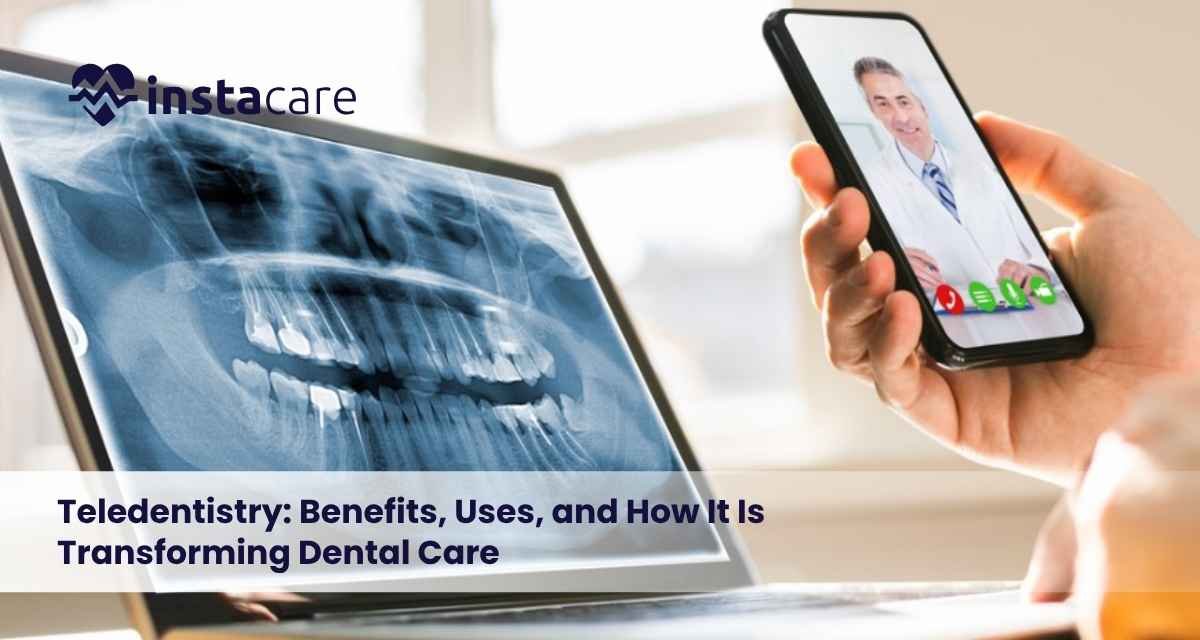
Teledentistry: Benefits, Uses, and How It Is Transforming Dental Care Digital innovations in healthcare have made medical support easier to access and more convenient. Like other healthcare services, dentistry has adopted digital approaches like teledentistry. With teledentistry, patients can receive consultations and dental care support without physically being present at the clinic. Patients have the convenience of carrying out consultations, providing the required clinical record, and receiving advice from dental professionals, all from the comfort of their homes. Teledentistry makes it easier for patients who have issues accessing dental care due to various factors such as remoteness, mobility, difficulty in accessing care, and for those who require immediate professional advice before personally attending the clinic. What is Teledentistry? Teledentistry is using digital innovations to make remote delivery of dental care services possible. Dental care providers and patients can use video consultations, chat, or share digital x-rays and images. Dental care professionals can assess presented symptoms, advise, and offer preliminary consultations to patients, discuss treatment options, and guide the patient to enhance their oral health. Teledentistry is a supplementary service to in-clinic dental care, with the added benefits of convenience, access, and time. How does Teledentistry work? The service offered by teledentistry is simple and convenient to the patient. Dental care professionals can offer their services through video consultations, digital x-ray, dental images, or online consultations. A dentist during a remote consultation may inquire about symptoms, pain levels, dental history, and concern regarding oral health. Patients are able to show the dentist pictures or videos of their oral health concerns. With this information, the dentist is able to recommend a course of action along with at-home oral hygiene practices, determine if an in-person appointment is necessary, or suggest the next steps. Common Teledentistry Applications Teledentistry can be utilized for a variety of dental needs, including the delivery of basic dental consultations and the post service review of dental work. Dental Consultations The service delivery of teledentistry includes dental consultations. Patients can report concerns related to pain in teeth, pain in gums, oral hygiene, and sensitivity. Emergency Dental Advice As the name suggests, this service functions to provide advice to patients experiencing a dental emergency. The dentist will provide advice for pain management, sign, and symptom control, and will decide if the situation necessitates an emergency physical visit. Follow-Up Consultations These consultations are designed to provide the dentist with a means to evaluate the progress and provide advice to the patient regarding the recovery and address any questions. This is commonly employed for patients that are undertaking a prolonged dental procedure. Education of Oral Health This service provides the patient tutorials and advice for proper oral hygiene and dietary habits. Treatment Planning Dentists’ remote consultations provide an avenue to the patient to understand the treatment process and what to expect before a face to face encounter. Teledentistry Promotes Equitable Access to Dental Services Distributed Workforce The biggest advantage of teledentistry is that it meets the dental advice needs of people living in areas with insufficient dental services. Financial and Time Hurdles Eliminated Much of the time and cost savings from the use of remote technology and communication is attributed to the fact that a lot of dental issues do not require an immediate in-person examination. Early Detection of Dental Problems Remote technology and communication can further be used to provide advice and bring problems to the attention of the service provider at earlier more manageable stages. Better Patient Education Teledentistry also makes it convenient for dentists to give advice to patients on how to prevent dental problems and improve and maintain good oral hygiene. Recovery Support Teledentistry also facilitates post-operative care for patients on recovery. Limitations of Teledentistry Though teledentistry has many advantages, it has its limitations too. Restricted Physical Examination While a lot can be done remotely, it is not possible for dentists to do a complete physical examination of the patient remotely. Technology and Infrastructure Limitations Many people do not have access to the technology or easy means to connect to the internet and thereby, will face major challenges in using the services. Not Equipped to Deal with All Dental Concerns Teledentistry cannot replace a physical visit to the dentist for dental problems that are serious, surgical, with infections of high severity, or require hands-on intervention. Book Your Free Marketing Consultation Teledentistry in Pakistan Pakistan’s healthcare system is constrained by a growing population and widespread poverty. Due to these inadequacies, healthcare in rural Pakistan is poorly organized. Remote dental care can help alleviate these issues by providing dental services via electronic communications. Teledentistry aids initial consultations, distribution of preventive dental advice, delivery of follow-up support, and directing of patients in need of professional dental care. Digital healthcare is becoming more prevalent and reliable around the world as broadband technology is improving. This creates a great opportunity for teledentistry to be a key element of contemporary dental healthcare. How to Prepare for a Teledentistry Appointment? Prior to each appointment, patients should digitally prepare some basic data about themselves. They should record their symptoms, describe the pain or discomfort, and keep a record of their previous treatments and medications. The patients should also take clear photographs or make short videos of their problem area. Patients should ensure that they have a strong and reliable internet connection for the duration of the appointment and be in a quiet place. Is Teledentistry Safe and Reliable? Teledentistry is a safe means to obtain dental advice and develop an understanding of your dental concerns to better understand the options and implications of treatment. Teledentistry should not replace routine dental examinations. There are still many treatments that require direct contact that cannot be done remotely. Conclusion Teledentistry brings a new level of convenience and accessibility to dental healthcare. Dental patients now have the opportunity to gain remote access to a dental healthcare professional for quick consultations and assessments that will help improve dental healthcare overall and aid in the development of informed and effective treatment
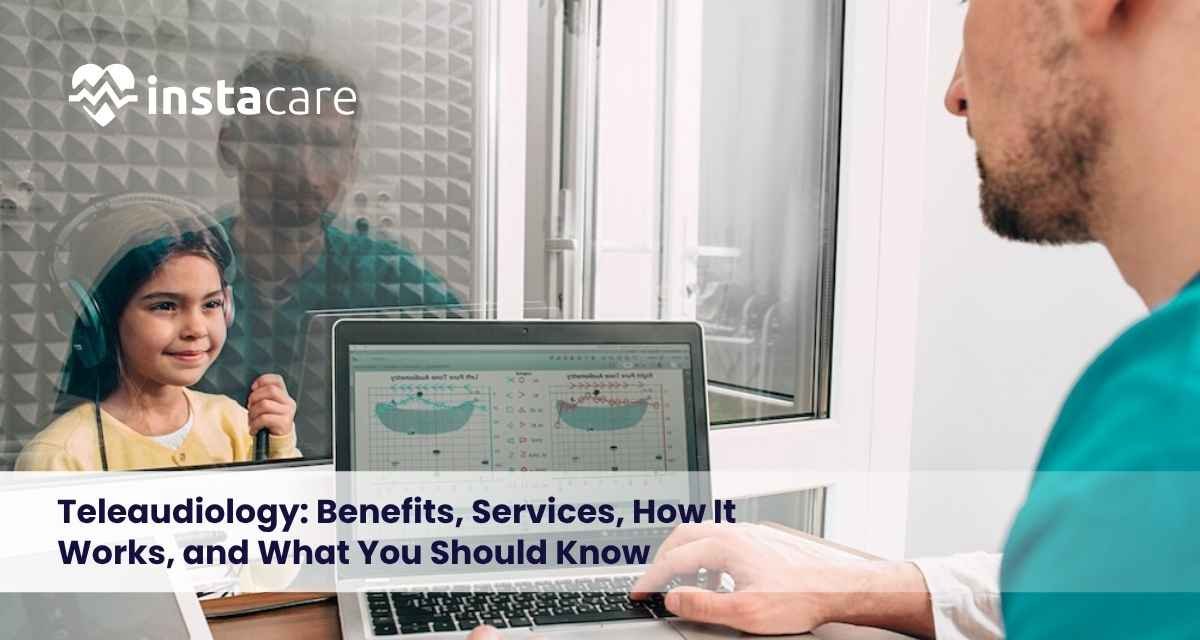
Teleaudiology: Benefits, Services, How It Works, and What You Should Know Before telemedicine, hearing healthcare services involved travel to the clinic for evaluations, tests, and follow-up visits. However, patients now have more options for medical support thanks to advances in digital healthcare. One of these is teleaudiology – a means of providing hearing services via digital communication. Teleaudiology allows hearing healthcare to be provided without the necessity of face-to-face meetings for every appointment. Teleaudiology can enable remote hearing assessments, hearing aid services, counseling, and follow-up support for individuals who are far from facilities or have accessibility issues. With the growth of remote healthcare, teleaudiology is a critical part of hearing care for the convenience and flexibility it offers. What is Teleaudiology? Teleaudiology is the branch of telemedicine that involves hearing care professionals offering distant services via telecommunication. Teleaudiology includes the following: Initial assessments Hearing aid management Follow-up visits Rehabilitation Counseling How is Teleaudiology delivered? In teleaudiology, patients and hearing care professionals are connected via tools such as video calls, secured online platforms, and mobile applications. The process may contain the following steps: Scheduling and attending a hearing assessment virtually Discussing you hearing issues and your medical history Assessments appropriate to your hearing issues Receiving recommendations and/or treatment Continuing your care digitally Most hearing aids can now be adjusted virtually by an audiologist or hearing aid specialist without a clinic visit. Services Offered via Teleaudiology Teleaudiology can provide many diverse hearing health services. Teleaudiology Remote Consultations During an online appointment patients consult with a hearing health specialist to review hearing related symptoms, discuss hearing concerns, share lifestyle concerns, and review hearing treatment options. Teleaudiology Remote Hearing Tests Assessments and hearing tests can be performed via HIPAA compliant audiology software and can help identify patients in need of treatment. Teleaudiology Remote Hearing Aid Services Teleaudiology can be used to manage hearing aids by making adjustments, troubleshooting hearing aids, and providing care and guidance for hearing aid users. Teleaudiology for Hearing Rehabilitation and Counseling Teleaudiology can assist those having difficulty adapting to hearing loss by offering rehabilitation and hearing related counseling. Guidance can include hearing loss education and improved communication during day to day interactions. Book Your Free Marketing Consultation Benefits of Teleaudiology Having teleaudiology services available has many benefits to patients as well as hearing health related services. Improved Access to Care Those who previously had limited access, including those living in rural areas or with limited transportation, are able to complete hearing health appointments. Teleaudiology significantly improves access to hearing care. Greater Convenience With remote appointments, patients are no longer required to travel, helping to save time for both the patient and the clinician. This would encourage patients to be more regularly engaged in their preventive hearing care routines. Faster Support Through various modes of digital communication, patients receive quicker support, especially for hearing device support and queries regarding hearing issues and concerns. Increased Continuity of Care Through the use of teleaudiology, professionals can document ongoing progress on a case and provide ongoing support. Support for Older Adults Hearing difficulties affect a large population of the older age group, and they may struggle with leaving the house for in-person appointments. Teleaudiology bridge this gap in accessibility. Limitations of Teleaudiology While teleaudiology creates many opportunities, it cannot fully replace in-person hearing services. In-person visits or clinic visits may be needed. Occasional in-person exams may be needed. Teleaudiology may not fully meet the needs of some patients. Who Can Benefit From Teleaudiology? Teleaudiology can be easily accessible to many groups, including: Persons who live far from hearing clinics Persons with low mobility Hearing aid users who require frequent adjustments Those needing routine check-ups First-time hearing support users It is best suited to persons who need consistent support with occasional in-person visits. Technology Used in Teleaudiology Improved teleaudiology focuses on using different digital technologies and modes of communication to improve service delivery. Common tools: Video conferencing software Smartphone applications Remote hearing aid management systems Online hearing evaluation tools Patient data monitoring systems Tools that help hearing care professionals keep in contact with their patients and provide individualized support. The Future of Teleaudiology The digitization of healthcare brings with it great potential for growth of teleaudiology. The future may bring improvements to the accuracy of remote hearing care as a result of the growth in AI, remote monitoring, and connected hearing devices. The future of teleaudiology may include: Improved remote hearing assessments More personalized hearing technology Better hearing support integration within health tech More accessible hearing support around the globe The objective of teleaudiology is not to overhaul traditional hearing care, but to provide additional means and be more accessible to the users of the service. Conclusion Teleaudiology allows hearing healthcare to involve both professional support and modern technology to provide flexibility and convenient scheduling options for consultations and follow-up care. This option is ideal for individuals that have limited access to traditional hearing healthcare because of physical, financial, or circumstantial challenges. In some cases, hearing healthcare may still require face-to-face contact. FAQs Is teleaudiology a substitute for in-person hearing care? Many consultations, follow-ups, and hearing device adjustments can be effectively done with teleaudiology. In some cases and with more complex situations, in-person appointments may still be necessary. Can hearing aids be modified by teleaudiology? It is possible to modify hearing aids with teleaudiology as long as the hearing aids are the latest devices. Hearing aids that can be controlled digitally mean fewer in-person visits are needed. Do I need special equipment for teleaudiology? Equipment necessary for appointments varies for the services offered. Most appointments just require a working internet connection, quiet area, and phone or computer. Additional hearing technology may be needed for some assessments.
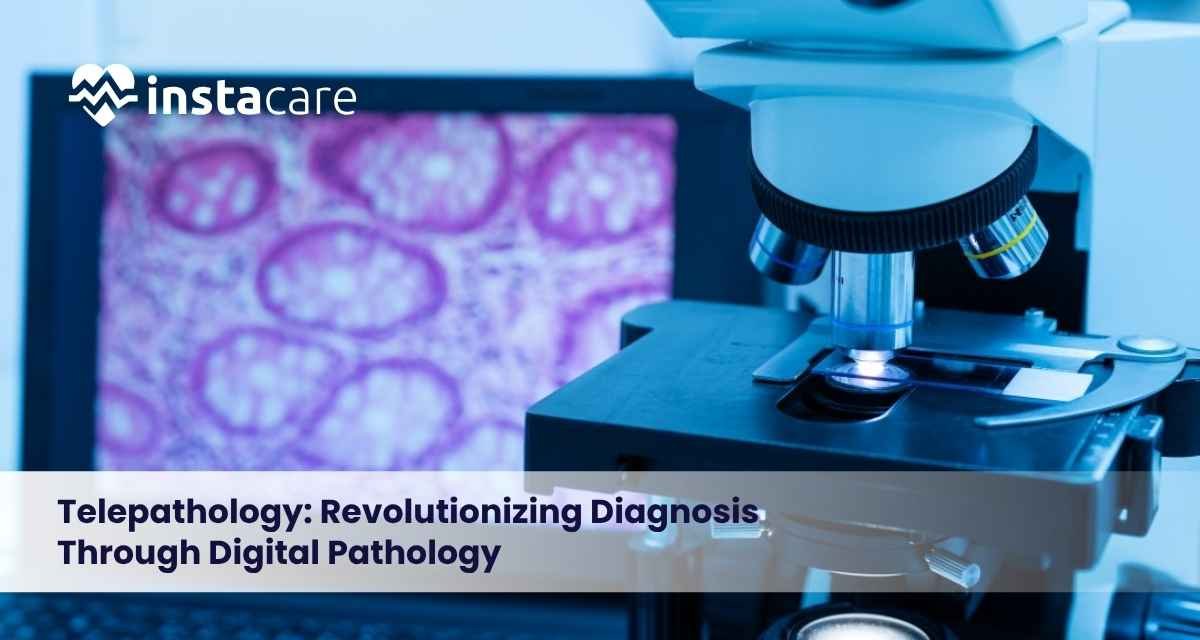
Telepathology: Revolutionizing Diagnosis Through Digital Pathology Telepathology is the use of electronic pathology to digitize tissue samples and pathology slide images to enable pathologist remote diagnostic quantity and interpretation. A remotely located pathologist does not need to be in the same location as the microscope and specimen. With the use of secure digital pathology systems, telepathology supports diagnostic consultations, teaching and research. The digital healthcare ecosystem has increasingly embraced telepathology as a new specialty in pathology. This expanding field is changing the delivery of specialized healthcare services in remote locations. What is Telepathology? Telepathology is the use of digital technologies to transmit images of pathology samples, cells or slides from one location to the other for diagnosis and interpretation. In traditional pathology, a pathologist views glass slides in a microscope. In telepathology, the slides are scanned into high resolution images, and the images are uploaded in a computer-based cloud system. The pathologist reviews the samples, provides their diagnosis and expertise, from their remote location. How Does Telepathology Work? The first step in telepathology is the preparation of tissue samples. The samples are collected via surgical procedures and biopsy. The samples are then processed and placed on glass slides in the laboratory. Digital Slide Scanning A user-specific scanner can transform a glass slide into a high-quality digital file. These files contain a wealth of detail that can be enlarged by a computer for easier analysis. Secure Image Sharing secure networks can transmit the digital files of the slides to pathologists or medical sub-specialists that are located off-site. These users can access and analyze the digital files using a computer software program. Diagnosis and Consultation After reviewing the digital slides, a pathologist can provide a diagnosis and report the findings to the healthcare team involved. This system can also support a case review for consultations by multiple pathologists. Types of Telepathology Telepathology can be described using several techniques based on the manner in which the images are captured and reviewed. Static Telepathology Using this technique, selected images of specified regions of interest on a slide are captured and transmitted for review. This technique can be utilized for limited consultation or teaching. However, the user does not see the slide in its entirety. Dynamic Telepathology In dynamic telepathology, a pathologist controls a remote microscope, and/or views live images. This technique allows real time interaction and diagnostic consultations. Whole Slide Imaging (WSI) This technique involves digitization of the entire slide, preserving all the information. Whole slide imaging has had a profound effect on the practice of pathology. Benefits of Telepathology Access to Specialists First and foremost, telepathology enables far-flung healthcare facilities to gain direct access to pathologists, rather than having to send slides through often long and tedious processes. Optimized Workflow and Diagnostics Beyond improving the workflow, this technology reduces the time a pathology report takes to reach its desired destination. Complex Cases This technology enables multiple pathology specialists to view the same digital slides and collaborate on the same report to provide the most accurate diagnosis. Effective Use of Digital Resources Digital slides can be easily stored, organized and accessed. This can lead to the development of a better pathology record maintenance system and enables users to retrieve past slides that can aid in the comparison of various observations and findings. Cost-Effective Use of Slides Digital slides can also be used to teach both pathology and non-pathology students. AI Telepathology Digital pathology services involving artificial intelligence (AI) are just starting and may help reduce the workload on pathologists. Efficient Services Although it is limited in its current form, AI technology can aid pathologists in recognizing and analyzing pathology images. It is also worth noting that AI will not be able to offer diagnostics in the absence of experienced staff. Future of Pathology The combination of AI and digital imaging holds the promise of revolutionary changes in pathology services for the better in the coming years. Book Your Free Marketing Consultation Applications and Challenges of Telepathology Telepathology is an approach to healthcare that has many applications, including: Diagnosing Cancer Many kinds of cancer can be diagnosed with an examination of tissue done by a pathologist. Telepathology means that pathologists can examine samples and provide their evaluations from a distance. Remote Guidance for Surgeons The pathology assessment for certain surgeries may require rapid evaluations. This means that a pathologist may guide the surgeon from a distance. Receiving a Second Opinion For complicated diagnoses, patients or their care team may decide to seek additional evaluations. Telepathology can help them. Digital pathology databases can help researchers and educators conduct studies and enhance their practice. Although there are many advantages of telepathology, some challenges remain. Higher Technology High quality digital pathology requires excellent scanners and secure data systems, as well as a fast and reliable internet connection. Data Security Diagnostic images store sensitive data. Strong control measures must be in place to secure patient confidentiality. Uniformity Different laboratories may have different appliances and procedures. Uniformity in systems and rules helps guarantee the quality of services. Training Pathologists and lab assistants may need to have additional training to fully optimize use of digital pathology. Telepathology in the Future Accessibility of technology, digital changes, cloud based technologies, and artificial intelligence may allow telepathology to offer diagnostic services to more people no matter where they are located. There may be many more pathology experts available to patients in less developed regions, telepathology networks may help connect with specialists. New technologies, in combination with pathology expertise, may help provide better diagnostic services in the future. Conclusion The combination of pathology and digital technology in telepathology provides the ability to conduct consultations, collaborate, and provide advanced specialty medicine to a wider audience. Despite the security, technology, and standardization challenges, telepathology has the ability to change the way pathology services are delivered. Innovation and development of telepathology is anticipated to increase the significance of telepathology throughout the globe in the future. FAQs What is the main purpose of telepathology? Telepathology’s main purpose
